
Our readers keep the lights on and my morning glass full of iced black tea. As an Amazon Associate, I earn from qualifying purchases.
Specs are compiled from manufacturer listings and verified buyer reviews and can change over time — please confirm the key details on the product page before buying.
Picking a 100 GB flash drive is really about finding a 128 GB model with read speeds that match how you actually work. The drives here range from a blazing 400MB/s metal thumb drive down to a slow USB 2.0 stick that is strictly for light backups.
I’m Min — the founder and writer behind Gadgets Feed. This guide is built by comparing the manufacturers’ published specifications and the patterns across verified customer reviews, so you get each pick’s real strengths and trade-offs instead of marketing spin.
Before you buy, know that a fast advertised read speed doesn’t always mean fast real-world writing of files. This breakdown of the 100 gb flash drive category focuses on the drives that deliver on their promises.
Our Picks at a Glance


How To Choose The Best 128GB Flash Drive
When you search for a 100 GB Flash Drive, you are really looking for a 128GB model, since that’s the standard size that meets your needs. The key is not to get lost in the marketing numbers. You need to match the drive’s strengths to the files you move every day.
Match the Speed to the Task
If you transfer large video files or back up a laptop, a USB 3.0 or 3.2 drive with read speeds around 150MB/s or higher is worth it. For documents and photos you move occasionally, a slower and cheaper USB 2.0 drive is perfectly fine and saves you money.
Look for a Metal Body
Drives with aluminum or metal housings handle heat better than plastic ones. This matters because sustained transfers make drives hot, and heat is the enemy of flash memory. A metal case helps keep everything stable and often feels more durable on a keychain.
Consider Your Ports
Modern laptops and phones often use USB-C ports, while older computers use the standard USB-A. If you need to move files between a phone and a laptop, a dual-connector drive with both types saves you from carrying an adapter around.
Quick Comparison
| Model | Best For | Interface | Read Speed | Build | Amazon |
|---|---|---|---|---|---|
| Samsung BAR Plus★ Best Overall | Overall Speed & Durability | USB 3.1 | 400MB/s | Metal | Amazon |
| TEAMGROUP C175Best Value | Budget-friendly Value | USB 3.2 Gen 1 | 100MB/s | Plastic | Amazon |
| SanDisk Cruzer BladeKeychain King | Simple Keychain Storage | USB 2.0 | — | Plastic | Amazon |
| PNY Turbo Attaché 3 | Large File Transport | USB 3.0 | — | Plastic | Amazon |
| SanDisk Ultra Flair | Fast Everyday Backups | USB 3.0 | 150MB/s | Metal | Amazon |
| Lexar D400 | Phone & Laptop Transfers | USB 3.2 Gen 1 | 130MB/s | Metal | Amazon |
| myemuun 2-Pack | Double Storage for Devices | USB 2.0 | — | Plastic | Amazon |
| Lexar M400 | Rugged Key Ring Use | USB 3.2 Gen 1 | 150MB/s | Metal | Amazon |
| Amazon Basics Ultra Fast | Retractable Basic Storage | USB 3.1 | 130MB/s | Plastic | Amazon |
In-Depth Reviews
1. Samsung BAR Plus 128GB
Our pick — over 4.5★ from 23,000+ verified ratings; the strongest balance of quality and price.
The metal-bodied speedster that treats your keychain like a vault.
The Samsung BAR Plus tops the category with a 400MB/s read speed—4.0x the TEAMGROUP C175’s 100MB/s—moving a 3GB 4K video to your PC in about 10 seconds.
The defining feature is the sturdy metal casing. Its metal casing is waterproof, shock-proof, temperature-proof, magnet-proof, and X-ray-proof, so data survives keychain abuse. The metal body dissipates heat during heavy writes, boosting long-term reliability.
The one number buyers keep coming back to is the real-world write speed. As owners put it: “~60 MB/s write speed in real world use. That’s the real number I think people want to know.” So while the read speed is fantastic for pulling files off, you’ll wait a bit longer when pushing big files onto the drive.
Built Like a Tank
- 400MB/s read speed for near-SSD transfer speeds
- Rugged metal body survives keychain life
- Works instantly with Mac and PC systems
The Realistic Trade-off
- Write speed lands around 60MB/s in practice
- Gets very hot after writing large amounts of data
Pick this if: you want the most durable and fastest-read drive for frequent large file transfers.
Think twice if: you only move small documents now and then — the speed won’t matter to you.
2. TEAMGROUP C175 128GB
A budget stick that nails the basics without the premium price tag.
The TEAMGROUP C175 is the drive you grab when you want 128GB of storage without spending extra for speed you don’t need. With a read speed of 100MB/s, it is noticeably slower than the Samsung BAR Plus, but for general file storage like documents and photos, it performs flawlessly.
The design is “cap-loss free,” which means you don’t have to worry about losing a tiny lid. It’s a plug-and-play interface that supports hot swapping, so you can pull it out and plug it in without restarting your computer. Real-world testing shows about 115GB of usable space after formatting.
The honest caveat is that the write speed is inconsistent. While it can start at a decent pace, sustained writes can drop from ~100MB/s down to 5MB/s after the cache fills up. Because of this, it is best suited as an archive drive for files you store once, rather than a workhorse for constant large transfers.
Solid for the price: It offers a lifetime warranty and reliable storage capacity for everyday tasks, making it the right call for budget-conscious buyers.
Where it stumbles: The volatile cache can risk data loss if you disconnect too early after a big write, so treat it gently.
3. SanDisk Cruzer Blade 128GB
The featherweight that disappears onto your keyring and just works.
The SanDisk Cruzer Blade is the anti-premium choice, and that’s exactly its appeal. It runs on the older USB 2.0 standard, which means transfer speeds are far slower than the USB 3.1 Samsung BAR Plus above. But for a drive you carry everywhere “just in case,” the trade-off makes sense.
At just 4.54g, it’s almost weightless, and the compact contoured design slips easily onto a key ring or into a small pocket. Buyers love it as a simple, reliable backup tool, with one noting it’s “very lightweight and small, making it easy to store somewhere or put on a keychain.”
Included SanDisk SecureAccess adds 128-bit AES password protection—rare at this price. That makes it a smart pick for carrying private documents without worrying if you lose the drive.
Grab it if: you want a cheap, reliable drive for documents and occasional backups where speed doesn’t matter.
Be aware: durability gets mixed reports, so it’s not the one to abuse. Treat it as a light-duty companion.
4. PNY Turbo Attaché 3 128GB

The capless slider built to shuttle massive file collections between machines.
The PNY Turbo Attaché 3 uses USB 3.0 for speeds about 10x faster than PNY USB 2.0 drives, with 128GB holding roughly 23,674 songs. That makes it a strong candidate for transporting large photo libraries and video files.
Its standout design feature is a sliding collar that retracts the connector, so there’s no cap to lose — just slide it out to plug in and slide it back to protect the port. An integrated loop makes it easy to attach to key chains or backpacks without adding bulk.
If you need to work on a machine without USB 3.0 ports, it remains backwards compatible with USB 2.0, though you’ll sacrifice that speed boost. It’s a practical, no-fuss way to move big folders around.
Best for: moving large file collections between machines where a sliding metal-free design is more convenient than a cap.
Worth noting: speed gets mixed feedback depending on the host device, and it’s not the fastest option in this list.
5. SanDisk Ultra Flair 128GB
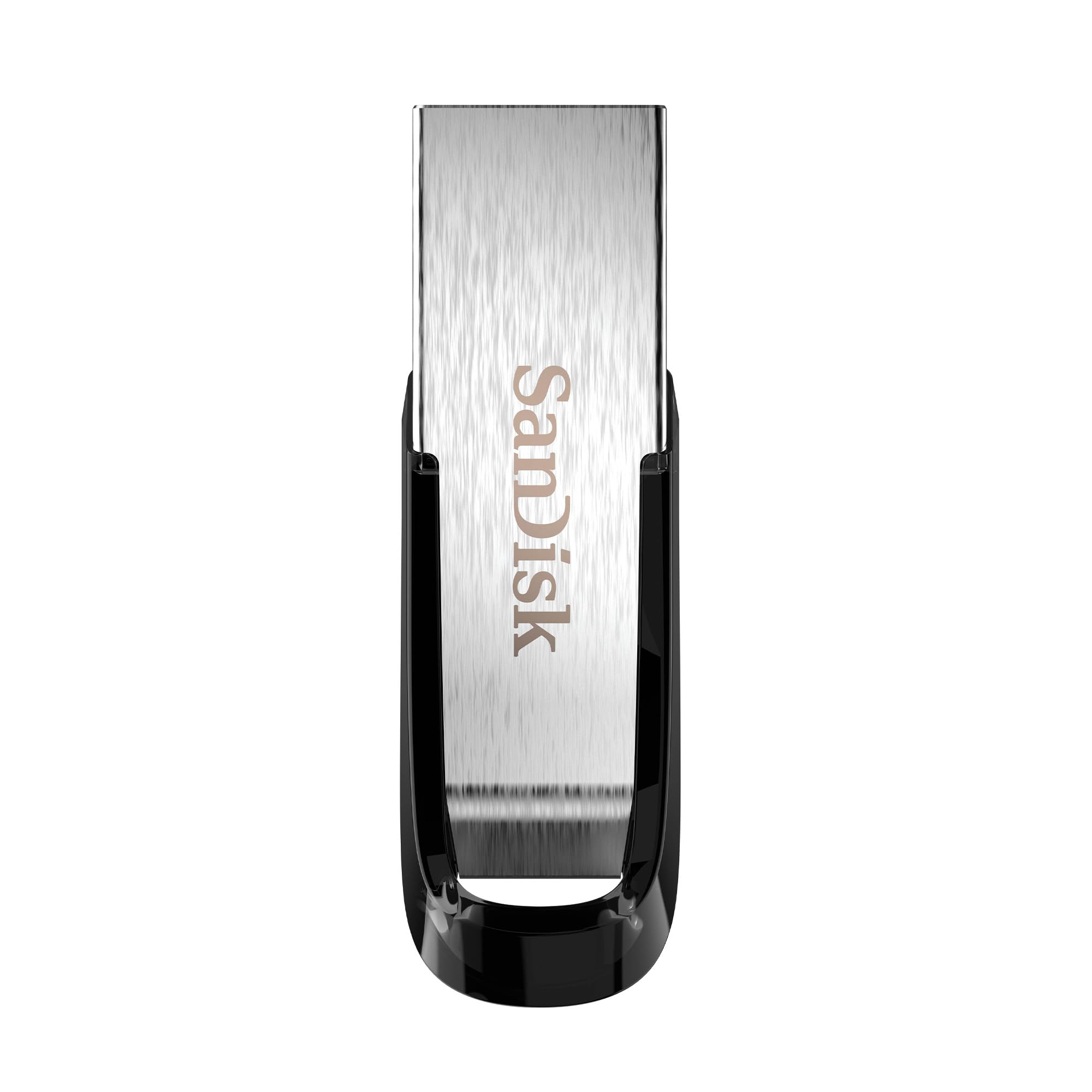
The all-metal workhorse that moves a full movie in under half a minute.
The SanDisk Ultra Flair is the everyday performance pick, hitting up to 150MB/s read speeds with its USB 3.0 connection. That’s fast enough to transfer a full-length movie in under 30 seconds, ideal for frequent backups. It’s much faster for reading than the TEAMGROUP C175, though still behind the Samsung BAR Plus.
The sleek, durable metal casing gives it a premium feel that plastic drives lack, and it stays durable while remaining compact enough to fit in a camera bag. Owners consistently report it’s a trustworthy brand for storing important data thanks to that solid construction.
The main real-world gripe is heat. The drive heats up very quickly during heavy transfers, which is normal for fast drives but worth knowing if you’re moving terabytes at once. It’s also quite small, so a keyring is recommended to avoid losing it.
Fast & Solid
- 150MB/s read speed for snappy file access
- Metal casing feels premium and tough
- 128-bit AES password protection included
Handle With Care
- Runs hot during large sustained transfers
- Small size increases the risk of misplacing it
Choose this for: balanced speed and build quality for daily backups and media storage.
skip it if: you need the absolute fastest read speed — the BAR Plus beats it at 400MB/s.
6. Lexar JumpDrive D400 128GB
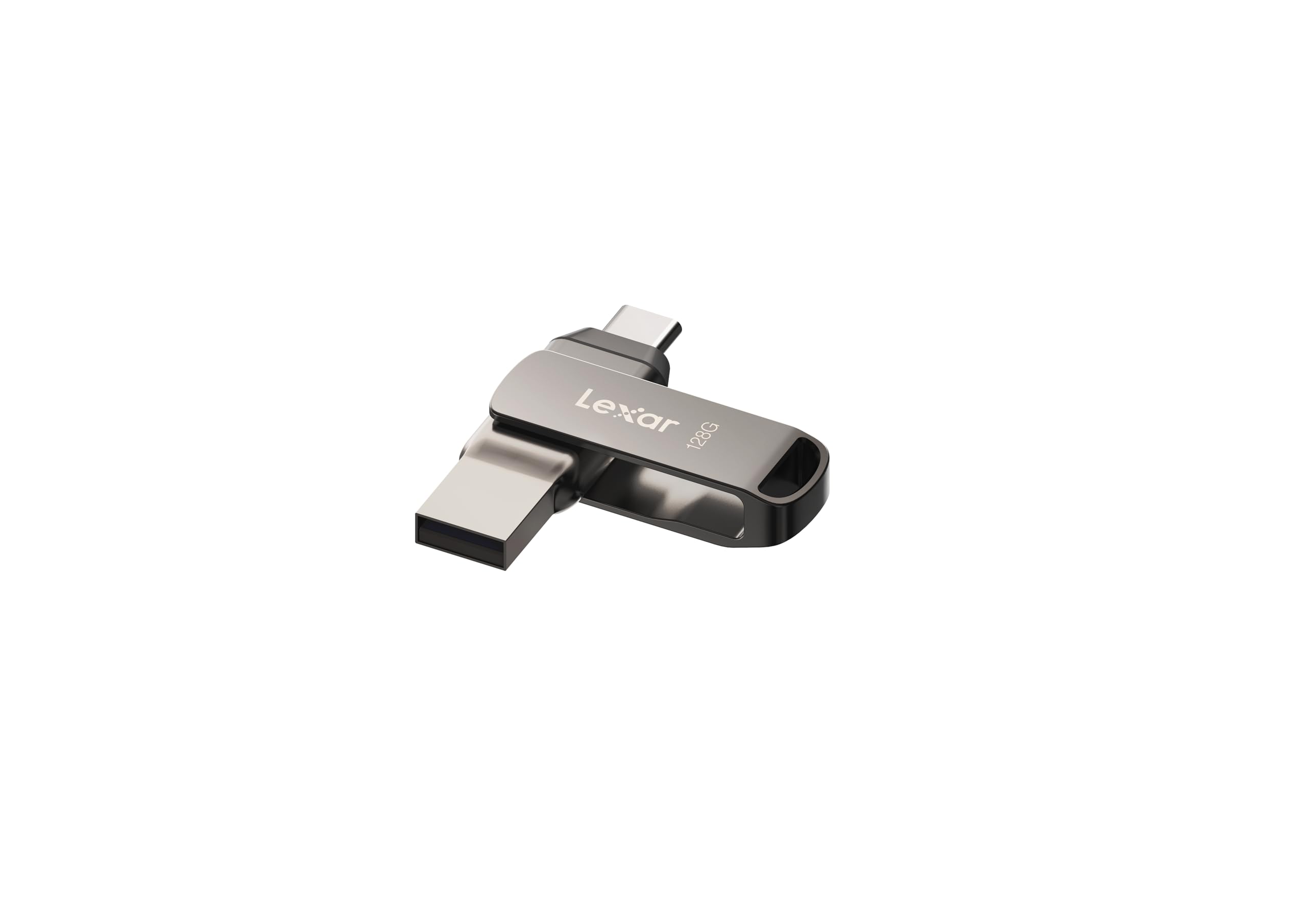
The swivel drive that bridges your phone and laptop without an adapter.
The Lexar D400 solves a very modern problem: moving photos off your phone and onto your computer. With both USB Type-C and Type-A connectors built in, it plugs directly into an iPhone 15, Android phone, PC, or Mac — no adapter needed. That dual-connector design is the defining reason to choose it over a single-format drive.
It delivers high-speed USB 3.2 Gen 1 performance with read speeds up to 130MB/s, so photo backups from your phone are quick. The stylish metal housing uses a swivel design to protect whichever connector you’re not using, keeping the ports safe in a bag.
For iPhone users, it’s a straightforward plug-and-play solution for photo backup, though be aware that some capacity is taken up by the built-in Lexar software. On a 128GB model, you may see closer to 116GB of usable space.
Ideal for: anyone juggling files between a USB-C phone or tablet and a standard USB-A laptop.
Keep in mind: overall durability gets mixed reviews, so it’s best to treat the swivel mechanism with care.
7. myemuun 2-Pack 128GB Dual USB-C

Two 2-in-1 drives that split your work and personal storage neatly.
The myemuun 2-Pack is the quantity play — you get two 128GB flash drives in black and blue, giving you double the storage and a simple way to separate work files from personal ones. Each drive has both USB-C and USB-A connectors, so they work with phones, tablets, MacBooks, and PCs without needing an adapter.
Owners appreciate the versatility for holding thousands of photos and managing both professional and personal files. The drives use the USB 2.0 standard, which supports stable, consistent performance across a wide range of devices and operating systems, trading raw speed for broad compatibility.
The honest trade-off is that USB 2.0 is slow by today’s standards, and reliability gets mixed feedback in testing. It’s best used for occasional backups and archiving rather than as a primary fast-transfer tool.
Best for: getting two functional dual-connector drives at a practical price for light, occasional use.
Not for: heavy daily transfers or critical data that requires a fast, proven drive.
8. Lexar JumpDrive M400 128GB

A rugged key-ring drive that keeps your files close and protected.
The Lexar M400 is designed for the “always on me” crowd. It features a sleek metal body with a built-in key ring design, so you can attach it to your keys and forget about it until you need it. It’s rugged and stylish, built to survive the scratches and bumps of daily carry.
Under the hood, it delivers USB 3.2 Gen 1 performance with read speeds up to 150MB/s, matching the SanDisk Ultra Flair. It’s backwards compatible with USB 3.1, 3.0, and 2.0 devices, so it will work with older ports at slower speeds. Buyers report it works very well for expanding Firestick memory and running games directly from the drive.
Lexar DataShield software adds a security layer for private files, and owners praise its reliability most. It’s a capable all-rounder for those who want speed and durability in one compact package.
Pick this if: you want a durable, key-ring-ready drive with 150MB/s read speeds for everyday use.
Note: sustained write speeds can throttle on very large files, so it’s better for light-to-moderate use.
9. Amazon Basics 128GB Ultra Fast

A retractable, no-cap design that keeps the connector safe and simple.
The Amazon Basics Ultra Fast drive is a solid middle-ground option with a retractable, telescopic design. This means no cap to lose — you slide the connector out when you need it and tuck it away when you don’t, which keeps the USB port safe in a pocket or bag.
It offers 130MB/s reads and 30MB/s writes over USB 3.1, storing about 32,000 12MP photos or 488 minutes of 1080P video. It’s a straightforward plug-and-play drive that owners find connects instantly to all their laptops without formatting or setup.
The included keyhole adds security so you can attach it to a keychain. One “gotcha” is that it defaults to FAT32 format, so if you need to transfer a single file larger than 4GB, you’ll need to reformat it to exFAT or NTFS.
Choose this for: a reliable, lightweight drive with a convenient retractable design for basic file storage.
Remember: 30MB/s write speed is slower than the premium options, and the plastic body isn’t built for rough keychain abuse.
Understanding the Specs
Read Speed vs. Write Speed
The read speed (like 400MB/s or 150MB/s) is how fast the drive sends files to your computer — it’s the number on the box. The write speed is how fast the drive saves new files onto itself, and it’s almost always much slower. For everyday use like opening documents, read speed matters most.
USB Standards Explained
USB 2.0 is the older, slower standard found on budget drives. USB 3.0, 3.1, and 3.2 are all faster generations that look similar but offer much higher transfer speeds. A drive labelled USB 3.2 Gen 1 works in any USB 3.0 port, and all of these are backwards compatible with USB 2.0 ports at reduced speed.
FAQ
Why do I see 128GB drives when I searched for a 100GB flash drive?
Why is the real storage capacity less than 128GB?
What is the difference between the Samsung BAR Plus and the TEAMGROUP C175?
Can I transfer files between my phone and a flash drive?
Is a USB 2.0 flash drive fast enough for daily use?
Why does my flash drive get so hot during use?
What is the difference between USB 3.0, 3.1, and 3.2?
Which flash drive is best for backing up my laptop?
Can I run software or games directly from a flash drive?
What is a retractable flash drive design?
Final Thoughts: The Verdict
Across the board, the 100 gb flash drive winner is the Samsung BAR Plus because it pairs 400MB/s read speeds with a metal body built to survive real life. If you want fast everyday backups at a slightly lower cost, grab the SanDisk Ultra Flair. And for moving files between your phone and laptop, the Lexar D400 is the one to reach for.
How We Picked
We do not accept paid placement. Every pick is matched to a real buyer and a real use-case; we do not hands-on test units.
Sources & Methodology
Specifications: manufacturer listings and product documentation. Review insights: verified customer reviews, as of August 2026. Pricing: not shown on this page (it changes often); check the current price via the retailer link.
As an Amazon Associate, Gadgets Feed earns from qualifying purchases. This does not affect which products we feature.