
Replacing a failing hard drive or breathing life into a sluggish laptop doesn’t require a massive storage investment. A compact SATA SSD near the 128 GB mark offers the perfect cure for that spinning-drive drag, slashing boot times from minutes to seconds and making application loading feel instant. These drives are the ideal surgical upgrade for legacy systems where you need the operating system and a handful of essential programs to fly.
I’m Min — the co-founder and writer behind Gadgets Feed. I’ve combed through seven competing drives in this specific capacity class, analyzing their sequential read/write figures, NAND flash types, and real-world customer feedback to separate genuine performance from marketing fluff.
This guide identifies the best drives for reviving older PCs, with a clear winner that balances speed, reliability, and capacity. Whether you are upgrading a dusty desktop or a decade-old laptop, here is your definitive resource for the best 100 gb solid state drive.
How To Choose The Best 100 GB Solid State Drive
A 128 GB SATA SSD is a very specific tool — it’s a dedicated boot drive for an older system that still uses a 2.5-inch bay. You are not shopping for raw capacity here; you are shopping for the fastest, most reliable controller and NAND combination that fits within the SATA III interface limits. The following factors separate a drive that will run reliably for years from one that will frustrate you within months.
NAND Type: TLC vs. QLC
Triple-Level Cell (TLC) NAND offers significantly higher write endurance than Quad-Level Cell (QLC) NAND. For a 128 GB drive used as a boot drive, the write workload is moderate, but TLC handles sustained writes and repeated OS updates with less performance degradation. Drives using QLC can feel snappy during light use but may slow dramatically during large file transfers. Prioritize TLC-based SSDs for longevity.
Sequential Read/Write Performance
All modern SATA III SSDs are capped at roughly 550 MB/s sequential read due to the interface. However, budget drives often land at 400-450 MB/s. The difference is noticeable when booting from a cold start or loading large applications. Look for drives with read speeds of 500 MB/s or higher to get the most out of your SATA III connection.
SLC Cache Technology
Many budget SSDs employ a pseudo-SLC cache, writing data at high speed into a portion of the NAND configured to operate in single-level cell mode. Once that cache fills, write speeds drop to the native NAND speed. Drives with a larger or more persistent SLC cache deliver a snappier feel during everyday multitasking and file copying.
Quick Comparison
On smaller screens, swipe sideways to see the full table.
| Model | Category | Best For | Key Spec | Amazon |
|---|---|---|---|---|
| KingSpec 128GB | Best Overall | Peak SATA speed for desktop/laptop | 550 MB/s Read, 520 MB/s Write | Amazon |
| Silicon Power A55 | Premium Pick | SLC cache for burst performance | 500 MB/s Read, SLC Cache Tech | Amazon |
| Bestoss 128GB | Top Performer | TLC NAND endurance | 550 MB/s Read, TLC Flash | Amazon |
| Vansuny 128GB | Best Value | Balanced price and 450 MB/s speed | 450 MB/s Read, 3D NAND | Amazon |
| fanxiang S101 | Mid-Range | TLC reliability at a low price | 500 MB/s Read, TLC Chips | Amazon |
| RAOYI 128GB | Budget Pick | Entry-level upgrade for dual-boot | 450 MB/s Read, 350 MB/s Write | Amazon |
| Ediloca ES580E | Budget Champion | Cheapest viable boot drive | 400 MB/s Read, QLC NAND | Amazon |
In‑Depth Reviews
1. KingSpec 128GB 2.5 SSD

The KingSpec 128GB drive hits the theoretical SATA III ceiling with sequential read speeds up to 550 MB/s and write speeds of 520 MB/s. In real-world terms, that means booting a clean Windows install in under ten seconds and launching major applications in a blink. It uses 3D NAND flash combined with support for TRIM and S.M.A.R.T., ensuring the controller maintains consistent performance over the drive’s lifespan.
Build quality is a strong point — the aluminum enclosure acts as a passive heatsink while keeping the unit shock-resistant and completely silent. Customers consistently report flawless compatibility with both laptops and desktops, noting that it instantly revitalizes older machines that felt unusable with mechanical hard drives. The three-year warranty provides additional peace of mind for a drive that will likely outlast the system it upgrades.
For anyone seeking the fastest possible SATA boot drive at this capacity, the KingSpec delivers the full 550 MB/s bandwidth without compromising reliability. The 128 GB capacity is ideal for an OS plus essential programs, though power users with large game libraries should consider a higher capacity tier.
Why it’s great
- Maximum SATA III read/write speeds of 550/520 MB/s.
- Excellent user feedback for reviving old laptops.
- Robust 3-year warranty with technical support.
Good to know
- 128 GB fills quickly with large games or media files.
- Not NVMe; limited to 6 Gb/s SATA interface.
2. Silicon Power 128GB Ace A55

The Silicon Power Ace A55 stands out by integrating SLC Cache technology, which writes data to a fast SLC buffer before transferring it to the main TLC NAND. This technique delivers peak write performance for everyday bursts — exactly the pattern seen when booting an OS or launching applications. Sequential reads hit 500 MB/s, and the SLC cache ensures that common tasks feel snappy even after the drive has been in use for extended periods.
Silicon Power bundles a free-download SSD health monitor called SP Toolbox that tracks drive temperature, total bytes written, erase count, and S.M.A.R.T. status. This is a rare feature at this price tier and allows you to proactively monitor the drive’s lifespan. The drive also includes Bad Block Management and ECC technology to maintain data integrity over years of use.
Users consistently rate this drive as an excellent value for virtualization boot drives and general system upgrades. The 7mm slim profile fits effortlessly into ultra-thin laptops, and the three-year warranty covers defects. If you prioritize sustained performance monitoring and SLC acceleration, the A55 is the smarter pick.
Why it’s great
- SLC Cache technology for higher burst write speeds.
- Includes free SP Toolbox health monitoring software.
- Thin 7mm design fits all laptop bays.
Good to know
- Real-world speed similar to competing 500 MB/s drives.
- Warranty registration requires visiting manufacturer website.
3. Bestoss 128GB SSD
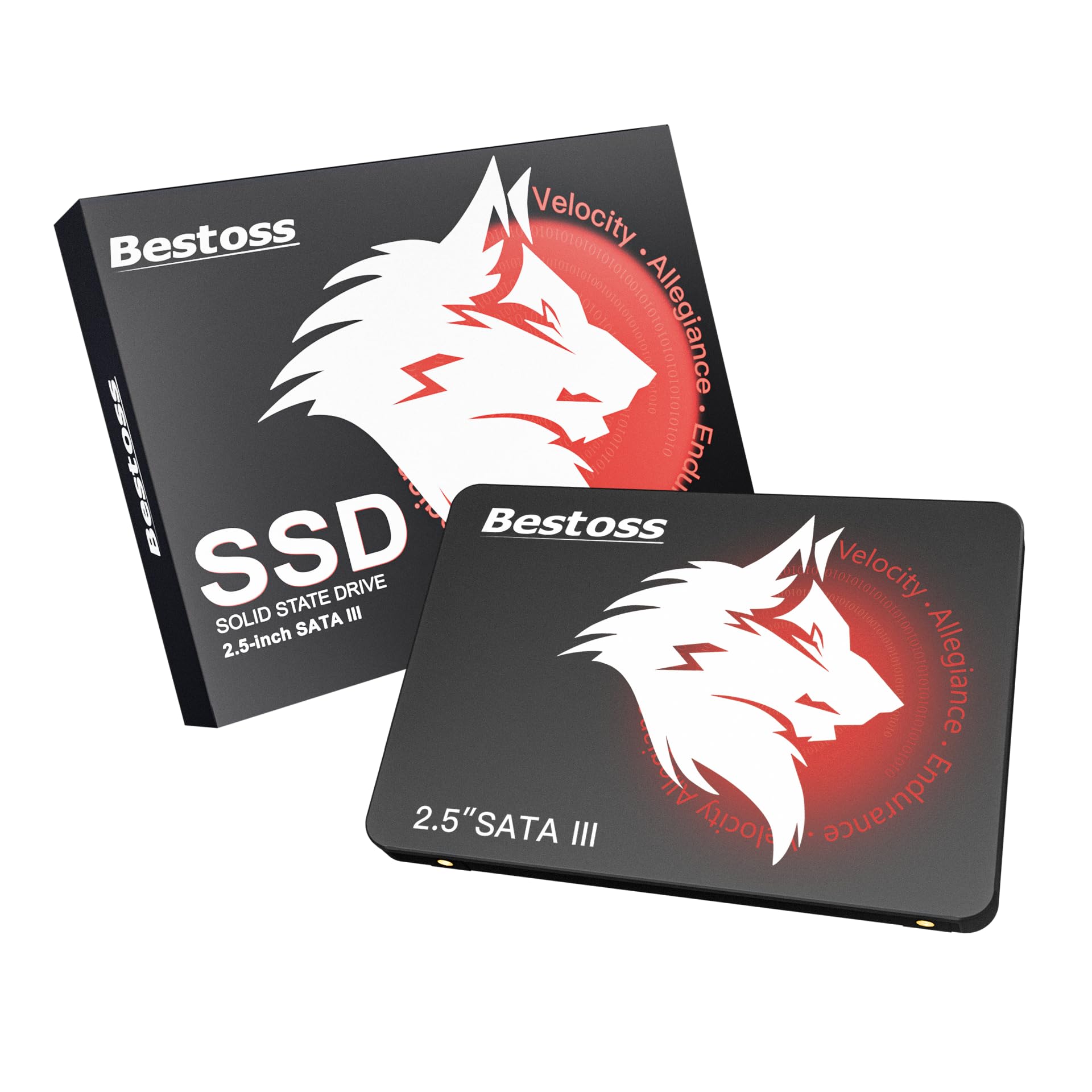
The Bestoss 128GB drive is built around TLC NAND flash, which offers significantly longer write endurance than QLC alternatives. This makes it an especially robust choice for systems that handle frequent OS updates, swap file writes, or temporary scratch storage for creative work. Sequential read performance matches the SATA III ceiling at 550 MB/s, with write performance pushing up to 550 MB/s under ideal conditions.
Compatibility extends natively to SATA II and SATA I interfaces, meaning it will work in older machines without issue, though at reduced speeds. The drive supports NCQ and TRIM instructions for optimized queuing and garbage collection, which keeps performance consistent as the drive ages. The red and black enclosure is distinctive, but the practical value lies in the TLC endurance and 3-year warranty.
Customer reviews highlight it as a great budget SSD for basic use, booting Windows faster than any mechanical drive. For scenarios where write-heavy workloads are the norm, the Bestoss TLC architecture provides a durability advantage over cheaper QLC-based competitors in the same capacity range.
Why it’s great
- TLC NAND for superior write endurance over QLC.
- Full 550 MB/s SATA III read speed.
- Backward compatible with SATA II and SATA I.
Good to know
- Newer brand with less long-term track record.
- No bundled cloning software included.
4. Vansuny 128GB SATA III SSD

The Vansuny drive offers a balanced specification sheet with sequential read speeds up to 450 MB/s and write speeds to 330 MB/s. While slightly below the SATA III maximum, these figures still represent a 4x improvement over typical 5400 RPM hard drives. It uses advanced 3D NAND flash and a premium ABS casing for heat dissipation, keeping the drive cool and stable under load.
Compatibility is broad, covering Windows, Linux, and Mac OS, with a standard 2.5-inch form factor that fits most desktops, laptops, and all-in-one PCs. Users report it works well as a secondary drive for games or as a primary OS drive for older computers. The drive runs silently and shockproof since it contains zero moving parts, making it a reliable travel companion for a laptop upgrade.
For a budget-conscious buyer who needs reliable SATA performance without chasing the absolute highest benchmarks, the Vansuny delivers a solid 450 MB/s ceiling. It is an especially good match for systems still stuck on SATA II, where the interface limit is 300 MB/s anyway, making the speed gap to premium drives irrelevant.
Why it’s great
- 450 MB/s read is fast enough for most SATA systems.
- Excellent heat dissipation from ABS casing design.
- Works with major OS platforms including Mac and Linux.
Good to know
- Write speed (330 MB/s) is lower than class leaders.
- Plastic casing feels less premium than aluminum.
5. fanxiang S101 128GB SSD

The fanxiang S101 hits a sweet spot with 500 MB/s sequential reads and TLC NAND chips, avoiding the write endurance penalty of QLC. The brand specifically notes that TLC offers a longer lifespan in writes compared to QLC, making this drive suitable for users who may write significant data over time. The S101 also supports various operating systems including Windows, Linux, and Mac OS.
User feedback is generally positive, with many reporting that it makes their old laptop feel brand new by reducing boot time to under 10 seconds. A few users experienced corruption after several months, though this was often in very old systems with potential pre-existing SATA controller issues. The 3-year quality assurance covers manufacturing defects.
For those seeking TLC reliability at an entry-level price point, the S101 is a compelling option. Its 500 MB/s read speed places it comfortably above slower 400 MB/s budget drives while keeping costs minimal.
Why it’s great
- TLC NAND provides better endurance than QLC competitors.
- 500 MB/s read speed delivers quick boot times.
- Wide OS compatibility out of the box.
Good to know
- Mixed long-term reliability in some older systems.
- Write speed not specified as high as read speed.
6. RAOYI 128GB Internal SSD

The RAOYI 128GB drive promises read speeds up to 450 MB/s and write speeds of 350 MB/s, backed by advanced 3D NAND technology. The PC+ABS casing provides a balance of heat dissipation and shock resistance, making it a viable upgrade for both desktop and laptop systems. Backward compatibility with SATA 2.0 and 1.0 means it will function in older motherboards without compatibility headaches.
Customers report that installation was seamless, with one user successfully using it to dual-boot Linux on a separate drive. The drive works well for light gaming, data analysis, and graphic design scenarios where the 128 GB capacity is sufficient for active projects. RAOYI includes lifetime technical support, which is a generous offering for an entry-level drive.
This is a straightforward upgrade for anyone on the strictest budget who needs to move a system from an HDD to an SSD. The 450 MB/s read speed will dramatically improve responsiveness, even if it doesn’t match the fastest SATA drives available.
Why it’s great
- Affordable entry point for HDD-to-SSD upgrades.
- Backward compatible with SATA 2.0 and 1.0.
- Lifetime technical support included.
Good to know
- 450 MB/s read is below the SATA III ceiling.
- Limited customer reviews for long-term reliability.
7. Ediloca 120GB ES580E SSD
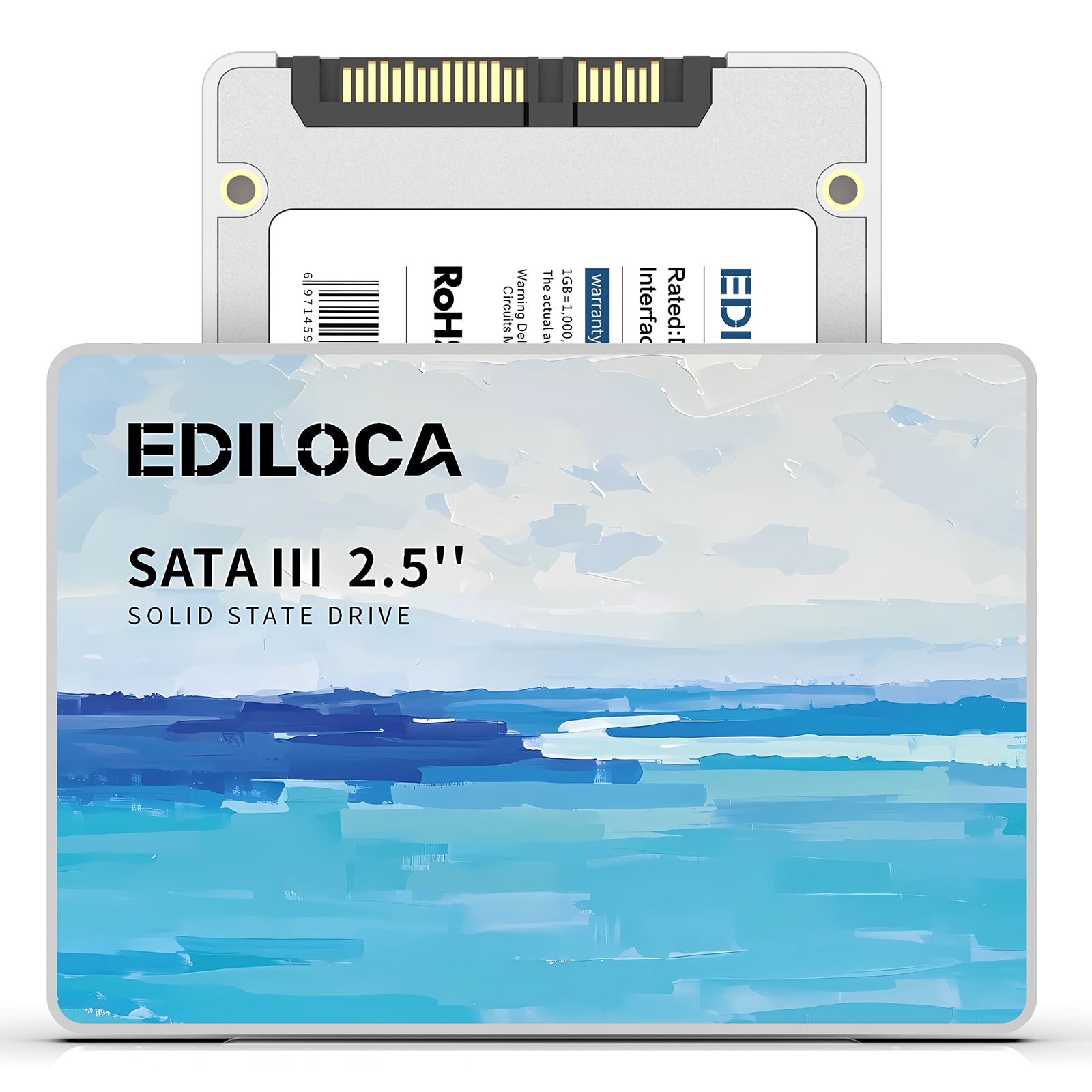
The Ediloca ES580E is the most affordable drive in this roundup, offering 400 MB/s read speeds and 220 MB/s write speeds using 3D QLC NAND technology. The QLC NAND allows for higher density at a lower cost, but write endurance is lower than TLC drives. Ediloca mitigates this with a 72-hour stress test on each unit and a 3-year limited warranty ensuring 99.9% data integrity.
The drive is shock-resistant up to 1500G and drop-proof from 1.2 meters, making it surprisingly robust for a budget part. It is plug-and-play compatible with Windows 10/11, macOS 10.4+, and Linux 2.6.33+, though new drives require initial partitioning in Disk Management. Customers have used it successfully with the MPC Live 3 and for upgrading older laptops with HDDs.
If your absolute priority is the lowest possible entry cost to get a system off a mechanical drive, the Ediloca delivers. It is slower than the TLC-based competition, but for basic browsing, document editing, and media playback, the difference from a typical HDD is still transformative.
Why it’s great
- Lowest price point for a 100 GB class SSD.
- High shock resistance (1500G) for mobile use.
- 72-hour stress tested for quality assurance.
Good to know
- QLC NAND has lower write endurance than TLC.
- 400 MB/s read is the slowest in this comparison.
FAQ
Can a 128 GB SSD hold Windows 11 and my programs?
Will these drives work in a 2012 MacBook Pro?
Why is my SATA SSD only showing 480 GB instead of 500 GB?
Final Thoughts: The Verdict
For most users, the best 100 gb solid state drive winner is the KingSpec 128GB because it delivers the maximum possible SATA III speed of 550 MB/s read and 520 MB/s write at a price that undercuts most competitors. If you want SLC caching for faster burst performance and health monitoring, grab the Silicon Power Ace A55. And for the absolute lowest entry cost to revive a dying mechanical drive, nothing beats the Ediloca ES580E.