
Stepping from a standard 60Hz panel to a 100Hz monitor is one of the most immediately satisfying upgrades you can make to your desktop setup. That extra 40 frames per second transforms everyday cursor movement, scrolling through dense documents, and casual gaming from a series of jarring jumps into a fluid, almost liquid glide. You don’t realize how much micro-stutter you tolerated until you see a 100Hz panel in motion.
I’m Min — the co-founder and writer behind Gadgets Feed. I’ve spent hundreds of hours analyzing competitive panel specifications, reading through verified buyer experiences, and breaking down the real-world differences between entry-level and premium 100Hz monitors to deliver a guide that cuts through the marketing noise.
Whether you need sharper text for spreadsheets or smoother frames for gaming, this deep dive into the best 100 hz pc monitor options will help you find the perfect balance of resolution, color accuracy, and ergonomic features for your workspace and budget.
How To Choose The Best 100 Hz PC Monitor
Choosing a 100Hz monitor involves more than just checking the refresh rate box. The best decision hinges on your primary use case—productivity, gaming, or a mix of both. Key factors include panel type, resolution, ergonomic adjustability, and the specific connectivity ports your setup requires.
Resolution: 1440p vs. 1080p
The resolution is the first major fork in the road. A WQHD (2560×1440) panel offers 1.77 times more pixels than a standard Full HD (1920×1080) display. This sharpness makes a huge difference for reading text, editing photos, and seeing more of your spreadsheets without scaling. However, 1080p monitors are typically larger and cheaper, and they place less demand on your graphics card, making them a solid choice for pure office work or pairing with a laptop.
Panel Technology: IPS vs. VA vs. TN
IPS (In-Plane Switching) panels are the gold standard for color accuracy and wide viewing angles, making them ideal for collaborative work and media consumption. VA (Vertical Alignment) panels offer superior contrast ratios, producing deeper blacks that are excellent for watching movies or gaming in darker rooms. TN panels are rare in this segment for a reason—they offer faster response times but at the cost of poor viewing angles and washed-out colors. For a 100Hz monitor, IPS is the safest, most versatile choice.
Connectivity and Adaptive Sync
Check for DisplayPort and at least one HDMI 2.0 port to hit the full 100Hz refresh rate. VGA ports should be avoided for refresh rate purposes. AMD FreeSync is the standard Adaptive Sync technology in this price range, and it works surprisingly well with most modern Nvidia G-Sync compatible cards over DisplayPort. This technology synchronizes the monitor’s refresh rate with your GPU’s frame output, eliminating screen tearing without the stutter of traditional V-Sync.
Quick Comparison
On smaller screens, swipe sideways to see the full table.
| Model | Category | Best For | Key Spec | Amazon |
|---|---|---|---|---|
| Acer SB272U Ebiip | Mid-Range | Budget 1440p Office & Casual Gaming | 27″ 2560×1440 IPS, 1ms VRB | Amazon |
| MSI PRO MP275Q | Mid-Range | Color-Conscious Work & Productivity | 27″ 2560×1440 IPS, 1.07B Colors | Amazon |
| Lenovo L27q-4a | Premium | High-Quality Built-In Audio & QHD | 27″ 2560×1440 IPS, MaxxAudio Speakers | Amazon |
| Pixio PX275 Wave White | Premium | Style-Conscious 1440p Gaming Setup | 27″ 2560×1440 IPS, 350 cd/m² Brightness | Amazon |
| Samsung S40GD (27″) | Mid-Range | Ergonomic Office Setup & Connectivity | 27″ 1920×1080 IPS, Height/Pivot Adjustable | Amazon |
| LG 32MR50C-B | Mid-Range | Immersive Media & General Use | 32″ 1920×1080 Curved VA, 3000:1 Contrast | Amazon |
| Amazon Basics 27″ | Budget | Simple Plug-and-Play Office Use | 27″ 1920×1080 IPS, 4 USB-A Ports | Amazon |
| Dell SE2725HM | Budget | Reliable Brand & Anti-Glare Office Work | 27″ 1920×1080 IPS, ComfortView Plus | Amazon |
| Alienware AW3425DWM | Premium | Ultrawide Immersive Gaming | 34″ 3440×1440 Curved VA, 180Hz | Amazon |
In‑Depth Reviews
1. Acer SB272U Ebiip

The Acer SB272U hits the sweet spot for any user who wants to upgrade to 1440p without breaking the bank. Its 27-inch IPS panel delivers the crisp text and wide viewing angles essential for long workdays, while the 100Hz refresh rate and 1ms VRB response time make it genuinely capable for casual or less competitive gaming. The ultrathin design and VESA compatibility are nice bonuses for a clean desk setup.
FreeSync support works reliably with both AMD and modern Nvidia GPUs, ensuring smooth frame pacing without screen tearing. At 250 nits of brightness, it’s adequate for indoor use, and the low blue light feature helps reduce eye strain during extended sessions. The zero-frame design minimizes bezel distraction in multi-monitor arrays.
The primary downside is the lack of built-in speakers, which some users discover only after setup. While it has an audio-out port, you’ll need external speakers or headphones for sound. The pixel pitch of 0.233mm is sharp for text but can make fine details in some games look very small at the native resolution.
Why it’s great
- Excellent value for a 27″ WQHD IPS monitor at 100Hz
- Solid FreeSync implementation for tear-free gaming
- Ultra-thin profile and VESA mount ready
Good to know
- No built-in speakers
- Brightness is adequate but not outstanding for bright rooms
2. MSI PRO MP275Q

The MSI PRO MP275Q is a serious contender for anyone who needs a high-resolution panel with reliable color accuracy. Its 27-inch WQHD IPS display covers 100% of the sRGB gamut and supports 1.07 billion colors at 10-bit depth, making it a strong entry-level choice for photo editing and design work. The 300 nits of brightness and 1300:1 static contrast ratio provide punchy visuals with deeper blacks than many competitors.
MSI’s EyesErgo technology includes TÜV Rheinland Eye Comfort certification, reducing blue light and flicker without washing out the image. The 100Hz refresh rate delivers smooth scrolling, and FreeSync support handles casual gaming well. Tool-free assembly and a built-in cable management clip make setup painless, and the 2W speakers are perfectly adequate for quick conference calls and system sounds.
The stand is tilt-adjustable only, lacking height or pivot adjustments. The 100Hz refresh can cause visible tearing on 24 or 30 FPS video content if FreeSync isn’t active. Some users noted the HDMI cable is included, but a DisplayPort cable would have been preferable for hitting full bandwidth.
Why it’s great
- Excellent color accuracy with 100% sRGB and 1.07B colors
- Built-in speakers with good clarity for a monitor
- Higher 300 nits brightness and 1300:1 contrast ratio
Good to know
- Stand only offers tilt adjustment
- May need a DisplayPort cable for optimal performance
3. Lenovo L27q-4a

The Lenovo L27q-4a is purpose-built for the user who values audio clarity and a tidy desk. Its dual 3W speakers, tuned by MaxxAudio, deliver volume and clarity that easily outperform the typical monitor speaker, making it a legitimate option for listening to music or taking conference calls without external speakers. The 27-inch QHD IPS panel offers sharp text and vibrant colors, while the 100Hz refresh rate and 1ms MPRT ensure smooth motion.
VESA MediaSync support provides adaptive refresh for tear-free video playback, which is excellent for streaming and meetings. The Eyesafe Display 2.0 and TÜV Low Blue Light certification minimize visual fatigue without sacrificing color fidelity. The smart cable management system and ultra-thin bezels keep the workspace clean and expansive.
Some units have arrived with minor defects, and the customer support experience has been inconsistent for replacements. The color gamut is rated at 99% sRGB, which is good but not quite as broad as the MSI’s 100% coverage. The stand is tilt-only, lacking height or pivot adjustments for advanced ergonomic setups.
Why it’s great
- Best-in-class built-in speakers with MaxxAudio tuning
- Crisp QHD IPS panel with excellent color reproduction
- Effective Eyesafe blue light reduction
Good to know
- Stand only offers tilt adjustment
- Customer service and QC can be inconsistent
4. Pixio PX275 Wave White
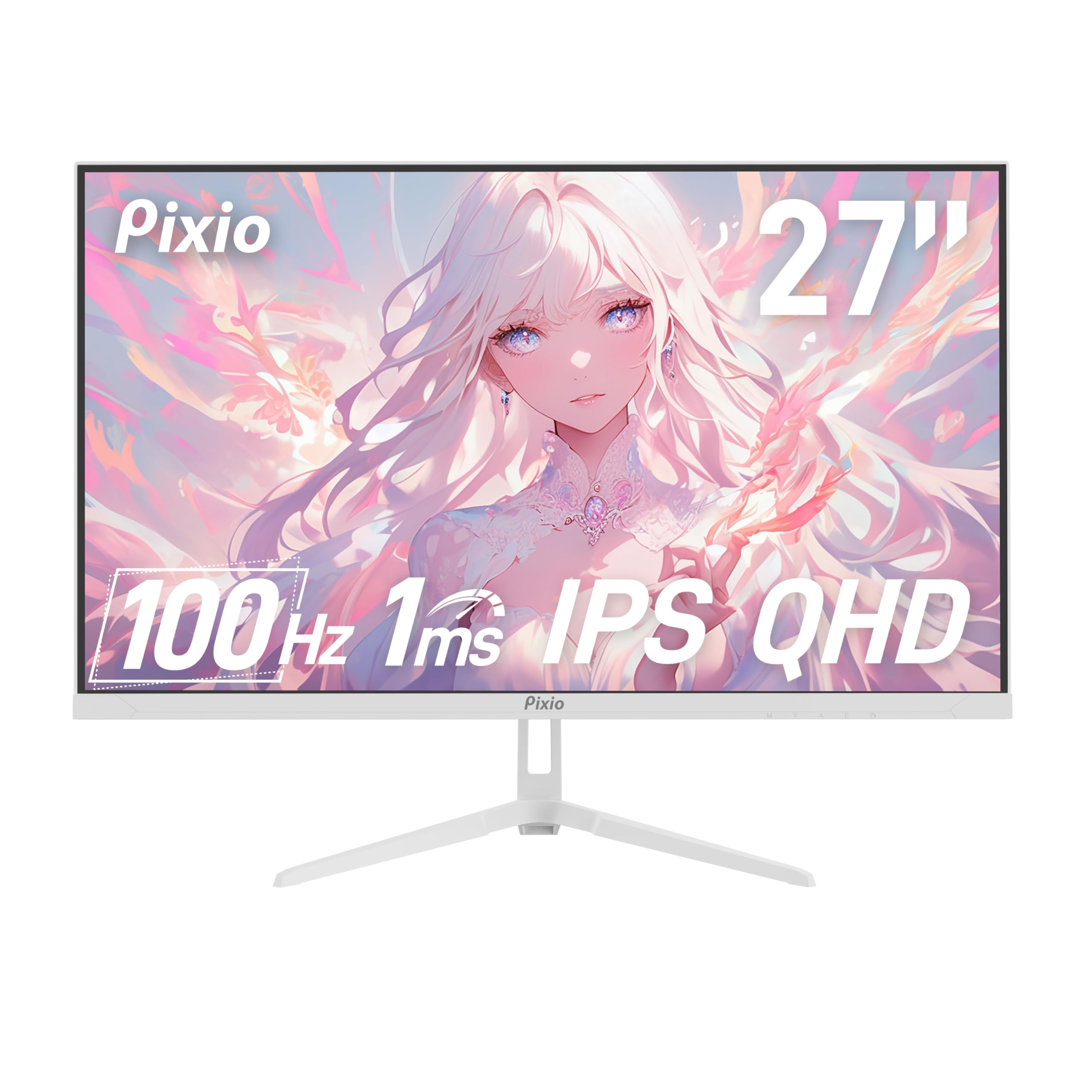
The Pixio PX275 Wave White is a refreshing design choice for users who want a 1440p monitor that doesn’t blend into the typical black landscape. Its bright white chassis and stand make it a focal piece for minimalist or light-themed desks. The 27-inch IPS panel delivers vivid colors and wide viewing angles, with a peak brightness of 350 nits that punches above many competitors in this class.
The 100Hz refresh rate and 1ms MPRT response time are well-suited for fast-paced gaming, and Adaptive Sync eliminates screen tearing effectively. Built-in speakers are present, which is uncommon in this price segment, and they allow you to hear game audio or system sounds without a headset. The matte anti-glare screen coating handles bright room lighting well.
The stand provides tilt adjustment only, and the color selection (white only for this model) may not suit every setup. Some customers have reported receiving units with dead pixels, though Pixio’s return policy covers this issue. The contrast ratio is a standard 1000:1, which is average for IPS panels and won’t match the deep blacks of a VA display.
Why it’s great
- Unique white design that matches aesthetic setups
- High 350 cd/m² brightness for better HDR highlights
- Includes built-in speakers for convenience
Good to know
- Tilt-only stand with no height adjustment
- Standard IPS contrast ratio (1000:1)
5. Samsung 27″ S40GD
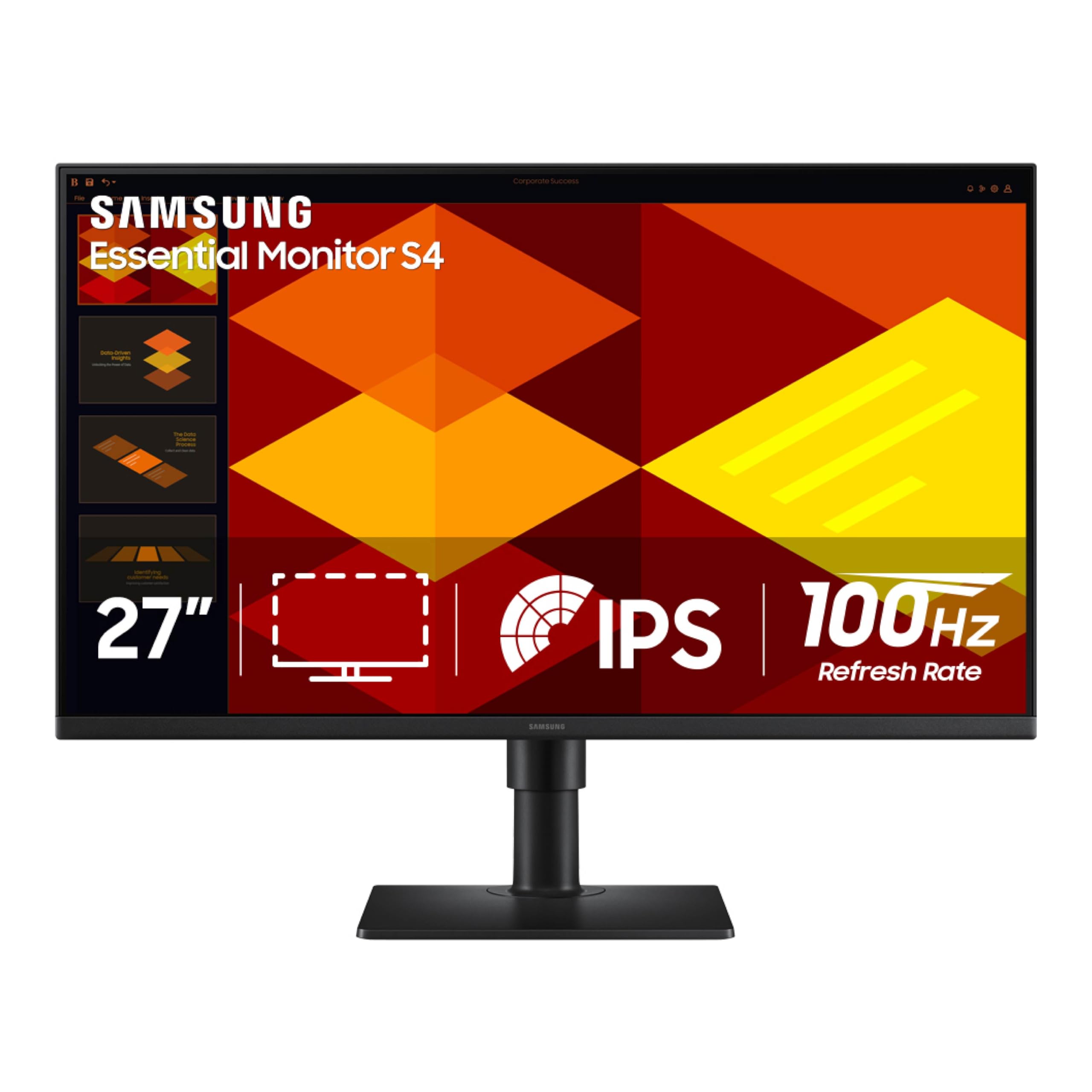
The Samsung S40GD is the office worker’s dream monitor, offering a full-height adjustable stand with pivot rotation at a price that undercuts most competitors. This ergonomic flexibility allows you to dial in the perfect viewing angle for hours of comfortable spreadsheet work, coding, or document review. The 27-inch FHD IPS panel delivers consistent color and clarity, and the 100Hz refresh rate makes scrolling through long pages feel effortless.
Eye Saver Mode and Flicker Free technology are Samsung’s well-tested solutions for reducing eye fatigue. The borderless design and ultra-thin bezels create a clean, professional look. Connectivity includes HDMI, DisplayPort, and a USB hub, plus a headphone-out port, providing ample options for most desktop and laptop setups.
The panel is FHD (1920×1080), so text won’t be as sharp as on a 1440p display of the same size. Some units have arrived with minor backlight bleed due to a lens adhesion issue, which some users fixed by applying light pressure. The built-in power supply is convenient but adds a slight bump in weight.
Why it’s great
- Fully adjustable stand with height, tilt, and pivot
- Excellent Eye Saver and Flicker Free technology
- Built-in USB hub for easy peripheral connection
Good to know
- FHD resolution, not as sharp as QHD at 27″
- Potential for minor backlight bleed in some units
6. LG 32MR50C-B Curved

The LG 32MR50C-B goes big and curved, offering a 32-inch VA panel with a 3000:1 contrast ratio that delivers the deep, inky blacks typical of the technology. This makes it the best choice on this list for watching movies or playing atmospheric games in a dimly lit room. The 100Hz refresh rate ensures smooth motion, and AMD FreeSync keeps fast-paced scenes tear-free. The 1500R curve wraps slightly around your field of view, enhancing immersion.
Black Stabilizer and Dynamic Action Sync are gaming-oriented features that light up dark scenes and reduce input lag. Reader Mode cuts blue light for comfortable reading. The tilt-adjustable stand is simple but effective, and the joystick menu navigation is intuitive. Despite the large screen size, the FHD resolution means the pixel density is lower, which helps text remain readable without scaling.
The FHD resolution on a 32-inch screen results in a pixel density of about 69 PPI, which is noticeably less sharp than a 27-inch 1440p panel. Some users sensitive to curvature may experience dizziness due to the 1500R curve, particularly when wearing trifocal glasses. The stand lacks height and pivot adjustment.
Why it’s great
- High 3000:1 contrast ratio for deep blacks
- Immersive 32-inch curved display at 100Hz
- Great gaming features like Black Stabilizer
Good to know
- FHD resolution is not very sharp at this size
- Curve may cause discomfort for some users
7. Amazon Basics 27″ Monitor

The Amazon Basics 27-inch monitor is a no-nonsense solution for anyone who needs a large, functional display for everyday computing at a very accessible price point. It offers a 27-inch FHD IPS panel, a 100Hz refresh rate for smooth scrolling, and a built-in power supply to reduce desk clutter. The inclusion of four downstream USB-A ports is a rare feature at this price, allowing you to connect your keyboard, mouse, and webcam directly to the monitor.
Built-in speakers deliver clean, clear audio for system sounds and video calls, and the VESA compatibility allows for easy arm mounting. The plug-and-play setup is truly simple, and the matte screen coating effectively reduces glare in bright environments. It’s a solid, durable monitor that fits basic office work, school, or a second screen setup.
The stand only offers minimal tilt adjustment, and some units tend to lean forward slightly. The panel brightness is adequate but not impressive, and the contrast ratio, while rated at 1500:1, doesn’t always feel as deep as a VA panel. It’s a functional tool rather than a premium visual experience.
Why it’s great
- Excellent value with a built-in USB hub
- Built-in speakers and VESA mountable
- Simple, durable design for basic use
Good to know
- Stand leans forward slightly with no height adjustment
- Average brightness and contrast performance
8. Dell SE2725HM

The Dell SE2725HM brings the brand’s enterprise-level reliability and eye-care expertise to a consumer-friendly price. The 27-inch FHD IPS panel features ComfortView Plus, a hardware-based low-blue-light solution that minimizes eye strain without the yellowish tint of software-based filters. The anti-glare coating is effective, and the TÜV Rheinland 3-star certification ensures a comfortable viewing experience for long work sessions.
The 100Hz refresh rate delivers noticeably smoother motion than a standard 60Hz office monitor, making everything from scrolling to video playback feel more fluid. The small-footprint stand with a cable holder helps keep the desk tidy, and the VESA mount is placed dead center, ensuring perfect balance for arm setups. Color accuracy is consistent across multiple units, making it a good choice for a multi-monitor array.
The connectivity is limited to a single HDMI port and a VGA port, with no DisplayPort option, which may be a problem for some modern GPUs. There are no built-in speakers, no USB hub, and the stand offers only tilt adjustment. The power cord and HDMI cable are not included in the box, so you will need to supply those.
Why it’s great
- Excellent hardware-based blue light reduction (ComfortView Plus)
- Enterprise-grade build quality and color consistency
- Perfectly balanced VESA mount placement
Good to know
- Limited connectivity: one HDMI and VGA only
- No built-in speakers and cables not included
9. Alienware AW3425DWM

The Alienware AW3425DWM is the power user’s workstation, offering a massive 34-inch ultrawide 21:9 panel that replaces a dual-monitor setup with a single seamless canvas. The 3440×1440 resolution provides plenty of horizontal screen real estate for large spreadsheets, timelines, and multi-window workflows. While it sports a high 180Hz refresh rate—exceeding the 100Hz baseline—it integrates perfectly into this guide as the premium ultrawide option for those who want the ultimate immersive experience and future-proofed performance.
The VA panel delivers a 3000:1 contrast ratio for deep blacks and vibrant colors, supported by DCI-P3 95% color coverage and VESA DisplayHDR 400 certification. The 1500R curvature wraps around your field of view, making extended gaming and productivity sessions feel natural. AMD FreeSync Premium and VESA AdaptiveSync ensure tear-free motion, and the height/tilt-adjustable stand provides excellent ergonomic flexibility.
The sheer width of the screen can make some games feel stretched if they don’t natively support the 21:9 aspect ratio. There are no built-in speakers, and the high resolution and refresh rate demand a powerful GPU to fully utilize its capabilities. While the contrast is excellent for a VA panel, blacks won’t match the inky depth of an OLED display.
Why it’s great
- Massive ultrawide QHD display eliminates multi-monitor gaps
- Excellent 3000:1 contrast ratio with VESA HDR 400
- 180Hz refresh rate with FreeSync Premium
Good to know
- Very large; requires desk space and a capable GPU
- No built-in speakers
FAQ
Can I run a 1440p 100Hz monitor with a laptop or integrated graphics?
Will I notice the difference between 60Hz and 100Hz in everyday office tasks?
Do I need a DisplayPort cable to get 100Hz refresh rate on my monitor?
Is 100Hz good for competitive gaming like first-person shooters?
Final Thoughts: The Verdict
For most users, the best 100 hz pc monitor winner is the Acer SB272U Ebiip because it delivers the perfect trifecta of a sharp 27-inch 1440p IPS panel, a smooth 100Hz refresh rate, and a budget-friendly price point without major compromises. If you want the best color accuracy and built-in speakers for work and light gaming, grab the MSI PRO MP275Q. And for the ultimate immersive ultrawide experience that redefines your entire workflow, nothing beats the Alienware AW3425DWM.