
Our readers keep the lights on and my morning glass full of iced black tea. As an Amazon Associate, I earn from qualifying purchases.
Specs are compiled from manufacturer listings and verified buyer reviews and can change over time — please confirm the key details on the product page before buying.
Forgetting the cost of ink is the fastest way to turn a budget printer into a money pit. A printer at this price is only half the story — the cartridges you feed it will quietly decide if it is a bargain or a burden over the next few years.
I’m Min — the founder and writer behind Gadgets Feed. This guide is built by comparing the manufacturers’ published specifications and the patterns across verified customer reviews, so you get each pick’s real strengths and trade-offs instead of marketing spin.
Your next home or small-office workhorse is in here, if you know which specs actually matter. This is the practical breakdown of the $100 printer market that keeps your long-term costs down.
Our Picks at a Glance


How To Choose The Best $100 Printer
At this budget, you are choosing between speed, cost-per-page, and features — and no single machine nails all three. Before you click buy, ask yourself what you actually print most: homework and black-and-white documents, or photos and color charts? That answer points you to the right ink system.
The Real Cost Is The Ink
Most printers at this level ship with “starter” cartridges that hold a fraction of a full set. Check the yield of replacement cartridges — the number of pages a set can print. If the ink is expensive and the yield is low, that cheap printer becomes a recurring bill.
Speed vs. Reality
The pages-per-minute spec on the box is an idealized number. Real speeds depend on document complexity and whether you are printing one-sided or duplex. A printer rated at 14 pages per minute might still take over a minute for a color photo. Compare the spec, but expect real-world results to be slower.
Features That Save Real Time
An Automatic Document Feeder (ADF) lets you stack a pile of pages and scan or copy them unattended — a huge upgrade over lifting the lid for each page. Automatic duplex printing flips pages for you, halving your paper use. If you deal with multi-page forms or contracts, these two features matter more than print speed.
Quick Comparison
| Model | Best For | B&W Speed | Paper Tray | Duplex | Amazon |
|---|---|---|---|---|---|
| Canon PIXMA TR4720★ Best Overall | True 4-in-1 home hub | — | — | Automatic | Amazon |
| Epson Workforce Pro WF-3823Top Performer | High-volume small office | 21 ppm | 250-sheet | Automatic | Amazon |
| Epson Expression Home XP-5200 | Rare photo printing | 14 ppm | 150-sheet | Automatic | Amazon |
| Brother MFC-J1360DW | Cloud app printing | 16 ppm | 150-sheet | Automatic | Amazon |
| HP DeskJet 2923 | Light, basic documents | 7.5 ppm | 60-sheet | Manual | Amazon |
| Canon PIXMA TR7120 | Duplex + ADF combo | 14 ppm | — | Automatic | Amazon |
| HP Envy 6155 | Vibrant photos at home | 10 ppm | 100-sheet | Automatic | Amazon |
In‑Depth Reviews
1. Canon PIXMA TR4720
Our pick — over 4.5★ from 200+ verified ratings; the strongest balance of quality and price.
Your true all-in-one hub that prints, copies, scans, and faxes without dominating the desk.
This is one of the few machines at this level that earns the full “4-in-1” title, adding a built-in fax on top of the usual print, copy, and scan trio. That makes it the rare pick that can genuinely replace an aging office fax line. Setup routes through the Canon PRINT Inkjet/SELPHY app, which means you can be printing from your phone within minutes of unboxing, no computer required.
It handles A4/Letter media and offers automatic duplex printing, so a multi-page report prints on both sides of the page without you flipping anything. The two-cartridge PG-275 and CL-276 system is straightforward to install and replace. Buyers report it “works great for pictures and documents for remote work,” even for a therapy business — a strong sign the print quality holds up for real professional use, not just school handouts.
The trade-off is speed. Canon did not publish a pages-per-minute figure here, and this is a compact home machine, so heavy office workloads will feel slow. It is priced right at the top of the bracket, and the crowd verdict is near-unanimous: easy to use, good value, and the right size for a home desk. If you need fax capability and a compact footprint, this is the one.
What Owners Love
- True 4-in-1: print, copy, scan, and fax in one compact box
- Automatic duplex saves paper on multi-page jobs
- Simple app-based phone setup
Keep In Mind
- No published page-per-minute speed for heavy workloads
- Compact size means smaller paper handling
Reach for this if: you need a single machine that prints, copies, scans, and faxes in a compact home-office footprint.
Look elsewhere if: you print hundreds of pages daily — this is a home-duty machine, not a high-volume office engine.
2. Epson Workforce Pro WF-3823
The speed king that chews through high-volume work at a pace most rivals can’t touch.
If you are printing in volume, this is the fastest machine on this list. It hits 21 pages per minute in black and 11 in color — that is a 50% faster black-and-white pace than the Epson Expression Home XP-5200 on this list, which manages 14 ppm. It uses Epson’s PrecisionCore Heat-Free Technology with DURABrite Ultra instant-dry pigment inks, so pages come out dry and smudge-resistant the moment they land in the tray.
The 250-sheet paper capacity is a standout, paired with a 35-page Automatic Document Feeder and automatic 2-sided printing. That combination means you can stack a full document, walk away, and come back to finished, collated, double-sided output. Navigation runs through a 2.7″ color touchscreen, and setup works over Bluetooth Low Energy from your phone, with Wi-Fi Direct and Ethernet you can connect however you like.
Owners mention 100+ pages from the starter ink, calling it “ideal for homeschool” use. The catch is ink: Epson locks this machine to genuine cartridges, making refills the expensive part of ownership. Speed and volume are the reasons to buy this — plan your ink budget around the T822 cartridges it needs.
Built for Throughput: the 21 ppm black speed plus 250-sheet tray makes this the clear choice for a busy home office or small business.
The Ongoing Cost: proprietary T822 ink is pricey, so this rewards frequent printing where the per-page value pays off.
3. Epson Expression Home XP-5200
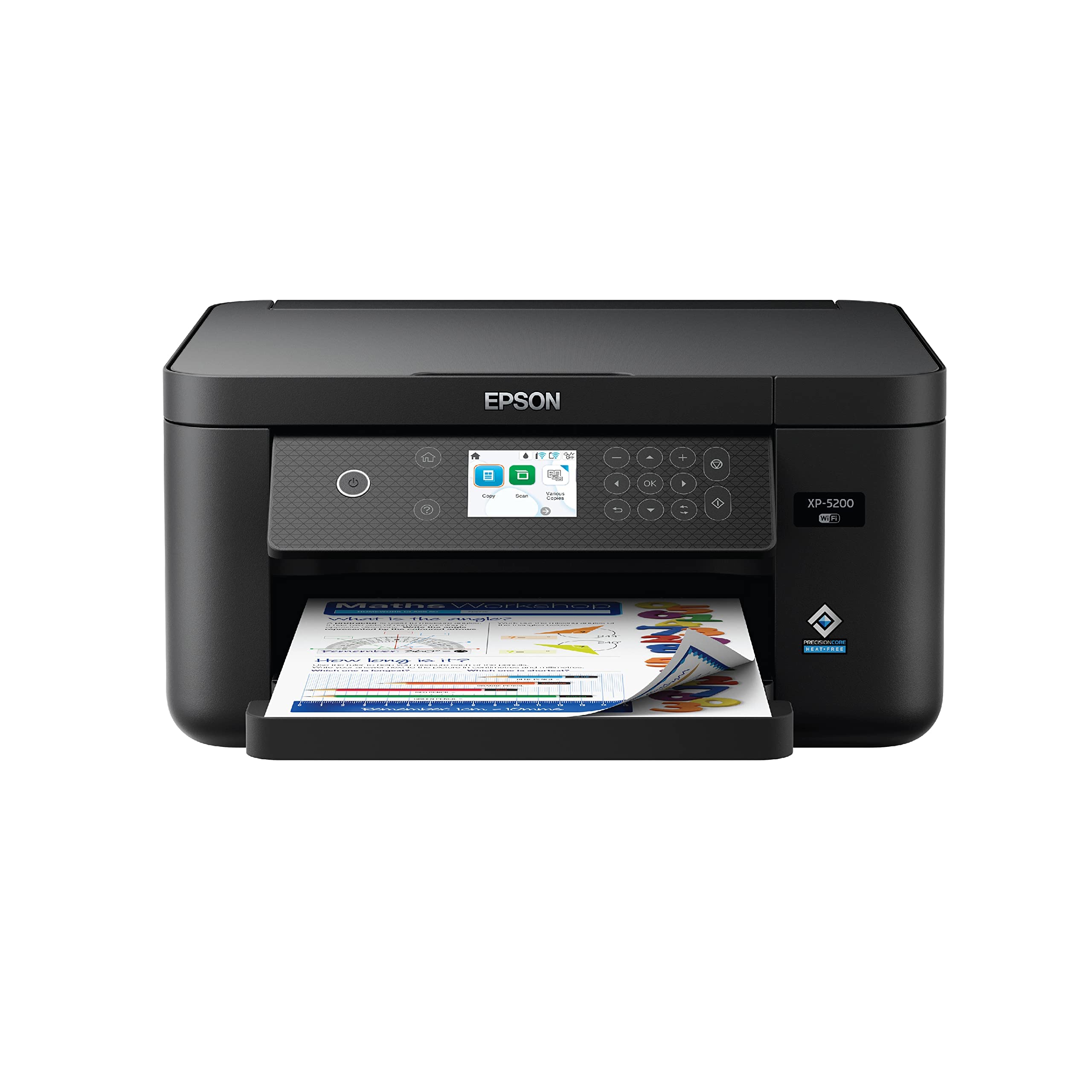
Borderless photo printing with voice control, for the rare moments you print something beautiful.
This is Epson’s fastest Expression Home model, reaching 14 ppm in black and 7.5 ppm in color — noticeably slower than the Workforce Pro above, but built for a different job. The defining skill here is borderless photo printing with rich, vibrant colors. If your printing is mostly snapshots and the odd family collage rather than spreadsheets, this leans into that strength.
The 150-sheet paper tray handles everyday jobs, and automatic duplex printing cuts paper use in half on documents. It is also one of the few printers here you can operate with your voice — Alexa and Siri support means you can kick off a print hands-free. Setup routes through the Epson Smart Panel app and a large 2.4″ color display, and a permanent printhead is designed to last the life of the printer.
The honest catch is extreme ink consumption — a set of four T222 cartridges runs out after 20-25 color pages or 35 black-and-white pages, a fraction of the claimed yield. This is a printer for light, occasional use where print quality matters more than cost per page. As the review pages sum it up, it “does the job like a big one would do” — just feed it gently.
Best for: home users who print photos and color documents occasionally, not daily office volumes.
Think twice if: you print every day — the ink bills will arrive faster than the pages pile up.
4. Brother MFC-J1360DW

A connected workhorse that pulls files straight from Google Drive and Dropbox without a PC.
Brother’s approach here is all about connectivity. The MFC-J1360DW prints from and scans to popular cloud apps including Google Drive, Dropbox, Box, and OneDrive, all controllable from the printer’s 1.8″ color display or the Brother Mobile Connect app. A companion Page Gauge feature tracks your ink levels to help you avoid a mid-job outage. If you live in the cloud, this is the pick.
Under the hood it delivers 16 ppm in black and 9 ppm in color — a solid mid-pack pace — with automatic duplex printing, a 20-sheet Automatic Document Feeder, and a 150-sheet tray. The first page out lands in about 6.2 seconds in black, so single-page jobs feel snappy. It connects over your wireless network or via USB 2.0, and takes the LC501 Series inks.
Buyers praise the painless setup, with one noting a Windows 11 install in under 15 minutes and crisp prints plus a fast scanner. The recurring gripe is ink life, with roughly 100 pages per cartridge even in eco-mode, so light users will be fine while heavy printing gets pricey. Durability and paper jamming also get mixed mentions, though jams are reportedly easy to clear. This one is about the cloud workflow, not raw volume.
The Smart Stuff
- Prints from and scans to Google Drive, Dropbox, Box, and OneDrive
- Fast first page out at ~6.2 seconds in black
- Page Gauge tracks ink levels to prevent surprises
The Trade-Offs
- Ink life around 100 pages per cartridge even in eco-mode
- Occasional paper jams, though easy to clear
Choose this for: cloud-centric users who edit documents in Drive and want printing to match that workflow.
skip it if: you churn out high volume — the per-page ink cost climbs fast.
5. HP DeskJet 2923
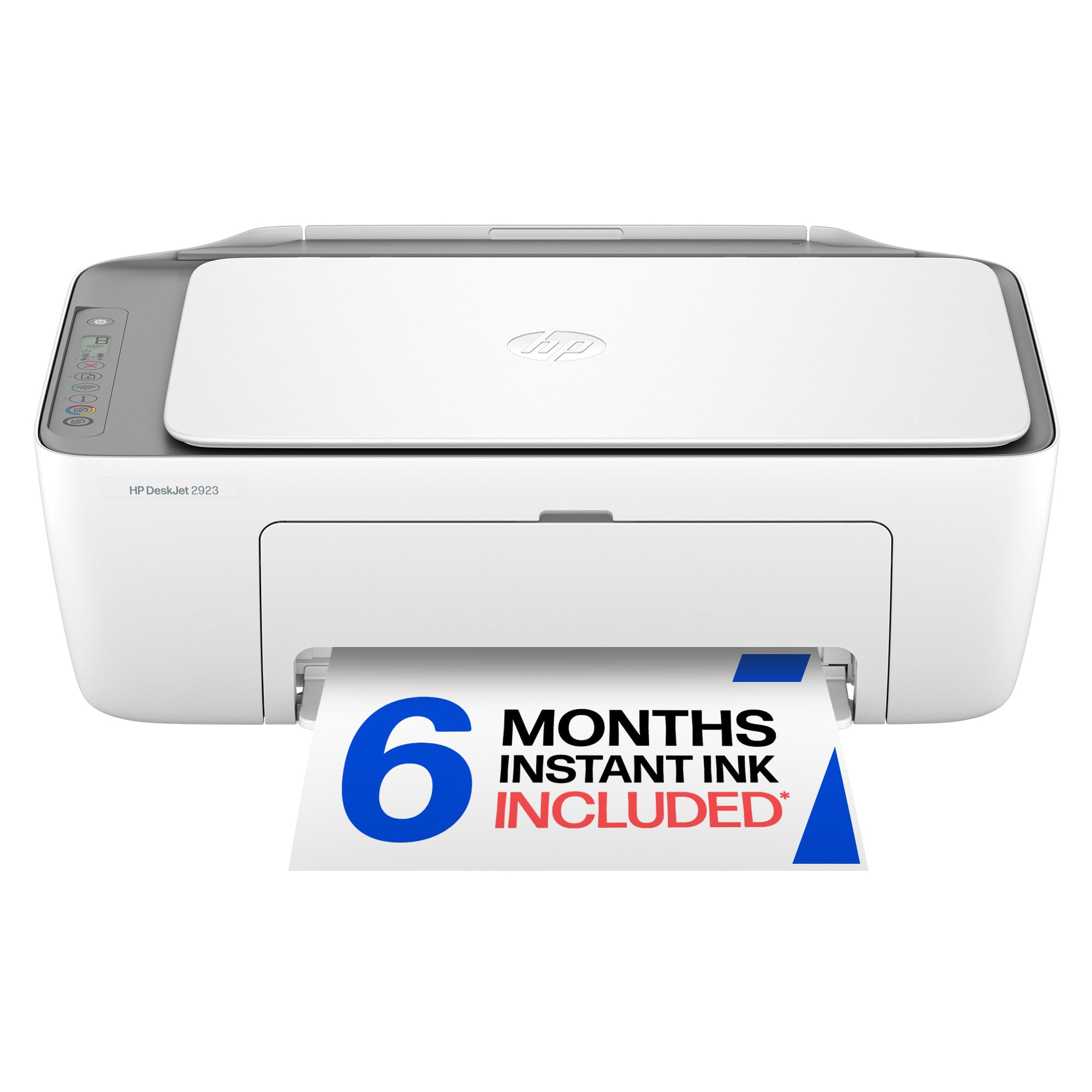
The entry point that skips the frills and handles everyday documents at the lowest upfront cost.
This is the most stripped-down machine here, and that is exactly its appeal. It prints, copies, and scans — no fax, no ADF — at up to 7.5 ppm black and 5.5 ppm color, the slowest speeds on this list. The 60-sheet input tray is small, and duplex printing is manual with driver support. If your printing is a few pages a week, you will not feel the limitations.
What makes it interesting is HP’s AI formatting, which cleans up web pages and emails before printing so you are not wasting paper on ads and empty margins. Setup runs through the HP app with an intuitive control panel, and dual-band Wi-Fi automatically detects and fixes connection issues. The design uses at least 70% recycled plastics and carries ENERGY STAR and EPEAT certifications.
Buyers find document print quality genuinely good and setup easy. The two big caveats: a small paper feed means frequent reloading on larger jobs, and non-brand ink won’t work, locking you into HP 68 series cartridges. The 6-month Instant Ink trial sounds generous but auto-enrolls you into a monthly fee — cancellation reportedly takes multiple calls. Buy this for light, simple, low-cost printing and skip the subscription.
Pure Value Play: the lowest-cost entry point for basic document printing, with AI that cleans up web printouts.
Read The Fine Print: skip the Instant Ink trial unless you want a monthly subscription, and budget for HP 68 cartridges.
6. Canon PIXMA TR7120

A feature-dense duplex and ADF combo with a sharp OLED display for the hybrid worker.
Canon packed a surprising amount into this one. It delivers 14 ppm in black and 9 ppm in color, and combines automatic duplex printing with an Auto Document Feeder for quick multi-page scanning and copying — the workflow combo that saves the most time. The 1.42″ monochrome OLED screen shows ink levels and printer status at a glance, a genuinely useful touch at this price.
The 2-cartridge hybrid ink system produces sharp text and vivid colors, with media support up to 8.5″ x 11″ with or without borders. Dual-band Wi-Fi on 2.4GHz or 5GHz keeps connections stable, and mobile printing works via the Canon PRINT App, Apple AirPrint, and Mopria Print Service. Buyers call the setup easy, with print quality earning consistent praise and a quick Wi-Fi connection.
Customers note the paper tray holds fewer sheets than they’d like, and Wi-Fi can drop on restart unless you set a fixed IP address. Ink use gets mixed reviews, with a few owners saying cartridges run out sooner than expected. If you run a light-use home office and want automatic duplex printing plus an automatic document feeder (ADF, which scans or copies multiple pages without you feeding each one) in one compact white unit, this fits well.
The Highlights
- Duplex printing and ADF scanning in one compact package
- Sharp 1.42″ OLED status display
- Dual-band Wi-Fi for stable connections
The Caveats
- Small paper tray for larger jobs
- Wi-Fi can drop on restart without a fixed IP
- Ink consumption draws mixed reviews
Grab this if: you want duplex printing and ADF scanning together without paying premium-tier prices.
Pass if: you need huge paper capacity or print in heavy daily volume.
7. HP Envy 6155

The photo-friendly home printer with a proper touchscreen and true-to-screen color tech.
HP positions the Envy line for homes that print homework and borderless photos, and the 6155 backs that up with a 2.4″ color touchscreen — the most intuitive control panel on this list. Speeds land at 10 ppm black and 7 ppm color, and a 100-sheet input tray handles moderate household volume. The standout feature is HP’s P3 technology, which is designed to make prints look as vibrant on paper as they do on your screen.
Automatic duplex printing is built in, and dual-band Wi-Fi self-heals connection issues. The printer is made with at least 60% recycled plastic, and setup routes through the HP app. Buyers rate print and copy quality as good for the price, with easy setup and strong value. The 3-month Instant Ink trial auto-delivers cartridges before you run out, but remember a monthly fee applies after the trial unless you cancel.
The recurring complaint is the software: on some systems the connection drops and scan-to-computer refuses to work, which owners describe as frustrating. The touchscreen and photo quality are the reasons to pick this over the cheaper DeskJet. It will only work with cartridges that carry original HP chips, so third-party ink is off the table.
Photo-First Home Pick: the P3 color tech and touchscreen make this the best here for vibrant, screen-accurate prints.
Software Caveat: the hardware is solid, but connectivity gremlins on some setups mean the app experience is not always smooth.
Understanding the Specs
Pages Per Minute (ppm)
This number tells you how fast the printer spits out pages, usually measured in black-and-white first. A 21 ppm printer like the Epson Workforce Pro will finish a 40-page report in about two minutes. But real-world speed drops with color, photos, and duplex jobs, so treat the box number as a ceiling, not a guarantee.
Auto Document Feeder (ADF)
An ADF is a slot on top where you stack a pile of pages, and the printer pulls them through one by one automatically. That turns a basic scanner into a proper multi-page tool — you can copy or scan a 35-page contract without lifting the lid once. Without an ADF, you are feeding each page by hand.
Duplex Printing
Duplex means the printer automatically prints on both sides of the paper. Automatic duplex flips the page for you; manual duplex (like the HP DeskJet 2923) pauses mid-job so you can flip the stack yourself. Auto duplex halves paper use and is a genuine time-saver on any multi-page document.
Ink System and Yield
Printers use either a two-cartridge system (one black, one color) or individual cartridges per color. Individual cartridges let you replace only the color you run out of, saving money. The yield tells you how many pages a cartridge prints — a key number, because cheap printers often burn through expensive ink quickly.
FAQ
Which printer at this price has the lowest ongoing ink cost?
What does an Automatic Document Feeder do for me?
Is automatic duplex printing worth paying for?
Will these printers work with my phone or tablet?
How fast will these printers actually print?
Should I sign up for HP Instant Ink?
Can I use cheap third-party ink in these printers?
Which printer here is best for photos?
Do I need a fax machine in a printer anymore?
What is the difference between a two-cartridge printer and one with individual ink tanks?
Final Thoughts: The Verdict
For most households, the Canon PIXMA TR4720 is the $100 printer worth buying because it’s a true 4-in-1 — print, copy, scan, and fax — with easy app setup and automatic duplex (printing on both sides without flipping pages), so it handles nearly every home task. If you need speed and volume instead, the Epson Workforce Pro WF-3823 prints 21 pages per minute (ppm) in black and holds 250 sheets in its tray, so it keeps up with busy jobs. For cloud-based work, the Brother MFC-J1360DW pulls files straight from Google Drive, saving you from downloading and re-uploading.
How We Picked
We do not accept paid placement. Every pick is matched to a real buyer and a real use-case; we do not hands-on test units.
Sources & Methodology
Specifications: manufacturer listings and product documentation. Review insights: verified customer reviews, as of August 2026. Pricing: not shown on this page (it changes often); check the current price via the retailer link.
As an Amazon Associate, Gadgets Feed earns from qualifying purchases. This does not affect which products we feature.