
Our readers keep the lights on and my morning glass full of iced black tea. As an Amazon Associate, I earn from qualifying purchases.
Specs are compiled from manufacturer listings and verified buyer reviews and can change over time — please confirm the key details on the product page before buying.
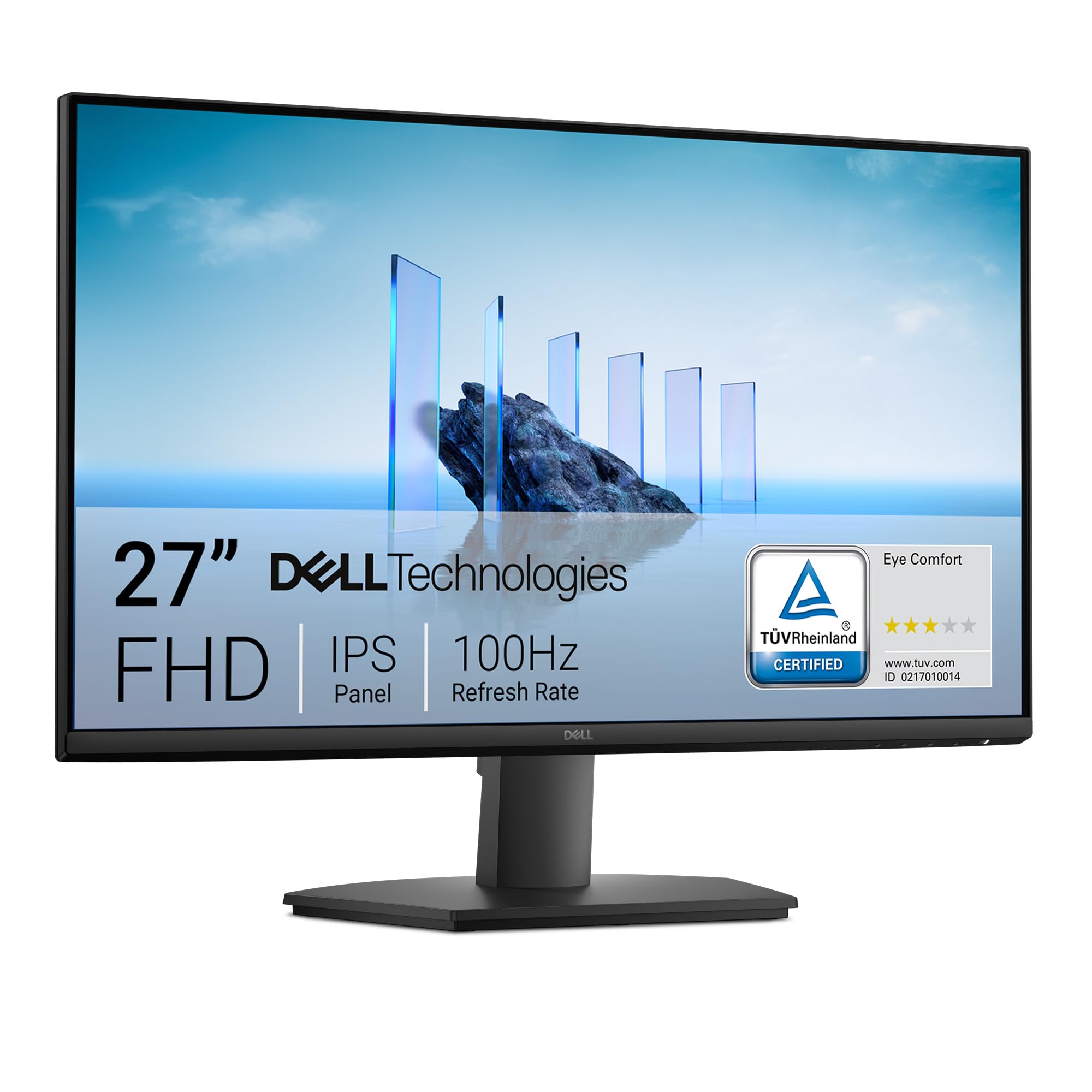
If your games stutter and tear on a standard office panel, the fix is a monitor that refreshes at 100Hz or more — and the Dell SE2725HM is the one to buy first. It runs 27 inches of Full HD at 100Hz with an IPS panel, and it does it for less than most gaming-labelled screens. One quick note before the list: this guide uses flexible, human-like matching for the 100Hz-or-higher spec, so not every pick is the exact number you searched. A 120Hz or 144Hz gaming monitor solves the same problem, and that is why some faster panels are included.
I’m Min — the founder and writer behind Gadgets Feed. This guide is built by comparing the manufacturers’ published specifications and the patterns across verified customer reviews, so you get each pick’s real strengths and trade-offs instead of marketing spin.
Your monitor’s refresh rate and panel type decide how smooth and clear your games look, so the picks below are ranked by what actually changes your play. The real shortlist for a 100hz monitor for gaming depends on three things: refresh rate (how many times per second the screen redraws), panel response (how fast pixels change color, so fast motion stays sharp), and whether the stand and ports fit your desk.
Our Picks at a Glance
How To Choose The Best 100Hz Monitor For Gaming
You do not need a 240Hz esports panel to enjoy smooth play. A screen that holds 100Hz or higher, paired with adaptive sync, kills the tear lines and judder that make fast camera pans look messy. The trick is picking the one whose panel, stand, and ports fit your desk and your graphics card.
Refresh rate and adaptive sync work as a pair
A 100Hz refresh rate means the screen redraws the picture 100 times a second, which is smoother than the 60Hz most office monitors run at. Adaptive sync — sold as FreeSync on AMD cards and G-Sync Compatible on Nvidia cards — matches that redraw to your graphics card’s output. Without it, even a fast panel can still tear when your frame rate dips. Check which sync standard your card supports before you buy.
Panel type decides viewing angle and black level
IPS panels keep colours steady when you sit off-centre, which matters if friends watch over your shoulder. OLED goes darker than any LED panel because each pixel switches off on its own. LED and LCD panels are the everyday workhorses and cost less. If your room is bright, a glossy OLED finish shows more reflection than a matte IPS screen.
Response time in milliseconds, explained plainly
Response time is how fast a pixel changes colour, measured in milliseconds. A lower number means less ghosting — the smeary trail behind a fast-moving object. You will see figures like 1ms MBR or 0.03ms on these listings. MBR stands for Motion Blur Reduction, a backlight trick that sharpens motion rather than a true pixel-speed measurement, so read the label carefully.
Size and desk fit
A 24-inch panel suits a small desk and keeps everything in your field of view. A 27-inch screen gives you more room for two windows side by side. A 32-inch 4K panel is for players who want detail over distance. Measure your desk depth before you commit — a bigger screen you sit too close to is harder to scan than a smaller one.
Quick Comparison
| Model | Best For | Refresh Rate | Panel | Resolution | Amazon |
|---|---|---|---|---|---|
| Dell SE2725HM★ Best Overall | Best Overall | 100Hz | IPS | 1920 x 1080 | Amazon |
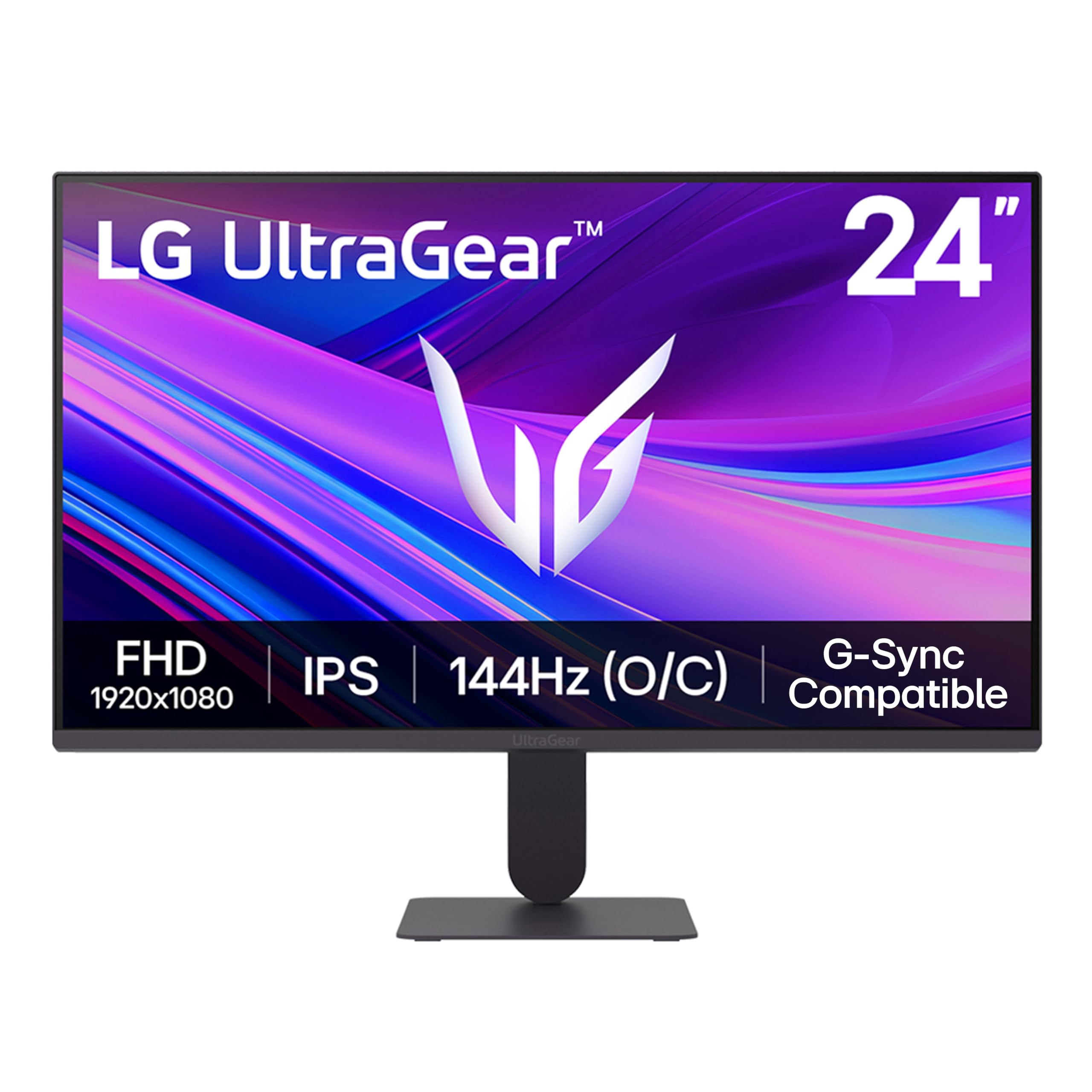
| LG 24G411A-BBudget Esports | Budget esports pick | 144Hz (O/C) | IPS | 1920 x 1080 | Amazon |
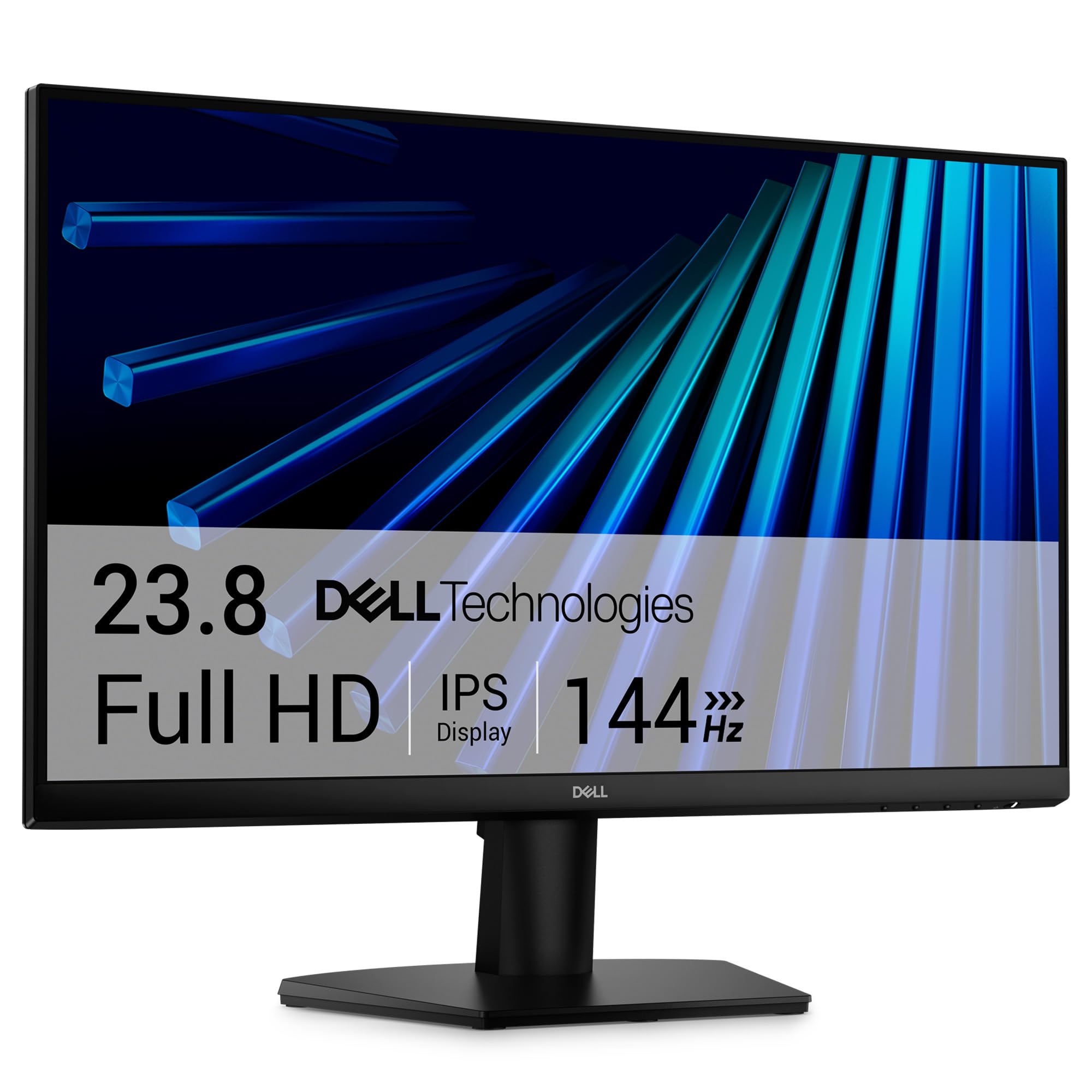
| Dell SE2426HFast Small Panel | Fast small-screen value | 144Hz | IPS | 1920 x 1080 | Amazon |
| Acer KB272 G0bi | Big screen on a budget | 120Hz | IPS | 1920 x 1080 | Amazon |
| ASUS VA27EHF | Wall-mount friendly | 100Hz | IPS | 1920 x 1080 | Amazon |
| ViewSonic VS2747-H | Long-warranty pick | 100Hz | IPS | 1920 x 1080 | Amazon |
| Acer Nitro KG271 X1biip | Highest refresh here | 200Hz | IPS | 1920 x 1080 | Amazon |
| Amazon Basics 27 Inch | Built-in speakers and USB | 100Hz | IPS | 1920 x 1080 | Amazon |
| 2X Pack 24 Inch | Dual-screen setups | 100Hz | LED | 1920 x 1080 | Amazon |
| LG 27GS50F-B | 180Hz 27-inch | 180Hz | LCD | 1920 x 1080 | Amazon |
| ASUS ROG XG32UCWG | Premium 4K OLED | 165Hz / 330Hz | WOLED | 3840 x 2160 | Amazon |
In‑Depth Reviews
1. Dell 27 Monitor SE2725HM, FHD, IPS, 100Hz
Our pick — 4.5+★ from 900+ verified ratings; the strongest balance of quality and price.
The 27-inch panel that proves 100Hz smoothness does not need a gaming badge.
This is the pick for someone who games at night and works on the same desk by day. The 100Hz refresh rate on a 1920 x 1080 IPS panel means scrolling and camera pans move without the chunky stutter of a 60Hz office screen. FreeSync support matches the panel’s redraw to your graphics card, so frame dips do not leave a tear line across the middle of the image.
Buyers are won over by how solid it feels for the price — owner feedback on build and finish is the loudest theme by a wide margin, followed closely by the sense that it outperforms what it costs. The matte anti-glare surface (a non-shiny coating that scatters reflections) keeps overhead lights from washing out dark scenes, so shadowy corners stay visible. A built-in power supply means one less brick on the floor, and a cable holder keeps the back tidy.
The honest catch: connectivity is the one area buyers are split on, with only HDMI and VGA on board and no DisplayPort. If your graphics card relies on DisplayPort for its highest refresh rate, that is a real limit. Otherwise the 250-nit brightness and 1000:1 contrast ratio land where a work-and-play panel should — bright enough for a lamp-lit room, dark enough in shadowed scenes to spot what is moving.
What plays in its favour
- 100Hz IPS panel with FreeSync for tear-free motion at 1920 x 1080
- Built-in power supply and cable holder cut desk clutter
- TÜV Rheinland 3-star eye comfort and always-on ComfortView Plus
- VESA mountable and tilt-adjustable when the stock stand runs out of range
Where it asks you to compromise
- No DisplayPort — HDMI and VGA only
- 250 nits is fine indoors but not a bright-window panel
- 72 colour gamut is on the modest side for wide-gamut work
Buy this if: you want one screen that handles a workday and a game session without a gaming-brand markup.
Think twice if: your setup depends on DisplayPort for full refresh-rate headroom.
2. LG 24G411A-B 24-inch Ultragear
A 24-inch competitive panel that reaches 144Hz without stretching your budget.
Competitive shooters reward a small screen you can read in one glance, and this 24-inch panel keeps everything in your field of view. It runs a 120Hz native refresh rate and boosts to 144Hz overclocked, with 1ms MBR cutting the blur trail behind fast movement. Both G-Sync Compatible and AMD FreeSync are on board, so it plays nice with either graphics card brand.
The colour side punches above the tier, with 99% sRGB coverage on the IPS panel and HDR10 support. That means explosions and shadowed rooms look closer to what the developers intended rather than washed flat. The Switch app splits the screen into up to six sections, which is handy when you are running a game window beside a chat or a stream.
The recurring gripe is the stand — it is minimal and tilts but offers little else, so a monitor arm is a worthwhile add if you like a raised screen. Brightness draws mixed notes too, with the 250 cd/m² panel reading a touch dim in a sunlit room. For a desk lamp or a shaded corner, it holds up fine.
Motion first, colour too: 144Hz overclocked plus 1ms MBR and dual-sync support covers both camps of graphics card, with Black Stabilizer lifting dark corners and Crosshair overlaying centre aim for shooter players.
A desk-space win: the ultra-slim bezel and floating stand keep the footprint tight, so it tucks onto a small desk where a 27-inch panel would crowd your keyboard.
Made for: the FPS player on a budget who wants speed over size.
Look elsewhere if: you need a height-adjustable stand from the start.
3. Dell 24 Monitor SE2426H 144Hz
The 23.8-inch panel that outruns its own sibling on pure speed.
Here is a direct head-to-head worth knowing: this screen refreshes at 144Hz while the 27-inch Dell SE2725HM sits at 100Hz. It also pushes 300 nits of brightness against that panel’s 250. For fast-paced play on a compact desk, that extra headroom shows up as cleaner tracking on a target that crosses your screen in a heartbeat.
1ms MPRT and AMD FreeSync keep the image free of tear lines and smearing during sudden turns. The IPS panel holds colour steady across a 178°/178° viewing angle, so two people can watch the same screen without one seeing a faded image. Thin bezels make a dual-screen setup look like one continuous surface.
Owners describe it as a screen that just works for both work and gaming, with clarity and colour called out again and again. The main trade-off is connectivity — HDMI only on this model, with no DisplayPort in the spec list. If your graphics card’s top refresh rate rides on DisplayPort, factor that in before you commit.
Reasons it earns a spot
- 144Hz refresh rate with 1ms MPRT for sharp fast motion
- 300 nits brightness — brighter than the 27-inch Dell SE2725HM’s 250
- 178°/178° IPS viewing angle with ultra-thin bezels
- TÜV Rheinland 3-star eye comfort certification
What to weigh first
- 23.8-inch size is small for rich single-player games
- HDMI only — no DisplayPort connection
- 72 colour gamut leaves wide-gamut creative work short
The right call for: a competitive player who sits close and values frames over screen inches.
Skip the swap if: you already run a 27-inch desk and would feel the size drop.
4. Acer 27in FHD IPS 120Hz KB272 G0bi

Twenty-seven inches of smooth 120Hz play that undercuts most gaming-branded panels.
The screen size is the draw here — a 27-inch span gives you room for two windows side by side without feeling cramped on a normal desk. A 120Hz refresh rate and 1ms VRB response keep camera pans and fast movement clean. Adaptive-Sync support (FreeSync Compatible) syncs the panel to your graphics card to kill tearing in games and video playback.
Its colour claim is the standout on paper: a 99 colour gamut figure against the Dell SE2725HM’s 72 is a clear lead for anyone who wants punchier tones on screen. The 100,000,000:1 contrast ratio figure is a dynamic (marketing) measure rather than a static one, so read it as a colour-pop claim, not a black-level promise. Build and setup are what the owner feedback circles back to most.
One thing to plan for: there are no built-in speakers, so you will need a headset or desk speakers for game audio. That is the complaint that surfaces most, and it is a spec gap rather than a fault. Connect over HDMI or VGA and you are running in minutes.
Where the value lands: 27 inches, 120Hz, and FreeSync at an entry-level tier is a lot of screen for the money, and setup is quick enough that you are gaming the same afternoon.
The gap to know about: no built-in audio and no DisplayPort, so plan your headset and cable run before the box lands.
Pick it when: screen real estate matters more than speakers or a height-adjustable stand.
Pass if: you want sound without plugging in a headset.
5. ASUS VA27EHF 27 Inch 100Hz IPS

A frameless 27-inch panel built to come off the stand and onto a wall.
If desk space is tight, this is the pick that solves it. The 27-inch panel is VESA wall-mountable, so you can lift it off the desk and reclaim the footprint underneath. A frameless design with an IPS 178° wide viewing angle and 1920 x 1080 resolution keeps the picture steady from an angle, which helps when two people are watching.
The 100Hz refresh rate with 1ms MPRT and variable refresh rate support gives smooth, tear-free motion at the target spec. Eye care is covered with TÜV Rheinland-certified flicker-free and low blue light modes for long sessions. ASUS backs it with a 3-year warranty including advanced replacement and repair service.
Compatibility is the one area that splits opinion — the monitor’s picture and performance are praised, but a few buyers found it would not play with specific capture hardware. Check your card and capture setup first. The rest of the package — HDMI cable, power cord, quick start guide — is complete, so nothing extra is needed on day one.
Why it holds up
- 100Hz with 1ms MPRT and variable refresh rate support
- VESA wall-mountable with a frameless 178° IPS panel
- TÜV Rheinland-certified flicker-free and low blue light
- 3-year warranty with advanced replacement and repair
Before you commit
- HDMI only — no DisplayPort on the spec sheet
- Some capture-hardware setups report compatibility friction
- 72 colour gamut is modest for colour-critical work
Worth grabbing for: a wall-mounted or arm-mounted desk where a stand gets in the way.
Hold off if: your workflow runs through a specific capture device that needs testing first.
6. ViewSonic VS2747-H 27 Inch 100Hz IPS
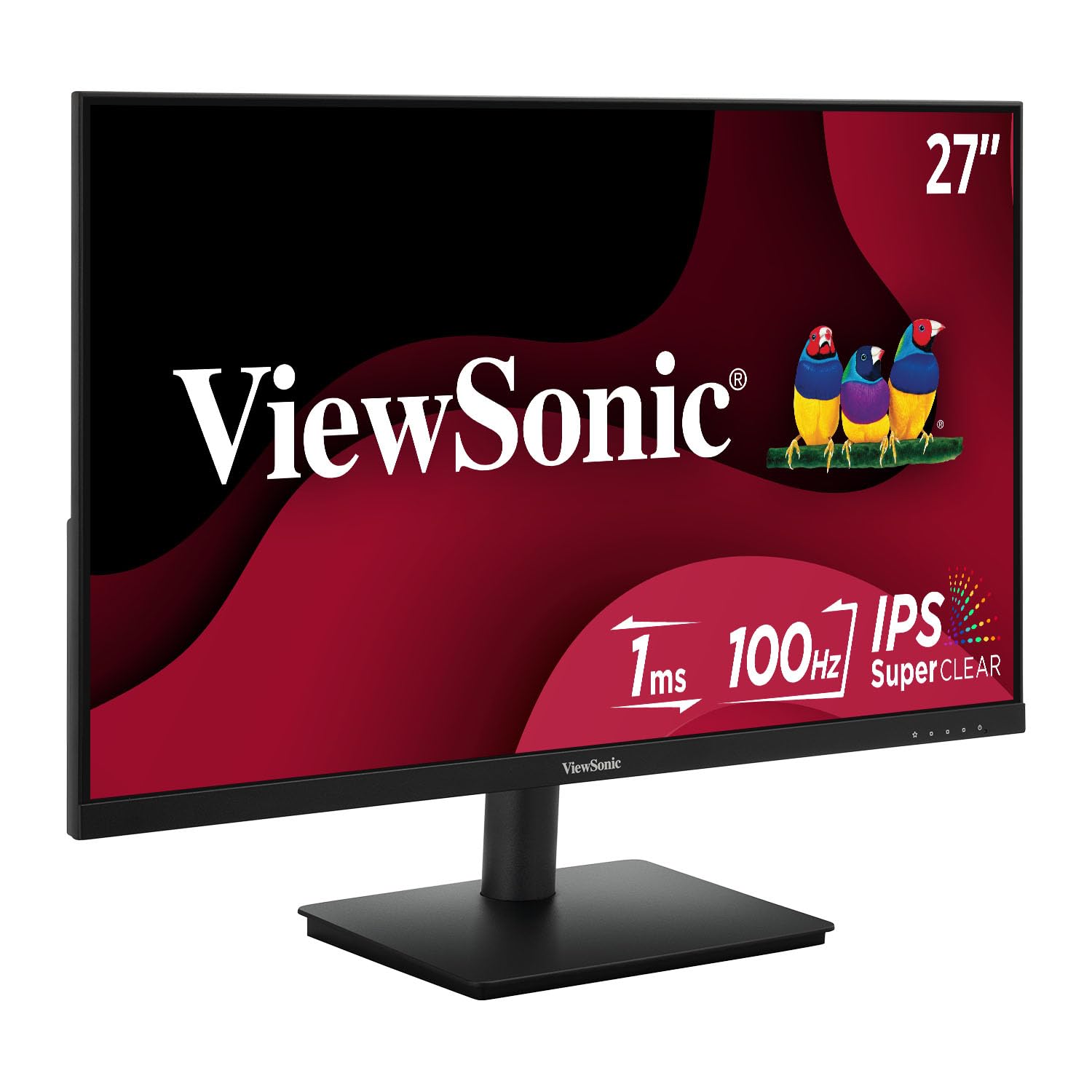
A 27-inch 100Hz panel that leans on a three-year warranty and view presets.
This screen targets the shared desk — study, work, and the odd game session on the same 27-inch 1080p panel. The 100Hz refresh rate with FreeSync keeps motion smooth, and SuperClear IPS holds colour and brightness steady across wide angles so everyone around the desk sees the same picture. A frameless design keeps the edges clean in a multi-screen layout.
ViewMode presets are the practical extra: a quick switch between Game, Movie, Web, Text, and Mono modes adjusts gamma, contrast, and brightness for the task in front of you. Flicker-Free technology and a Blue Light Filter are there for long sessions. Connectivity covers HDMI and VGA, so modern laptops and older desktops both plug in without an adapter.
Two things to go in with eyes open on. The built-in speakers draw mixed reactions — some find them handy, others find the sound thin for anything beyond a video call. And a few buyers had issues with the power cord and the on-screen controls. Neither is universal, but if either would frustrate you, plan around it.
What buyers settle into: picture quality and ease of use drive the day-to-day satisfaction here, and the three-year limited warranty with US-based support is the reassurance that a cheaper panel often skips.
The speaker reality check: treat the built-in audio as a video-call convenience, not a game-sound solution.
Best matched to: a shared or multi-use desk where warranty coverage matters as much as the panel.
Reconsider if: you expect usable room-filling sound from the built-in speakers.
7. Acer Nitro KG271 X1biip 200Hz
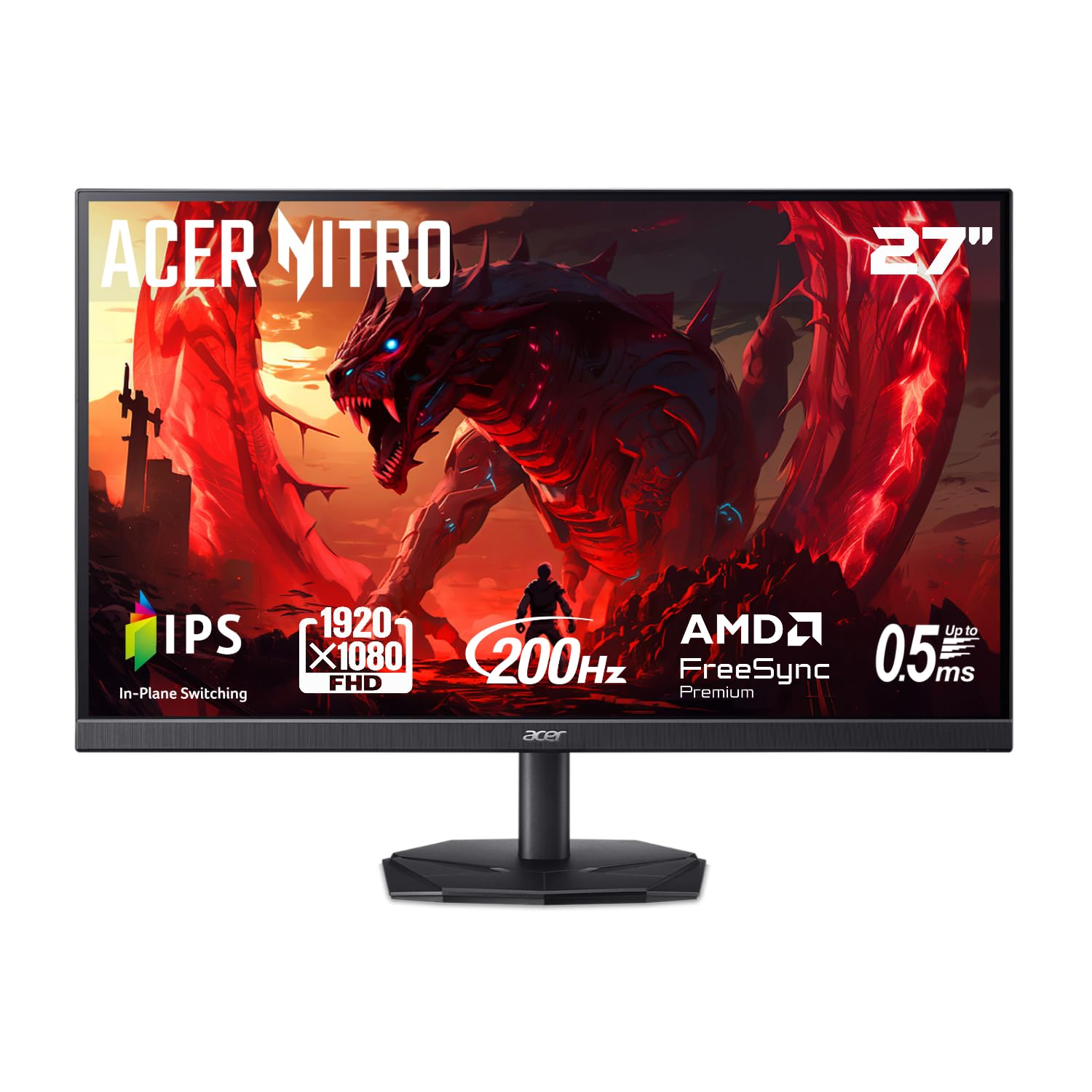
The highest refresh rate on this list, built for players who chase frames.
At 200Hz, this panel redraws the image more than twice as often as a 100Hz screen. That shortcut is the whole point of the Nitro: a 0.5ms GTG (gray-to-gray) response time cuts down smearing on dramatic transitions. AMD FreeSync Premium syncs the panel to your graphics card so stutter and tearing stay out of the picture. The zero-frame design opens up the screen edge with no thick border.
Colour is a genuine draw at this tier, with sRGB 99% coverage — a figure that suits colour-critical projects as much as games. The 27-inch IPS panel keeps 1920 x 1080 resolution sharp and detailed for the size. A 1000:1 contrast ratio lands in normal territory for this panel type.
The one gap that surfaces is audio: no built-in speakers and no audio ports, so you will want a headset or desk speakers. The 8.28″D x 24.11″W x 18.03″H footprint is worth checking against your desk depth before the box arrives. Set up over HDMI or DisplayPort and you are running in minutes.
The speed argument: 200Hz with FreeSync Premium and 0.5ms GTG is the fastest spec combination on this list, and it comes without a premium-tier label.
Left off the panel: no speakers and no audio ports — budget for a headset alongside the screen.
Built for: high-frame-rate shooter players who want the top refresh number without the top spend.
Not the one if: silent room play without a headset is a must.
8. Amazon Basics 27 Inch 100Hz IPS

The all-in-one desk hub: 100Hz picture, built-in speakers, and four USB ports.
For a setup where the monitor becomes the hub, this one earns its place. Four built-in USB ports let you plug a keyboard and mouse straight into the monitor with plug-and-play, which clears clutter from your tower. Built-in speakers handle video calls and media playback without a separate set. The 27-inch IPS panel delivers 1080p Full HD with wide viewing angles.
The 100Hz refresh rate covers everyday play and smooth scrolling, and a 1500:1 contrast ratio sits above the 1000:1 panels lower on this list for deeper shadow separation. VESA-compatible mounting means you can put it on a wall or arm. Setup and connection are two of the loudest themes owners raise, and resolution clarity follows close behind.
The recurring honest note is the speakers — fine for calls, thin for anything more demanding — and the USB ports draw mixed reactions depending on what you connect. At 8.4 pounds it is steady on a desk, but check your mount’s weight rating if you plan to hang it.
Why it fits a busy desk
- 4 built-in USB ports for keyboard and mouse, plug-and-play
- Built-in speakers cover calls and casual media
- 1500:1 contrast ratio on a 27-inch 100Hz IPS panel
- VESA-compatible for wall or arm mounting
Straight talk on limits
- Speaker quality is fine for calls, thin for game sound
- USB connectivity draws mixed reactions depending on devices
- 8.4 pounds — check the mount rating before hanging
The fit for: a home office that doubles as a game rig and wants fewer boxes on the desk.
Think around it if: serious audio matters to you.
9. 2X Pack 24 Inch 100Hz Monitor
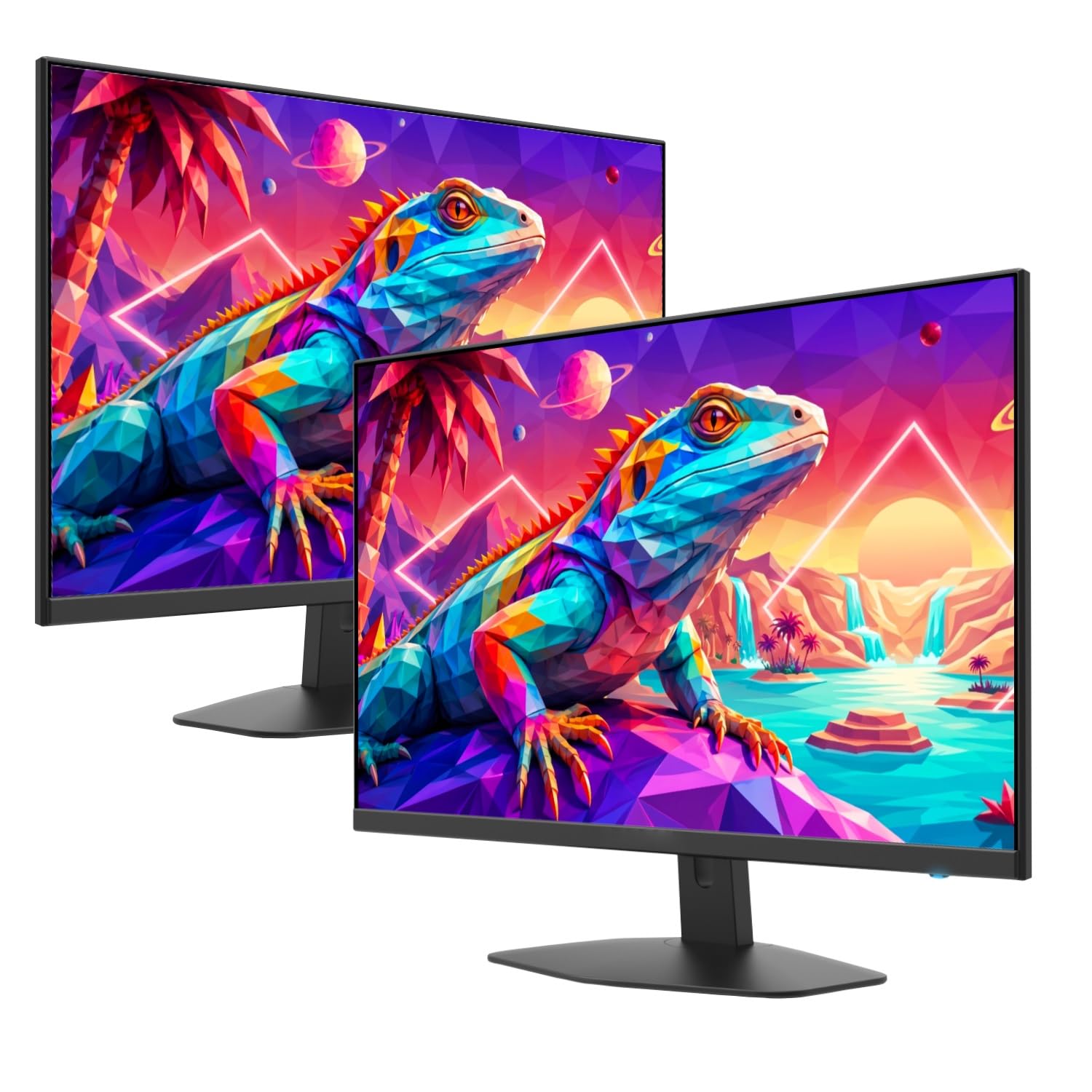
Two 24-inch 100Hz panels in one box, built for a side-by-side desk.
If you have been planning a dual-screen setup, this pack does the whole job in one order. Two 24-inch 1920 x 1080 LED panels each run a 100Hz refresh rate and 1ms blur reduction, so a game window on one side and a chat or stream on the other both move without judder. The dual-display idea is exactly what buyers praise here — one screen barely feels like enough once you split your setup.
The colour claim stands out for the tier: 100% sRGB coverage means accurate tones for creative work as well as play. HDMI x2 connectivity means you can drive both from one card with the right cables. Custom game modes for FPS and RTS titles tune the display for the genre in front of you. A matte finish keeps reflections down.
What to weigh is that the built-in speakers are the weak link — usable for a call, not for serious game audio — and the 250 cd/m² brightness is a lamp-lit-room figure. Neither spoils the value. Just know the audio is a backup, not the main event.
Double the real estate: 100Hz, 100% sRGB, and FreeSync across two 24-inch panels is a lot of screen surface for a single purchase, and each one mount to a wall or arm.
The speaker caveat: built-in audio handles voice, not immersion — plan a headset for the action.
Reach for it when: you want two matched gaming monitors and a tidy one-order setup.
Skip if: a single bigger 27-inch panel suits your desk better.
10. LG 27GS50F-B 27-inch Ultragear 180Hz
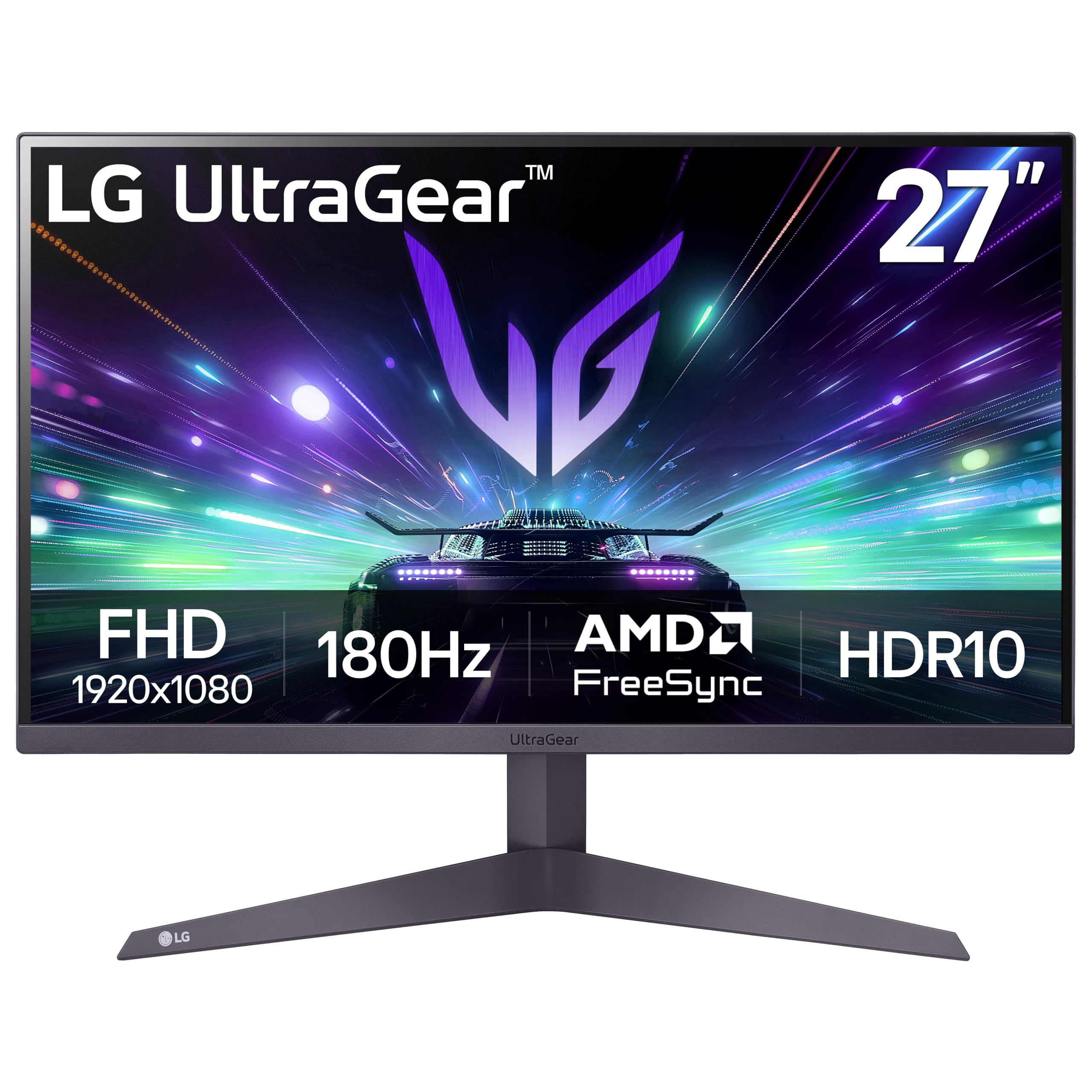
A 27-inch 180Hz panel that keeps 1080p sharp and motion quick.
This is a step up from the 100Hz tier on the refresh side — 180Hz with 1ms MBR is noticeably quicker, and AMD FreeSync keeps it tear-free at Full HD. A 3000:1 contrast ratio is the highest here outside the OLED, which helps shadowed corners read as dark rather than grey. HDR10 support adds stronger colour and contrast to supported games.
The gaming extras are useful: Dynamic Action Sync cuts input lag, Black Stabilizer lifts dark scenes, and an FPS counter shows your frame rate live. Crosshair overlays centre aim for shooters. A three-side virtually borderless design keeps a multi-screen desk clean, and the tilt-adjustable stand lets you angle it to suit.
The honest note is that colour accuracy and the stand’s adjustability both draw mixed reactions — this is a fine panel for play, not a colour-calibration tool. Performance comments also split, with most saying it works as intended and a few hitting issues. Buy it for the refresh rate and the picture, not for editing precision.
Where it earns its keep
- 180Hz refresh rate with 1ms MBR for quick motion
- 3000:1 contrast ratio for deeper dark scenes
- AMD FreeSync with HDMI and DisplayPort
- Gamer GUI modes plus FPS counter and Crosshair overlay
What to plan around
- Colour accuracy draws mixed reactions — not a calibration panel
- Stand adjustability is limited to tilt
- 1080p on a 27-inch screen is less crisp than a 24-inch of the same resolution
Right for: the 27-inch player who wants high frames and strong contrast without going OLED.
Wrong for: photo or video editing where colour precision comes first.
11. ASUS ROG XG32UCWG 32 Inch 4K OLED
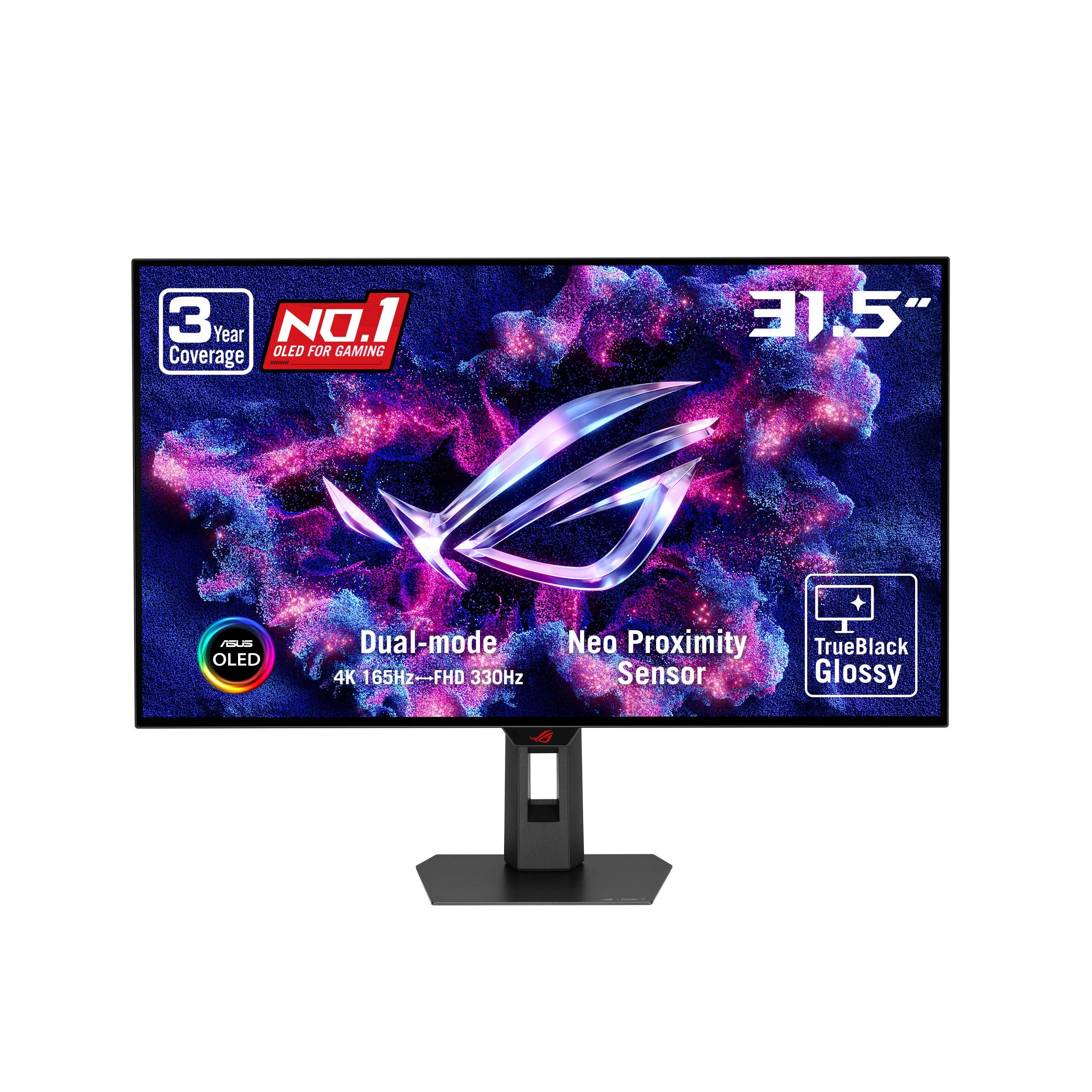
The 32-inch 4K OLED that switches to 330Hz when the game demands speed.
This is the top of the tree, and the reason is the panel. A 32-inch 4K WOLED display with a dual mode runs either 4K at 165Hz for detail or drops to FHD at 330Hz when raw speed matters more. A 0.03ms response time and G-Sync Compatible support give the smoothest motion on this list. The TrueBlack Glossy surface produces a zero-haze image with exceptionally sharp detail.
Perfect blacks are the draw — the OLED technology turns each pixel fully off, so dark scenes read as truly dark. Colour is professional-grade, with VESA DisplayHDR 400 True Black compliance, 99% DCI-P3 gamut, true 10-bit colour, and Delta E < 2 accuracy for photo and video editing. The gloss finish also cuts reflections meaningfully, which is the reverse of what you would expect. USB-C with 15-watt power delivery, HDMI 2.1, and DisplayPort 1.4 cover modern and legacy devices.
The honesty note is the panel and value picture: some owners find the unit price hard to square against the package, and the panel quality draws mixed reactions. OLED also needs care — ASUS includes OLED Care Pro with a Neo Proximity Sensor that blacks the screen when you walk away to reduce burn-in risk, and the 3-year warranty covers burn-in. Screen quality is a smaller, less happy thread too, so buy from a seller with a return window.
The dual-mode trick: 4K at 165Hz for scenery, then FHD at 330Hz for competitive play — one screen covers both without a second purchase.
Why the gloss matters: a zero-haze surface with reflection-cutting behaviour is rare at this size, and the black level is the thing people fall for.
For the player who wants it all: 4K detail, OLED blacks, and esports speed in one 32-inch panel.
The trade-off to accept: you are paying premium money for a panel that needs care and split owner opinion on value.
Understanding the Specs
Refresh Rate (Hz)
Refresh rate is how many times per second the screen redraws, measured in hertz. A 100Hz panel redraws 100 times a second; a 180Hz or 200Hz panel goes further. Higher numbers mean smoother motion in fast scenes, but you only see the benefit if your graphics card can feed frames at that pace. That is why adaptive sync matters as much as the raw number.
Response Time (ms)
Response time is how quickly a pixel changes colour, measured in milliseconds. Lower is better for motion clarity — a slow pixel leaves a ghost trail behind fast objects. Watch the label: GTG (gray-to-gray) measures pixel speed honestly, while MBR (Motion Blur Reduction) is a backlight trick that sharpens motion. Both help; they are not the same measurement.
Panel Type
IPS panels keep colour stable across wide viewing angles, which is why most picks here use it. OLED switches each pixel off individually for true blacks and near-instant response. LED and LCD panels are the everyday workhorses at lower cost. Match the panel to your room: a bright room favours a matte IPS, and a controlled room lets an OLED show its contrast.
Brightness and Contrast
Brightness is measured in nits or candelas per square metre. Higher figures hold up better beside a window or under bright lights. Contrast ratio compares the brightest white to the darkest black — a higher number means deeper shadow separation. Note the difference between a static ratio (real, fixed) and a dynamic ratio (marketing, measured across scene changes).
FAQ
Is 100Hz enough for gaming or should I go higher?
Will FreeSync work with my NVIDIA graphics card?
Do I need DisplayPort or is HDMI enough?
Is a 27-inch 1080p monitor sharp enough or should I go 4K?
What does 1ms MBR mean compared to 1ms GTG?
Can I wall-mount these monitors?
Do these monitors have built-in speakers?
Will a 100Hz monitor make my old graphics card work harder?
Is OLED worth it over IPS for gaming?
Can I use two of these monitors side by side for gaming?
Does a higher refresh rate screen fix screen tearing on its own?
Final Thoughts: The Verdict
For most players, the 100hz monitor for gaming winner is the Dell SE2725HM. Its 100Hz IPS panel (a screen that redraws 100 times a second and keeps colors accurate from wide angles) with FreeSync (a feature that syncs the screen to your graphics card to stop tearing) gives smooth, tear-free play on a 27-inch screen. The built-in power supply and cable holder keep the desk tidy. The Acer KB272 G0bi has far more owner history behind it, but the Dell holds the higher score — 4.8 stars against 4.6. If raw refresh rate is the goal, grab the Acer Nitro KG271 X1biip at 200Hz with FreeSync Premium (a higher tier of that same tear-free sync). And for a dual-screen desk built in one order, the 2X Pack 24 Inch is the one to reach for.
How We Picked
We do not accept paid placement. Every pick is matched to a real buyer and a real use-case; we do not hands-on test units.
Sources & Methodology
Specifications: manufacturer listings and product documentation. Review insights: verified customer reviews, as of November 2026. Pricing: not shown on this page (it changes often); check the current price via the retailer link.
As an Amazon Associate, Gadgets Feed earns from qualifying purchases. This does not affect which products we feature.