
The difference between a choppy 60Hz desktop and a buttery 144Hz gaming session isn’t just a number on a spec sheet — it’s the feel of crosshair movement that tracks exactly where your eyes lead, the absence of that subtle smear when a target strafes across your peripheral vision, and the confidence that your display isn’t the bottleneck between your reflexes and a clutch win. A 1080P panel at this refresh rate hits the sweet spot where GPU demands stay manageable while motion clarity jumps dramatically from the baseline.
I’m Min — the co-founder and writer behind Gadgets Feed. I’ve spent countless hours combing through technical data sheets, comparing panel types, refresh overclocking headroom, and real-world response time consistency to separate marketing hype from genuine performance gains in this specific monitor segment.
After deep analysis of brightness measurements, color gamut coverage, adaptive sync compatibility, and stand ergonomics across today’s leading models, I’ve compiled everything you need to make a confident purchase. This guide covers the best 1080p 144hz monitor options for competitive gaming, productivity, and balanced setups.
How To Choose The Best 1080P 144Hz Monitor
Not all 1080P 144Hz monitors deliver the same motion clarity or color fidelity. The panel technology, adaptive sync support, and stand quality vary wildly between budget-tier offerings and premium models. Here’s what actually separates a great purchase from a regretful one.
Panel Type: IPS vs VA
IPS panels dominate this category for good reason — they provide consistent color and brightness at wider viewing angles, which matters when you’re leaning into a tense firefight from an off-center angle. VA panels offer superior native contrast (3000:1 or higher versus 1000:1 on IPS), deepening blacks in dark game scenes, but they typically exhibit slower pixel transition times that can produce visible dark-level smearing at 144Hz. If competitive shooters are your primary use, prioritize IPS. For immersive single-player titles with dark environments, VA delivers richer shadow detail.
True Refresh Rate vs Overclocked Ratings
Some monitors advertise 180Hz or 200Hz refresh rates, but those figures often come from factory overclocking that may introduce frame skipping or instability at the upper limit. Native 144Hz panels with a clean overdrive implementation often produce fewer artifacts than aggressively overclocked budget panels running at 200Hz. Check whether the rated refresh rate is native or overclocked, and confirm that the included cable (DisplayPort 1.4 or HDMI 2.0) actually supports that bandwidth.
Adaptive Sync and Input Lag
FreeSync and G-Sync Compatible certification ensure variable refresh rate (VRR) operation eliminates screen tearing without the input lag penalty of V-Sync. For NVIDIA GPU owners, a monitor listed as “G-Sync Compatible” guarantees a validated tear-free experience. Pay attention to the VRR range — some budget panels only support FreeSync from 48Hz to 144Hz, meaning frames dropping below 48 fps will cause tearing to reappear. A wider range (down to 30Hz or lower) provides more consistent smoothness.
Stand Ergonomics and Connectivity
A stand that only offers tilt might suffice for a secondary display, but for your primary gaming monitor, height adjustment is essential for aligning the center of the screen with your natural eye level — this prevents neck strain during long sessions. VESA 100x100mm compatibility ensures you can upgrade to a monitor arm later. Port selection matters: at least one DisplayPort 1.4 and one HDMI 2.0 port are the minimum for hitting 144Hz without bandwidth limitations.
Quick Comparison
On smaller screens, swipe sideways to see the full table.
| Model | Category | Best For | Key Spec | Amazon |
|---|---|---|---|---|
| Samsung Odyssey G4 | Premium | Competitive Gaming | 240Hz Native / 25″ IPS | Amazon |
| ASUS TUF Gaming VG249QL3A | Premium | All-Round Gaming | 180Hz Native / 23.8″ Fast IPS | Amazon |
| Dell S2425HSM | Premium | Work & Play | 144Hz / 23.8″ / Built-in Speakers | Amazon |
| SANSUI 27″ Curved | Mid-Range | Immersive Gaming | 240Hz / 27″ 1500R VA | Amazon |
| LG 24G411A-B | Mid-Range | PS5 / Console Gaming | 144Hz OC / 24″ IPS | Amazon |
| Acer KB272 P6bi | Mid-Range | Multi-Monitor Setup | 144Hz / 27″ IPS Zero-Frame | Amazon |
| XUNDEFINED 27″ 1440P | Mid-Range | High Resolution Gaming | 200Hz OC / 27″ 1440P IPS | Amazon |
| ZZA 49″ Curved | Mid-Range | Ultra-Wide Immersion | 144Hz / 49″ DQHD VA | Amazon |
| CRUA 49″ Curved | Mid-Range | Sim Racing | 144Hz / 49″ DQHD VA | Amazon |
In-Depth Reviews
1. SAMSUNG 25″ Odyssey G4 Series

The Samsung Odyssey G4 stands apart from the 144Hz crowd by shipping with a native 240Hz refresh rate on its 25-inch IPS panel — that’s 96 more frames per second than the category baseline, without any overclocking instability. The 1ms GTG response time and 400 cd/m² peak brightness are best-in-class for a 1080P gaming monitor, ensuring that fast-moving targets remain crisp even during chaotic team fights. Combined with G-Sync Compatible certification and AMD FreeSync Premium, this monitor eliminates tearing across both NVIDIA and AMD GPU ecosystems.
The fully adjustable stand — height, swivel, tilt, and pivot — is a rarity in this price segment, and the 178-degree viewing angle means colors stay consistent when you shift posture during long sessions. The Ultrawide Game View mode lets you simulate a 21:9 aspect ratio for competitive advantage in supported titles, effectively expanding peripheral awareness without buying a physically wider panel. The matte screen finish cuts glare effectively in brightly lit rooms.
The trade-off is the 25-inch diagonal, which some users find small compared to 27-inch budget alternatives, and the lack of built-in speakers means you’ll need external audio. But for pure competitive performance where every millisecond of input lag and every hertz of refresh rate matters, the Odyssey G4’s combination of native 240Hz, robust ergonomics, and validated adaptive sync makes it the definitive choice for serious gamers.
Why it’s great
- Native 240Hz refresh rate eliminates overclocking artifacts
- Full ergonomic stand with height, swivel, tilt, and pivot adjustments
- 400 cd/m² brightness outperforms typical 250-300 cd/m² competitors
Good to know
- 25-inch screen may feel smaller than 27-inch alternatives
- No built-in speakers require external audio solution
2. ASUS TUF Gaming VG249QL3A

The ASUS TUF Gaming VG249QL3A uses a 23.8-inch Fast IPS panel with a native 180Hz refresh rate, sitting above the 144Hz baseline without pushing into overclocking territory. The 1ms GTG response time is backed by ASUS’s Extreme Low Motion Blur (ELMB) technology, which strobes the backlight to further reduce perceived ghosting — a feature typically reserved for higher-tier monitors. The 350 cd/m² brightness and 99% sRGB coverage deliver punchy colors that stay accurate across the full viewing angle.
Where this monitor truly differentiates itself is in ergonomic range: the stand offers height adjustment, swivel, pivot, and tilt, giving you complete control over screen positioning without needing a third-party monitor arm. The Shadow Boost feature lifts dark-area visibility in games without washing out highlights — useful for spotting enemies hiding in shadowed corners. Connectivity includes DisplayPort 1.4, dual HDMI ports, and a headphone jack, plus built-in 2W speakers for casual use.
The built-in speakers are adequate for system sounds but lack the frequency range for immersive gaming audio, and the monitor ships with an HDMI cable but no DisplayPort cable — consider buying a DP 1.4 cable separately to hit the full 180Hz refresh rate. The 3-year warranty from ASUS provides solid long-term coverage, making this a reliable investment for gamers who want a well-rounded daily driver that excels in both competitive and single-player titles.
Why it’s great
- 180Hz native refresh rate with ELMB motion blur reduction
- Full ergonomic stand with height, swivel, pivot, and tilt
- 3-year warranty provides long-term reliability assurance
Good to know
- Does not include DisplayPort cable in box
- Built-in speakers lack low-end frequency response
3. Dell 24 Plus Monitor S2425HSM

The Dell S2425HSM takes a different approach from the gaming-first competition — it delivers a 144Hz refresh rate and 1ms MPRT response time for smooth motion, but wraps it in a professional ash-white chassis with a 4-star TÜV-certified low blue light panel that maintains color accuracy while reducing eye strain during all-day use. The 1500:1 static contrast ratio on its IPS display exceeds the typical 1000:1 found on most gaming monitors, providing deeper blacks for movie watching and document work.
The integrated dual 3W speakers are notably better than the tinny single speaker found on most monitors in this category — they deliver a wider frequency range and enough volume for casual gaming, video calls, and background music without requiring external speakers. The ergonomic stand supports height adjustment, tilt, swivel, and pivot, matching the adjustability of premium gaming monitors while maintaining Dell’s clean aesthetic. The 23.8-inch FHD resolution hits the pixel density sweet spot for sharp text without scaling issues.
The monitor only includes HDMI connectivity — there is no DisplayPort input, which means you cannot hit 144Hz on older GPUs that lack HDMI 2.0, and the FreeSync support is limited to the HDMI VRR specification rather than the wider compatibility of DisplayPort-based adaptive sync. If your system has a modern GPU with HDMI 2.0, this is the best option for users who split their time evenly between work productivity and gaming.
Why it’s great
- Dual 3W integrated speakers outperform most built-in monitor audio
- 1500:1 contrast ratio delivers deeper blacks than typical IPS panels
- 4-star TÜV low blue light certification reduces eye strain without color shift
Good to know
- No DisplayPort input limits connectivity options
- FreeSync only works over HDMI, not DisplayPort
4. SANSUI 27 Inch Curved 240Hz
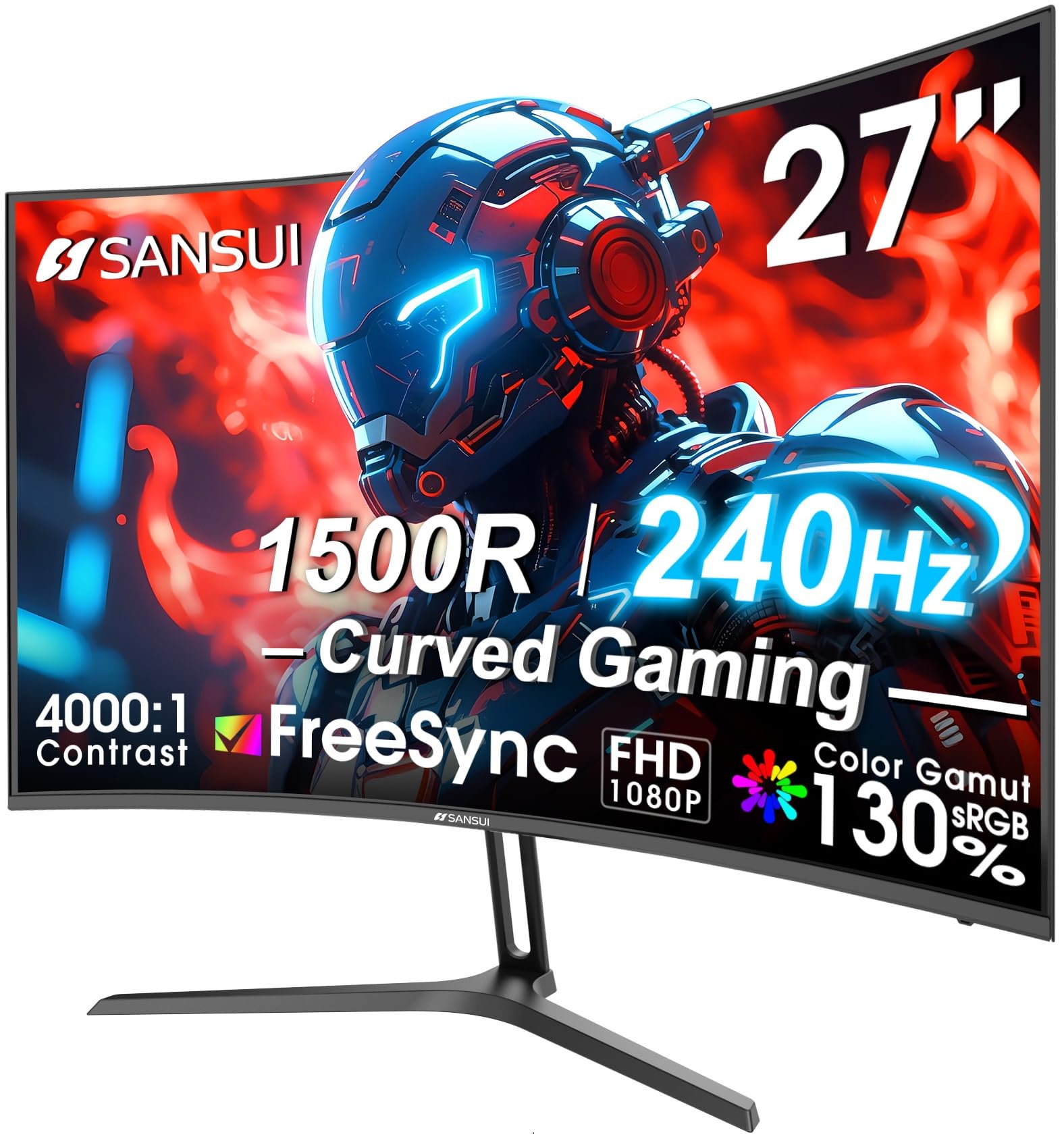
The SANSUI 27-inch curved monitor brings a 1500R curvature and VA panel technology to the 1080P high-refresh category, offering a fundamentally different visual experience than flat IPS alternatives. The 4000:1 native contrast ratio is four times higher than typical IPS panels, producing inky blacks that make dark game environments like the caves in Minecraft or the shadowy corridors in Dead Space feel genuinely immersive. The 240Hz refresh rate combined with MPRT 1ms response time delivers fluid motion that keeps up with fast-paced esports titles.
The 130% sRGB and 95% DCI-P3 color gamut coverage is unusually wide for a budget-tier curved monitor, providing vibrant color saturation that makes game worlds pop. The anti-glare coating and 300 cd/m² brightness ensure the image remains visible even in rooms with ambient window light, and the metal stand offers a sturdier base than the plastic alternatives found on many budget monitors. The tilt adjustment (-5° to +15°) provides basic ergonomic flexibility, and VESA 100x100mm support allows upgrading to a monitor arm.
The VA panel’s slow pixel transition times in dark-to-dark color changes can produce visible black-level smearing in high-contrast motion scenes, which is more noticeable at 240Hz than it would be at 144Hz. The monitor lacks built-in speakers, so you will need external audio, and the on-screen display menu requires some calibration to get the color accuracy dialed in. For gamers who prioritize contrast ratio and screen curvature over absolute motion clarity, this is the strongest immersive option in the list.
Why it’s great
- 4000:1 contrast ratio delivers deep blacks for immersive dark scenes
- 130% sRGB and 95% DCI-P3 coverage provides vibrant color saturation
- 1500R curvature wraps the 27-inch screen into your peripheral vision
Good to know
- VA panel exhibits dark-level smearing in fast high-contrast motion
- No built-in speakers require external audio setup
5. LG 24G411A-B UltraGear

The LG 24G411A-B proves that a budget-tier monitor can still deliver a legitimate high-refresh experience without sacrificing panel quality. The 24-inch IPS display runs at 120Hz natively and overclocks to 144Hz through the on-screen menu, with a 1ms Motion Blur Reduction (MBR) mode that strobes the backlight to reduce perceived motion blur. The 99% sRGB coverage and HDR10 support ensure colors look natural and vibrant out of the box, exceeding the washed-out appearance of many entry-level gaming monitors.
LG includes both G-Sync Compatible and AMD FreeSync certification, meaning the variable refresh rate works flawlessly with both NVIDIA and AMD GPUs — a feature often missing from budget-tier options that only carry one adaptive sync standard. The Dynamic Action Sync feature reduces input lag by processing frames ahead of the normal buffer, and the Black Stabilizer lifts dark area visibility without overexposing bright highlights. The slim bezel design makes multi-monitor setups look clean and professional.
The included stand is the weakest part of this package — it offers only tilt adjustment and the base feels flimsy on uneven desk surfaces, with several user reports of the monitor wobbling during keyboard typing. The brightness maxes out at 250 cd/m², which is adequate for dim rooms but struggles against direct window light. For the price, this is the most feature-complete entry point into 144Hz gaming, provided you budget for a VESA arm to replace the stock stand.
Why it’s great
- G-Sync Compatible and AMD FreeSync dual certification
- 1ms MBR mode reduces perceived motion blur effectively
- Slim bezel design ideal for multi-monitor configurations
Good to know
- Stand is flimsy and only offers tilt adjustment
- 250 cd/m² brightness struggles in bright room lighting
6. Acer KB272 P6bi
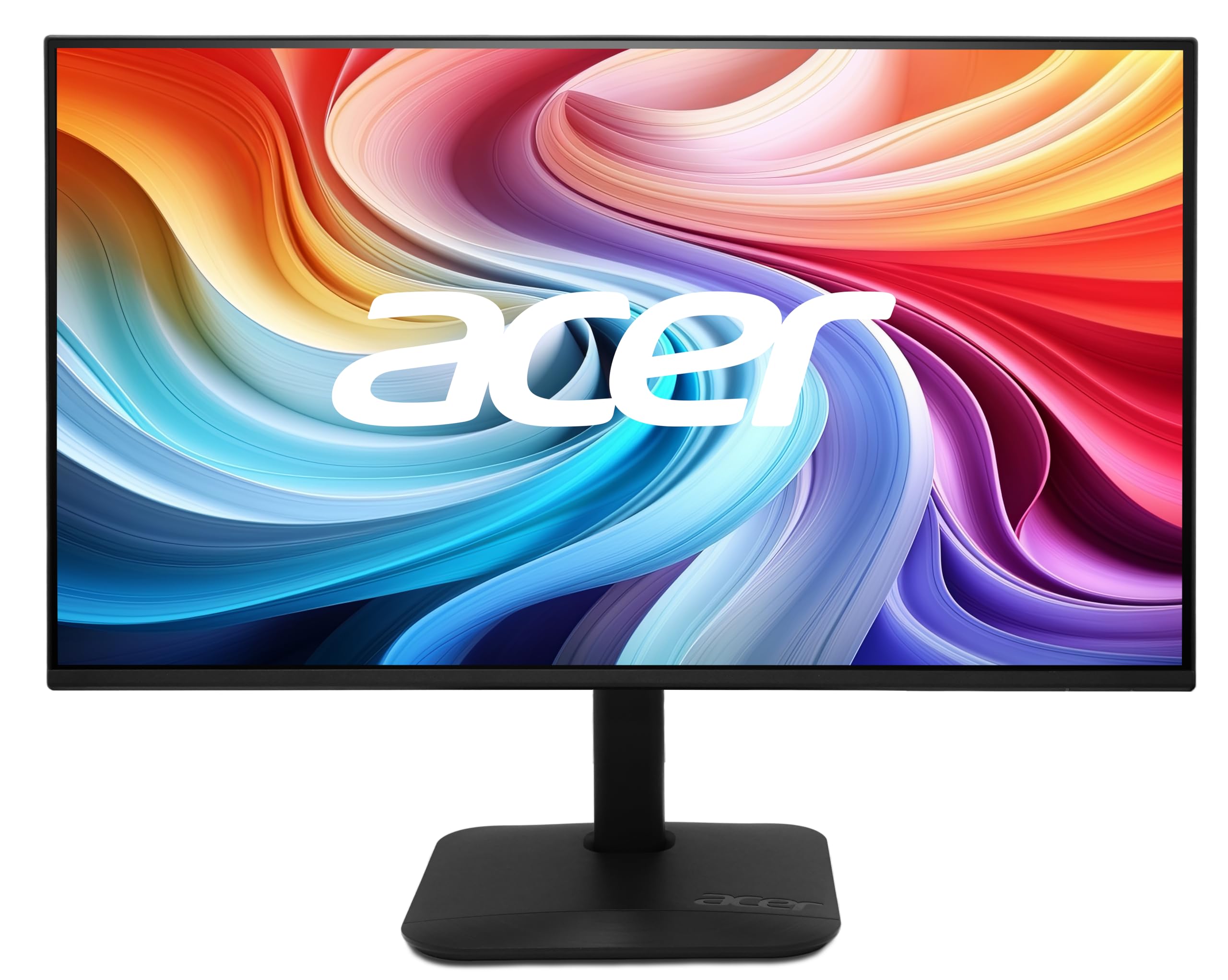
The Acer KB272 P6bi delivers the largest screen size at the entry-level price point — a full 27-inch IPS panel with 144Hz refresh rate and 1ms VRB (Visual Response Boost) for under . The ZeroFrame design minimizes bezel thickness, creating a nearly seamless visual transition when used in multi-monitor arrays, which makes this a favorite among productivity-focused users who also game. The 100,000,000:1 dynamic contrast ratio (1000:1 native) provides acceptable black levels for an IPS panel.
AMD FreeSync technology handles variable refresh rate duties, syncing the monitor’s frame delivery with compatible graphics cards to eliminate tearing in the 48-144Hz range. The 178-degree viewing angle ensures colors and contrast remain consistent when viewed from off-center positions — useful for sharing the screen or adjusting your seating position during long sessions. Connectivity includes HDMI and VGA ports, covering both modern and legacy devices, though the absence of DisplayPort means you rely on HDMI for the full 144Hz signal.
The stand only offers tilt adjustment and lacks height or swivel capability, which can be a problem given the 27-inch screen height — you may need to stack books under the base or invest in a VESA monitor arm to achieve proper eye level alignment. The VGA port inclusion is welcome for older office PCs, but the lack of DisplayPort means users with bandwidth-limited HDMI 1.4 ports may be capped at 60Hz. For the screen real estate per dollar, this remains one of the strongest values in the 1080P high-refresh category.
Why it’s great
- 27-inch screen provides the largest FHD canvas in the budget tier
- ZeroFrame bezel design enables nearly seamless multi-monitor setups
- VGA port included for legacy office PC compatibility
Good to know
- No DisplayPort input limits high-refresh on older GPUs
- Stand only offers tilt adjustment; no height or swivel
7. XUNDEFINED 27″ 1440P Gaming Monitor
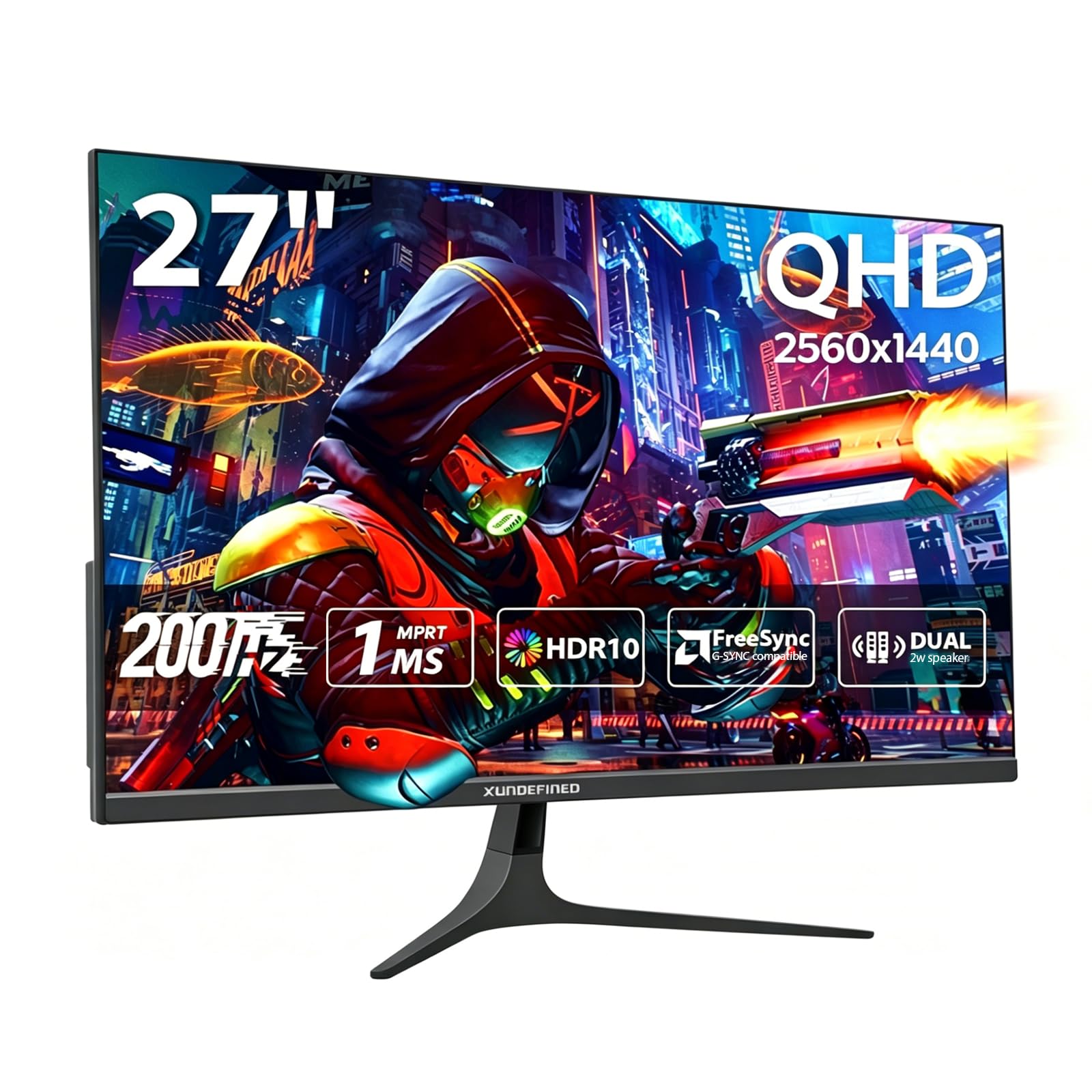
The XUNDEFINED 27-inch monitor breaks the 1080P ceiling by offering a 2560×1440 resolution panel with a maximum refresh rate of 200Hz over DisplayPort 1.4 — that is 78% more pixels per inch than a 27-inch 1080P panel, providing noticeably sharper text and finer detail in game environments. The Fast IPS technology delivers 1ms response time with 125% sRGB color gamut coverage, producing vibrant, accurate colors that make both gaming and creative work look more refined. The 300 cd/m² brightness and 1000:1 contrast ratio are standard for IPS but sufficient for most room lighting.
The connectivity suite is generous: two HDMI 2.0 ports (max 144Hz) and two DisplayPort 1.4 ports (max 200Hz), giving you flexibility to connect multiple devices simultaneously without cable swapping. The built-in speakers provide adequate audio for system notifications and casual video watching, though they lack the bass response for immersive gaming audio. The VESA 75x75mm mounting pattern is compatible with most monitor arms, and the tilt adjustment (-5° to +15°) provides basic ergonomic adjustment.
The 1440P resolution requires significantly more GPU horsepower to drive at high frame rates — a GTX 1660 Super or RX 6600 is the bare minimum for hitting 100+ fps in competitive titles, and even then you may need to lower settings. The overclock to 200Hz is technically over DisplayPort only, and some users report instability at the maximum refresh rate depending on cable quality and GPU compatibility. For gamers planning a GPU upgrade or those who prioritize resolution sharpness over raw frame rates, this monitor punches well above its price class.
Why it’s great
- 1440P resolution delivers significantly sharper image than 1080P panels
- Quad port connectivity (2x HDMI + 2x DP) for multi-device setups
- 200Hz over DisplayPort provides headroom above standard 144Hz
Good to know
- Requires mid-range or better GPU to drive 1440P at high frame rates
- Overclocked 200Hz may be unstable depending on cable and GPU
8. ZZA 49″ Curved DQHD
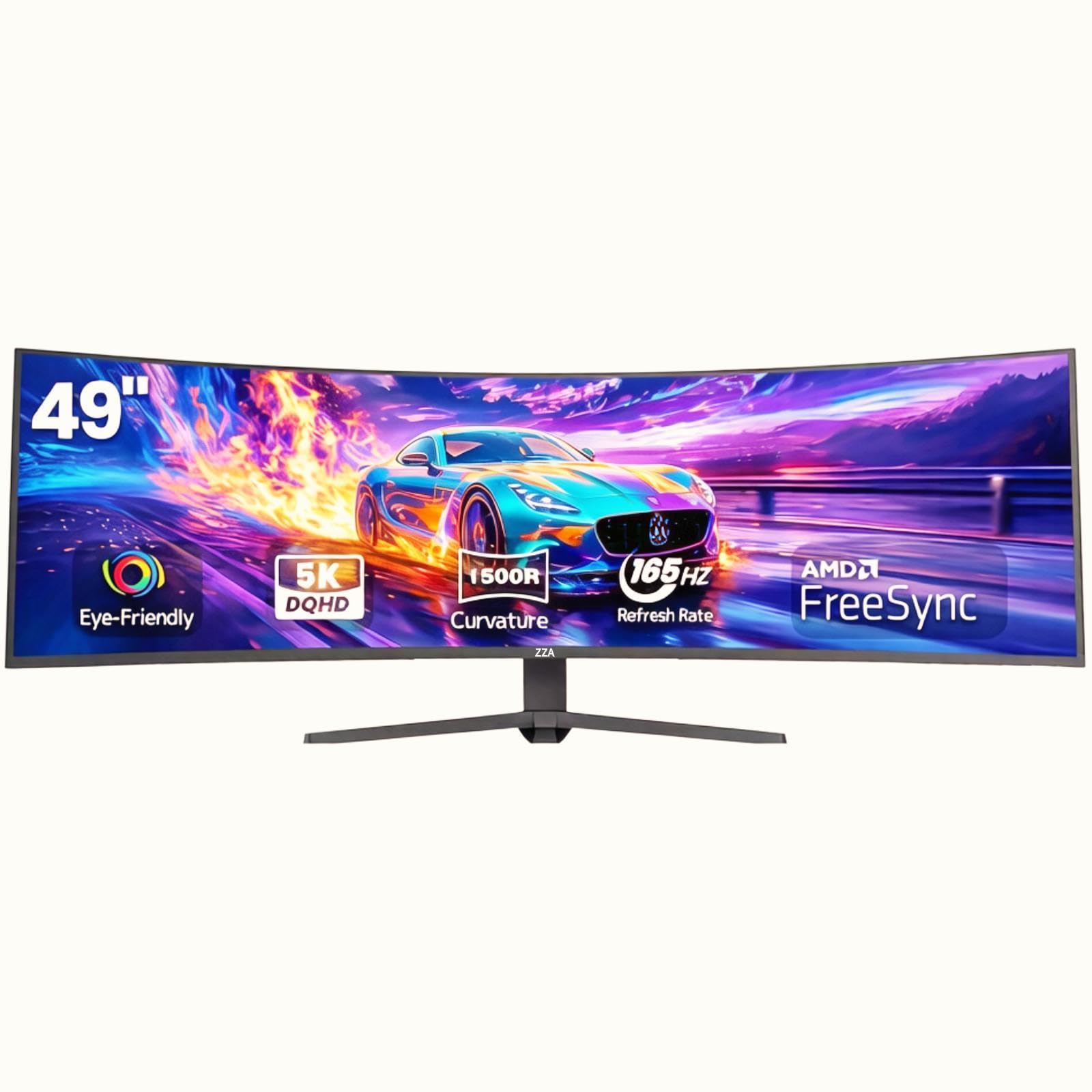
The ZZA 49-inch curved monitor redefines what a gaming display can be with its DQHD resolution (5120×1440) — effectively two 27-inch 1440P monitors side by side without a bezel gap. The 32:9 aspect ratio combined with a 1500R curvature wraps the image around your field of view, creating an immersive cockpit-like experience for flight simulators, racing games, and open-world RPGs. The VA panel delivers a 3000:1 contrast ratio and 120% sRGB coverage, with 330 cd/m² brightness that makes HDR content appear more dynamic.
The 144Hz refresh rate (overclockable to 165Hz) ensures smooth motion across the massive 49-inch canvas, and AMD FreeSync eliminates tearing during gameplay. The HDMI 2.1 ports support the full bandwidth needed for 5120×1440 at high refresh rates, and the DisplayPort 1.4 connection provides an alternative input path. PIP/PBP mode lets you view two separate input sources simultaneously at native resolution — useful for gaming on one half while monitoring Discord or a stream on the other.
The stock stand is functional but lacks height adjustment, and the 49-inch width demands a desk at least 60 inches wide plus sufficient viewing distance (recommended 80-100 cm from eyes to screen). The VA panel’s dark-level smearing is more noticeable on an ultra-wide canvas during fast horizontal scrolling, and the lack of G-Sync Compatible certification means NVIDIA GPU owners may experience occasional tearing at lower frame rates. For racing sim enthusiasts or productivity power users who want to replace dual monitors, this is an exceptional value proposition.
Why it’s great
- 5120×1440 DQHD resolution replaces dual 27-inch 1440P monitors
- 1500R curvature and 32:9 aspect ratio deliver immersive cockpit view
- HDMI 2.1 ports support full bandwidth at high refresh rates
Good to know
- Requires large desk (60+ inches) and proper viewing distance
- No G-Sync Compatible certification for NVIDIA GPU users
9. CRUA 49″ Curved DQHD
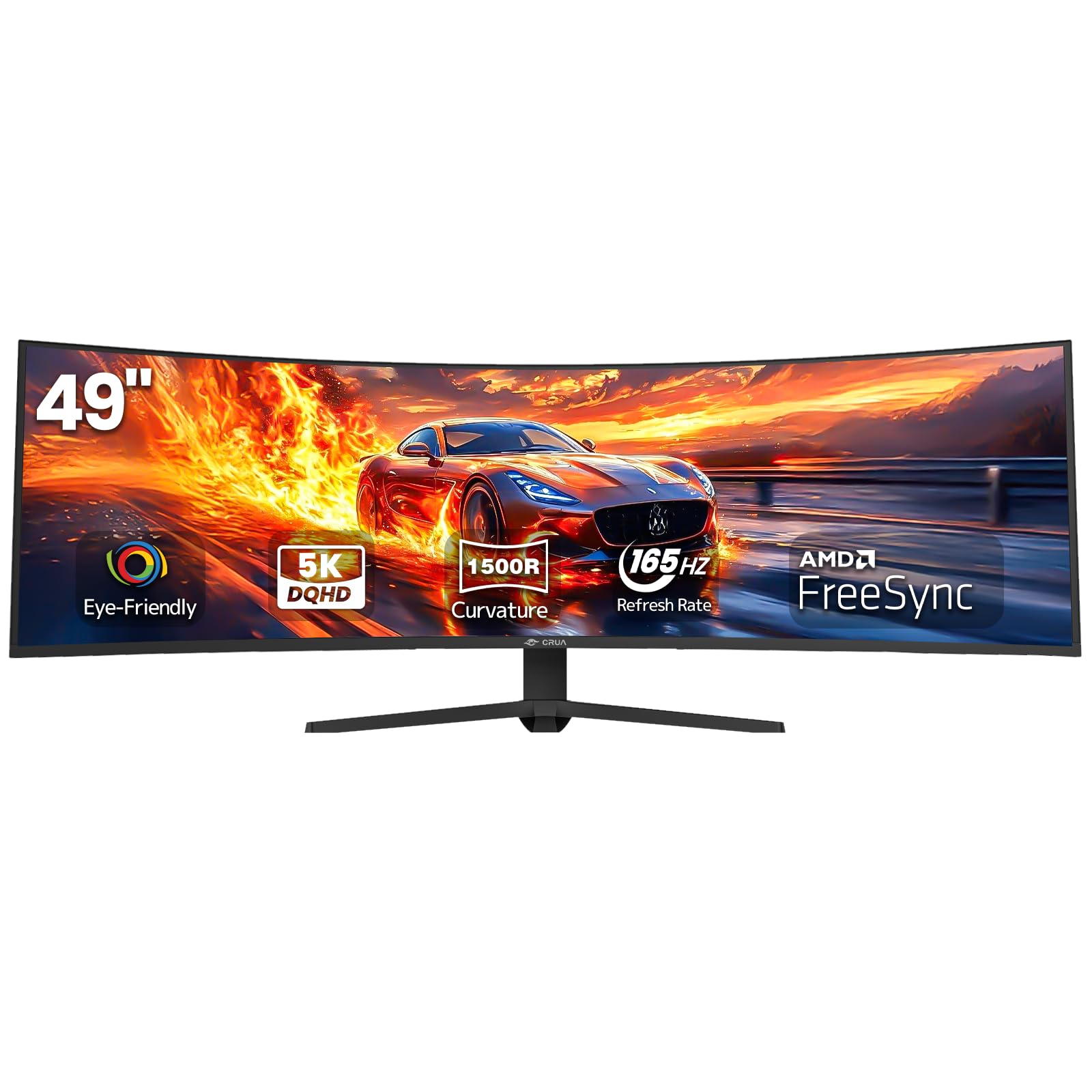
The CRUA 49-inch curved monitor competes directly with the ZZA in the ultra-wide DQHD space, offering the same 5120×1440 resolution, 1500R curvature, and 32:9 aspect ratio with a slightly different feature balance. The VA panel delivers the same 3000:1 contrast ratio and 120% sRGB coverage as its counterpart, with 330 cd/m² brightness that provides solid HDR highlight punch. The 144Hz base refresh rate overclocks to 165Hz for an extra 21 frames per second of smoothness in supported titles.
The stand differentiates itself with height adjustment capability — a significant ergonomic advantage over the fixed-height ZZA stand — allowing you to raise the massive screen for proper eye level alignment. The HDMI 2.1 and DisplayPort 1.4 connectivity mirrors the ZZA’s spec sheet, ensuring you can run the full resolution at peak refresh rates. AMD FreeSync support handles tear elimination for AMD GPU users, and the PIP/PBP mode enables dual-input productivity workflows.
User reports indicate the VESA mounting pattern is 80x80mm rather than the standard 100x100mm, which limits aftermarket monitor arm compatibility to specific adapters or custom solutions. The built-in lighting adds aesthetic flair but does not improve the viewing experience, and the VA panel’s dark-level smearing behavior is identical to the ZZA due to the shared panel technology. For sim racing enthusiasts who need height adjustment to align the screen center with their racing seat eye level, the CRUA’s adjustable stand gives it a meaningful edge over the fixed-height ZZA.
Why it’s great
- Height-adjustable stand for proper ergonomic eye-level alignment
- 5120×1440 resolution with 32:9 ratio eliminates dual-monitor bezels
- HDMI 2.1 supports full bandwidth for ultra-wide high-refresh gaming
Good to know
- VESA mount uses non-standard 80x80mm pattern, limiting arms
- VA panel smearing visible in fast horizontal scrolling scenes
FAQ
Can my GPU handle 144Hz at 1080P?
Is HDMI enough for 144Hz at 1080P?
Does response time matter more than refresh rate?
Final Thoughts: The Verdict
For most users, the best 1080p 144hz monitor is the ASUS TUF Gaming VG249QL3A because it delivers a native 180Hz Fast IPS panel with full ergonomic adjustability and the most reliable feature set for both work and gaming. If you want maximum competitive performance, grab the Samsung Odyssey G4 for its native 240Hz refresh rate and industry-leading 400 cd/m² brightness. And for immersive single-player gaming with deep blacks, nothing beats the SANSUI 27-inch Curved with its 4000:1 VA contrast ratio and 1500R curvature.