
Our readers keep the lights on and my morning glass full of iced black tea. As an Amazon Associate, I earn from qualifying purchases.
Specs are compiled from manufacturer listings and verified buyer reviews and can change over time — please confirm the key details on the product page before buying.
Choosing a 27-inch 1080p monitor is rarely about resolution anymore—it’s about the experience around it. You want a screen that feels sharp for everyday work, smooth enough for casual gaming, and comfortable for hours of use without eye strain. This guide cuts through the noise to help you find the right panel for your desk setup.
I’m Min — the founder and writer behind Gadgets Feed. This guide is built by comparing the manufacturers’ published specifications and the patterns across verified customer reviews, so you get each pick’s real strengths and trade-offs instead of marketing spin.
From refresh rates and panel types to built-in speakers and stand ergonomics, here is the honest breakdown of the best 1080p 27 inch monitor options available today.
In this article
Note: This list matches products with a 27-inch screen size, which is the standard for this category. Some listings may mention a 24-inch model in passing, but all picks below are the 27-inch versions.
Our Picks at a Glance

How To Choose The Best 1080P 27 Inch Monitor
At 27 inches, 1080p resolution keeps text crisp and your computer’s graphics card from working too hard, so it’s a great fit for laptops and mid-range desktops. But resolution is just the start—panel type, refresh rate, and ergonomics decide whether a monitor feels great or just okay.
Refresh Rate: The Smoothness Factor
A standard monitor runs at 60Hz, meaning the image refreshes 60 times a second. For a 27-inch monitor, moving up to a 100Hz or 120Hz rate makes the mouse cursor feel silkier and reduces eye fatigue when scrolling through long documents. While gamers benefit the most from high refresh rates, even a 120Hz panel makes everyday Windows or MacOS usage feel significantly more fluid.
Panel Technology: IPS vs VA
For a 1080p 27-inch monitor, an IPS (In-Plane Switching) panel is usually the safest choice for most people. It offers the most accurate colors at wide viewing angles, which means the picture won’t shift or wash out if you lean to the side. This makes IPS ideal for photo editing, watching movies with a friend, and any work where color consistency matters.
Ergonomics and Adjustability
Before you buy, check the stand. Some budget monitors only tilt, while more premium models allow you to adjust the height, swivel the screen, or pivot it vertically. A height-adjustable stand is a major comfort win, as it lets you align the top of the screen with your eye level, preventing neck and back strain during long hours at a desk.
Quick Comparison
| Model | Best For | Refresh Rate | Contrast Ratio | Connectivity | Amazon |
|---|---|---|---|---|---|
| HP Series 3 327se★ Best Overall | Office & Productivity | 100Hz | 1300:1 | VGA, HDMI, DP | Amazon |
| LG 27U411A-BBest Value | Budget Value | 120Hz | 1500:1 | HDMI | Amazon |
| Acer SB273 G0biTop Performer | Entry-Level Gaming | 120Hz | 100,000,000:1 | HDMI, VGA | Amazon |
| LG 27GS50F-B | Competitive Gaming | 180Hz | 3000:1 | HDMI, DP | Amazon |
| ViewSonic VA2756A-MHD | Versatile Home Use | 120Hz | 1500:1 | VGA, HDMI, DP | Amazon |
| ASUS VA27EHF | Wall Mounting | 100Hz | 1300:1 | HDMI | Amazon |
| Samsung S32GF | Casual Entertainment | 120Hz | 1000:1 | HDMI | Amazon |
| Dell S2725HSM | Ergonomic Workstation | 144Hz | 1500:1 | HDMI | Amazon |
| Dell SE2726HG | High-Speed Gaming | 240Hz | 1000:1 | HDMI, DP | Amazon |
In‑Depth Reviews
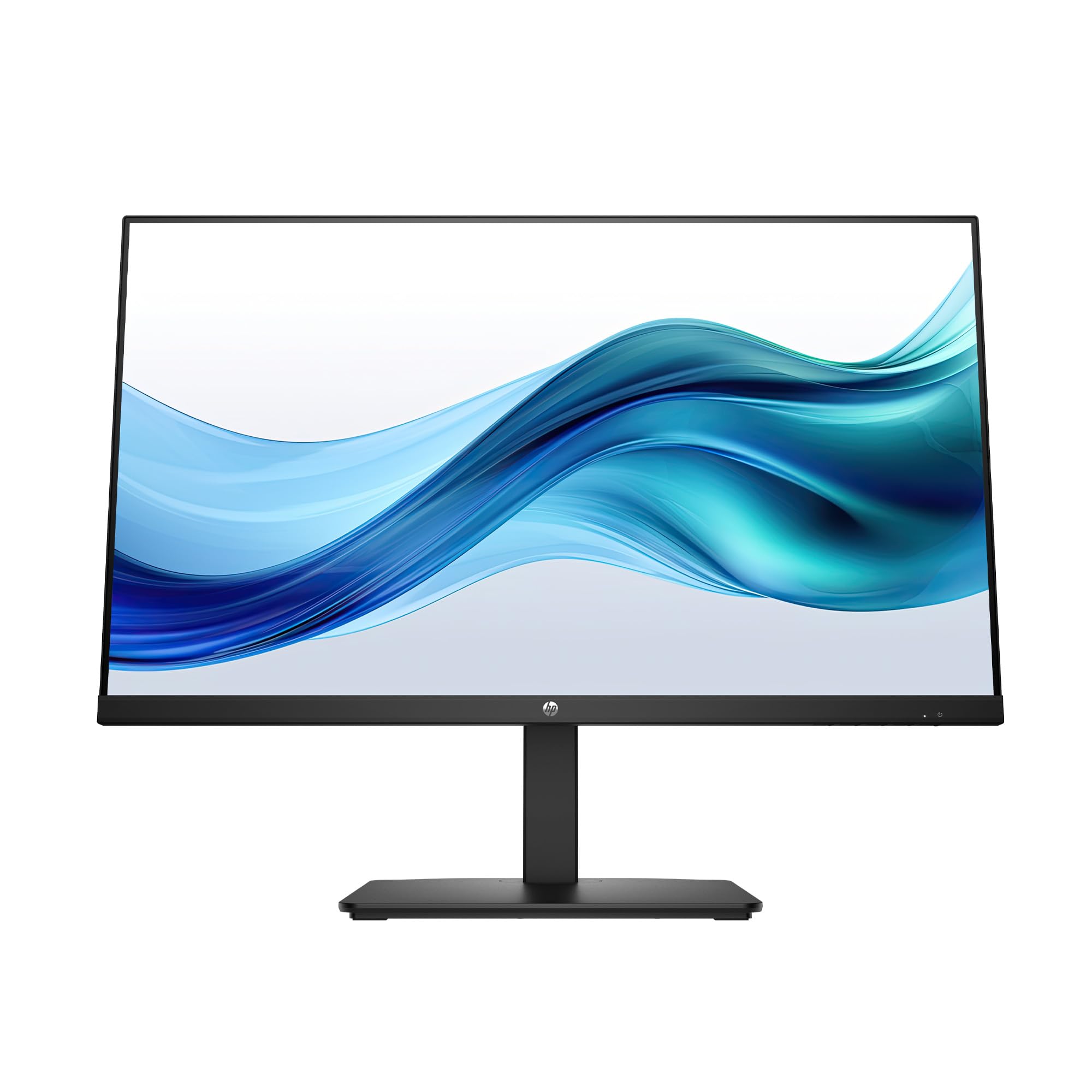
1. HP Series 3 327se
Our pick — over 4.5★ from 25,000+ verified ratings; the strongest balance of quality and price.
The all-rounder office champion that prioritizes eye comfort without skimping on connectivity.
The HP Series 3 327se is the desk companion that gets the fundamentals right. It pairs a 1920×1080 FHD resolution with an enhanced 1300:1 contrast ratio, which owners say delivers brighter whites and better contrast than older HP models. The 100Hz refresh rate makes routine desktop work and web browsing noticeably smoother than a standard 60Hz screen.
Your eyes stay comfortable during long work sessions thanks to HP Eye Ease with Eyesafe Certification—an always-on, true-color low-blue-light filter that reduces eye strain without washing out the picture. It’s also a greener pick: the enclosure uses at least 90% post-consumer recycled plastics, and the panel uses 20% recycled glass. The 3-sided micro-edge borderless design lets you place two side-by-side for a nearly smooth dual-monitor setup.
You can connect older desktops and modern laptops alike thanks to the essential trio of VGA, HDMI 1.4, and DisplayPort 1.2 ports. The built-in dual 2W speakers handle voice calls and meetings fine, but they’re not for music. Buyers consistently praise the sturdy height and angle adjustable stand—a rare find at this level—which helps your posture during long work sessions.
What Owners Rave About
- Crisp picture with noticeably better contrast and whites than previous HP generations.
- The tilt, height, and swivel adjustable stand feels sturdy with zero wobble.
- Eye Ease certification keeps eyes comfortable during all-day use.
Keep In Mind
- Built-in speakers are adequate for voice only, not for music.
- The recurring gripe is screen durability—a minority report units failing after a period of use, so treat it gently.
Reach for it if: You need a dependable, eye-friendly workhorse for the office that’s easy to set up and looks sharp doing it.
Look elsewhere if: You demand high-fidelity audio from your monitor, as the speakers are strictly for voice.
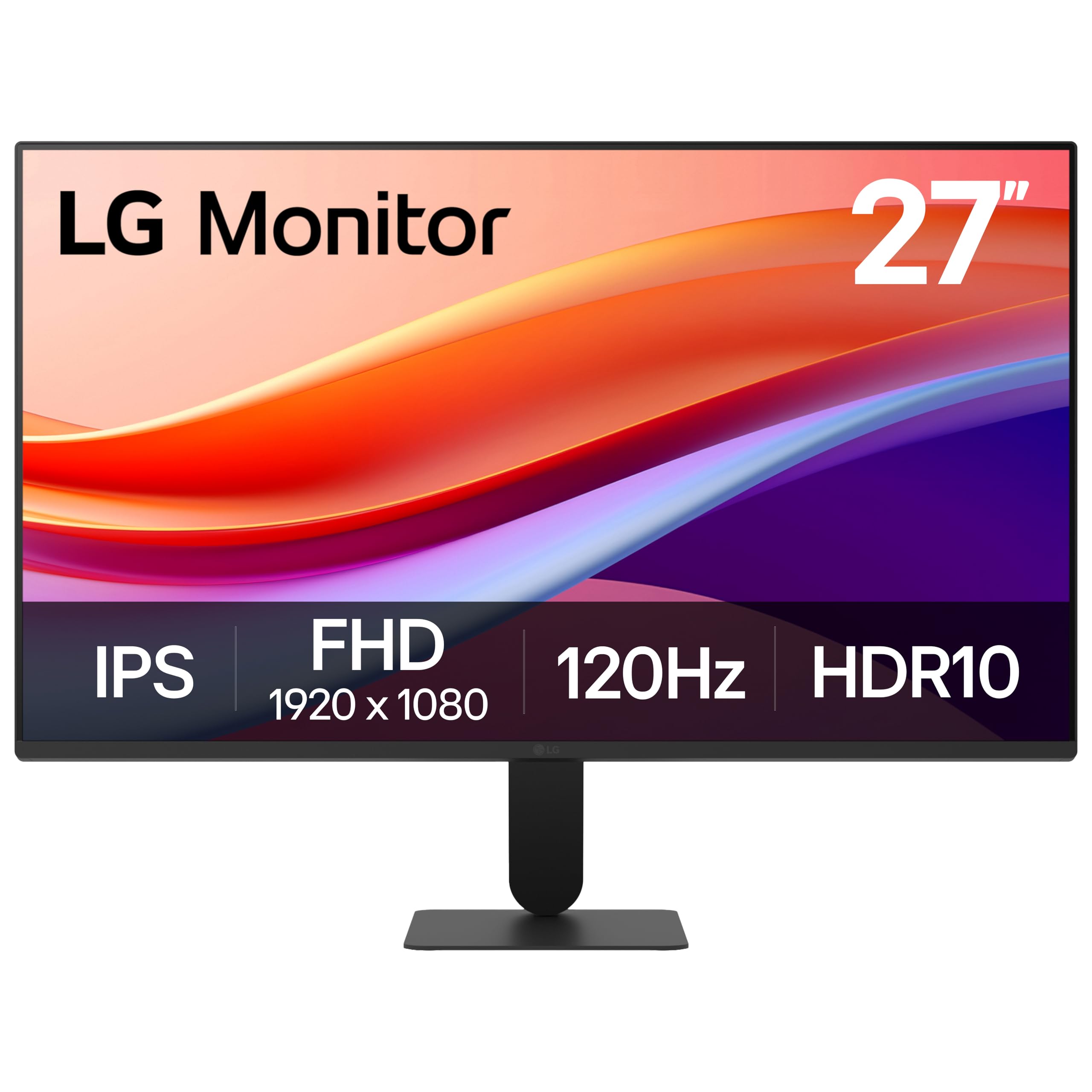
2. LG 27U411A-B
A vibrant 120Hz IPS panel that delivers gaming-smooth motion at a budget-friendly price.
The LG 27U411A-B punches well above its weight class with a fast 120Hz refresh rate—that’s a 20% smoother frame transition than the HP Series 3’s 100Hz. This fluidity makes a real difference not just in games but in everyday scrolling, making the cursor feel glued to your hand. The 1ms Motion Blur Reduction keeps fast-moving scenes crisp, minimizing ghosting so you can track targets clearly.
Color is where this LG shines. It covers up to 99% of the sRGB color gamut and supports HDR10, delivering rich, vibrant colors that owners say are surprisingly good, with some noting it could even handle light photo editing. The 1500:1 contrast ratio is a 15% improvement over the HP’s 1300:1, so blacks look deeper and images have more pop. A 3-side virtually borderless design keeps the focus on the screen.
For gamers, the Dynamic Action Sync minimizes input lag, and the Black Stabilizer brightens dark scenes to help you spot enemies hiding in shadows. The Switch app is a useful bonus, letting you split the screen into up to 6 sections for multitasking. The stand adjusts from -5° to 20° for tilt, which is fine for basic setups, though you’ll want a separate stand for height adjustment.
The Standout Specs
- Smooth 120Hz refresh rate perfect for casual gaming and fluid desktop use.
- Wide 99% sRGB color gamut coverage for vivid, accurate colors.
- Reader Mode lowers blue light levels for comfortable extended reading.
The Trade-offs
- No built-in speakers and only an HDMI port for video input.
- The stand is flimsy compared to others here, and an occasional unit arrives with missing screws.
Who this fits: Students and budget-conscious users who want a big, smooth, colorful screen for work and light gaming.
Who should pass: Anyone needing speakers or multiple input options like DisplayPort, as this is HDMI-only.
3. Acer SB273 G0bi
A gaming-spec panel that slips into a work-from-home setup without the gamer tax.
The Acer SB273 G0bi is for the hybrid worker who games after hours. It delivers a fast 120Hz refresh rate paired with a 1ms VRB (Visual Response Boost) response time, so fast-moving action in games renders smoothly without the smearing or ghosting you see on slower panels. Adaptive-Sync Support (FreeSync Compatible) matches the monitor’s refresh rate with your graphics card, resulting in a smooth, tear-free experience in gaming and video playback.
The picture quality is excellent for the price. The 1920×1080 Full HD resolution in a 16:9 aspect ratio presents sharp images with excellent detail. Owners doing dual-display work specifically note the picture quality is identical to their more expensive HP work monitor, making it a smart choice for a multi-screen setup. The zero-frame design boost the viewing area.
Connectivity covers the basics with HDMI and VGA inputs, and the stand is stable and wobble-free. You get a 250-nit brightness rating and a pixel pitch of 0.275mm for crisp text. The main omission is the lack of a 3.5mm audio jack, so you’ll need to rely on your PC’s sound or use headphones connected to your computer.
What Wins People Over
- Excellent picture quality that matches far more expensive monitors in side-by-side work setups.
- Fast 120Hz refresh with 1ms response makes gaming feel responsive.
- Stable, wobble-free stand keeps the screen steady on a busy desk.
Where It Cuts Corners
- No 3.5mm audio jack and fewer ports than rivals.
- The single menu button and power button on the back require a long press, which takes getting used to.
Pick this if: You want smooth 120Hz gaming performance and a sharp display for work without paying a premium.
skip it if: You need to route audio through your monitor or require a DisplayPort input for your setup.
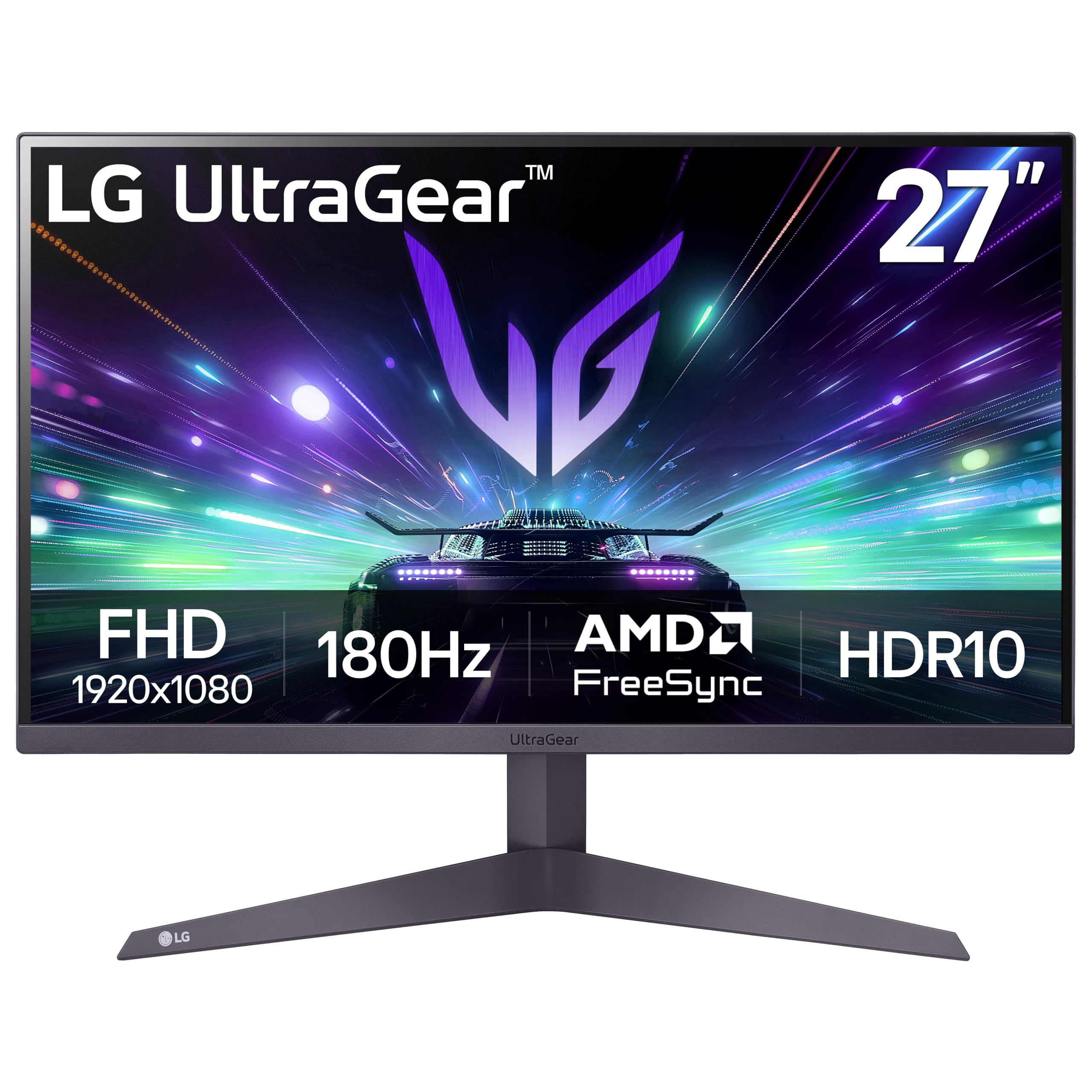
4. LG 27GS50F-B UltraGear
An esports-ready 180Hz panel with gamer-focused features, and a contrast ratio that makes blacks look black.
The LG 27GS50F-B UltraGear is built for gamers who want a competitive edge without jumping to 1440p. The headline feature is the 180Hz refresh rate—the fastest among the popular picks here—which, combined with 1ms MBR (Motion Blur Reduction), lets you track opponents and react to fast-paced action with remarkable clarity. AMD FreeSync keeps the gameplay fluid and virtually tear-free at up to 180Hz.
Games and movies look more rich on this LG because of its 3000:1 contrast ratio—double the 1500:1 on the LG 27U411A-B. Buyers report that “the blacks are black and not gray,” which adds depth to dark scenes. Colors are vibrant and accurate too, thanks to 99% sRGB color gamut coverage, a big step up from the 72% gamut on the HP Series 3.
Gamers get a suite of tools here. Gamer, FPS, and RTS modes tune display settings for different genres, while Dynamic Action Sync reduces input lag and Black Stabilizer brightens dark scenes to reveal hidden enemies. An on-screen FPS Counter shows your frame rate, and the Crosshair feature overlays a center reticle for improved precision. The 3-side virtually borderless design keeps your battlestation looking clean.
Built For The Win
- Blazing 180Hz refresh rate with 1ms MBR for ultra-smooth, blur-free motion.
- Deep 3000:1 contrast ratio delivers true blacks for rich visuals.
- Built-in gamer features like FPS Counter, Crosshair, and Black Stabilizer.
The Quirks
- Colors can look washed out when HDR is enabled, so keep it off for best results.
- Adjustability is limited to tilt, with no height adjustment on the stand.
Your pick if: You’re a competitive gamer who wants the fastest refresh rate and the deepest blacks at 1080p.
Think twice if: You need a monitor for color-accurate creative work, since HDR mode can wash out colors.
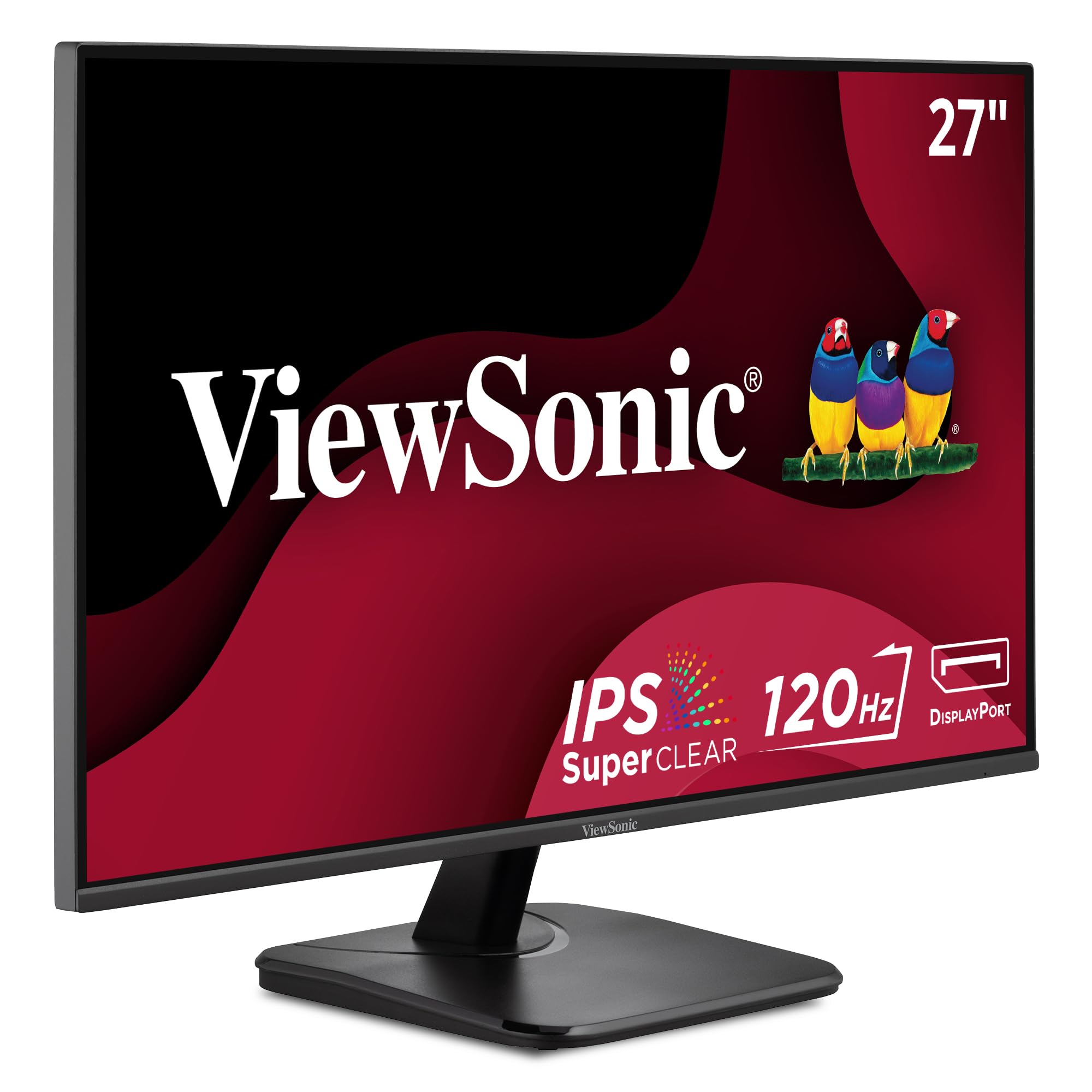
5. ViewSonic VA2756A-MHD
A versatile IPS display with the most complete port selection, built for collaboration and multi-device setups.
The ViewSonic VA2756A-MHD is the utility player of this list, offering the most flexible connectivity with VGA, HDMI, and DisplayPort inputs. This trio means you can keep an older tower connected via VGA while using DisplayPort for your modern laptop, or hook up a gaming console through HDMI. It’s a setup that adapts to your devices, not the other way around.
The 27-inch 1080p IPS panel delivers a smooth 120Hz refresh rate and consistent, true-to-life colors. SuperClear IPS technology ensures the image stays clear even when viewed from wide angles, making it great for group viewing or collaboration around a desk. A 1500:1 contrast ratio adds depth, while the frameless design keeps it looking sleek. Owners with multiple ViewSonic monitors over the years consistently report they “last forever,” with some over 10 years old and still in daily use.
For long workdays, ViewSonic includes integrated Flicker-Free technology and a Blue Light Filter to minimize eye fatigue. The exclusive ViewMode presets—Game, Movie, Web, Text, and Mono—let you quickly switch the gamma curve, contrast, and brightness to suit whatever you’re doing. The matte anti-glare surface handles harsh office lighting well, keeping the screen readable and comfortable.
Why it shines: The VGA, HDMI, and DisplayPort inputs make this the most versatile choice for mixed-device households. The brand’s track record for longevity is office legend—owners commonly report 10-year-old ViewSonics still working.
The honest catch: The basic stand only tilts, and at 250 nits it’s not the brightest panel for sun-drenched rooms.
Best for: Home offices and IT setups that juggle multiple device types and need a reliable, eye-friendly panel.
Not for: Users who need a height-adjustable stand or require USB hub functionality.
6. ASUS VA27EHF

A wall-mountable workhorse with a 100Hz refresh rate, ideal for reclaiming your desk space.
If your desk is cramped, the ASUS VA27EHF frees up space because it’s VESA wall-mountable—you can attach it directly to a wall or a monitor arm. Once mounted, the ultra-thin side bezels let you build a nearly smooth multi-monitor wall that fits even a small workspace.
Don’t let the space-saving design fool you—it’s a fully capable display. The 27-inch IPS panel with a 178-degree viewing angle delivers vivid image quality at 1920×1080 resolution. The 100Hz refresh rate and 1ms MPRT (Motion Picture Response Time) enable Variable Refresh Rate (VRR), which eliminates screen tearing and choppy frame rates for both gaming and general desktop use. Owners using it with MacBook Pros report excellent picture quality that exceeds their older Samsung monitors.
Your eyes are covered too. It features TÜV Rheinland-certified Flicker-free and Low Blue Light technologies, so you can work for hours without the typical eye strain. The package includes an HDMI cable, and ASUS backs it with a 3-year warranty with advanced replacement service. A free 1-month Adobe Creative Cloud subscription is a nice bonus for creative users.
The Key Strengths
- VESA mount capability frees up valuable desk real estate.
- TÜV Rheinland-certified eye care technology for comfortable long sessions.
- Sharp, colorful picture with thin bezels that fit wide-screen setups.
Watch Out For
- No DisplayPort or VGA—only HDMI for connectivity.
- The stand only tilts, so you’ll need a mount or riser for height adjustment.
Choose this if: You want to mount your monitor on a wall or arm to save desk space and enjoy a clean, borderless setup.
pass on it if: You require multiple video input types beyond a single HDMI port.
7. Samsung S32GF Series

A slim, stylish IPS panel with 120Hz smoothness, designed to look as good off as it does on.
The Samsung S32GF is for the user who wants their tech to look as good as it performs. It features a super slim design with ultra-thin border bezels, making it a sleek, modern addition to any desk. It’s lightweight and stylish, and it looks substantially more premium than its price suggests, enhancing the aesthetic of any setup.
Under the hood, the IPS panel delivers vivid, bright colors across the entire screen, even when you change viewing angles. The 120Hz refresh rate reduces lag and motion blur, keeping you in the action during games and making video playback feel buttery smooth. Owners praise the picture quality as “crisp” and “much better than expected,” with many buying a second unit to pair it with.
Samsung also includes tune game settings for each genre. You can instantly adjust the color and image contrast to see scenes more clearly, and Game Picture Mode adjusts the game to fill your screen. Eye comfort is handled with reduced blue light and screen flicker, so you can stay productive during long sessions without fatigue.
What Stands Out
- Ultra-slim design with thin bezels looks great on any desk.
- 120Hz refresh rate makes games and videos smooth and fluid.
- IPS panel keeps colors bright and clear from any angle.
The Trade-offs
- No built-in speakers, so you’ll need external audio.
- Only an HDMI input, and the power switch placement on the back gets mixed reactions.
Ideal for: Style-conscious users who want a slim, attractive monitor that delivers smooth 120Hz performance for work and play.
Not ideal for: Those needing speakers or a multi-connection hub, as this is HDMI-only.
8. Dell S2725HSM Plus
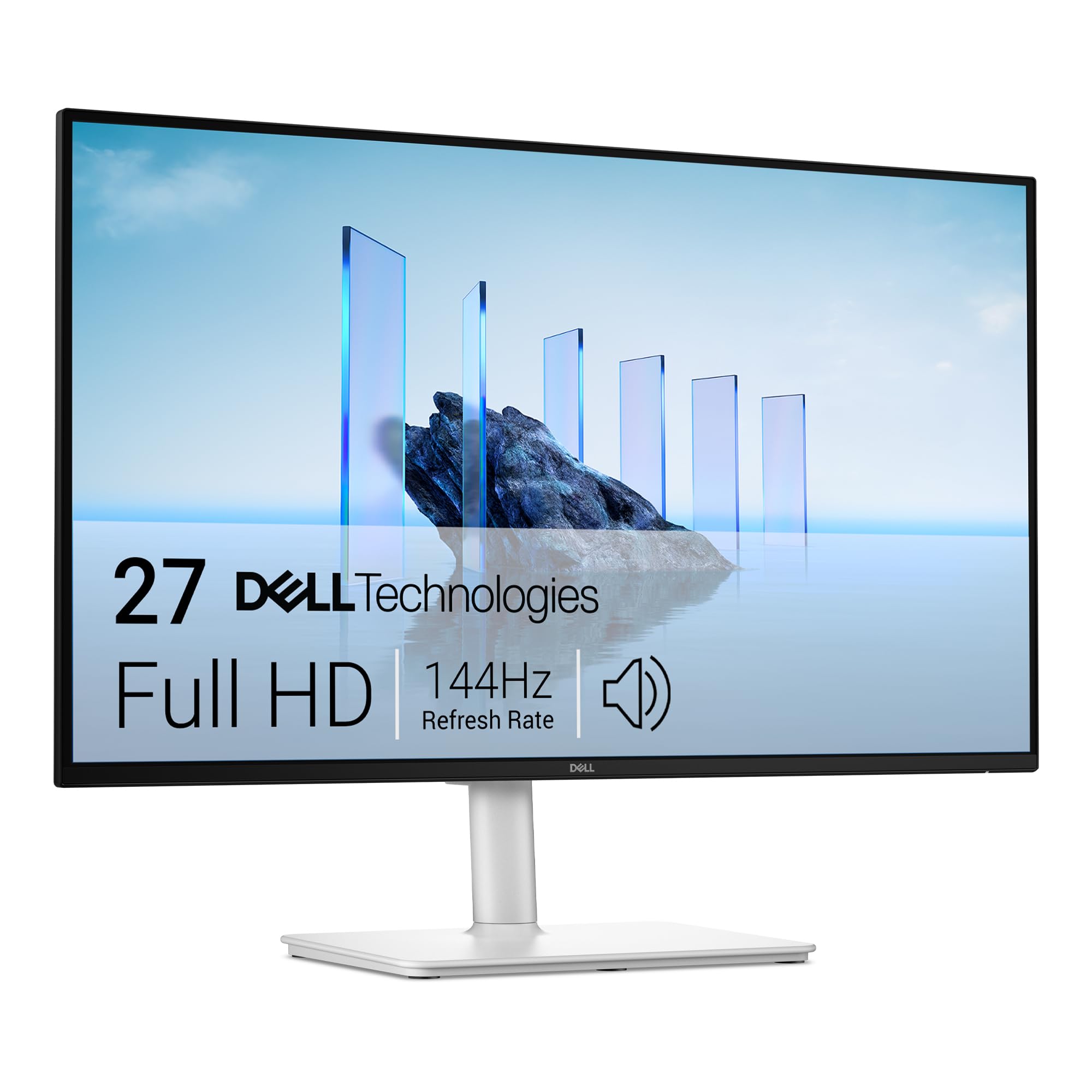
The full-adjustability workstation king, offering height, pivot, and swivel for perfect posture.
The Dell S2725HSM is the monitor for the ergonomics obsessive. It offers the most complete stand in this list with height, tilt, pivot, and swivel adjustments, letting you position the screen perfectly for your posture. You can raise it to eye level, swivel it to share your screen, or pivot it vertically for reading long documents, making it a joy for accountants, developers, and anyone who lives at their desk.
Performance is equally impressive. The 27-inch FHD panel features a smooth 144Hz refresh rate and 1ms MPRT, delivering a tear-free viewing experience that’s fast enough for serious gaming. The 1500:1 contrast ratio brings clarity to dark scenes, and the 99% sRGB color gamut coverage with 300 nits of brightness delivers vivid, brilliant colors. Owners say the image is sharp and rich, and the display “feels larger than 27 inches.”
Dell loads this with thoughtful extras. The integrated dual 3W speakers deliver a wider range of frequencies and are a pleasant surprise for built-in audio. It’s a 4-star TÜV-certified display that reduces harmful blue light emissions without compromising color quality, so your eyes stay comfortable. And the Dell Display and Peripheral Manager app lets you tune your entire Dell PC workspace.
Why It Excels
- Full ergonomic stand with height, pivot, and swivel adjustments.
- Fast 144Hz refresh rate with a sharp, rich 1080p picture.
- Surprisingly good dual 3W speakers for built-in audio.
Small Annoyances
- May need calibration from the start as some units have a slight orange tint.
- The joystick control and volume placement on the back are inconvenient.
Reach for this if: You spend all day at your desk and need a fully adjustable stand to dial in your perfect ergonomic setup.
Look elsewhere if: You don’t need the premium stand and are happy with a simple tilt-only display.
9. Dell SE2726HG
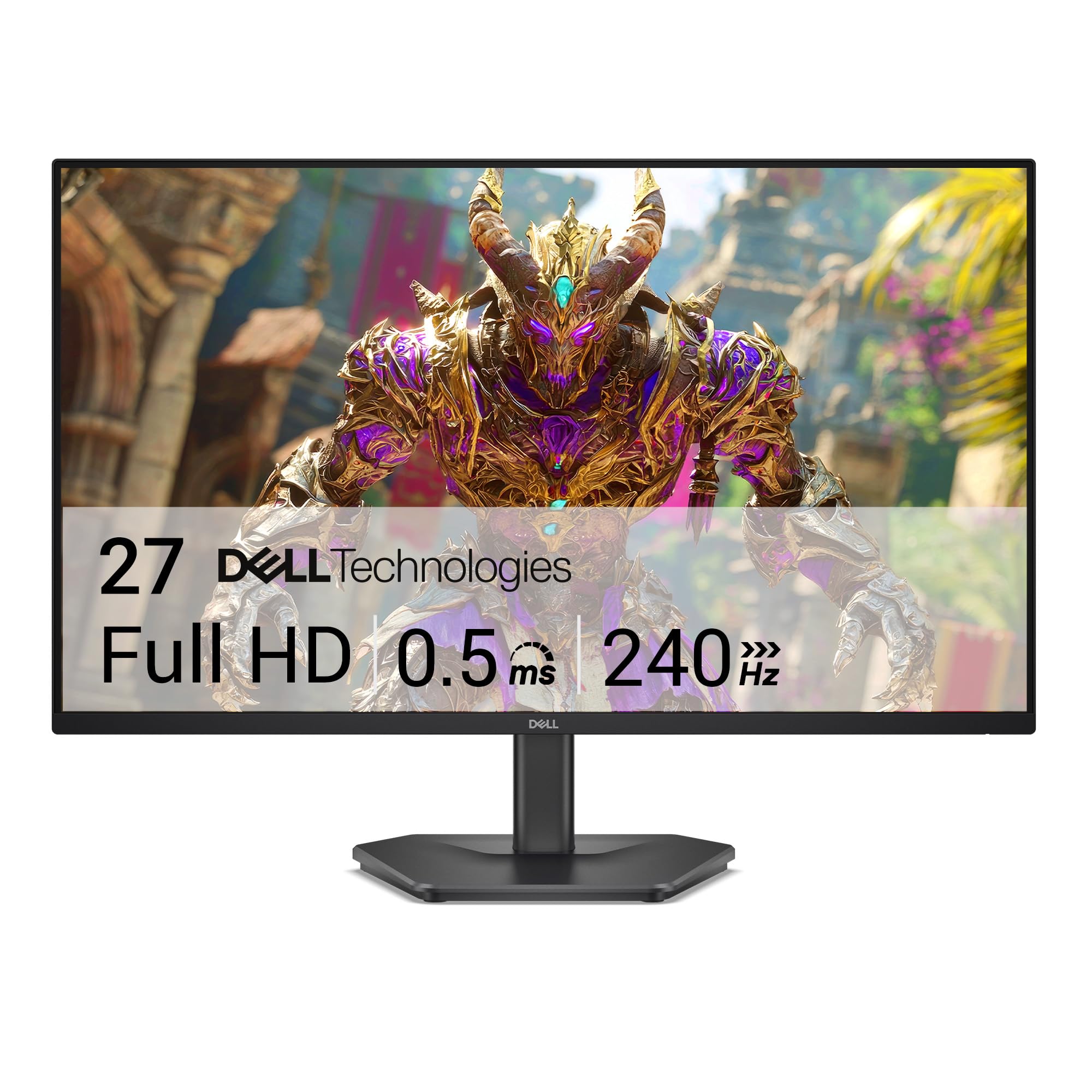
The pure esports speedster, boasting a 240Hz refresh rate that leaves every other 1080p panel here in the dust.
The Dell SE2726HG is the ultimate choice for the competitive gamer. Combined with a 0.5ms response time, this monitor provides crisp visuals and fluid movement with minimal input lag, giving you a tangible advantage in fast-twitch shooters and racing games.
It’s not just about speed, though. The Fast IPS panel delivers excellent color accuracy across wide viewing angles, and the 99% sRGB color coverage provides vivid, detailed imagery. AMD FreeSync Premium and HDMI VRR eliminate tearing for smooth, responsive gameplay on both PC and console. Owners consistently describe video quality as “phenomenal” and note the monitor works flawlessly with docking stations and MacBooks from the start.
For eye comfort, it’s TÜV Rheinland 3-star certified to lower blue light while preserving color quality, so even long gaming sessions are easier on your eyes. Connectivity includes 2x HDMI ports and a DisplayPort 1.4, giving you flexibility for multiple consoles or a PC. It comes with a 1.8m HDMI 2.0 cable, and the 300-nit brightness rating makes it visible in most lighting conditions.
The speed king: At 240Hz, this is the definitive pick for competitive esports where every millisecond counts, and the 0.5ms response time makes motion look impossibly crisp.
Who should skip: If you’re not a serious gamer, you’re paying for speed you won’t use—and you’ll have to give up built-in speakers to get it.
Your move: Buy this if you’re a competitive gamer who wants the absolute fastest 1080p experience available.
Hold off if: You need speakers or a height-adjustable stand, as this model has neither.
Understanding the Specs
Refresh Rate (Hz)
Refresh rate, measured in Hertz (Hz), tells you how many times the screen redraws the image every second. A 60Hz monitor is standard, but 100Hz, 120Hz, 144Hz, and 240Hz are common upgrades. A higher refresh rate makes scrolling, dragging windows, and gaming look smoother and feel more responsive. For everyday office work, 100Hz is a nice upgrade; for gamers, 144Hz and above is the balance.
Contrast Ratio
Contrast ratio compares the brightest white to the darkest black the monitor can produce. A higher ratio, like 3000:1 versus 1000:1, means deeper blacks and more vibrant colors, making images look more dimensional and rich. You’ll notice it most in dark movie and game scenes, and text looks sharper against a black background.
FAQ
Is 1080p resolution too blurry on a 27-inch monitor?
Will a 120Hz monitor work with my laptop?
What is the benefit of an IPS panel over a standard TN panel?
Do these monitors have built-in speakers?
What is FreeSync and why does it matter?
Can I mount these monitors on a wall or arm?
What does the color gamut percentage like 99% sRGB mean?
Is a 240Hz refresh rate worth it for non-gamers?
Final Thoughts: The Verdict
Your best 1080p 27 inch monitor depends on what you do most. For office productivity and eye comfort, the HP Series 3 327se stands out with its certified Eye Ease filter and adjustable stand. If pure gaming speed is your goal, the Dell SE2726HG with its 240Hz refresh rate is the one to reach for. For a balance of value and smoothness, the LG 27GS50F-B delivers a fantastic 180Hz experience while staying affordable.
How We Picked
We do not accept paid placement. Every pick is matched to a real buyer and a real use-case; we do not hands-on test units.
Sources & Methodology
Specifications: manufacturer listings and product documentation. Review insights: verified customer reviews, as of August 2026. Pricing: not shown on this page (it changes often); check the current price via the retailer link.
As an Amazon Associate, Gadgets Feed earns from qualifying purchases. This does not affect which products we feature.