
Our readers keep the lights on and my morning glass full of iced black tea. As an Amazon Associate, I earn from qualifying purchases.
Specs are compiled from manufacturer listings and verified buyer reviews and can change over time — please confirm the key details on the product page before buying.
Choosing a 360Hz monitor is about picking the right weapon for competitive gaming — not every high-refresh panel delivers the same motion clarity, color accuracy, or response time for the price. This guide cuts through the noise to find the eight best 1080p 360Hz monitors you can buy today, whether you’re grinding ranked in Valorant, climbing the ladder in CS2, or just want buttery-smooth desktop motion.
I’m Min — the founder and writer behind Gadgets Feed. This guide is built by comparing the manufacturers’ published specifications and the patterns across verified customer reviews, so you get each pick’s real strengths and trade-offs instead of marketing spin.
A quick heads-up before we dive in: this roundup uses flexible matching for refresh rates of 360Hz or higher, so some picks push beyond that number to deliver even smoother performance — every monitor here is a top-tier contender for fast-paced gaming. In short, these are the very best 1080p 360hz monitor options available right now.
Our Picks at a Glance


How To Choose The Best 1080P 360Hz Monitor
Picking a 360Hz monitor isn’t just about the highest number — you need the right panel type, response time, and adaptive sync to match your GPU and the games you play. Here are the three most important factors to consider.
Panel Type: Fast IPS vs. TN
The panel type determines your viewing angles, color accuracy, and raw speed. Fast IPS panels offer superior color reproduction (often covering 99-110% sRGB) and wide viewing angles, making them great if you play a mix of competitive and single-player games. TN panels, by contrast, sacrifice color and viewing angles for the absolute fastest pixel response — down to 0.1ms — which is why they are still the choice for professional esports players who only play twitch shooters.
Response Time and Overdrive
Response time (measured in milliseconds, like 1ms GtG) tells you how fast a pixel can change color. A lower number means less motion blur on fast-moving objects. Many monitors offer overdrive modes (labeled “Extreme” or “ELMB”) that push the response time lower, but pushing it too high can cause overshoot — where pixels overshoot their target color, creating a ghosting trail. the balance is usually the mode just below the maximum setting.
Adaptive Sync: FreeSync and G-SYNC
Adaptive sync technologies match your monitor’s refresh rate to your GPU’s frame output to eliminate screen tearing and stuttering. AMD FreeSync Premium is common on mid-range monitors and works with both AMD and newer NVIDIA GPUs. NVIDIA G-SYNC is a stricter standard that often costs more but guarantees tear-free performance with GeForce cards. If you have an NVIDIA card, a monitor with G-SYNC compatibility (sometimes labeled “G-SYNC Compatible”) still works well over DisplayPort.
Quick Comparison
| Model | Best For | Refresh Rate | Response Time | Panel Type | Amazon |
|---|---|---|---|---|---|
| Alienware AW2523HF★ Best Overall | Overall Value & Speed | 360Hz | 0.5ms GtG | Fast IPS | Amazon |
| KTC 25M2 ProBudget Champion | Budget Pure Speed | 400Hz | 1ms GTG | Fast IPS | Amazon |
| LG 27G810A-BDual-Mode Powerhouse | Dual-Resolution Flexibility | 180Hz (4K) / 360Hz (FHD) | 1ms GtG | IPS | Amazon |
| Samsung Odyssey G7 G70F | Dual-Resolution Productivity | 180Hz (4K) / 360Hz (FHD) | 1ms GtG | Fast IPS | Amazon |
| ASUS ROG Strix XG259QNS | Pro Esports Performance | 380Hz (OC) | 0.3ms (min.) | Fast IPS | Amazon |
| ASUS ROG Strix Ace XG248QSG | Maximum Motion Clarity | 610Hz (OC) | 0.1ms | Super TN | Amazon |
| BenQ Zowie XL2586X+ | Pro Tournament Standard | 600Hz | — | Fast TN w/ DyAc 2 | Amazon |
| ASUS ROG Swift PG259QNR | NVIDIA G-SYNC Purity | 360Hz | 1ms GTG | Fast IPS | Amazon |
In‑Depth Reviews
1. Alienware 25 Gaming Monitor AW2523HF
Our pick — over 4.5★ from 550+ verified ratings; the strongest balance of quality and price.
The crowd favorite that proves high refresh doesn’t have to cost the earth.
This monitor gives you a genuinely smooth 360Hz experience on a 24.5-inch Fast IPS panel with a lightning-fast 0.5ms GtG response time — a 2x speed advantage over the LG 27G810A-B’s 1ms GtG. That means you see enemy movement with less blur in fast-paced moments. The sRGB 99% color coverage ensures games look vibrant right from the start, and the 400-nit brightness keeps the picture clear even in brighter rooms.
Build quality stands out too. The redesigned hexagonal base takes up less desk space, giving you a bigger area for sweeping mouse movements in competitive shooters. Buyers report it is a “smooth upgrade from 120Hz 4K” and that it handles titles like CS2 and Forza Horizon without stutter. The integrated retractable headset hanger is a small but welcome add-on for keeping a tidy desk.
The one thing to know: the image quality from the start benefits from a little calibration tweaking — nothing major, but color purists will want to spend a few minutes in the OSD.
Speed worth shouting about: The 0.5ms GtG response time is genuinely visible — tracking enemies in fast strafes feels instant, with none of the ghosting that plagues slower panels.
Grab it for: A near-perfect balance of pure competitive speed and excellent color — the pick for anyone who plays shooters but also watches videos or does desktop work.
Think twice if: You need the absolute highest refresh rate possible; monitors like the KTC 25M2 Pro push 400Hz for a lower price.
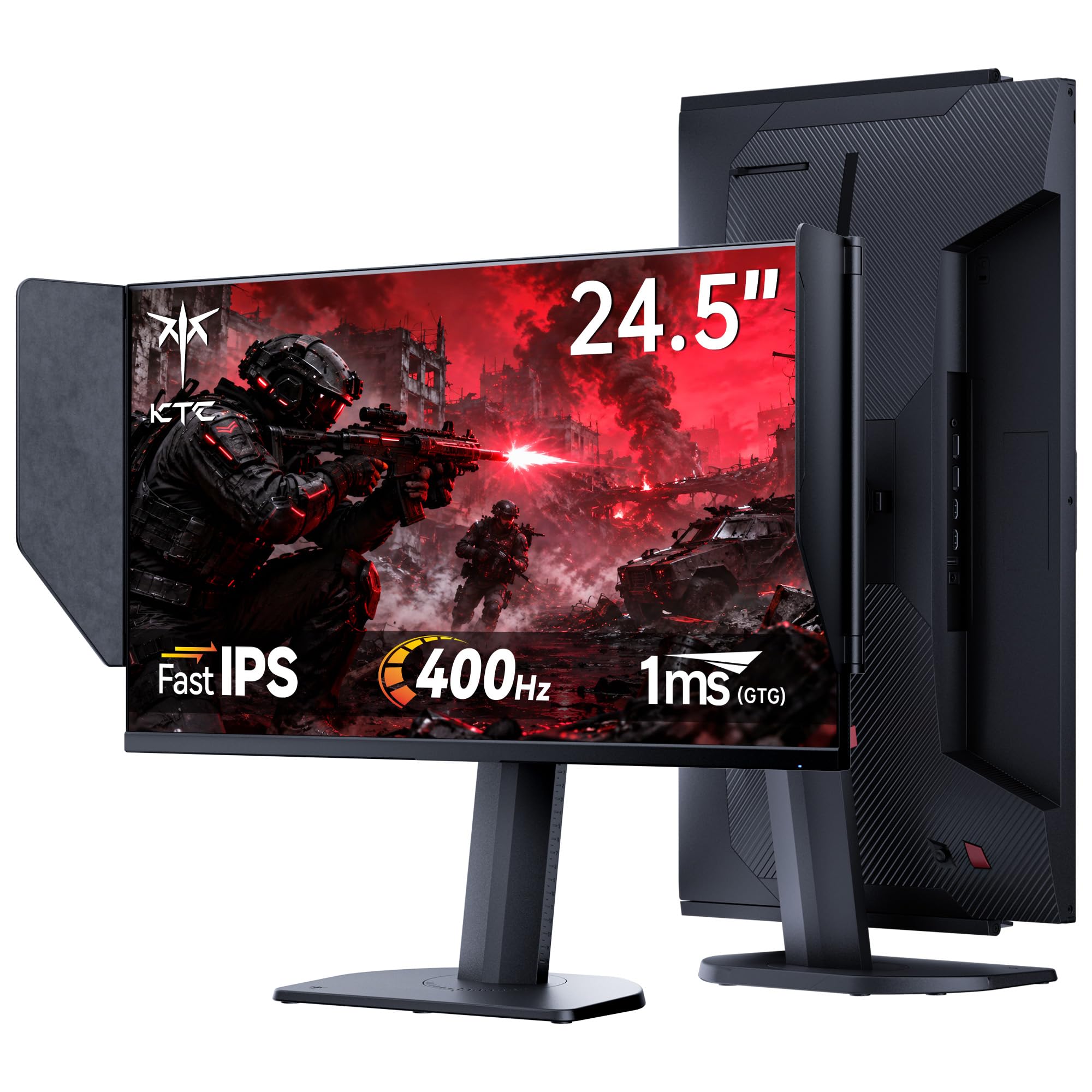
2. KTC 25M2 Pro 400Hz Gaming Monitor
More Hertz for your dollar than anything else in the roundup.
The KTC 25M2 Pro outruns the Alienware on refresh rate — 400Hz vs 360Hz is an 11% gap — at a noticeably lower price. That extra headroom gives you a buffer above 360fps in less demanding titles. The Fast IPS panel covers 126% sRGB, which translates to punchy, accurate colors that rival monitors costing much more.
A unique bonus is the included shielding hood. It attaches magnetically and blocks stray light from hitting the screen, boosting perceived contrast in bright rooms — a feature normally reserved for pro-level monitors. The ergonomic stand offers full height, tilt, swivel, and pivot adjustment, giving you total flexibility to find your perfect angle. Buyers confirm it arrives with “no backlight bleed” and “excellent color accuracy.”
The catch is build consistency — a few owners reported needing warranty support, though KTC’s three-year warranty and 12-hour response promise took care of it quickly.
Why it wins
- 400Hz with Adaptive Sync (FreeSync + G-Sync) at a budget-friendly price
- Included shielding hood and full ergonomic stand (height, tilt, swivel, pivot)
Know before you buy
- Some units have required warranty support, though the process was good
- 1ms GTG response is standard rather than elite — fine for most, not for pro-level edge cases
Best for: Budget-conscious gamers who want a higher refresh rate than 360Hz and don’t mind a lesser-known brand.
skip it if: You prioritize the fastest possible pixel response — the Alienware’s 0.5ms GtG is a meaningful step up.
3. LG 27G810A-B 27-inch Ultragear
One monitor for your single-player epics and your ranked grind.
The LG 27G810A-B is the only monitor here with a native 4K UHD (3840 x 2160) resolution that, at the tap of a hotkey, switches to Full HD at 360Hz. Use the 180Hz 4K mode for story-driven games where visual fidelity matters, then flip to 360Hz 1080p for competitive shooters. The 1ms GtG response time keeps everything sharp in both modes.
Color performance is strong at 95% DCI-P3 coverage, and the VESA DisplayHDR 400 certification adds deeper blacks and brighter highlights for HDR content. Owners of this monitor often share it between a Mac (for 4K productivity) and a gaming PC, praising the crisp text and vivid colors. The stand offers full height, tilt, swivel, and pivot adjustments, and the 27-inch screen size gives you more desktop real estate than a 24.5-inch panel.
It is G-SYNC compatible and supports AMD FreeSync Premium, so screen tearing is a non-issue regardless of your GPU brand.
The real edge: This monitor eliminates the need for a separate 4K and 360Hz display — two use-cases, one clean desk setup.
Reach for this if: You play both graphically demanding single-player games and competitive shooters and want a single-screen solution.
Look elsewhere if: You only play esports titles and want the absolute lowest response time — the 0.5ms GtG monitors above are faster.
4. Samsung 27” Odyssey G7 G70F
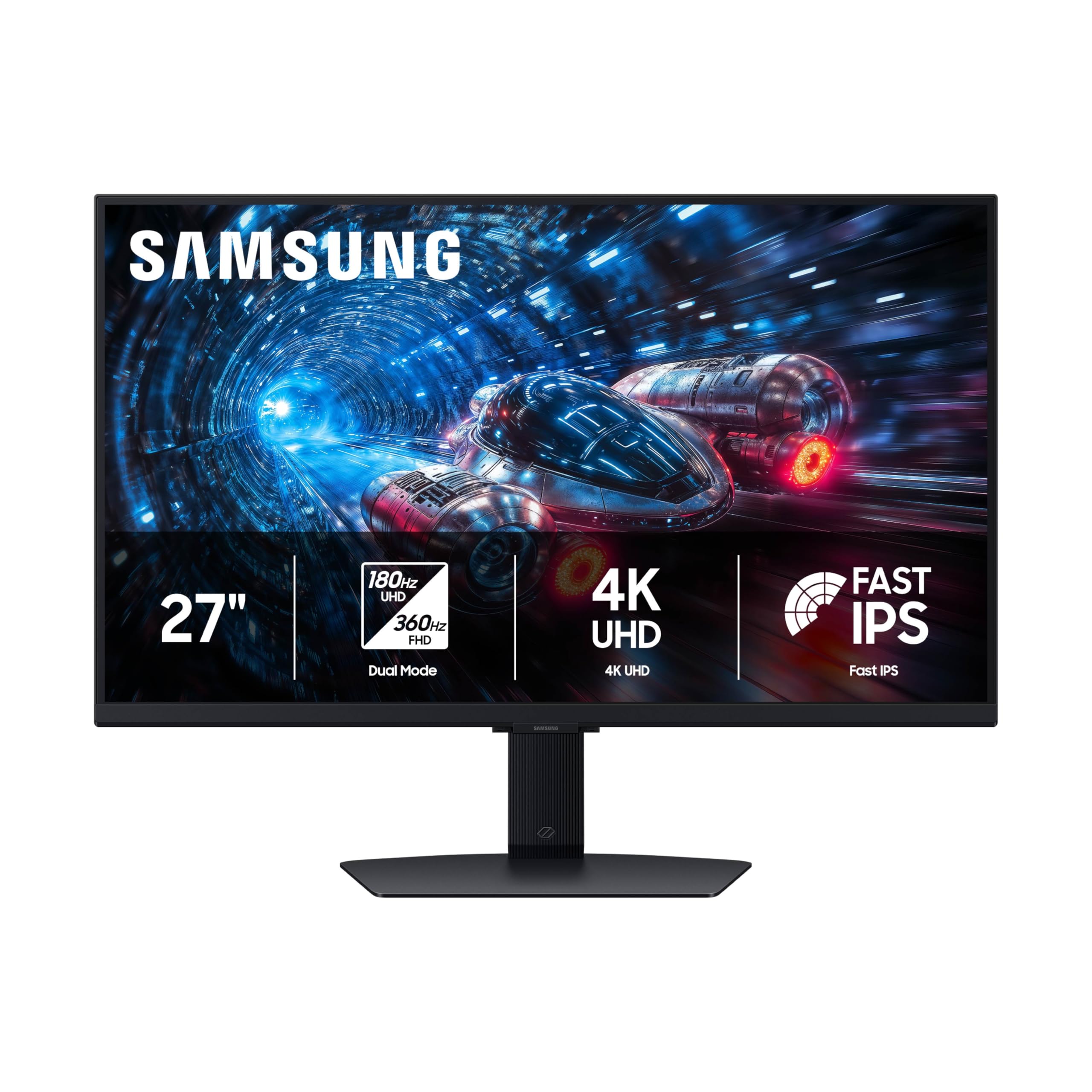
A dual-resolution workhorse that looks crisp at 4K and fast at 360Hz.
Like the LG above, the Samsung Odyssey G7 G70F toggles between 180Hz at native 4K UHD and 360Hz in Full HD mode. The Fast IPS panel delivers clear, consistent colors across the screen, and HDR10 support adds extra depth to highlights and shadows. The 1ms GtG response time keeps motion clean during fast gameplay.
A standout feature here is the Auto Source Switch+ — it automatically detects which device you’ve turned on and switches to that input, which is a small but real quality-of-life win if you have a desktop and a laptop connected. The ergonomic stand allows tilt, height, and pivot adjustments, making it easy to dial in your ideal viewing angle. Owners mention “no dead pixels, backlight bleed, or image retention” and praise the image quality.
One point to keep in mind: the monitor has no built-in speakers, and some owners found the wake-from-sleep behavior a little slow.
What stands out
- Dual Mode (4K 180Hz / FHD 360Hz) with Auto Source Switch+ for multi-device setups
- Matte finish reduces screen reflections in bright rooms
What to note
- No built-in speakers — plan for headphones or external speakers
- Slow wake-from-sleep reported by some users
Best for: Gamers who also need a productivity monitor — the 4K desktop space is excellent for work, and the 360Hz mode handles competitive play.
pass on it if: You want the absolute fastest pixel response for pro play — the Alienware’s 0.5ms GtG beats the 1ms GtG here.
5. ASUS ROG Strix 25” XG259QNS

The Fast IPS monitor that rivals TN panels on motion clarity.
The ASUS ROG Strix XG259QNS combines a 24.5-inch Fast IPS panel with a 380Hz (overclocked) refresh rate and a 0.3ms minimum response time. That 0.3ms figure is exceptionally low for an IPS panel — it makes fast-moving objects appear almost ghost-free during intense firefights. The 110% sRGB color gamut means you get rich, accurate colors that are easy on the eyes during longer sessions.
ASUS includes Extreme Low Motion Blur Sync (ELMB SYNC) technology, which works alongside variable refresh rates to eliminate both ghosting and tearing simultaneously. The DisplayWidget Center software lets you adjust monitor settings with your mouse instead of fumbling through the on-screen display. Buyers confirm it’s a “noticeable upgrade from 144Hz” and ideal for first-person shooters.
The main trade-off: overclocking to 380Hz reportedly creates “unnoticeable difference” and can occasionally cause problems, so most buyers are happy leaving it at 360Hz stock.
Why it matters: At stock 360Hz, it is already top-tier — the overclock is a bonus you can safely ignore for stability.
Grab it for: Serious competitive gamers who want IPS color quality with near-TN response times.
Think twice if: You are on a tight budget — the KTC 25M2 Pro costs less and hits 400Hz, though with a slower 1ms GTG.
6. ASUS ROG Strix Ace XG248QSG
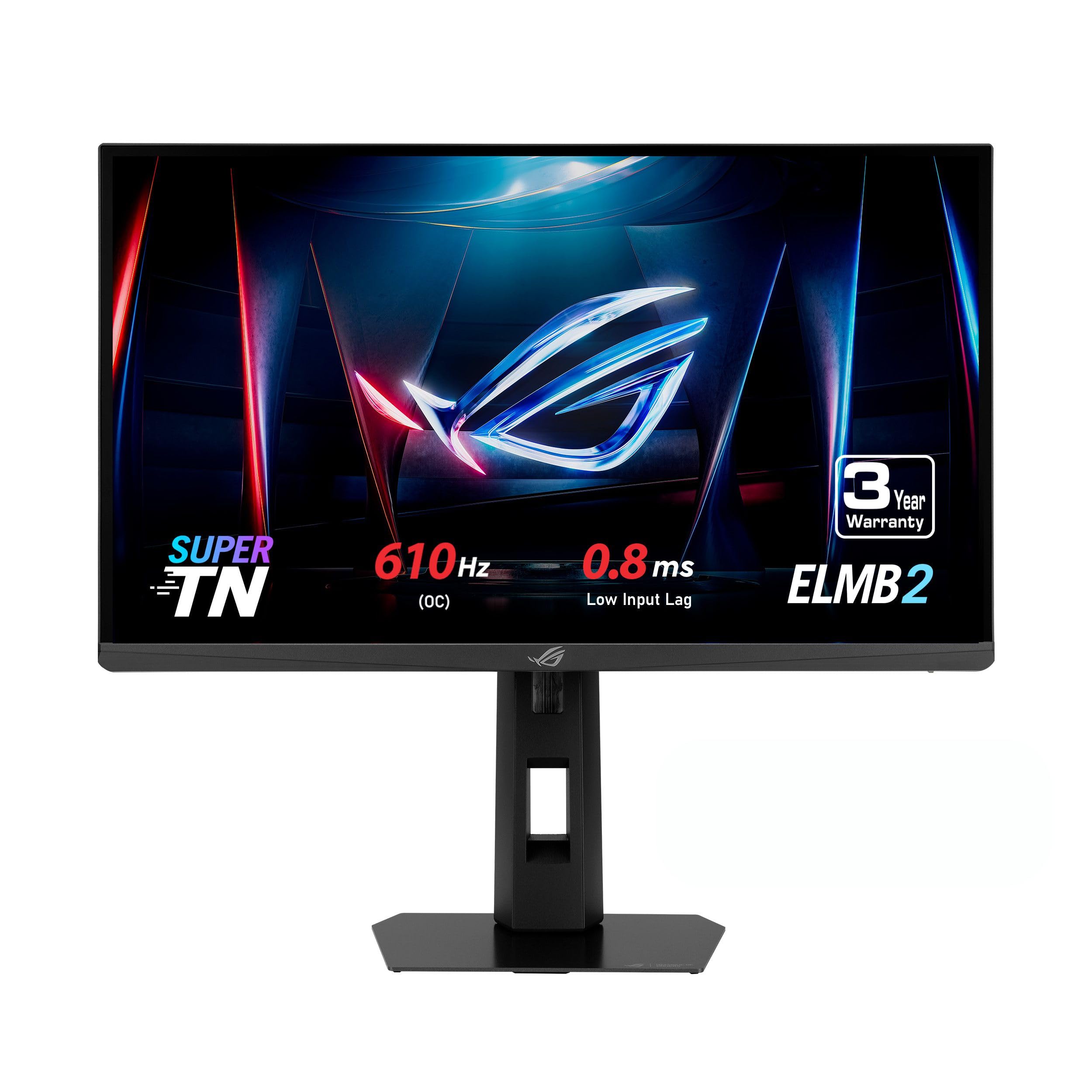
For the fraction of a second that decides the round — this monitor sees it first.
The ASUS ROG Strix Ace XG248QSG uses a Super TN panel to reach a 610Hz (overclocked) refresh rate with a 0.1ms response time — numbers that demolish every other panel on this list. For professional esports athletes, this translates to the lowest motion blur and input lag possible, letting you track moving targets with clarity that IPS panels cannot match. The 24.1-inch FHD screen is the standard size for competitive tournaments, so your setup mirrors what you would find at a LAN event.
ASUS Extreme Low Motion Blur 2 (ELMB 2) technology boosts blur reduction performance while delivering 3x brighter visuals compared to the previous generation. The built-in tripod socket is a niche but useful addition for attaching a streaming camera or microphone arm. The monitor has a reported 0.8ms input lag — 56% lower than other 600Hz monitors according to the manufacturer.
The honest trade-off: a Super TN panel will never match an IPS for color richness or viewing angles. Buyers advise sticking to CS2 or Valorant; for general gaming or media consumption, an OLED is a better all-rounder at this price.
Elite-level speed
- 610Hz OC and 0.1ms response are the fastest specs available in a 24-inch 1080p monitor
- ELMB 2 offers superior motion clarity with 3x brighter strobed backlight
Not for everyone
- TN panel has narrow viewing angles and less vibrant color than IPS or OLED
- Only makes sense if you play twitch shooters competitively
Best for: Esports pros and advanced competitive players who need every millisecond of advantage in FPS games.
it’s not for you if: You play a variety of game genres or care about color accuracy — an IPS or OLED will serve you better.
7. BenQ Zowie XL2586X+
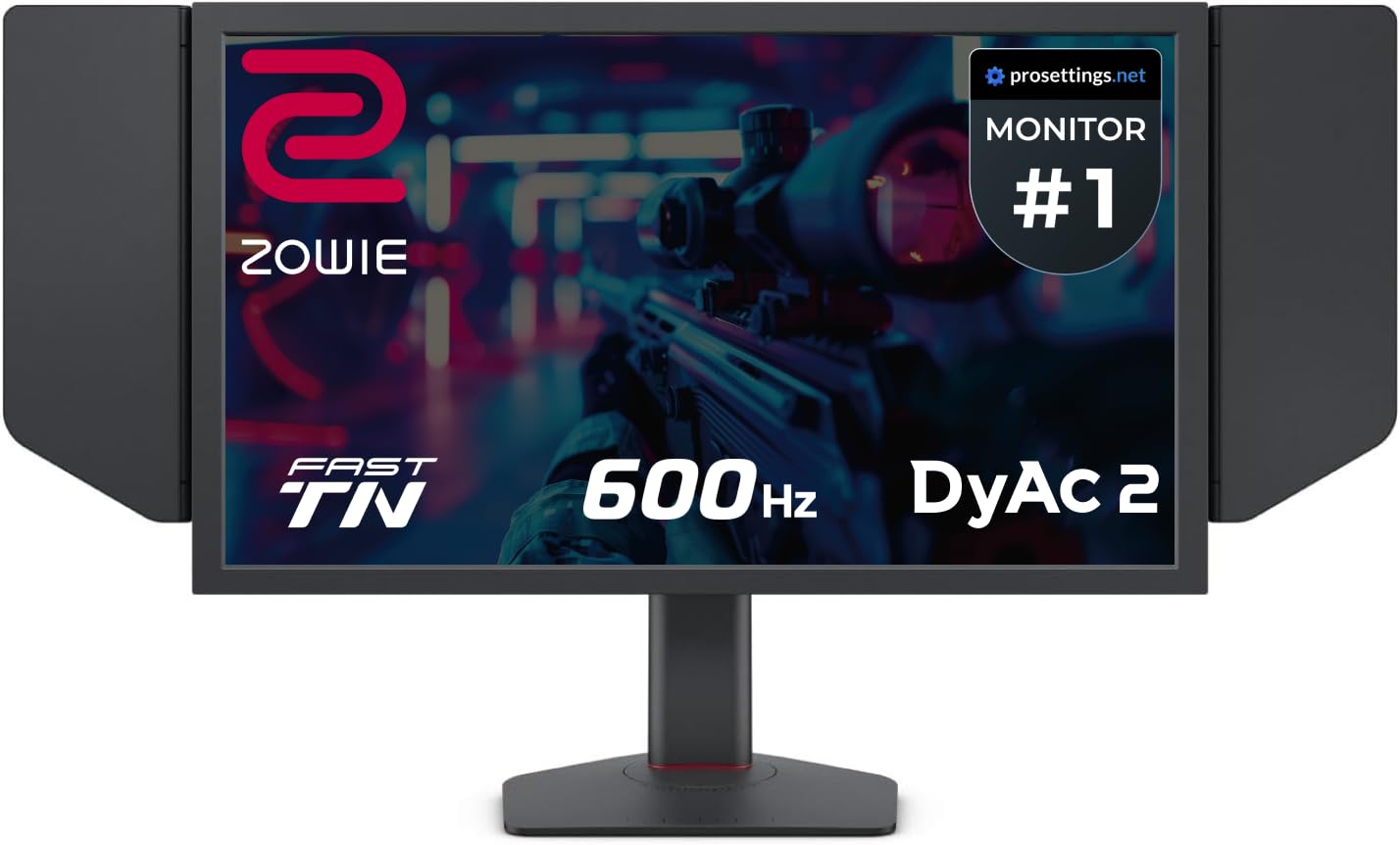
The monitor that pro players actually take to tournaments.
The BenQ Zowie XL2586X+ is built around a 600Hz Fast TN panel with BenQ’s proprietary DyAc 2 (Dynamic Accuracy) technology. DyAc 2 uses dual backlight technology to reduce motion blur even further, giving you “sharper and clearer images” than any other panel type, according to BenQ. For a competitive FPS player, this means you can track a strafing enemy with less eye strain and more precision.
BenQ included a new vivid color film that improves color performance by 35% over standard TN panels, reducing the washed-out look that TN is known for. The included S-Switch gives you quick access to your saved display profiles, and the shielding hood blocks ambient light for better focus. The height adjustment uses an industrial-grade bearing design for smooth, reliable motion. Owners say the build quality is excellent and the responsive feel is “unlike anything I’ve used before.”
The reality check: at this price, a 480Hz OLED offers better overall image quality for most users. The XL2586X+ is best reserved for professional players who need the exact same standard at home that they compete on.
The truth about TN: Colors are better than older TN panels thanks to the vivid color film, but they still fall short of IPS and OLED for general use.
Who it suits: Pro esports competitors who want plug-and-play consistency matching tournament monitors.
Who should pass: Anyone who plays a mix of games or values color accuracy — the LG 27G810A-B gives you 4K plus 360Hz for a lower price.
8. ASUS ROG Swift 360Hz PG259QNR

NVIDIA’s G-SYNC processor meets ASUS’s Fast IPS for a tear-free competitive edge.
The ASUS ROG Swift PG259QNR is the only monitor on this list with a dedicated NVIDIA G-SYNC processor, which delivers the smoothest possible tear-free and stutter-free gaming at 360Hz. It also includes the NVIDIA Reflex Latency Analyzer — a tool that measures your system latency (mouse click to pixel response) directly on screen, so you can fine-tune your settings for the lowest delay.
The 24.5-inch Fast IPS panel has a 1ms GTG response time and HDR10 support for better color and brightness than standard monitors. An intelligent cooling system with a custom heatsink prevents thermal throttling during marathon gaming sessions. The monitor comes with a desk mount kit that clamps to most flat surfaces, freeing up desk space. Owners who have used it for over two years report great colors, deep blacks, and reliable performance.
The main concern is quality control — the mixed feedback on durability and a minority of reports about stuck pixels means it is worth buying from a retailer with a good return policy.
what separates it
- Dedicated G-SYNC processor for the smoothest variable refresh experience with NVIDIA GPUs
- Included desk mount clamp saves desk space; Reflex Analyzer is a unique training tool
Things to watch
- Mixed reports on long-term durability and a small incidence of stuck pixels
- At this premium price, it does not offer a higher refresh rate than more affordable competition
Grab it if: You have an NVIDIA GPU and want the cleanest G-SYNC implementation plus the Reflex Analyzer for latency tuning.
look elsewhere if: You are price-conscious or need a higher refresh rate — the KTC 25M2 Pro hits 400Hz for less than a third of the price.
Understanding the Specs
Response Time (GTG)
Gray-to-Gray (GTG) response time is the standard metric for how fast a pixel can change between shades of gray, measured in milliseconds. A lower number, like 0.5ms or 0.3ms, means less motion blur and ghosting when objects move quickly across the screen. For competitive shooters, a 0.5ms vs 1ms difference can mean the difference between seeing an enemy pixel-clear and missing them in a blur.
Adaptive Sync (FreeSync & G-SYNC)
Adaptive sync technologies synchronize your monitor’s refresh rate with your GPU’s frame output to eliminate screen tearing and stuttering. AMD FreeSync Premium works over DisplayPort and HDMI and is effective with both AMD and modern NVIDIA GPUs. NVIDIA G-SYNC uses a dedicated processor module for stricter control, typically delivering a wider VRR range and less flicker — but it adds cost. Most 360Hz monitors on this list support both over DisplayPort.
FAQ
Can a 360Hz monitor run at 360Hz on a console?
Do I need a specific graphics card to run 360Hz?
What is the difference between Fast IPS and Super TN panels for 360Hz monitors?
Is a 360Hz monitor worth it over a 240Hz monitor?
Do all 360Hz monitors support HDR?
Can I use a 360Hz monitor for work and productivity?
Which cable do I need for 360Hz at 1080p?
Is a 27-inch 1080p monitor too big for competitive gaming?
What does ELMB or ELMB SYNC do for a 360Hz monitor?
How much desk space do I need for a 360Hz monitor?
Final Thoughts: The Verdict
For the majority of shoppers, the 1080p 360hz monitor winner is the Alienware 25 AW2523HF because it delivers the best balance of refresh rate, response time, color accuracy, and build quality at a price that does not require a second mortgage. If you want dual-resolution flexibility for both productivity and gaming, grab the LG 27G810A-B. And for the absolute peak of competitive motion clarity at a more affordable price, the KTC 25M2 Pro is the one to reach for.
How We Picked
We do not accept paid placement. Every pick is matched to a real buyer and a real use-case; we do not hands-on test units.
Sources & Methodology
Specifications: manufacturer listings and product documentation. Review insights: verified customer reviews, as of July 2026. Pricing: not shown on this page (it changes often); check the current price via the retailer link.
As an Amazon Associate, Gadgets Feed earns from qualifying purchases. This does not affect which products we feature.