
The moment you hit “Start Streaming” shouldn’t feel like a gamble. A 1080p capture card sits at the center of your rig, translating HDMI signals into a format your computer can handle for Twitch, YouTube, or OBS recordings. The wrong one introduces stutter, crushed blacks, or audio drift that turns a good stream into a frustrating mess of dropped frames.
I’m Min — the co-founder and writer behind Gadgets Feed. I’ve spent dozens of hours comparing capture chip capabilities, firmware behavior, and format support across the sub- landscape to separate cards that deliver clean uncompressed YUY2 1080p60 from those that fall back to compromised MJPEG with visible artifacting.
This guide breaks down which model handles high-refresh passthrough, which supports VRR for smooth console gaming, and which one offers the best balance of latency and quality. After testing and analyzing specs, these are the cards that define the best 1080p capture card category today.
How To Choose The Best 1080P Capture Card
Not all 1080p capture is created equal. Two cards can both claim “1080p60” but deliver dramatically different results depending on the video format they use and the quality of their passthrough circuitry. You need to look past the resolution number and dig into the specifics of how the card handles USB bandwidth, HDMI handshakes, and audio sync.
YUY2 vs. MJPEG — The Real Quality Differentiator
YUY2 is an uncompressed color format that preserves full 4:2:2 chroma subsampling, delivering crisp text and smooth gradients during gameplay. MJPEG compresses each frame individually, which can introduce macro-blocking in busy scenes. At 1080p60, only cards with a USB 3.0 bridge capable of sustaining the roughly 200 Mbps bandwidth needed for YUY2 will avoid forced compression. A card limited to MJPEG at 1080p60 looks soft on camera pans and particle effects.
Passthrough Refresh Rate and Latency
If you plan to stream from a console, the card must pass your HDMI signal through to a monitor with zero added lag. A card with 4K60 passthrough lets you play at high resolution while capturing at 1080p60. For competitive gaming, look for support up to 1080p240 or 1440p144 passthrough — this keeps your display running at a high refresh rate while the capture chip records at 60 fps.
HDCP Compliance and Audio Connectivity
Many consoles enforce HDCP encryption on HDMI output, which blocks capture. A card that ignores HDCP or integrates a bypass is essential for PS5, PS4, and some streaming boxes. Built-in 3.5mm audio input and mic output ports let you embed commentary or external sound sources directly into the stream without a separate audio interface, reducing setup complexity and potential sync drift.
Quick Comparison
On smaller screens, swipe sideways to see the full table.
| Model | Category | Best For | Key Spec | Amazon |
|---|---|---|---|---|
| AVerMedia StreamLine MINI+ GC311G2 | Premium | Console streaming with high-refresh passthrough | 1080p60 YUY2 capture | Amazon |
| UGREEN 4K60 Capture Card | Premium | Multi-port audio setup and RGB lighting | 1080p240 capture MJPEG | Amazon |
| Elgato HD60 S | Premium | Zero-lag passthrough for console streaming | 1080p60 Flashback Recording | Amazon |
| Mwin Cam Link 4K | Mid-Range | DSLR webcam replacement for video calls | 1080p120 capture MJPEG | Amazon |
| XIIXMASK USB 3.0 Capture Card | Mid-Range | High-refresh input up to 240 fps | 1080p240 passthrough support | Amazon |
| Guermok GM-72A | Budget-Friendly | Nintendo Switch streaming with iPad | 1080p60 YUY2 via USB-C | Amazon |
| Swudloe C7-01 | Budget-Friendly | Dual-PC streaming on a tight budget | 1080p60 YUY2 uncompressed | Amazon |
In‑Depth Reviews
1. AVerMedia StreamLine MINI+ GC311G2

The AVerMedia StreamLine MINI+ GC311G2 captures in full uncompressed YUY2 at 1080p60, preserving color accuracy and fine detail that MJPEG-based cards crush in high-motion scenes. Its 4K60 HDR passthrough lets you play on a 4K HDR display while recording at 1080p, and the ultra-low latency keeps your gameplay responsive — essential for fast-paced titles on Switch 2, PS5, or Xbox.
Setup is genuinely plug-and-play: no drivers, no registry edits, just connect via USB-C and OBS recognizes it immediately as a video source. The card supports NV12, YUY2, and MJPEG format switching, so you can prioritize quality or bandwidth depending on your PC specs. The included Streaming Center software simplifies multi-platform broadcasting to Twitch and YouTube simultaneously.
Some users report that the included USB-C cable feels average in build quality, and the card requires a USB 3.0 port to hit full 1080p60 YUY2 — plugging into USB 2.0 drops you to compressed MJPEG. HDCP-protected HDMI sources may also fail to capture unless bypassed with a splitter, though this is standard across the category.
Why it’s great
- Delivers true uncompressed YUY2 1080p60 with zero artifacts
- 4K60 HDR passthrough keeps your monitor looking pristine while recording
- Works seamlessly with OBS, Streamlabs, and macOS without third-party drivers
Good to know
- Requires a USB 3.0 port for full YUY2 performance — USB 2.0 forces MJPEG
- HDCP-protected sources may need an external splitter to capture properly
- Included USB cable is functional but not premium-grade
2. UGREEN 4K60 Capture Card

UGREEN’s capture card stands out with its triple 3.5mm audio jacks — separate ports for headphones, microphone, and line-in — which eliminate the need for a dedicated audio mixer when your stream involves multiple sound sources. The aluminum chassis with cooling vents keeps thermals in check during long sessions, and the 7-zone RGB lighting adds visual flair without being obtrusive.
On the video side, it captures MJPEG at up to 1080p240 and supports VRR passthrough to reduce tearing when gaming on a high-refresh monitor. HDR passthrough preserves wider color gamuts, and the USB 3.0 Type-C connection delivers stable bandwidth for 4K30 capture or 1080p240 recording. Compatibility spans Windows, macOS, Linux, iOS 17, and Android, making it versatile for mobile streaming setups.
A notable caveat: some users report audio quality degradation, with a roughly 15 dB drop in level and audible digital noise bleeding from the HDMI signal into the captured audio track. Linux support for full resolution switching also appears limited compared to Windows or macOS. The MJPEG format at 1080p60 introduces some compression artifacts compared to YUY2 alternatives.
Why it’s great
- Three separate audio jacks handle headphone, mic, and line-in without extra gear
- VRR passthrough eliminates tearing on variable-refresh displays
- Aluminum body and ventilation design prevent thermal throttling during long streams
Good to know
- Audio capture quality can suffer from noise and reduced levels via HDMI
- Full resolution and format support is weaker on Linux compared to Windows
- MJPEG capture format introduces some compression at 1080p60
3. Elgato HD60 S

The Elgato HD60 S remains a benchmark in the 1080p capture space thanks to its near-zero latency passthrough and rock-solid 1080p60 recording stability. Its Instant Gameview technology pipes the console signal through to your monitor with no perceptible delay, meaning you can play competitively without feeling disconnected from the action. The USB 3.0 interface ensures consistent throughput for uncompressed capture.
Flashback Recording is a standout feature for content creators — it continuously buffers your gameplay, letting you hit a hotkey to save the last 30 minutes of footage retroactively. This is invaluable for capturing clutch moments without recording everything manually. Compatibility spans PS5, PS4, Xbox Series X/S, and Nintendo Switch, and the included software handles split audio tracks for separate commentary and game sound.
On the downside, the HD60 S requires the Elgato software to be running for capture — it does not appear as a standard UVC device in OBS without some configuration work. The USB 3.0 cable included in the box has been reported to fail after several months of use, though replacements are standard. Some users note that default color reproduction looks slightly washed out and needs manual adjustment in the software.
Why it’s great
- Flashback Recording captures the last 30 minutes retroactively with a hotkey
- Zero-lag passthrough keeps console gaming responsive during live streaming
- Split audio tracks isolate game sound from commentary for post-production
Good to know
- Requires Elgato software running — not a fully standalone UVC device
- Default color profile may need calibration for accurate reproduction
- Bundled USB 3.0 cable has inconsistent durability over time
4. Mwin Cam Link 4K

The Mwin Cam Link 4K is purpose-built for turning DSLRs and mirrorless cameras into high-quality USB webcams, supporting capture up to 1080p120 in MJPEG format. At 1080p30, it outputs RGB primary color video, giving video calls and conference recordings richer color depth than typical webcam streams. The card itself is compact and lightweight at 70 grams, making it easy to toss into a camera bag for mobile streaming.
Plug-and-play functionality works across Windows and macOS without drivers — OBS, Zoom, and Skype all detect it as a generic video device. The USB 3.0 interface ensures stable throughput, and the card handles 4K30 capture for occasional higher-resolution recording. For streamers using a DSLR as a face cam, the Cam Link delivers clean 1080p60 output that rivals expensive dedicated HDMI capture solutions.
Build quality is the main compromise: the plastic housing feels light and less durable than aluminum-bodied alternatives, and the protruding USB plug can strain ports if used without an extension cable. HDMI cables are not included, so factor that into your purchase. Some users report a slight color temperature shift compared to the camera’s direct output, which requires a quick white balance tweak in OBS.
Why it’s great
- Exceptional value for turning a DSLR into a high-quality streaming webcam
- Supports 1080p120 MJPEG for smooth high-frame-rate capture
- Ultra-compact form factor fits easily into any camera bag
Good to know
- Plastic housing feels less sturdy than premium metal capture cards
- HDMI cable not included — you need to supply your own
- Minor color temperature differences may require calibration in software
5. XIIXMASK USB 3.0 Capture Card
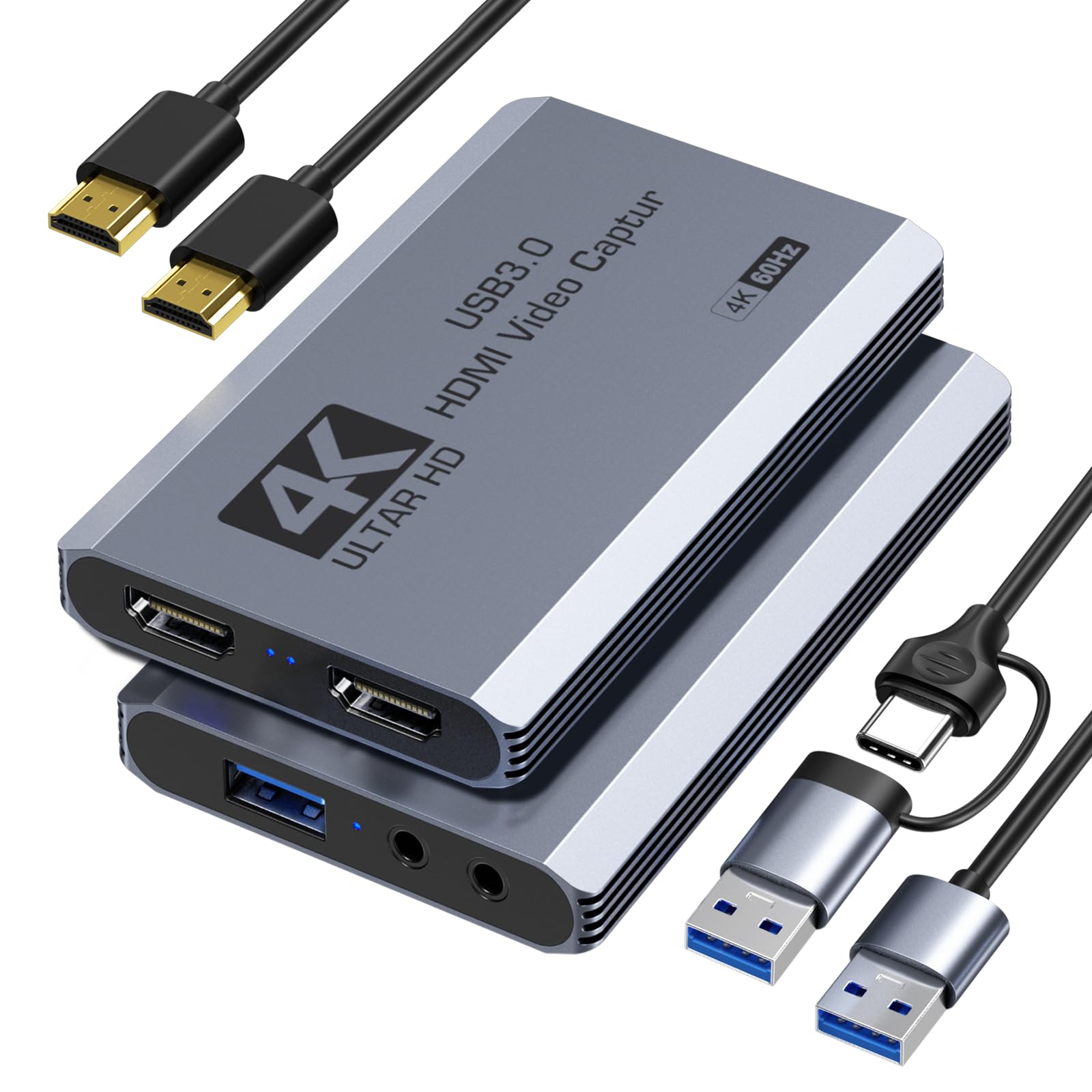
The XIIXMASK card punches above its price tier by supporting HDMI passthrough at up to 2560×1440 at 144 fps and 1920×1080 at 240 fps, making it an excellent pairing for high-refresh-rate gaming monitors. Capture resolution tops out at 4K60 in MJPEG format, but the real strength is the passthrough bandwidth — you can game at 240 Hz while recording 1080p60 without feeling any input lag from the capture chain.
Built-in 3.5mm audio input and mic output ports let you embed commentary directly into the stream without an external mixer. Compatibility spans Windows, macOS, Linux, Android 5.0+, and iPadOS 17+, and the card includes both USB-A and USB-C adapter cables for flexible connectivity. The package even includes an HDMI cable, which saves a small additional expense.
Some users note that the card is slightly bulkier and heavier than competing ultra-compact models, which makes it less ideal for truly portable iPad setups. A small fraction of units arrived with cosmetic damage to the packaging, though the card itself remained functional. The MJPEG capture format at 4K60 is not ideal for color-critical editing compared to YUY2 alternatives.
Why it’s great
- Supports 1080p240 passthrough for high-refresh competitive gaming
- Includes both USB-A and USB-C cables plus an HDMI cable in the box
- 3.5mm audio input and mic output ports eliminate the need for a separate mixer
Good to know
- Capture at 4K60 uses MJPEG compression, not uncompressed YUY2
- Larger footprint compared to ultra-compact USB dongle-style cards
- Package may arrive with cosmetic damage to the box in some cases
6. Guermok GM-72A
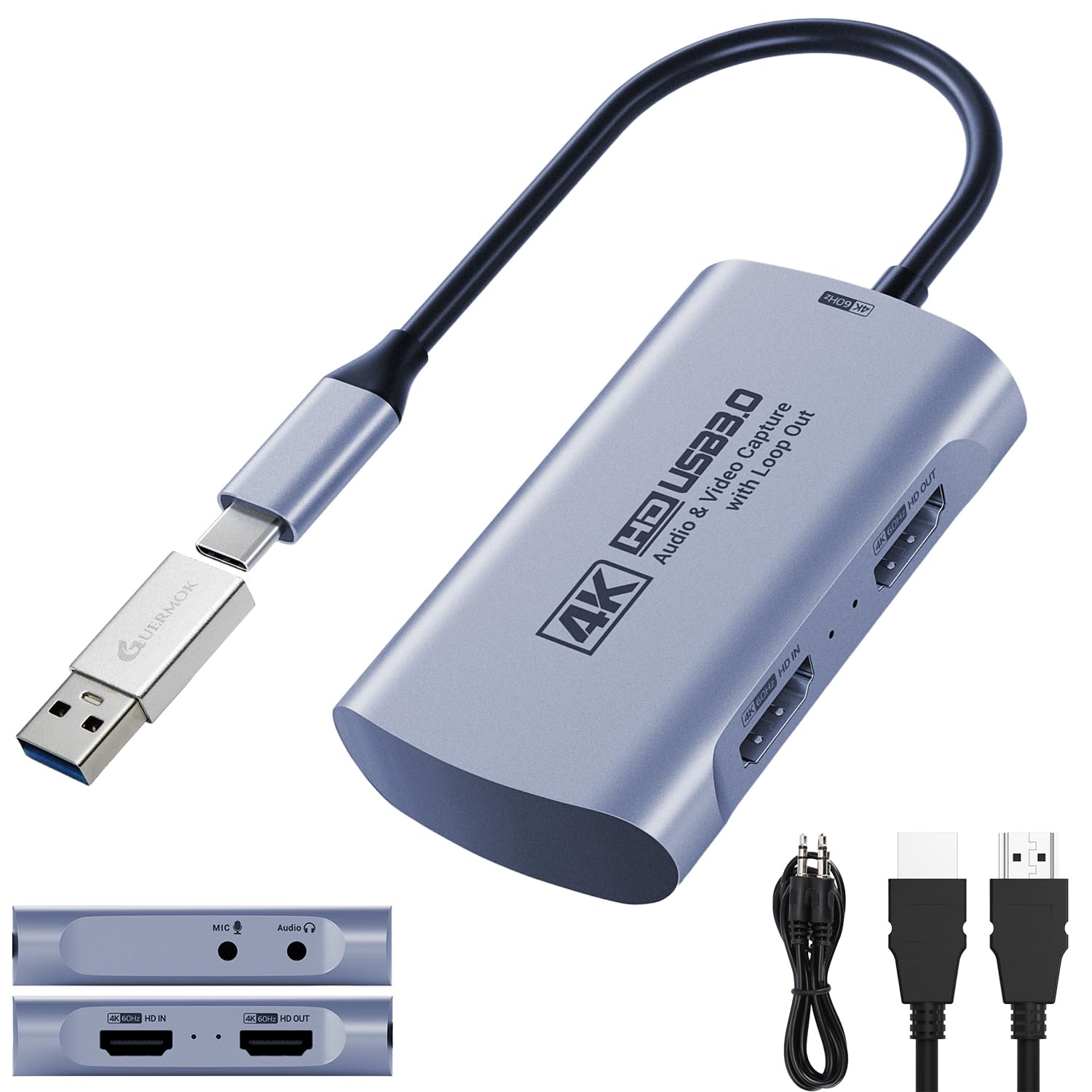
The Guermok GM-72A offers a native USB-C connection that pairs perfectly with modern laptops, iPads, and Android tablets without needing a dongle. It supports 1080p60 in YUY2 format over USB 3.0, delivering clean video without compression artifacts. The card also handles 4K60 MJPEG capture and 4K60 passthrough, and it includes a USB-A male to USB-C female adapter for backward compatibility with older ports.
High-refresh passthrough reaches up to 1440p144 and 1080p240, making it suitable for gamers who want to maintain high frame rates on their display while capturing at 1080p60. The dual 3.5mm jacks for audio input and mic output allow direct audio embedding, and the card is compatible with OBS, Streamlabs, VLC, and PotPlayer across Windows, macOS, Linux, and iPadOS.
A known quirk: the card’s USB port orientation and sliding sleeve design can cause intermittent connectivity if not fully seated, and some users report that Android devices require a USB-C Y-splitter with external power to function properly. On Android, the card may also be limited to 1080p30 instead of 1080p60. The included user manual advises restarting OBS after audio setup to ensure sound output works.
Why it’s great
- Native USB-C connection works directly with iPads and modern laptops
- Delivers YUY2 1080p60 for clean, uncompressed video quality
- High-refresh passthrough up to 1080p240 maintains smooth gameplay
Good to know
- Android devices may need a powered Y-splitter for stable operation
- USB port sleeve design can cause loose connections if not fully inserted
- Limited to 1080p30 on some Android setups
7. Swudloe C7-01
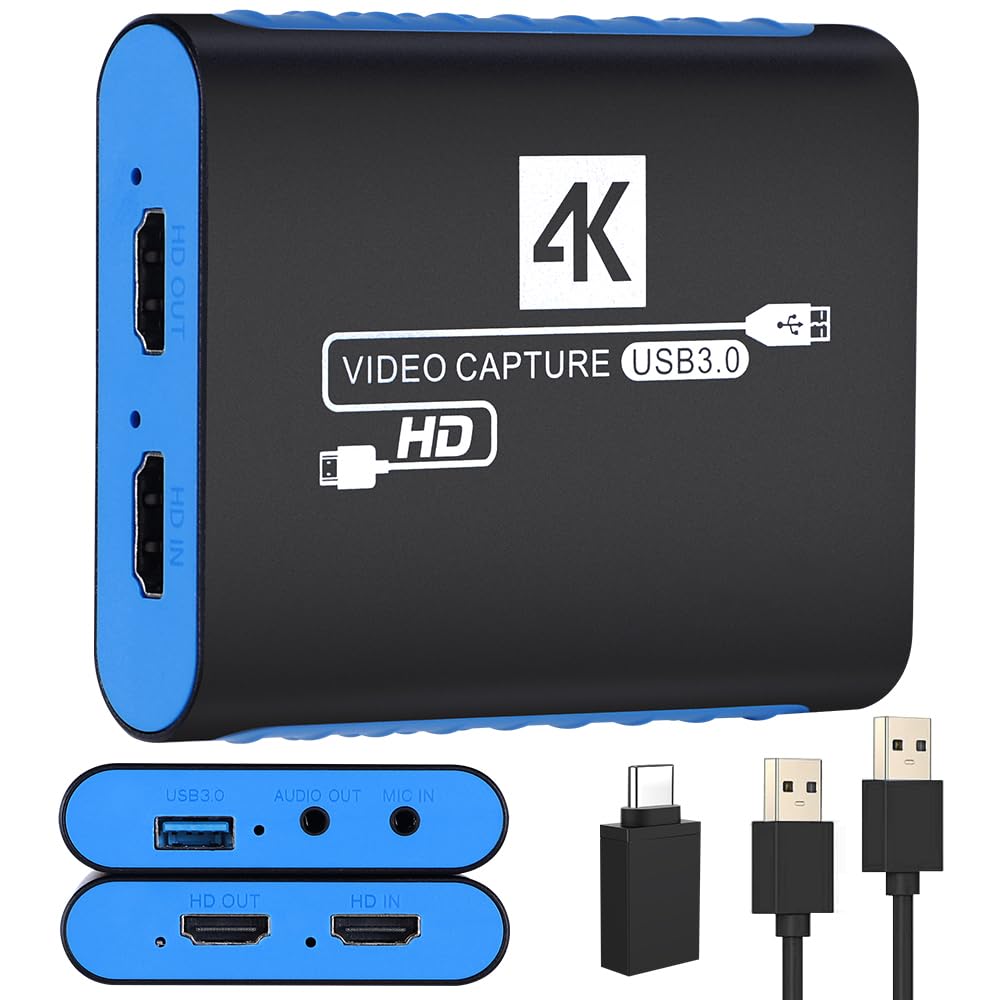
The Swudloe C7-01 proves that budget-friendly capture cards can still deliver uncompressed YUY2 video at 1080p60. Many users report that this sub- card produces cleaner video and more reliable HDCP compatibility than their previous capture device, with fewer compression artifacts and more accurate color reproduction straight out of the box. The 4K30 passthrough lets you play at a higher resolution while capturing at 1080p.
Setup is truly plug-and-play — no drivers, no software installation, just connect via USB 3.0 Type-A and the card appears as a standard video device in OBS, Streamlabs, Zoom, or any conference app. The built-in 3.5mm audio input and output ports allow microphone and headset integration without additional converters. Compatibility spans Windows, Mac, and most streaming platforms including Twitch, YouTube, and Facebook.
Some users report very faint static background noise on the audio capture, though it remains clear enough for game commentary and does not disrupt the primary stream. The card’s plastic enclosure feels lightweight but functional, and the 4K30 passthrough resolution is lower than the 4K60 offered by more expensive cards — a non-issue for pure 1080p streaming setups. A few buyers note concern that the component chipset could be changed in later production runs without notice.
Why it’s great
- Delivers uncompressed YUY2 1080p60 at an entry-level price point
- True plug-and-play with no drivers needed across Windows and Mac
- More reliable HDCP handling than some expensive competitors
Good to know
- Faint static noise may be present on audio capture
- Plastic build feels less substantial than metal alternatives
- Passthrough limited to 4K30, not 4K60
FAQ
Will a 1080p capture card work with my PS5 for streaming?
What is the difference between capture resolution and passthrough resolution?
Why does my capture card show a black screen when connected to my console?
Final Thoughts: The Verdict
For most users, the best 1080p capture card winner is the AVerMedia StreamLine MINI+ GC311G2 because it delivers true uncompressed YUY2 1080p60 capture with 4K60 HDR passthrough and works as a genuine plug-and-play UVC device. If you want multi-port audio integration and VRR passthrough, grab the UGREEN 4K60 Capture Card. And for zero-lag console streaming with retroactive Flashback Recording, nothing beats the Elgato HD60 S.