
Our readers keep the lights on and my morning glass full of iced black tea. As an Amazon Associate, I earn from qualifying purchases.
Specs are compiled from manufacturer listings and verified buyer reviews and can change over time — please confirm the key details on the product page before buying.
For all-day use, the difference between a good 1080p monitor and a great one depends on comfort features like refresh rate and anti-glare coating. A 100Hz refresh rate (how many times the screen updates per second) makes scrolling feel fluid instead of choppy, and a matte, anti-glare finish stops your own desk lamp from turning into a glaring distraction. This guide breaks down the specs that matter most for daily work, gaming, and eye comfort.
I’m Min — the founder and writer behind Gadgets Feed. This guide is built by comparing the manufacturers’ published specifications and the patterns across verified customer reviews, so you get each pick’s real strengths and trade-offs instead of marketing spin.
Whether you are upgrading a home office or building a first gaming setup, finding the right 1080p computer screen means balancing refresh rate, panel type, and eye-care features against your budget.
Our Picks at a Glance


How To Choose The Best 1080P Computer Screen
Choosing a 1080p monitor depends on matching its speed and panel to what you actually do each day. Gamers need fast refresh rates to avoid motion blur, while office workers often benefit more from a larger screen and better color reproduction.
Refresh Rate: How Smooth Does It Need To Be?
Refresh rate, measured in Hertz (Hz), tells you how many times the screen refreshes its image every second. A standard 60Hz monitor can look slightly choppy when you scroll quickly or play a fast-paced game. Stepping up to 100Hz or 120Hz makes motion look noticeably smoother, and going higher, like 144Hz or 240Hz, is what competitive gamers chase for the most fluid tracking.
Panel Type: IPS vs. VA vs. TN
The panel technology controls color quality and viewing angles. IPS (In-Plane Switching) panels offer wide 178-degree viewing angles, so colors stay accurate even when you’re not sitting directly in front of the screen. This makes them the go-to choice for both office work and general entertainment, as they provide consistent brightness from nearly any position.
Eye Comfort Features Are Not Just Buzzwords
To reduce eye strain during long sessions, many monitors now include Flicker-Free technology and Low Blue Light modes. Higher-end models often carry TÜV Rheinland certifications, which independently verify eye-comfort claims. These features make a real difference for anyone working long stretches without breaks.
Quick Comparison
| Model | Best For | Refresh Rate | Response Time | Connectivity | Amazon |
|---|---|---|---|---|---|
| Dell SE2725HM★ Best Overall | Eye Comfort in Office | 100Hz | 5ms | HDMI, VGA | Amazon |
| Amazon Basics 24Best Value | Deal Hunters | 100Hz | — | HDMI, VGA, DP | Amazon |
| MSI PRO MP243LSpeed Leader | High-Speed Budget | 144Hz | 1ms | HDMI, VGA | Amazon |
| LG 24U411A-B | Gaming on a Budget | 120Hz | 1ms (MBR) | HDMI | Amazon |
| ASUS VA249QG | Everyday Hybrid Use | 120Hz | 1ms (MPRT) | HDMI, DP, VGA | Amazon |
| Dell S2425HSM | Versatile Adjustability | 144Hz | 1ms (MPRT) | HDMI | Amazon |
| ViewSonic VA2456A | Reliable All-Rounder | 120Hz | — | HDMI, DP, VGA | Amazon |
| Samsung S32GF | Big-Screen Simplicity | 120Hz | — | HDMI | Amazon |
| ViewSonic VA3209M | Large Workspace | 75Hz | — | HDMI, VGA | Amazon |
| ASUS VG259QM5A | Competitive Gaming | 240Hz | 0.3ms (GTG) | DP 1.4, HDMI | Amazon |
In‑Depth Reviews
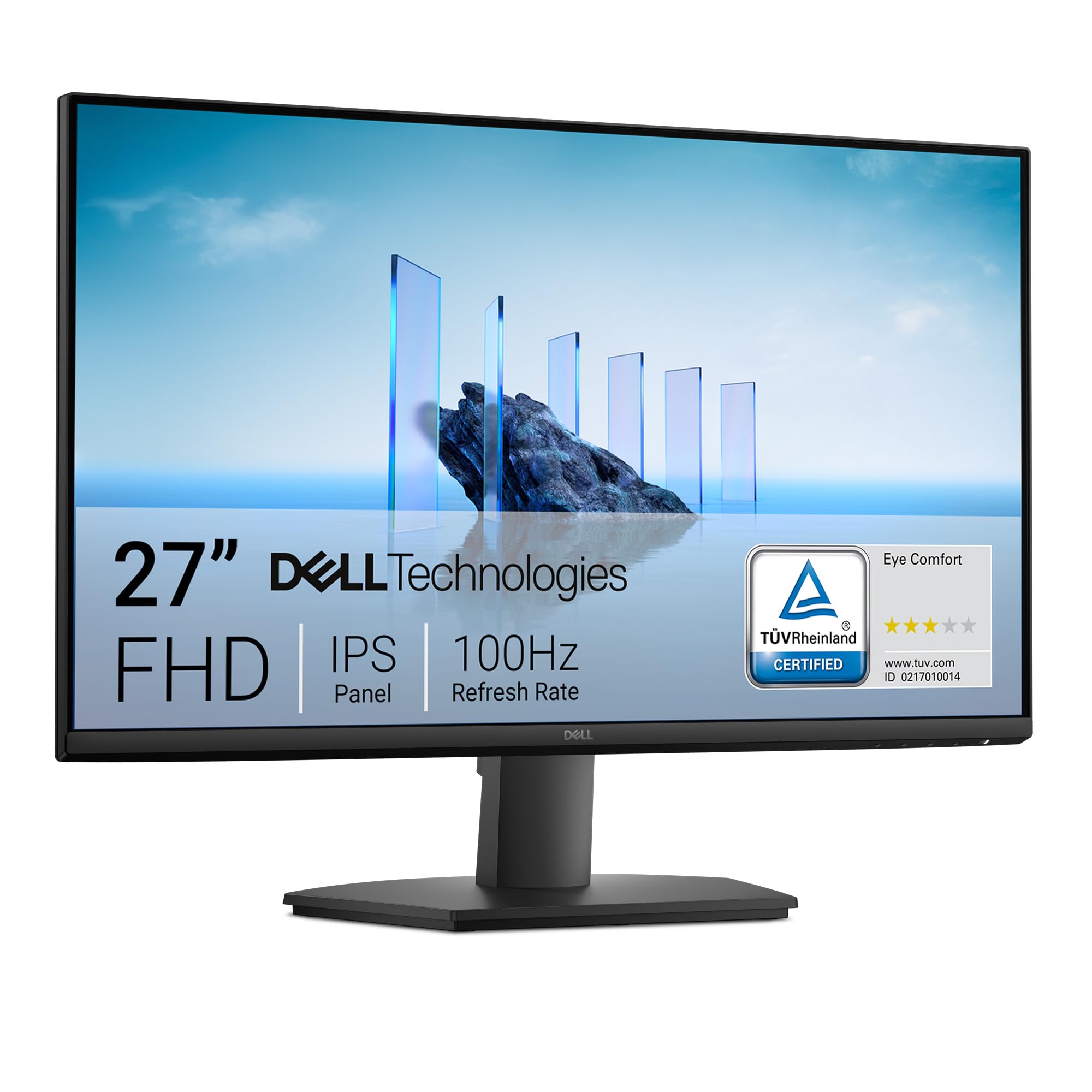
1. Dell 27 Monitor SE2725HM
Our pick — over 4.5★ from 800+ verified ratings; the strongest balance of quality and price.
The 27-inch eye-saver that makes tiny spreadsheets readable again.
For anyone whose eyes tire by mid-afternoon, this Dell starts with a 27-inch FHD (1920 x 1080) display and a matte anti-glare finish that cuts down on reflections. Building on that focus on comfort, it packs a 100Hz refresh rate for smoother scrolling and TÜV Rheinland 3-star certified eye comfort with ComfortView Plus, which lowers blue light without washing out colors. A built-in power supply and cable holder keep the desk tidy, and the screen tilts or mounts on a VESA arm for a cleaner setup.
What wins people over is the build quality — the most-praised aspect across owner feedback. Buyers report the color temperature stays uniform across units and the colors are vivid, calling it “enterprise consistency at a consumer price.” One owner sums up the value for aging eyes perfectly: “My eyes are getting worse as I age. This model has really helped with quality, affordability and simple install.” The vivid colors came through for a scrapbooking blogger, and the 27-inch size makes it feel significantly more spacious than a standard 24-inch panel.
The honest limit here is the connectivity: you get HDMI and VGA, but no USB hub or USB-C port, and there are no built-in speakers. It’s a display-only unit, so you’ll need external speakers or your computer’s audio. The stand only tilts, so you may want a VESA arm for height adjustment.
Comfort-First Screen
- 27-inch size reduces squinting at dense detail
- Matte finish cuts office glare
- Built-in power supply frees desk space
- Dead-center VESA mount for balanced arms
Missing Conveniences
- No USB hub or USB-C port
- No built-in speakers
- Stand only tilts, no height adjustment
Reach for this if: you spend long hours on documents and want a larger, glare-free screen that protects your eyes over time.
A nod of caution: plan for extra cables and external speakers, since this screen is a display-only workhorse.
2. Amazon Basics 24 Inch Monitor
A budget-friendly 23.8-incher with speakers that punch above their price.
If you need a dependable screen without spending much, this Amazon Basics 23.8-inch monitor delivers a crisp FHD 1080P picture and a strong 2000:1 contrast ratio for its tier. That contrast is a full 2.0x higher than the Dell SE2725HM’s 1000:1 spec, which means darker blacks and more punch in movies and games. It supports a max 100Hz refresh rate and offers HDMI, VGA, and DisplayPort inputs for connecting modern laptops or older desktops.
Owners consistently praise the picture quality and the convenience of the built-in speakers, noting the screen is “not washed out like some monitors.” It’s described as well-crafted and a great size for the price, with an easy setup that works from the start — one buyer called it ideal for spreadsheets and multitasking. The matte screen also reduces glare and is easy on the eyes, with owners of all ages comfortable using it all day.
The catch: the stand offers tilt but not height adjustment, and a few buyers mention the monitor can lean forward slightly on the desk, requiring shims to tilt it back. Before using it, remember to remove the protective film with the date code from the panel surface, as it protects the screen during shipping but will look blurry if left on.
Budget-Friendly Perks
- High 2000:1 contrast makes colors pop
- Built-in speakers save desk space
- VESA compatible for wall-mounting
- Simple plug-and-play connection
Adjustability Gripes
- Tilt-only stand, no height adjustment
- May lean forward without shims
- Protective film must be removed manually
Perfect for: budget shoppers who want a reliable office and entertainment screen with speakers included, no extras required.
Look elsewhere if: you need precise height adjustment, since this one only tilts and might sit with a subtle forward lean.
3. MSI PRO MP243L E14
A 144Hz budget screen that turns a desk into a dual-monitor command center.
For those who want gaming smoothness without a gaming price, this MSI 23.8-inch display is the speed pick. It hits a 144Hz refresh rate, which is a full 44% faster than the Dell SE2725HM’s 100Hz, and its 1ms response time (how quickly a pixel changes color) beats the Dell’s 5ms by a massive 5.0x gap — meaning far less motion blur in fast games. The color gamut (range of colors it can show) is also impressive at 102, compared to the Dell’s 72, so images look richer and more vibrant.
The most-praised aspect is the overall monitor quality, with owners calling the picture “vibrant, crisp” and great value for the money. Owners mention the deep blacks and high contrast make it excellent for gaming and even video editing. As owners put it: “I bought 2x for a dual screen setup for my son’s room. They work great, the screens are bright and have built in speakers.” It’s also a surprise hit with ham radio operators who appreciate its native 12V operation for solar-powered setups.
The trade-off is connectivity: you get HDMI and VGA but no DisplayPort, which one reviewer noted is a limitation for PC use. The 4-side slim bezel design makes it great for dual setups, but the input options keep it from being a true enthusiast PC monitor. A rare owner also received a unit with a small nick in the corner, though this is the exception, not the rule.
Speed-to-price ratio: You are getting serious gaming specs for an entry-level price, with a color gamut that outshines pricier rivals.
Connectivity reality: HDMI and VGA serve consoles and office PCs well, but PC gamers wanting DisplayPort should look at the ASUS options.
Who it beats: any 60Hz or 75Hz screen for gaming, thanks to the 144Hz fluid motion and 1ms clarity.
Who it might not suit: PC builders who need a DisplayPort connection, since this one relies on HDMI and VGA.
4. LG 24U411A-B
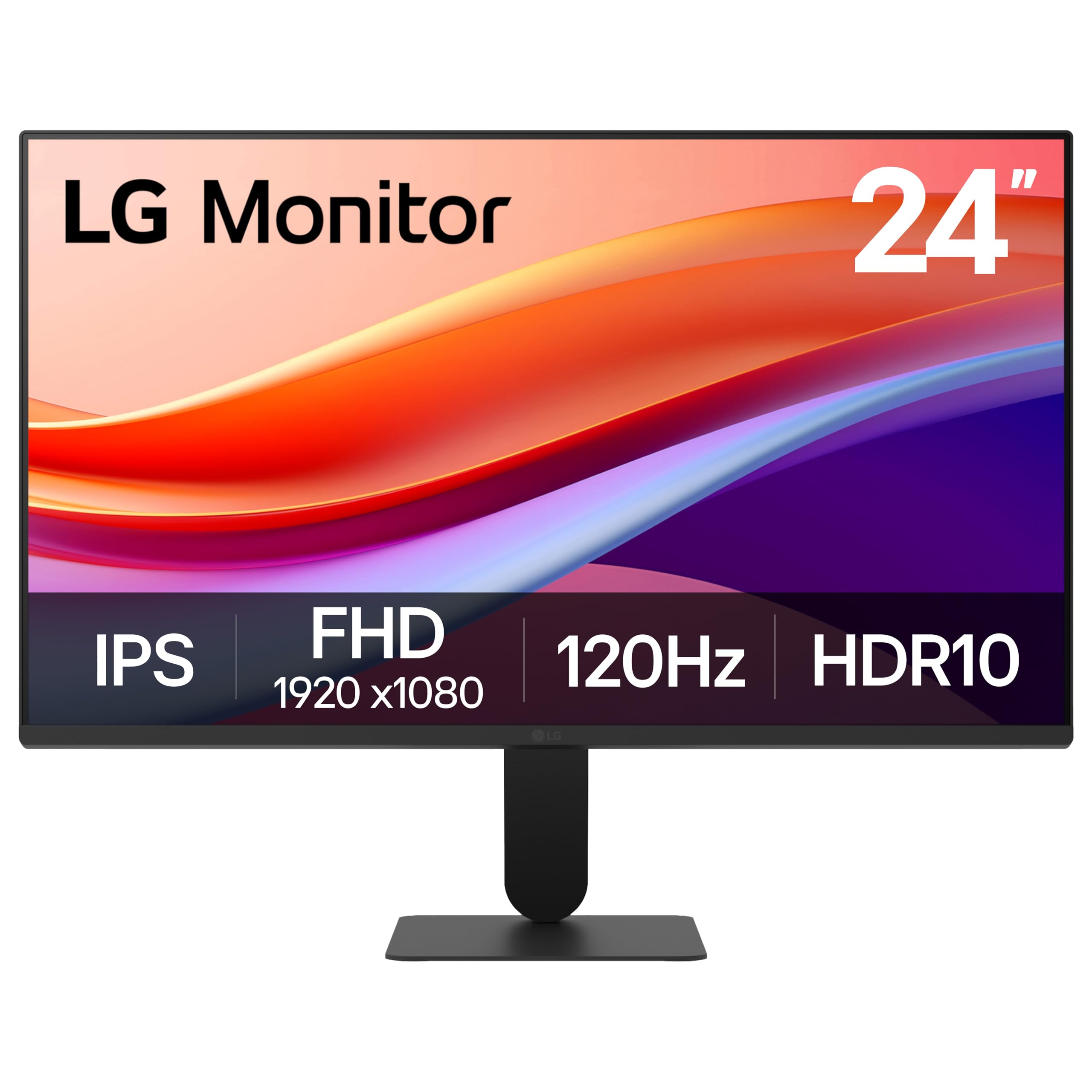
A 120Hz IPS panel with gaming tricks that cost extra elsewhere.
Make no mistake — for the money, this LG 24-inch FHD (1920 x 1080) IPS monitor punches well above its class with a 120Hz refresh rate and HDR10 support (a format that boosts contrast and color for compatible content). It also brings a 99% sRGB color gamut, meaning it can display nearly the full standard color range, which is rare at this level. The 3-side virtually borderless design and ultra-slim bezels make it a sleek addition to any dual-monitor setup.
Gamers get extras like 1ms Motion Blur Reduction (MBR) to keep fast scenes sharp, Dynamic Action Sync to cut input lag, and Black Stabilizer to brighten dark corners where enemies hide. Owners praise it as a “great inexpensive 1080p monitor,” noting the extensive color adjustments and solid metal stand that doesn’t wobble. The Reader Mode also lowers blue light, and customers note the anti-glare screen is “a blessing” — even if it’s not quite as bright as a Mac 27-inch display.
The catch: from the start, the colors can run green-tinted or oversaturated until you adjust them, and one owner found the stand arrived missing screws. You get just one HDMI port (no VGA or DisplayPort on the spec sheet) and no built-in speakers. The title says “slim stand base,” but the adjustability is a recurring gripe — height adjustment isn’t available, and the single-knob menu system takes some getting used to.
Feature density: 120Hz, HDR10, and gaming extras like Black Stabilizer make it an absurd amount of screen for the price.
Out-of-box reality: Expect to spend a few minutes in the menu correcting the color tint and learning the single-knob controls.
Best for: students and casual gamers who want fluid 120Hz motion and rich color without spending premium dollars.
The honest catch: the limited HDMI-only input and missing height adjustment mean it’s not the most flexible monitor on your desk.
5. ASUS 24” 1080P Monitor (VA249QG)

The port-plentiful 24-incher that connects to nearly anything you own.
When you juggle a laptop, a desktop, and a game console, this ASUS 24-inch IPS display solves the cable chaos with HDMI, DisplayPort, and VGA inputs all on the back. It’s a full 1080p panel with a 120Hz refresh rate for smooth scrolling and casual gaming, plus a 99% sRGB gamut for consistent, vivid color. The built-in speakers and VESA mount also help keep your setup tidy, and the frameless design looks modern on any desk.
Owners describe it as a “very nice basic monitor” with an image quality that matches far more expensive calibrated displays. The joystick controller makes menu adjustments easy, and reviewers point out the picture stays sharp even if you disable the default Eco mode to open up full brightness. It’s also a solid choice for adding a second display to a laptop workstation — one buyer praised the “lot of varied ports” and the value for the price.
The recurring complaints are the tinny built-in speakers and a lack of height adjustment — the stand is tilt-only. Some owners also found the Eco settings confusing at first, which can make the screen look dimmer than it should. If audio quality matters to you, plan on using external speakers or headphones instead of relying on the built-ins.
Connection Hub
- HDMI, DisplayPort, and VGA inputs
- 120Hz refresh rate for smooth motion
- TÜV-certified Flicker-Free and Low Blue Light
- VESA mountable to save desk space
Built-In Limits
- Speakers sound tinny for music
- Tilt-only stand, limited adjustment
- Eco mode dims the panel until disabled
Choose this if: you need one screen that connects to multiple devices with different cable types, from modern HDMI to legacy VGA.
Think twice if: vivid built-in audio is a must-have — the speakers are passable for work, not for listening.
6. Dell 24 Plus Monitor S2425HSM
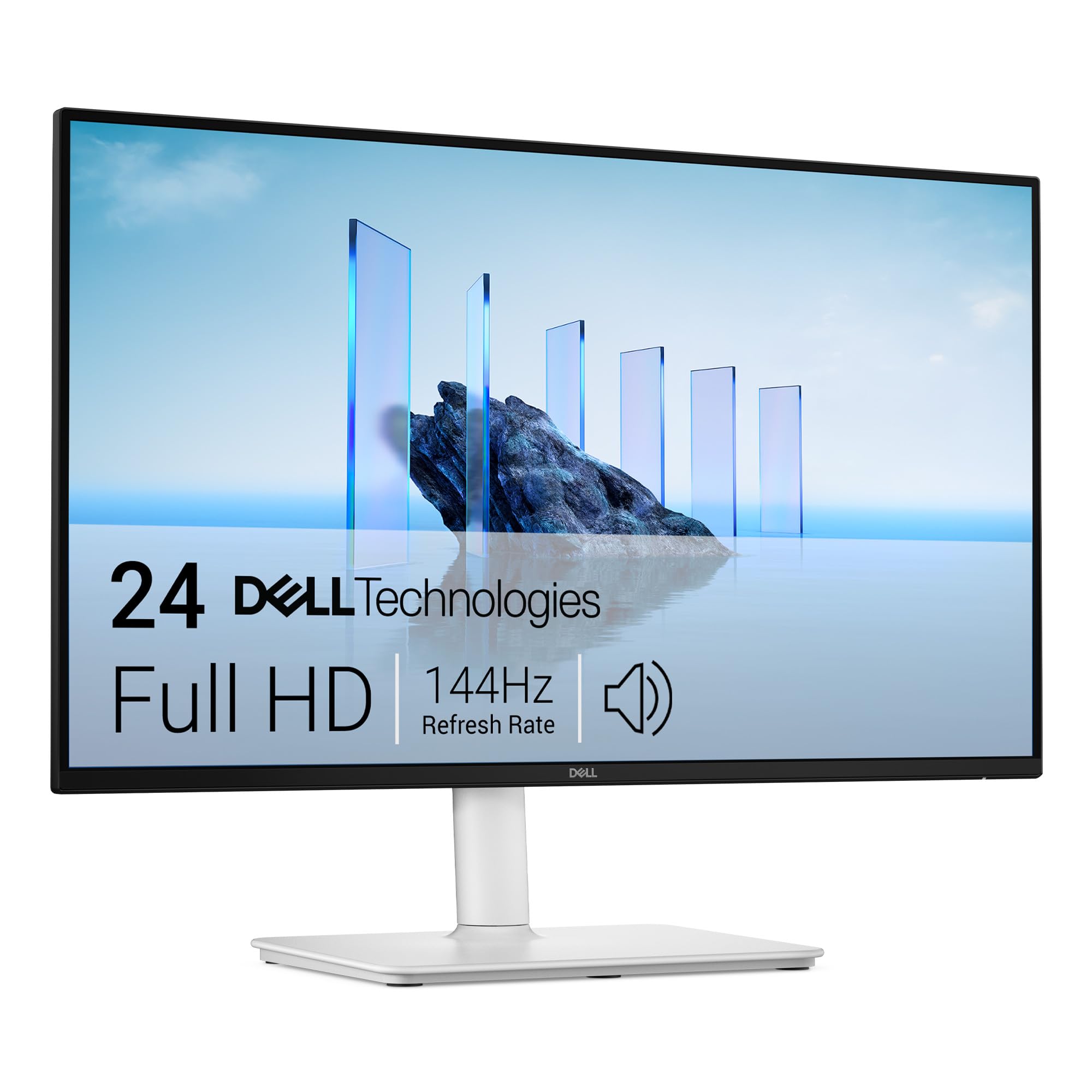
A chic 144Hz monitor that stands out in Ash White while standing tall on your desk.
Forgetting the usual black slab, this Dell 24 Plus arrived in a standout Ash White finish that buyers call “chic” and “so thin it looks like it floats.” The 23.8-inch FHD (1920 x 1080) panel keeps things sharp, and a 144Hz refresh rate with 1ms MPRT (Moving Picture Response Time) delivers buttery-smooth motion for gaming and streaming. The 1500:1 contrast ratio and integrated dual 3W speakers — which owners say sound “better than anything I’ve heard out of a normal monitor” — add to the experience.
The standout feature here is the adjustability: height, tilt, pivot, and swivel adjustments let you dial in the perfect ergonomic position, a luxury rarely found at this price. The 4-star TÜV-certified low blue light screen is praised for being easy on the eyes during long work sessions. It works with AMD FreeSync (technology that syncs the screen’s refresh rate to your graphics card) to prevent screen tearing, and buyers mention it integrates well with OBS software for streaming.
However, a few owners note the stand doesn’t actually offer height adjustment despite the marketing, and the only input is a single HDMI port — no DisplayPort, USB-C, or Thunderbolt. That means it can’t charge a laptop or support daisy-chaining multiple monitors. It’s a solid pick for home and school, but creative pros needing more ports will want to look at higher-end models.
Ergonomic edge: Full adjustability plus a 144Hz panel is a rare combination, making it great for shared desks and long sessions.
Single-port reality: HDMI-only input keeps it simple but limits advanced multi-monitor setups without adapters.
Go for it if: you want a fast, stylish, comfortable monitor with genuinely impressive speakers for under.
Pass on it if: your workflow demands USB-C or DisplayPort for docking, since you’ll have just one HDMI input to work with.
7. ViewSonic VA2456A-MHD
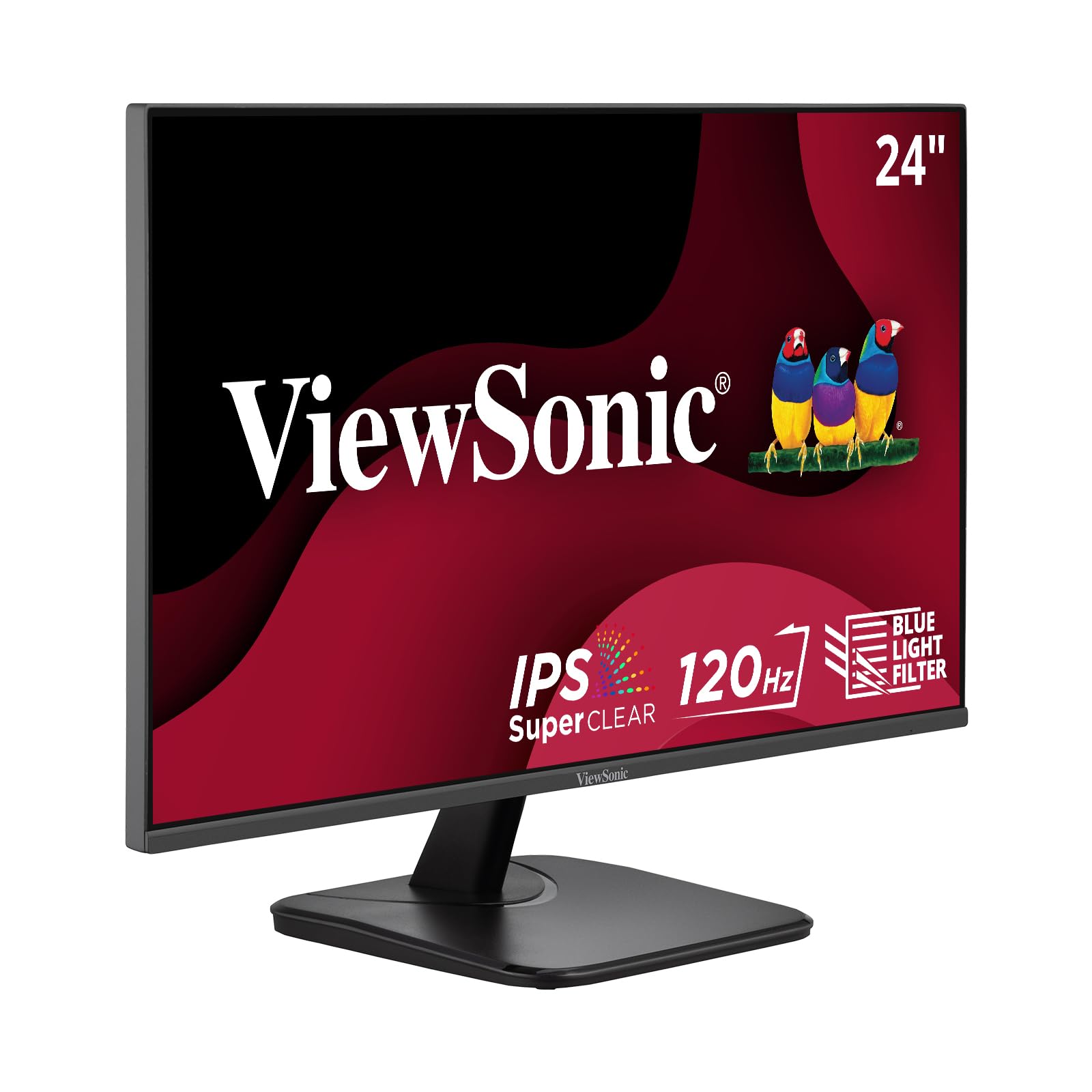
A dependable 120Hz IPS workhorse that keeps working years down the line.
Building on a reputation for reliability, this ViewSonic 24-inch IPS monitor offers a 120Hz refresh rate and SuperClear IPS technology for accurate, vivid colors from wide viewing angles. The 1920x1080p resolution stays crisp, and the thin bezels make it an easy fit for multi-monitor setups. Connectivity covers HDMI, DisplayPort, and VGA, so it hooks up to laptops, PCs, Macs, and even older legacy devices without adapters.
The most-praised aspects are the sharp picture quality and reliable performance. Owners note colors are accurate, the image is bright and crisp, and it’s clear enough for video calls and YouTube. Shoppers say the ViewSonic brand delivers consistent quality — “I have had several ViewSonic monitors over the years, all of which are still in working order. Some over 10 years old of daily use.” The built-in speakers are described as decent, and the flicker-free technology plus blue light filter help reduce eye fatigue.
The limitations are modest: the stand is basic with no height adjustment, brightness tops out at 250 nits, and there’s no USB hub. One owner also noted the VGA input feels oddly dated on a modern monitor, though it’s there for compatibility. For an “inexpensive gaming option” that handles everyday office tasks with aplomb, this is a rock-solid choice.
Built to Last
- Vivid SuperClear IPS colors at wide angles
- Triple connectivity: HDMI, DP, VGA
- Flicker-Free tech reduces eye fatigue
- Game, Movie, Web, and Text presets
Simple by Design
- Basic stand, no height adjust
- 250-nit brightness is modest
- No USB hub for accessories
Trust it for: a low-maintenance daily driver that handles office tasks, streaming, and casual gaming without fuss.
Consider a step up if: you want USB ports or a height-adjustable stand, as this one keeps things simple and flat.
8. Samsung 27″ S3 (S32GF)

A spacious 27-inch IPS panel that stays slim and easy on the eyes.
If you want a larger desktop without a larger footprint, this Samsung 27-inch FHD (1920 x 1080) monitor delivers a big screen thanks to its super-slim design and ultra-thin border bezels. The IPS panel keeps colors bright and clear across the whole display, even when you change viewing angles, and the 120Hz refresh rate reduces lag and motion blur in games and videos. At just 250 cd/m2 brightness, it’s not the brightest panel, but it’s plenty for most indoor settings.
Owners highlight it as a great value for the money and easy to set up, perfect for home office work. One buyer had it ready to go in 5 minutes and praised the “excellent” color and clarity. The Eye Saver Mode and Flicker-Free technology help reduce blue light and screen flicker during long sessions. It’s also light and thin enough to be mounted on a dual monitor stand or toted in a carrying case.
The trade-offs: connectivity is limited to a single HDMI input, and owners note the menu button requires a harder press than expected. There’s no height adjustment on the stand that comes in the box, and a handful of users mention occasional random black screens for a few seconds. Brightness adjustment also got mixed feedback, so you may need to tweak the settings to your liking.
Big-screen appeal: The 27-inch size and ultra-slim bezels make it feel like a much higher-end monitor than the price suggests.
Simple connectivity: With only HDMI, this is best as a standalone screen or with an adapter for multi-device setups.
Reach for this if: you want a large, stylish home-office screen with smooth 120Hz motion for a reasonable price.
Factor in: the single HDMI port and lack of height adjustment if you have a complex multi-device desk setup.
9. ViewSonic VA3209M 32 Inch
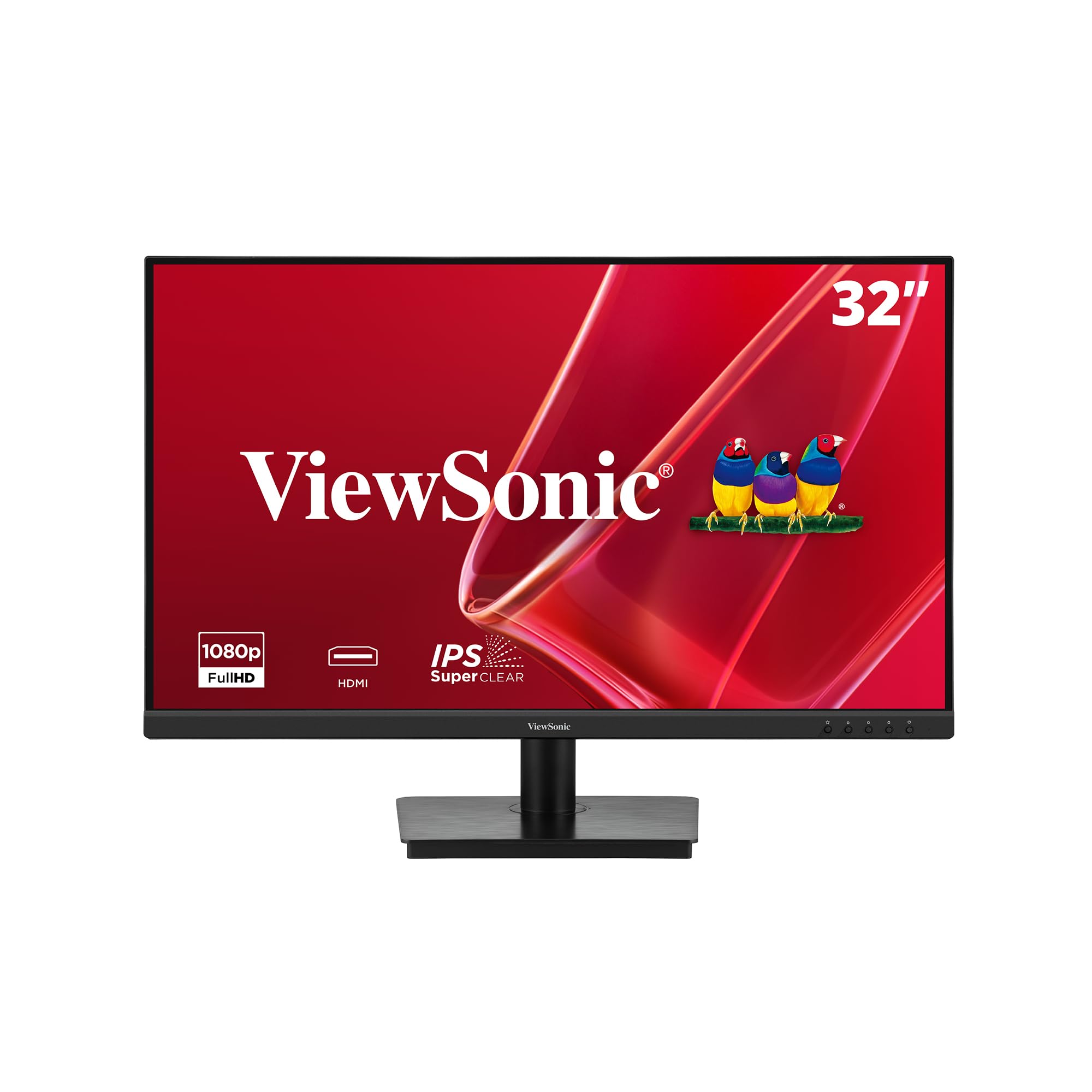
The 32-inch screen that replaces your dual-monitor setup with one glance.
Sometimes you just need the biggest possible canvas, and this ViewSonic 32-inch Full HD (1920x1080p) IPS monitor delivers without a huge price tag. It’s ideal for home offices where you want to see spreadsheets, emails, and video calls all at once — one programmer noted its suitability for their work, and owners say it “can accommodate four screens” worth of windows. The 75Hz refresh rate handles smooth web browsing and video, and the frameless design looks clean on any desk.
Owners rave about the crisp picture quality and bright, vivid colors, especially for the price. The built-in dual speakers are loud enough for working environments, even if they’re “not audiophile quality.” It’s also a hit with older users who need a larger display — one buyer called it a “big upgrade from 24″” for their aging eyes. The VESA mount makes it easy to attach to an arm or stand, and it stays reliably on until you turn it off.
The honest limits: at 1080p on a 32-inch screen, the pixel density isn’t as sharp as smaller monitors, though buyers report it still looks good. It’s not built for color-critical photo editing, and the speakers are best swapped for external ones if you care about audio. The presets (Game, Movie, Web, Text, Mono) help tune viewing, but core office use is where this screen shines brightest.
Massive Real Estate
- 32-inch IPS display for fewer window-switches
- Vivid colors and high brightness
- Variable Refresh Rate prevents tearing
- Flicker-Free and Blue Light Filter
Comfort vs. Clarity
- 1080p looks less sharp on this large screen
- Not for color-critical photo work
- Built-in speakers are merely adequate
Pick this up if: you want a massive, easy-on-the-eyes display for productivity, finance work, or a less-cluttered desk.
skip it if: you need pixel-perfect sharpness up close or do professional image editing that demands higher resolution.
10. ASUS TUF Gaming VG259QM5A
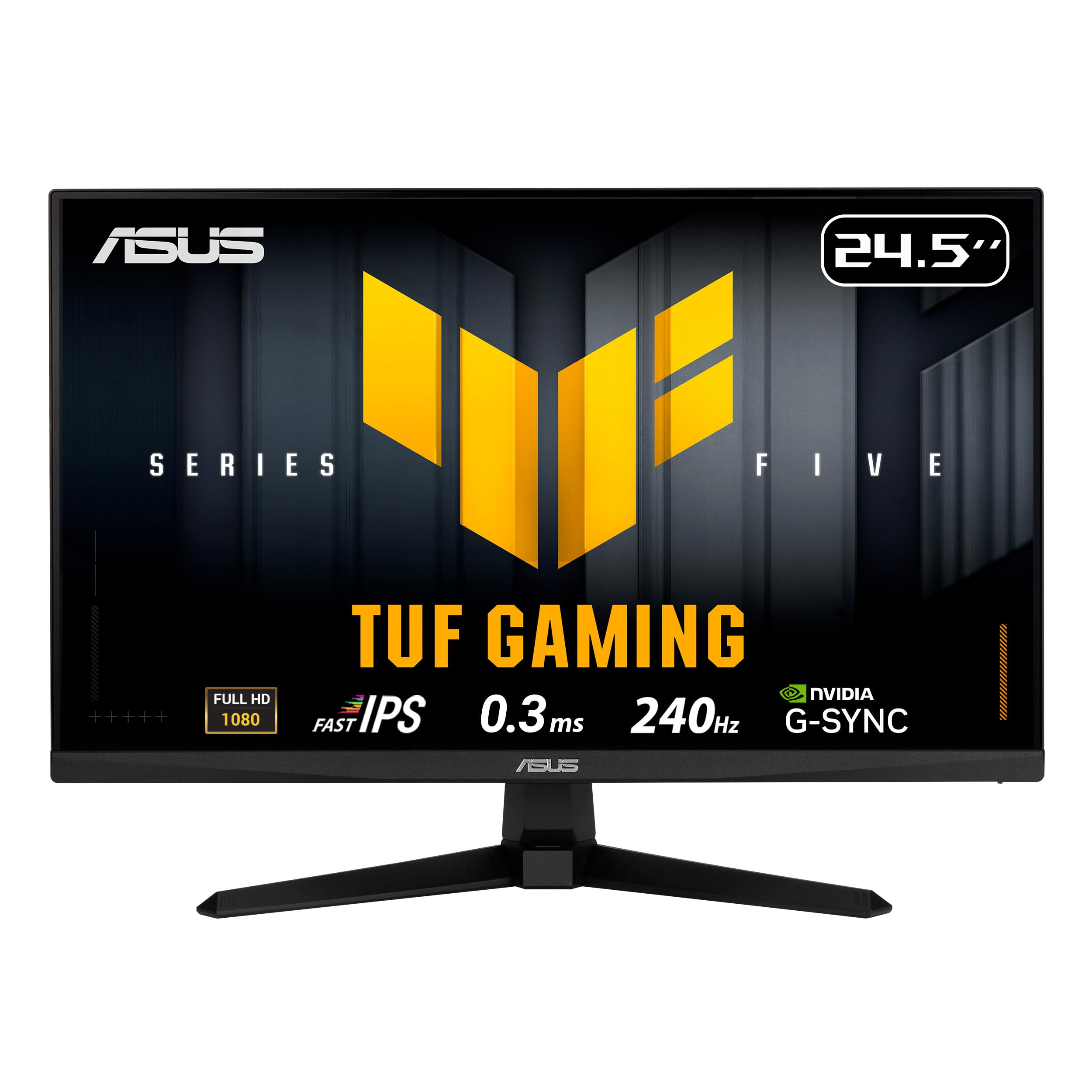
The esports-ready 240Hz screen with a 0.3ms response for professional-caliber reactions.
This is the monitor gamers upgrade to when frames matter more than anything else. The ASUS TUF Gaming 24.5-inch Fast IPS panel blazes through fast-paced titles with a 240Hz refresh rate — quadruple the speed of a standard 60Hz screen — and an ultra-low 0.3ms (GTG) response time that virtually eliminates ghosting. It also supports both FreeSync Premium and G-Sync Compatible (technologies that sync your screen with your graphics card to stop tearing), so it works smoothly with both AMD and NVIDIA setups.
Owners describe it as one of the best monitors they’ve gotten, with amazing clarity and no ghosting even in fast-action games. The ASUS Extreme Low Motion Blur Sync (ELMB SYNC) works alongside variable refresh rate to eliminate both ghosting and tearing. The DisplayWidget Center lets you adjust settings with a mouse, and the Gaming AI features like Dynamic Crosshair add a competitive edge. It’s also great for high-refresh video editing.
The catch: this is a pure gaming-focused panel, so ergonomics are basic — height is not adjustable, only tilt. Input switching can be a bit cumbersome, and owners mention the ports are DisplayPort 1.4 and HDMI (no VGA or USB-C). It’s worth it for the speed, but if you also need a monitor that adapts to ergonomic office work, you’ll want a separate setup.
Competitive Edge
- 240Hz refresh for ultra-smooth tracking
- 0.3ms response eliminates motion blur
- G-Sync and FreeSync Premium both work
- Built-in 2W x2 speakers included
Pure Gaming Focus
- Tilt-only stand, no height adjustment
- Cumbersome input switching
- No USB-C or VGA ports
Built for: competitive gamers who demand the fastest frame rendering and refuse to tolerate screen tearing or ghosting.
Not your pick if: you need an ergonomic office screen with height adjustment, since this one prioritizes speed over comfort features.
Understanding the Specs
Refresh Rate (Hz)
Measured in hertz (Hz), this is how many times your screen redraws the image each second. A higher number means smoother motion — 60Hz is standard, 100Hz+ feels noticeably fluid for scrolling, and 144Hz-240Hz is what competitive gamers want for the most responsive feel.
Response Time (ms)
This is how quickly a pixel changes color, measured in milliseconds (ms). Lower is better for fast action — a 1ms panel keeps moving objects sharp, while a 5ms panel like some office monitors can show slight blur during quick scene changes.
Panel Types
IPS (In-Plane Switching) panels offer the best color accuracy and wide 178-degree viewing angles, making them ideal for both work and play. VA panels offer deeper blacks and higher contrast but can have narrower viewing angles. TN panels are fastest but weakest on color.
Adaptive Sync
Technologies like FreeSync (AMD) and G-Sync (NVIDIA) match your screen’s refresh rate to your graphics card’s output, preventing the visual glitch of “screen tearing” where part of the image lags behind. It makes gameplay and video look consistently smooth.
FAQ
Is a 1080p monitor still worth buying in a world of 4K screens?
What refresh rate do I need for office work?
Does a higher refresh rate matter for everyday use?
What is the difference between IPS and VA panels?
Are built-in monitor speakers good enough for video calls?
What does VESA mountable mean and do I need it?
Which connection type should I use, HDMI or DisplayPort?
How important is color gamut coverage like 99% sRGB?
Can I use a gaming monitor for office work?
Why does my monitor have a protective film and what should I do?
Final Thoughts: The Verdict
For most buyers, the 1080p computer screen winner is the <Dell 27 Monitor SE2725HM because it balances a large 27-inch anti-glare panel, a smooth 100Hz refresh rate, and TÜV-certified eye comfort in among the most reassuring picks on the list. If you want gaming-grade speed without a gaming price, grab the MSI PRO MP243L E14 for its class-leading 144Hz refresh rate and 1ms response time. And for a massive canvas that keeps your whole workspace in view, the ViewSonic VA3209M 32 Inch is the one to reach for — ideally paired with a soundbar for the best audio.
How We Picked
We do not accept paid placement. Every pick is matched to a real buyer and a real use-case; we do not hands-on test units.
Sources & Methodology
Specifications: manufacturer listings and product documentation. Review insights: verified customer reviews, as of August 2026. Pricing: not shown on this page (it changes often); check the current price via the retailer link.
As an Amazon Associate, Gadgets Feed earns from qualifying purchases. This does not affect which products we feature.