
Our readers keep the lights on and my morning glass full of iced black tea. As an Amazon Associate, I earn from qualifying purchases.
Specs are compiled from manufacturer listings and verified buyer reviews and can change over time — please confirm the key details on the product page before buying.
Most dash cam buyers figure out too late that “1080p” on the box doesn’t mean you can read a license plate at night. This guide cuts through that confusion, focusing on the real-world specs that matter—sensor quality, aperture, and channel coverage—so you pick a camera that actually protects you in an accident or dispute.
I’m Min — the founder and writer behind Gadgets Feed. This guide is built by comparing the manufacturers’ published specifications and the patterns across verified customer reviews, so you get each pick’s real strengths and trade-offs instead of marketing spin.
Whether you drive for a living or just want proof after a fender bender, the right 1080p dashboard camera records crisp, date-stamped evidence that helps settle claims quickly.
Our Picks at a Glance


How To Choose The Best 1080P Dashboard Camera
Dash cams are small computers for your windshield, and the specs that matter are the ones that decide whether you can identify a plate or a face when you need to. Start with your coverage needs, then match the sensor and storage to that.
Channel Count: What Angles Do You Need Covered?
Before you buy, decide how much of your car you need to see. A single front camera records what’s ahead, a 2-channel setup adds the rear view, and a 3-channel system covers the cabin too. Rideshare drivers and parents of teen drivers usually want cabin coverage; commuters often manage fine with front and rear.
Night Performance: Aperture and Sensor Tech
Low-light quality comes from the lens aperture (lower F-numbers let in more light, like F1.55 or F1.8) and the sensor type. Newer sensors like STARVIS 2 are designed specifically for dark conditions, so your footage stays usable after sunset without blowing out headlights.
Storage and Power: Cards, Capacitors, and Parking Mode
Look for a camera that includes a memory card so you can record immediately, and check the maximum supported size for future upgrades. For power, a super capacitor handles extreme heat better than a lithium battery, which matters in a parked car. Parking monitoring usually needs a hardwire kit sold separately.
Quick Comparison
| Model | Best For | Resolution | Channels | Night Vision | Amazon |
|---|---|---|---|---|---|
| 70mai T800E★ Best Overall | Total 3-way coverage | 4K + 1080P + 1080P | 3 | Switchable IR | Amazon |
| Milerong X25Budget Champion | Budget front + cabin | 1080P + 1080P | 2 | IR + WDR | Amazon |
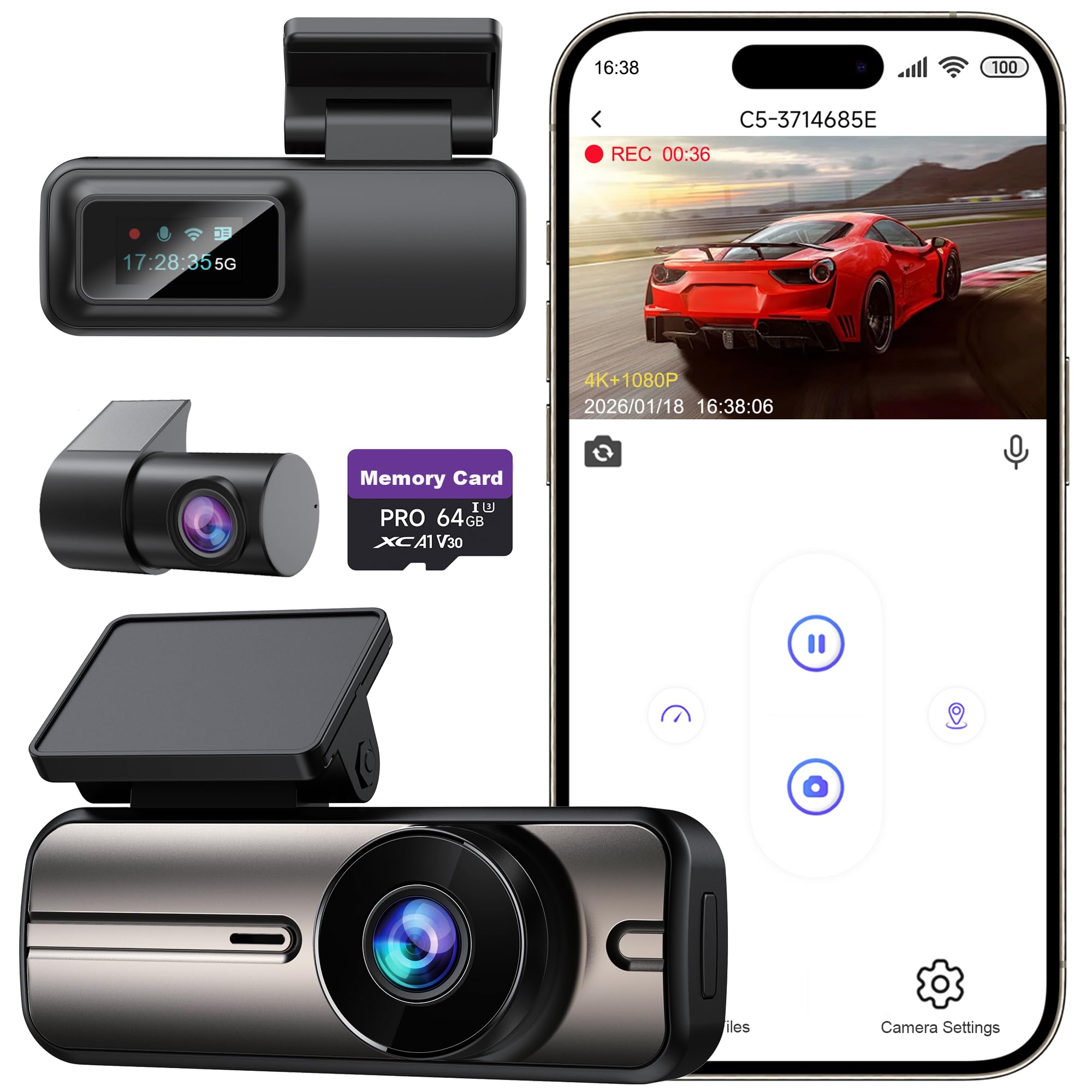
| WOOLAACOO C5Compact Pick | Compact front + rear | 4K + 1080P | 2 | F1.8 Enhanced | Amazon |
| 70mai A410 | Sharp front clarity | 2.5K + 1080P | 2 | F1.55 HDR | Amazon |
| JOMISE J6 | STARVIS 2 low light | 4K + 1080P | 2 | STARVIS 2 F1.6 | Amazon |
| Nanoby M1 | crisp triple cams | 4K + 1080P + 1080P | 3 | Cabin IR | Amazon |
| HGLEQ 3-Channel | Affordable 3-way setup | 1080P + 720P + 720P | 3 | 850nm IR | Amazon |
| AZDOME M550 Max | Sharp rear evidence | 4K + 2.5K + 1080P | 3 | Dual STARVIS 2 | Amazon |
| BOTSLAB G980H | 360° blind-spot views | 3K + 3 cameras | 4 | 940nm IR | Amazon |
In-Depth Reviews
1. 70mai 4K Dash Cam T800E
Our pick — 4.5★ from 480 verified ratings; the strongest balance of quality and price.
The triple-lens juggernaut that covers front, cabin, and rear in crisp detail all at once.
For rideshare drivers or families who want total protection, this records 4K up front plus 1080P for both the interior and rear cameras. The front camera’s F1.55 aperture (a wide lens opening that pulls in more light) and HDR keep plates readable day or night, while the cabin camera offers switchable infrared you can turn on for darker interiors.
Setup is genuinely beginner-friendly — a 64GB SD card is included, and the adhesive mount means you’re recording within minutes. The built-in GPS logs your speed and route, and voice control lets you lock footage hands-free. One catch: file transfers through the app run slow, so pulling clips directly from the card on a PC is the faster route. With 4.5 stars across 480 owner reviews, buyers frequently report purchasing a second unit for another vehicle.
Unlike the budget Milerong below, this one adds Wi-Fi 6, reaching up to 10 MB/s. A super capacitor keeps it stable from 14°F to 140°F, so extreme heat or cold won’t kill it.
What Wins Owners Over
- crisp 4K front with 1080P cabin and rear
- 64GB card included, supports up to 512GB
- Parking monitor with G-sensor emergency lock
The Honest Trade-Offs
- App file transfer is slow, best to use a PC
- Connectivity can be finicky for some
Reach for this if: you want one camera that fully covers every angle of your car, with premium extras like GPS and voice control.
Look elsewhere if: you want CarPlay or Android Auto integration, which this model does not have.
2. Milerong X25 Dual Dash Cam
A no-frills front-and-cabin recorder with 170° coverage that just works.
This is the pick for Uber or Lyft drivers who need to watch the road and the backseat without paying for app connectivity they won’t use. The 170° front lens and 140° cabin camera both record at 1920×1080 at 30fps, with 4 IR lights and WDR tech that capture passengers even in complete darkness — the view turns grayscale in night-vision mode.
You get a 64GB card in the box, and there’s no app, no Wi-Fi, no GPS to fiddle with — just press record and go. Setup takes minutes with the suction cup mount; owners note it “installed in 2 minutes” and the cup holds strong even in a commercial vehicle. The trade-off is reliability: some report the interior camera stops working after a few months, so if you need long-term insurance-grade proof, budget for a more sturdy model.
It does offer G-sensor collision locking and loop recording in 1, 2, or 3-minute segments, so critical footage gets saved automatically. For a first-time buyer or a rideshare side gig, this is a solid, honest starting point.
Why It’s a Steal
- Complete kit: dual cams, card, mount, charger
- crisp video with crisp sound
- No subscription, no app required
Who Should Skip It
- Interior camera reliability is mixed long-term
- No wireless or GPS features
Grab it for: the rideshare newbie who wants cabin coverage on a budget without extra tech.
Pass if: you need dependable evidence for insurance claims over many years.
3. WOOLAACOO C5 Dash Cam
A tiny, discreet front-and-rear unit with genuine 5GHz Wi-Fi for quick clip access.
Weighing just 65g, this camera is so small it won’t block your view of the road, and that’s a big part of its appeal. It records 4K up front and 1080P behind, with an F1.8 aperture and enhanced night vision that keep details visible in darkness or rain. The 64GB SD card is pre-installed, so it’s ready from the start.
The 5GHz built-in Wi-Fi (a fast wireless connection for transferring files) is the standout here — owners describe the app as “simple to use” and praise being able to “make out number plates during both the day and at night.” Unlike the Milerong’s no-app approach, this one connects to your phone for viewing and sharing in seconds. A bonus USB port on the charger lets you charge your phone while recording.
One honest catch: the maker notes the Wi-Fi range is only 3-5 meters, so outdoor connection isn’t possible. And while most buyers report easy setup and clear imaging, a recurring sentiment is that video access works best with the app, which some find clunky.
The Verdict: compact enough to forget it’s there, sharp enough to read plates, with app controls that make sharing evidence painless.
Ideal for: the driver who wants a clean, unobtrusive setup with phone access to footage.
Think twice if: you plan to rely on the app heavily — some buyers find the interface less polished than rivals.
4. 70mai Dash Cam A410
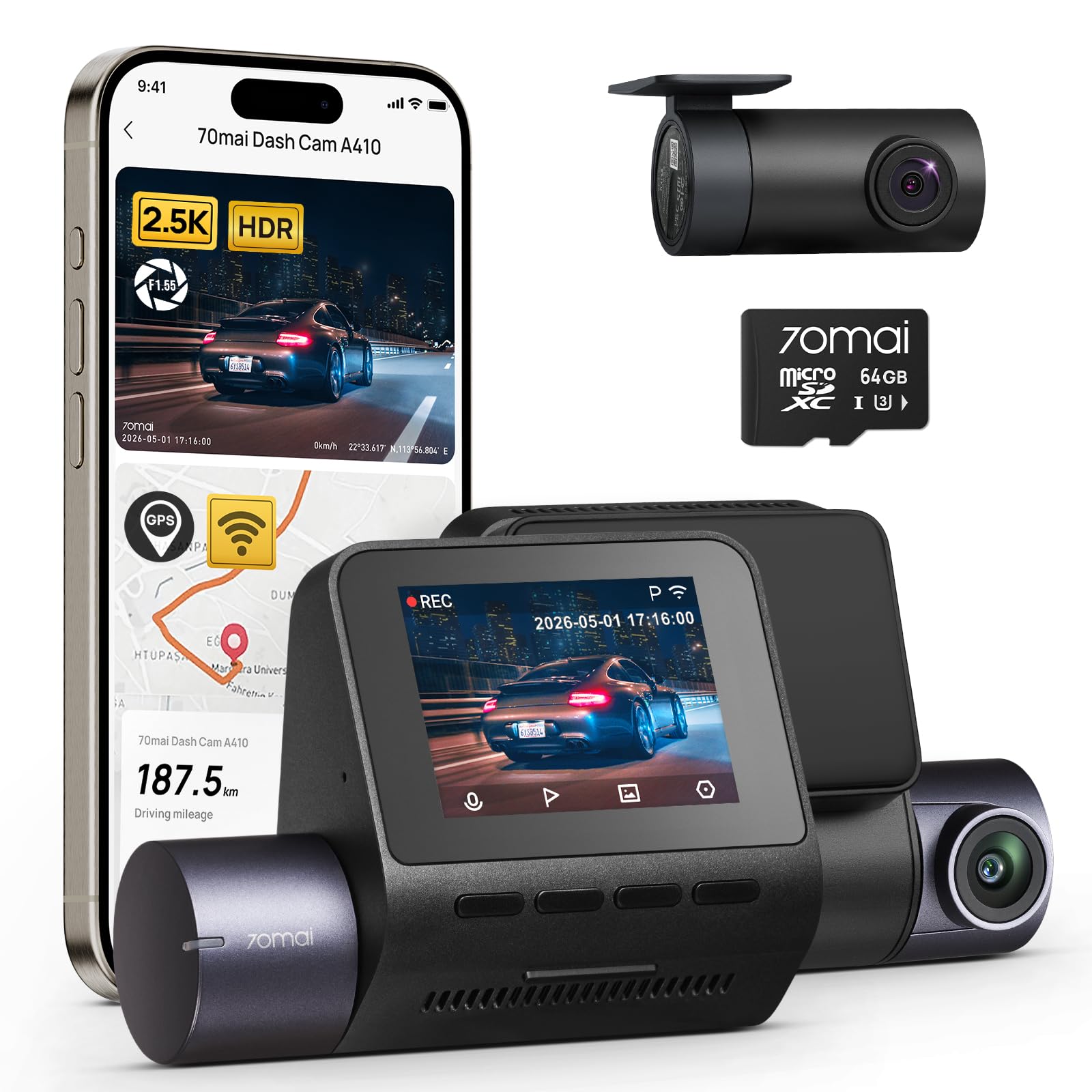
The front-camera specialist with a 125° lens that spans four lanes of traffic.
If your priority is capturing the road ahead with maximum clarity, this records at a higher 2.5K (2560x1440P) resolution up front, which beats standard 1080P when you need to zoom in on a plate. The rear still records 1080P, and the F1.55 ultra-large aperture combined with HDR handles near-total darkness remarkably well.
Owners consistently praise the “excellent front and rear camera quality” and easy installation, with one noting it “survived Georgia heat/cold, zero malfunctions.” The built-in GPS (a satellite receiver that logs your location) embeds coordinates, speed, and timestamps directly on footage, making it strong evidence in disputes. Setup takes under 5 minutes thanks to electrostatic sticker mounting that leaves no residue.
The main gripe is cable length — some owners find the rear camera cable too short for larger vehicles. Also, a few note distant license plates aren’t always readable, so it’s not perfect for every zoom scenario. The 64GB card handles a 12-hour loop, and it supports up to 256GB for longer trips.
Why It Stands Out: the 2.5K front resolution is a genuine step up from 1080P for identifying details, backed by 70mai’s 18-month warranty.
Pick this if: front-road clarity is your top priority and you drive a standard sedan.
Skip it for: vans or SUVs where the rear cable may not reach cleanly.
5. JOMISE J6 4K Dash Cam
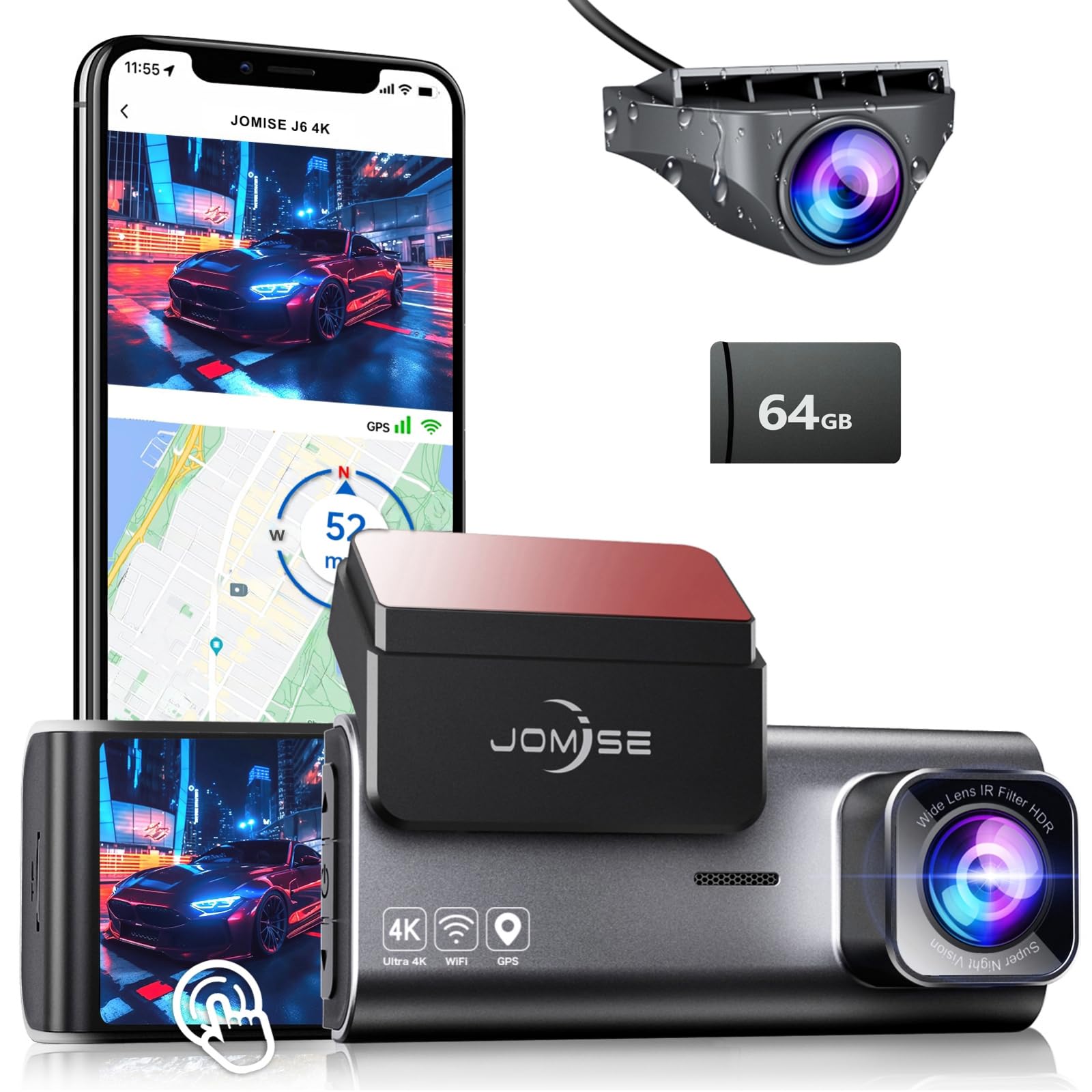
STARVIS 2 sensor tech turns dark tunnels and unlit roads into usable evidence.
Night drivers, this is your camera. The J6 uses a STARVIS 2 sensor with an F1.6 aperture and WDR, which delivers crisp, low-noise footage in darkness and prevents overexposure from oncoming headlights. The front records 4K at a 170° wide angle, while the rear captures 1080P at 140°, and one-touch emergency lock saves critical evidence instantly.
The built-in GPS logs routes, speed, and timestamps, and the stable Wi-Fi pairs with the “Road Cam” app for previewing and downloading clips without pulling the card. A super capacitor keeps it running from -4°F to 158°F, so summer heat and winter cold won’t shorten its life — a clear advantage over battery-powered models.
Owners call the video quality “clear day and night” with “great field of view,” though some note glare from other cars can be an issue. Functionality is hit-or-miss for a few, with occasional complaints about settings and app behavior. The included 64GB card and 12-month service add reassurance for an entry-level price.
Night Credentials
- STARVIS 2 sensor for low-light clarity
- Super capacitor handles extreme temps
- 64GB card included, supports up to 256GB
Watch Out For
- Some owners mention glare from other cars
- Occasional functionality quirks
Choose it for: night-shift commuters and anyone who regularly drives after dark on unlit roads.
Consider another if: you need a flawless app experience every single time.
6. Nanoby M1 4K 3-Channel

Three adjustable cameras with 4K front and a 3.18-inch IPS screen that shows everything.
For full-coverage protection, the M1 records 4K in front plus 1080P for both the cabin and rear, with 160° front and 155° cabin/rear views. All three lenses are rotatable, so you can fine-tune each angle. The cabin camera’s f/1.6 aperture, 4 IR LEDs, and WDR provide clear interior shots even in low light.
Transfer speeds are a highlight — the 5.8GHz Wi-Fi hits up to 8MB/s cutting down wait times when you pull footage. Built-in GPS logs speed and route, viewable on maps in the app or the GPS Player for Windows and Mac. A 64GB card comes pre-installed, and the charger has an extra USB port for your phone.
Owners consistently praise “crisp” video from all three cameras and call it a “fantastic” value. The recurring caveat: the hardwire kit for 24-hour parking monitoring is sold separately, and one owner noted the adhesive mount didn’t stick well to the window. Setup is otherwise straightforward, and lifetime technical support is a nice safety net.
Standout Feature: fast 5.8GHz Wi-Fi and a large screen make reviewing all three angles easy.
Great for: drivers who want triple coverage with a big, clear screen and quick file transfers.
Be aware: parking mode needs an extra hardwire kit, and the mount may need a firm press to stay put.
7. HGLEQ 3-Channel Dash Cam
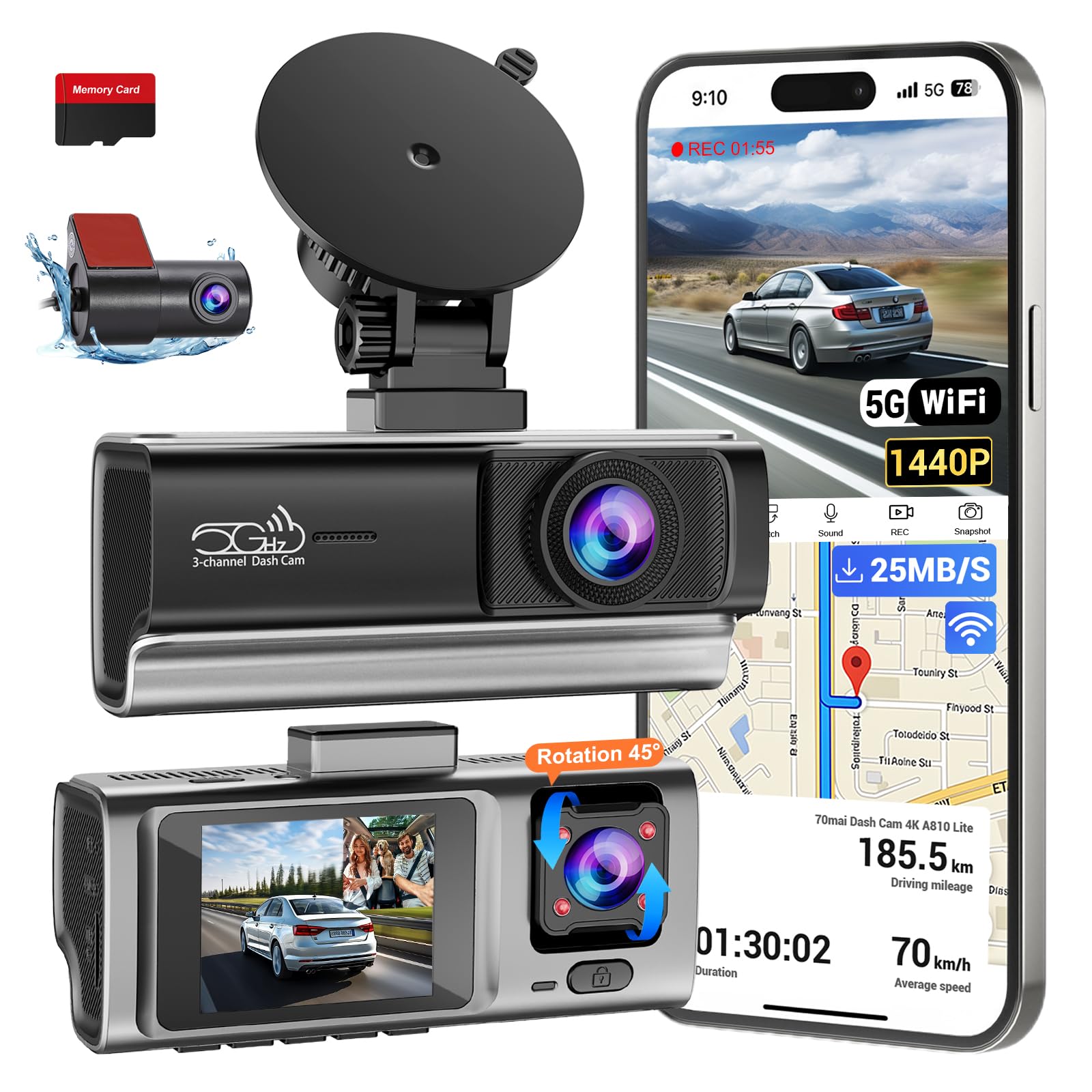
An affordable three-way camera with 850nm infrared that sees the cabin without distracting you.
Rideshare drivers on a budget, this one covers the road, the cabin, and the rear simultaneously. The front records 1080P, while the interior and rear cameras capture 720P — enough for identifying faces and plates. The cabin camera’s 850nm infrared night vision (a wavelength invisible to the eye) records activity in low light without a distracting glow.
Setup is the standout here, with owners calling it “easy to install” and praising the “clear video both day and night.” The built-in 2.4GHz Wi-Fi (a standard wireless band for connecting to your phone) links to the app, and the 2-inch LCD screen lets you play back footage directly on the device. A 64GB SD card is pre-installed, and it supports up to 256GB.
G-sensor event protection has selectable High, Medium, and Low sensitivity, and loop recording runs in 1-, 2-, or 3-minute intervals. Parking monitoring is available with a hardwire kit. The trade-off is resolution — the cabin and rear cameras are only 720P, so if you need 1080P on every channel, the pricier 70mai T800E is the step up.
Why It’s a Bargain
- 3-channel coverage at a budget-friendly price
- Genuine 850nm IR cabin monitoring
- 64GB card included, up to 256GB supported
The Compromise
- Interior and rear are 720P, not 1080P
- No GPS built in
Best for: rideshare and family drivers who want full coverage without spending premium money.
Step up if: you need 1080P or higher on every single channel.
8. AZDOME M550 Max
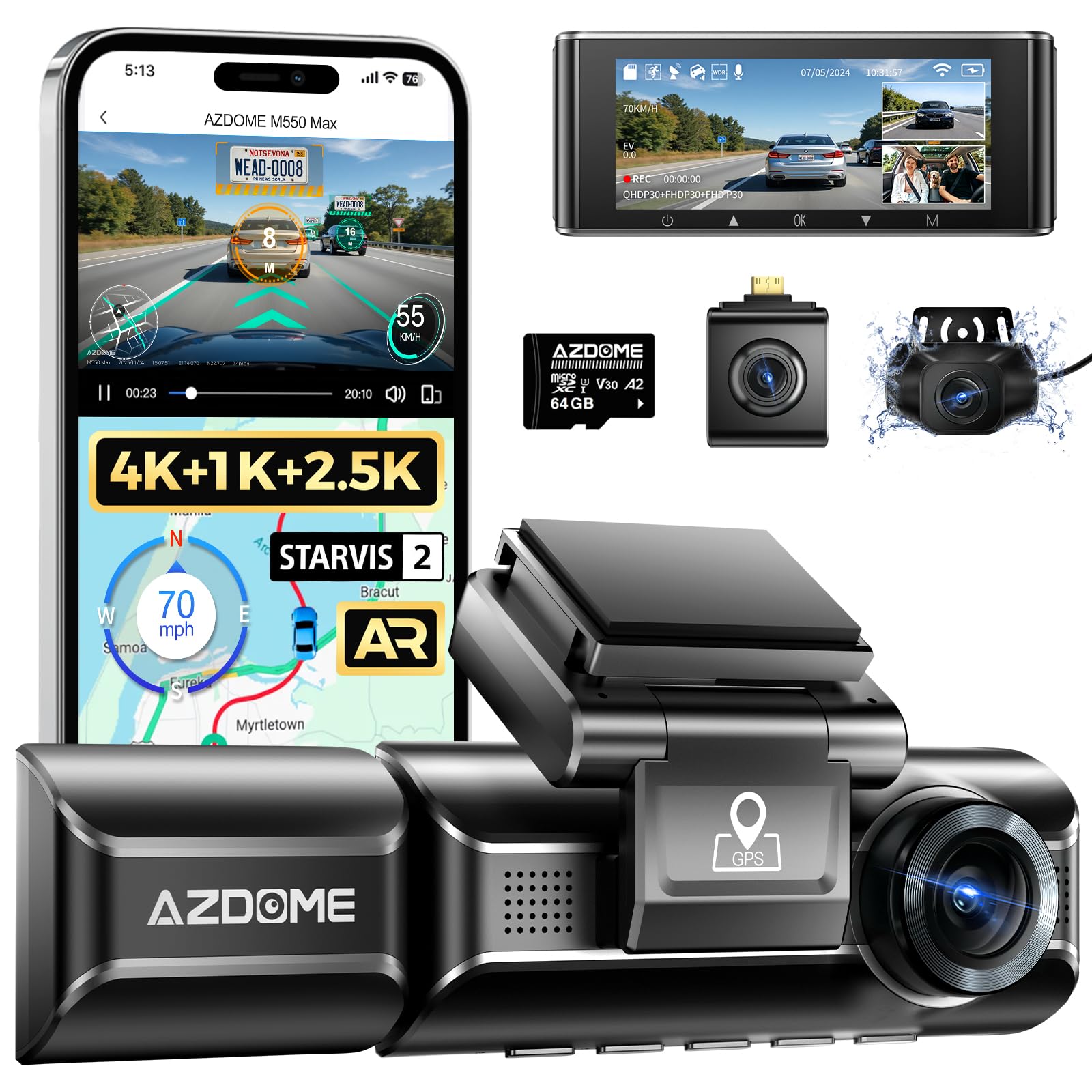
A triple-cam system that upgrades the rear to 2.5K so tailgaters can’t escape the evidence.
Most triple dash cams record 1080P behind you, but the M550 Max bumps the rear camera to a sharper 2.5K resolution — a real advantage in rear-end disputes where standard footage misses detail. The front records 4K, the cabin captures 1080P, and both the front and rear use dual STARVIS 2 sensors (IMX675 and IMX662) with WDR for excellent low-light performance.
The cabin camera uses six IR LEDs to keep night rides clear for rideshare driving, and a fatigue reminder helps on long commutes. A magnetic mount lets you remove the unit in seconds, and the IP68 rear camera handles rain and road spray. The 3.19-inch screen and included 64GB card (expandable to 512GB) round out a solid package.
Owners praise the “clear video quality” and “excellent night vision with infrared,” calling it vital for safety. The honest caveat: cables run short for larger vehicles — one minivan owner needed an extra 20-foot extension — and some find the app a bit buggy. The AR Effects feature (overlaying plate recognition and lane data) works only in the AZDOME app.
Why It Leads on Rear Coverage: a 2.5K rear camera is a genuine upgrade over the 1080P standard, making this the pick for rear-collision worries.
Reach for it if: you’ve been rear-ended before or drive in heavy traffic where rear evidence matters.
Measure first if: you drive a minivan or large SUV — cable length may fall short.
9. BOTSLAB G980H 4-Channel
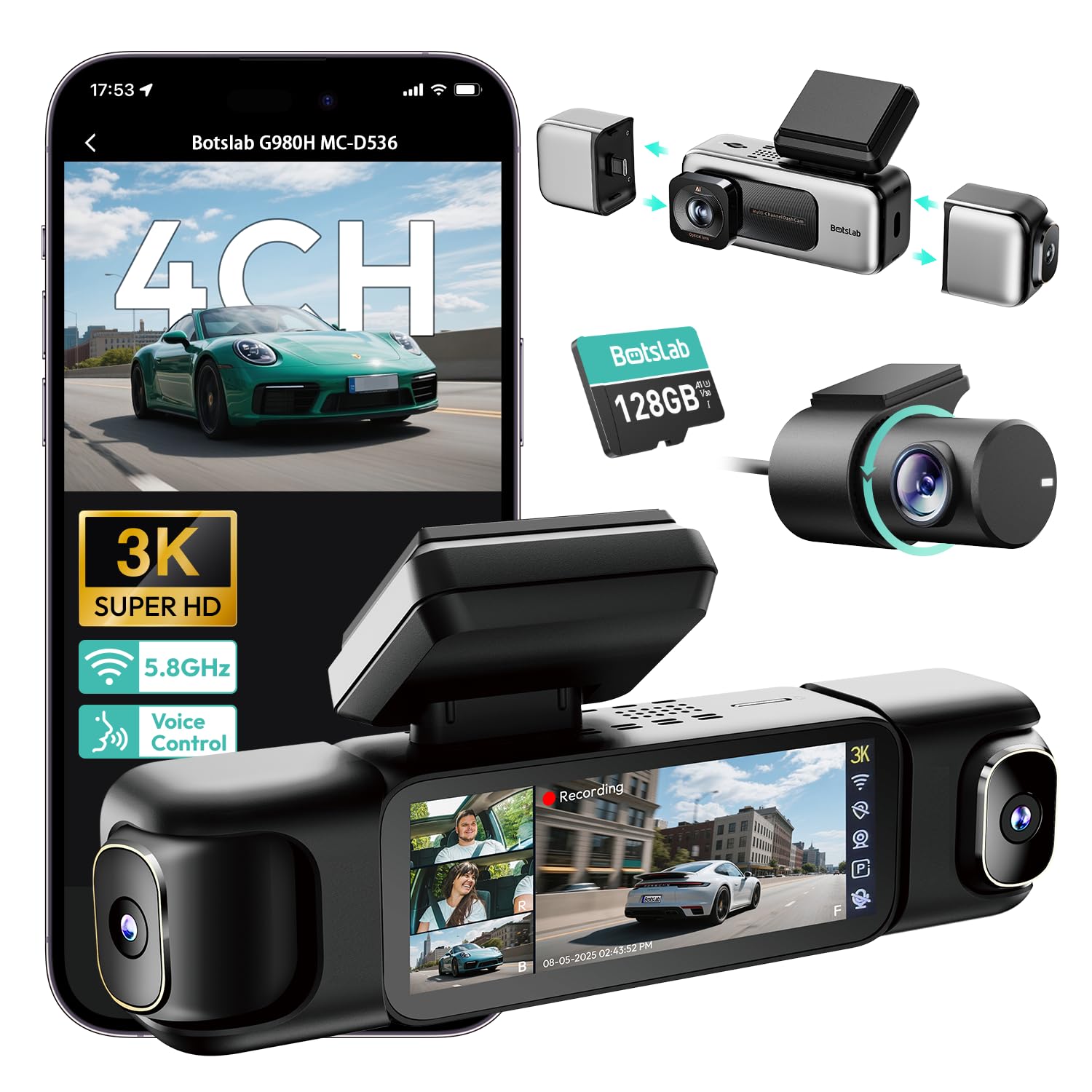
Four cameras with 560° of coverage, voice control, and a touchscreen for total blind-spot elimination.
This is the most comprehensive setup here, recording 3K (a resolution of about 3000 pixels wide) up front with dual 120° side cameras and a 150° rear unit for complete 560° coverage. The detachable magnetic side mounts let you switch between 4-channel, 3-channel (4K+1080P*2), or dual-camera modes depending on your needs. All cameras record simultaneously for simple to use evidence.
The 3.18-inch touchscreen offers 4-way split-screen playback so you can view all angles at once, and voice control lets you start recording hands-free. An “8-second pre-recording function” captures footage before a G-sensor detects impact — critical for preserving the full sequence of an event. Built-in GPS logs location and speed, viewable with route animations in the DVplayer software.
The 5.8GHz Wi-Fi chip enables fast file transfers, and the included 128GB card (expandable to 512GB) is generous. The super capacitor handles -20°C to 70°C, making it ideal for all-weather parking monitoring (with a hardwire kit). Owners call it “worth its weight in gold” and praise “crisp day/night video,” though connections can weaken under metal roofs and the unit runs hot in direct sun.
Full-Coverage Strengths
- 4-channel 560° view with no blind spots
- 128GB card included, supports up to 512GB
- 8-second pre-recording before impacts
Real-World Notes
- Wi-Fi can drop under metal roofs
- Runs hot in direct sunlight
Get this for: the driver who wants maximum protection with side-view coverage and won’t settle for less.
Consider a simpler cam if: you don’t need four channels and want to avoid the complexity of a multi-lens setup.
Understanding the Specs
Aperture and Night Vision
Look for a lower F-number (like F1.55 or F1.8) because it means the lens opens wider and lets in more light — the key to readable footage after dark. Sensors like STARVIS 2 are built specifically for low-light scenes and handle backlit roads without washing out details.
Channel Count and Coverage
A single-channel camera only watches the road ahead. A 2-channel setup adds the rear, and a 3-channel system covers the cabin too — important for rideshare drivers or parents. More channels mean more angles of protection but also more cables to route and more footage to manage.
FAQ
What resolution do I really need for a dash cam?
Is a 3-channel dash cam worth it over a 2-channel?
Does night vision on a dash cam actually work?
What does a G-sensor do in a dash cam?
How much storage do I need for a dash cam?
Is parking mode worth setting up?
Why do some dash cams use a super capacitor instead of a battery?
Will a dash cam drain my car battery?
Do I need an app with my dash cam?
Final Thoughts: The Verdict
For most people, the 1080p dashboard camera winner is the 70mai T800E because it delivers 4K front, 1080P cabin, and 1080P rear coverage with GPS and Wi-Fi 6 — a complete protection package. If you want sharper rear evidence for tailgating disputes, grab the AZDOME M550 Max with its 2.5K rear camera. And for budget-conscious rideshare drivers who need cabin coverage without the tech extras, the Milerong X25 is the one to reach for. The T800E holds 4.5 stars from 480 owner reviews, the A410 from 464, and the M1 from 233, making any of them a well-tested pick.
How We Picked
We do not accept paid placement. Every pick is matched to a real buyer and a real use-case; we do not hands-on test units.
Sources & Methodology
Specifications: manufacturer listings and product documentation. Review insights: verified customer reviews, as of August 2026. Pricing: not shown on this page (it changes often); check the current price via the retailer link.
As an Amazon Associate, Gadgets Feed earns from qualifying purchases. This does not affect which products we feature.