
A 1080p gaming laptop remains the most practical choice for serious gamers who prioritize high frame rates over raw pixel count. At this resolution, modern GPUs like the RTX 4050 and RTX 5060 can actually flex their muscles, delivering buttery-smooth 144Hz or even 165Hz gameplay in demanding titles without the massive performance hit of 1440p or 4K. The real challenge today isn’t finding a laptop that can do 1080p—it’s finding one that pairs that resolution with the right CPU, enough VRAM, and a display that doesn’t ghost or wash out in motion.
I’m Min — the co-founder and writer behind Gadgets Feed. This guide is the product of countless hours spent cross-referencing GPU benchmarks, panel response times, thermal designs, and real-world FPS numbers to separate the true 1080p gaming machines from the pretenders hiding behind marketing buzzwords.
Whether you need a thin esports rig for Fortnite or a desktop replacement capable of maxing out Cyberpunk 2077 at high settings, this roundup of the best 1080p gaming laptop options available right now on Amazon will steer you toward the right chassis, the right silicon, and the right display for your exact library.
How To Choose The Best 1080P Gaming Laptop
Choosing a 1080p gaming laptop in 2025 is less about whether the machine can run your games and more about how well it can sustain high frame rates over long sessions. The three pillars are GPU power, display quality, and thermal headroom. Skimping on any one of these will leave you with a laptop that stutters, throttles, or looks washed out.
GPU and VRAM: The Real Bottleneck
At 1080p, the GPU is almost always the limiting factor. An RTX 3050 or GTX 1650 can handle esports titles, but for AAA games with ray tracing, you need at least an RTX 4050 with 6GB of VRAM. The newer RTX 5060 and RTX 5070 offer massive AI-driven performance gains via DLSS 4, making them ideal for high-refresh 1080p gaming. Avoid any laptop with less than 6GB of VRAM if you plan on playing modern titles at high textures.
Display: Refresh Rate and Response Time
A 1080p gaming laptop is only as good as its panel. Look for a 144Hz or higher refresh rate and a 3ms or lower response time for competitive games. IPS panels are standard, but some premium options now use OLED for deeper blacks and faster pixel response. Also check the brightness—many budget laptops cap out at 250 nits, which can look dim in bright rooms. A 300-nit minimum is recommended.
Cooling and Sustained Performance
A thin chassis may look sleek, but if the cooling system can’t handle the heat, the GPU will throttle and your frame rates will plummet. Look for dual-fan setups with multiple heat pipes and, ideally, a vapor chamber. Some laptops also feature a MUX switch, which lets you bypass the integrated graphics entirely for a direct connection to the discrete GPU, boosting raw FPS in competitive titles.
Quick Comparison
On smaller screens, swipe sideways to see the full table.
| Model | Category | Best For | Key Spec | Amazon |
|---|---|---|---|---|
| Lenovo Legion 5i | Premium | Competitive AAA Gaming | RTX 5070 + 32GB DDR5 | Amazon |
| ASUS ROG Strix G16 | Premium | High-End 1080p Gaming | RTX 5060 8GB + 165Hz | Amazon |
| Alienware 16 Aurora | Premium | Gaming & Creative Work | RTX 5050 8GB + 1TB SSD | Amazon |
| Acer Nitro V 16S | Mid-Range | Best Value High-FPS 1080p | RTX 5060 8GB + 32GB RAM | Amazon |
| Acer Nitro V | Mid-Range | Budget 144Hz Gaming | RTX 4050 6GB + 144Hz | Amazon |
| Acer Nitro 5 | Mid-Range | Solid Mid-Range Rig | RTX 3060 6GB + 144Hz | Amazon |
| HP Victus Ryzen 7 7445HS | Mid-Range | Compact 1080p Gaming | RTX 4050 + 144Hz IPS | Amazon |
| HP Victus Ryzen 7 5800H | Value | Strong Entry-Level Rig | RTX 3050 Ti + 16GB DDR4 | Amazon |
| MSI Thin 15 | Value | Ultra-Portable Gaming | RTX 4050 + 16GB DDR4 | Amazon |
| Lenovo Legion LOQ | Premium | G-Sync 1080p Experience | RTX 5050 + 144Hz G-Sync | Amazon |
| MSI Katana 15 HX | Premium | Max Setting 1080p Beast | i9-14900HX + RTX 5070 | Amazon |
| GIGABYTE Gaming A16 | Premium | Powerful Slim 1080p Rig | RTX 5070 + 32GB DDR5 | Amazon |
| ASUS TUF Gaming 15 | Budget | Entry-Level Esports | GTX 1650 Ti + 8GB DDR4 | Amazon |
In‑Depth Reviews
1. Lenovo Legion 5i – Gaming Laptop – Intel® Core™ i7-14700HX – 15″ 2.5K WQXGA PureSight OLED Display–165Hz Refresh Rate–NVIDIA® GeForce RTX™ 5070 – 16 GB Memory – 1 TB Storage – 3 Months of PC GamePass

The Lenovo Legion 5i is the current gold standard for a high-end 1080p gaming laptop, and it easily handles 1440p as well. The core here is an Intel Core i7-14700HX paired with a full-power NVIDIA GeForce RTX 5070 GPU, ensuring that even the most demanding titles at 1080p on max settings will hit well over 100 FPS. The 16GB of DDR5 memory (though single-channel in many shipped units, which is a known caveat) and fast 1TB NVMe SSD provide snappy load times and plenty of space for a modern game library.
The standout feature is the 15-inch PureSight OLED display with a 165Hz refresh rate and true-to-life color accuracy. This panel delivers infinite contrast, near-instant response times, and deep blacks that make every game look stunning. The Legion Coldfront Hyper cooling system keeps the internals reasonably cool during long sessions, though the fans do become audible under heavy load. The aluminum chassis feels premium, and the rear I/O port placement keeps cable management clean.
Battery life is surprisingly decent for a machine with this much power, and the fast-charging feature via USB-C is a major convenience for students and travelers. The addition of 3 months of PC Game Pass is a nice bonus. For gamers who want a single laptop that can destroy 1080p gaming and double as a color-accurate creative workstation, the Legion 5i is the undisputed champ in this category.
Why it’s great
- RTX 5070 delivers massive 1080p frame rates with DLSS 4
- 165Hz OLED screen is leagues above any standard IPS panel
- Premium build quality with effective cooling
Good to know
- Some units ship with single-channel RAM, which impacts CPU performance
- Speakers are mediocre for the price point
2. ASUS ROG Strix G16 (2025) Gaming Laptop, 16” FHD+ 16:10 165Hz/3ms Display, NVIDIA® GeForce RTX™ 5060 Laptop GPU, Intel® Core™ i7 Processor 14650HX, 16GB DDR5, 1TB Gen 4 SSD, Wi-Fi 7, Windows 11 Home

The ASUS ROG Strix G16 is a premium machine built for serious 1080p gaming and content creation. It’s powered by a 14th Gen Intel Core i7-14650HX and an NVIDIA GeForce RTX 5060 with 8GB of VRAM, which is enough to push well over 120 FPS in most AAA titles at 1080p. The 16GB of DDR5-5600MHz RAM and the 1TB Gen 4 SSD ensure that load times are minimal, and the inclusion of Wi-Fi 7 future-proofs your wireless connectivity for years to come.
The 16-inch FHD+ display boasts a 165Hz refresh rate with a 3ms response time and an anti-glare ACR film that enhances contrast and reduces reflections significantly. The 16:10 aspect ratio gives you extra vertical screen real estate, which is excellent for both gaming and productivity. The ROG Intelligent Cooling system uses a vapor chamber, tri-fan technology, and liquid metal on the CPU to keep thermals in check, allowing the hardware to sustain boost clocks far longer than cheaper alternatives.
The RGB light bar and per-key RGB keyboard offer full customization via the Armoury Crate software, and the Stealth Mode is a nice touch for professional environments. The build quality is robust, and the 360-degree light bar adds a distinct visual identity. While the battery life is short under load, this is a laptop that stays plugged in for its intended use. For anyone seeking a high-refresh 1080p experience with a gorgeous screen and top-tier cooling, the Strix G16 is a stellar choice.
Why it’s great
- Excellent 165Hz 16:10 display with great contrast for an IPS panel
- Powerful RTX 5060 with 8GB VRAM is ideal for 1080p
- Superior cooling system with vapor chamber and liquid metal
Good to know
- Requires manual driver and firmware updates for best performance
- Battery life is very limited when gaming
3. Alienware 16 Aurora Gaming Laptop AC16250-16 WQXGA 120Hz Display, Intel Core 7-240H Processor, 16GB DDR5 RAM, 1TB SSD, NVIDIA GeForce RTX 5050 8GB Graphics, Windows 11 Home, Onsite Service – Blue

The Alienware 16 Aurora brings the legendary brand’s build quality and style to a laptop that excels at high-quality 1080p gaming. It features a brand-new Intel Core 7-240H processor and an 8GB NVIDIA GeForce RTX 5050 GPU, which is perfectly suited for hitting high frame rates in modern titles at 1920×1080. The 16GB of DDR5 RAM and a spacious 1TB SSD provide a smooth, responsive experience across both gaming and productivity tasks.
The 16-inch WQXGA (2560×1600) display is technically higher resolution than 1080p, but it scales beautifully for gaming, and the 120Hz refresh rate ensures smooth motion. The new Cryo-Chamber cooling design focuses airflow directly on the CPU and GPU, keeping the machine relatively quiet under load compared to previous Alienware generations. The build quality is excellent, with a solid chassis that feels like a premium product, and the 1-year onsite service from Dell adds peace of mind.
While the RTX 5050 is not the most powerful GPU on this list, its 8GB of VRAM gives it a future-proofing edge over 6GB competitors at 1080p. Some users have reported software bugs with Dell’s Alienware Command Center, and the laptop is on the heavier side, but performance is consistently strong. For buyers who want an iconic design and excellent real-world performance for every 1080p title, the Aurora 16 is a fantastic premium investment.
Why it’s great
- Excellent build quality with a premium, iconic design
- 8GB VRAM on the RTX 5050 is great for 1080p texture detail
- Cryo-Chamber cooling keeps components running cool under load
Good to know
- Heavier than many competitors in the same class
- Dell’s pre-installed software can be buggy for some users
4. Acer Nitro V 16S AI Gaming Laptop | AMD Ryzen 7 260 Processor | NVIDIA GeForce RTX 5060 Laptop GPU (572 AI Tops) | 16″ WUXGA IPS 180Hz Display | 32GB DDR5 | 1TB Gen 4 SSD | Wi-Fi 6 | ANV16S-41-R2AJ

The Acer Nitro V 16S is a staggering value proposition for a 1080p gaming laptop. It packs an AMD Ryzen 7 260 CPU and an RTX 5060 GPU (with 8GB VRAM and 572 AI TOPS) into a chassis that also includes a massive 32GB of DDR5 RAM and a 1TB Gen 4 SSD. This configuration obliterates any 1080p game you throw at it, and its WUXGA 1920×1200 display with a 180Hz refresh rate is perfectly matched to the hardware’s capability.
The 16-inch WUXGA IPS panel covers 100% sRGB, making it suitable for content creation alongside gaming. The build quality is surprisingly solid, and the laptop features an open second SSD slot for easy storage expansion. The cooling system keeps the CPU under 80°C under heavy gaming loads, which is impressive for a machine at this tier. The AI-enhanced features from the Ryzen 7 260 are a nice bonus, though they are more of a future-proofing play than a current necessity.
The main downsides are the standard 135W power supply, which can struggle to keep the battery from draining during performance-mode gaming, and the pre-installed bloatware (McAfee) that should be removed immediately. The screen is also dimmer than premium OLED options. However, when you consider the sheer hardware punch—32GB RAM, 1TB storage, and an RTX 5060—at this price point, the Nitro V 16S is the best bang-for-your-buck 1080p gaming laptop currently available.
Why it’s great
- Incredible price-to-performance ratio with an RTX 5060 and 32GB RAM
- Fast 180Hz display with 100% sRGB coverage
- Excellent cooling for sustained gaming sessions
Good to know
- 135W power supply may cause battery drain during heavy gaming in performance mode
- Heavy pre-installed bloatware and a dimmer screen than premium options
5. acer Nitro V Gaming Laptop | Intel Core i5-13420H Processor | NVIDIA GeForce RTX 4050 Laptop GPU | 15.6″ FHD IPS 144Hz Display | 8GB DDR5 | 512GB Gen 4 SSD | WiFi 6 | Backlit KB | ANV15-51-51H9

The Acer Nitro V is a solid entry-level 1080p gaming laptop that proves you don’t need to spend a fortune to get a competent gaming machine. It is powered by a 13th Gen Intel Core i5-13420H and an NVIDIA GeForce RTX 4050 with 6GB of VRAM, which is perfectly capable of running modern esports titles like Valorant, Overwatch 2, and Fortnite at high settings and well over 100 FPS. The 8GB of DDR5 memory is the most obvious bottleneck here, but it is user-upgradable.
The 15.6-inch FHD IPS display runs at 144Hz, which is the sweet spot for competitive gaming at this tier. The build quality is typical Acer Nitro—functional but not luxurious—and the dual-fan cooling system does an adequate job of keeping the RTX 4050 from throttling during longer sessions. The inclusion of a Thunderbolt 4 port and Wi-Fi 6 is a nice touch for a laptop at this price, ensuring fast data transfers and stable online connectivity.
The biggest complaint from users is the heavy bloatware that comes pre-installed (multiple antivirus trials, browsers, and Acer utilities), which can make the first boot slow and requires cleanup. The fan noise can also be noticeable under load. However, after removing the bloatware and upgrading the RAM to 16GB, this laptop becomes a fantastic 1080p gaming machine for the money. It’s the perfect starting point for a student or new PC gamer.
Why it’s great
- RTX 4050 is a huge step up from older GTX 1650 laptops for 1080p
- 144Hz display is smooth and responsive for esports
- Easy access to upgrade RAM and SSD storage
Good to know
- Only 8GB of RAM is a bottleneck for modern AAA gaming
- Heavy pre-installed bloatware degrades the initial experience
6. acer Nitro 5 AN515-58-725A Gaming Laptop | Intel Core i7-12700H | NVIDIA GeForce RTX 3060 Laptop GPU | 15.6″ FHD 144Hz 3ms IPS Display | 16GB DDR4 | 512GB Gen 4 SSD | Killer Wi-Fi 6 | RGB Keyboard

The Acer Nitro 5 AN515-58 represents the best of the previous-gen hardware, making it a phenomenal value for 1080p gaming on a budget. It combines a 12th Gen Intel Core i7-12700H with a high-TGP RTX 3060 (capable of running at 140W), which is still a beast at 1080p and can handle most AAA titles on high settings well above 60 FPS. The 16GB of DDR4 RAM and 512GB Gen 4 SSD provide a snappy Windows experience with plenty of user-upgrade slots.
The 15.6-inch FHD IPS display features a 144Hz refresh rate and a 3ms response time, which is excellent for competitive gaming, reducing ghosting in fast-paced scenes. A major hardware advantage here is the inclusion of a MUX switch, which allows you to bypass the integrated graphics for a direct connection to the RTX 3060, boosting raw frame rates by 5-10% in CPU-bound titles. The Killer Wi-Fi 6 and Ethernet combo ensure low-latency online play.
The Nitro 5’s design is a bit chunky, weighing over 5.5 lbs, and the 57.5Wh battery is small by modern standards, meaning you’ll need to stay plugged in for serious gaming. The fans can get loud under turbo mode, but the thermal performance is solid. For anyone who wants a proven, powerful 1080p gaming machine at a reduced price, the Nitro 5 with the RTX 3060 is a no-brainer if you can find it in stock.
Why it’s great
- High-TGP RTX 3060 still dominates 1080p gaming
- MUX switch for increased gaming performance
- Fast 144Hz 3ms IPS display for crisp motion handling
Good to know
- Heavy and bulky design makes it less portable
- Small battery capacity requires a power outlet for gaming sessions
7. HP Victus 15.6″ 144Hz Full HD Gaming Laptop | AMD Ryzen 7 7445HS |NVIDIA GeForce RTX 4050|Copilot |Backlit| 16GB RAM DDR5 | 512GB SSD |Mica Silver |Windows 11 Home |Bundle with Mouse Pad
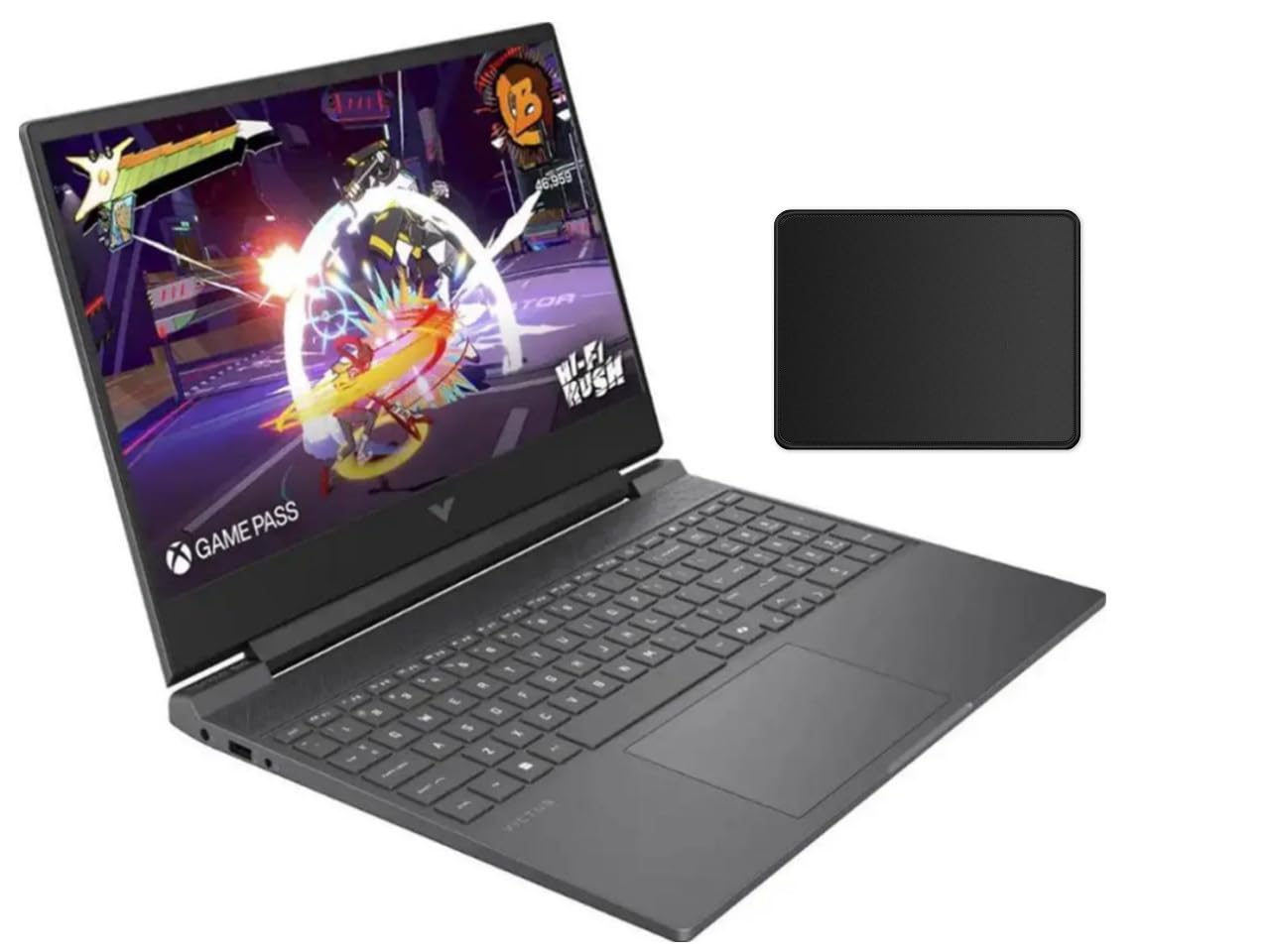
The HP Victus 15.6 is a surprisingly capable 1080p gaming laptop that punches above its weight class. It is equipped with an AMD Ryzen 7 7445HS processor and an NVIDIA GeForce RTX 4050 with 6GB of VRAM, a combination that delivers solid 1080p performance across a wide range of titles. The 16GB of DDR5 RAM ensures smooth multitasking, and the 512GB SSD provides ample boot-up speed for games and applications.
The 15.6-inch FHD IPS display features a 144Hz refresh rate and supports AMD FreeSync Premium, which eliminates screen tearing during gameplay. The anti-glare coating is a nice touch for playing near windows. The design is clean with a Mica Silver finish, and the laptop feels lighter than its spec sheet suggests. The inclusion of DTS:X Ultra audio technology provides a decent spatial audio experience for immersive single-player games.
One thing to note is that the Ryzen 7 7445HS lacks an integrated GPU, meaning the laptop will rely solely on the RTX 4050 for any display output, which can slightly impact battery life during non-gaming tasks. The screen is also not the brightest at around 250 nits, but it’s fine for indoor use. For a mid-range 1080p gaming laptop with modern DDR5 RAM and a clean design, the HP Victus is a well-rounded competitor.
Why it’s great
- Good balance of CPU and GPU for 1080p gaming
- 144Hz FreeSync Premium display for smooth motion
- Clean, lightweight design with DDR5 RAM
Good to know
- Lack of iGPU reduces battery efficiency for non-gaming use
- Display brightness is average, not ideal for very bright rooms
8. HP Victus 15.6″ Gaming Laptop PC, NVIDIA GeForce RTX 3050 Ti, AMD Ryzen 7 5800H, Refined 1080p IPS Display, Compact Design, All-in-One Keyboard with Enlarged Touchpad, HD Webcam (15-fb0028nr, 2022)

The HP Victus 15-fb0028nr is the ultimate budget-friendly 1080p gaming laptop for anyone who wants a robust gaming experience without emptying their wallet. It packs an AMD Ryzen 7 5800H, an 8-core powerhouse that still competes with modern chips, and an NVIDIA GeForce RTX 3050 Ti with 4GB of VRAM. This combination is fantastic for esports titles like Apex Legends and Rocket League, easily hitting 144 FPS on medium settings, and can handle older AAA games at high settings.
The 15.6-inch FHD IPS display features a 144Hz refresh rate, which is a critical spec for a gaming laptop at this price point. The design is sleek with a Mica Silver finish, and the full-size keyboard with an enlarged touchpad is comfortable for both gaming and typing. The OMEN Gaming Hub software gives you decent control over fan speeds and performance profiles.
The main limitation is the 4GB of VRAM on the RTX 3050 Ti, which will struggle with modern AAA games at high texture settings and ray tracing is not really viable. The screen brightness is also on the lower side. However, for the price, you are getting a very capable CPU, a high refresh rate screen, and a GPU that will play the vast majority of the popular competitive games very well. It is an excellent entry point into the 1080p gaming laptop world.
Why it’s great
- Strong Ryzen 7 5800H CPU for multitasking and gaming
- 144Hz display at an affordable price point
- Good build quality and design for a budget laptop
Good to know
- 4GB VRAM on the RTX 3050 Ti is a bottleneck for modern AAA games
- Display brightness is below average
9. msi Thin 15 15.6” 144Hz FHD Gaming Laptop: Intel Core i7-13620H, NVIDIA Geforce RTX 4050, 16GB DDR4, 512GB NVMe SSD, WiFi 6E, Win 11: Black B13VE-2678US

The MSI Thin 15 lives up to its name, offering one of the slimmest and lightest chassis in the 1080p gaming laptop category. It doesn’t sacrifice performance to achieve its profile, packing a 13th Gen Intel Core i7-13620H and an NVIDIA GeForce RTX 4050. This setup is ideal for students and professionals who need a laptop that can be easily carried between classes or workspaces but still deliver smooth 1080p gaming in the evening.
The 15.6-inch FHD display has a 144Hz refresh rate, which is a must for enjoying the high FPS this hardware can produce in titles like CS2 and Overwatch. MSI’s Cooler Boost technology, featuring dual fans, helps keep the components cool during extended gaming sessions, though the fan noise is audible. The inclusion of Wi-Fi 6E is a nice modern touch for low-latency gaming.
The main trade-off for the slim design is a predominantly plastic chassis that can feel a bit fragile compared to metal competitors. The battery life is also average, and the power brick is surprisingly large for such a thin laptop. The performance is genuinely good for its class, however, making it a fine choice for anyone who prioritizes portability above all else in their 1080p gaming setup.
Why it’s great
- Extremely thin and portable design makes it easy to carry
- Strong RTX 4050 performance in a small chassis
- 144Hz display is great for competitive gaming
Good to know
- Plastic build doesn’t feel as premium or durable as metal alternatives
- Battery life is modest, and the power brick is large
10. Lenovo Legion LOQ AI-Powered Gaming Laptop – Intel Core i7-13650HX, 15.6″ FHD IPS 144Hz Display, GeForce RTX 5050, 16GB Memory, 1TB Storage, G-Sync, Luna Grey

The Lenovo Legion LOQ is designed as the perfect entry-level gateway to serious gaming, and it excels at providing a premium 1080p experience. It features a 13th Gen Intel Core i7-13650HX processor and GeForce RTX 5050 graphics, offering a substantial performance boost over the previous generation. The 16GB of memory and 1TB of storage are generous for this tier, leaving you with plenty of room for your game library without needing to upgrade immediately.
The 15.6-inch FHD IPS display runs at 144Hz and includes NVIDIA G-Sync technology. This is a rare and valuable feature at this price point, as it eliminates screen tearing and stuttering for a much smoother visual experience in games. The Hyperchamber Cooling system does an excellent job keeping the laptop cool and relatively quiet during gaming, thanks to turbo fans and copper heat pipes. The aluminum lid adds a touch of premium quality to the design.
While the build quality is generally good, some users note that the fan area can feel a bit pliable. The 720p webcam is also a weak point in an otherwise strong package. However, with G-Sync support, strong CPU and GPU performance, and good thermal management, the Legion LOQ is one of the best choices for gamers who prioritize visual smoothness in their 1080p gameplay.
Why it’s great
- NVIDIA G-Sync eliminates screen tearing for smoother 1080p gaming
- Strong RTX 5050 and i7-13650HX combination
- Effective cooling system with great build quality
Good to know
- 720p webcam is outdated for a laptop in this price range
- Both RAM slots are populated, meaning upgrading requires replacing existing modules
11. msi Katana 15 HX 15.6” 165Hz QHD+ Gaming Laptop: Intel Core i9-14900HX, NVIDIA Geforce RTX 5070, 32GB DDR5, 1TB NVMe SSD, RGB Keyboard, Win 11 Home: Black B14WGK-016US

The MSI Katana 15 HX is the ultimate desktop replacement for the 1080p gamer who wants absolutely zero compromises. It is equipped with an Intel Core i9-14900HX, a 24-core CPU that is overkill for gaming but ensures smooth performance for years, and a GeForce RTX 5070 GPU. This combination will max out any 1080p game with ray tracing enabled, and it is powerful enough to drive the 165Hz QHD+ display at high frame rates in less demanding titles.
The 15.6-inch QHD+ (2560×1600) display features a 165Hz refresh rate and covers 100% DCI-P3, offering rich, accurate colors for gaming and content creation. The 32GB of DDR5 memory and 1TB NVMe SSD are ample for multitasking and storage. The Cooler Boost 5 system, with dual fans and five heat pipes, is one of the best cooling solutions in the MSI lineup, keeping the powerful CPU and GPU from throttling during marathon gaming sessions.
The main downsides are its weight and size, as it is a large and heavy laptop. Battery life is also predictably short under load, and some users report quality control issues with audio drivers and sleep/resume functionality. The 4-zone RGB keyboard is a nice touch. For the absolute peak of 1080p gaming performance in a laptop, the Katana 15 HX is a genuine monster.
Why it’s great
- i9-14900HX and RTX 5070 deliver extreme performance for 1080p gaming
- 165Hz QHD+ display with excellent color coverage
- Robust cooling system with five heat pipes
Good to know
- Very heavy and large, making it difficult to carry around
- Battery life is limited, and there have been some audio/software bug reports
12. GIGABYTE – Gaming A16 Gaming Laptop – 165Hz 1920×1200 WUXGA – NVIDIA GeForce RTX 5070 – Intel i7-13620H – 1TB SSD with 32GB DDR5 RAM – Windows 11 Home AD Gaming A16 CWHI3US864SH

The GIGABYTE Gaming A16 is a premium, slim-profile laptop that packs a serious punch for 1080p and above gaming. It features a powerful GeForce RTX 5070 GPU and an Intel Core i7-13620H, combined with a generous 32GB of DDR5 RAM and a 1TB SSD. This configuration makes it a beast for any competitive or AAA title you can throw at it at 1080p, often maintaining high frame rates even with ray tracing enabled.
The 16-inch WUXGA (1920×1200) display runs at a blazing 165Hz and offers a 16:10 aspect ratio, giving you more vertical viewing space that is appreciated in both games and productivity work. The design is incredibly slim at only 19.45mm thick, with a 180-degree hinge that allows it to lay flat for sharing content. The GiMATE AI software is an interesting addition, though some users find it unnecessary for gaming performance.
The main concerns revolve around the GiMATE software, which can be glitchy and even disable the GPU in some instances, requiring a workaround to fix. The fans are also loud when the RTX 5070 is working hard. However, the raw hardware power, the excellent screen, and the slim form factor make the Gaming A16 a top-tier choice for gamers who want a powerful 1080p machine that doesn’t look like a stereotypical gaming brick.
Why it’s great
- Incredible value for an RTX 5070 laptop with 32GB of RAM
- Excellent 165Hz 16:10 display with great performance
- Remarkably slim and portable chassis for the hardware inside
Good to know
- Proprietary GiMATE software can cause software glitches and GPU issues
- Fans can get loud under heavy gaming loads
13. ASUS – TUF Gaming 15.6″ Full HD Laptop – Intel Core i5-10300H- 8GB Memory – 256GB SSD -NVIDIA GeForce GTX 1650 Ti – Black

The ASUS TUF Gaming 15 is the budget champion of this list, designed for the absolute entry-level 1080p gamer. It runs on a 10th Gen Intel Core i5-10300H and a GeForce GTX 1650 Ti. While this hardware is several generations old, it is still perfectly capable of playing the most popular esports games (Fortnite, CS2, Valorant, League of Legends) at 1080p with decent settings, and it can handle older AAA titles at medium quality.
The 15.6-inch FHD display is a standard 60Hz panel, which is the main compromise here for competitive gamers. The laptop features ASUS’s renowned TUF build quality, with a MIL-STD-810H rating for durability, making it a great choice for younger users or anyone who needs a robust machine. The battery life is surprisingly good for a gaming laptop, offering up to 8 hours of standby and decent longevity for light tasks.
The major limitations are the 8GB of RAM, which will need an upgrade for modern multitasking, and the 256GB SSD, which will fill up quickly with just a few games. The GTX 1650 Ti lacks features like ray tracing and DLSS, so you’ll be playing with traditional rasterization. However, for the ultra-budget buyer who just wants a reliable, durable laptop that can play the most popular free-to-play games, the TUF Gaming 15 is a solid and trustworthy choice.
Why it’s great
- Extremely durable MIL-STD-810H certified build quality
- Capable of handling popular esports titles at 1080p
- Good battery life for a gaming laptop
Good to know
- Only 8GB RAM and a tiny 256GB SSD, require immediate upgrades
- 60Hz display and lack of modern GPU features (DLSS/Ray Tracing)
FAQ
Is 4GB of VRAM enough for a 1080p gaming laptop in 2025?
Do I need a MUX switch for a 1080p gaming laptop?
What is the best refresh rate for a 1080p gaming laptop?
Final Thoughts: The Verdict
For most users, the best 1080p gaming laptop winner is the Lenovo Legion 5i because it combines the class-leading RTX 5070 with a stunning 165Hz OLED display and outstanding build quality, delivering a premium experience that excels for both gaming and content creation. If you want the absolute best value for raw performance and don’t mind a slightly dimmer screen, grab the Acer Nitro V 16S. And for the ultimate no-compromise performance with an i9 and 32GB of RAM, nothing beats the MSI Katana 15 HX.