
Our readers keep the lights on and my morning glass full of iced black tea. As an Amazon Associate, I earn from qualifying purchases.
You want a gaming PC that runs today’s biggest titles at 1080p resolution without stuttering, but you don’t want to waste money on flashy specs you’ll never use. The real trick is knowing which graphics card, processor, and memory combo actually delivers smooth 60+ frames per second for games like Fortnite, Call of Duty, or Elden Ring—and which ones quietly cut corners that cost you later.
I’m Min — the founder and writer behind Gadgets Feed. This guide is built by comparing the manufacturers’ published specifications and the patterns across verified customer reviews, so you get each pick’s real strengths and trade-offs instead of marketing spin.
Whether you are upgrading from a console or shopping for your first gaming rig, this breakdown of the best 1080p gaming pc options focuses on the specs that actually matter for smooth, high-quality play at standard HD resolution.
Quick Picks
- KOTIN Prebuilt Gaming PC Desktop — Top Performer
- Skytech Gaming Storm Gaming PC — Premium Pick
- High-Performance Gaming Desktop PC – Ryzen 7 5700X / RTX 3050 — Best Overall
- Gaming Desktop PC – Ryzen 5 4500 / GeForce RTX 3050 — Best Value
- suevery Gaming PC Desktop Computer – Ryzen 5 5500 / RX 6500 XT — Budget Champion
- STGAubron Gaming PC Desktop Computer — Entry-Level Pick
How To Choose The Best 1080P Gaming PC
The right 1080P Gaming PC balances a capable graphics card, a processor that won’t hold it back, and enough memory to keep everything running smoothly. Here is what to focus on.
The Graphics Card is Your Star Player
The graphics card (GPU) does the heavy lifting for game visuals. For solid 1080p gaming, you want at least an NVIDIA GeForce RTX 3050 with 6GB of video memory (VRAM) or an AMD Radeon RX 6500 XT with 4GB. More VRAM helps games load high-resolution textures without stuttering.
Processor and Memory Balance
A modern 6-core processor like an AMD Ryzen 5 or Intel Core i5 is enough to keep your GPU fed without bottlenecking (or slowing down) performance. Pair that with 16GB of DDR4 or DDR5 RAM — that is the sweet spot for running a game alongside a voice chat app or a browser without slowdowns.
Storage Speed Affects Everything
An NVMe solid-state drive (SSD) loads games in seconds, not minutes. Skip any PC that still relies on a traditional hard drive (HDD) for its main storage. A 512GB NVMe SSD is a solid starting point; a 1TB drive gives you more room for a larger game library.
Quick Comparison
On smaller screens, swipe sideways to see the full table.
| Model | Best For | Graphics Card | RAM | Storage | Amazon |
|---|---|---|---|---|---|
| KOTIN Ryzen 5 9600X / RTX 5060 | Future-proof 1080p / 1440p | GeForce RTX 5060 8GB | 16GB DDR5 | 1TB PCIe 4.0 NVMe | $1,149.99Amazon |
| Skytech Gaming Storm | Ultra settings 1080p | RTX 5060 Ti 8GB GDDR7 | 16GB DDR5 | 1TB NVMe | $1,399.99Amazon |
| WIWB Ryzen 7 5700X / RTX 3050 | High-FPS 1080p & multitasking | GeForce RTX 3050 8GB | 16GB DDR4 | 512GB NVMe | $949.99Amazon |
| WIWB Ryzen 5 4500 / RTX 3050 | Balanced mid-range 1080p | GeForce RTX 3050 6GB | 16GB DDR4 | 512GB NVMe | $729.99$849.99PrimeAmazon |
| suevery Ryzen 5 5500 / RX 6500 XT | Budget-friendly casual gaming | Radeon RX 6500 XT 4GB | 16GB DDR4 | 512GB NVMe | $649.99$719.99Amazon |
| STGAubron Core i5 / RTX 2060 | Entry-level eSports gaming | GeForce RTX 2060 6GB | 16GB DDR4 | 512GB SSD | from $599.98Amazon |
In‑Depth Reviews
1. KOTIN Prebuilt Gaming PC Desktop

The future-proof pick that nails 1080p and steps into 1440p without breaking a sweat.
This KOTIN rig runs on the latest-generation AMD Ryzen 5 9600X processor, which can boost up to 5.4 GHz — the fastest clock speed in this lineup by a wide margin. That power, combined with a GeForce RTX 5060 8GB graphics card and DLSS 4 frame-generation technology (a feature that uses AI to create extra frames for smoother gameplay), means you get high frame rates even in demanding AAA titles without dropping settings.
Storage is generous here: a 1TB PCIe 4.0 NVMe SSD delivers read speeds up to 6000MB/s, more than double what the typical 512GB drives in this roundup provide. You also get 16GB of DDR5-6000 RAM (the fastest memory type currently available), a 650W 80 Plus Gold power supply for stable electricity delivery, and Wi-Fi 7 support. Buyers report that this PC runs “really fast” and plays all their games “with ease.” The catch is that the power supply and motherboard brands are not specified, so your ability to upgrade individual parts later depends on what is inside.
Why it’s great
- Fastest processor at 5.4 GHz boost clock for buttery-smooth multitasking
- DDR5 RAM and PCIe 4.0 SSD for noticeably quicker game loads than DDR4 systems
- Includes Wi-Fi 7 and Bluetooth 5.3, ready for the fastest home networks
Good to know
- Unspecified PSU and motherboard brands can make future upgrades uncertain
- Runs warm under sustained heavy loads, per owner reports
Best for: Gamers who want a system capable of smooth 1080p today and good 1440p performance tomorrow, with the fastest storage and memory available.
Skip if: You need a fully transparent parts list for easy future upgrades or prefer a cooler-running system out of the box.
2. Skytech Gaming Storm Gaming PC
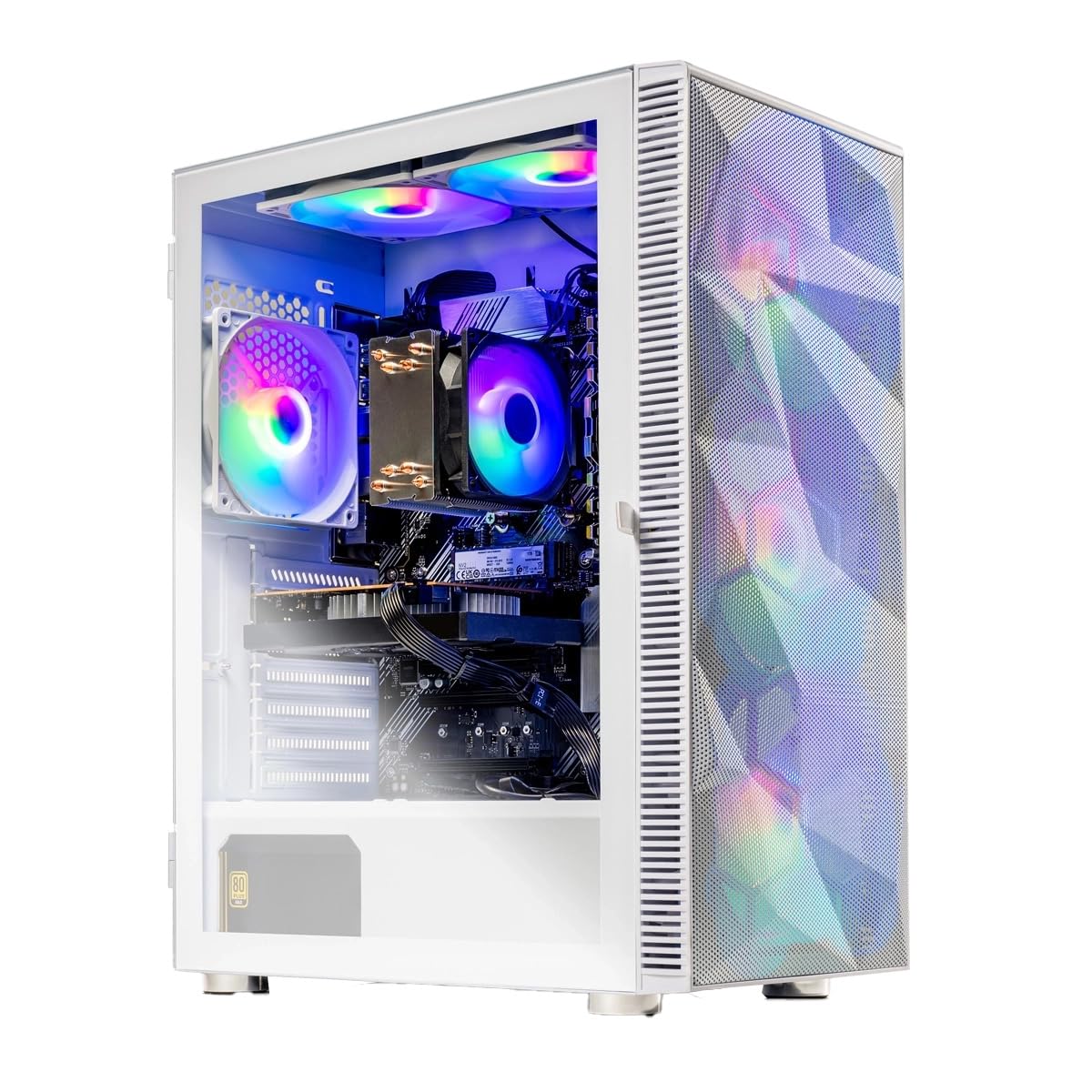
The premium 1080P rocket that targets 200+ FPS on Ultra settings.
Where the KOTIN focuses on raw CPU speed, the Skytech Gaming Storm focuses on the graphics card. It packs an NVIDIA GeForce RTX 5060 Ti with 8GB of the newest GDDR7 video memory (a faster type of VRAM than the GDDR6 found in the other picks here), giving it an edge in texture-heavy games at 1080p. The AMD Ryzen 5 8400F processor boosts up to 4.7 GHz and pairs with 16GB of DDR5-6000 RAM for fast system response.
Skytech assembles these PCs in the USA and includes a free gaming keyboard and mouse, which is a nice touch for a first-time buyer. The 1TB NVMe SSD offers the same generous capacity as the KOTIN, but this model uses Wi-Fi 5 instead of the newer Wi-Fi 6 or 7 standards, which could matter if you game on a congested home network. One reviewer noted that the case color in the photos did not match exactly what they received, although the internal specs were the same. A reviewer reported running “200+ fps in almost any game,” making this a top choice for competitive players with a 1080p high-refresh-rate monitor.
Why it’s great
- RTX 5060 Ti with GDDR7 memory is the fastest graphics setup here for 1080p gaming
- Includes a keyboard and mouse, so you can start playing right out of the box
- Assembled in the USA with a 1-year warranty on parts and labor
Good to know
- Uses older Wi-Fi 5 standard, which may cause slightly higher latency on busy networks
- Exact graphics card brand may vary from what is shown in the product photos
Best for: Competitive gamers who want the highest possible FPS in 1080p eSports titles like Valorant and Overwatch 2 with Ultra settings.
Skip if: You rely on Wi-Fi for gaming and need the fastest wireless standard available.
3. High-Performance Gaming Desktop PC – Ryzen 7 5700X / RTX 3050
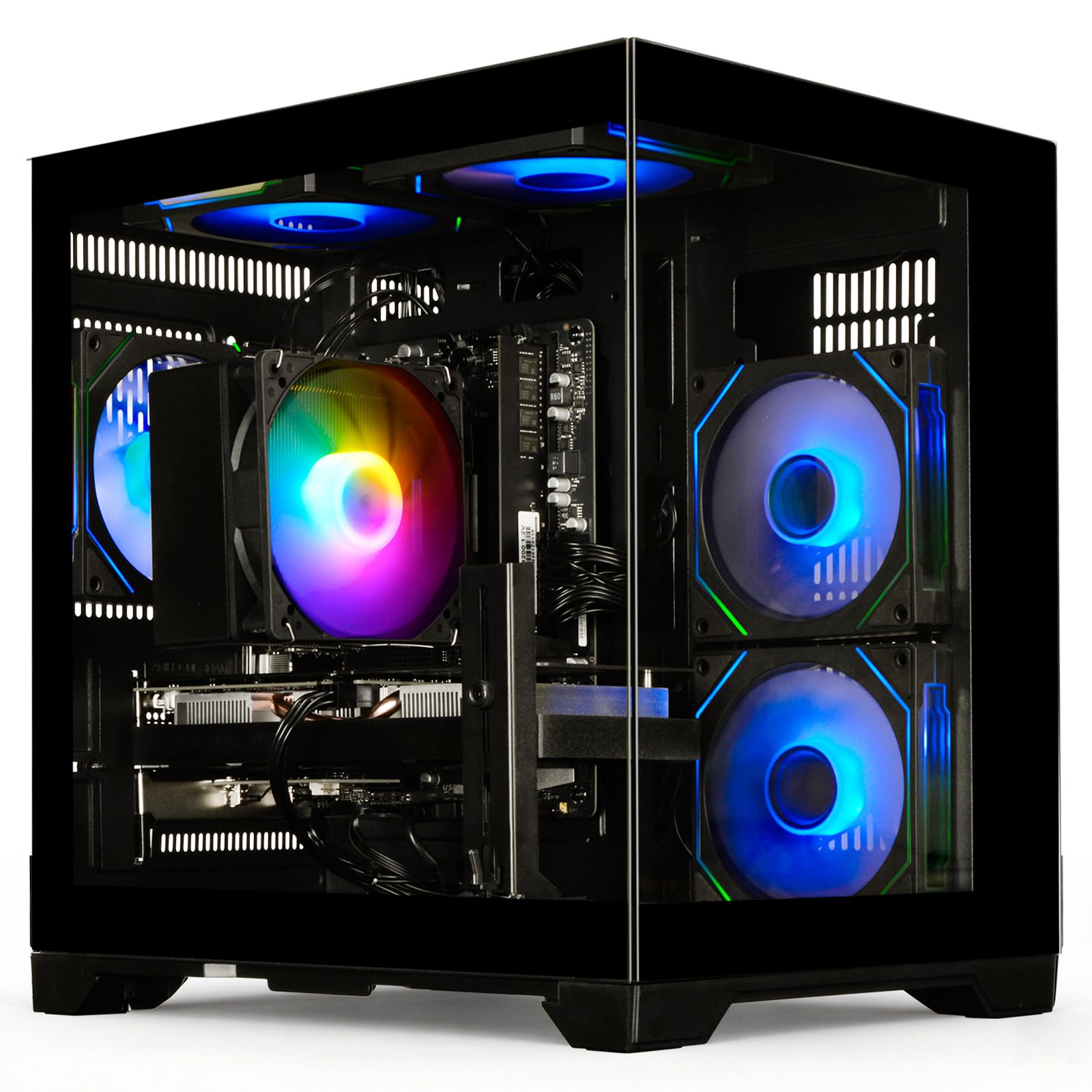
The smart sweet-spot that pairs a powerhouse CPU with a 1080p-ready GPU.
This WIWB desktop stands out by pairing an 8-core, 16-thread Ryzen 7 5700X processor that boosts up to 4.6 GHz with an 8GB GeForce RTX 3050 graphics card. That 8GB of VRAM is a full 2GB more than what you get in the lower-tier RTX 3050 6GB found in the other WIWB model below, giving it noticeably better headroom for texture-heavy games. The 4.6 GHz CPU boost clock is also 24% higher than the 3.7 GHz maximum on the STGAubron budget option, so video editing and streaming while gaming feel much smoother.
Owners mention that this PC handles everything from Fortnite to GTA V at high settings on a 1080p 240Hz monitor without issues. One reviewer specifically noted the “8GB GPU struggles with 4K and Flight Simulator 2024, but handles 1080p gaming well.” The ultra-quiet cooling system, rated under 30dB (quieter than a library whisper), makes it a strong fit for shared spaces like dorm rooms. The downside is the smaller 512GB SSD, which fills up faster than the 1TB drives on the premium picks.
Why it’s great
- 8 core CPU offers serious multitasking power that the 6-core alternatives cannot match
- 8GB RTX 3050 delivers excellent 1080p performance for the price
- Near-silent cooling at under 30dB is rare at this performance level
Good to know
- 512GB storage fills up quickly for anyone who plays more than a few AAA titles
- No keyboard or mouse included, so factor that into your total cost
Best for: The buyer who wants the highest CPU performance for multitasking, streaming, and content creation alongside solid 1080p gaming.
Skip if: You want a larger 1TB drive out of the box or need bundled peripherals.
4. Gaming Desktop PC – Ryzen 5 4500 / GeForce RTX 3050
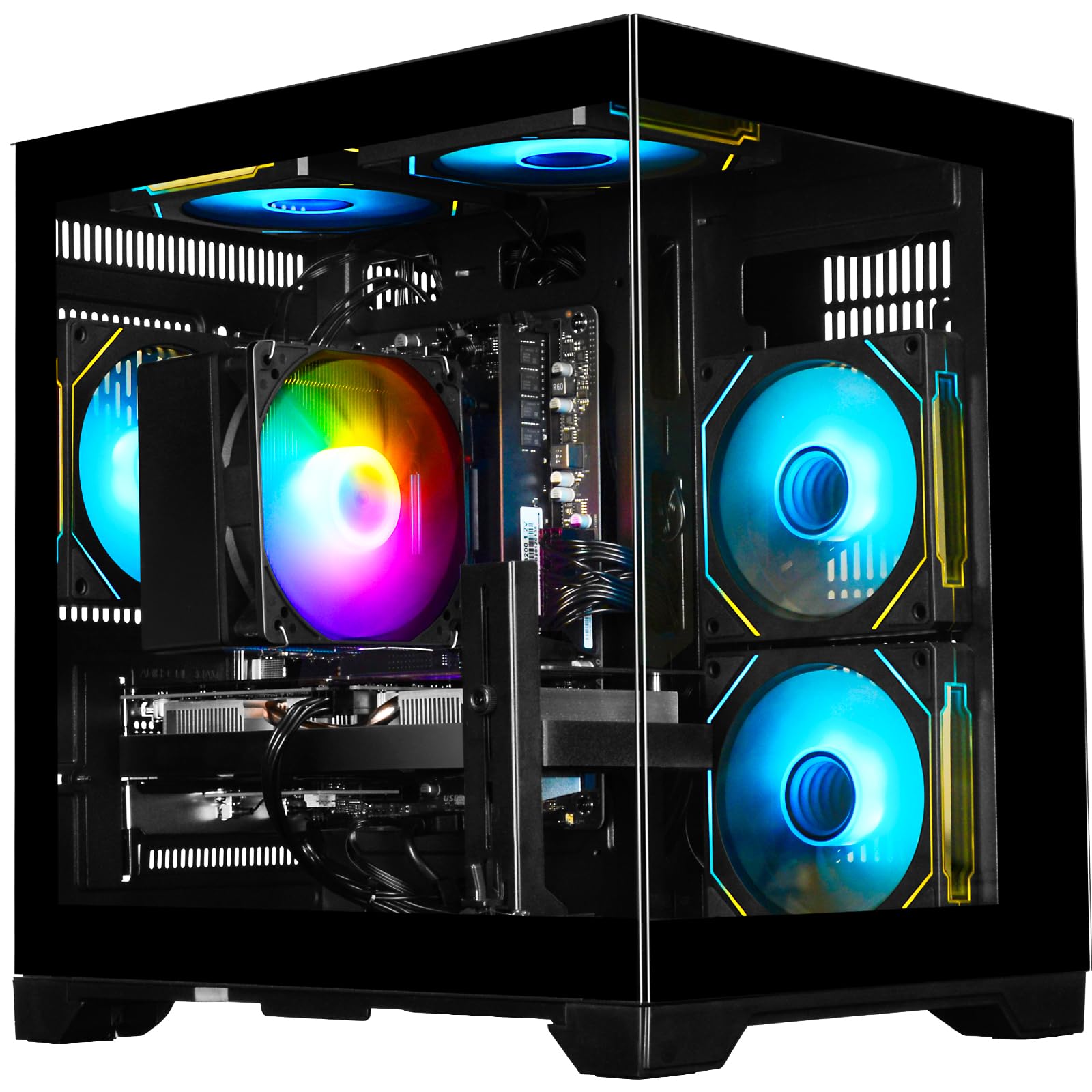
The balanced mid-range contender that gives you ray tracing without the premium price.
This WIWB build hits a smart balance by pairing the 6-core Ryzen 5 4500 processor with a GeForce RTX 3050 6GB graphics card. While its 4.1 GHz boost clock is lower than the 4.6 GHz on the Ryzen 7 5700X model above, the difference in everyday 1080p gaming is small — you still get ray tracing (a lighting effect that makes reflections and shadows look more realistic) and DLSS support for boosted frame rates. It offers 16GB of DDR4-3200 RAM and a 512GB NVMe SSD, which is the standard configuration for reliable 1080p gaming.
One buyer summed it up well: “8GB GPU struggles with 4K and Flight Simulator 2024, but handles 1080p well.” Another noted that it “runs all games at full framerate on 1080p 240Hz monitor.” The case has a simple top-button for controlling the tower lighting, and the PC includes Bluetooth, which is not always standard on budget builds.
Why it’s great
- Ray tracing and DLSS support at a mid-range price point
- 16GB DDR4 RAM handles multitasking without slowdowns
- Simple plug-and-play setup with no technical expertise required
Good to know
- 6GB VRAM can be a bottleneck for the most demanding titles at Ultra textures
- 512GB storage may require you to uninstall games to make room for new ones
Best for: Gamers who want ray tracing technology on a budget and are comfortable with a standard 1080p experience.
Skip if: You plan to play the latest AAA titles at maximum texture settings, where the 6GB VRAM limit may show.
5. suevery Gaming PC Desktop Computer – Ryzen 5 5500 / RX 6500 XT
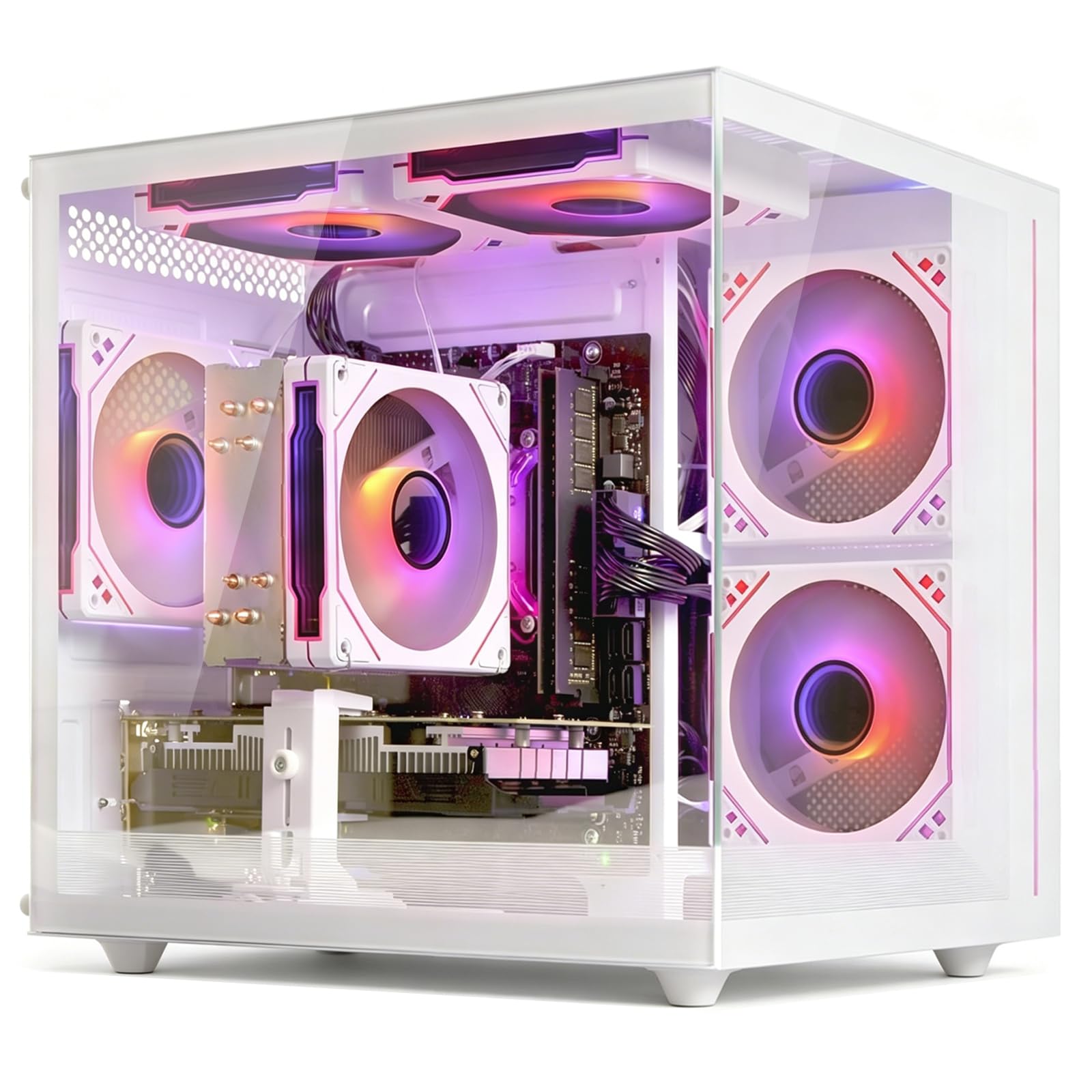
The white-themed budget build that runs cool and looks the part.
The suevery desktop uses a Radeon RX 6500 XT 4GB graphics card, which has less video memory than the RTX 3050 models above. The 4GB VRAM means you are limited to medium or high settings in newer games rather than Ultra, but for casual play and eSports titles like Valorant or League of Legends, it runs smoothly. One buyer mentioned that the “GPU temp stays under 70°C under load,” showing the 5 RGB fans provide good cooling for the Ryzen 5 5500 processor, which boosts up to 4.4 GHz.
The white case with a tempered glass side panel looks distinctive compared to the black towers dominating this list. It includes 16GB of DDR4 RAM and a 512GB NVMe SSD, which is the same storage speed you get in pricier options. The trade-off is the Radeon RX 6500 XT lacks ray tracing hardware, so you miss out on the realistic lighting effects that NVIDIA cards offer. Also, one owner reported that the CPU cooler’s RGB lighting cannot be changed, which might bother you if you want a fully customizable lighting setup.
Why it’s great
- Excellent cooling with 5 RGB fans keeps temperatures low even under load
- Unique white case design stands out from standard black gaming towers
- Wi-Fi 6 and multiple USB ports provide solid connectivity out of the box
Good to know
- 4GB VRAM limits you to medium settings in the latest AAA games
- No ray tracing support, so newer games lose realistic lighting effects
- CPU cooler RGB color is fixed and cannot be customized
Best for: Casual gamers playing eSports titles and those who want a quiet, cool-running system with a unique white aesthetic.
Skip if: You want to play the newest AAA games at high or Ultra settings, or need ray tracing capabilities.
6. STGAubron Gaming PC Desktop Computer

The cheapest ticket to 60+ FPS in Fortnite and Roblox, but reliability is a gamble.
At the lowest entry point in this guide, the STGAubron uses a dated Intel Core i5 processor (base 3.3 GHz, max boost 3.7 GHz) coupled with a GeForce RTX 2060 6GB graphics card. The RTX 2060 is an older GPU, but its 6GB VRAM still delivers solid 1080p performance for eSports games — one customer observed running “most games max settings at 100fps” after a CPU upgrade. The system includes 16GB of DDR4 RAM, a 512GB SSD, and even bundles an RGB gaming keyboard and mouse.
One limitation here is significant, however. Multiple buyers reported reliability issues, with one stating “SSD failure after <6 months; boots to Aptio Setup, cannot read SSD.” Another noted that the Wi-Fi and Bluetooth did not work out of the box, requiring a USB adapter to fix. The processor is also old enough that it “bottlenecks” (or slows down) the GPU in some games — owners recommend swapping in a used i7-4790s for about to get full performance. This is a true budget gamble best suited for someone comfortable with potential repairs.
Why it’s great
- Lowest cost option that still runs Fortnite and Roblox at 60+ FPS
- Includes RGB keyboard and mouse, so you do not need to buy peripherals separately
- RTX 2060 6GB is still capable for 1080p eSports gaming
Good to know
- Several customers note SSD failure and Wi-Fi/Bluetooth issues soon after purchase
- Older CPU bottlenecks the GPU and may need a cheap used replacement to unlock full performance
Best for: Kids or newcomers playing light eSports games like Fortnite and Roblox on a very tight budget, who are okay with some tinkering.
Skip if: You need a reliable daily driver for serious gaming, streaming, or professional work without the risk of early component failure.
Understanding the Specs
Graphics Card VRAM
The video memory on your graphics card (VRAM, or video random access memory) is what stores the textures and visual data for your games. For 1080p gaming, 6GB is the practical minimum for modern titles at high settings; 8GB gives you more breathing room for texture-heavy games without stuttering. 4GB cards are only suitable for lighter eSports games at medium settings.
Processor Core Count & Speed
A processor’s cores handle different tasks simultaneously. A 6-core CPU is the baseline for modern 1080p gaming, allowing you to run a game, a voice chat app, and a browser without lag. An 8-core processor gives extra headroom for streaming or video editing alongside your games. The boost clock speed (measured in GHz) tells you how fast the processor can run under load — higher numbers mean snappier performance.
RAM Capacity & Type
Random Access Memory (RAM) is your PC’s short-term memory for running applications. 16GB is the sweet spot for 1080p gaming today — enough to keep a modern game and your background apps running smoothly. DDR5 RAM is faster than DDR4, but the difference in real-world 1080p gaming is small compared to the GPU’s impact.
Storage Type & Speed
An NVMe solid-state drive (SSD) reads data many times faster than a traditional hard drive. This means your games load in seconds instead of minutes, and your PC boots up almost instantly. A 512GB NVMe SSD holds around 10-15 modern games; a 1TB drive gives you room for 20-30 games without having to uninstall and reinstall.
FAQ
How much VRAM do I really need for smooth 1080p gaming?
Is a Ryzen 5 processor good enough for a 1080P Gaming PC?
Can I upgrade the graphics card in a prebuilt gaming PC later?
What is the difference between an RTX 3050 6GB and an RTX 3050 8GB?
Do I need DDR5 RAM for a 1080P Gaming PC, or is DDR4 fine?
How much storage space do I need for a gaming PC?
Will a 1080P Gaming PC work with a 1440p or 4K monitor?
What does a “60+ FPS” guarantee actually mean in practice?
Is an Intel Core i5 3.7GHz processor too old for modern games?
Does a prebuilt gaming PC come with Windows installed and ready to go?
Final Thoughts: The Verdict
If you want one dependable pick, the best 1080p gaming pc winner is the High-Performance Gaming Desktop PC with the Ryzen 7 5700X and RTX 3050 8GB because it delivers the best balance of CPU power, graphics performance, and near-silent operation for smooth 1080p gaming and multitasking. If you want the highest frame rates with the newest graphics technology, grab the KOTIN Prebuilt Gaming PC with the RTX 5060. And for a reliable mid-range value that still offers ray tracing, the standout is the Gaming Desktop PC with the Ryzen 5 4500 and GeForce RTX 3050.
How We Picked
We do not accept paid placement, and we did not hands-on test every unit. Instead, we match each pick to a real buyer and use-case by comparing the manufacturers’ published specifications against the patterns in verified customer reviews — so you get each pick’s real strengths and trade-offs instead of marketing copy.
Sources & Methodology
Specifications: manufacturer listings and product documentation. Review insights: verified customer reviews, as of June 2026. Pricing: not shown on this page (it changes often); check the current price via the retailer link.
As an Amazon Associate, Gadgets Feed earns from qualifying purchases. This does not affect which products we feature.
Product prices and availability are accurate as of the date/time indicated and are subject to change. Any price and availability information displayed on Amazon at the time of purchase will apply to the purchase of this product. As an Amazon Associate I earn from qualifying purchases.
CERTAIN CONTENT THAT APPEARS ON THIS SITE COMES FROM AMAZON. THIS CONTENT IS PROVIDED "AS IS" AND IS SUBJECT TO CHANGE OR REMOVAL AT ANY TIME.
Amazon and the Amazon logo are trademarks of Amazon.com, Inc. or its affiliates.