
Our readers keep the lights on and my morning glass full of iced black tea. As an Amazon Associate, I earn from qualifying purchases.
Specs are compiled from manufacturer listings and verified buyer reviews and can change over time — please confirm the key details on the product page before buying.
The best 1080P monitor for you isn’t the most expensive one — it’s the one that matches your desk setup, your gaming habits, and your eyes. The right pick depends on your priorities: refresh rate for gaming, ergonomics for work, or color accuracy for everyday use. Below, we rank the best 1080p monitors by their standout strengths—value, speed, ergonomics, and screen size.
I’m Min — the founder and writer behind Gadgets Feed. This guide is built by comparing the manufacturers’ published specifications and the patterns across verified customer reviews, so you get each pick’s real strengths and trade-offs instead of marketing spin.
Whether you’re upgrading your home office, building a gaming rig, or just tired of squinting at a tiny laptop screen, finding the right 1080p monitor depends on balancing refresh rate, panel type, and connectivity for your specific daily routine.
Our Picks at a Glance



How To Choose The Best 1080P Monitor
Buying a monitor feels simple until you stare at the spec sheet. The three numbers that matter most are the panel type (IPS or VA), the refresh rate (how many frames it shows per second), and the brightness measured in “nits.” Once you understand those, features like FreeSync or built-in speakers become secondary considerations.
Refresh Rate: Why 60Hz Feels Slow
Refresh rate, measured in Hertz (Hz), is how many times the screen updates its image each second. A standard office screen runs at 60Hz, which is fine for email but can look choppy when you scroll fast or play a shooter. Jumping to 120Hz or 144Hz makes motion look dramatically smoother, and in fast games, that extra smoothness helps you track moving targets more easily. For pure esports, some panels push to 180Hz or even higher, but for most people 120-144Hz is the balance that makes everything feel fluid.
IPS vs VA: Which Panel Wins?
Panel type controls the colors you see. IPS (In-Plane Switching) is the crowd favorite because colors stay accurate and bright even when you view the screen from a sharp angle — perfect for sharing your screen with someone sitting beside you. VA (Vertical Alignment) panels offer deeper blacks and a higher contrast ratio, which can make movies look richer, but their colors fade when viewed off to the side. If you sit directly in front, either panel works; for off-angle viewing, IPS is the safer choice.
Quick Comparison
| Model | Best For | Refresh Rate | Panel | Contrast Ratio | Amazon |
|---|---|---|---|---|---|
| ViewSonic VA2456A-MHD★ Best Overall | Versatile Value & Home Office | 120Hz | IPS | 1500:1 | Amazon |
| Dell SE2426HTop Performer | Fluid Motion & Eye Comfort | 144Hz | IPS | 1,000:1 | Amazon |
| Samsung S32GFSleek All-Rounder | Everyday All-Rounder | 120Hz | IPS | 1000:1 | Amazon |
| LG 24G411A-B | Console Gaming on PS5 | 144Hz (O/C) | IPS | 1500:1 | Amazon |
| Dell S2425HSM | Ergonomic Work & Built-in Audio | 144Hz | LCD | 1500:1 | Amazon |
| ASUS TUF VG249QL3A | Competitive Esports Gaming | 180Hz | Fast IPS | 1000:1 | Amazon |
| Amazon Basics 27″ | Big-Screen Budget & Office Work | 100Hz | IPS | 1500:1 | Amazon |
| ASUS TUF VG259QMR5A | Ultra-High Refresh Esports | 310Hz | Fast IPS | 1000:1 | Amazon |
| Samsung Odyssey G3 | rich Gaming & Deep Contrast | 180Hz | LED | 3000:1 | Amazon |
In‑Depth Reviews
1. ViewSonic VA2456A-MHD
Our pick — over 4.5★ from 400+ verified ratings; the strongest balance of quality and price.
A crowd-pleasing 120Hz IPS that nails the balance of price, colors, and ports.
The ViewSonic VA2456A-MHD is our top value pick, offering a 120Hz IPS panel, 1500:1 contrast, and versatile ports at a budget-friendly price. Its 24-inch IPS panel (a screen type known for accurate colors and wide viewing angles) runs at a smooth 120Hz, which makes both everyday scrolling and casual gaming feel fluid. The contrast ratio here is 1500:1 — a strong number that helps dark scenes in movies and games hold onto their shadow detail instead of turning muddy.
Connectivity is where this screen really stands apart from cheaper rivals. You get HDMI, DisplayPort, and VGA inputs, plus a DisplayPort-out that lets you daisy-chain a second monitor with a single cable for a tidy multi-screen desk. Owners praise its sharp Full HD picture and plug-and-play compatibility with MacBooks and home office setups. The included VGA port is dated by modern standards, but its presence means older PCs and hardware still connect without an adapter.
Eye comfort is built in too, with Flicker-Free technology (which reduces screen flicker) and a Blue Light Filter to ease fatigue during long work or study sessions. ViewSonic’s ViewMode presets let you switch between Game, Movie, Web, Text, and Mono profiles to tune the gamma and contrast for whatever you’re doing at the moment. “After 6 months, they are still working great” is how the owner reviews sum up the reliability — these are monitors people keep for years and buy again.
Why It Wins
- SuperClear IPS tech (a panel type that keeps colors vivid from any angle) for consistent color and brightness — great for group viewing
- 120Hz refresh with Adaptive Sync (a feature that reduces screen-tearing) keeps scrolling and games smooth
- Daisy-chain DisplayPort-out extends your desktop with one cable
The Trade-Offs
- Basic stand limits ergonomic adjustments
- 250-nit brightness (a measure of screen luminance) is fine indoors but not for very bright rooms
- No USB hub for plugging in peripherals
Grab it for: a do-it-all 24-inch monitor that handles office work, movies, and light gaming with excellent color and versatile ports.
Think twice if: you need a fully height-adjustable stand or a built-in USB hub for a clutter-free peripheral setup.
2. Dell SE2426H
Dell’s 144Hz IPS delivers faster motion than the ViewSonic above, with a 20% refresh-rate edge.
The Dell SE2426H delivers a 144Hz refresh rate and 1ms response time for smoother motion than the ViewSonic’s 120Hz. (how many frames the screen shows per second) alongside a 1ms MPRT response time (a measure of how quickly pixels change to reduce motion blur). That combination gives you noticeably smoother motion than the ViewSonic’s 120Hz — a 20% gap that you’ll feel when dragging windows across the desktop or playing a fast-paced shooter.
This monitor uses an IPS (In-Plane Switching) panel with a wide 178° /178° viewing angle, so colors stay consistent whether you’re sitting center or off to the side. Brightness sits at 300 nits — brighter than the ViewSonic’s 250 — which helps the screen stay legible in a sunlit room. The ultra-thin bezels boost the visible screen area, and the TÜV Rheinland 3-star eye comfort certification means it reduces harmful blue light while keeping colors intact, a real bonus for people who stare at a screen all day.
Owners describe it as a “great, everyday monitor” for a home office desk, praising the crisp picture, vivid colors, and breeze-to-install setup. One buyer replaced a 12-year-old computer and needed a monitor with modern connections — the HDMI port here made the swap painless. It ships with the HDMI cable, stand, and power cable in the box, so there’s nothing else to buy before you plug in and start working.
Fluid upgrade: For about the same money as the ViewSonic, you get a higher 144Hz refresh rate and brighter 300-nit panel, making this the faster-feeling choice for mixed work and play.
The catch: Connectivity is HDMI-only (no DisplayPort), and the contrast ratio is a standard 1,000:1, so movie blacks won’t be as deep as on higher-contrast panels.
3. Samsung S32GF
A super-slim Samsung IPS that keeps colors bright from any angle and looks great doing it.
The Samsung S32GF combines a slim, modern design with a 120Hz IPS panel for reliable everyday performance. Its IPS (In-Plane Switching) panel ensures colors stay bright and clear even when you change angles, which is ideal if you often have someone looking over your shoulder at a project. The ultra-thin border bezels give it a sleek, modern look that blends into any desk setup, and it’s light enough to feel almost weightless in a dual-monitor carrying case, as owners have noted.
Under the hood, it offers a 120Hz refresh rate (screen updates per second) that reduces lag and motion blur across gaming, video, and creative work. Gamers get an edge with tune settings per genre — you can instantly adjust color and image contrast to see scenes more clearly, and Game Picture Mode stretches any game to fill the screen. Eye Saver features reduce blue light and screen flicker to keep you comfortable during long sessions.
The value story here is strong. As one owner put it, “The size is terrific – previous monitor was 24 inch,” calling it a big step up with excellent picture quality and no flickering. The HDMI cable is included, and setup takes about five minutes. It’s not built for high-precision graphics work, but for documents, spreadsheets, streaming, and casual gaming, it hits a balance that keeps owners coming back for a second unit.
Style with substance: A genuinely attractive, lightweight IPS screen with a smooth 120Hz refresh that excels for daily use and mid-level gaming.
Worth noting: There’s no speaker built in, the power button on the back needs a firm press to open the menu, and the stand doesn’t offer height adjustment.
4. LG 24G411A-B UltraGear

A console-ready 144Hz IPS with a 1500:1 contrast ratio that beats the Dell SE2426H’s blacks.
The LG 24G411A-B is built for gamers who want a competitive edge without moving up to a 27-inch screen. It runs at 120Hz natively (screen refreshes per second) and overclocks to 144Hz, giving you fluid motion that’s a 20% step above the ViewSonic’s 120Hz for sharper fast-paced frames. The IPS display delivers rich, vivid tones with up to 99% sRGB color gamut coverage (a color spectrum standard), and the 1500:1 contrast ratio gives it deeper, more effective blacks than the Dell SE2426H’s 1,000:1 — a 50% gap you can see in dark game scenes.
This is one of the few 1080p screens that checks every adaptive-sync box. It’s NVIDIA G-Sync Compatible and AMD FreeSync, meaning it reduces screen-tearing whether you have an Nvidia or AMD graphics card. For console players, it’s a standout — buyers report it runs at a full 120Hz on PS5, giving smooth, tear-free gameplay on the latest titles. Gaming extras include Dynamic Action Sync to cut input lag, Black Stabilizer to brighten dark scenes, and a built-in Crosshair overlay for first-person shooters.
The slim floating-like design with ultra-slim bezels keeps your focus on the action, and the tilt-adjustable stand offers basic comfort. For everyday productivity, you can split the screen into up to 6 sections using the Switch app for a multitasking hub. Owners call the picture “crisp, clear” and note that dark scenes pop — quality that exceeds what you’d expect at this level.
Competitive Edge
- HDR10 visuals (a high-dynamic-range format) with 99% sRGB for rich, accurate color
- 1ms MBR (Motion Blur Reduction) keeps fast action sharp and free of ghosting
- Works with both G-Sync and FreeSync for tear-free gaming on any GPU
Known Gripes
- The factory stand is on the wobbly side — an arm mount is a popular upgrade
- Brightness is average at 250 nits, and some units have reported random blackouts
Choose it for: a PS5 or PC gamer who wants fast, tear-free 144Hz motion plus deeper blacks than typical budget IPS panels.
Consider the alternative: if you’re mainly doing office work and don’t need console-grade speed, the ViewSonic’s stronger ergonomics and port variety serve you better.
5. Dell S2425HSM

The most adjustable 1080p screen here, pairing a 144Hz panel with dual 3W speakers.
The Dell S2425HSM is the pick if your neck and shoulders have opinions about your monitor stand. This 23.8-inch screen offers full ergonomic adjustability — height, tilt, pivot, and swivel — so you can position it precisely for comfortable viewing all day. Owners specifically note how easily it accommodates different viewing positions, whether you’re standing, sitting tall, or reclining. The ash white finish gives it a chic, modern look that stands out from the sea of black monitors.
Performance holds its own alongside dedicated gaming screens. You get a 144Hz refresh rate with a 1ms MPRT response time (a measure of motion clarity) for smooth, tear-free viewing, plus a 1500:1 contrast ratio for rich, deep images. The FHD resolution and crisp text make it excellent for daily desk work, and it’s earned a 4-star TÜV certification for reducing blue light emissions while preserving image quality.
The integrated dual 3W speakers are a genuine bonus here — owners mention good sound quality that’s a step up from typical tinny monitor audio, making it great for streaming and video calls without external speakers. It’s a budget-friendly pick for students and home office workers, though power users should note the HDMI-only connectivity limits it to 144Hz on a single cable.
Ergonomics first: If you spend eight hours a day at your desk, the height/pivot/swivel adjustments make this the most comfortable 1080p pick on the list.
The limitation: No USB-C or DisplayPort input, so you’re limited to HDMI connections, and it can’t charge a laptop or run a daisy-chained setup.
6. ASUS TUF Gaming VG249QL3A

A 180Hz Fast IPS built for competitive play, with near-zero ghosting and a sturdy adjustable stand.
The ASUS TUF Gaming VG249QL3A is where a 1080p monitor stops being a daily driver and starts being a competitive tool. Its 23.8-inch Fast IPS panel (a panel type with quicker pixel response for gaming) runs at a blazing 180Hz refresh rate — 25% faster than the 144Hz screens above — with a 1ms GTG response time (a measure of pixel transition speed) that keeps motion razor-sharp. ASUS Extreme Low Motion Blur (ELMB) technology further reduces ghosting, and customers note near-zero motion blur in fast-paced titles.
Adaptive sync support is comprehensive: FreeSync Premium and G-Sync compatibility deliver a smooth, tear-free experience by enabling variable refresh rate (VRR, a feature that matches the screen’s refresh to your GPU’s frame output) by default. Shadow Boost brightens dark areas of a scene without over-exposing the bright parts — a huge help when enemies hide in shadows. For FPS players, the ultra-smooth 180Hz gives you a real advantage in tracking moving targets.
Unlike many gaming monitors that skimp on the stand, this one includes height, tilt, swivel, and pivot adjustments, letting you dial in the perfect viewing position — a rarity at this level. The build quality is solid ASUS reliability, and it ships with an HDMI cable and an L-shaped screwdriver in the box. Owners describe it as the “Honda Accord of monitors” — dependable, sturdy, and a great value for the price. A 3-year warranty backs it up, adding confidence for long-term use.
Built to Win
- 180Hz refresh with 1ms GTG response for ultra-smooth, sharp competitive play
- FreeSync Premium and G-Sync compatible for tear-free gaming on any GPU
- Full ergonomic stand (height, pivot, swivel, tilt) — rare for a gaming panel
Fair Warning
- Built-in speakers are weak — plan for headphones or external audio
- PS5 caps the refresh at 120Hz over HDMI, so you won’t hit 180Hz on console
- The contrast ratio is a standard 1000:1, not the deepest for movie nights
Reach for it if: you’re a competitive PC gamer who wants the smoothness of 180Hz plus a fully adjustable stand to nail your perfect position.
Look elsewhere if: your gaming happens mostly on a PS5, where the refresh caps at 120Hz, or you’re on a strict budget.
7. Amazon Basics 27 Inch Monitor

An 8.4-pound, 27-inch workhorse that trades peak speed for a bigger canvas and four USB ports.
The Amazon Basics 27 Inch Monitor is for the person who wants maximum screen real estate on a budget. At 27 inches, it’s noticeably larger than the 24-inch panels above, giving you more room for spreadsheets, documents, and side-by-side windows. It’s an IPS (In-Plane Switching) screen — a panel type prized for consistent colors and wide viewing angles — so text stays crisp and colors look good from anywhere at your desk.
This is an office-focused screen, not a gaming one. The 100Hz refresh rate (screen updates per second) is smoother than a standard 60Hz office monitor, which makes scrolling feel more fluid, but it won’t match the 144Hz or 180Hz gaming panels. Where it shines is connectivity and convenience: the rear USB hub with 4 ports lets you plug in your keyboard, mouse, and other peripherals directly into the monitor, decluttering your PC tower area. Built-in speakers deliver clean, clear audio for calls and video without extra hardware.
Setup is genuinely plug-and-play — owners say it took less than 10 minutes to get running, and the HDMI cable is included. It’s VESA compatible (a standard mount pattern) so you can easily attach it to an arm or wall mount if you prefer. The trade-off is that the rear controls take some getting used to, the base attachment requires a firm press, and one owner notes the speakers are weak enough to warrant external audio for serious listening.
Room to work: The biggest screen on the list for the price, with a handy 4-port USB hub and built-in speakers that beat expectations.
Not for gamers: At 100Hz with no adaptive sync, competitive players will feel held back — this is a productivity-first panel.
8. ASUS TUF Gaming VG259QMR5A
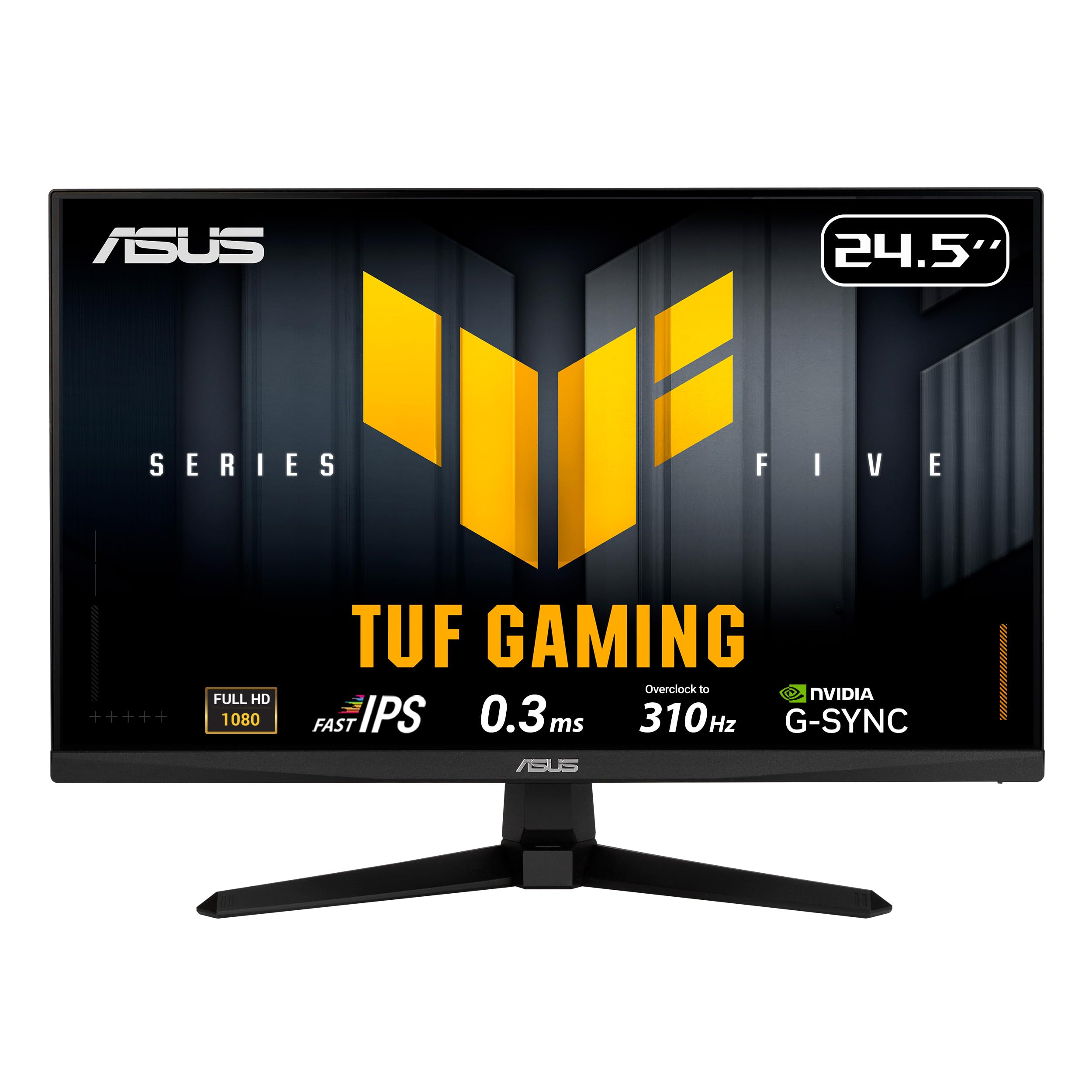
A 310Hz 0.3ms esports monster that leaves every other 1080p panel in the dust.
The ASUS TUF Gaming VG259QMR5A is the fastest screen on this list, and it’s not close. This 24.5-inch Fast IPS panel overclocks to a staggering 310Hz refresh rate — more than double the 144Hz of the Dell SE2426H — with a 0.3ms GTG response time (a measure of pixel transition speed) that’s the fastest in its class. For professional gamers and esports enthusiasts, this is the difference between seeing your opponent’s movement a split-second sooner or missing it entirely.
This monitor pairs its speed with top-tier motion clarity. ASUS Extreme Low Motion Blur Sync (ELMB SYNC) technology lets you run motion blur reduction alongside variable refresh rate, eliminating both ghosting and screen-tearing simultaneously. FreeSync Premium and G-Sync compatibility round out the tear-free experience, and the 99% sRGB color gamut (a color spectrum standard) ensures vibrant, accurate colors for both gaming and content creation.
Smart features improve the experience beyond raw speed. AI-powered gaming features like Dynamic Crosshair and Dynamic Shadow Boost adapt to your gameplay, and the DisplayWidget Center lets you adjust monitor settings with a mouse instead of fiddling with buttons. A 3-year manufacturer warranty provides solid long-term coverage, and it comes with a DisplayPort cable, screwdriver, and power cord in the box. Owners call it the best budget option available, praising the sharp 165Hz display (before overclocking) and fast response for gaming.
Speed Demon
- 310Hz overclocked refresh with 0.3ms GTG response — the fastest 1080p panel here
- ELMB SYNC eliminates ghosting and tearing together for sharp high-frame gaming
- 99% sRGB color coverage keeps colors accurate for work between gaming sessions
Know Before Buying
- The stand is tilt-only with no height adjustment — budget for an arm or riser
- Picture quality from the start can look flat until you tweak the settings
For the competitive purist: If you play esports titles and want every frame advantage you can get, this 310Hz panel is class-leading in the 1080p category.
skip it if: you’re a general user — you’ll never notice the speed beyond 144Hz, and the bare-bones stand won’t serve your posture.
9. Samsung Odyssey G3 (G30D)

A 180Hz gaming monitor with a 3000:1 contrast ratio — triple the depth of most 1080p rivals.
The Samsung Odyssey G3 is the monitor that proves a 1080p panel can still deliver stunning, rich visuals. Its headline number is the 3000:1 contrast ratio — three times the depth of the 1000:1 panels from Dell and ASUS — which means blacks look genuinely black, and dark game scenes hold their detail instead of washing out. Combined with a 180Hz refresh rate and 1ms MPRT response time (a motion-clarity measure), this screen is built for fast, cinematic gaming.
Gamers get a full toolkit of competitive features. AMD Radeon FreeSync keeps your monitor and graphics card in sync to reduce image tearing, Black Equalizer lets you adjust dark areas to spot hidden enemies, and Virtual Aim Point overlays crosshairs for more accurate shots. The 3-sided borderless design boost your field of view and lines up cleanly in a dual-monitor setup, making it a favorite for multi-display battle stations.
The ergonomic stand is a genuine highlight — it swivels, tilts, pivots, and adjusts in height, so you can dial in total gaming comfort, which is rare at this price. Eye Saver Mode minimizes blue light, and the screen reduces flicker for long sessions. Owners call it “great for both work and gaming,” praising deep colors at 180Hz and the smooth adjustable stand. For console players, it works smoothly with gaming consoles and laptops alike, and both DP and HDMI cables are included in the box.
Cinematic Edge
- 3000:1 contrast ratio delivers deep, rich blacks that make games and movies pop
- 180Hz refresh with 1ms MPRT for fast, blur-free motion
- Full ergonomic stand with height, swivel, tilt, and pivot adjustment
Minor Notes
- The glossy screen can be reflective in bright rooms
- No HDR support, despite the strong contrast ratio
- Heavier than expected for a 24-inch monitor, though not a dealbreaker
Best for: gamers who want both speed and visual depth — the 3000:1 contrast gives it a cinematic quality no other 1080p pick here matches.
Consider instead: if you work in a sunlit room and hate glare, the anti-glare matte finishes on the Dell or ViewSonic panels handle reflections better.
Understanding the Specs
Refresh Rate & Response Time
Refresh rate (measured in Hertz, or Hz) tells you how many times the screen redraws its image each second. A 60Hz monitor shows 60 frames per second, which is fine for office work but feels choppy in games. A 144Hz or 180Hz screen displays those frames more than twice as fast, making motion look dramatically smoother and helping you track fast-moving objects. Response time, measured in milliseconds (ms), is how quickly a pixel changes color — lower numbers (like 1ms or 0.3ms) mean less blur and ghosting in fast action. For everyday use, 120Hz is plenty; for competitive gaming, go higher.
Panel Types & Contrast Ratio
The panel type determines your viewing angles and color accuracy. IPS (In-Plane Switching) is the most popular choice because colors stay consistent and bright even when you view the screen from the side — ideal for collaboration and color-sensitive work. VA (Vertical Alignment) panels offer deeper blacks and higher contrast but fade at angles. Contrast ratio expresses the difference between the brightest white and darkest black a screen can show; a 1500:1 or 3000:1 ratio gives richer, more cinematic images than a standard 1000:1. If you sit directly in front of the screen, any panel works; if you move around, choose IPS.
FAQ
Is a 1080P monitor still worth buying, or should I go 1440P?
What is the difference between 120Hz, 144Hz, and 180Hz refresh rates?
Will a 120Hz monitor work with my PS5 or Xbox?
Is an IPS panel better than a VA panel for a 1080P monitor?
What does contrast ratio like 1000:1 versus 3000:1 actually mean?
How many HDMI and DisplayPort inputs do I need on a monitor?
What is Adaptive Sync, FreeSync, and G-Sync, and why should I care?
Are built-in monitor speakers any good, or should I always use headphones?
Why does a strong, adjustable stand matter so much for a monitor?
Can I mount these monitors on a wall or an arm?
Final Thoughts: The Verdict
If you want one dependable pick, the best 1080p monitor overall is the ViewSonic VA2456A-MHD because it pairs a 120Hz IPS panel with a 1500:1 contrast ratio and genuinely versatile multi-port connectivity at a price that’s hard to argue with — it’s the crowd favorite for good reason. If you wantthe absolute smoothest motion for competitive gaming, grab the ASUS TUF Gaming VG249QL3A with its 180Hz Fast IPS panel and full ergonomic stand. And for a bigger canvas on a budget, the Amazon Basics 27 Inch Monitor delivers a 27-inch screen with a handy 4-port USB hub that keeps your peripherals within easy reach.
How We Picked
We do not accept paid placement. Every pick is matched to a real buyer and a real use-case; we do not hands-on test units.
Sources & Methodology
Specifications: manufacturer listings and product documentation. Review insights: verified customer reviews, as of August 2026. Pricing: not shown on this page (it changes often); check the current price via the retailer link.
As an Amazon Associate, Gadgets Feed earns from qualifying purchases. This does not affect which products we feature.