
A digital frame that rotates between landscape and portrait automatically isn’t just convenient — it fixes the fundamental mismatch between how we shoot photos (vertical on a phone) and how frames want to display them (horizontal on a wall). The best 1080×1920 frame renders every portrait-oriented phone snapshot at its native resolution without black bars, pixel stretching, or awkward cropping.
I’m Min — the co-founder and writer behind Gadgets Feed. I’ve spent many hours analyzing the 1080×1920 landscape: cross-referencing panel specs, actual IPS vs. TN performance measurements, and cloud storage policies across the top-selling portrait-friendly frames to find the ones that actually deliver on their promised resolution.
Whether you’re sending moments to grandparents across the country or building a rotating gallery for your own desk, a dedicated portrait-mode display changes how you connect with your photo library. This guide breaks down the seven best 1080×1920 frame options available right now, ranked by display quality, storage capacity, and app ecosystem strength.
How To Choose The Best 1080×1920 Frame
A 1080×1920 frame is fundamentally different from a standard 1920×1080 landscape frame. The taller orientation mirrors a smartphone’s native aspect ratio, which means your portrait shots fill the entire screen without distortion. Three specs separate the contenders from the also-rans.
Panel Quality: IPS vs. Cheaper Alternatives
A true IPS (In-Plane Switching) panel maintains color accuracy and contrast across a 178-degree viewing angle. Lower-end frames use twisted nematic (TN) panels that look washed out when viewed from the side — a dealbreaker for wall-mounted frames that people walk past at an angle. Every frame on this list uses an IPS panel with a 1920×1080 (or matching portrait 1080×1920) native resolution.
Storage Strategy: Cloud vs. On-Device Capacity
Onboard storage ranges from 32GB to 64GB, but the real differentiator is whether the frame offers free cloud storage for remote uploads. Frameo-based frames store everything locally and sync via direct WiFi connections. Nixplay-powered frames (like the ApoloSign) offer free cloud tiers but push paid subscriptions for advanced features. The Cozyla frame stands alone with genuinely unlimited free cloud storage and no subscription path at all.
App Ecosystem and Family Sharing
The Frameo app is the most widely used third-party platform across budget and mid-range frames — it allows unlimited family members to send photos from anywhere. Nixplay adds motion sensing (SenseMe) and Alexa voice commands, but limits free uploads to a capped daily count. Proprietary apps like ARZOPA and Cozyla offer deeper integration with features like voice captions and AI photo restoration, but require family members to download a new app.
Quick Comparison
On smaller screens, swipe sideways to see the full table.
| Model | Category | Best For | Key Spec | Amazon |
|---|---|---|---|---|
| ARZOPA D15 | Premium | No-subscription cloud storage | Free cloud + 32GB local | Amazon |
| ApoloSign DPF156 | Premium | Nixplay ecosystem & motion sensing | 16:9 IPS 1080p touch | Amazon |
| BIGASUO 159K | Mid-Range | Maximum built-in storage | 64GB onboard memory | Amazon |
| FLYRUIT M15R2 | Mid-Range | Calendar sync & collage mode | 32GB + SD expandable | Amazon |
| Glusine A001 | Mid-Range | 360° gravity sensor rotation | 360° auto-rotate sensor | Amazon |
| Dxmart ZN-DP1013 | Budget-Friendly | Entry-level Frameo simplicity | 32GB, wall-mountable | Amazon |
| Cozyla 17″ | Premium | Largest display & AI restoration | 1000GB cloud, 4:3 17″ | Amazon |
In‑Depth Reviews
1. ARZOPA D15 Digital Picture Frame
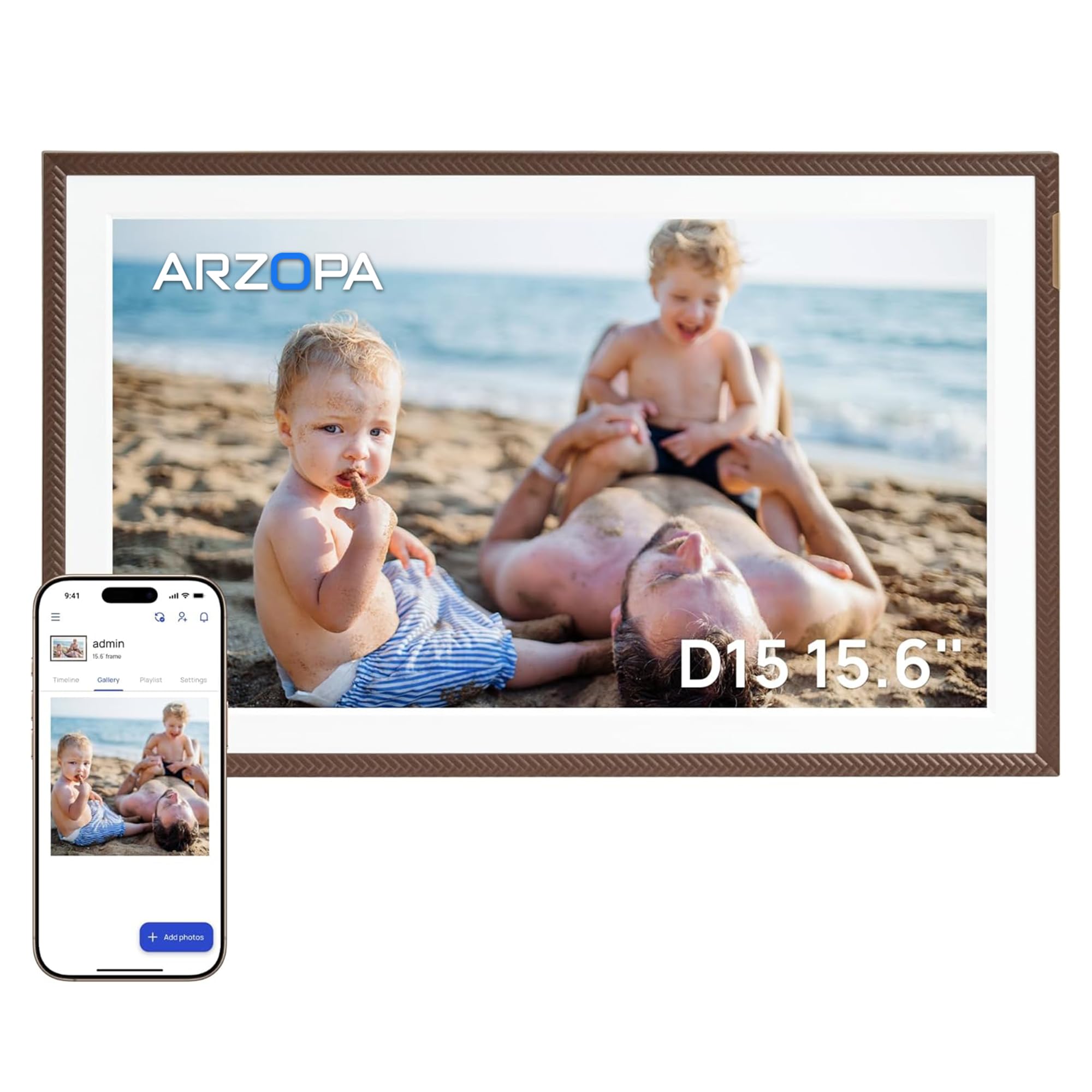
The ARZOPA D15 checks every box for a portrait-first digital frame. Its 15.6-inch IPS touchscreen delivers the full 1080×1920 resolution with anti-glare coating that cuts reflections in bright rooms — a rare feature at this level. The free ARZOPA app supports unlimited family members sending photos and two-minute HD video clips, and unlike many Frameo-based competitors, the cloud storage tier doesn’t cap daily uploads or require a subscription.
The 32GB of onboard storage provides smooth offline playback when WiFi drops, and a 128GB TF card slot expands capacity without losing the existing library. Practical extras like manual day/night brightness adjustment, a weather/clock/calendar dashboard, and a 30% energy-saving sleep mode make it feel more like a smart home display than a simple slideshow frame.
Owners consistently praise the pre-load feature that lets you upload a personalized greeting video before gifting — the recipient just plugs it in and the frame starts playing. The Elegant Brown bezel blends into most decor without looking like a plastic gadget, and the auto-rotate sensor correctly flips between landscape and portrait without user intervention.
Why it’s great
- Unlimited free cloud storage with no subscription path
- Anti-glare IPS panel handles bright kitchens and sunny windows
- Pre-load feature for instant unboxing surprise
Good to know
- Proprietary app means family members need a fresh download
- Some iPhone users report occasional app instability requiring a phone reboot
2. ApoloSign DPF156 (Powered by Nixplay)

The ApoloSign DPF156 runs the Nixplay platform — the same ecosystem found in premium frames costing twice as much. The 15.6-inch 1080p IPS panel delivers crisp color and a 178-degree viewing angle, while Nixplay’s SenseMe motion sensor wakes the display when you enter the room and dims it when you leave. This motion-triggered wake/sleep cycle extends the panel’s lifespan and cuts power draw by roughly 30% compared to always-on frames.
Nixplay’s cloud storage is free and GDPR/CCPA-compliant, but it imposes a daily upload cap on the free tier. The FamilyCircles feature lets multiple users create themed playlists for weddings, holidays, or vacations, and everyone with the app can contribute simultaneously. Alexa integration means you can ask the frame to show a specific playlist by voice — a differentiator that no Frameo app currently matches.
The frame supports both wall mounting and desktop stands with auto-rotation in both orientations. Setup takes roughly three minutes via the Nixplay app, and existing Nixplay account holders can migrate their photo libraries with one click. The 32GB internal storage offloads plenty of photos for offline playback, though SD card support is absent — all transfers go through the cloud.
Why it’s great
- SenseMe motion sensor saves power and reduces panel wear
- Alexa voice control for hands-free playlist switching
- Easy library migration for existing Nixplay users
Good to know
- Free cloud tier has a daily upload limit
- No SD card slot — WiFi uploads are the only path in
3. BIGASUO 159K Digital Picture Frame

The BIGASUO 159K stands out for one simple reason: 64GB of built-in storage, double the 32GB standard found on most competitor frames at the same tier. That capacity holds roughly 100,000 photos at 3MB each — enough to run a multi-year slideshow without ever touching cloud uploads. The 15.6-inch 1080p IPS panel uses a nearly bezel-less design that makes the photo fill the entire viewing area, a detail owners consistently note as superior to frames with thick plastic borders.
The Frameo app powers the sharing layer with unlimited family members, real-time emoji reactions, and caption support. The frame auto-rotates between portrait and landscape based on its built-in gravity sensor, and the sleep timer can be programmed to power off at night and wake in the morning automatically. BIGASUO recommends using a 32GB SD card or USB drive for external transfers — 64GB or 128GB cards may not format reliably with the frame’s file system.
Customer feedback highlights the ease of setup (scan a QR code, hit connect) and the fact that family members in different countries can send photos simultaneously without any subscription fees. The black-and-white color scheme keeps the frame visually unobtrusive, and the wall-mount kit is included in the box.
Why it’s great
- 64GB onboard storage is double the category average
- Nearly bezel-less design maximizes photo viewing area
- Programmable sleep timer for automatic night shutdown
Good to know
- External SD/USB drives over 32GB may have compatibility issues
- No free cloud tier — all sharing is direct WiFi-to-frame
4. FLYRUIT M15R2 Digital Photo Frame

The FLYRUIT M15R2 runs the Frameo app with a recent update that adds calendar sync — a feature that turns the frame into a kitchen-appropriate smart display. Connect an Apple or Google calendar, and the frame shows upcoming events alongside the slideshow. The collage mode lets the frame display multiple photos simultaneously, and the 10-photo upload limit per batch (standard in Frameo’s free tier) is mitigated by the fact that there’s no cap on total daily uploads.
The 15.6-inch 1080p IPS panel uses a 16:9 aspect ratio, which means portrait-oriented phone photos display with thin black bars on the sides if the frame is placed in landscape orientation. The auto-rotate sensor handles the flip gracefully when you physically rotate the frame 90 degrees. The 32GB internal storage supports up to 32GB external SD expansion, and the USB-C port allows direct transfer from a computer for users who prefer offline loading.
Owners regularly mention the programmable on/off timer as a standout convenience — the frame can be set to sleep during sleeping hours and wake before morning. The black stripes bezel design gives the frame a modern, understated look that doesn’t compete with the photos. FLYRUIT is an official Frameo partner, ensuring that the app stays updated with the latest security patches and feature drops.
Why it’s great
- Calendar sync turns the frame into a functional smart display
- Collage mode shows multiple photos at once
- USB-C port for direct computer transfers
Good to know
- Landscape orientation adds thin bars to portrait phone photos
- Free Frameo tier limits uploads to 10 photos per batch
5. Glusine A001 Digital Picture Frame
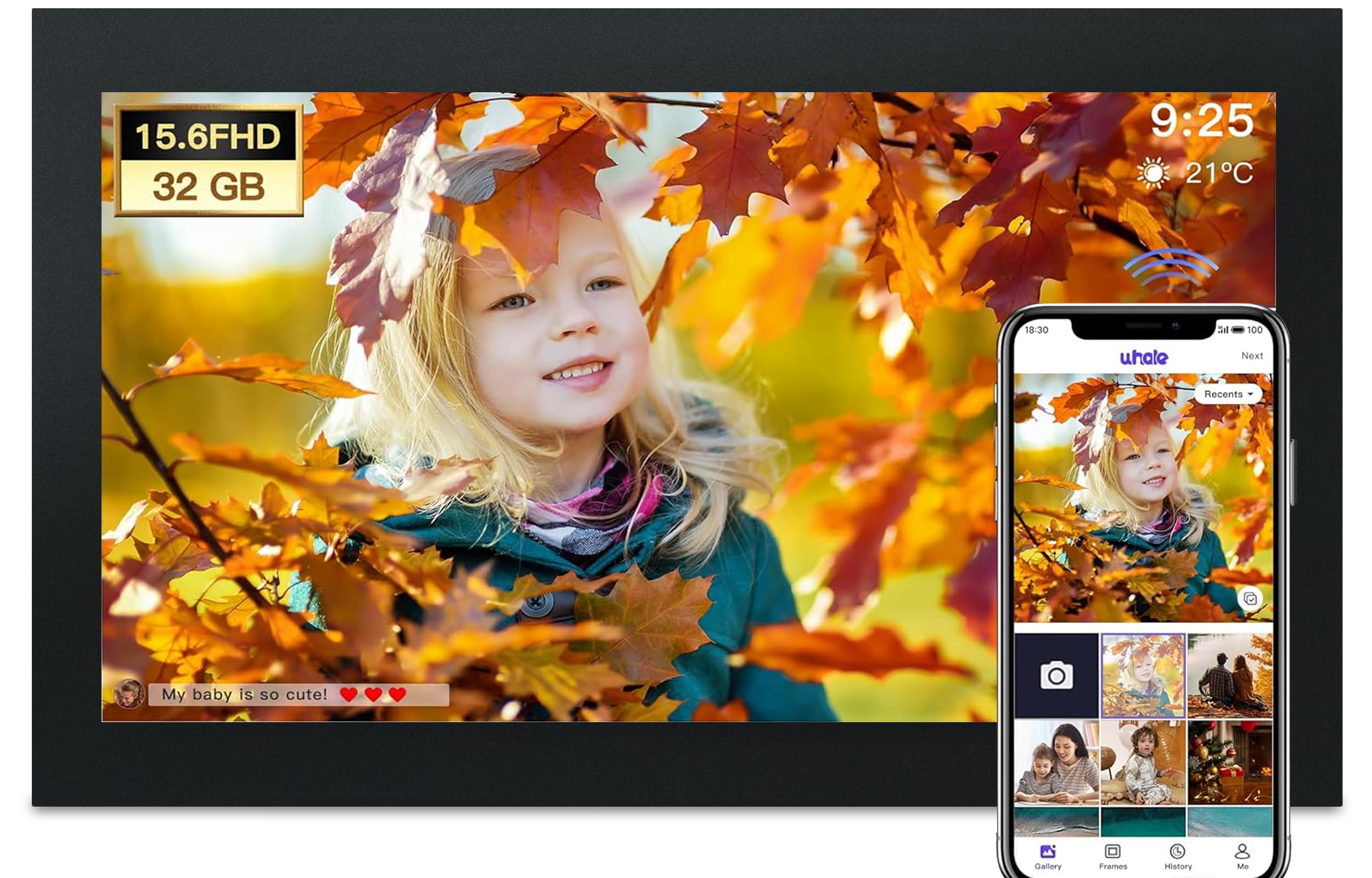
The Glusine A001 differentiates itself with a true 360-degree gravity sensor that doesn’t just swap between landscape and portrait — it correctly identifies upside-down mounting for unique placements like above a staircase or on a tilted wall. The 15.6-inch 1080p IPS panel supports the full 1080×1920 portrait resolution, and the 32GB storage holds roughly 80,000 photos (based on 400KB average file sizes). An external Micro SD slot supports up to 128GB for users who want a massive local library.
The Glusine app (based on the Uhale platform) supports real-time emoji reactions, text captions, and mood feedback — recipients can tap a heart or smiley on the touchscreen to acknowledge a photo, and the sender sees the reaction on their phone. The frame supports both text editing for captions and customizable slideshow order, zoom settings, and brightness curves. Glusine subjects every unit to a 10-assembly-step, 12-test-process quality check before shipping.
While the app isn’t as well-known as Frameo or Nixplay, customer reviews consistently praise the simple setup (WiFi connects in under two minutes) and the auto-rotate accuracy. The black bezel has a slim profile, and the included stand works in both portrait and landscape orientations without wobbling. Glusine backs the frame with 360 days of technical support — longer than the typical one-year warranty.
Why it’s great
- 360° gravity sensor works in any physical orientation
- Emoji reaction system creates two-way photo interaction
- Micro SD supports up to 128GB external expansion
Good to know
- Proprietary app (Uhale) — not the standard Frameo ecosystem
- Panel resolution is listed as 1280×800 in some customer tests, not full 1080p
6. Dxmart ZN-DP1013 (FRAMEO)
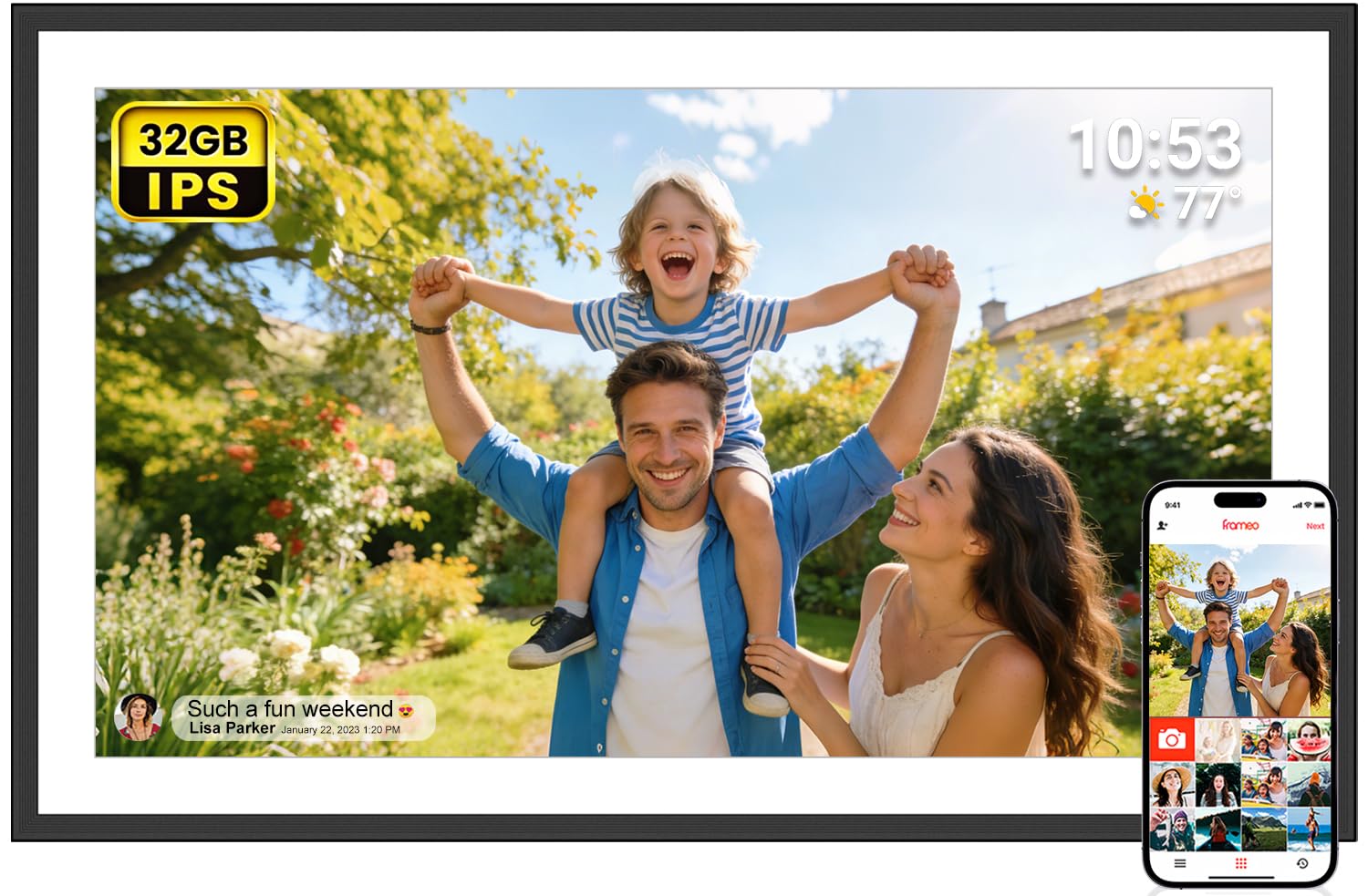
The Dxmart ZN-DP1013 is the most straightforward entry point into the Frameo ecosystem. The 15.6-inch 1080p IPS display delivers the same Full HD resolution as frames costing more, and the Frameo app provides the same unlimited-family-member sharing experience. The 32GB storage is standard for the tier, and the B&W color scheme keeps the frame neutral enough for living rooms or home offices.
The auto-rotate feature works via the built-in gravity sensor, and the wall-mounting kit is included — a nice addition at this level. The frame supports offline transfers through a full-size SD card, USB drive (FAT32), or USB-C cable, making it a solid option for seniors who don’t want to mess with WiFi. Customer reviews highlight the “React” emoji feature that lets grandparents send a heart back to the photo sender, bridging the distance gap.
The primary limitation is the 32GB storage that can’t be expanded via SD card on this model — you get exactly the onboard capacity and no more. Some early reviews mentioned app connectivity issues that were resolved in a software update, so ensure the frame runs the latest firmware before setting it up for a gift recipient.
Why it’s great
- Simplest path into the Frameo ecosystem with full sharing features
- Wall-mounting kit included in the box
- Offline transfers via SD, USB, or USB-C for non-WiFi users
Good to know
- Storage is non-expandable — 32GB is all you get
- Requires constant power — no battery for portable placement
7. Cozyla 17-Inch Digital Picture Frame
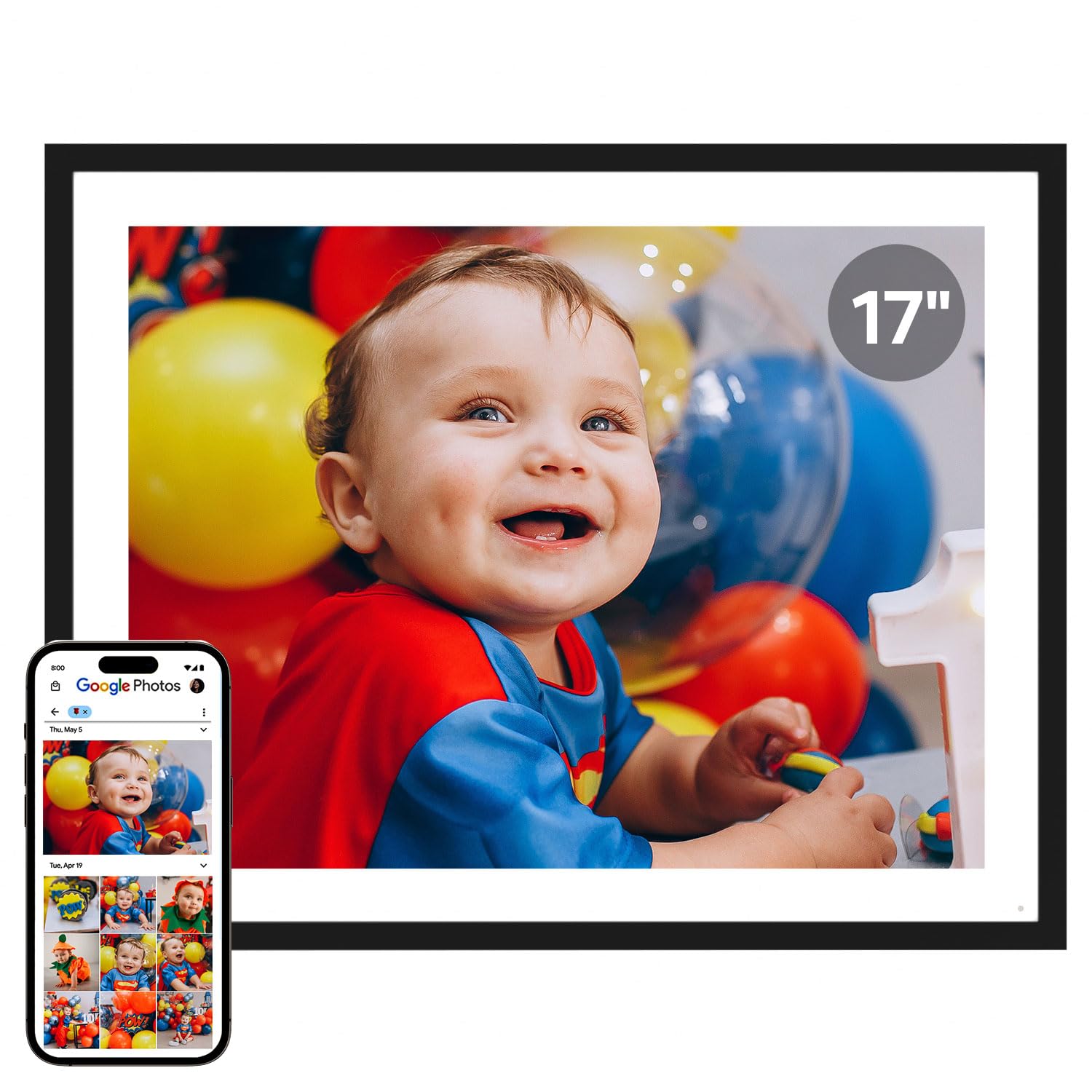
The Cozyla frame is the outlier in this list — it uses a 17-inch 4:3 aspect ratio display rather than 16:9, which means it crops smartphone portrait photos less aggressively than a standard widescreen frame. The QXGA-resolution panel (2048×1536) exceeds the 1080×1920 threshold, providing sharper image detail. The unlimited free cloud storage with bank-level AWS encryption is the most generous offering in the entire category — no subscription, no daily caps, no storage limits.
AI photo restoration is a genuine value-add: the frame automatically sharpens blurry or faded older photos that have been digitized from prints. The voice memo feature lets you attach a 30-second audio recording to any photo, so recipients hear your voice when that specific image appears. The frame supports photo sharing via the Cozyla app, Google Photos, email, and web upload — the broadest input pipeline of any frame here.
The downsides are real: Google Photos direct upload was discontinued in spring 2025, so users now rely on email or the app for that pipeline. The stand base feels slightly flimsy, especially when the frame is in portrait orientation, and wall mounting is the more stable option. Video playback is also absent — this is a photo-only frame. But for family members who want the largest possible display with zero recurring fees, the Cozyla is unmatched.
Why it’s great
- 17-inch 4:3 display crops portrait photos less than 16:9 frames
- Unlimited free cloud storage — truly no subscription
- AI restoration sharpens old or damaged digitized photos
Good to know
- No video playback support — photos only
- Stand is less stable in portrait orientation than landscape
- Google Photos direct upload feature discontinued
FAQ
Can a 1080×1920 frame display standard 1920×1080 photos without distortion?
Why does my digital frame show a black border around my phone photos?
Do all 15.6-inch digital frames use the same panel resolution?
Final Thoughts: The Verdict
For most users, the best 1080×1920 frame winner is the ARZOPA D15 because it combines a true 1080p IPS panel with genuinely free cloud storage, unlimited family sharing, and anti-glare coating that makes it usable in bright rooms. If you want the Nixplay ecosystem with motion sensing and Alexa voice control, grab the ApoloSign DPF156. And for the largest display with AI photo restoration and unlimited cloud storage that will never hit a paywall, nothing beats the Cozyla 17-inch.