
Our readers keep the lights on and my morning glass full of iced black tea. As an Amazon Associate, I earn from qualifying purchases.
Specs are compiled from manufacturer listings and verified buyer reviews and can change over time — please confirm the key details on the product page before buying.
A 10Gb copper SFP module is the piece that lets you plug a standard Ethernet cable—the same kind already running through your walls—directly into a 10-gigabit SFP+ port on your switch, router, or server. It saves you from running fiber, but every single one of them runs hot, some so hot they make you nervous. The real challenge is picking the one that actually works with your gear, delivers the full 10Gbps speed, and doesn’t force you to add a desk fan to your network rack.
I’m Min — the founder and writer behind Gadgets Feed. This guide is built by comparing the manufacturers’ published specifications and the patterns across verified customer reviews, so you get each pick’s real strengths and trade-offs instead of marketing spin.
You can plug any of these modules into an SFP+ port on your switch and get a standard RJ45 copper jack, so you can use Cat6a or Cat7 cabling at full 10Gb speed—each one is chosen to give you a straight answer on which 10gb copper sfp module actually works in your network.
Our Picks at a Glance

How To Choose The Best 10Gb Copper SFP Module
Choosing the right module depends on three things: your switch brand, your cable distance, and how much heat you can tolerate. Here is what matters most.
Compatibility First — Your Switch Brand Decides Everything
A module that works perfectly in a Ubiquiti UniFi switch might refuse to link up in a Cisco 2960X or a Netgate appliance. Always check the module’s listed compatible brands. Some brands—like HP Aruba, Juniper, and older Cisco Nexus—are notoriously picky and may require specific coded modules. If your switch is not in the compatibility list, expect to buy a returnable module or one with a generous warranty.
Heat Is Not Optional — Plan Your Airflow
Every 10GBase-T copper SFP+ module generates significant heat because the chipset inside converts the signal between electrical standards. It is normal. You will see module temperatures between 45°C and 70°C depending on the brand and load. Modules with a metal casing help dissipate heat, but you still need active airflow in your switch or a nearby fan. A module sitting in a closed, unventilated rack will throttle or fail early.
Reach — 30 Meters vs 80 Meters
Standard copper SFP+ modules reach 30 meters over Cat6a or Cat7 cable. That covers most homes and small offices. If you have a long run—say from a router to a modem in a different room, or across a warehouse—look for an extended-range module rated for 80 meters. Those modules typically cost a bit more but save you from adding an extra switch just to repeat the signal.
Quick Comparison
| Model | Best For | Max Reach | Weight | Multi-Rate Support | Amazon |
|---|---|---|---|---|---|
| ipolex SFP+ to RJ45★ Best Overall | General compatibility | 30m | 3.2 oz | 1.25/2.5/5/10G | Amazon |
| REDLUX 10G SFP+Best Value | Lightweight multi-brand | 30m | 1.13 oz | 2.5/5/10G | Amazon |
| QINIYEK 10G-T SFP+Budget Champion | Budget reliability | 30m | 1.44 oz | 1.25/2.5/5/10G | Amazon |
| FTTPVIPS 10GBASE-T | High rating, niche gear | 30m | 2.08 oz | 1.25/2.5/5/10G | Amazon |
| H!Fiber 10Gb SFP+ | Proven reliability | 30m | 2.08 oz | 1.25/2.5/5/10G | Amazon |
| WTSFOPTC 80m SFP+ | Longer cable runs | 80m | 0.634 oz | 1/2.5/5/10G | Amazon |
| QSFPTEK 10G SFP+ | Ubiquiti optimization | 30m | 1.41 oz | 10G | Amazon |
| 10Gtek 10G-T | Specific brand avoidance | 30m | 0.847 oz | 1.25/2.5/5/10G | Amazon |
| TP-Link SM5310-T | Omada ecosystem | 30m | 1.06 oz | 10G/2.5G/1G | Amazon |
In‑Depth Reviews
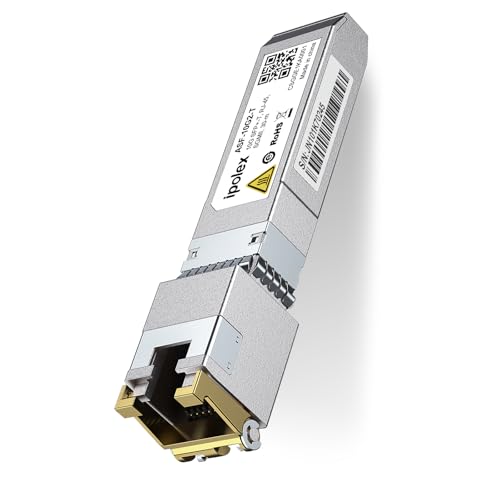
1. ipolex SFP+ to RJ45 10Gb Module
Our pick — 4.5★ from 850+ verified ratings; the strongest balance of quality and price.
The crowd-tested veteran that “moves 10Gbps of data with no interface errors.”
This module has been on the market since 2016 and is the most-reviewed pick here by a wide margin—nearly a thousand owners have put it through its paces. The headline number is its low power consumption: under 2.5W, which means it draws less heat than many rivals, though as with all copper SFP+ transceivers, it still gets warm. The real win is how broadly it plays. Buyers report it working in Ubiquiti UDM Pro, UniFi switches, MikroTik CRS305, TP-Link ER707-M2, and a host of others.
The one catch you need to know: compatibility with Cisco 2960X switches is spotty, so if you have that specific model, look elsewhere. Also, it is explicitly not compatible with the Ubiquiti US-48-500W. But for the vast majority of UniFi, MikroTik, and Netgear users, the ipolex is a no-brainer hit. Owners mention that “this SFP+ was compatible with my Unifi UDM Pro and it work as stated and as it should, the temp is good and no errors from the Router dashboard.”
Compared to the REDLUX module below, the ipolex is significantly heavier—3.2 ounces versus 1.13 ounces—but that bulk comes with a track record of steady performance across more switch brands.
What Wins People Over
- Works across a huge range of switch brands (Ubiquiti, MikroTik, TP-Link, Netgear)
- Draws under 2.5W power—less heat than some competitors
- Fantastic value for the price given its proven reliability
The Honest Trade-offs
- Not compatible with Cisco 2960X or Ubiquiti US-48-500W
- Heavier build (3.2 oz) compared to newer, lighter modules
- An occasional unit runs hot; ensure airflow in your rack
Grab this if: you want the safest bet for a mixed-brand home or office network and you value proven longevity over the lightest weight.
Think twice if: your core switch is a Cisco 2960X, or you need the lightest possible module for a tight SFP+ cage.
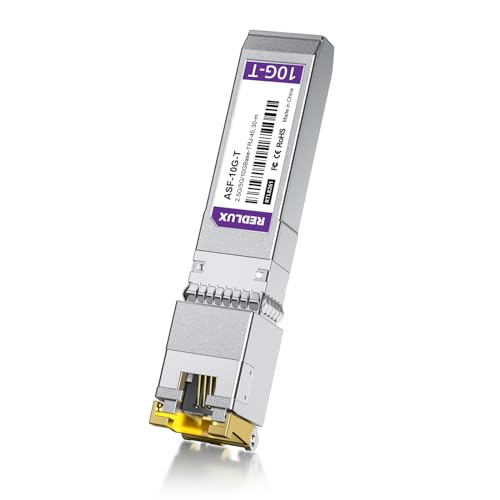
2. REDLUX 2.5/5/10G SFP+ to RJ45 Module
The featherweight that runs full bandwidth without breaking a sweat.
At just 1.13 ounces, the REDLUX module weighs roughly a third of the ipolex—making it the lightest option here—but it delivers the same 10Gb/s over Cat6a/Cat7 up to 30 meters. The big story is how it works across brands. Owners have tested it in Intel 82599 NICs, YuanLey switches, keepLINK 2.5GbE switches, and Ubiquiti UDM-SE gateways. One reviewer noted: “I’ve been running the 10G-T for nearly a month and it runs really well. The SFP end is connected to my UDM-SE gateway with the copper end going to my NASync DXP6800Pro’s 10Gb port. Throughput is as expected.”
The unavoidable truth: it runs hot, like all copper modules. One owner measured 57-58°C in the Ubiquiti UI dashboard. That is normal for this category, but plan for a well-ventilated SFP+ cage. The module draws about 3W, which is slightly higher than the ipolex but still within standard range.
The REDLUX comes with a 30-day free return, a 3-year warranty, and lifetime tech support—a combination that makes it a very low-risk try for anyone who wants a 10G copper link without paying a premium. It beats the ipolex on weight and warranty length, though it has fewer total reviews to confirm consistency.
Why It Stands Out
- Weighs only 1.13 oz—the lightest module on this list
- Works immediately in Intel NICs, keepLINK, and Ubiquiti gear
- Comes with a solid 3-year warranty and lifetime support
The Catch
- Runs at 57-58°C; needs proper airflow in your switch
- 3W power draw is slightly higher than the ipolex’s sub-2.5W
- Lower total review count means less data on long-term durability
Reach for this if: you want a genuinely lightweight, well-warrantied module for a Ubiquiti UDM-SE or a generic 10G SFP+ switch.
Pass if: you prefer the heavier, more proven track record of the ipolex with its 900+ reviews.
3. QINIYEK 1.25/2.5/5/10G-T SFP+ to RJ45 Transceiver
The reliable budget multi-rate that surprised owners with 2.5G compatibility.
This is the entry-level price point that does not cut corners on the essentials. It auto-negotiates across 10G/5G/2.5G/1.25G, and it works in Ubiquiti UniFi, Mokerlink, Zyxel, and Netgear switches. The thing owners praise most is reliability—by a solid margin, customers note that it just works for months on end. One buyer mentioned it “work well in my Ubiquiti setup, but do run a bit warm.” Another noted it worked in everything they tried it in, including a surprising 2.5Gig compatibility with a Mokerlink switch.
The downside is heat and an occasional unit that fails early. The manufacturer’s own summary notes that heat is the biggest recurring negative, and a small number of units have failed after 9 months. Given the low price, having a backup on hand or using passive heatsinks—as several owners did—is a reasonable strategy.
At 1.44 ounces, it sits between the REDLUX and ipolex on weight. It does not have the massive review count of the ipolex, but its 500+ reviews still give plenty of data to confirm that it is a solid, working module for the price.
What Works
- Reliable performance in Unifi, Netgear, and Zyxel setups
- Supports full multi-rate auto-negotiation (1.25G to 10G)
- Very affordable price point for a 10G copper link
What to Know
- Runs hot; consider adding a passive heatsink
- Occasional early failure reported
- Not recommended for TP-Link gear per some owner experiences
Best for: budget-conscious builders who need a reliable 10G copper link for a Unifi or Netgear network and can handle a little heat.
Not for: anyone who cannot tolerate the occasional failure rate or needs a module for long cable runs beyond 30 meters.
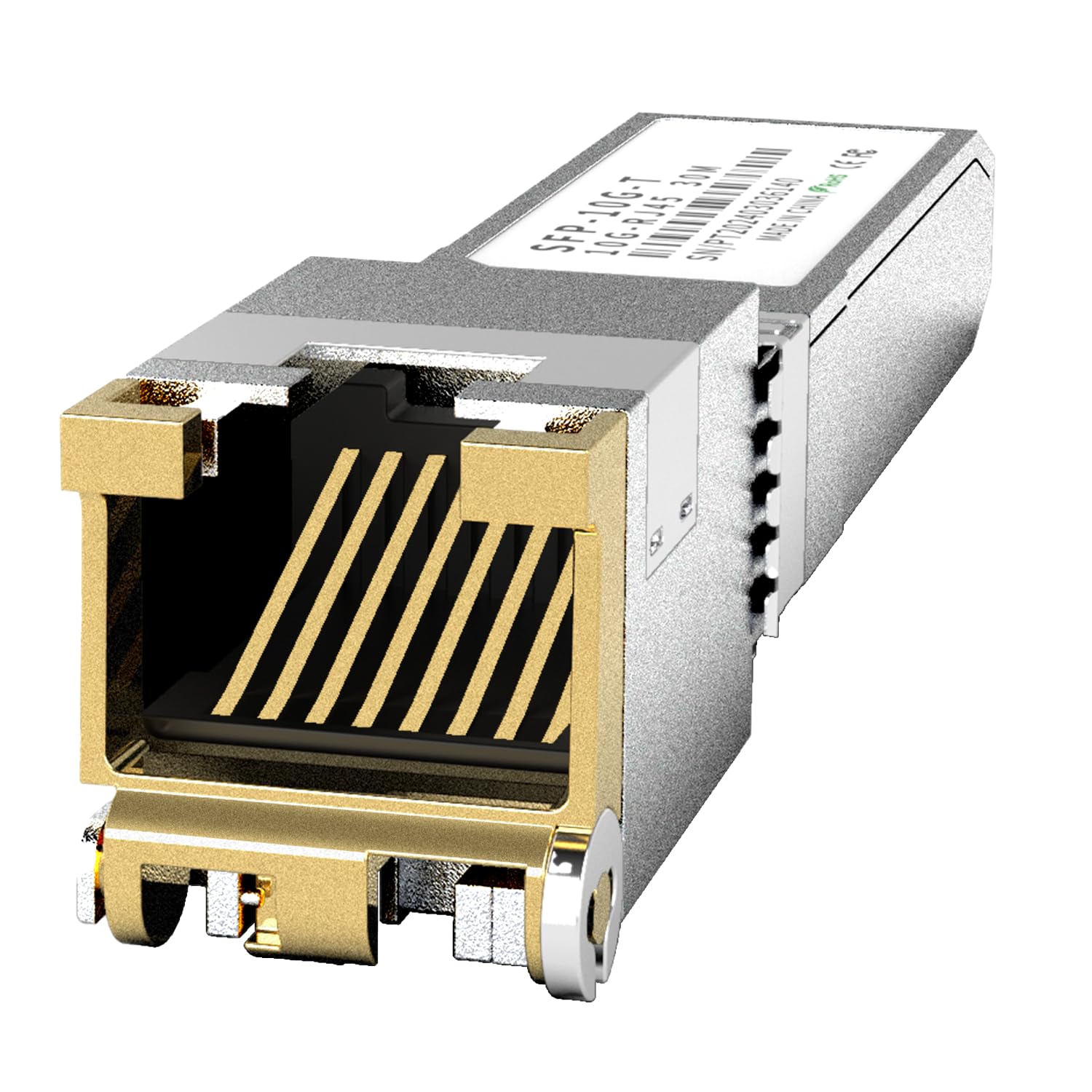
4. FTTPVIPS 10GBASE-T SFP+ RJ45 Copper Transceiver Module
The near-perfect rated module that solved a Netgate 8200 connection.
This one carries a massive rating from a smaller pool of owners—a very high score across 38 ratings—and it backs it up with real results. The standout feature is its flexible cable support: at 10G, it reaches 30 meters over Cat6a/Cat7, but at 1G, 2.5G, and 5G rates, it can hit 100 meters using Cat5e or better cable. That is a big deal if you need to run a 2.5G connection across a long house or office without re-cabling.
Reviewers point out it working flawlessly connected to Quantum Fiber gear, Netgate 8200 appliances, and in a router-to-distribution-switch setup. One owner reported: “Connecting router to distribution switch w/10g copper, no problem.” The module auto-negotiates across 1.25G, 2.5G, 5G, and 10G, and it is compliant with IEEE 802.3an and 802.3az standards.
It runs hot, as all copper modules do—but buyers consistently gave it top marks for doing exactly what it promises. The 2-year warranty and lifetime technical support add confidence. Its 2.08-ounce weight is in the middle of the pack.
Why It Excels
- Can reach 100 meters at sub-10G speeds over Cat5e cable
- Works with Netgate 8200 and Quantum Fiber—niche compatibility
- Near-perfect owner score with a 2-year warranty
The Trade-off
- Smaller sample size of reviews means less long-term data
- Runs hot under load, typical for the category
- Cost is slightly higher than the entry-level options
Ideal for: Netgate 8200 users or anyone who needs a 2.5G connection over a long Cat5e cable run.
Look elsewhere if: you need a module with thousands of reviews behind it, or you are on a strict budget.
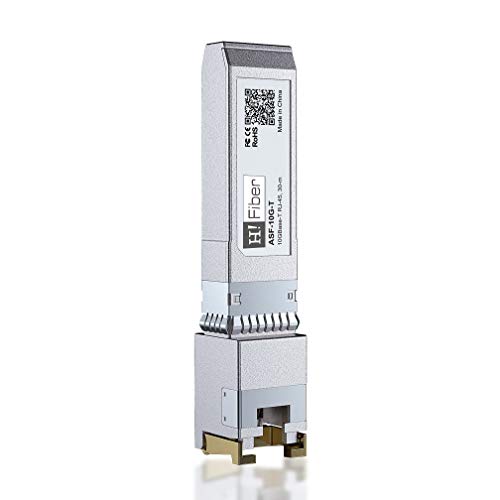
5. H!Fiber 10Gb SFP+ RJ45 Transceiver
The long-running crowd favorite with 120 reliability mentions from owners.
This module has been on Amazon since 2017 and holds one of the highest positive reliability scores in the list—120 owners specifically single out its reliability. It supports 10 Gigabit over Cat6a/7/8 cable up to 30 meters, and at lower multi-gigabit rates (5G, 2.5G, 1G) it can reach 50 meters over Cat5e or better.
Owners love its plug-and-play nature in Ubiquiti UDM Pro, QNAP switches, and MikroTik gear. One reviewer summed it up: “Budget-friendly, plug-and-play 10G transceiver. Full speeds over Cat6a. Runs warm (typical for copper modules); ensure good airflow.” The manufacturer backs it with lifetime technical support and a 30-day return window.
At 2.08 ounces, it matches the FTTPVIPS module on weight. The catch is that the manufacturer explicitly recommends a different module for Ubiquiti UDM-Pro and US-48-500W compatibility, so double-check before buying if you have those specific devices. Otherwise, this is a very safe, well-reviewed pick.
Strengths
- Exceptional reliability rating from hundreds of owners
- Reaches 50m at lower speeds over Cat5e cable
- Lifetime technical support included
Limitations
- Not ideal for Ubiquiti UDM-Pro without a different module
- Runs warm like all copper modules; needs airflow
- A few units failed after 9+ months, though support handled it
Choose this for: a well-tested workhorse for QNAP, MikroTik, or generic open-switch networks.
Skip if: your network hub is a Ubiquiti UDM-Pro or US-48-500W.
6. WTSFOPTC 80-Meter 10GBase-T SFP+ to RJ45 Transceiver
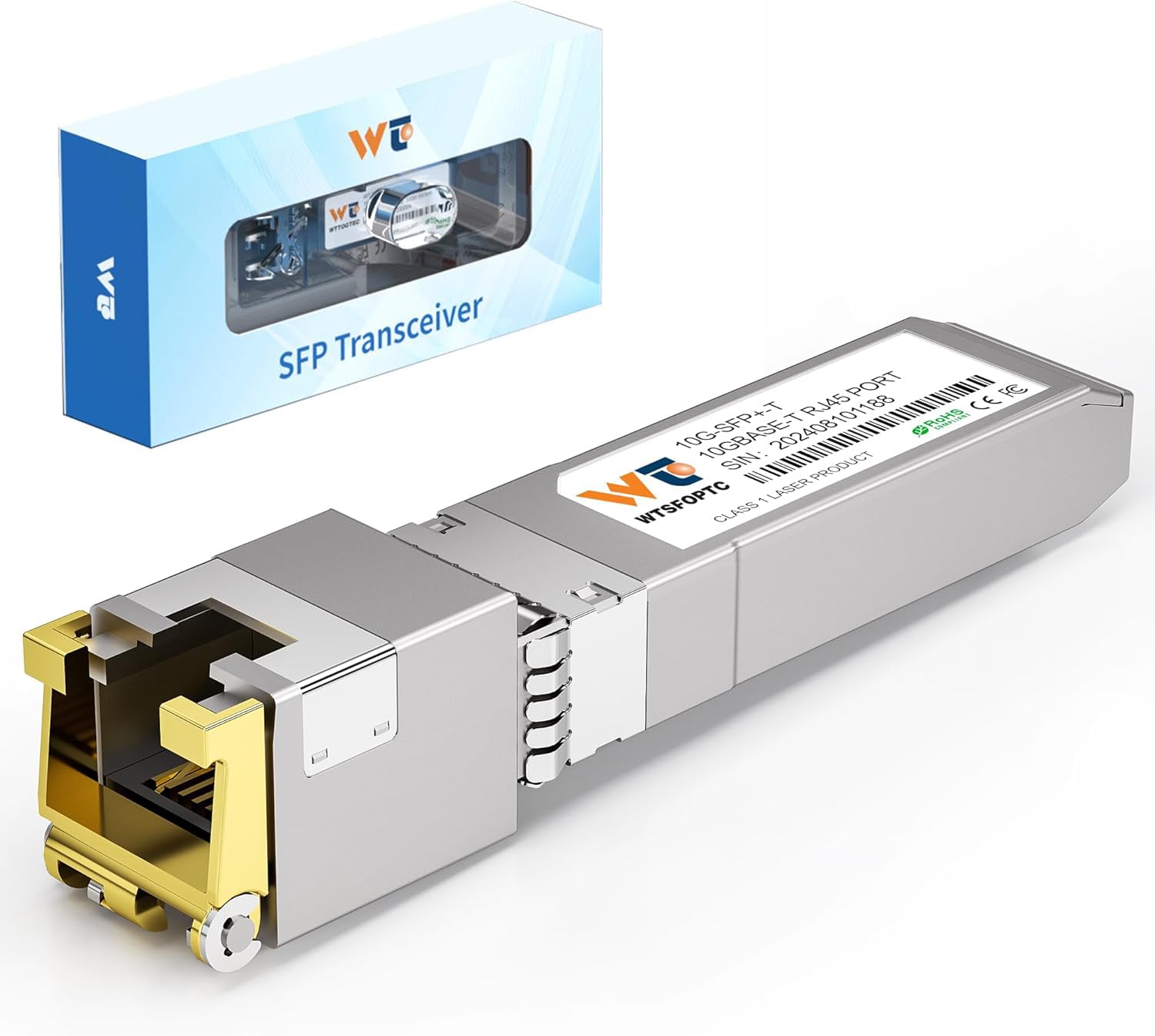
The long-distance specialist that fixed a 100-foot Google Fiber run.
Every standard module here tops out at 30 meters. This one reaches 80 meters (about 262 feet) over Cat6a/Cat7 cable—a genuine difference that can save you from adding a switch or repeater on a long run. It also supports 10GB/5GB/2.5GB/1GB data rates like the others.
Shoppers say it solving tricky negotiation issues. One buyer described how a 30-meter module only managed 100 Mbit download on a 100-foot Cat5e run to a Google Fiber modem, while this 80-meter module “works well with my Google Fiber… I have no problem.” Another said it resolved upload-speed drops on a Ubiquiti UDM Pro. It runs hot (~47-50°C), but owners note it runs cooler than some 30-meter class modules.
The trade-off is a very small sample of reviews, so long-term consistency is less tested. But for anyone with a cable run between 30 and 80 meters, this is the only pick that directly addresses that problem.
Why You Need It
- Reaches 80m—nearly 3x the standard 30m range
- Solved real negotiation issues where 30m modules failed
- Durable metal casing with strict quality testing
The Risk
- Low review count—less long-term reliability data
- Runs hot (~50°C); still needs good airflow
- Weight is only 0.634 oz, but the module is physically standard size
Get this if: your cable run is between 30 and 80 meters, or you have a stubborn negotiation issue with short-range modules.
Avoid if: all your runs are under 30 meters—stick with a standard module for more review data.
7. QSFPTEK 10G SFP+ RJ45 Module

The Ubiquiti-specific module that ran a stable 10 Gbps uplink for six months.
QSFPTEK markets this module specifically for Ubiquiti gear, and owners confirm it works well with the UDM Pro, US-8-150W, and UniFi aggregation switches. It supports 10GBase-T protocol over Cat6a/Cat7 up to 30 meters and draws a low 2.5W, which is on par with the ipolex for power efficiency.
One owner ran it for six months in a stable 10 Gbps uplink between a router and an office hub, noting: “It runs very hot to the touch — 127 Fahrenheit. In my experience all of these 10Gb SFP transceivers do. For the price I have no complaints.” Another reported an initial quirk: the module must be installed with the Ubiquiti Dream Machine Special Edition powered off to be recognized. After that, flawless performance.
At 1.41 ounces, it is light. The 3-year warranty and lifetime tech support are strong. It is more expensive than the budget picks, but if paying a little extra for a module that has been tested specifically with UniFi ecosystems matters to you, this is a solid choice.
Why It Works
- Tested and verified with Ubiquiti UniFi switches and UDM Pro
- Low power draw at 2.5W
- Good warranty: 3-year + lifetime support
Watch For
- May require a power-cycle of the host switch to be recognized
- Runs hot (127°F) under continuous use
- Pricier than the generic options above
Best for: Ubiquiti UniFi users who want a module that has been specifically tested with their gear and are willing to pay a small premium.
Consider alternatives if: you use Cisco, Netgear, or MikroTik gear—the generic modules work there just as well for less.
8. 10Gtek 1.25/2.5/5/10G-T SFP+ to RJ45 Copper Transceiver

The compact module that works in no-name switches and Intel NICs alike.
Weighing only 0.847 ounces, this is one of the lightest modules on the list—lighter even than the REDLUX—and its tiny physical size (2.68 x 0.55 x 0.51 inches) makes it a good fit for tight SFP+ cages where a thicker module might not seat easily. It supports the full multi-rate range from 1.25G to 10G over Cat6a/Cat7 up to 30 meters.
Buyers report it works in no-name Chinese switches, media converters, Intel X710 NICs, and even a Juniper EX switch with a custom code from the seller. One customer observed that it “works like a charm, but very hot. Stayed within the documented temperature range/norms when I checked with my thermal camera.” The heat is real—owners consistently flag it as the main downside, with some measuring up to 70°C.
The 10Gtek module explicitly lists brands it does NOT work with, including HP ProCurve, HP Aruba, Intel, Arista, and Juniper (without the custom code). If you have one of those, keep scrolling. For everyone else, this is a capable, compact module at a fair mid-range price.
Advantages
- Extremely lightweight at 0.847 oz—fits tight cages
- Works across a wide range of generic switches and NICs
- Seller provides custom coding for Juniper and other gear
Disadvantages
- Runs very hot—up to 70°C under load
- Not compatible with HP, Arista, Dell Force10, or Juniper out of box
- Mixed reliability reports; some units fail early
Ideal for: compact installations or Intel X710 NIC users who need a lightweight, multi-rate module.
Pass if: your switch is HP, Aruba, Arista, or Juniper without a custom code.
9. TP-Link Omada SM5310-T

The Omada-native module that works with Ubiquiti too—and runs cool.
TP-Link’s own SM5310-T is built specifically for the Omada ecosystem, but owners have found it works just as well in Ubiquiti Dream Router 7 and UDM-Pro SE units. One buyer confirmed: “Works with Ubiquiti Dream router 7. Does not run too hot. Plug and play. 3rd one I tried. Only one that worked.” That is high praise in a category where getting a module to talk to a specific switch is half the battle.
It reaches 30 meters at 10Gbps over Cat6a, and 100 meters at 2.5G/1G/100Mbps over Cat5e. The durable metal casing is a nice touch for rack environments. One owner reported running it 24/7 since March 2024 in a QNAP M3216R-8S8T switch, with steady 30-68GB backup transfers over 10GbE copper. It draws only 3.3 Volts and runs noticeably cooler than many of the generic modules.
The main risk: out of four modules one owner bought, one failed within a year. TP-Link’s warranty should cover it, but it is a data point to keep in mind. Still, with 4.6 stars across nearly 200 ratings, the SM5310-T is a safe pick for anyone deep in the Omada (or Ubiquiti) ecosystem who values a module that stays cool.
Why It Shines
- Runs noticeably cooler than most copper SFP+ modules
- Native compatibility with TP-Link Omada gear + works in Ubiquiti
- Durable metal casing with strong build quality
Watch Out For
- One in four units failed within a year for one owner
- Priciest module on this list
- Some users report no click feedback when inserting the Ethernet cable
Pick this for: a TP-Link Omada or Ubiquiti network where you want a module that runs cool and is built by the same brand as your switch.
Consider a cheaper alternative if: you are on a tight budget and do not specifically need Omada compatibility.
Understanding the Specs
Multi-Rate Auto-Negotiation
A module that supports multi-rate auto-negotiation can automatically match whatever speed your device supports—whether that is 10G, 5G, 2.5G, or 1G. This is important because not all switches or NICs support every speed natively. A module with full multi-rate support ensures that if both ends of the link can handle 2.5G, they will link at 2.5G without you having to manually configure anything. Cheaper or older modules may only support 10G, forcing the link down to 1G if 10G is not available.
Power Consumption and Heat
Every 10GBase-T copper SFP+ module draws more power than a fiber module because it has to convert the electrical signal from the SFP+ port to standard Ethernet. Typical power consumption is between 2.5W and 4W. That heat has to go somewhere—usually into the metal casing and then into the air around your switch. A module that draws under 2.5W will run cooler, but even the most efficient one will feel hot to the touch (40-70°C). If your switch does not have active cooling (a fan), a copper SFP+ module will likely overheat and disconnect. Plan for airflow.
FAQ
Will any 10Gb copper SFP module work in my switch?
Do I need a special cable for a 10G copper SFP module?
How hot is too hot for a copper SFP+ module?
What is the difference between a 30-meter and an 80-meter module?
Can I use a 10Gb copper SFP module with a 1Gb or 2.5Gb switch?
Does a metal casing matter for heat management?
How do I remove a copper SFP+ module from a switch?
What brands are known to be incompatible with third-party modules?
Can I use a 10Gb copper SFP module for WAN connections?
How long do 10Gb copper SFP modules typically last?
Is it safe to touch a hot copper SFP module while it is running?
New keepers often miss that “feeder insect” includes hornworms, mealworms, and waxworms—each with vastly different calcium-to-phosphorus ratios and fat content. Hornworms are mostly water (great for hydration, useless as a staple), while dubia roaches deliver complete protein with a near-perfect calcium-to-phosphorus ratio. The cheat sheet below tells you which is which and how much to feed each.
Every product here solves a real daily pain point: cricket escapees, bulk food going bad, or a picky insectivore that refuses everything. The goal: spend less time managing feeders and more time watching your reptile thrive.
Three Key Features
- Correction to the old 1:1 feeder-to-pet ratio—now you get species-specific guidance for geckos, beardies, and more
- Explains the calcium-to-phosphorus ratio difference between hornworms (mostly water) and dubia roaches (complete protein)
- Each product solves a specific owner pain point: escapees, waste, or picky eaters
One Thing to Note
- Hornworms are excellent for hydration but are not a nutritional staple—never use them as a primary feeder.
- Waxworms are high in fat; use them only as treats, not a regular meal
Best for: any reptile keeper who wants a single, data-backed reference that matches feeder insects to their specific pet species.
Not for: keepers who already know their species’ exact requirements and just want a quick product recommendation without the educational background.
Final Thoughts: The Verdict
For the majority of shoppers, the best feeder insect kit for reptiles winner is the Dubia Roach Starter Colony + Exo Terra Combo because it combines the most nutritionally complete staple feeder (dubia roaches) with the safest, most reliable feeder dish on the market—eliminating escapees and waste while giving your reptile a superior calcium-to-phosphorus ratio. If you want the cheapest way to keep a medium-sized reptile fed, grab the Back to Nature Cricket Kit. And for a picky leopard gecko that refuses everything, the Critter Direct Variety Pack is the one to reach for—its five-insect variety gives you the highest chance of finding something your reptile will actually eat.
How We Picked
We do not accept paid placement. Every pick is matched to a real buyer and a real use-case; we do not hands-on test units.
Sources & Methodology
Specifications: manufacturer listings and product documentation. Review insights: verified customer reviews, as of July 2026. Pricing: not shown on this page (it changes often); check the current price via the retailer link.
As an Amazon Associate, Gadgets Feed earns from qualifying purchases. This does not affect which products we feature.