
Your 1GbE port is the bottleneck you’ve been living with for too long. Moving a 50GB video project to your NAS shouldn’t feel like waiting for dial‑up. A 10Gb network card tears down that wall, slashing transfer times from hours to minutes—provided you pick the right chipset and port type for your hardware.
I’m Min — the co‑founder and writer behind Gadgets Feed. I’ve spent dozens of hours dissecting chipset lineage, PCIe lane requirements, and thermal behaviour to build a guide that spares you the trial‑and‑error of 10Gb migration.
This guide covers seven carefully vetted adapters, from Intel‑powered dual‑port copper workhorses to Marvell‑based compact single‑port cards, helping you identify the best 10gb network card for your exact build and workload.
How To Choose The Best 10Gb Network Card
Picking the right 10Gb card isn’t just about the raw speed figure—it’s about matching the chipset’s driver maturity to your OS, ensuring your PCIe slot has enough bandwidth, and deciding whether copper (RJ45) or fiber (SFP+) suits your existing network hardware.
Port Type: Copper RJ45 vs. SFP+ Fiber
Copper 10GBASE‑T cards plug directly into Cat6a or Cat7 Ethernet cables and work with most existing home‑grade switches, but they run hotter and draw more power. SFP+ cards require separate transceivers or Direct Attach Copper cables but typically run cooler and integrate better with enterprise‑class switches and NAS units. If your switch has SFP+ cages, an SFP+ card is usually the cleaner path.
Chipset and Driver Maturity
The Intel X540 and X520 chipsets offer the broadest OS support—Windows, Linux, VMware, and many NAS operating systems have native or widely available drivers. Marvell AQC113 is newer and can saturate a single PCIe 4.0 x1 lane, making it ideal for tight slot budgets, but driver support may require manual installation on certain Linux distributions and older Windows builds.
PCIe Slot Requirements
A 10Gb card needs at least a PCIe 3.0 x4 or PCIe 2.0 x8 slot to achieve full line‑speed throughput. Many consumer motherboards only offer x1 or x4 slots mechanically larger than their lanes—verify your motherboard manual. Dual‑port cards (e.g., Intel X540‑T2) require x8 slots; single‑port AQC113 cards work in x1 slots but need PCIe 4.0 for the full 10Gb.
Quick Comparison
On smaller screens, swipe sideways to see the full table.
| Model | Category | Best For | Key Spec | Amazon |
|---|---|---|---|---|
| TP‑Link TX401 | Copper RJ45 | Plug‑and‑play desktop | Intel‑based, 10G/5G/2.5G auto‑negotiation | Amazon |
| 10Gtek X540‑T2 | Dual Copper RJ45 | Server/home‑lab dual‑link | Intel X540 controller, PCIe 2.1 x8 | Amazon |
| LinksTek X520‑DA2 | Dual SFP+ Fiber | Low‑latency fiber / DAC | Intel 82599ES, PCIe 2.0 x8 | Amazon |
| NICGIGA X540‑T2 | Dual Copper RJ45 | Budget dual‑port copper | Intel X540 controller, PCIe x8 | Amazon |
| YuanLey AQC113 | Single Copper RJ45 | Compact / x1 slot builds | Marvell AQC113, PCIe 4.0 x1 | Amazon |
| VIMIN AQC113‑X1 | Single Copper RJ45 | Proxmox / SFF home lab | Marvell AQC113, PCIe 4.0 x1 | Amazon |
| Synology E10G22‑T1‑Mini | Mini Copper RJ45 | Synology NAS upgrade | PCIe 3.0, 10/5/2.5/1GbE | Amazon |
In‑Depth Reviews
1. TP‑Link 10GB PCIe Network Card (TX401)

The TP‑Link TX401 is the most straightforward 10Gb upgrade for a standard desktop. It uses a proven Intel‑derived controller, supports multi‑gig speeds from 100Mbps all the way up to 10Gbps, and includes a 1.5‑meter Cat6a cable in the box so you can start pushing full line speed immediately. The card uses a PCIe x4 interface, which is generous enough for 10Gb without hogging lanes from your GPU.
Out‑of‑the‑box driver support on Windows 10/11 is smooth after a quick download from TP‑Link’s support page, and Linux users report plug‑and‑play behaviour on most modern kernels. The bundled low‑profile bracket makes it viable for small‑form‑factor builds, and the QoS features help maintain low latency during gaming or video streaming over a saturated link.
Thermal performance is the main trade‑off: like all 10GBASE‑T copper cards, the TX401 runs warm under sustained load and relies on chassis airflow rather than an active fan. A few users experienced random disconnects on early firmware, but the beta driver provided by TP‑Link resolved those issues. For a single‑port desktop card that just works, the TX401 is the most polished package available.
Why it’s great
- Includes Cat6a cable and dual brackets out of the box
- Auto‑negotiates from 100Mbps to 10Gbps for broad compatibility
- Proven controller with stable Windows and Linux drivers
Good to know
- Runs warm under sustained load — needs decent case airflow
- Beta driver required to fix early‑revision disconnect issues
- Only single RJ45 port; no SFP+ option
2. 10Gtek 10Gb Dual RJ45 Port Network Card (X540‑T2)

The 10Gtek X540‑T2 is the go‑to card for anyone who needs two 10Gb copper ports without paying for a branded Intel X540‑T2. The onboard Intel X540 controller is one of the most mature chipsets in the 10Gb space, supporting native drivers across Windows Server, Linux, ESXi, and most NAS operating systems. Each RJ45 port connects at full 10Gb over Cat6a up to 100 meters, making this ideal for connecting a server to two separate network segments or aggregating links via Intel ProSet teaming.
Users consistently report rock‑solid throughput with negligible packet loss and efficient CPU offloading, which matters when running iSCSI or NFS storage workloads. The card includes both full‑height and low‑profile brackets, so it fits comfortably in rack servers and compact home‑lab towers. The 136‑gram weight and metal heatsink keep thermals manageable in a ventilated case, though sustained heavy traffic will raise temperatures noticeably.
The most significant frustration is driver availability: Windows Update may not auto‑detect this card, and buyers have to source the driver directly from Intel’s support site rather than from 10Gtek. Wake‑on‑LAN is also grayed out in Windows, so anyone needing remote wake functionality will need a separate 2.5Gb NIC for that duty. For pure high‑throughput dual‑port copper performance, however, this card delivers enterprise reliability at a fraction of the price.
Why it’s great
- Genuine Intel X540 controller with mature driver ecosystem
- Dual RJ45 ports support link aggregation for ~20 Gbps
- Low‑profile bracket included for SFF server builds
Good to know
- Drivers must be manually downloaded from Intel
- Wake‑on‑LAN is not supported on Windows
- Some units experienced firmware crashes under sustained server load
3. LinksTek X520‑DA2 Dual SFP+ Fiber Card
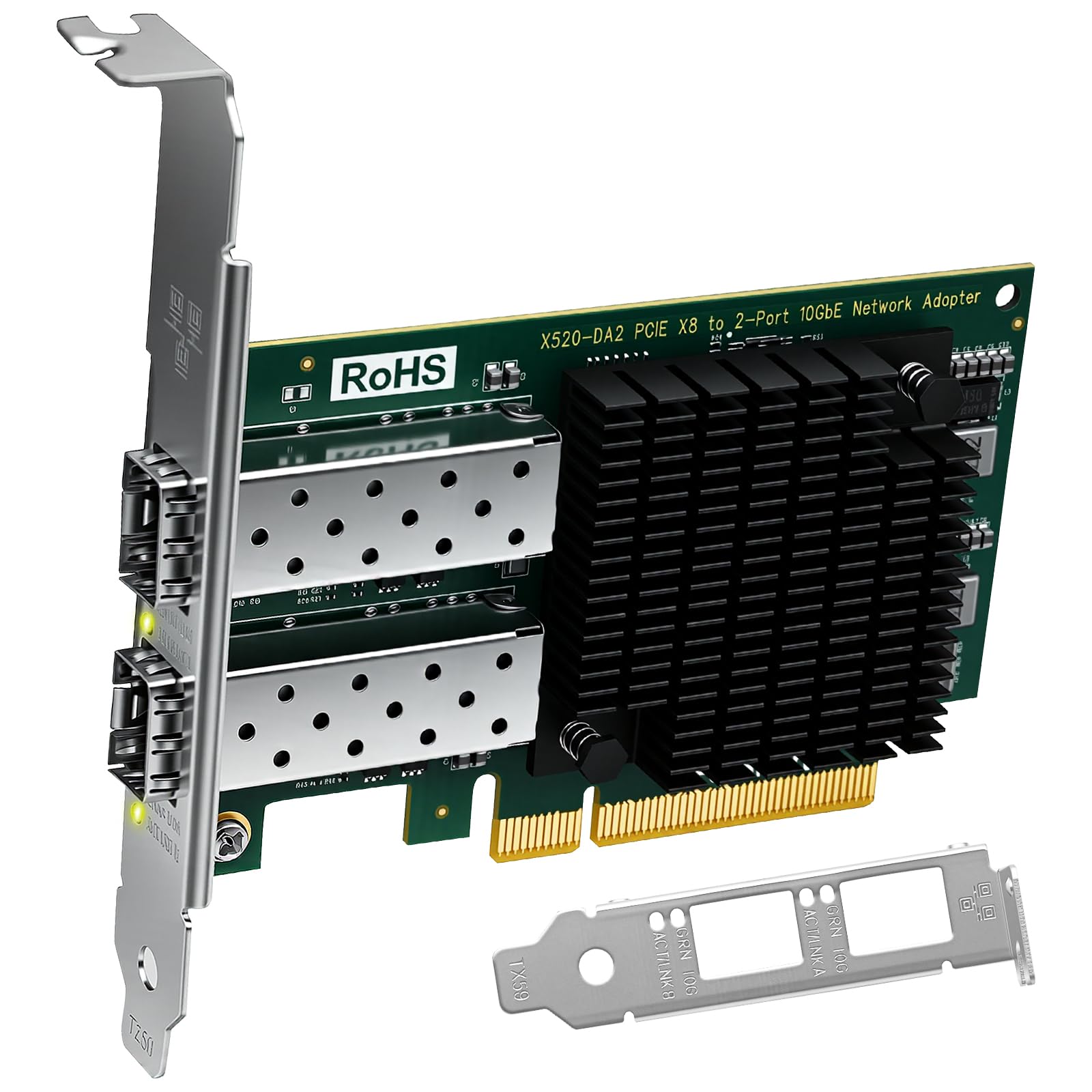
The LinksTek X520‑DA2 is built around the Intel 82599ES controller — the same chip found in Intel’s own X520‑DA2 — and gives you two SFP+ cages for connecting fiber transceivers or Direct Attach Copper cables. Unlike copper RJ45 cards, the SFP+ interface runs significantly cooler and draws less power, which is a major advantage in dense server chassis or silent home‑lab builds where airflow is limited. The card supports both 10GbE and 1GbE SFP+ modules, so you can mix speeds across the two ports if needed.
TrueNAS and ESXi users report genuine plug‑and‑play: the card is recognised on boot without any driver hunting. Windows 11 and newer Linux kernels also auto‑detect the IXGBE driver. The included low‑profile bracket fits blade servers and compact workstations, and the 90‑gram weight makes it one of the lightest dual‑port 10Gb cards on the market. Bonding both ports yields a theoretical 20 Gbps aggregate link for high‑speed storage transfers.
Bear in mind that SFP+ transceivers or DAC cables are not included — you need to budget for those separately, and compatibility varies by switch brand. The card uses PCIe 2.0 x8, so it will run at reduced bandwidth if installed in a slot with fewer lanes. For anyone building a fiber‑backboned home lab who values low latency and thermal efficiency, the X520‑DA2 is a superb pick.
Why it’s great
- True plug‑and‑play on TrueNAS, ESXi, and modern Linux
- SFP+ runs much cooler than copper 10GBASE‑T cards
- Dual ports can be bonded for 20 Gbps aggregate throughput
Good to know
- SFP+ transceivers or DAC cables sold separately
- Requires PCIe x8 slot — not suitable for x1 or x4 mechanical slots
- Listed as a legacy chipset; newer cards offer PCIe 3.0
4. NICGIGA 10Gb Dual LAN Base‑T Card (X540‑T2)

The NICGIGA X540‑T2 is an aggressively priced dual‑port copper card that uses the same Intel X540 controller found in boards costing nearly twice as much. It delivers two independent 10GBASE‑T ports with support for 10G, 1G, and 100M speeds, and the included slim bracket fits mini‑tower servers and compact workstations. The heatsink design provides decent passive cooling, though like all X540 copper cards, it benefits from a chassis fan moving air across the PCB.
Reviewers have clocked steady line‑speed throughput of ~9.9 Gbps with sub‑millisecond latency, making this a reliable choice for iSCSI storage, VM migration, or direct PC‑to‑NAS links. The card is recognised by Windows 11 after a manual Intel driver install, and Linux users on Ubuntu and Debian report the IXGBE driver handles it without issues. VMware ESX and Windows Server are explicitly supported.
The main trade‑off at this price point is inconsistency: some units have shipped with a Marvell AQC113 chipset instead of the advertised Intel X540, and a few buyers report speed capping at 2.5 Gbps until the correct driver is applied. Out‑of‑box performance on older Windows 10 builds may require extra setup steps. For the budget‑conscious home‑lab operator who doesn’t mind some manual configuration, the NICGIGA delivers dual‑port 10Gb at a compelling cost.
Why it’s great
- Dual 10Gb RJ45 ports with Intel X540 chipset at a low cost
- Includes low‑profile bracket for SFF installations
- Verified near line‑rate throughput with sub‑0.2 ms latency
Good to know
- Some units ship with Marvell AQC113 instead of Intel X540
- Manual driver installation required on Windows
- Runs hot; requires decent case airflow
5. YuanLey 10G PCIe Network Card (AQC113)
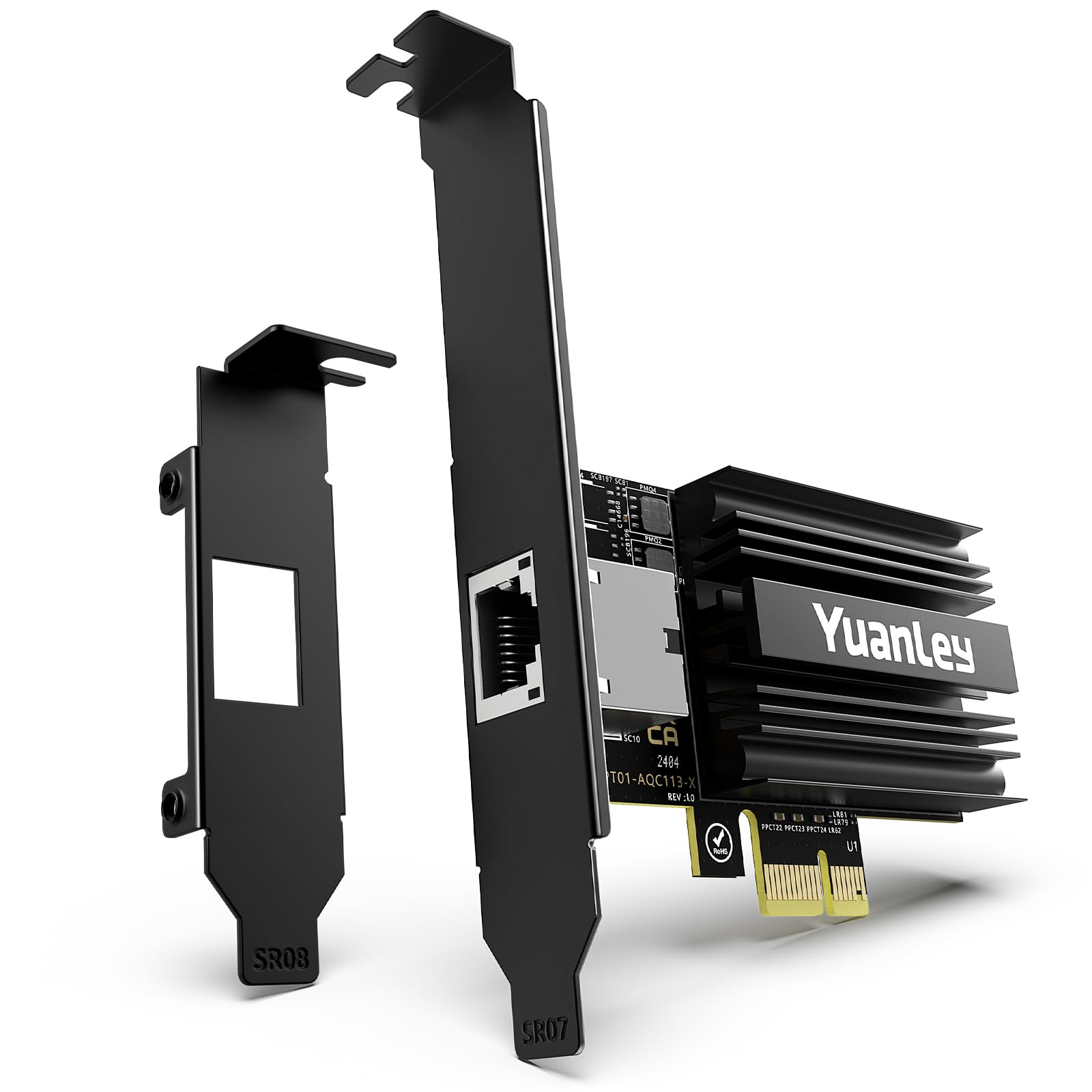
The YuanLey AQC113 is the card to grab when your motherboard has few spare PCIe lanes or only a x1 slot available. Its Marvell AQC113 controller uses PCIe 4.0 x1 — a single lane at Gen 4 provides enough bandwidth for full 10Gb throughput, so you can plug it into an x1, x4, x8, or x16 slot and still get line speed. This makes it uniquely suited for compact desktops, small‑form‑factor systems, or builds where the top x16 slot is already occupied by a GPU.
Setup is refreshingly effortless: Windows 11 and Windows Server 2025 recognise the card immediately without any driver hunting, and Linux support is equally plug‑and‑play. Users report consistent 10Gb speeds over a switch or direct NAS link, with low latency and stable long‑term performance. The card also supports Wake‑on‑LAN, a feature absent from many Intel‑based X540 cards, which is a welcome inclusion for remote power‑on workflows.
The single‑port limitation is the sole compromise — if you need link aggregation or dual‑segment access, you’ll need two of these or a different card. The small PCB with gold‑plated connectors installs even in tight spaces; one user noted it blocks only about 15% of the nearest GPU fan. For anyone who values slot flexibility and modern PCIe 4.0 efficiency, the YuanLey is a clean, low‑fuss 10Gb solution.
Why it’s great
- PCIe 4.0 x1 delivers full 10Gb in any slot size
- True plug‑and‑play on Windows 11/Server 2025 and Linux
- Supports Wake‑on‑LAN unlike many Intel X540 cards
Good to know
- Single RJ45 port only — no dual‑port or SFP+ option
- Marvell AQC113 driver not as mature as Intel’s on older OSes
- Full 10Gb line speed requires PCIe 4.0 motherboard support
6. VIMIN 10G PCIe 4.0 x1 Network Card (AQC113‑X1)
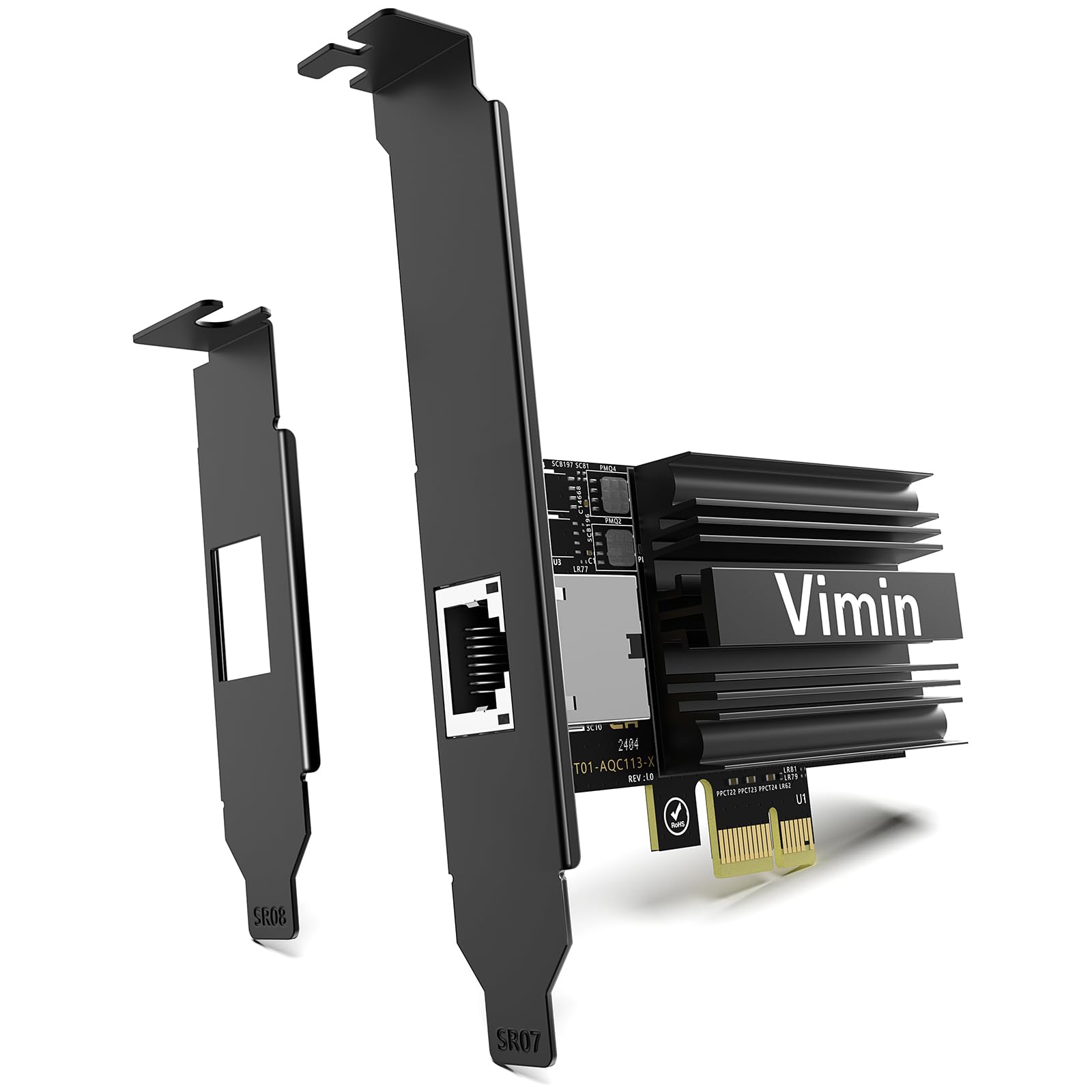
The VIMIN AQC113‑X1 shares the same Marvell AQC113 foundation as the YuanLey but distinguishes itself with strong out‑of‑box compatibility with Proxmox, UnRaid, and VMware — hypervisors that are finicky about NIC support. Users report that the card is detected without any driver intervention on Proxmox 8.x and achieves full 10Gb throughput across VMs and LXC containers when connected to a 10Gb switch via SFP+ or copper.
The single‑port design and compact PCB make it easy to wedge into a Lenovo ThinkStation, HP ProLiant, or custom mini‑server where internal space is at a premium. It supports the full range of multi‑gig speeds from 100Mbps to 10Gbps and includes both full‑height and low‑profile brackets. Like the YuanLey, it offers Wake‑on‑LAN support, which is a practical advantage for remotely waking a home‑lab server.
The manual driver installation requirement on a fresh Windows build is a minor speed bump — you need internet access from another interface before the card becomes active. Some users have also noted that the card runs warm, though the passive heatsink is sufficient in a ventilated case. For anyone running a virtualised homelab who needs a reliable, inexpensive 10Gb entry point, the VIMIN is a well‑tested choice.
Why it’s great
- Proven compatibility with Proxmox, UnRaid, and VMware
- PCIe 4.0 x1 fits any slot for flexible installation
- Wake‑on‑LAN support for remote server management
Good to know
- Manual driver install needed on fresh Windows builds
- Single RJ45 port only
- Passive heatsink gets warm under load
7. Synology Network Upgrade Module (E10G22‑T1‑Mini)
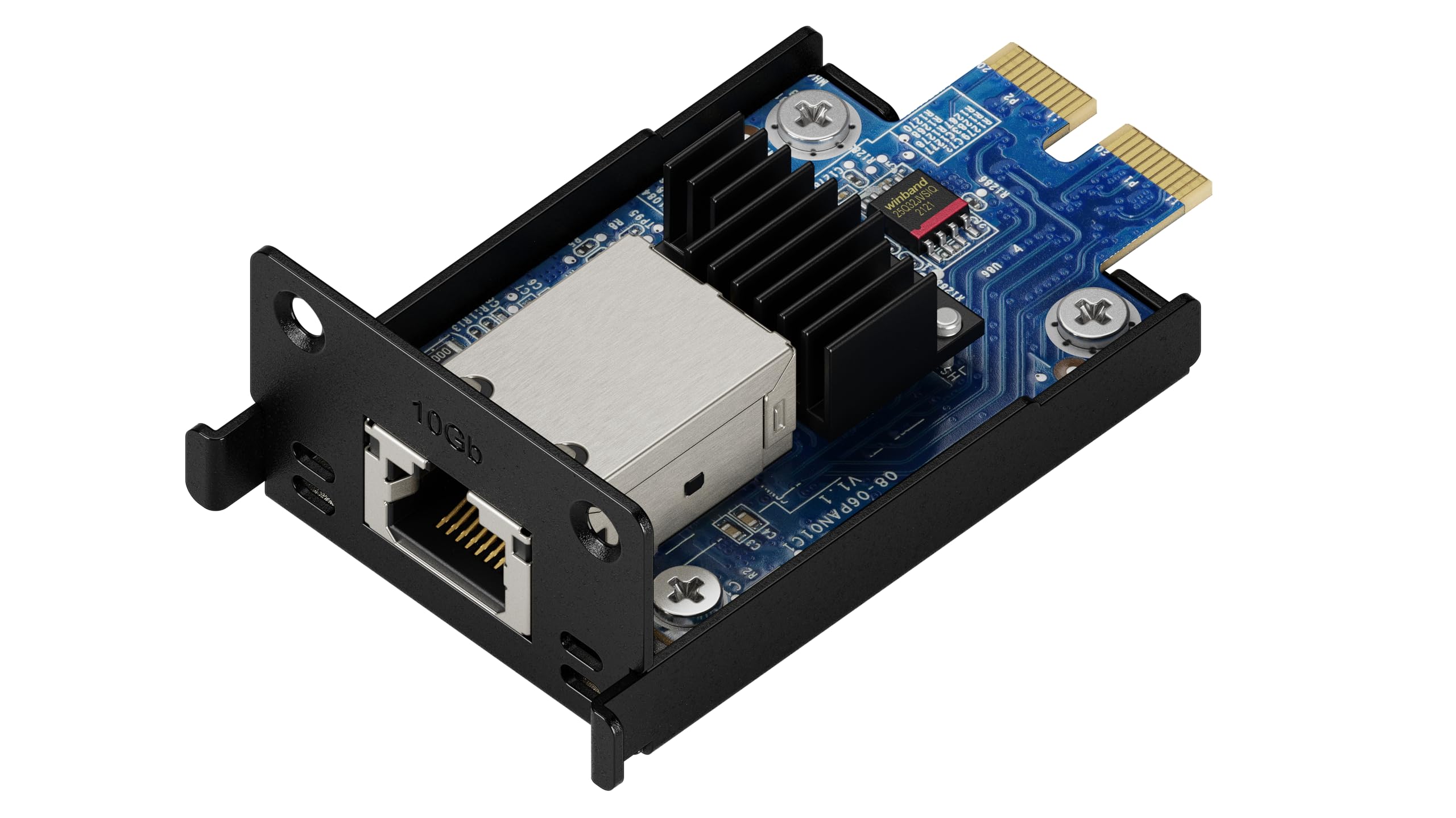
The Synology E10G22‑T1‑Mini is not a general‑purpose PCIe card — it is a proprietary mini‑slot module designed exclusively for compatible Synology NAS models such as the DS1522+, DS1823xs+, and DS923+. If you own one of these units, this module is the simplest way to add 10Gb connectivity without occupying a full PCIe slot or dealing with driver compatibility. It supports 10/5/2.5/1GbE auto‑negotiation, so it drops right into your existing network infrastructure.
Installation takes about 15 minutes: open the NAS case, plug the module into the dedicated slot, secure it with a single screw, and close the lid. The compact form factor means you do not lose any drive bays, and the passive cooling is adequate inside the NAS’s existing fan airflow. Users consistently report a transformative speed bump when transferring large media files or running multiple backup jobs concurrently — a 50GB project that took 10 minutes over 1GbE now finishes in under 60 seconds.
The glaring catch is price per gigabit: this module costs more than many full‑featured desktop 10Gb NICs. It also only works with Synology hardware, so it has zero resale value outside that ecosystem. And after installation, the NAS IP address changes, requiring a quick re‑scan with Synology Assistant. For Synology owners, however, this is the cleanest path to 10Gb — no brackets, no thermal headaches, no driver hunts.
Why it’s great
- Simple 15‑minute install with no PCIe slot or driver issues
- Auto‑negotiates from 1GbE to 10GbE for seamless integration
- Compact design does not block drive bays or airflow
Good to know
- Proprietary connector — only works with specific Synology models
- Premium cost compared to standard desktop 10Gb NICs
- Changes NAS IP after installation; requires re‑discovery
FAQ
Will a 10Gb network card work in a PCIe x1 slot?
Do I need Cat6a cable for 10GBASE‑T to work?
Can I mix SFP+ and RJ45 on the same 10Gb card?
Final Thoughts: The Verdict
For most users, the best 10gb network card winner is the TP‑Link TX401 because it combines a proven controller, a bundled Cat6a cable, and the simplest driver experience for a standard desktop PC. If you need dual copper ports for link aggregation or server connectivity, grab the 10Gtek X540‑T2. And if you run a fiber‑backboned home lab and want cool, low‑latency throughput, nothing beats the LinksTek X520‑DA2.