
Moving a home lab or media production office to 10-gigabit Ethernet over copper involves one brutal truth: most switches overheat, whine like a turbine, or force you into SFP+ modules that just won’t mate with your gear. The RJ45 connection is the simplest path for existing Cat6a cabling, but the switch driving those ports must balance heat dissipation, noise profile, and real-world throughput under sustained load. That balance separates a reliable network backbone from a box that silently throttles your NAS transfers during large renders.
I’m Min — the co-founder and writer behind Gadgets Feed. I’ve spent dozens of hours cross-referencing switching capacity figures, port buffer depths, thermal specs, and real-user failure reports on 10Gb RJ45 switches to identify the models that actually handle sustained high-throughput workloads without cooking themselves or driving you crazy with fan noise.
The market has matured quickly, and after filtering for build quality, thermal performance, and port configuration flexibility, a few clear leaders emerge in the best 10gb rj45 switch category that deserve a hard look for any serious network upgrade.
How To Choose The Best 10Gb RJ45 Switch
Picking the right switch for 10-gigabit copper starts with understanding your actual infrastructure limits — cable length, heat tolerance, and whether you need VLAN isolation or simple plug-and-play. These factors narrow your options fast.
Port Count vs. Backplane Capacity
A 5‑port switch with 100 Gbps switching capacity handles full-duplex 10G on all ports simultaneously. An 8‑port switch with 160 Gbps can too. But once you mix 2.5G and 10G devices, check the non‑blocking throughput. Switches that under‑provision the backplane cause bottlenecks when multiple high‑bandwidth clients talk at once.
Fan or Fanless: Thermal Reality of 10GBASE-T
10GBASE‑T silicon runs hot — significantly hotter than SFP+. Fanless designs exist and work in ventilated spaces, but under sustained heavy load, some force a 30‑minute cooldown. An active fan at 24 dB is inaudible across a room but critical for reliability in a closed network cabinet. If the switch goes into a living area, prioritize fanless or low‑noise models.
Managed vs. Unmanaged for Your Workflow
Unmanaged switches are ideal for straightforward aggregation — give every device a 10G link and walk away. Managed (L2+ or L3) models add VLAN segregation for IoT, guest networks, or iSCSI storage traffic, plus link aggregation and SNMP monitoring. For most SOHO users, unmanaged suffices. For lab environments with multiple subnets, a web‑smart managed switch justifies the premium.
Quick Comparison
On smaller screens, swipe sideways to see the full table.
| Model | Category | Best For | Key Spec | Amazon |
|---|---|---|---|---|
| GiGaPlus 5‑Port 10G | Unmanaged | Pure 10G desktop aggregation | 5 × 10G RJ45 ; 100 Gbps switching | Amazon |
| TP‑Link TL‑SX105 | Unmanaged | Brand reliability & quiet operation | 5 × 10G RJ45 ; fanless metal chassis | Amazon |
| GiGaPlus 10‑Port | Unmanaged | Hybrid 2.5G/10G networks | 8×2.5G + 2×10G RJ45 ; 80 Gbps | Amazon |
| GiGaPlus 6‑Port | Unmanaged | Entry 10G uplink on a budget | 4×2.5G + 2×10G RJ45 ; 60 Gbps | Amazon |
| NICGIGA 8‑Port 10G | Unmanaged | Full 8‑port pure 10G copper | 8 × 10G RJ45 ; 160 Gbps switching | Amazon |
| YuanLey 8‑Port PoE 10G | Unmanaged PoE | Powering APs & cameras at 10G | 8 × 10G PoE ; 110W total budget | Amazon |
| MokerLink 12‑Port L3 | L3 Managed | Advanced VLAN & routing | 8×10G RJ45 + 4×10G SFP+ ; 240 Gbps | Amazon |
| TRENDnet TEG‑7124WS | Web Smart | NDAA/TAA‑compliant setups | 8×10G RJ45 + 4×10G SFP+ ; 240 Gbps | Amazon |
| MikroTik CRS312‑4C+8XG‑RM | L3 Managed | Enterprise‑grade L3 offloading | 8×10G RJ45 + 4 combo ; 240 Gbps | Amazon |
In‑Depth Reviews
1. GiGaPlus 5-Port 10Gb Ethernet Switch

The GiGaPlus GP‑S100‑0500T delivers five full 10GBASE‑T ports with a 100 Gbps switching capacity — enough line‑rate bandwidth for simultaneous transfers between a NAS, two workstations, a server, and an uplink. Each port auto‑negotiates down to 100 Mbps, so legacy 1G gear coexists without issues. The inclusion of 19‑inch rack ears and an industrial‑grade 5000 RPM fan rated at 24 dB makes this a rare unmanaged switch that fits both a desktop stack and a server rack without audible annoyance.
Heat is the usual enemy of 10GBASE‑T, but the dual‑sided cooling vents and metal chassis keep internal temperatures in check up to 45°C ambient. The 4KV surge protection adds peace of mind for home labs with indifferent grounding. Real‑world iperf tests confirm near wire‑speed forwarding (9.4 Gbps) on all five ports under sustained load, with no packet loss or thermal throttling after hours of heavy use.
Customer reports highlight consistent high speeds and an easy plug‑and‑play setup, though a small minority cite failed SFP+ sibling units — this copper‑only model avoids that complexity entirely. The 5000 RPM fan is audible in a dead‑silent room, so if your switch lives in a bedroom, the fanless TP‑Link below might serve better. For everyone else, this is the most cost‑effective pure 10G copper switch on the market.
Why it’s great
- Five dedicated 10G RJ45 ports with full line‑rate switching
- Rackmount and desktop support right out of the box
- Affordable entry into pure 10Gb copper networking
Good to know
- Active fan produces a low hum; not silent
- No management features — truly unmanaged only
2. TP-Link TL-SX105

The TP‑Link TL‑SX105 is the reference design for a fanless 10G switch — no moving parts, zero noise, and a compact metal casing that fits anywhere. Five ports auto‑negotiate across 100M/1G/2.5G/5G/10G, making it a seamless drop‑in for mixed‑speed networks. The 100 Gbps switching capacity ensures non‑blocking performance when all ports run at 10G simultaneously.
TP‑Link backs this unit with a three‑year warranty and free phone support, a meaningful advantage over smaller brands. Users report consistent iperf speeds matching the GiGaPlus above, but with the thermal trade‑off that comes with fanless 10GBASE‑T. Under sustained heavy load in a warm room, the chassis can become uncomfortably hot. Several customers note that burying it in an enclosed cabinet causes ports to drop after extended use, requiring a cooldown period.
The ~20‑second boot time is a minor quirk, and some wish for LED placement on the opposite side of the ports to avoid cable obstruction. For a quiet office or living room where fan noise is unacceptable, the TL‑SX105 is the clear winner. For a closed rack with heavy continuous load, the GiGaPlus active‑cooled model is more reliable.
Why it’s great
- Completely silent operation — ideal for open workspaces
- Major brand with solid warranty and support infrastructure
- Compact size fits easily on a desk or wall‑mounted
Good to know
- Fanless design runs hot under sustained load
- Requires adequate ventilation; not suitable for enclosed cabinets
3. GiGaPlus 10-Port 10Gb Switch (8×2.5G + 2×10G)
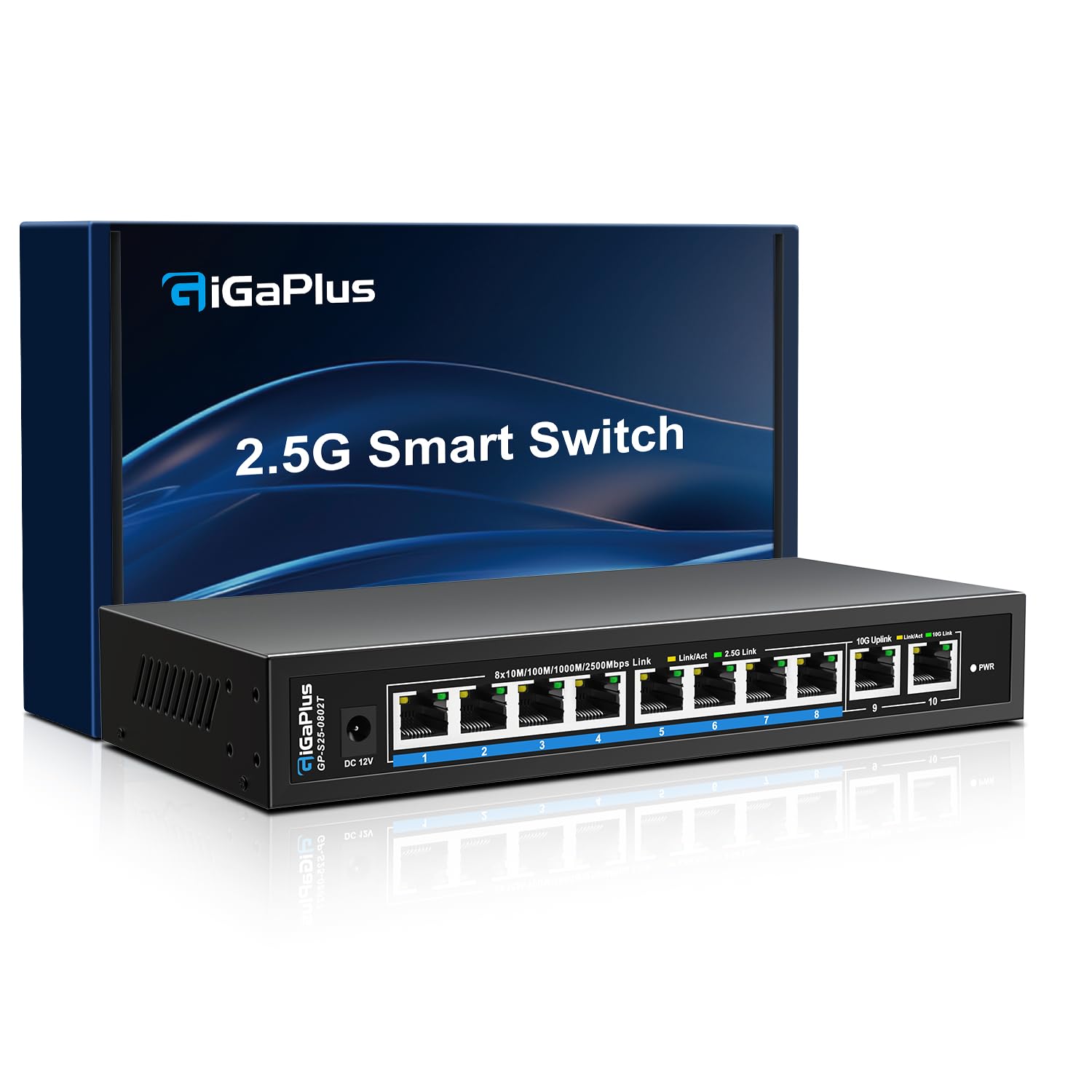
This 10‑port design solves a specific problem: you have multiple 2.5Gbps devices — WiFi 6 APs, 2.5G NAS, modern PCs — that need a fast uplink to a single 10G backbone. Eight ports deliver 2.5G each while two dedicated 10G RJ45 ports aggregate upstream traffic, giving you 80 Gbps total switching capacity. The fanless metal chassis stays cool in normal use and includes wall‑mount brackets alongside desktop pads.
Users consistently praise the silent operation and plug‑and‑play simplicity. One reviewer fully populated all ports with a NAS, two APs, two PCs, and a PS5 and saw full 2 Gbps throughout. The 4KV lightning protection adds a layer of robustness for home installations near cable entry points. The switch has no fan, so noise is zero, and the metal body doubles as a heatsink.
The limitation is clear: only two 10G ports exist. If you need four or more devices at full 10G, this isn’t the right choice. But for a mixed ecosystem transitioning to multi‑gig, this is the most cost‑effective bridge between 2.5G clients and a 10G core.
Why it’s great
- Ideal for mixed 2.5G/10G environments without wasting 10G ports
- Silent fanless operation with excellent thermal performance
- Great value for the port count and features offered
Good to know
- Only two 10G uplink ports limit pure 10G expansion
- Unmanaged — no VLAN or traffic shaping capabilities
4. GiGaPlus 6-Port 10Gb Switch (4×2.5G + 2×10G)

The GiGaPlus S25‑0402T is the entry‑level multi‑gig switch for small setups — four 2.5G ports and two 10G uplinks with a 60 Gbps backplane. It’s enough for a NAS plus a couple of workstations and a WiFi 6 AP, with the 10G ports reserving headroom for future upgrades. Like its larger sibling, it’s fanless, runs cool, and supports wall mounting.
For its price point, the build quality is impressive: a rugged metal casing with 6KV lightning protection, significantly higher than many competitors. The 2.5G ports auto‑sense 100/1000/2500, while the 10G ports negotiate 1/2.5/5/10G. This broad rate support ensures compatibility with almost any NIC on the market. Customers report consistent high speeds and an easy setup.
However, a single concerning report notes SFP+ port failure after seven months with customer support going silent. While this appears to be a rare issue, it underscores the lower warranty support compared to TP‑Link or TRENDnet. For a budget build where reliability is critical, budget for a backup or a return window test period.
Why it’s great
- Lowest cost path to a 10G uplink with 2.5G client ports
- 6KV surge protection exceeds typical home switch specs
- Compact fanless design installs anywhere
Good to know
- Customer support consistency is questionable
- Limited to only six total ports
5. NICGIGA 8-Port 10G Ethernet Switch

The NICGIGA S100‑0800T is one of the few sub‑premium unmanaged switches offering eight full 10GBASE‑T ports in a single unit. With 160 Gbps switching capacity, every port can run at wire speed simultaneously — ideal for an 8‑bay NAS farm, multiple render nodes, or a small post‑production suite. The metal chassis includes 19‑inch rack ears and an internal 5000 RPM fan rated at 24 dB.
Real‑world performance is excellent: users report 560‑590 MB/s transfers using jumbo frames (9014 MTU) between 10G Mac Studios, saturating the entire 8 Gbps downlink in multi‑client scenarios. The 4KV lightning protection and dual‑sided cooling vents keep the box stable. One reviewer who switched from 1 Gbps fiber to 4.8/4.9 Gbps service reports flawless operation without fan noise issues.
One unit developed a noisy fan four days past the return window. The active fan is acceptable in a rack but may be noticeable in a quiet room. For users wanting a dense all‑10G unmanaged fabric without mixing port speeds, this is the most straightforward option at a price that undercuts enterprise gear by a wide margin.
Why it’s great
- Eight full 10G ports — no mixed‑speed compromise
- Rackmount ready with 19‑inch ears included
- Strong real‑world throughput with jumbo frames
Good to know
- Active fan may develop noise over time
- No management features beyond plug‑and‑play
6. YuanLey 8-Port 10G PoE Switch
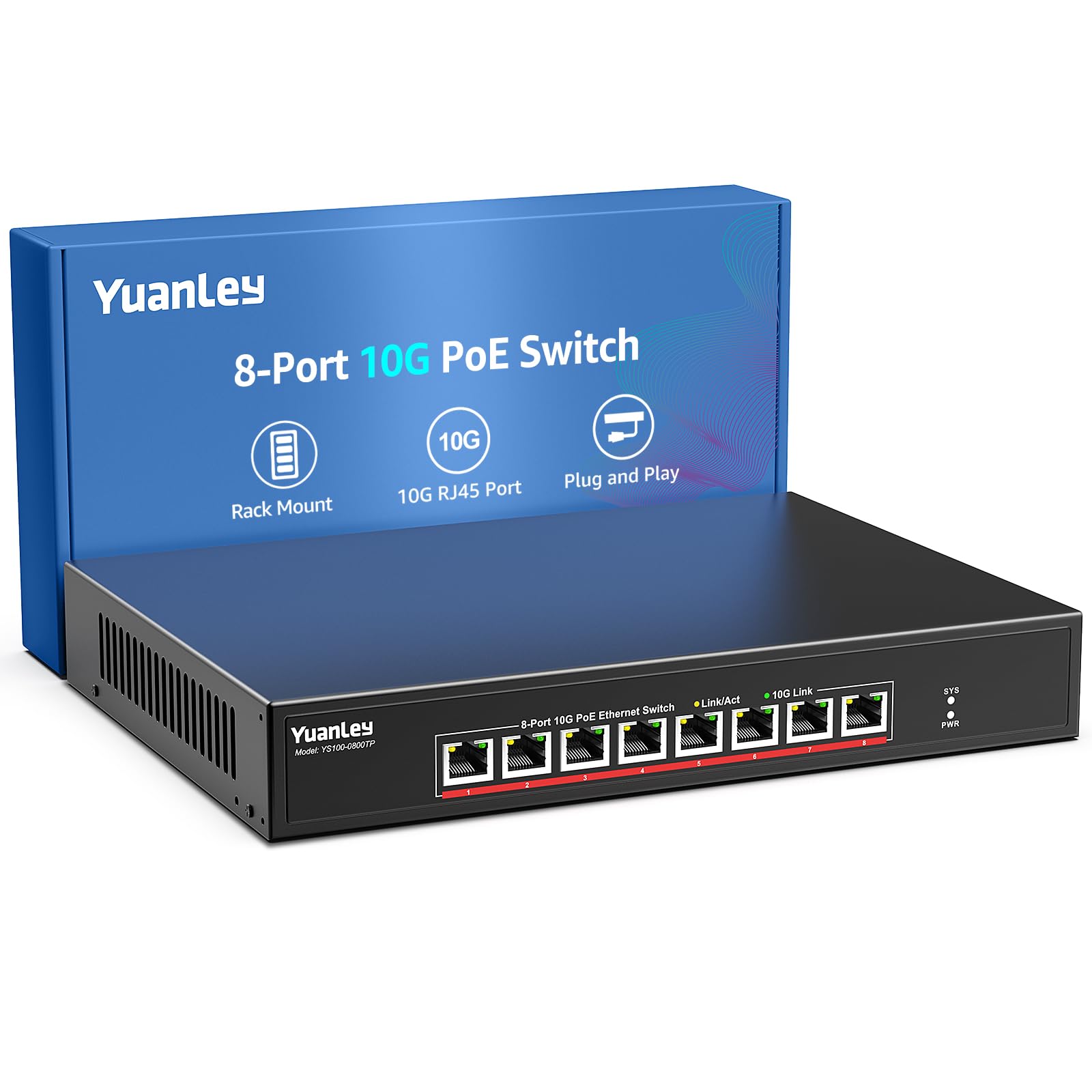
The YuanLey YS100‑0800TP is a niche but vital product: an unmanaged 10G PoE+ switch that delivers 110W across eight ports (up to 30W per port). This allows a 10GBASE‑T WiFi 6/7 access point or a 10G PoE camera to be powered and connected at full 10G speed over a single Cat6a cable. The 160 Gbps switching capacity ensures no throughput sacrifice when PoE is active.
Build quality includes a metal case, 4KV lightning protection, and a 24 dB cooling fan with dual‑sided vents. The unit supports both 19‑inch rackmount and wall‑mount placement. Users deploying it for surveillance VLANs and long cable runs praise the consistent PoE delivery and lack of packet loss even with six ports saturated. The plug‑and‑play nature means no complex VLAN setup is required for basic operation.
The PoE budget is 110W total — if all eight ports needed full 30W, you’d exceed capacity, but for typical AP and camera loads, it’s sufficient. Some reviewers note the build feels less premium than enterprise PoE switches, and documentation is sparse. For a home lab or small office needing both 10G data and PoE without a separate injector, this is a uniquely convenient package.
Why it’s great
- Combines 10G switching with PoE+ in one device
- Reduces cable clutter by eliminating separate power injectors
- Adequate 110W budget for APs and cameras
Good to know
- Limited documentation and online support
- Not for mission‑critical enterprise use
7. MokerLink 12-Port L3 Managed Switch
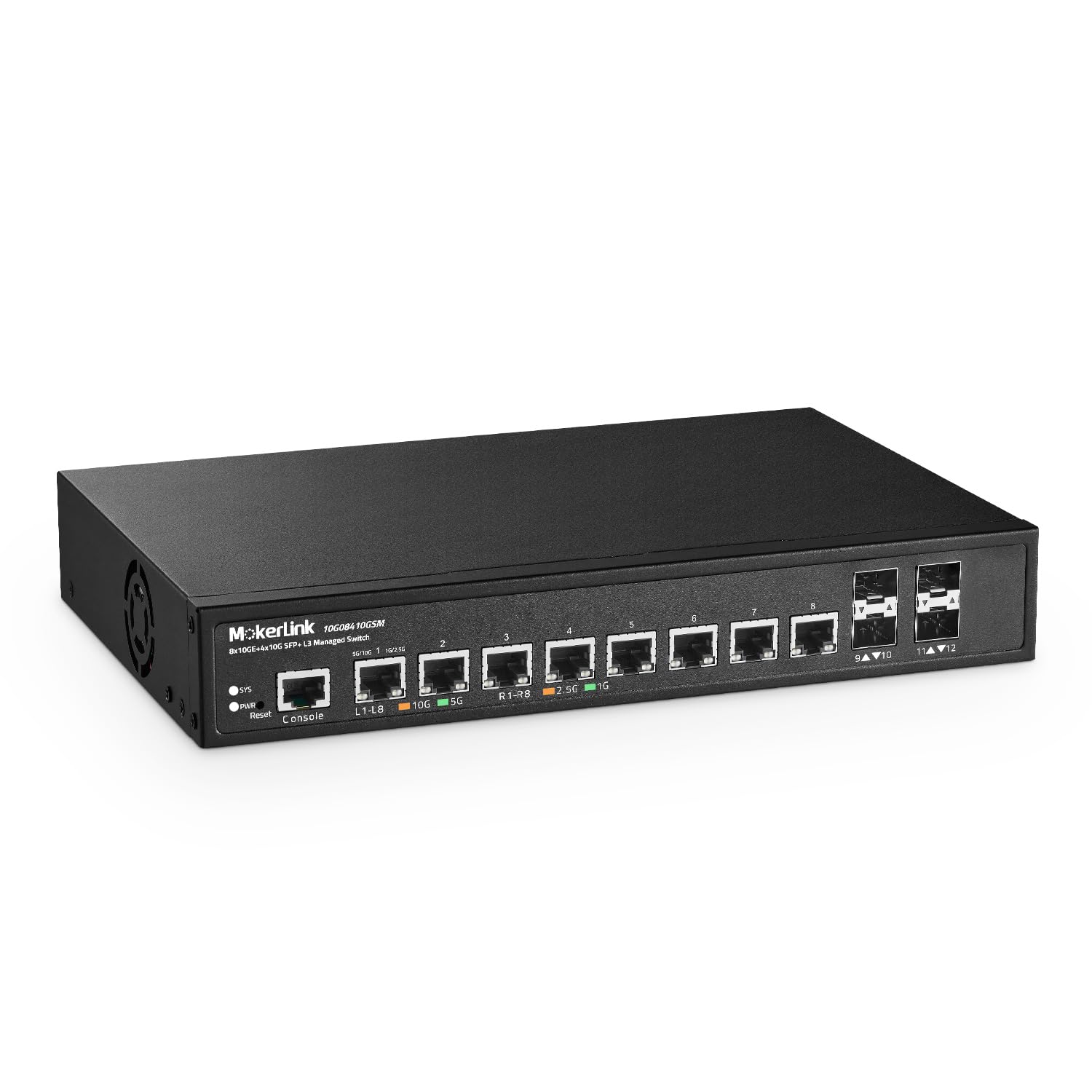
The MokerLink 10G08410GSM packs eight 10GBASE‑T ports and four 10G SFP+ slots into a single L3 managed chassis with a 240 Gbps switching capacity. This is the first switch in this roundup that supports full Layer 3 routing — IPv4/IPv6 static routes, VLAN routing, ACLs, QoS, and multicast. For a home lab running multiple subnets or a small office needing inter‑VLAN routing without a separate router, this is a massive capability jump.
The web GUI and CLI are functional, though the included quick‑start guide contains an IP address error (step 2). Users report that once configured, the switch runs flawlessly, correctly identifying 2.5G and 10G link speeds and maintaining stable connections. The active fan is described as quieter than many enterprise switches — audible at 10 ft but not objectionable. The 6KV surge protection is a nice touch for sensitive lab equipment.
Setup complexity is real: inexperienced users will need to consult online forums or third‑party documentation. The fan noise, while low, is still present. For anyone who needs VLAN segmentation, L3 routing, and a mix of RJ45 and SFP+ connectivity at a price far below Cisco or Juniper, the MokerLink delivers unmatched value.
Why it’s great
- Full L3 managed routing at an entry‑level price
- Versatile port mix: 8×10G RJ45 + 4×10G SFP+
- 240 Gbps non‑blocking backplane
- DIY‑friendly with serial console and CLI access
Good to know
- Setup guide has errors; some online research required
- Active fan is present — not silent
8. TRENDnet TEG-7124WS Web Smart Switch

TRENDnet’s TEG‑7124WS brings NDAA and TAA compliance to a 12‑port managed 10G switch — a critical requirement for government and education contracts. The port layout mirrors the MokerLink: eight 10G RJ45 ports plus four 10G SFP+ slots, all backed by a 240 Gbps switching capacity. The web‑smart interface provides VLAN, QoS, IGMP snooping, link aggregation, and SNMP monitoring without the complexity of a full L3 CLI.
The metal 1U rackmount housing is solid. Real‑world iperf tests show ~9.3 Gbps throughput with sub‑millisecond latency increases. TRENDnet’s lifetime warranty (U.S. and Canada) and English‑speaking tech support are meaningful advantages over lesser‑known brands. Users appreciate the regular firmware updates and responsive support when issues arise. Power consumption idles around 33W — reasonable for a fully loaded 10G switch.
The fan is the loudest component: a constant hum that’s fine in a wiring closet or garage but distracting on a desk. Some customers report the fan as louder than expected for a “smart” switch. Boot time is about two minutes, and the default IP requires a console cable connection to change. For NDAA‑mandated environments or users who value long‑term warranty support, the TRENDnet is a safe, capable choice.
Why it’s great
- NDAA and TAA compliant for government/education use
- Lifetime warranty with responsive US‑based support
- Web‑smart management without CLI complexity
Good to know
- Fan noise is noticeable in quiet environments
- Default IP configuration requires console access
9. MikroTik CRS312-4C+8XG-RM

The MikroTik CRS312‑4C+8XG‑RM is the most sophisticated switch in this roundup — a full Layer 3 device with hardware offloading, 120 Gbps routing, and 240 Gbps switching at 178 Mpps forwarding. Eight 10GBASE‑T ports plus four combo ports (RJ45/SFP+) give exceptional flexibility. The white 1U metal chassis is compact (only 9.7 inches deep) and fits shallow racks perfectly.
RouterOS and SwOS dual‑boot allow either simple switching or advanced routing with VLANs, OSPF, BGP, firewall rules, and MPLS. The L3 hardware offloading means inter‑VLAN routing runs at wire speed without hitting the CPU. Users running virtualization clusters praise the stable performance for iSCSI storage and live migration. The unit stays cool and quiet at default fan speeds (~3400 RPM), though some home users replace the fan with a Noctua for near‑silence.
The learning curve is the steepest of all switches here — RouterOS is powerful but not intuitive. The fan, while quieter than enterprise gear, is still audible in a quiet room. For prosumers and IT professionals who can navigate RouterOS, the CRS312 offers enterprise L3 switching at a fraction of the cost. It’s the definitive choice for a high‑performance home lab or small business aggregation point.
Why it’s great
- Wire‑speed L3 hardware offloading for complex networks
- Compact 1U depth fits shallow racks
- Dual OS: RouterOS for routing or SwOS for simplicity
Good to know
- Steep learning curve for RouterOS management
- Fan noise may still bother silent‑room users
FAQ
What Category 6 cable rating do I need for 10GBASE‑T?
Can I mix 1Gbps, 2.5Gbps, and 10Gbps devices on the same switch?
Why do some 10G switches get hot while others stay cool?
Final Thoughts: The Verdict
For most users, the best 10gb rj45 switch winner is the GiGaPlus 5‑Port 10G because it delivers five dedicated 10G copper ports with active cooling, rackmount capability, and 100 Gbps non‑blocking throughput at a price that undercuts every comparable model. If you need silent operation in a living space, grab the TP‑Link TL‑SX105. And for a dense managed network with L3 routing, nothing beats the MikroTik CRS312‑4C+8XG‑RM despite the steeper learning curve.