
Filling a 10TB drive for the first time is a commitment — that’s roughly 2,000 hours of HD video, 2.5 million photos, or a Steam library that would take months to download. The pain isn’t finding one; it’s buying the wrong one and watching your archive degrade slowly over two years. The right 10TB internal hard drive balances spin speed, cache size, and workload rating so your data outlives the rest of your build.
I’m Min — the co-founder and writer behind Gadgets Feed. I’ve analyzed hundreds of hours of real-world benchmark data, customer longevity reports, and manufacturer spec sheets for high-capacity mechanical drives to separate the reliable workhorses from the ticking time bombs.
After sorting through terabytes of real customer feedback and enterprise reliability specs, I’ve found the winners that deliver actual value without the guesswork. Here is my expert curation of the best 10tb internal hard drive options available right now.
How To Choose The Best 10Tb Internal Hard Drive
At 10TB, you are buying for the long haul. The wrong choice means slow transfers, excessive noise, or premature failure. Focus on three things: the spindle speed, the cache buffer, and the drive’s workload rating.
Spindle Speed: 5400 vs. 7200 RPM
7200 RPM delivers roughly 30-40% higher sustained transfer rates than a 5400 RPM counterpart. For a 10TB archive, that difference adds up to hours saved when running initial backups or moving large media libraries. The trade-off is higher operating noise and heat — enterprise 7200 RPM drives can hit 30-35 dB under load, while 5400 RPM models stay closer to 25 dB. If your drive lives in a closet or basement NAS, noise is irrelevant. If it sits next to your desk in a quiet room, the acoustic profile matters.
Cache Buffer and Recording Technology
Cache sizes on 10TB drives range from 128MB on older enterprise pulls to 512MB on modern WD Blue and Black models. A larger cache smooths out burst writes and helps the drive handle random I/O without thrashing the platters. But the biggest performance variable is the recording technology: Conventional Magnetic Recording (CMR) versus Shingled Magnetic Recording (SMR). CMR drives write data in parallel tracks and maintain consistent performance during simultaneous read/write operations. SMR drives layer tracks like shingles and can suffer massive slowdowns — sometimes dropping to 10-20 MB/s — when the drive needs to rewrite overlapping sectors. For any 10TB drive used in a NAS, RAID, or as a working data drive, stick exclusively to CMR.
Enterprise vs. Consumer Rating
Enterprise 10TB drives like the HGST Ultrastar and Toshiba MG Series are built for 24/7 operation in server racks. They feature Mean Time Between Failures (MTBF) ratings of 2.0 to 2.5 million hours and workload rate limits of 550TB per year. Consumer drives like the WD Blue and Seagate BarraCuda are designed for 8-10 hours of daily use in a desktop PC. If you plan to run a drive in a NAS, a DAS, or any environment where it stays powered on for weeks at a time, the extra cost of an enterprise model pays for itself in avoided downtime.
Quick Comparison
On smaller screens, swipe sideways to see the full table.
| Model | Category | Best For | Key Spec | Amazon |
|---|---|---|---|---|
| Toshiba MG06ACA10TE | Enterprise | 24/7 NAS Operation | 7200 RPM, 256MB Cache | Amazon |
| WD Blue 10TB | Consumer | Desktop Bulk Storage | 7200 RPM, 512MB Cache | Amazon |
| HGST DC HC510 (Renewed) | Enterprise | Budget RAID Array | 7200 RPM, Helium-Sealed | Amazon |
| MDD HGST DC HC510 (Renewed) | Enterprise | Cold Backup Storage | 7200 RPM, 128MB Cache | Amazon |
| Seagate BarraCuda 8TB | Consumer | Quiet Desktop Upgrade | 5400 RPM, 256MB Cache | Amazon |
| Seagate BarraCuda Pro 10TB (Renewed) | Prosumer | Fast Desktop Storage | 7200 RPM, 256MB Cache | Amazon |
| WD Black 10TB | Performance | Gaming & Creative Work | 7200 RPM, 512MB Cache | Amazon |
| HGST 12TB Ultrastar (Renewed) | Enterprise | High-Capacity NAS | 7200 RPM, Helium-Sealed, 256MB | Amazon |
| Bestoss 2TB NVMe SSD | SSD | OS & Fast App Drive | NVMe Gen3, 3500MB/s | Amazon |
In‑Depth Reviews
1. Toshiba MG Series Enterprise 10TB MG06ACA10TE

The Toshiba MG06ACA10TE is a new, factory-sealed enterprise drive with a 550TB/year workload rating and 24/7 continuous operation certification. Its 7200 RPM spindle and 256MB cache push sustained transfer rates past 230 MB/s — enough to saturate a single Gigabit Ethernet link during NAS backups. The drive uses Toshiba’s Stable Platter Technology to reduce vibration-induced tracking errors, a common failure point in multi-bay enclosures.
Real-world user reports confirm these drives arrive with single-digit power-on hours when purchased new, unlike many enterprise pulls that show years of prior service. The Persistent Write Cache technology helps maintain consistent throughput during simultaneous read/write operations, which is critical for RAID 5 or RAID 6 rebuilds. At idle, the drive measures around 28 dB, noticeably quieter than older HGST enterprise units.
The only downside is the price premium over renewed drives. For a homelab or primary NAS, the peace of mind of a new-in-box enterprise drive with a manufacturer warranty justifies the extra cost. Home users who only spin up the drive occasionally might prefer a cheaper consumer model, but for anyone running a 24/7 storage system, this is the most balanced choice.
Why it’s great
- 550TB/year workload rating for 24/7 operation
- Stable Platter Technology reduces vibration errors
- New drive with single-digit power-on hours
Good to know
- Premium price compared to renewed enterprise drives
- No SED encryption option at this price tier
2. WD Blue 10TB Internal Hard Drive WD100EAGZ

The WD Blue 10TB brings a massive 512MB cache to the consumer desktop space — double what most 10TB enterprise drives offer. This larger cache helps the drive handle burst writes and random I/O more smoothly during everyday use like file transfers, media editing, and game loading. The 7200 RPM spindle ensures sustained reads around 200 MB/s, which is competitive with older prosumer drives.
WD equips this drive with NoTouch Ramp Load Technology, which parks the read/write heads off the platters during spin-up and spin-down to reduce wear. Acronis True Image WD Edition cloning software is included in the box, a useful bonus for users migrating from a smaller drive. The Blue series carries a 2-year warranty, shorter than the 5-year warranties on enterprise models, reflecting its consumer-oriented workload ceiling.
This drive is ideal for a desktop PC used several hours a day, but not for a 24/7 NAS environment. Users running continuous Plex transcoding or frequent RAID scrubbing will hit the workload limit faster than on an enterprise drive. The acoustic profile is moderate — it’s audible during seeks but quieter than the WD Black series under load.
Why it’s great
- 512MB cache improves burst write performance
- NoTouch Ramp Load reduces platter wear
- Includes Acronis cloning software
Good to know
- 2-year warranty, not rated for 24/7 use
- Higher cost per TB than renewed enterprise options
3. Hitachi HGST WD Ultrastar DC HC510 10TB (Renewed)

The HGST Ultrastar DC HC510 is the gold standard for renewed enterprise storage. This helium-sealed drive runs cooler and uses less power than air-filled alternatives — typically 5-7 watts at idle versus 8-10 watts for a comparable consumer drive. The 7200 RPM spindle and 128MB cache deliver consistent 200+ MB/s transfers, and the 2.5 million hour MTBF rating means it was built to run for a decade in a datacenter.
Customer data shows that renewed HGST drives from reputable sellers have a high survival rate after initial testing. The recommendation is universal: run a full extended SMART test (which can take 24+ hours on a 10TB drive) before putting any data on it. Drives that pass this test typically provide years of reliable service. The SED (Self-Encrypting Drive) feature on this model allows hardware-level encryption without performance loss.
The risk with any renewed drive is the unknown prior workload. Some units may have logged 30,000+ power-on hours in a server rack. The buying strategy is simple: buy from sellers with a return policy and test immediately. This drive is perfect for cold storage, secondary backups, or RAID arrays where the risk is spread across multiple drives.
Why it’s great
- Helium-sealed for lower power and heat
- 2.5M hour MTBF enterprise rating
- Fraction of the cost of new enterprise 10TB
Good to know
- Must run extended SMART test before use
- Prior power-on hours vary by seller
4. MDD HGST DC HC510 10TB (Renewed)

The MDD-badged version of the HGST DC HC510 offers the same base hardware — a helium-filled, 7200 RPM, SATA 6Gb/s enterprise drive with a 2.5M-hour MTBF — at a slightly lower entry point than the main HGST listing. The key difference is the stated age: these units are explicitly sold as having served approximately 5 years in a datacenter before refurbishment. The drives undergo HGST factory diagnostic testing and DoD-standard data wiping before resale.
Customer feedback highlights the drive’s suitability for RAID arrays and CCTV NVR systems. The audible noise at full speed is noticeable — several users describe it as loud enough to require acoustic dampening in a quiet room — but that’s standard for any 7200 RPM enterprise unit. The 5-year warranty from MDD provides more coverage than most renewed drive listings, which often include only 90-day or 1-year protection.
The primary caution is the 5-year prior service life. While reliable electronics tend to fail early or last a long time, a drive with 40,000+ hours already on it may have less remaining life than a lightly used pull. For non-critical backups or media archives where data is duplicated elsewhere, this is an excellent budget option. For primary storage, buy two and run them in a mirror.
Why it’s great
- Enterprise helium drive at entry-level pricing
- Includes 5-year warranty from MDD
- DoD-standard data wiping for security
Good to know
- Approximately 5 years of prior datacenter use
- Noisy under full load
5. Seagate BarraCuda 8TB ST8000DMZ04

The Seagate BarraCuda 8TB operates at 5400 RPM with a 256MB cache, delivering a sustained transfer rate of about 190 MB/s. This is 15-20% slower than a 7200 RPM 10TB drive, but the trade-off is significantly lower noise and vibration — measured around 22-24 dB at idle, making it one of the quietest high-capacity mechanical drives available. For a desktop PC that sits on a desk in a home office, the acoustic difference is immediately noticeable.
The drive uses Seagate’s AcuTrac technology to improve read/write head positioning accuracy on the high-density platters, which helps maintain consistent performance as the drive fills up. It also includes SeaTools diagnostic software for health monitoring and scheduled tests. The BarraCuda series is designed for consumer workloads of 8-10 hours per day, not 24/7 NAS operation.
At 8TB, this is not a 10TB drive, but it’s included here because its pricing often overlaps with 10TB options and many shoppers cross-shop the two. For users who need bulk storage for media libraries, game installs, or document archives and value quiet operation over maximum speed, this drive delivers a better daily experience than faster, louder enterprise units. The included Data Recovery Service option adds an extra layer of protection for critical files.
Why it’s great
- Near-silent operation at idle
- AcuTrac technology for consistent performance
- Data Recovery Service option available
Good to know
- 8TB capacity, not 10TB
- Not rated for 24/7 NAS operation
6. Seagate BarraCuda Pro 10TB ST10000DM0004 (Renewed)

The BarraCuda Pro 10TB is Seagate’s high-end consumer drive with a 7200 RPM spindle and sustained data rates up to 250 MB/s — matching the performance of many enterprise drives in its capacity class. The 256MB cache and dual-stage actuator help the drive maintain speed during heavy sequential workloads like 4K video editing or large database transfers. It is one of the lowest-power 3.5-inch drives on the market at this speed, drawing about 7.5W under load.
Renewed units often arrive with minimal power-on hours, sometimes under 50, because these were frequently used as short-term replacements in enterprise environments. Customer reports highlight strong performance in Plex servers and Linux-based storage systems, though the mechanical seek noise is typical of a 7200 RPM drive — users describe it as “banging and clanging” during heavy access. The drive is not recommended as a boot drive in the modern era; its strength is bulk sequential storage.
The risk with renewed BarraCuda Pro units is inconsistent seller quality. Some buyers report drives that fail SMART tests immediately or develop bad sectors after a few weeks. The best strategy is to buy from sellers with a clear return policy and run a full surface scan before deployment. When you get a good unit, the price-to-performance ratio is excellent for a 10TB CMR drive with 7200 RPM speeds.
Why it’s great
- 250 MB/s sustained read speed
- Low power draw for a 7200 RPM drive
- Ideal for media servers and creative workflows
Good to know
- Noisy seek pattern during heavy access
- Renewed quality varies by seller
7. WD Black 10TB WD102FZBX
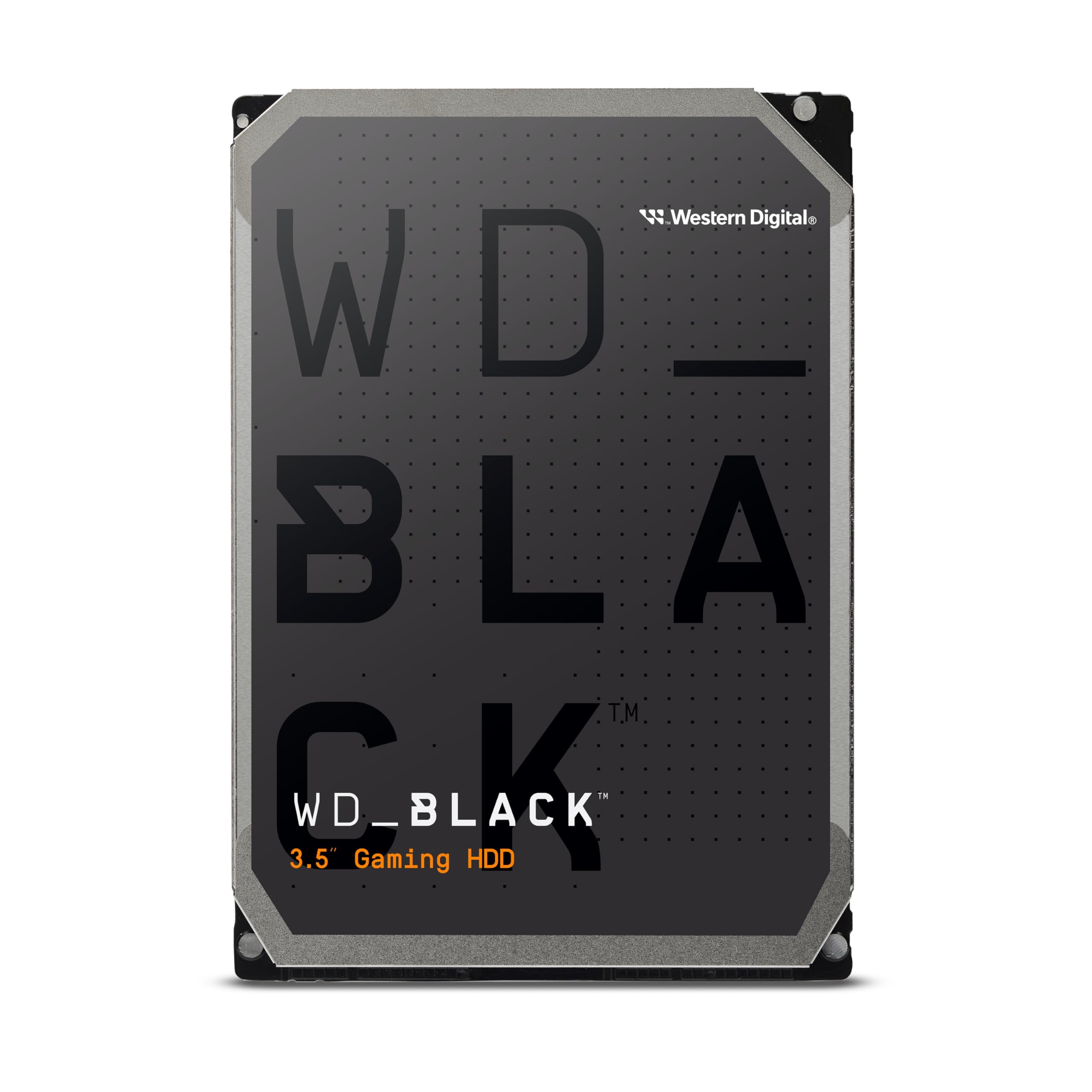
The WD Black 10TB is built for gaming and creative professional workloads where loading times and transfer speeds matter. Its 7200 RPM spindle pairs with a massive 512MB cache and WD’s Dynamic Cache Technology to optimize performance based on the data access patterns of games and large project files. The average latency is just 4.2 milliseconds, among the lowest in the 10TB mechanical drive market.
WD’s StableTrac technology secures the motor shaft at both ends to reduce vibration, which is particularly important in multi-drive setups or when the drive is packed tightly in a gaming PC case. The drive runs hot under sustained load — users report temperatures 7-8°C above identical drives in external enclosures — so it requires adequate case airflow. The acoustic profile is its biggest compromise: a constant high-pitched whine and clicking during seeks that ruins the silence for quiet PC builds.
For gamers and video editors who prioritize speed over silence, the WD Black delivers the highest random I/O performance of any 10TB mechanical drive on this list. The 5-year warranty reflects its higher duty cycle rating compared to the WD Blue series. This is not a drive for a noise-sensitive home office, but for a dedicated gaming rig or workstation, it’s the fastest option available.
Why it’s great
- 4.2ms average latency for fast access
- 5-year warranty for long-term reliability
- StableTrac reduces vibration in multi-drive PCs
Good to know
- Audible whine and clicking, not for quiet builds
- Requires serious case airflow to manage heat
8. HGST 12TB Ultrastar DC HC520 (Renewed)

The HGST 12TB Ultrastar DC HC520 pushes past the 10TB ceiling with a helium-sealed design and 7200 RPM performance. Its 256MB cache and SATA 6Gb/s interface deliver enterprise-grade throughput, while the helium filling reduces internal drag and cuts power consumption by roughly 20% compared to an equivalent air-filled drive. The power-disable feature allows hot-swap capable enclosures to cycle the drive’s power without a physical disconnect, which is useful in server backplanes.
Customer reports are generally positive, with many users successfully deploying these drives in Synology NAS units for months without issues. The drives pass standard and extended SMART tests when received from reputable sellers. However, a recurring concern is the integrity of SMART data — some units arrive with zeroed or wiped SMART counters that hide the true power-on hours. One user reported failure after 8 months on a drive with wiped history, emphasizing the importance of buying from sellers who guarantee transparent SMART data.
At 12TB, this drive offers 20% more capacity than a 10TB unit for only a modest premium over renewed 10TB options. For NAS users who need maximum density per bay, the 12TB size tier is a strong value. The drive is noticeably louder than 5400 RPM alternatives, so it’s best suited for a closet, basement, or dedicated server room rather than a living room media center.
Why it’s great
- 12TB capacity maximizes NAS bay density
- Helium-sealed for lower power and heat
- Hot-swap compatible with power-disable feature
Good to know
- SMART data may be wiped on some units
- Audible noise typical of 7200 RPM enterprise drives
9. Bestoss 2TB NVMe M.2 SSD GM328
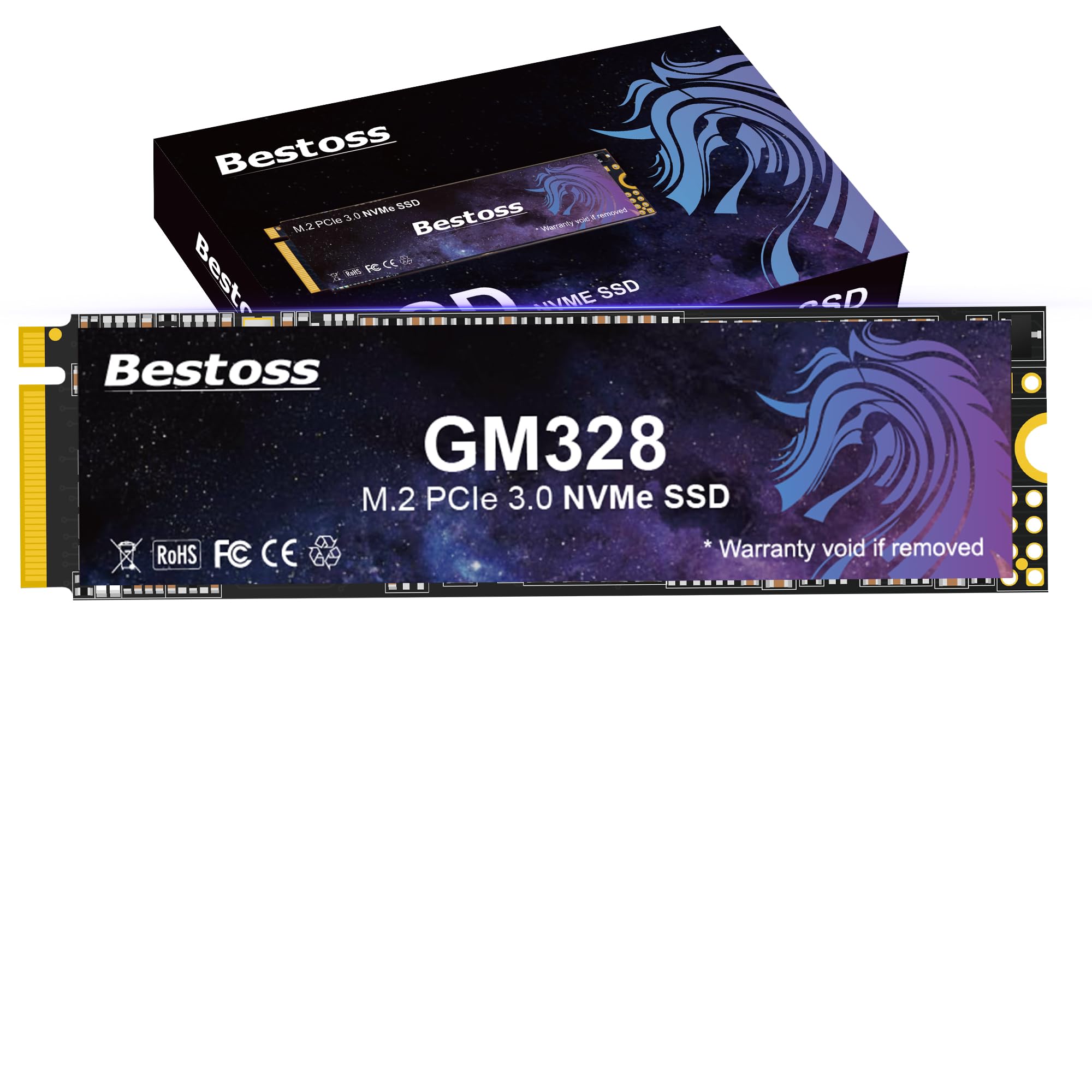
The Bestoss 2TB NVMe SSD provides an entirely different storage paradigm: 3500 MB/s read and 3000 MB/s write speeds via PCIe Gen3 x4, compared to the 200-250 MB/s of any mechanical 10TB drive. This is not a 10TB storage solution, but it serves as the ideal companion drive for users building a system around a 10TB mechanical archive. The 2TB NVMe SSD handles the operating system, active projects, and frequently accessed games, while the mechanical drive stores the cold library.
The drive uses TLC NAND flash with HMB (Host Memory Buffer) and Dynamic SLC Cache to optimize performance without a dedicated DRAM chip. This reduces cost while maintaining responsive performance for everyday workloads. The included screwdriver kit and M.2 mounting screws make installation straightforward. Customer reports confirm compatibility with Raspberry Pi 5 NAS builds and Windows 10 installations with no issues.
The key limitation is capacity — 2TB fills quickly when storing modern games and high-resolution media. The 3-year warranty is standard for budget NVMe drives. For users who want the speed of NVMe for active work and the density of a 10TB HDD for archiving, this combo provides the best of both worlds without the premium cost of a large-capacity SSD.
Why it’s great
- 3500 MB/s reads for instant OS response
- TLC NAND for better endurance than QLC
- Includes mounting screws and screwdriver
Good to know
- 2TB capacity, not a 10TB storage solution
- No dedicated DRAM, relies on HMB
FAQ
Should I buy a new or renewed 10TB enterprise hard drive?
Why does my 10TB drive show less than 10TB of usable space?
Can I use a 10TB internal hard drive in an external enclosure?
What is the difference between SATA and SAS 10TB drives?
Final Thoughts: The Verdict
For most users, the best 10tb internal hard drive winner is the Toshiba MG06ACA10TE because it combines a new-in-box enterprise rating, 7200 RPM speed, and a 550TB/year workload tolerance that guarantees years of 24/7 service. If you want the highest performance for gaming and creative work, grab the WD Black 10TB. And for budget-conscious builds where cost per terabyte matters most, nothing beats the value of a tested renewed HGST Ultrastar DC HC510.