
An 11.6-inch laptop isn’t a compromise; it’s a specialized tool. It prioritizes extreme portability and a specific, focused workflow over raw horsepower. For students navigating campus, frequent travelers packing light, or anyone who primarily lives in a browser and word processor, this form factor delivers a uniquely light and long-lasting computing experience that larger screens simply cannot match.
I’m Min — the co-founder and writer behind Gadgets Feed. I’ve spent countless hours analyzing the technical specifications, customer feedback, and real-world limitations of these compact machines to separate the genuinely useful models from the underpowered frustrations.
The real test for any ultraportable is how well it handles its core jobs — web browsing, document editing, and media streaming — without lag or compromise, which is why finding the true best 11.6 inch laptop requires deep scrutiny of its processor, memory, and display quality.
How To Choose The Best 11.6 Inch Laptop
Navigating the small-laptop market means understanding the specific constraints and capabilities of this niche. An 11.6-inch screen dictates a different set of priorities compared to a standard 15-inch workhorse. Focus on three core pillars: processing power adequate for your daily apps, sufficient memory to prevent crippling lag, and storage that leaves you with usable space after the operating system is installed.
Processor & Memory: The Performance Floor
In the 11.6-inch category, you will primarily encounter Intel Celeron and Pentium chips, or MediaTek processors in Chromebooks. A quad-core Celeron N4500 or N100 offers a noticeable step up in multitasking capability from older dual-core N4000 models. 4GB of RAM is the bare minimum for a functional experience in a browser with a few tabs open; if your workflow includes heavier web apps, a model with 8GB will dramatically improve responsiveness and reduce frustration.
Storage: eMMC vs. SSD
The storage type is a critical differentiator. eMMC (Embedded MultiMediaCard) is a flash memory solution soldered to the motherboard—it’s slower and more compact, and typically found in budget-tier models. While adequate for booting Chrome OS, Windows 11 can quickly consume 20-30GB of a 64GB eMMC drive, leaving little room for your files. Solid State Drives (SSDs), whether SATA or NVMe, offer vastly superior read/write speeds that make the operating system feel snappier, even with a lower-end processor. If you choose an eMMC model, plan on using cloud storage (Google Drive, OneDrive) or an SD card for file expansion.
Operating System: Chrome OS vs. Windows 11
This is the defining choice for an 11.6-inch machine. Chrome OS is a streamlined, web-first operating system that runs exceptionally well on modest hardware. It boots in seconds, updates in the background, is resistant to viruses, and integrates seamlessly with Google’s ecosystem. Its weakness is offline functionality and compatibility with software like full Adobe Creative Suite or specific Windows-only business applications. Windows 11 in S Mode offers a similar lockdown, but switching out of S mode unlocks the full, albeit more resource-hungry, Windows ecosystem. A Windows 11 laptop at this size often requires more careful management of resources (turning off startup programs, managing background processes) to maintain acceptable performance.
Quick Comparison
On smaller screens, swipe sideways to see the full table.
| Model | Category | Best For | Key Spec | Amazon |
|---|---|---|---|---|
| HP Chromebook 11 | Chromebook | Light Travel & School | MediaTek MT8183, 15hrs Battery | Amazon |
| ASUS Vivobook Go 12 L210 | Windows Laptop | Entry-Level Windows Work | Intel Celeron N4020, 64GB eMMC | Amazon |
| Gateway Chromebook 311 | Chromebook | Basic Browsing & Email | Intel Celeron N4500, 64GB eMMC | Amazon |
| ASUS L203MA-DS04 | Windows Laptop | Linux & Light Productivity | Intel Celeron N4000, 2.6 GHz | Amazon |
| Acer 311 Chromebook 2025 | Chromebook | Student Value Bundle | Intel Celeron N4500, 4GB RAM | Amazon |
| Dell Latitude 3120 | 2-in-1 | Touchscreen & Storage | SSD 256GB, 8GB RAM | Amazon |
| Samsung Chromebook 4 | Chromebook | Military-Grade Durability | Intel N4000, 12.5hrs Battery | Amazon |
| HP X360 Convertible | 2-in-1 | Touchscreen & 8GB RAM | Intel 4-Core, 128GB SSD | Amazon |
| Asus BR1102FGA-YS14T | Rugged 2-in-1 | Spill-Resistant & Rugged | Intel N100, 128GB SSD | Amazon |
In‑Depth Reviews
1. HP Chromebook 11

The HP Chromebook 11 stands out as the most balanced ultraportable, primarily because of its MediaTek MT8183 octa-core processor. This chip manages a remarkably efficient power draw, delivering a genuine 15 hours of battery life — a class-leading figure that allows for days of class, work, or travel without seeking an outlet. The 11.6-inch anti-glare touchscreen with 178-degree viewing angles is a notable inclusion at this tier, making movie streaming or document review comfortable from different angles.
Chrome OS boots in seconds and integrates Android apps through the Google Play Store, expanding its utility far beyond simple web browsing. The 4GB of RAM and 32GB of eMMC storage are the primary constraints; you’ll need to rely on cloud storage and be mindful of app installations. The full-size keyboard and HP True Vision camera with dual microphones make video calls surprisingly clear, a strong point for remote workers or students.
Customer feedback consistently highlights its excellent battery endurance and compact, light build for travel. Some users note that the display resolution is acceptable for the price but not sharp, and the 32GB storage fills quickly with Android app caches. The MediaTek chip does not handle heavy multitasking as smoothly as a Core i-series, but for its intended purpose — light, portable, long-lasting computing — it excels.
Why it’s great
- Outstanding battery life with efficient MediaTek octa-core processor.
- Full touchscreen display with wide viewing angles.
Good to know
- 32GB eMMC storage is limiting; requires cloud or SD card expansion.
- 4GB RAM means closing apps when multitasking.
2. ASUS Vivobook Go 12 L210

The ASUS Vivobook Go 12 L210 provides a full Windows 11 experience in an 11.6-inch package at an aggressive price point. Its Intel Celeron N4020 processor, while entry-level, can handle web browsing, email, and Office applications when tuned properly — many users report good performance after disabling unnecessary background software. The 64GB eMMC storage is double what the HP Chromebook offers, giving you more room for Windows and basic apps.
The 0.7-inch thin chassis and weight of just 2.31 pounds make it extremely portable. ASUS includes a full HDMI 1.4 port, two USB 3.2 Gen 1 Type-A ports, and a USB-C port, which is a strong connectivity suite for a machine this size. The bundle with one year of Office 365 Personal adds real value for students or professionals who need Word, Excel, and PowerPoint.
Performance is its greatest limitation: the Celeron N4020 can feel sluggish during initial setup and Windows update cycles. The 4GB of RAM is the minimum for Windows 11, and the 64GB drive leaves roughly 30-35GB free after the OS is installed. User reviews confirm that for light, single-task use (email, Zoom, word processing), it is a capable and affordable Windows machine. The keyboard is well-regarded for its size.
Why it’s great
- Full Windows 11 with Office 365 included for a year.
- Great port selection for its size, including USB-C and HDMI.
Good to know
- Performance is sluggish until background processes are managed.
- Storage maxes out at 64GB with limited free space after OS.
3. ASUS BR1102FGA-YS14T
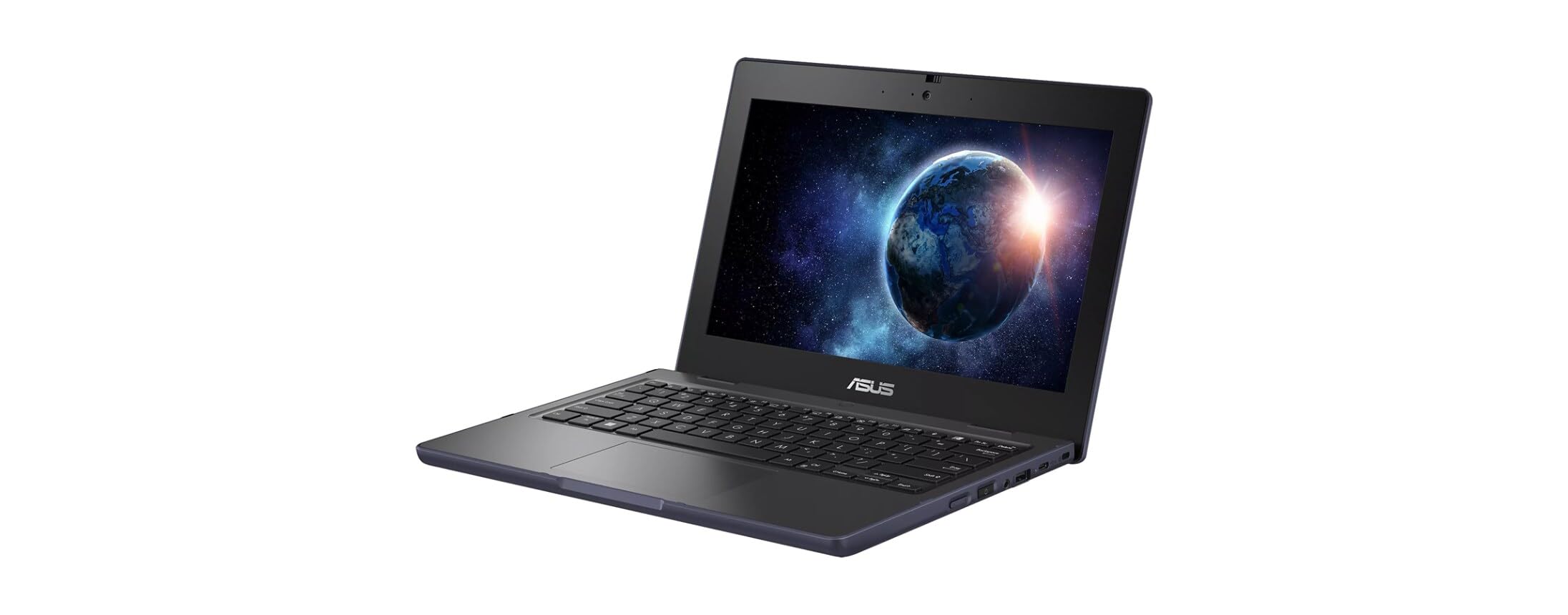
The ASUS BR1102FGA-YS14T is not your standard fragile netbook; it is a ruggedized convertible designed to survive the rigors of a classroom, construction site, or a clumsy commute. It boasts a spill-resistant keyboard and a durable chassis that meets military-grade durability standards, making it one of the toughest 11.6-inch laptops available. The quad-core Intel Celeron N100 processor is a noticeable generational step up from older Celeron chips, providing better responsiveness for Windows 11 Pro Education.
The 128GB SSD storage is a huge advantage over cheaper eMMC-equipped models, offering faster boot times and more dependable data transfer. The 11.6-inch anti-glare touchscreen supports stylus input (keyboard can fold into tablet mode), making it versatile for note-taking or design work. With Windows 11 Pro, it also supports more advanced security and management features for institutional deployment.
Battery life is a weaker point compared to the competition, with some users reporting shorter run times than advertised. The 4GB RAM is still a bottleneck for heavy multitasking, and the pre-installed McAfee software can slow down the system until removed. For its primary mission — a durable, convertible Windows machine for education or fieldwork — the BR1102FGA is a solid, purpose-built choice.
Why it’s great
- Rugged, spill-resistant design built for rough handling.
- 128GB SSD provides plenty of fast storage for the OS and files.
Good to know
- Battery life is shorter than many competitors.
- 4GB RAM can feel limiting for multitasking.
4. Dell Latitude 3120
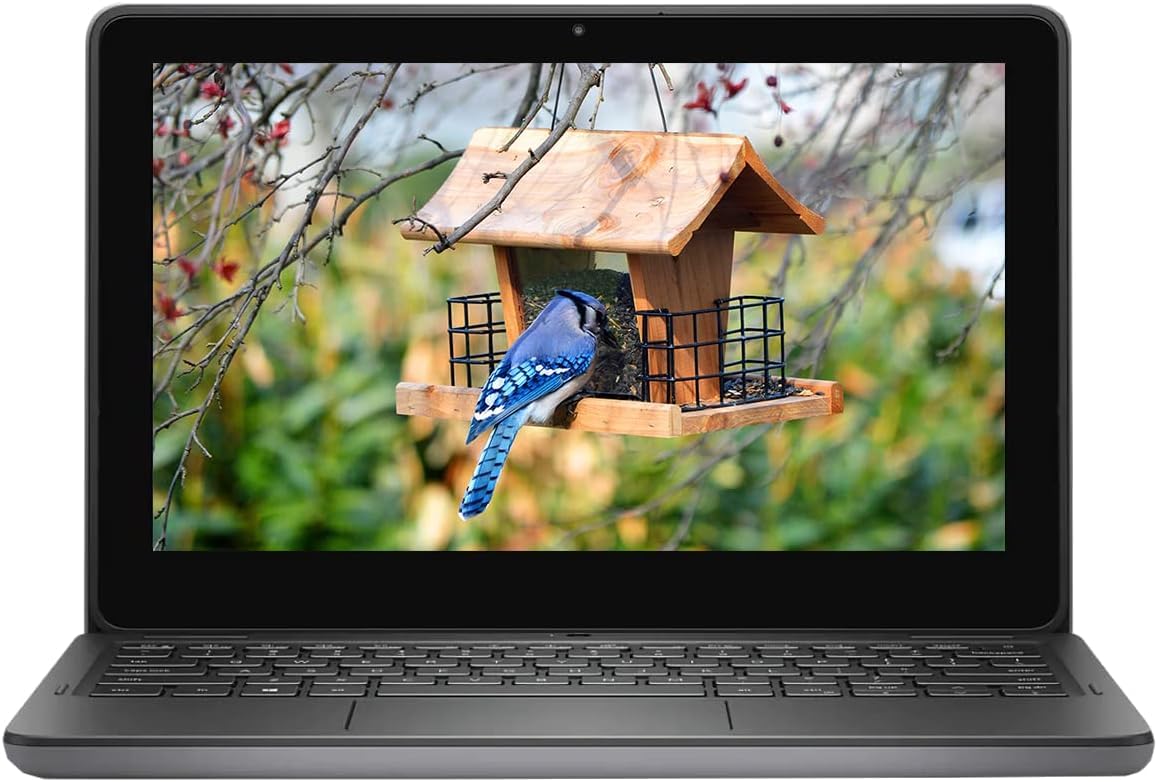
The Dell Latitude 3120 is a certified refurbished unit that offers a premium feature set at a mid-range price point. Its standout specification is the 256GB SSD combined with 8GB of RAM — a configuration that is genuinely rare in the 11.6-inch space and transforms the user experience. The SSD provides near-instant boot times, and the 8GB RAM allows for comfortable multitasking with multiple browser tabs, Office apps, and even some streaming simultaneously without crippling lag.
Being a 2-in-1 convertible, it features a 360-degree hinge and a touchscreen display, making it adaptable for presentations, kiosk-style use, or media consumption in tablet mode. Running Windows 11 Pro, it includes BitLocker encryption and other business-grade security features. Being a refurbished product, it undergoes testing and includes a 90-day warranty.
The main risk is the condition of the refurbished unit — while many buyers receive a like-new device, some have reported cosmetic blemishes, battery drain issues, or intermittent speaker problems. The processor in the unit is a Pentium N6000, which, while adequate, is not a powerhouse. For a buyer who prioritizes storage, RAM, and a flexible form factor, this represents compelling value if you are comfortable with a renewed product.
Why it’s great
- Excellent storage and RAM (256GB SSD + 8GB) for smooth multitasking.
- Convertible 2-in-1 design for flexible use.
Good to know
- Condition of refurbished unit can vary significantly.
- Performance is adequate, not premium for intensive tasks.
5. Acer Gateway Chromebook 311

The Acer Gateway Chromebook 311 is an excellent entry point for anyone who needs a simple, secure machine for web browsing, email, and Google apps. Powered by the Intel Celeron N4500 dual-core processor, it offers a slight performance bump over older N4000-based Chromebooks. The 4GB of RAM and 64GB eMMC are standard for this class, but the inclusion of a Titan C2 security chip and fast Chrome OS startup (under 10 seconds) provides a stress-free computing experience.
Google’s integration with Gemini, Google Docs, and Google Play is seamless. The 11.6-inch HD ComfyView display is adequate for indoor use but suffers from poor contrast and color reproduction — acceptable for text but not for photo editing or movie watching in bright light. Battery life of around 10 hours is reliable for a full day of on-and-off use.
Many positive reviews come from retirees and light users who find it perfect for their needs. Negative feedback centers on its inability to handle heavier tasks — it will lag significantly with complex Google Image searches, large spreadsheets, or multiple Google Play apps open. It is not designed for gaming or video editing. For its intended purpose (browsing, email, bills), it is a straightforward and reliable machine.
Why it’s great
- Simple, secure Chrome OS with built-in virus protection.
- Good battery life and fast charging for all-day use.
Good to know
- Display lacks contrast and color accuracy for media.
- Cannot handle heavy multitasking or demanding apps.
6. HP X360 Convertible Laptop
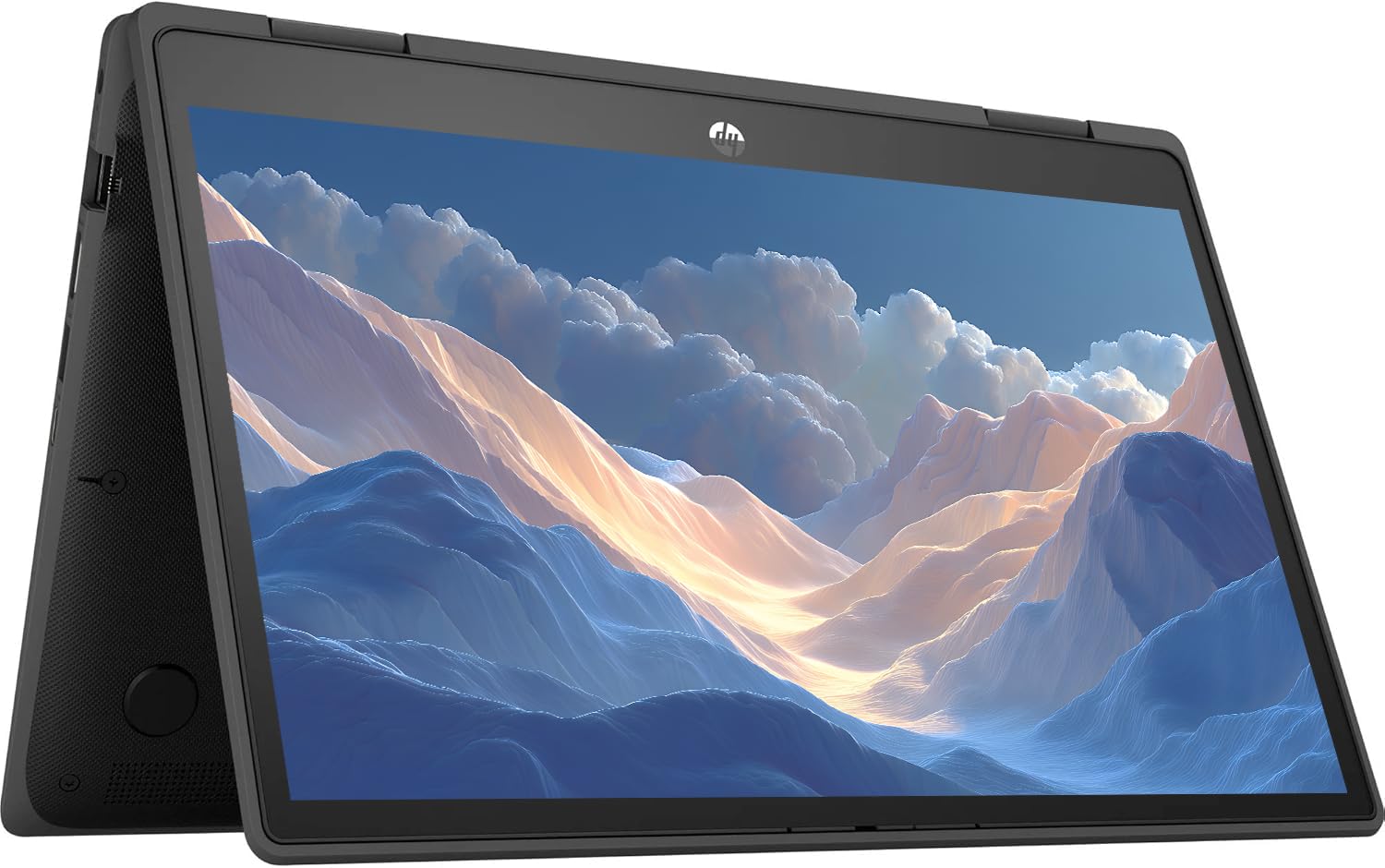
The HP X360 offers the flexibility of a 2-in-1 design with the core performance specs of an 8GB RAM and 128GB SSD configuration, making it a strong candidate for those who need both touchscreen versatility and enough resources to avoid constant stuttering. The Intel 4-core processor clocks up to 3.29GHz, providing enough headroom for light photo editing, document creation, and media streaming.
The 360-degree hinge allows you to use it in tent mode for hands-free watching or tablet mode for drawing with a touchscreen. Connectivity includes a rare RJ-45 ethernet port, USB-C, and full HDMI, making it surprisingly suitable for connecting to projectors or wired office networks. Being a renewed unit, it comes with Windows 11 installed.
Being a refurbished product, experiences vary — some buyers report a like-new unit that works flawlessly, while others have received units with persistent issues like Wi-Fi connectivity problems or signs of heavy prior use. The 11.6-inch HD touchscreen is responsive, but resolution is limited to 1366×768, which is standard for the size. If you are comfortable with the refurbished gamble and want a capable touchscreen Windows machine, this delivers good value.
Why it’s great
- 8GB RAM with 128GB SSD for smooth Windows operation.
- Full 360-degree hinge with ethernet and HDMI ports.
Good to know
- Refurbished condition can be inconsistent.
- Screen resolution is standard 1366×768, not sharp.
7. ASUS Vivobook L203MA-DS04

The ASUS Vivobook L203MA-DS04 is a fan-favorite for a specific reason: it runs Linux distributions exceptionally well. Many users report installing Linux Mint or Manjaro on this machine and getting fantastic battery life (up to 14 hours for video playback) and responsive performance far exceeding what Windows 10 in S Mode offers. Its fanless design makes it completely silent and cool to the touch, ideal for a distraction-free writing or coding machine.
With an Intel Celeron N4000, 4GB of RAM, and 64GB eMMC storage, its official spec sheet looks identical to many budget-tier laptops. But its port selection — USB-C (Gen 1, not display), USB-A, full HDMI, microSD card slot — and its ultra-light weight (around 2.1 pounds) make it a versatile travel companion. For users willing to swap the operating system, it transforms into an impressive ultraportable.
Running Windows 10 out of the box is a sluggish experience due to the eMMC storage and limited RAM. The 1366×768 display is glossy, which causes glare, and the plastic build feels less premium. But for the Linux crowd or anyone seeking a secondary writing machine that costs very little, it is a proven, well-documented platform. The touchpad receives mixed reviews.
Why it’s great
- Excellent Linux compatibility with great battery life.
- Fanless, silent operation with a sleek, light design.
Good to know
- Windows performance is sluggish out of the box.
- Glossy screen and plastic build can feel cheap.
8. Samsung Chromebook 4

The Samsung Chromebook 4 is built to last, featuring a military-grade durability standard (MIL-STD-810G) that can withstand drops, shocks, and extreme temperatures. If you need an 11.6-inch laptop that will survive a backpack full of books or a chaotic home environment, this is the obvious choice. Its 12.5 hours of battery life is excellent, and the Intel Celeron N4000 processor handles Chrome OS with adequate smoothness for basic tasks.
Gigabit Wi-Fi support ensures fast, reliable internet connections, which is critical for a cloud-first Chromebook. The keyboard is comfortable for typing, and the screen is bright and clear for its resolution. Setup is famously easy for Chrome OS — Samsung users report getting it up and running in under 15 minutes.
The main drawback is the limited 32GB eMMC storage — half of what most competitors offer — which fills up quickly with Android app files. It also uses a proprietary charger that doubles as the HDMI port (mini-port), meaning you cannot charge and output to a monitor simultaneously without an adapter. Battery life claims have been inconsistent in user reports, with some experiencing shorter actual run times, especially during streaming.
Why it’s great
- Military-grade durability for rough handling and drops.
- Excellent 12.5-hour battery life for extended use.
Good to know
- Only 32GB storage and unique charger/display port combo.
- Battery life can vary significantly with usage.
9. Acer 311 Chromebook 2025

The Acer 311 Chromebook 2025 provides a complete package for students or anyone needing an affordable machine right out of the box. It bundles wireless earbuds, a mouse, an HDMI cable, and a mouse pad alongside the laptop itself, eliminating the need for additional accessory purchases. Powered by the Intel Celeron N4500 processor with 4GB of RAM and 64GB of eMMC storage, it delivers a standard Chrome OS experience that is fast for web browsing and Google Classroom.
The 11.6-inch HD display is adequate for basic productivity, and the laptop includes Wi-Fi 5 and Bluetooth 5.0 connectivity. Battery life of 8+ hours is sufficient for a full school day. For a Chromebook in this class, the primary goal is simplicity and reliability, which it delivers for light tasks like email, typing, and streaming.
The performance ceiling is low — it will become sluggish with many tabs or Android apps running simultaneously. Some users have reported concerns about the seller’s return policy regarding restocking fees, so it is crucial to confirm the policy before purchase. The bundled accessories, while convenient, are likely entry-level quality. For its niche as an affordable, ready-to-go student machine, it fulfills a specific need.
Why it’s great
- Includes bundled accessories (mouse, earbuds, cables) for immediate use.
- Good battery life for a full school day on a single charge.
Good to know
- Performance drops noticeably with heavy multitasking.
- Seller’s return and restocking fee policy may be restrictive.
FAQ
Can an 11.6-inch laptop replace my main computer?
Is 4GB of RAM enough on a Chromebook?
Final Thoughts: The Verdict
For most users, the best 11.6 inch laptop winner is the HP Chromebook 11 because it offers the best combination of long battery life, a touchscreen, and a reliable Chrome OS experience in an ultraportable form. If you want a full Windows 11 setup with more storage and included Office 365, grab the ASUS Vivobook Go 12 L210. And for rugged environments or classrooms, nothing beats the durable, spill-resistant Asus BR1102FGA-YS14T.