
An 11.6-inch notebook computer occupies a specific niche in the laptop world: it is the ultimate device for portability above all else. These compact machines are designed for users who need a secondary travel companion, a simple tool for students, or a budget-friendly primary computer for basic tasks like web browsing, email, and document editing. The trade-off for this small footprint is usually raw processing power, but the best models in this category manage to deliver a surprisingly capable experience within their modest physical confines.
I’m Min — the co-founder and writer behind Gadgets Feed. I’ve spent countless hours analyzing the technical specifications and real-world user feedback for these compact notebooks, focusing on what truly matters: battery efficiency, storage speed, and the overall build quality that defines the user’s daily experience.
This guide cuts through the marketing noise to help you identify the best 11.6 notebook computer that truly fits your needs, whether you prioritize a rugged chassis, a touchscreen interface, or simply the longest battery life for on-the-go use.
How To Choose The Best 11.6 Notebook Computer
Choosing an 11.6-inch notebook is about accepting its constraints and finding the model that best matches your specific workflow. You aren’t buying a gaming rig or a video editing workstation; you are buying a focused, portable tool. The key is to understand which components will make your daily tasks feel fluid and which ones you can safely deprioritize.
Power Efficiency vs. Raw Performance
The processors in this category—from Intel Celeron and Pentium to the newer N-series chips and MediaTek ARM variants—are designed for thermal efficiency rather than sheer speed. An Intel N100 (Alder Lake) offers a significant generational leap over older Celeron N4020 or N5030 chips, providing better multi-tasking headroom for multiple browser tabs and light office work. Chrome OS devices with MediaTek processors often trade peak performance for excellent battery life.
Storage and Memory: The Real Performance Bottleneck
4GB of RAM is the entry-level standard, but it can feel restrictive if you keep dozens of browser tabs open. 8GB is a much smoother experience for Windows users. For storage, an eMMC drive is common in budget models; it is slow by modern standards but adequate for the OS and a few key apps. An SSD, even a small 128GB one, will make the notebook feel dramatically more responsive during boot-ups and file transfers. Avoid models with only 32GB of eMMC if you plan to install any applications beyond a web browser.
Operating System and Ecosystem Fit
Your choice between Windows 11, Chrome OS, or Windows 10 defines the entire user experience. Chrome OS is lighter, more secure, and ideal if you live in a web browser. Windows 11 offers greater software compatibility for legacy applications but requires more system resources to run smoothly. Windows 10 is still found on some budget models but is nearing its end-of-life support cycle.
Build Quality and Port Selection
Not all 11.6-inch chassis are equal. Look for models with a rugged or spill-resistant design if the laptop will be used by students or in demanding environments. Port selection is critical on a small device. A full-size HDMI port is more convenient than a mini-HDMI, and having at least two USB-A ports alongside a USB-C port for charging offers much greater flexibility without needing a dongle.
Quick Comparison
On smaller screens, swipe sideways to see the full table.
| Model | Category | Best For | Key Spec | Amazon |
|---|---|---|---|---|
| HP ProBook x360 11 G5 EE | 2-in-1 | Best Overall Value | Intel Pentium N5030, 8GB RAM, 256GB SSD | Amazon |
| Dell Latitude 3120 2-in-1 | 2-in-1 | Best for Students | Intel Pentium N6000, 8GB RAM, 256GB SSD | Amazon |
| ASUS BR1102FGA-YS14T | Rugged | Rugged Design Pick | Intel Celeron N100, 4GB RAM, 128GB SSD | Amazon |
| ASUS Vivobook Go 12 L210 | Ultra-Thin | Windows Lightweight Champ | Intel Celeron N4020, 4GB RAM, 64GB eMMC | Amazon |
| Samsung Chromebook 4 | Chromebook | MIL-STD Durability | Intel Celeron N4000, 4GB RAM, 32GB eMMC | Amazon |
| HP Chromebook 11a-na0010nr | Chromebook | Best Battery Life | MediaTek MT8183, 4GB RAM, 32GB eMMC | Amazon |
| Acer Gateway Chromebook 311 | Chromebook | Entry-Level Chromebook | Intel Celeron N4500, 4GB RAM, 64GB eMMC | Amazon |
| Crelander 2-in-1 Mini Laptop | Mini 2-in-1 | Ultra-Portable Power | Intel N100, 12GB DDR5, 512GB SSD | Amazon |
| SZTPSLS 2 in 1 Laptop | 2-in-1 | Budget Touchscreen | Intel Celeron, 4GB RAM, 128GB SSD | Amazon |
In‑Depth Reviews
1. HP ProBook x360 11 G5 EE

The HP ProBook x360 11 G5 EE is a compelling budget-friendly option because it packs a 256GB SSD and 8GB of RAM into a 2-in-1 form factor. This combination of a solid-state drive and ample memory eliminates the sluggishness that plagues many entry-level notebooks with eMMC storage and 4GB RAM. The Intel Pentium Silver N5030 processor is well-suited for browsing, Office applications, and streaming, and the 360-degree hinge adds genuine versatility for presentations or media consumption.
As a renewed device, it offers professional-grade specifications at a fraction of the cost of a new business-class laptop. The 11.6-inch touchscreen is responsive, and the build quality feels robust, typical of HP’s ProBook educational line. For users who need a capable secondary machine or a primary computer for light workloads, the balance of storage, memory, and flexibility is hard to beat in this price segment.
Potential buyers should verify the condition of accessories, as the renewed process can sometimes yield minor imperfections. While the N5030 is not a powerhouse for heavy multitasking, the 8GB RAM buffer helps maintain a smooth experience. The Windows 11 Pro operating system is a bonus, offering features like BitLocker encryption that are usually reserved for more expensive machines.
Why it’s great
- Generous 256GB SSD and 8GB RAM for smooth multitasking.
- Versatile 2-in-1 design with a functional touchscreen.
- Runs Windows 11 Pro with enhanced security features.
Good to know
- Renewed unit, condition may vary slightly.
- The N5030 is adequate but not fast for heavy workloads.
- Screen resolution is standard 1366 x 768 HD.
2. Dell Latitude 3120 Touchscreen 2-in-1
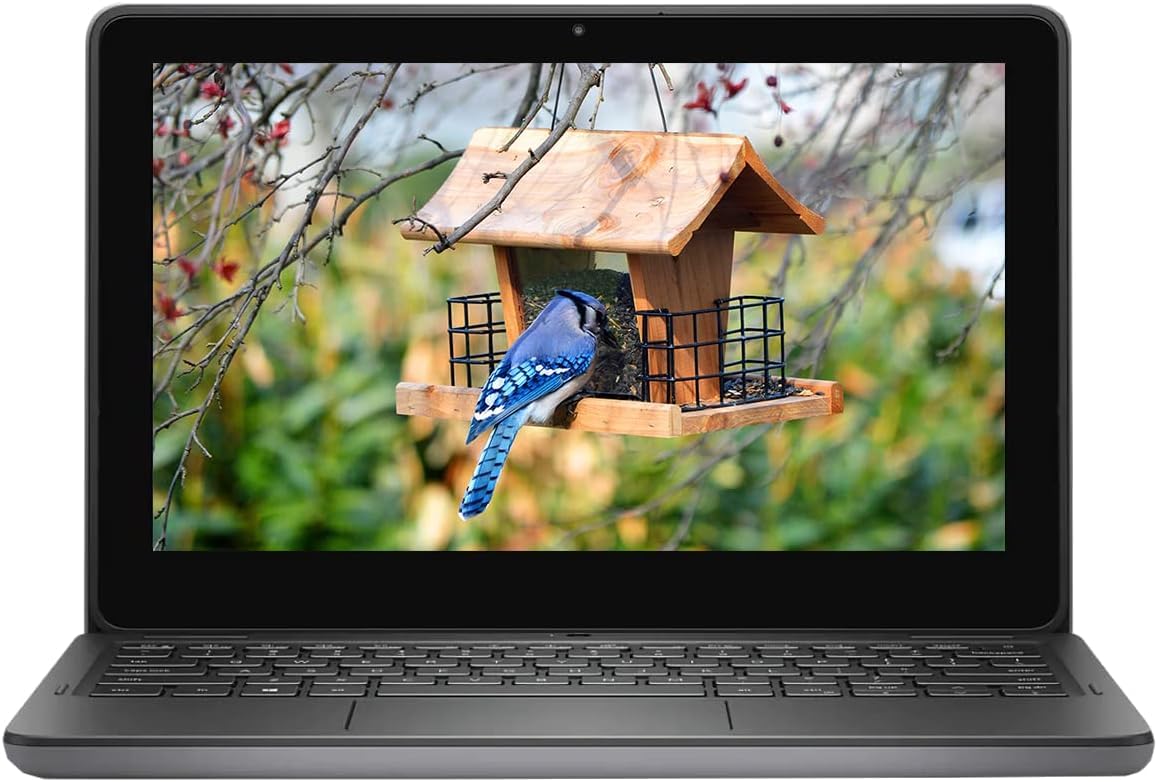
The Dell Latitude 3120 stands out due to its use of the Intel Pentium N6000 processor, a quad-core chip that offers a tangible performance uplift over the older dual-core Celeron models. Paired with 8GB of RAM and a 256GB SSD, this configuration handles a more demanding workload, including light photo editing and managing multiple productivity suites. Its 2-in-1 design and 11.6-inch touchscreen make it a strong candidate for students or healthcare professionals who need to switch between typing and data entry.
The renewed model offers exceptional value for a business-grade machine. Dell’s Latitude series is known for its robust build quality and serviceability, which is a significant advantage if you plan to use the notebook for several years. The included 256GB SSD provides ample space for the operating system, applications, and local files, avoiding the cramped feeling of 32GB or 64GB drives.
The primary risk with renewed hardware is cosmetic condition, which some users have reported as varying from “like new” to having minor scratches. Any defects in the touchpad, speakers, or battery should be immediately tested upon arrival to ensure the device meets the certified standards. For those who value raw spec-for-dollar performance in a compact form factor, this Latitude is a strong contender.
Why it’s great
- Quad-core Pentium N6000 offers noticeable speed improvements.
- Excellent 8GB / 256GB storage and memory combo.
- Business-grade build quality from the Latitude series.
Good to know
- As a renewed product, condition is not guaranteed to be flawless.
- Some units may arrive with cosmetic wear or minor issues.
- Standard 1366 x 768 HD display resolution.
3. Asus BR1102FGA-YS14T
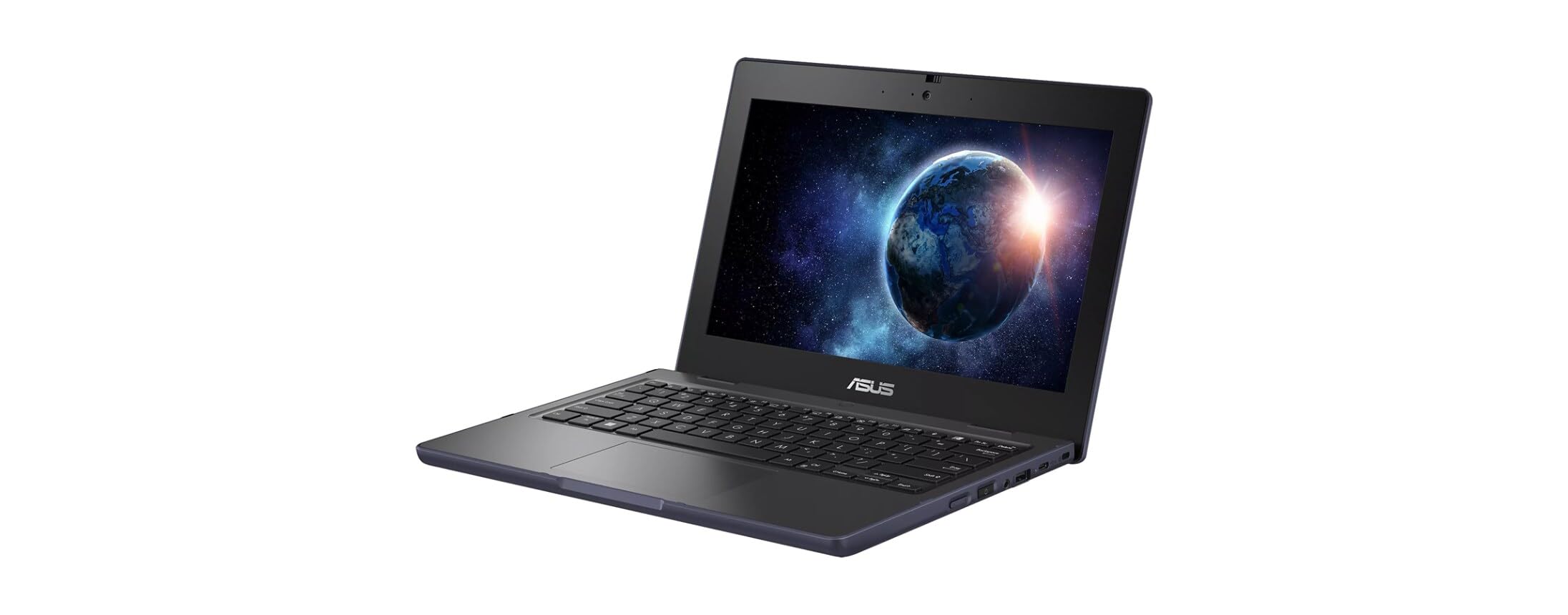
The Asus BR1102FGA-YS14T is designed from the ground up for durability, featuring a spill-resistant keyboard, reinforced ports, and a ruggedized chassis that can withstand drops and bumps. This makes it an ideal choice for younger students or workers in field environments where a standard laptop would quickly fail. The 128GB SSD is a welcome upgrade from eMMC, providing faster boot times and application launches, while the 4GB of RAM is sufficient for the basic educational and productivity tasks this machine is built for.
The Intel Celeron N100 processor represents a modern architecture that is more efficient than the older Celeron N4020 or N5030, offering better battery performance for a full school day. The 11.6-inch anti-glare touchscreen is a practical feature, allowing for intuitive interaction without fighting reflections. The 2-in-1 hinge adds further versatility, enabling tent or tablet mode for collaborative work.
The trade-off for this ruggedness is weight; at nearly 3 pounds, it is heavier than many other 11.6-inch notebooks. Users have also reported that the battery life can be shorter than expected for a device with a low-power processor. The pre-installed Windows 11 Pro Education may also come with unnecessary bloatware that should be cleaned up for optimal performance.
Why it’s great
- Purpose-built rugged and spill-resistant design for tough environments.
- Modern Intel N100 processor offers good efficiency.
- 128GB SSD provides a snappy user experience.
Good to know
- Heavier than most competitors in this screen size.
- Battery life may not last a full school day under heavy use.
- 4GB RAM can be a bottleneck for multitasking in Windows.
4. ASUS Vivobook Go 12 L210

The ASUS Vivobook Go 12 L210 is one of the most travel-friendly notebooks on this list, weighing in at just 2.31 pounds and measuring 0.7 inches thin. Its compact chassis is easy to slip into any bag, and the inclusion of a full HDMI port and multiple USB-A ports means you can connect to projectors and peripherals without a dongle. This model runs Windows 11 in S Mode, which limits app installations to the Microsoft Store, but can be switched out of for free if needed.
Performance from the Intel Celeron N4020 and 4GB of RAM is strictly for basic tasks: web browsing, email, and Office 365. The 64GB eMMC storage is the most significant limitation, as the Windows operating system consumes a large portion of it, leaving limited space for applications and files. However, the inclusion of a one-year Microsoft 365 Personal subscription adds significant value for users who need Word and Excel.
The keyboard is comfortable for its size, and the touchpad features a unique numpad function, though it can be accidentally activated. Users should note that the 1366 x 768 display is adequate but not sharp or vibrant. The passive cooling system means it is completely silent during operation, a major plus for quiet environments like libraries or trains.
Why it’s great
- Extremely lightweight and thin design for maximum portability.
- Comes with a free year of Microsoft 365 Personal.
- Includes a full-size HDMI port for easy display connectivity.
Good to know
- 64GB eMMC storage is very tight after OS and updates.
- Celeron N4020 is slow for intensive multitasking.
- Display quality is basic; colors and contrast are mediocre.
5. Samsung Chromebook 4

The Samsung Chromebook 4 is a well-known quantity in the budget Chromebook space, praised for its military-grade durability (MIL-STD-810G) and long battery life. It is a no-frills device designed to survive the rigors of daily use by students or as a family device. The 11.6-inch HD display is bright enough for indoor use, and the keyboard is comfortable for extended typing sessions.
Powered by an Intel Celeron N4000 with 4GB of RAM, performance is smooth within the Chrome OS environment for web browsing, Google Docs, and streaming. The 32GB eMMC storage is limited, but Chrome OS is designed to work primarily in the cloud, minimizing local storage needs. The claimed 12.5 hours of battery life is a strong selling point, though real-world usage will vary.
The main downsides are the lack of a full-size HDMI port and the single USB port, which forces users to choose between charging and connecting a peripheral. The screen, while durable, has mediocre color reproduction and viewing angles. For users who want a virus-proof, simple, and long-lasting machine for basic online tasks, this Chromebook is a reliable choice.
Why it’s great
- Military-grade durability rating for accidental drops and shocks.
- Excellent battery life for all-day use away from an outlet.
- Simple, secure Chrome OS is great for beginners and seniors.
Good to know
- Only 32GB of storage; very limited for offline files.
- No full-size HDMI; uses charging port for video out.
- Single USB port limits peripheral connectivity.
6. HP Chromebook 11a-na0010nr

The HP Chromebook 11a-na0010nr is built around the MediaTek MT8183 processor, an ARM-based chip designed for exceptional power efficiency. This allows the device to advertise a battery life of up to 15 hours, making it a top choice for users who need to work all day without a charger. The 11.6-inch touchscreen adds a layer of convenience, and the Chrome OS ecosystem provides fast boot times and automatic updates.
With 4GB of RAM and 32GB of eMMC storage, this Chromebook is firmly in the entry-level category. It excels at web browsing, email, and Android app usage from the Google Play Store, but it will struggle with heavy multitasking or large documents. The anti-glare display is a practical feature, reducing eye strain during long reading sessions in bright environments.
The primary trade-off for the long battery life is raw performance. The MediaTek chip is not as fast as Intel’s competing low-power processors for CPU-intensive tasks. The build quality is acceptable but feels less premium than business-class models. For students or travelers who prioritize time away from the plug over everything else, this HP Chromebook is a compelling option.
Why it’s great
- Exceptional battery life that can exceed 12 hours in light use.
- Responsive touchscreen with an anti-glare coating.
- Lightweight and durable design for easy travel.
Good to know
- MediaTek processor is slower than Intel Celeron alternatives.
- 32GB eMMC storage leaves little room for offline content.
- Display clarity is just okay; not suitable for detailed work.
7. Acer Gateway Chromebook 311

The Acer Gateway Chromebook 311 serves as a reliable entry point into the world of Chrome OS, offering a straightforward experience for users who primarily operate within a web browser. The Intel Celeron N4500 processor is a small step up from the N4000, providing adequate performance for email, social media, and document editing. The 64GB eMMC storage is a notable improvement over the baseline 32GB, offering slightly more room for offline files and apps.
Battery life is rated at 10 hours, which should comfortably cover a full day of classes or work. The device includes modern wireless connectivity with Wi-Fi 5 and Bluetooth 5.0. The setup process is quick, and the integration with Google services is seamless for users already in that ecosystem. The 11.6-inch ComfyView display helps reduce glare.
The main drawbacks are consistent with the budget segment. The display has poor contrast and color accuracy, which makes it less enjoyable for media consumption. The 4GB RAM is the absolute minimum for smooth Chrome OS multitasking, and users with many tabs open may experience lag. For a no-fuss machine for a retiree or a student on a strict budget, it gets the job done.
Why it’s great
- 64GB storage is double that of many entry-level Chromebooks.
- Fast startup and simple Chrome OS interface.
- Good battery life for a full day of basic work.
Good to know
- Display quality is poor, with muted colors and low contrast.
- 4GB RAM limits the number of tabs you can have open.
- Not suitable for gaming or heavy applications.
8. Crelander 2-in-1 Mini Laptop

The Crelander 2-in-1 is a unique entry in this guide due to its 8-inch screen, which is smaller than the standard 11.6-inch format but still aimed at the same ultra-portable market. It punches above its weight class with a modern Intel N100 processor, an impressive 12GB of DDR5 RAM, and a massive 512GB SSD. This configuration allows it to handle more intensive applications and larger file libraries than any other device on this list.
The 360-degree rotating design makes it a true tablet-laptop hybrid, and the included stylus pen adds functionality for note-taking or drawing. Connectivity is strong with Wi-Fi 6 and Bluetooth 5.2, ensuring fast wireless speeds. The 30W PD charging is quick, though the battery life is rated at a modest 4-6 hours due to the higher performance ceiling.
The major risk with the Crelander is reliability. User reviews are polarized, with some reporting defects like charging failures or boot loops after a few months. The unique keyboard layout, with the power button located above the backspace key, can also lead to accidental shutdowns. This is a high-risk, high-reward device that offers premium specs for a segment where reliability can be inconsistent.
Why it’s great
- Exceptional specs: 12GB DDR5 RAM and a 512GB SSD.
- Modern Intel N100 processor for smooth performance.
- Versatile 2-in-1 form factor with a stylus included.
Good to know
- Reliability is a significant concern with mixed user reports.
- Battery life is short at only 4-6 hours.
- Small 8-inch keyboard may feel cramped for touch typing.
9. SZTPSLS 2 in 1 Laptop

The SZTPSLS 2 in 1 Laptop attempts to offer a premium-feature set—a 1920×1080 FHD display, 360-degree hinge, and 128GB SSD—at a very low price point. The 11.6-inch screen is one of the few in this budget range to offer full HD resolution, which does provide a sharper image for reading and watching videos. The design is thin and light at 1.6kg, making it easy to carry.
The included 5000mAh battery is advertised for 8-12 hours of use, and the device comes with Windows 10 pre-installed. The 4GB RAM and unspecified Intel Celeron processor provide enough power for light web browsing and document work. The inclusion of a USB-C port adds some future-proofing for connectivity.
The overwhelming feedback from users, however, points to significant reliability issues. Many report devices that fail to charge after a short period, or become completely unusable within months. The brand is an off-brand seller on Amazon, which is a major concern for returns and warranty support. This model is only recommended for users willing to accept a high probability of failure in exchange for its unique features on a tight budget.
Why it’s great
- Rare 1920×1080 FHD display in this price bracket.
- Thin, light design with a versatile 360-degree hinge.
- Generous battery capacity on paper.
Good to know
- Reliability is very poor, with many early failures reported.
- Sold by an off-brand seller with questionable warranty support.
- General performance is low-end and best for basic tasks only.
FAQ
Can I use an 11.6-inch notebook for my daily work as a programmer?
Is 4GB of RAM enough for a Windows 11 11.6-inch notebook?
Final Thoughts: The Verdict
For most users, the best 11.6 notebook computer is the HP ProBook x360 11 G5 EE because it offers the best balance of 8GB RAM and a 256GB SSD, eliminating the storage and memory bottlenecks that plague budget rivals. If you need the ruggedest build for a student, grab the Asus BR1102FGA-YS14T. And for pure, all-day battery life in a simple Chrome OS package, nothing beats the HP Chromebook 11a-na0010nr.