
Pulling a full-bleed 11×17 spec sheet or a tabloid-sized marketing brochure from a desktop printer that doesn’t choke on heavy coverage is the real test. Most color lasers can handle letter-size text, but the moment you need that extra 4 inches of paper real estate for a wide-format spreadsheet, architectural plan, or double-page newsletter, the printer’s paper path, toner fusing, and registration accuracy get exposed fast.
I’m Min — the co-founder and writer behind Gadgets Feed. I’ve spent hundreds of hours analyzing print engine architectures, comparing page-per-minute yields under real-world tabloid workloads, and cross-referencing toner cost-per-page data to separate the machines that genuinely handle 11×17 from those that technically accept the paper but produce disappointing results.
This guide cuts through the marketing fluff to deliver the definitive evaluation of the best 11×17 color laser printer, focusing on the mechanical reliability and total cost of ownership that actually matter for high-volume wide-format printing.
How To Choose The Best 11×17 Color Laser Printer
Selecting a color laser printer for tabloid work isn’t the same as buying a standard office laser. The paper demands are higher, the mechanical components face more stress, and the replacement consumables scale differently. Focus on these three areas to avoid a costly mismatch.
Paper Handling Architecture
The most critical difference between a true 11×17 color laser and a machine that merely spec-sheets the paper size is the paper path. Look for a straight-through or U-turn path with adjustable paper guides specifically engineered for heavy tabloid stock. Machines with a dedicated rear feed for 11×17 paper will give you better registration and fewer jams than those that rely solely on a front cassette designed primarily for letter.
Print Speed Under Tabloid Workloads
Manufacturers typically quote speed in pages per minute using letter-size paper. When you switch to 11×17, the actual throughput can drop by 30% to 50% because the drum has to rotate twice as far per page. A printer rated at 35 ppm on letter may only deliver 15 to 18 ppm on tabloid. Check the continuous print speed for the maximum paper size if the manufacturer discloses it.
Consumable Yield and Total Cost
Toner cartridges for color lasers are expensive, and tabloid printing consumes roughly 1.5 to 2 times more toner per page than letter. Look for machines that offer high-yield or extra-high-yield cartridges with published ISO page yields. Also check whether the drum and developer are separate from the toner cartridge — integrated toner-and-drum units inflate cost per page because you replace the drum with every toner swap.
Quick Comparison
On smaller screens, swipe sideways to see the full table.
| Model | Category | Best For | Key Spec | Amazon |
|---|---|---|---|---|
| Brother MFC-L8930CDW | All-in-One | High-volume office with security needs | 33 ppm color, 7″ touchscreen | Amazon |
| Brother MFC-L8730CDW | All-in-One | Workgroup scanning and productivity | 33 ppm color, 104 ipm scan | Amazon |
| Canon MF753Cdw II | All-in-One | Reliable workhorse with 3-year warranty | 35 ppm color, 5″ touchscreen | Amazon |
| Canon MF751Cdw II | All-in-One | Fast office printing without fax | 35 ppm color, 3-year warranty | Amazon |
| Xerox C410dn | Print Only | High-speed dedicated print station | 42 ppm color, Ethernet/Wi-Fi Ready | Amazon |
| Lexmark C3426dw | Print Only | Compact touchscreen printer | 26 ppm color, color touchscreen | Amazon |
| HP Color LaserJet Pro MFP 3301fdw | All-in-One | Small team multi-function needs | 26 ppm color, auto document feeder | Amazon |
| HP Color Laserjet Pro 3201dw | Print Only | Simple, fast printing for small office | 26 ppm color, dual-band Wi-Fi | Amazon |
| Xerox C235dni | All-in-One | Budget-friendly small office starter | 24 ppm color, low running costs | Amazon |
| Epson EcoTank Pro ET-16650 | All-in-One Supertank | Low-cost pigment ink wide-format | 25 ppm, up to 13×19″ borderless | Amazon |
| Epson Expression Photo XP-980 | All-in-One Inkjet | Borderless 11×17 photo printing | 5760×1440 dpi, 6-color ink | Amazon |
In‑Depth Reviews
10. Brother MFC-L8930CDW

The Brother MFC-L8930CDW is the gold standard for a mid-to-high-volume office that needs tabloid output without compromise. It delivers a consistent 33 ppm in both color and monochrome, with a first-page-out time of 9.9 seconds that keeps quick print jobs from bottlenecking. The 7-inch color touchscreen is generously sized for previewing scan destinations and managing up to 64 customizable shortcuts — a feature set that usually belongs on machines costing significantly more.
Tabloid paper handling comes via the multipurpose tray, which accepts up to 11×17 sheets alongside the standard 250-sheet cassette. The 80-page automatic document feeder handles duplex scanning at a blistering 104 images per minute, making this a true production-grade scanning hub. Wireless connectivity is built-in on both 2.4 GHz and 5 GHz bands, with Gigabit Ethernet for wired reliability. The Triple Layer Security suite includes an integrated NFC card reader for badge-based authentication.
Brother ships this unit with standard-yield toner (3,000-page black, 1,800-page color), but the real draw is the TN635XXL super-high-yield cartridges, which push black output to 7,500 pages and color to 6,500 pages. That dramatically lowers the cost per page for heavy tabloid printing. The EPEAT Gold and ENERGY STAR certifications confirm this is a sustainable choice that also minimizes power draw during idle periods.
Why it’s great
- Super-high-yield toners bring cost per page down for heavy tabloid use
- Fast 104-ipm duplex scanning with 80-sheet ADF
- NFC card reader for secure badge-based printing
Good to know
- Initial setup requires two people due to weight
- Third-party toner is blocked by chipped cartridges
8. Brother MFC-L8730CDW

The Brother MFC-L8730CDW shares the same 33-ppm print engine as its sibling but differentiates with a 3.5-inch color touchscreen and a design that is 25 percent smaller than the previous generation. That reduction in footprint matters when you’re fitting this into a crowded office space while still needing access to the front-loading toner cartridges and the 250-sheet main cassette.
Scanning performance is identical at 104 ipm duplex through the 80-sheet ADF, and the glass bed accepts legal-size documents for those one-off oversized copies. The built-in dual-band wireless and Gigabit Ethernet give flexibility for both wired and wireless networks. The printer supports scanning directly to SharePoint, email, and cloud storage, which reduces the need for a dedicated scan computer.
Brother includes 3,000-page black and 1,800-page color starter cartridges. Replacement high-yield cartridges extend black to 5,500 pages and color to 4,500 pages, keeping the cost-per-page in a reasonable range for a mid-volume office. The EPEAT Silver rating and ENERGY STAR certification confirm energy efficiency. Security features include NFC badge authentication and secure print release.
Why it’s great
- Compact design saves desk space without sacrificing paper capacity
- Fast duplex scanning and direct-to-cloud workflow support
- Included starter toner yields are generous for initial setup
Good to know
- The 3.5-inch touchscreen is functional but smaller than premium alternatives
- No option to continue printing when toner is low, forcing cartridge replacement early
4. Canon Color imageCLASS MF753Cdw II

The Canon MF753Cdw II pushes the speed needle to 35 ppm in both color and monochrome, with a first-print-out time of about 7 seconds. This makes it one of the fastest tabloid-capable color lasers in its price tier. The 5-inch color touchscreen gives access to the Application Library, which lets you pin frequently used workflows like copy-to-USB or scan-to-cloud directly to the home screen.
Paper handling starts with a 250-sheet standard cassette, a 50-sheet multipurpose tray, and an optional 550-sheet cassette for expansion. The 50-sheet automatic document feeder supports one-pass duplex scanning, meaning it can flip each page for you in a single pass rather than requiring a two-pass reversal. Wireless setup is streamlined through the Canon PRINT app, Apple AirPrint, and Mopria.
Canon Genuine Toner 069 cartridges come in standard and high-capacity variants, with the high-capacity black yielding up to 2,100 pages and the color cartridges delivering similar longevity. The 3-year limited warranty is the best standard coverage in this comparison, giving peace of mind for a machine that will see daily use. The chassis is built around a steel frame that handles the mechanical stress of continuous tabloid printing without flexing.
Why it’s great
- 35-ppm color speed is among the fastest in its class
- 3-year limited warranty provides exceptional coverage
- One-pass duplex scanning saves time on multi-page documents
Good to know
- Some users report intermittent network connectivity requiring a reboot
- Canon web services may return errors during initial account setup
7. Canon Color imageCLASS MF751Cdw II

The Canon MF751Cdw II is the fax-free sibling of the MF753Cdw II, sharing the same 35-ppm print engine but trimming the feature set to print, scan, and copy only. This makes it a cleaner fit for offices that don’t need fax but want the same fast color production. The 5-inch color touchscreen and Application Library interface are identical, providing a consistent user experience across Canon’s mid-range lineup.
The paper system mirrors the MF753Cdw II with a 250-sheet cassette, 50-sheet multipurpose tray, and optional 550-sheet expansion. One notable difference is the simplex-only 50-sheet ADF — it lacks the one-pass duplex scanning of the MF753Cdw II, so double-sided originals require a second pass. Wireless connectivity includes the Canon PRINT app, Apple AirPrint, and Mopria Print Service, along with built-in Wi-Fi and USB 2.0 for direct connections.
Toner is the same Canon Genuine Toner 069 series with high-capacity options available. The 3-year limited warranty applies here as well, offering the same long-term coverage assurance. Users coming from older Canon models will notice the shorter first-print-out time — approximately 7 seconds — which reduces the delay between hitting print and holding a finished document.
Why it’s great
- Same fast 35-ppm engine as the MF753Cdw II at a lower entry point
- 3-year limited warranty covers the print engine and electronics
- Multipurpose tray handles tabloid and specialty media easily
Good to know
- Simplex ADF requires manual flipping for double-sided originals
- Some users report AirPrint discovery issues on mixed-vendor networks
9. Xerox C410dn

The Xerox C410dn is a print-only machine built for throughput, hitting 42 ppm in both color and black-and-white. That makes it the fastest unit in this roundup, designed for offices where tabloid production runs are frequent and every second counts. The standard Ethernet interface is secure and stable, while Wi-Fi is available via an optional adapter for those who need wireless flexibility.
Tabloid paper feeds through the standard 250-sheet cassette or the 150-sheet multipurpose tray, which handles heavier cardstock and labels. The monthly duty cycle is rated at an impressive 4,500 pages, meaning this machine is built to sustain high-volume workloads without overheating or developing paper-feed issues. The 4.3-inch touchscreen provides responsive navigation through the printer’s menus and job queue.
Xerox ships starter toner with 2,400-page black and 2,000-page color yields, giving a solid head start before needing replacements. High-yield cartridges push black to 7,000 pages and color to 6,000 pages, which keeps the cost-per-page manageable despite the high output speed. The chassis is industrial-grade and heavy, but that weight translates to reduced vibration during high-speed runs.
Why it’s great
- 42-ppm color speed is class-leading for tabloid output
- 4,500-page monthly duty cycle handles heavy production schedules
- Third-party toner cartridges work without firmware lockouts
Good to know
- Wi-Fi requires a separate optional adapter purchase
- Some units may arrive with print quality defects from shipping vibration
6. Lexmark C3426dw

The Lexmark C3426dw is a print-only unit that balances compact dimensions with a full color touchscreen interface. It delivers a steady 26 ppm in both color and black, with automatic duplex printing standard. The steel frame construction gives it a robust feel uncommon in this size class, and the total weight of approximately 41 pounds indicates substantial internal bracing.
Tabloid paper loads through the rear multipurpose feeder, which is designed for straight-through paper paths that reduce curling on heavier stock. Two optional input trays can be added to increase total paper capacity or to hold up to three different media types simultaneously. Wireless connectivity includes support for Lexmark Mobile Print, Mopria, Apple AirPrint, and previously Google Cloud Print.
Starter toner is included for approximately 3,000 pages, with standard and high-yield replacements available. Lexmark’s Return Program cartridges offer slightly lower upfront costs in exchange for participating in their cartridge recycling program. The printer is EPEAT Silver and ENERGY STAR certified. Touchscreen operation is responsive, and the simplified control panel reduces the learning curve for new users.
Why it’s great
- Steel frame construction provides exceptional durability for a compact printer
- Color touchscreen simplifies navigation without a steep learning curve
- Expandable paper capacity with optional input trays
Good to know
- Limited to print-only functionality — no scanning or copying
- Some units may develop paper jam reporting errors after extended use
5. HP Color LaserJet Pro MFP 3301fdw

The HP MFP 3301fdw is a full-featured all-in-one with print, scan, copy, and fax capabilities, packing them into a chassis slightly smaller than the previous generation. Print speed is rated at 26 ppm for both color and monochrome, with the next-generation TerraJet toner formulation producing noticeably more vivid color palettes than HP’s older cartridge designs. The dual-band Wi-Fi includes a self-reset feature that automatically restores connectivity after a dropout.
The 250-sheet input tray handles letter and legal paper, while the multipurpose tray accepts tabloid sheets for manual feed. The automatic document feeder supports one-pass duplex scanning, meaning it can scan both sides of a two-sided original in a single pass through the 50-sheet feeder. The 4.3-inch color touchscreen provides access to HP’s shortcut customization menu.
HP’s dynamic security feature means the printer will block cartridges that don’t use original HP chips. Users report that replacement toner from third-party sources often triggers compatibility errors, so factoring in HP-brand toner costs is essential when calculating total cost of ownership. The TerraJet toner technology does improve color saturation and reduces the number of visibly banded pages compared to earlier HP laser engines.
Why it’s great
- TerraJet toner produces significantly richer color output than older HP engines
- Self-resetting dual-band Wi-Fi reduces network troubleshooting time
- One-pass duplex scanning speeds up double-sided workflows
Good to know
- HP firmware actively blocks third-party toner cartridges
- Introductory toner yields are low; expect to replace cartridges early
2. HP Color Laserjet Pro 3201dw

The HP Color Laserjet Pro 3201dw strips the feature set down to print-only, making it a straightforward choice for offices that already have a multifunction scanner and just need a fast, reliable color laser engine. It matches the 26-ppm speed of the MFP 3301fdw, with the same TerraJet toner technology for richer color saturation. The 250-sheet input tray and automatic duplex printing are standard.
Wireless connectivity uses HP’s dual-band Wi-Fi with auto self-reset, which periodically checks the network connection and restores it if a dropout is detected. The 3201dw supports direct printing from smartphones via the HP Smart app, and Ethernet is available for wired deployment. The printer also accepts tabloid-size paper through its rear single-sheet feeder, though continuous tabloid runs are not its primary design strength.
HP’s dynamic security locks out non-genuine toner cartridges, and users have reported that replacement HP 218a cartridges can produce inconsistent output quality compared to the included starter cartridges. Budgeting for HP-brand toner at retail pricing is necessary. The 3201dw is best suited for teams that value speed but have moderate color printing volume.
Why it’s great
- Print-only design avoids paying for features you don’t need
- TerraJet toner delivers vivid, professional color documents
- Auto self-resetting Wi-Fi minimizes network disconnection headaches
Good to know
- Third-party toner cartridges are blocked by firmware security
- Replacement toner costs can exceed – per set of cartridges
3. Xerox C235dni

The Xerox C235dni is the entry-level all-in-one that brings tabloid printing to a budget-conscious office without forcing you into an inkjet compromise. It prints, scans, copies, and faxes at 24 ppm for both color and monochrome — slightly slower than the premium options but perfectly adequate for small teams producing up to 1,500 pages per month. The built-in Wi-Fi supports Apple AirPrint and Mopria for mobile printing.
Setup is handled through the Xerox Easy Assist App, which guides you through network configuration and driver installation without requiring a CD-ROM. The front panel has a straightforward menu system for those who prefer manual setup. Tabloid paper feeds through the multipurpose tray, and the 250-sheet cassette handles letter-size stock. The scanner offers up to 24-bit color depth for document capture.
Starter toner yields are rated at approximately 500 pages, which is low but expected for the entry-level price. Xerox high-yield replacement cartridges significantly reduce the cost per page over the life of the printer. Users report that using heavier paper stock — specifically 28 lb or higher — improves print contrast compared to standard 20 lb copy paper, which can produce faint output on this engine.
Why it’s great
- Full all-in-one functionality at the lowest entry price in this guide
- High-yield toner options reduce long-term cost per page
- Easy Assist App simplifies network setup for non-technical users
Good to know
- Starter toner yield is only 500 pages — budget for early replacements
- Print quality on standard copy paper can appear light; heavier stock helps
11. Epson EcoTank Pro ET-16650
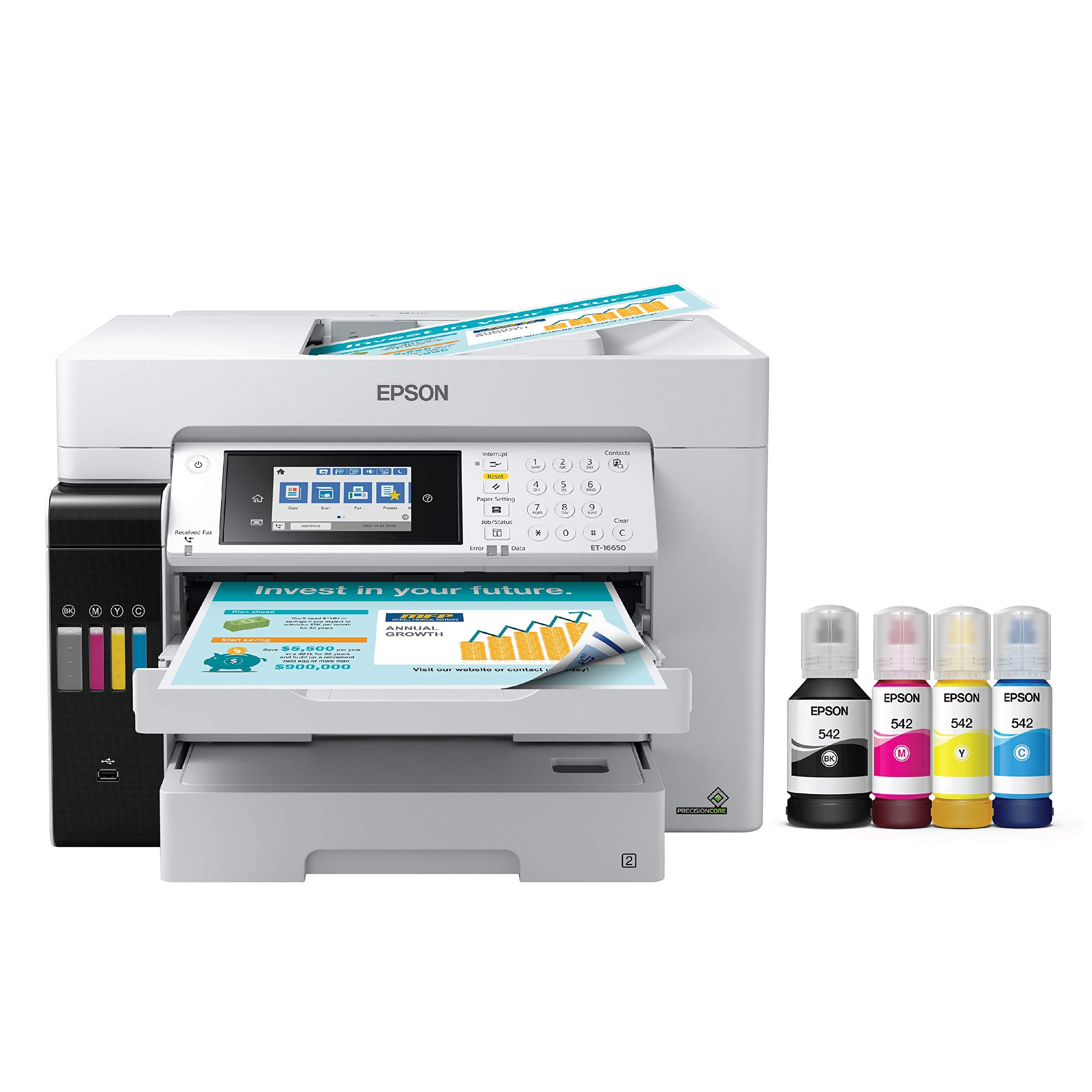
The Epson EcoTank Pro ET-16650 is the inkjet counterpoint in this roundup, using Epson’s PrecisionCore Heat-Free Technology and DURABrite pigment inks to produce borderless prints up to 13×19 inches. While not a laser printer, it competes directly with color lasers for offices where low running costs are the highest priority. The supertank ink system delivers an estimated 7,500 pages black and 6,000 pages color from the included ink bottles.
The ET-16650 is a full all-in-one with print, scan, copy, and fax, plus a 500-sheet paper capacity across two front trays and a rear specialty feed. It supports scanning up to 11×17 inches on the glass platen. Automatic duplex printing is standard. Wireless connectivity includes Ethernet, Wi-Fi, and direct Wi-Fi for router-free printing. The 4.3-inch touchscreen controls all functions with a clean menu layout.
Epson’s DURABrite pigment inks are water-resistant and smear-proof on plain paper, which is a common requirement for office documents. The Heat-Free technology uses no heat during the printing process, reducing energy consumption compared to laser fusing. However, the printer is physically large — approximately 24 inches wide and 20 inches deep — and some users report print head failures after extended use.
Why it’s great
- Extremely low cost per page compared to laser toner cartridges
- Borderless 13×19 inch printing capability surpasses most lasers
- Pigment-based inks provide water and smear resistance
Good to know
- Uses inkjet technology — print speed is slower than color lasers for text
- Print head failures have been reported after the first year of use
1. Epson Expression Photo XP-980

The Epson Expression Photo XP-980 is built for one thing: producing lab-quality borderless prints up to 11×17 inches with the 6-color Claria Photo HD ink system. Its 5760×1440 dpi resolution captures fine gradients and skin tones that color laser printers can’t replicate, making this the choice for photographers and designers who need accurate proofs and gallery-ready prints from a desktop machine.
The XP-980 has separate trays for plain paper and photo paper, plus a rear feed for specialty media. A 4.3-inch color touchscreen controls print and scan functions. It supports Wi-Fi Direct for router-free printing, and the Epson Smart Panel app handles setup and monitoring from a smartphone. The included flatbed scanner offers 48-bit color input for high-fidelity document and photo capture.
This is an inkjet printer, not a laser, so its running costs are higher per page for text documents, and the print engine is slower — approximately 8.5 ppm black and 8 ppm color. The 6-ink system uses six separate cartridges, and the printer runs a cleaning cycle if left idle, which can consume a significant amount of ink. It is not designed for high-volume office text printing.
Why it’s great
- 6-color Claria ink produces photographic quality on glossy and luster paper
- 5760×1440 dpi resolution delivers fine detail for image-intensive work
- Wi-Fi Direct enables printing without a nearby network router
Good to know
- Frequent cleaning cycles waste ink, especially if left idle
- Single-sheet rear loading for 11×17 paper is slow for batch work
FAQ
Can I print 11×17 from any color laser printer tray?
Does a higher PPM rating on letter guarantee faster tabloid output?
How much more toner does an 11×17 page consume compared to letter?
What is the difference between a single-pass and four-pass color laser engine?
Is it worth buying an extended warranty for a tabloid color laser printer?
Final Thoughts: The Verdict
For most offices, the best 11×17 color laser printer is the Brother MFC-L8930CDW because its super-high-yield toner options and fast 33-ppm engine deliver the best balance of speed, features, and long-term cost efficiency for tabloid workloads. If you prioritize raw color speed above all else, grab the Xerox C410dn at 42 ppm. And for a budget-conscious office that still needs full scanning and copying abilities, nothing beats the value of the Xerox C235dni.