
Our readers keep the lights on and my morning glass full of iced black tea. As an Amazon Associate, I earn from qualifying purchases.
Specs are compiled from manufacturer listings and verified buyer reviews and can change over time — please confirm the key details on the product page before buying.
If you regularly handle blueprints, architectural drawings, or ledger-sized documents, a standard flatbed scanner is a bottleneck. You need a machine that chews through 11×17 inch sheets automatically, without you standing there feeding each page by hand. This guide breaks down the top contenders, focusing on the automatic document feeder (ADF) speed, paper handling, and duplex (two-sided) scanning that actually saves you time in a real office workflow.
I’m Min — the founder and writer behind Gadgets Feed. This guide is built by comparing the manufacturers’ published specifications and the patterns across verified customer reviews, so you get each pick’s real strengths and trade-offs instead of marketing spin.
The right 11×17 scanner with document feeder turns a tedious chore into a background task, letting you focus on the work the documents represent, not the process of capturing them.
Our Picks at a Glance

How To Choose The Best 11×17 Scanner With Document Feeder
Buying a wide-format scanner with an automatic document feeder means you are likely processing a steady flow of large documents, not just the occasional scan. The decision hinges on three key areas: the type of feeder, the scanning technology inside, and the software ecosystem.
Single-Pass Duplex vs. Simplex ADF
The biggest time-saver on the market is a single-pass duplex ADF (automatic document feeder that scans both sides at once). This means the scanner has two image sensors (or a single sensor that reads both sides in one pass) — it grabs the front and back of a page as it moves through the feeder, rather than flipping the page over for a second scan. If you regularly scan two-sided documents, a single-pass duplex ADF scans both sides in one pass, compared to a simplex feeder that scans only one side per pass. Make sure you check the product’s ADF specs before buying: look for “single-pass” or “duplex” in the ADF description.
Scan Speed and Your Workflow
Speed in this category is measured in pages per minute (ppm) for black-and-white (B&W) and color. A machine that scans at 22 ppm B&W will clear a 100-sheet job in under five minutes, while one that scans at 12 ppm color takes nearly twice as long. For a busy office, speed is not just a number — it directly determines how long you wait at the machine. Pair the rated speed with the ADF capacity; a 50-sheet ADF running at 22 ppm empties every two minutes, while a 100-sheet ADF gives you longer stretches between refills.
Dedicated Scanner vs. Multifunction Printer
You will find two main types of machines here: a dedicated document scanner (like the Plustek S30) and a multifunction printer (MFP) that also scans (like the HP OfficeJet Pro models). A dedicated scanner is typically faster, more reliable for high-volume scanning, and has a smaller footprint because it omits bulky printer components. An MFP gives you print, copy, and fax in a single unit, which is a space-saver for a home office — but you are often paying for printing capabilities you might not need, and the scanning speed may not match a dedicated device.
Quick Comparison
| Model | Best For | Max Scan Width | ADF Capacity | Duplex Scanning | Amazon |
|---|---|---|---|---|---|
| HP OfficeJet Pro 9730★ Best Overall | All-in-one office workhorse | 11 x 17 inches | 50 sheets | Single-pass duplex | Amazon |
| Epson Workforce Pro WF-7840 | Budget-friendly MFP | 13 x 19 inches | 50 pages | — | $379.99Amazon |
| HP OfficeJet Pro 9720 | Fast color scanning | 11 x 17 inches | 50 sheets | — | Amazon |
| Plustek S30 | High-volume dedicated scanning | 12 inches | 100 sheets | Yes (duplex) | Amazon |
In‑Depth Reviews
1. HP OfficeJet Pro 9730 Wide-Format Wireless All-in-One Color Inkjet Printer
Our pick — over 4★ from 30+ verified ratings; the strongest balance of quality and price.
The office workhorse that reads both sides of a page in one smooth pass.
If your day involves scanning stacks of double-sided 11×17 sheets — think construction plans or double-sided reports — the 9730 is a direct solution because its single-pass duplex ADF grabs both sides in one feed. That alone saves you half the handling time compared to a feeder that requires you to flip and re-feed the stack. It also prints at up to 22 ppm in black and 18 ppm in color, meaning it keeps pace even when you are under a tight deadline.
Buyers report that the “large scanning capacity handles high-volume jobs efficiently,” which backs up the 50-sheet ADF and the two 250-sheet input trays that let you load different paper sizes without swapping stock. The 4.3-inch touchscreen is phone-like to navigate, and the HP app lets you send a scan to your phone or cloud storage without walking to the machine. The printer has a lot of depth at 22.9 inches deep — check your desk clearance before buying.
The 9730’s single-pass duplex scanning beats the 9720 below, which lacks that feature and requires manual flipping for two-sided 11×17 scanning. The one real gripe from owners: the HP Smart app can be glitchy, and occasional setup errors require a support call to sort out.
Why it leads the pack
- Single-pass duplex ADF scans two-sided tabloid pages without you touching the stack.
- Print speed of 22 ppm black / 18 ppm color keeps high-volume jobs moving.
- Two 250-sheet input trays hold letter and ledger paper simultaneously.
The honest trade-offs
- At 22.9 inches deep, it needs a dedicated spot on a sturdy desk.
- HP Smart app setup can fail, requiring a time-consuming call to customer service.
Reach for it when: you need a single machine that handles all your office’s scanning, printing, and copying — and you want duplex scanning on 11×17 without fiddling.
Look elsewhere if: desk space is tight or you only scan occasionally and don’t need the full office-tank build.
2. Epson Workforce Pro WF-7840 Wireless All-in-One Wide-Format Printer

A budget-friendly MFP that punches above its price on print speed.
The WF-7840 is an interesting mix: it prints black-and-white documents faster (25 ppm) than the HP 9730 (22 ppm), but it scans color documents notably slower at 12 ppm. For an office that prints a ton of text-heavy reports and only occasionally scans color, this balance works. It also handles paper up to 13×19 inches, so it is one of the few models that can print oversized posters or layouts beyond standard tabloid size.
Buyers who have run the WF-7840 for years report it is an “excellent printer for 11×17 ledger paper,” turning out crisp AutoCAD drawings and holding up for over 12,000 pages. The 50-page ADF handles regular scanning loads, and the 500-sheet paper capacity cuts down on refill trips. However, a common frustration is the constant firmware update prompts that cannot be dismissed — one owner noted they just ignore them. Also, scanning requires you to initiate it from a computer, not directly from the machine’s front panel.
At 25 ppm black and white, it beats the HP OfficeJet Pro 9720 (22 ppm) on monochrome speed, making it the faster pick if your primary output is text documents. The Epson scans color at 12 ppm, while the HP 9720 scans color at 18 ppm, so if you scan a lot of color plans, the HP will finish the job faster.
What it does well
- Fast black-and-white printing at 25 ppm beats many competitors in this price range.
- Handles wide-format paper up to 13×19 inches for posters and oversized layouts.
- 500-sheet paper capacity and durable build that holds up to thousands of pages.
Where it falls short
- Color scanning is slow at 12 ppm compared to the faster HP options.
- Constant firmware update prompts and the need to activate scanning from a computer.
Grab this if: you primarily print black-and-white text and want the fastest monochrome speed at this price tier, plus occasional oversized color prints.
skip it if: color scanning speed is critical to your workflow — the HP models handle color faster.
3. HP OfficeJet Pro 9720 Wide-Format Wireless All-in-One Color Inkjet Printer
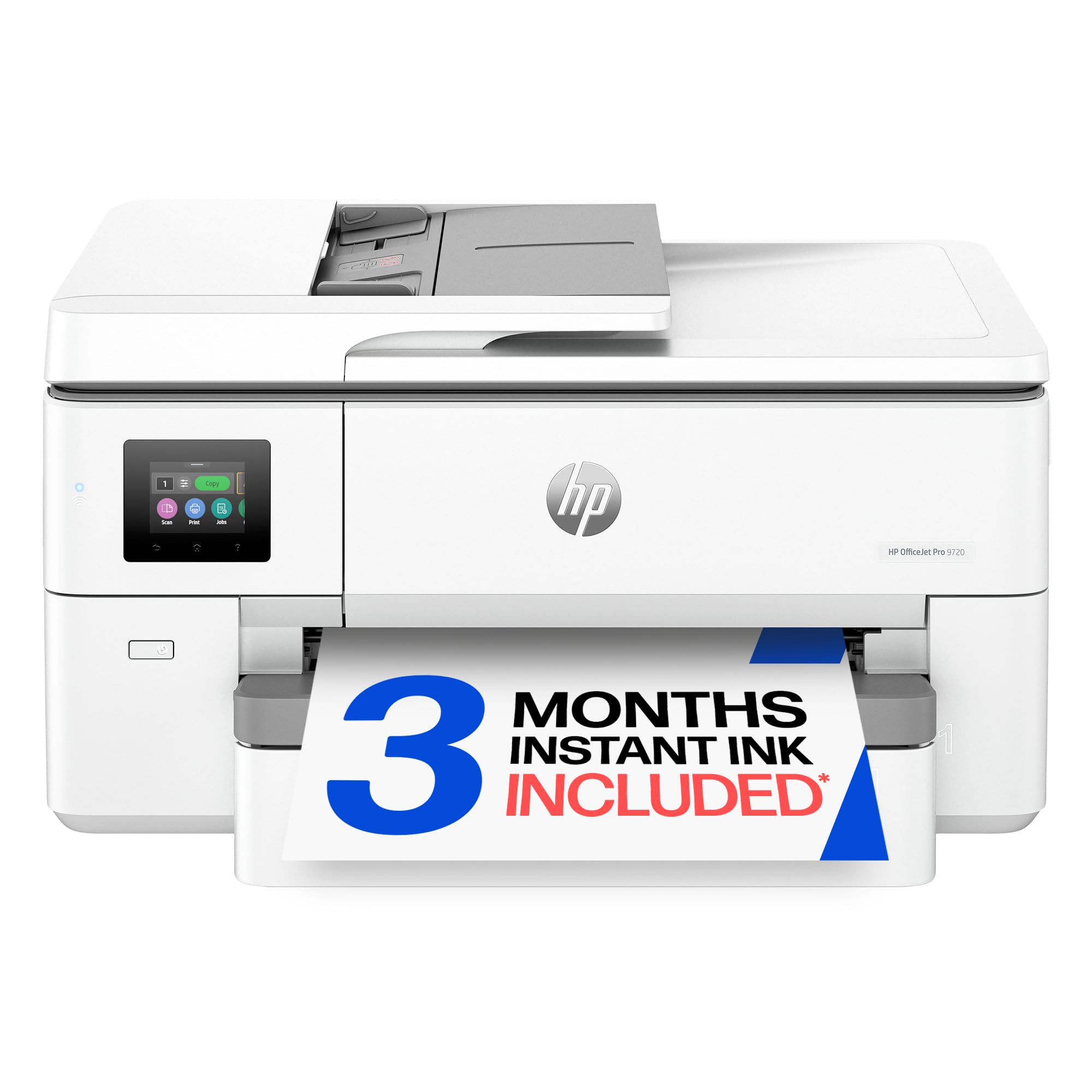
Color scanning at 18 ppm keeps your files flowing faster than the competition.
For offices that scan a lot of color plans, the 9720’s 18 ppm color scanning speed beats the Epson WF-7840’s 12 ppm, shaving minutes off a 50-page job. It shares the same print engine as the 9730 above, offering 22 ppm black and the same P3 wide color gamut that keeps your screen colors matching your prints. The ADF holds 50 sheets, and the 250-sheet input tray is fine for a small-to-medium office.
There is an important limitation here that buyers specifically flagged: “does not auto duplex on legal size paper; requires manual feeding.” The automatic duplex printing only works on A4/Letter size pages. If you regularly print two-sided 11×17 documents, you will need to manually flip and re-feed the paper — a workflow interruption that the pricier 9730 avoids. The 2.7-inch touchscreen is smaller than the 9730’s 4.3-inch screen, but still functional for basic navigation.
It offers the same 22 ppm black print speed as the 9720’s sibling, the 9730, but costs less upfront. The catch is you lose single-pass duplex scanning and get a smaller touchscreen. Owners do report that the machine occasionally disconnects from the network, requiring a quick reconnection, which can be annoying during a large scan job.
What makes it stand out
- Fast color scanning at 18 ppm — compared to the Epson WF-7840’s 12 ppm.
- Same professional print quality as the 9730 with P3 wide color gamut for accurate prints.
- Easy QR-code setup and reliable wireless connectivity across Apple and Android devices.
What holds it back
- No auto duplex printing on legal/11×17 paper — requires manual flipping for two-sided big pages.
- Occasional network disconnects reported by some users.
Best suited for: a small office that scans color documents regularly at 11×17 size and mostly prints single-sided or letter-size duplex.
Pass on it if: you need automatic two-sided printing on tabloid-size paper — step up to the 9730 instead.
4. Plustek Wide-Format Color Duplex Document Scanner S30

The dedicated high-volume tank that swallows 100 sheets at a time.
If your primary goal is scanning — not printing — the Plustek S30 is the specialist here. It is a dedicated document scanner with a 100-sheet duplex ADF, double the capacity of the MFP options above. That means you can load a full stack of 11×17 drawings or invoices and walk away for longer stretches. It scans documents up to 12 inches wide and a staggering 200 inches long, so it handles continuous forms and architectural roll drawings without stopping.
Buyers who pushed 3,000 scans through it in three days report it is “fast” and “accurate” for letter and ledger sizes. The automatic paper detection is a real time-saver: you drop in a mixed batch of different sizes, and the scanner detects each sheet’s dimensions and removes blank pages without you setting anything. The included software lets you assign a one-touch job button to your most-used scan profile, so regular tasks become a single press. The S30 is also designed to store upright to save desk space — about 4 inches wider than a standard scanner.
There is a reliability caveat: some owners mention the unit failing without clear error messages (a “Feeding paper failure!” warning on a perfectly feeding page), and the DocAction II driver can crash randomly. You will also need to remove staples to prevent multi-feeds. But for a pure scanning workflow on a budget, it is a dedicated tool that avoids the complications of a printer’s ink system.
Why it wins for pure scanning
- 100-sheet duplex ADF holds double the paper of the MFP models — less refill time.
- Scans up to 12 inches wide and 200 inches long for unusual documents and roll paper.
- Automatic paper size detection and blank page removal streamline mixed-batch scanning.
What gives you pause
- Inconsistent reliability reports — some units fail without clear cause.
- Software driver (DocAction II) can be unstable and occasionally crashes.
This one is for: anyone who scans big stacks of wide documents daily and wants a dedicated scanning tool, not a printer hybrid.
Think twice if: you need absolute reliability with no downtime — the failure reports suggest a backup plan might be wise.
Understanding the Specs
Pages per Minute (ppm)
This is the speed rating for how many pages the scanner can process in one minute. It is measured separately for black-and-white (B&W) and color pages. A higher ppm means the machine clears your stack faster. For example, a machine rated at 25 ppm B&W finishes a 50-page job in two minutes, while a 12 ppm color scanner takes over four minutes for the same stack. If you scan large stacks daily, prioritize a higher ppm to keep the workflow moving.
Duplex ADF (Automatic Document Feeder)
An ADF grabs a stack of pages and feeds them through one by one. “Duplex” means it can scan both sides of a page in a single pass (single-pass duplex) or by flipping the page (two-pass duplex). Single-pass duplex is faster because it uses two image sensors to capture both sides simultaneously. A simplex ADF only scans one side per pass — you have to flip the stack manually to get the back side. For two-sided documents, single-pass duplex is the feature you want.
FAQ
What is the difference between a single-pass duplex and a two-pass duplex ADF?
Can these scanners handle paper thicker than standard office paper like cardstock or thin receipts?
Do I need a dedicated scanner or can a multifunction printer do the same job?
How do I scan documents larger than 11×17 inches, like oversized blueprints?
What does “automatic paper detection” mean and why is it useful?
Are these scanners compatible with Mac OS or only Windows?
How many pages can I expect from the starter ink cartridges before I need replacements?
Will these scanners fit on a typical desk or do they need a dedicated stand?
What is the main advantage of a 100-sheet ADF over a 50-sheet ADF?
Can I scan directly to cloud services like Google Drive or Dropbox?
Final Thoughts: The Verdict
For most offices, the best 11×17 scanner with document feeder is the HP OfficeJet Pro 9730 because it combines a single-pass duplex ADF with fast print speeds and a generous paper capacity — a real all-in-one workhorse. If you primarily scan color documents and want the fastest color scan speed, the HP OfficeJet Pro 9720 delivers at 18 ppm and a lower entry cost. And for pure scanning volume without the printing extras, the Plustek S30 is the dedicated specialist with a 100-sheet ADF that handles oversized and mixed-size stacks with ease.
How We Picked
We do not accept paid placement. Every pick is matched to a real buyer and a real use-case; we do not hands-on test units.
Sources & Methodology
Specifications: manufacturer listings and product documentation. Review insights: verified customer reviews, as of July 2026. Pricing: not shown on this page (it changes often); check the current price via the retailer link.
As an Amazon Associate, Gadgets Feed earns from qualifying purchases. This does not affect which products we feature.
Related Guides
Product prices and availability are accurate as of the date/time indicated and are subject to change. Any price and availability information displayed on Amazon at the time of purchase will apply to the purchase of this product. As an Amazon Associate I earn from qualifying purchases.
CERTAIN CONTENT THAT APPEARS ON THIS SITE COMES FROM AMAZON. THIS CONTENT IS PROVIDED "AS IS" AND IS SUBJECT TO CHANGE OR REMOVAL AT ANY TIME.
Amazon and the Amazon logo are trademarks of Amazon.com, Inc. or its affiliates.