
Our readers keep the lights on and my morning glass full of iced black tea. As an Amazon Associate, I earn from qualifying purchases.
Specs are compiled from manufacturer listings and verified buyer reviews and can change over time — please confirm the key details on the product page before buying.
Choosing a desktop PC with a 12-core brain (a processor with twelve separate computing units to handle tasks at once) is about matching the silicon to the job. A machine built for Excel and a machine built for 4K gaming feel completely different in daily use, even when both claim the same core count.
I’m Min — the founder and writer behind Gadgets Feed. This guide is built by comparing the manufacturers’ published specifications and the patterns across verified customer reviews, so you get each pick’s real strengths and trade-offs instead of marketing spin.
This breakdown digs into eleven towers so you can tell which one actually earns its spot in your setup, and it all comes together in this 12 core computer guide built for careful, research-first buyers.
Our Picks at a Glance


How To Choose The Best 12 Core Computer
Before you compare towers, decide what the machine will actually do all day. That single choice determines if you need a powerful separate graphics card or whether the processor’s built-in graphics are plenty.
Match the Processor to the Work
A 12-core processor splits tasks across its cores, so it powers through multitasking and heavy workloads. But the clock speed (how fast each core runs) often matters more for everyday responsiveness. A chip that runs at a higher frequency will feel snappier in normal apps than one with more cores running slower.
Graphics: Dedicated vs. Integrated
For gaming, video editing, or 3D work, a dedicated graphics card (a separate chip with its own memory) is essential. For spreadsheets, browsing, and office apps, the integrated graphics (built into the processor) are more than enough and keep the machine cheaper and quieter.
Quick Comparison
| Model | Best For | CPU | Graphics | Memory | Amazon |
|---|---|---|---|---|---|
| Lenovo Legion Tower 5i★ Best Overall | High-end gaming and streaming | Core Ultra 7 265F | RTX 5070 Ti 16GB | 32GB DDR5 | Amazon |
| Evounic i7 XeonBest Value Pick | Budget gaming | Xeon 12-Core | GTX 1080 Ti 11GB | 64GB DDR3 | Amazon |
| Evounic RTX 4060Liquid Cooled Pick | Entry-level gaming | i7 Xeon 12-Core | RTX 4060 8GB | 64GB RAM | Amazon |
| HP Mini i7-12700T | Compact office work | i7-12700T (12-core) | Intel UHD 770 | 16GB DDR4 | Amazon |
| Dell Pro Tower Plus | Productivity and light AI | Core Ultra 7 265 (20-core) | Integrated | 32GB DDR5 | Amazon |
| Dell Tower Plus EBT2250 | Creative work and gaming | Core Ultra 7 265 | RTX 4060 | 16GB RAM | Amazon |
| CyberPowerPC GXiVR8080A39 | VR gaming | i9-14900KF (24-core) | RTX 5070 12GB | 32GB DDR5 | Amazon |
| Alienware Aurora | Premium gaming | Core Ultra 7 265F | RTX 5070 | 32GB DDR5 | Amazon |
| Dell Pro Tower i7-14700 | Business multitasking | i7-14700 (20-core) | Intel UHD 770 | 64GB DDR5 | Amazon |
| Thermaltake LCGS View i570 | Enthusiast gaming | i9-14900KF | RTX 5070 12GB | 32GB DDR5 | Amazon |
| CyberPowerPC GXiVR8080A41 | AMD gaming builds | Ryzen 9 9900X (12-core) | RTX 5070 12GB | 32GB DDR5 | Amazon |
In‑Depth Reviews
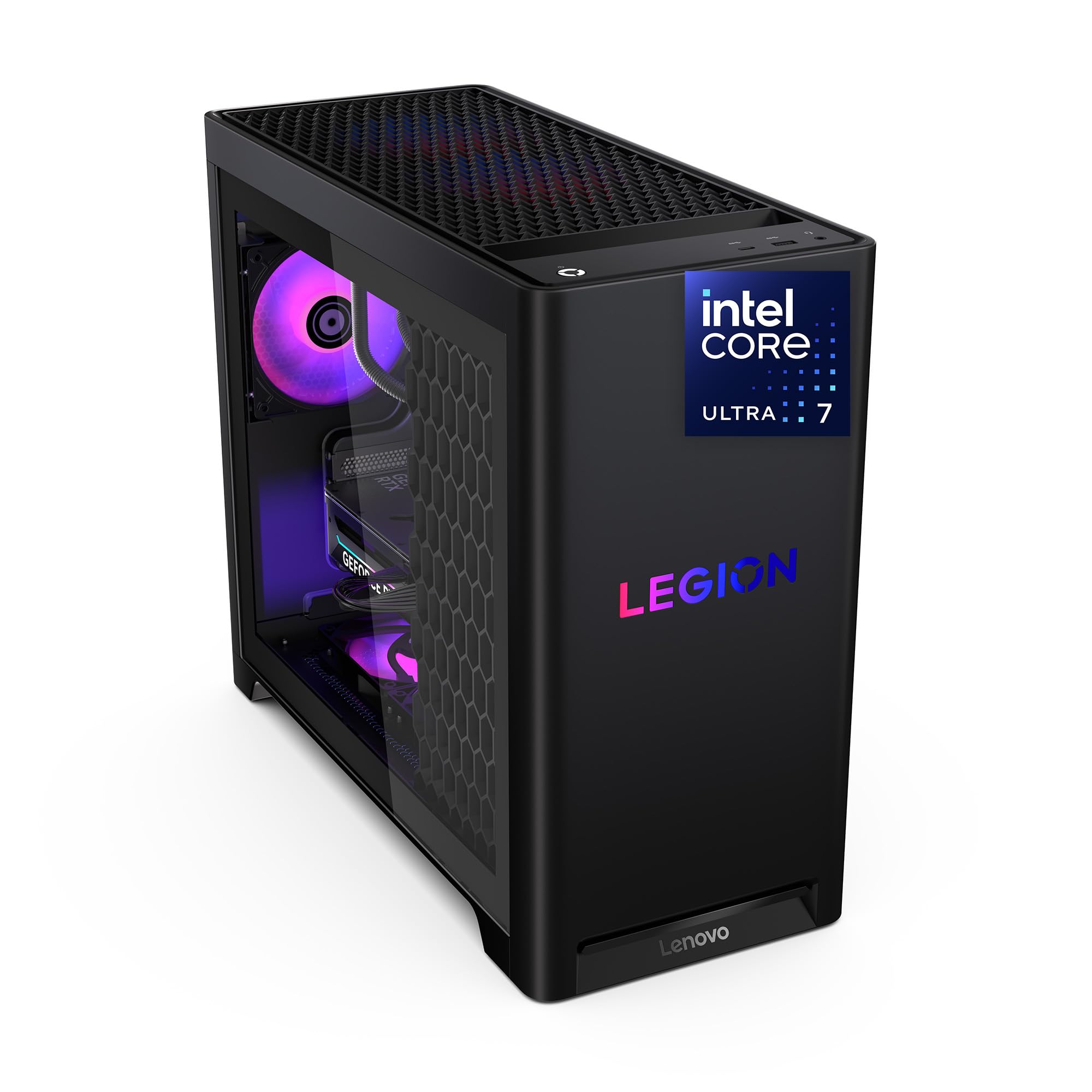
1. Lenovo Legion Tower 5i
Our pick — over 4.5★ from 80+ verified ratings; the strongest balance of quality and price.
The expandable tower that stays whisper-quiet while it flexes 180W of cooling.
The Legion Tower 5i pairs a Core Ultra 7 265F processor with an RTX 5070 Ti graphics card that carries 16GB of GDDR6 memory — double the 8GB on most rivals here. That extra graphics memory shows up in real life as smoother textures at 4K and more headroom for creative apps. A glass, tool-less side panel means you can reach in and upgrade parts without hunting for a screwdriver.
Owner reports paint a picture of a machine that simply runs — no crashes, no drama, and temperatures that stay well-controlled. One buyer tracking temps found the GPU hovering in the mid-60s°C and the CPU in the high-50s to low-60s°C even at max settings, rarely touching 70°C. The same owner clocked Forza 5 maxed out at about 180 fps average, or roughly 300 with DLSS and frame generation turned on.
The most-praised trait is build quality, and it shows up across the board, with performance close behind. Setup is a breeze, and the included 3 months of PC Game Pass means you can jump straight into titles like Halo Infinite or Overwatch 2. The catch is the price — this is a premium machine, and the RAM runs at 5600MT/s for a reason. Buyers report no fan, lighting, performance, or heating issues even three months in.
What wins people over
- Excellent build quality — the most-cited strength by a clear margin.
- Unbelievably quiet operation with liquid cooling keeping things cool.
- 32GB of DDR5 memory that expands all the way to 128GB.
Worth knowing
- A premium price tag that lands it at the top of the budget range.
- The GPU’s “GEFORCE” text glows white rather than RGB — a minor cosmetic nit.
Grab it for: flagship-level gaming and streaming where quiet, reliable power matters more than the sticker.
Think twice if: your budget tops out well below this tier — the Evounic options deliver gaming at a fraction of the cost.
2. Gaming PC Desktop i7Xeon 12Core
A budget battler stacking 64GB of RAM and an 11GB GPU for heavy multitaskers.
This Evounic tower leans on a Xeon 12-core processor and a GTX 1080 Ti with 11GB of graphics memory — a combination that still punches hard for video editing and solid 1080p gaming. The 64GB of DDR3 RAM feels almost excessive, but it means browsers, streaming apps, and productivity tools can all stay open without the system choking. A 1TB M.2 SATA SSD keeps boot times quick and game loads fast.
Buyers who love it describe a plug-and-play experience that boots in about five minutes, complete with a WiFi dongle, keyboard, and mouse in the box. One delighted grandparent reported their grandson plays all his games with no issues at all. The tower also includes a clear side panel with ARGB fans and a remote to change the colors.
The honest catch: some buyers found the processor runs at 2.4GHz rather than the advertised 3.5GHz unless you overclock it yourself. One owner hit a freeze during a large file transfer to an external drive. It is a value pick, so the trade-offs are real but the price is hard to argue with for the RAM and GPU you get.
Best for: anyone who needs maximum RAM and a strong older GPU for editing or gaming on a strict budget, with the understanding that you may need to tinker with clock speeds.
3. Gaming Desktop RTX 4060
A white liquid-cooled tower with seven ARGB fans built to win over first-time builders.
This Evounic build pairs a 12-core i7 Xeon processor with an RTX 4060 that carries 8GB of GDDR6 memory, and it packages the whole thing in a white chassis with liquid cooling to keep temperatures stable during long sessions. Storage splits between a 512GB NVMe SSD for speed and a 1TB HDD for bulk files. Windows 11 Pro comes preinstalled, and a keyboard and mouse are included.
The standout praise centers on performance — games run smoothly and it handles work tasks just as well. Setup is easy, it arrives ready to use quickly, and buyers consistently call it good value. One first-time gaming PC owner called it a great beginner machine, citing fast boots and smooth games, with the RGB fans and included peripherals as nice bonuses.
The trade-off shows in the mixed experiences. One unit arrived dead on arrival with a black screen after a recovery prompt, though it was returned without issue. Another owner found the RGB lights get old quickly and noted the included USB Wi-Fi adapter can crash when a Bluetooth keyboard connects. The performance praise is overwhelming, but an occasional DOA unit is part of the lottery with budget prebuilts.
The honest read: excellent value and performance when it works, which is most of the time — just be ready for the possibility of an immediate return.
4. HP Mini Desktop PC
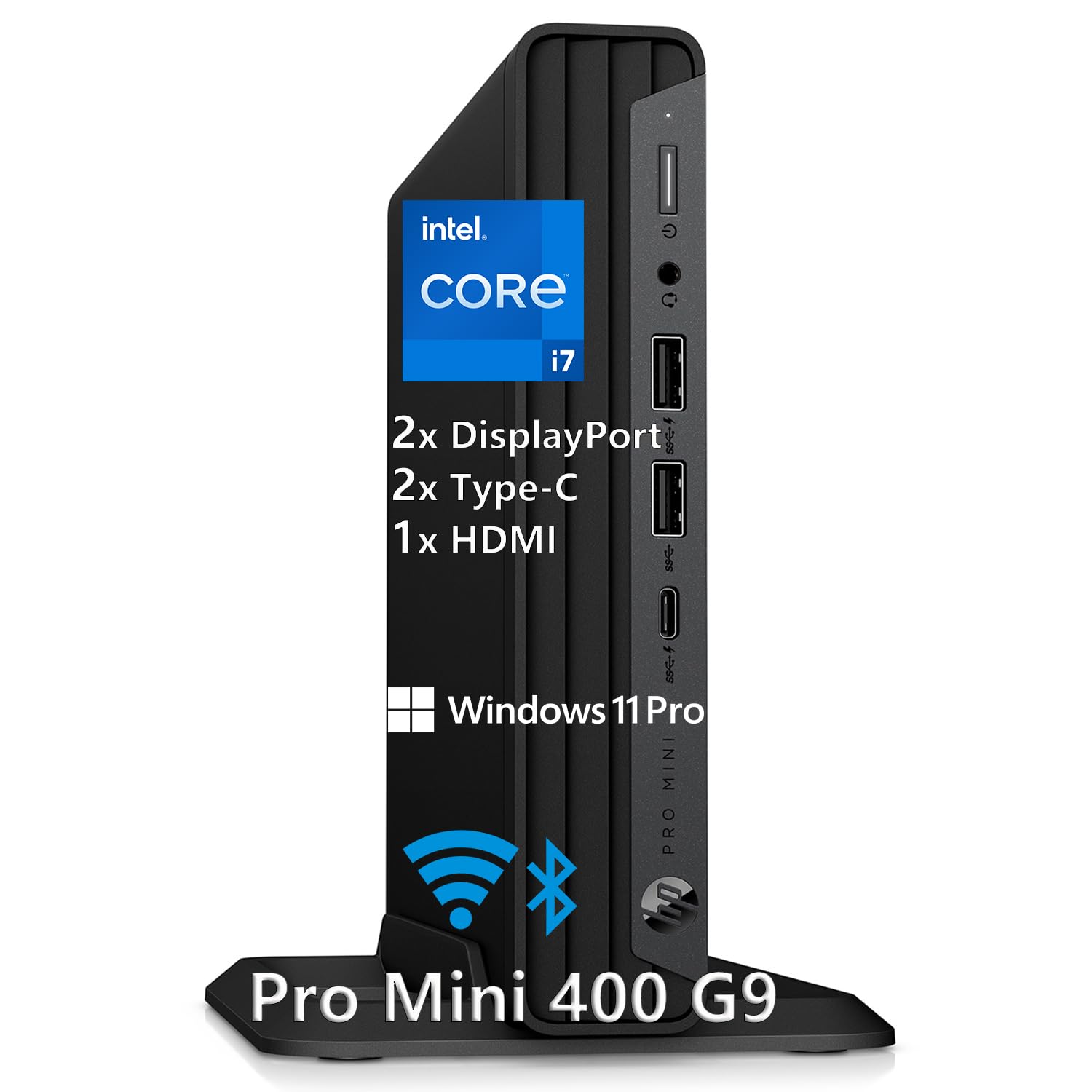
A whisper-quiet 6.97-inch mini that drives three 4K monitors at once.
This HP mini squeezes a 12th-gen i7-12700T (a 12-core processor with up to 4.7GHz boost) into a compact 6.97-inch chassis that fits almost anywhere. Its real a neat extra is the triple-monitor support — dual DisplayPort 1.4 and one HDMI 2.1 can drive three 4K displays at 60Hz, which is a dream for stock trading, video editing, or data analysis. A 512GB NVMe SSD boots in seconds, and 16GB of DDR4 RAM handles 50+ browser tabs without slowdown.
The complete package includes Windows 11 Pro, an HP wired keyboard, an HP wired mouse, and a 90W adapter, so there are no hidden purchases needed. Buyers describe it as a straightforward replacement for aging machines that works exceptionally well right from the start. Older eyes appreciate the jump to a larger 17-inch screen and the speed boost over a three-year-old laptop.
This is not a gaming rig — the Intel UHD 770 graphics are integrated, meaning the visuals are shared from the processor rather than a dedicated card. The trade-off is the outstanding multi-monitor productivity in a tiny, silent footprint. One buyer installing Linux did find the hardware combination confusing, but for Windows users it is genuinely plug-and-play.
Built for: office work, accounting, and anyone running a 3-screen setup who wants desktop-class speed in a space-saving chassis. skip it if you plan to game.
5. Dell Pro Tower Plus
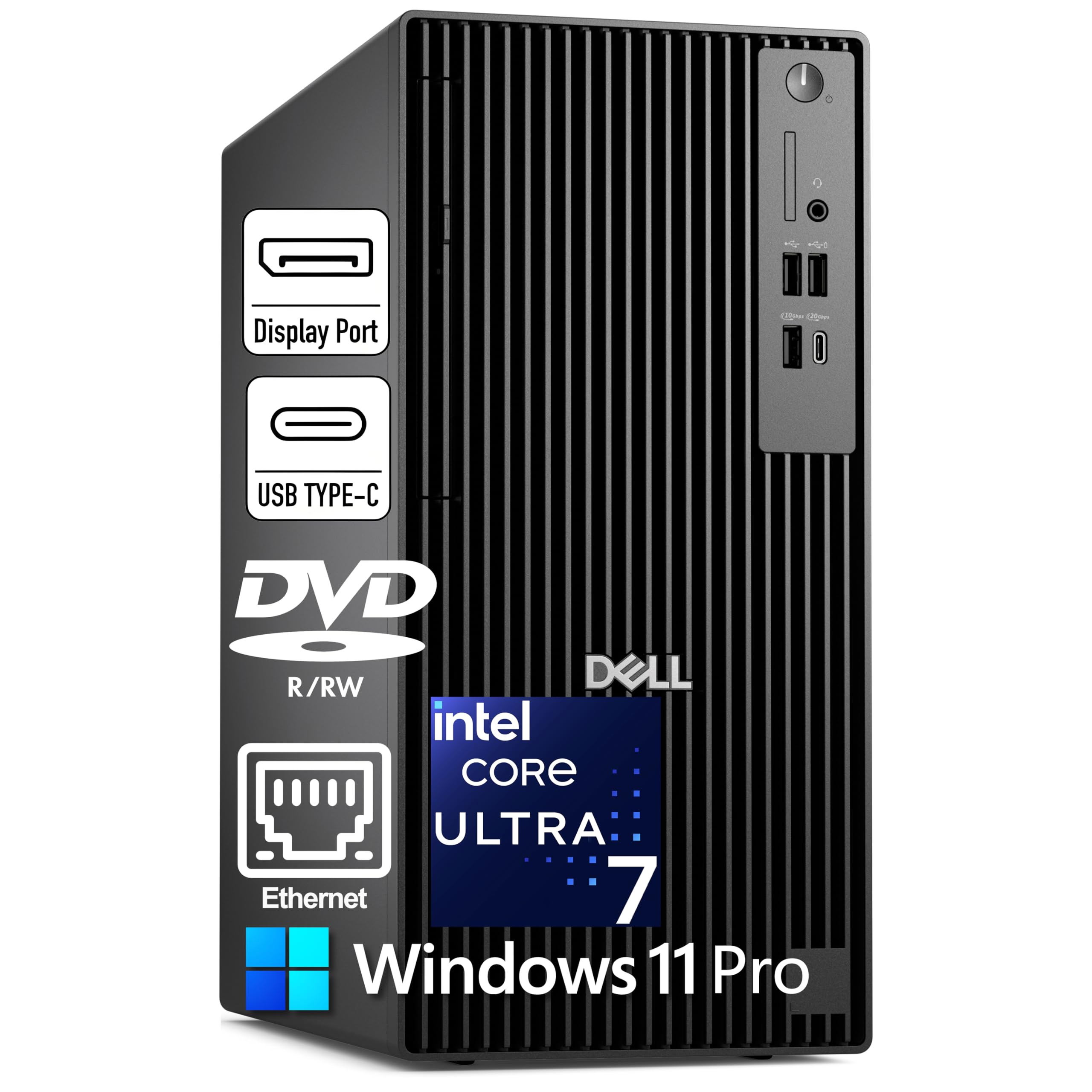
A 20-core workstation that adds a 13 TOPS NPU for on-board AI acceleration.
The Dell Pro Tower Plus packs a Core Ultra 7 265 processor with 20 cores boosting up to 5.3GHz, plus a 13 TOPS NPU (a Neural Processing Unit, a dedicated chip that speeds up AI tasks) for AI acceleration. Windows 11 Pro with Copilot is included, and the machine drives three 4K monitors through three DisplayPort 1.4a outputs. Storage is generous at 2TB of PCIe NVMe SSD, with 32GB of DDR5 RAM to keep everything snappy.
Buyers consistently call it blazingly fast, especially for photo editing, and praise the reliability and quiet operation. It runs Fortnite flawlessly and handles heavy multitasking — one owner runs Plex, Chrome, Steam, three monitors, and games simultaneously without hitting RAM or CPU limits. The port selection is a highlight: front USB-C at 20Gbps, rear USB-C at 10Gbps, and multiple USB 3.2 ports.
The catch is that there is no built-in WiFi — this machine is wired Ethernet only, and the 260W Bronze PSU is modest. A 30MB cache and the 20-core design make it a powerhouse for productivity, but the integrated graphics mean it is not aimed at serious gaming. One buyer did note a slow default WiFi driver, though that was fixed by updating from the manufacturer’s site.
Perfect for: creative professionals editing photos or video who want AI-ready hardware and triple-4K support without a dedicated graphics card. Not the right call for a gaming rig.
6. Dell Tower Plus EBT2250
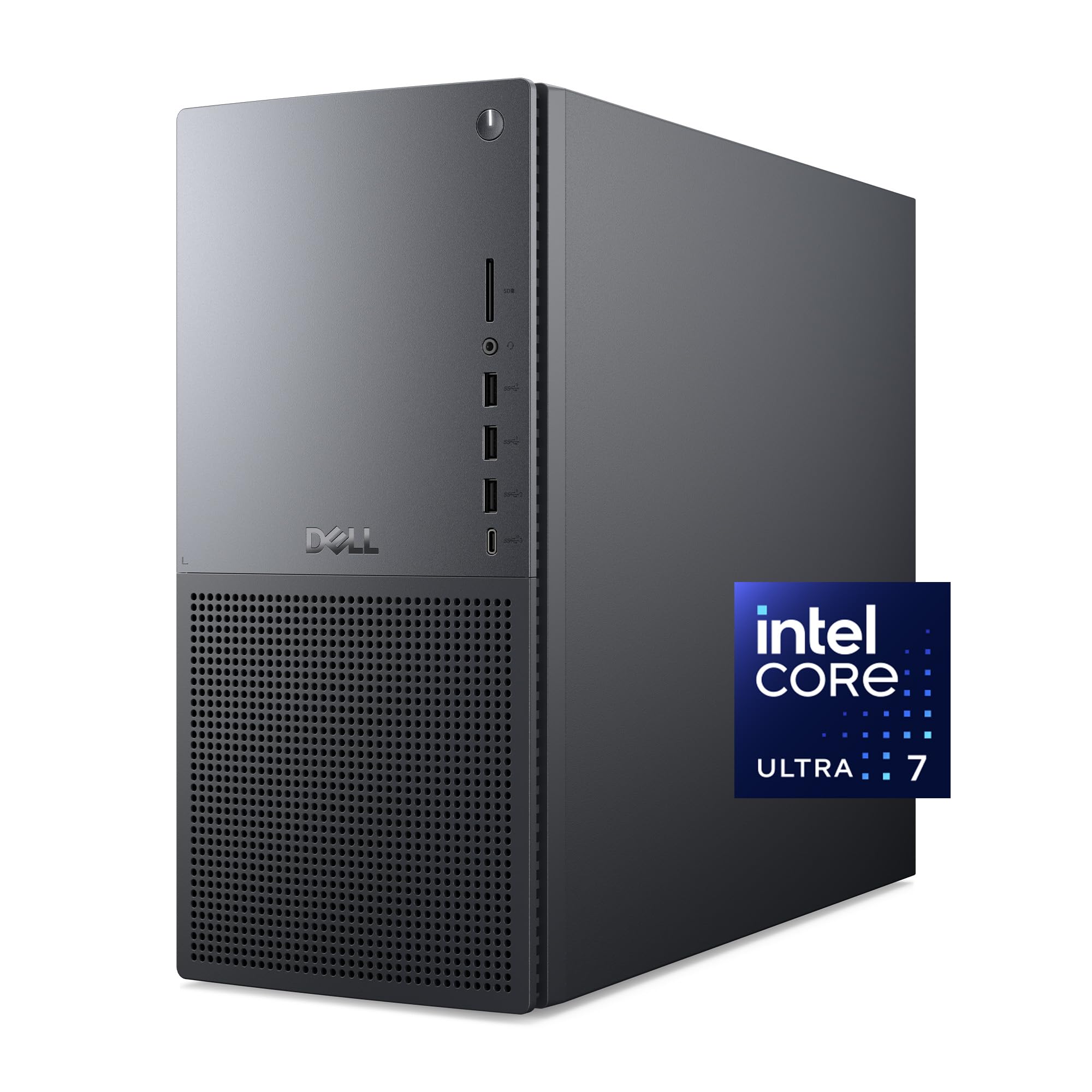
A creative-work tower with RTX 4060 graphics and a year of onsite service.
This Dell Tower Plus combines a Core Ultra 7 265 processor (boosting to 5.3GHz) with an NVIDIA GeForce RTX 4060 and 16GB of RAM. It is built with three AI engines — CPU, GPU, and NPU — that accelerate tasks in gaming, creation, and streaming apps. Storage comes in at 1TB of SSD, and the tower ships with a wired Dell keyboard and mouse.
Buyers rave about its usefulness as a workshop PC, with one owner running two monitors plus a 75-inch TV, streaming, a DAW (digital audio workstation), and high-capacity scanning all at once without missing a beat. Another calls it a second lease on life, noting it is fast for work and day-to-day tasks, with the RTX 4060 likely handling non-4K and non-competitive gaming fine. The RAM is easily expandable — one owner jumped from 16GB to 32GB without trouble.
The standout feature for confidence is the 1 Year Onsite Service, where Dell comes to your home or office if a hardware issue cannot be resolved remotely. A 6-month Dell Migrate tool also helps move your files from an old PC. The main complaint is the lack of a 3.5mm audio jack on the back — a buyer was frustrated to find only USB speaker support, so check your speaker connections before buying.
Built for: creative pros and power users who value onsite support and upgradeability — just confirm your speakers work over USB before committing.
7. CyberPowerPC Gamer Xtreme GXiVR8080A39
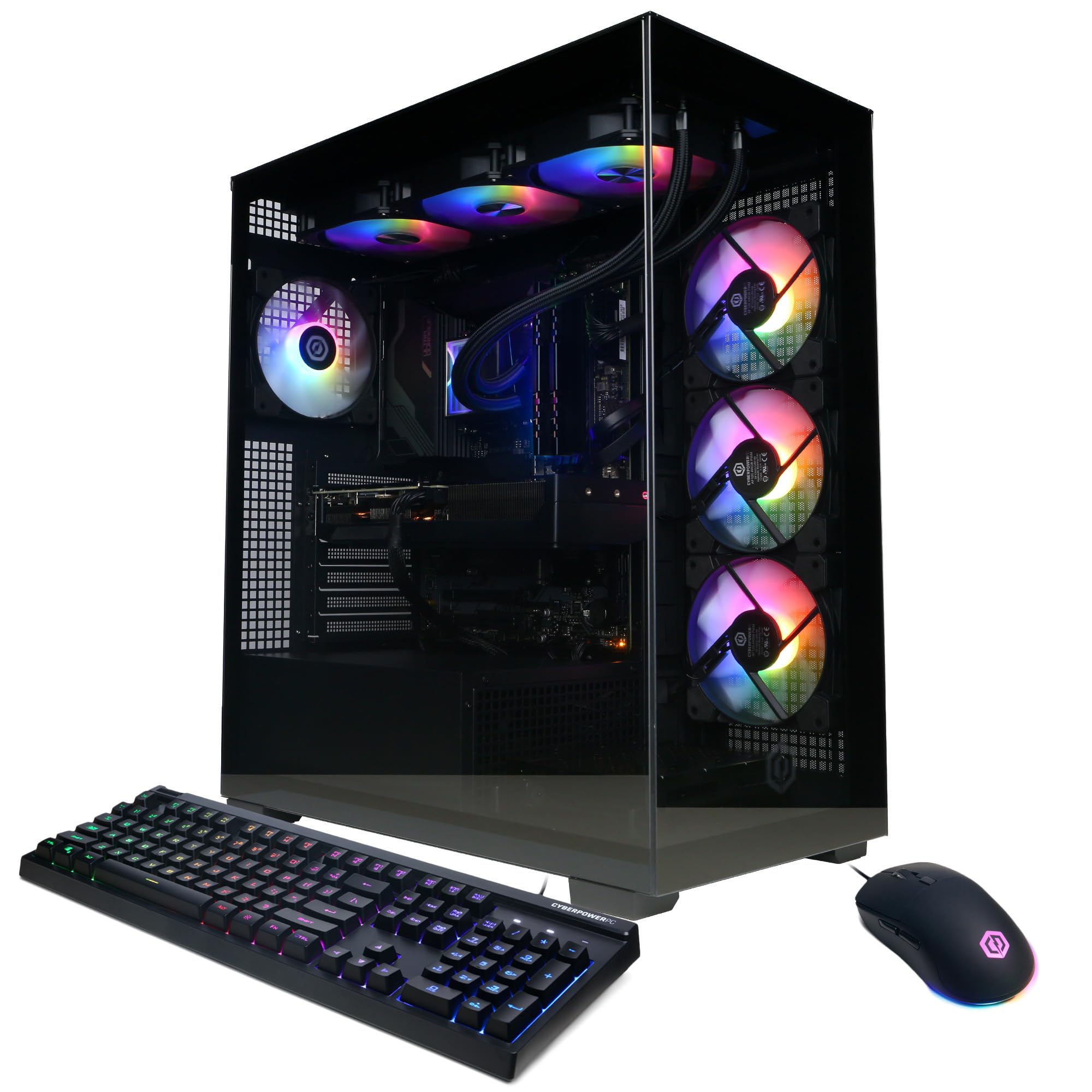
A 24-core i9 behemoth with RTX 5070 graphics that buyers call a fantastic value.
The Gamer Xtreme runs on an Intel Core i9-14900KF with 24 cores at 3.2GHz, backed by an RTX 5070 with 12GB of GDDR7 graphics memory and 32GB of DDR5 RAM. A 2TB PCIe 4.0 NVMe SSD gives you serious storage for a large game library. Liquid cooling on the CPU and a tempered glass side panel round out a build that buyers consistently describe as worth the price.
Performance is the overwhelming headline here — it runs all current generation games at Ultra settings, with one owner noting the GPU stays cool even at 0% fan speed. The setup is easy, the RGB is customizable, and the build includes magnetic dust filters and quality brand components. It is a huge upgrade for anyone coming from an older GPU, with one buyer jumping from a 1070Ti and calling it a 10/10 experience.
Noise gets mixed feedback — some find it super quiet, while others say the fans can get somewhat loud under load. It is a fair trade for the performance on tap, and most owners accept it as normal. The keyboard and mouse included are solid, and the glass side panel smudges easily, which is a cosmetic nit rather than a functional issue.
What earns the praise
- Blistering performance — the most-cited strength, with fast downloads and smooth FPS.
- Quality components inside, including a gold PSU and MSI motherboard.
- Easy setup with Windows 11 preloaded and stable WiFi.
The noise caveat
- Fan noise is the recurring trade-off — loud for some, acceptable for most.
- No DVI or dual HDMI ports; you may need an adapter for older monitors.
Reach for it if: you want top-tier VR and 4K gaming without paying for a boutique brand name.
Look elsewhere if: fan noise drives you crazy — the Thermaltake or Alienware may suit a quieter room better.
8. Alienware Aurora
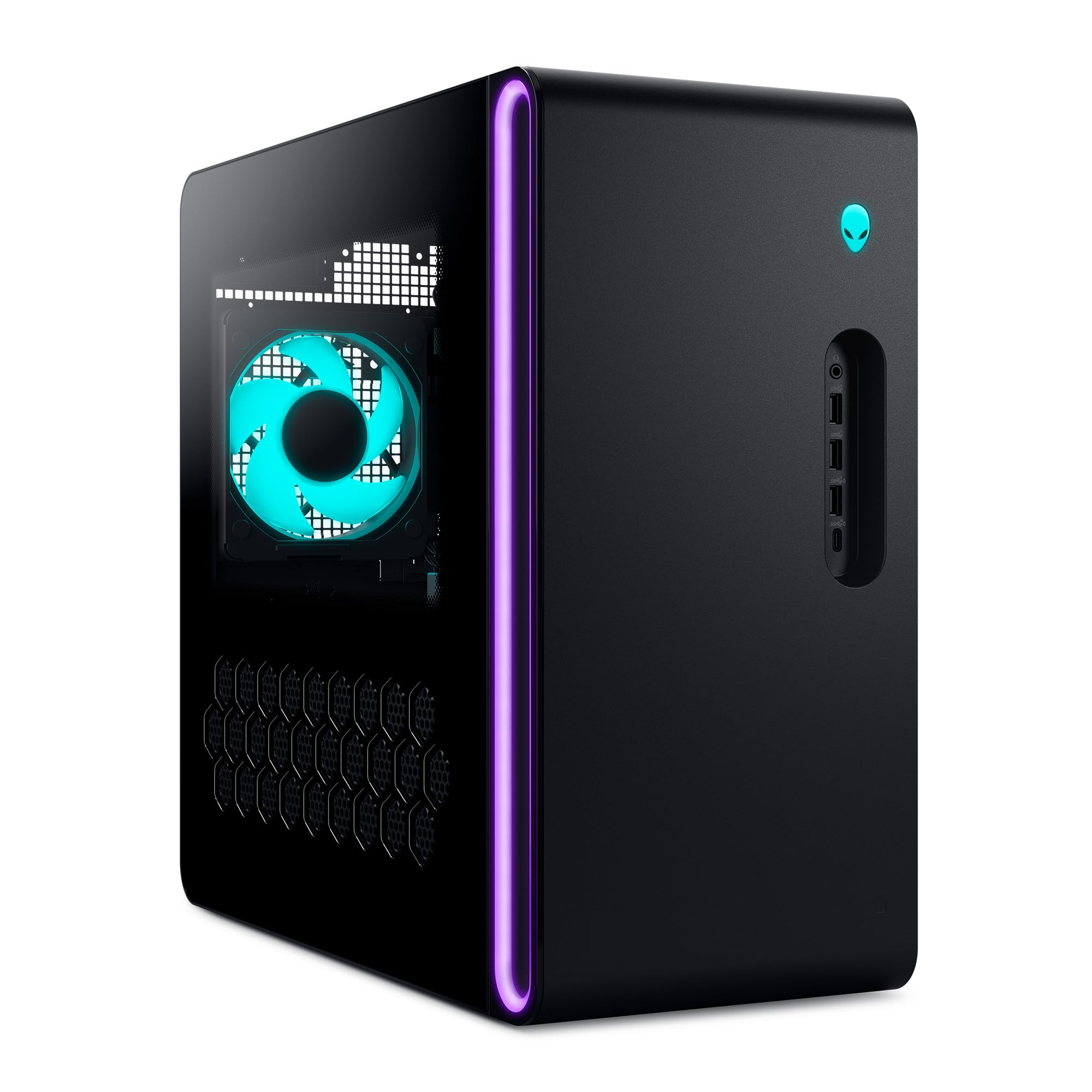
A matte basalt-black legend with Wi-Fi 7 and customizable AlienFX stadium lighting.
Alienware’s Aurora is the style statement of this list — a modern design with a matte basalt black finish and customizable AlienFX lighting zones including striking stadium lighting. Under the hood sits a Core Ultra 7 265F processor (boosting to 5.3GHz) with an RTX 5070 graphics card, 32GB of DDR5 RAM, and a 1TB SSD. It is air cooled, and the Alienware Command Center software lets you create lighting profiles, monitor performance modes, and build custom gaming profiles for your whole library.
Buyers describe it as extremely quiet and cool during use, with plug-and-play setup that runs demanding titles like Escape from Tarkov and Delta Force with ease. One owner upgraded from a PS5 Pro and reported flawless overclocking with in-game temps of 44-52°C on a third-party cooler. Another runs Linux Mint on it smoothly. The Killer 2.5Gb Ethernet and Wi-Fi 7 keep connectivity future-proof.
The mixed feedback centers on the port configuration and occasional incorrect specifications — some buyers felt the port layout was not what they expected. One unit arrived missing the CPU and GPU, though Amazon replaced it the next day. The 1 Year Onsite Service from Dell adds real value if anything goes wrong.
The premium play: if you want Alienware’s iconic look plus top-tier gaming performance and don’t mind occasional spec-sheet surprises.
9. Dell Pro Tower i7-14700
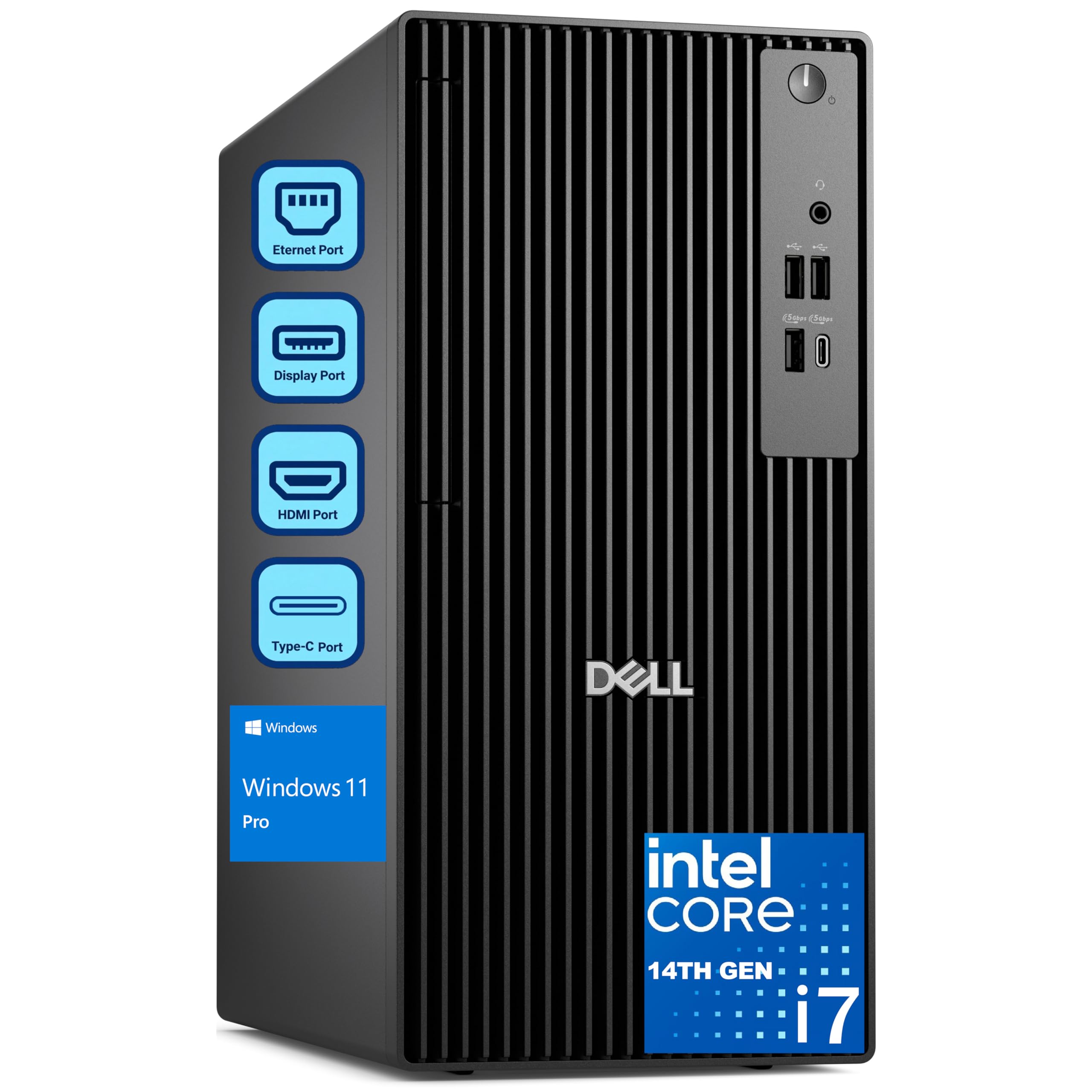
A 20-core enterprise tower with 64GB RAM built for trades and creative pros.
This Dell Pro Tower is a business-class workhorse with a 20-core i7-14700 processor boosting up to 5.4GHz, backed by 64GB of DDR5 RAM and a 2TB PCIe SSD. It is positioned as a next-gen OptiPlex for corporate deployments, professional studios, and power users. The 24MB cache and DDR5 bandwidth handle 4K video editing, 3D rendering, and financial modeling without compromise.
Buyers love how fast it boots and how compact it is compared to other towers. It is remarkably quiet — one owner upgrading from an old machine noticed the silence immediately. Dual 4K display support enables efficient multi-monitor workflows for traders, analysts, and designers. The UHD Graphics 770 handles visuals through integrated graphics, which is plenty for business apps.
The limitations are clear: no built-in Wi-Fi, so you are on wired Ethernet, and the integrated graphics mean no serious gaming. A buyer running a three-monitor system found it needed extra tools they were not familiar with. One unit shipped with a faulty hard drive, though the seller replaced it and the new machine worked as expected. For pure business multitasking, this is a quiet, fast, and reliable choice.
Best for: corporate fleets and professionals running heavy business apps who want 64GB of RAM and speedy boots — not gamers, and you will need a wired connection.
10. Thermaltake LCGS View i570-170
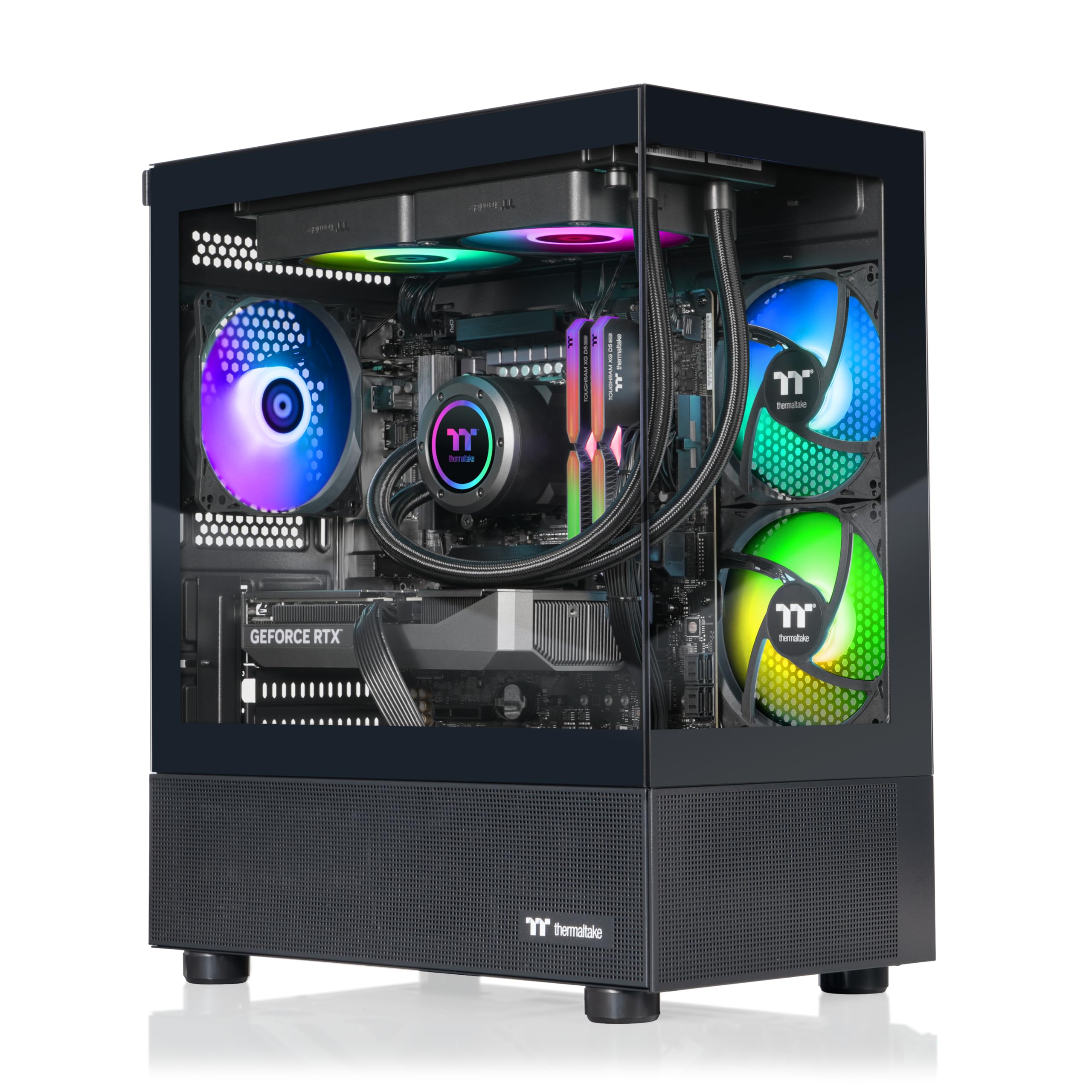
A liquid-cooled i9 rig with 6000MT/s RGB memory that earns a 4.8-star crowd.
The Thermaltake LCGS View i570-170 pairs a Core i9-14900KF with 32GB of DDR5 RGB memory running at a fast 6000MT/s, plus an RTX 5070 with 12GB of graphics memory. A 1TB NVMe M.2 SSD handles storage, and closed-loop liquid cooling with a 240mm radiator keeps the 24-core CPU in check. The case includes a PSU power cover and filtered, ventilated vertical side-mount radiator support.
Owners uniformly describe it as a beast of a machine. One GTA RP gamer says it runs like a champ, with crisp graphics and smooth battle royale performance. Another tested Cyberpunk, Rust, Baldur’s Gate 3, and Helldivers 2, and they all worked flawlessly — a stark contrast to a previous CLX build that gave constant trouble. It is very quiet during use with no bloatware installed.
The only honest complaint is minor: the RGB RAM can be tricky to light up or sync with the AIO water cooler display, and there is slight fan noise. Buyers call it worth the money, with one purchasing a second unit for a nephew. It is a clean, fuss-free gaming PC that just works from the start.
The standout: an enthusiast-grade build with fast 6000MT/s memory and flawless performance across demanding games — the rare prebuilt that draws near-universal praise.
11. CyberPowerPC Gamer Xtreme GXiVR8080A41
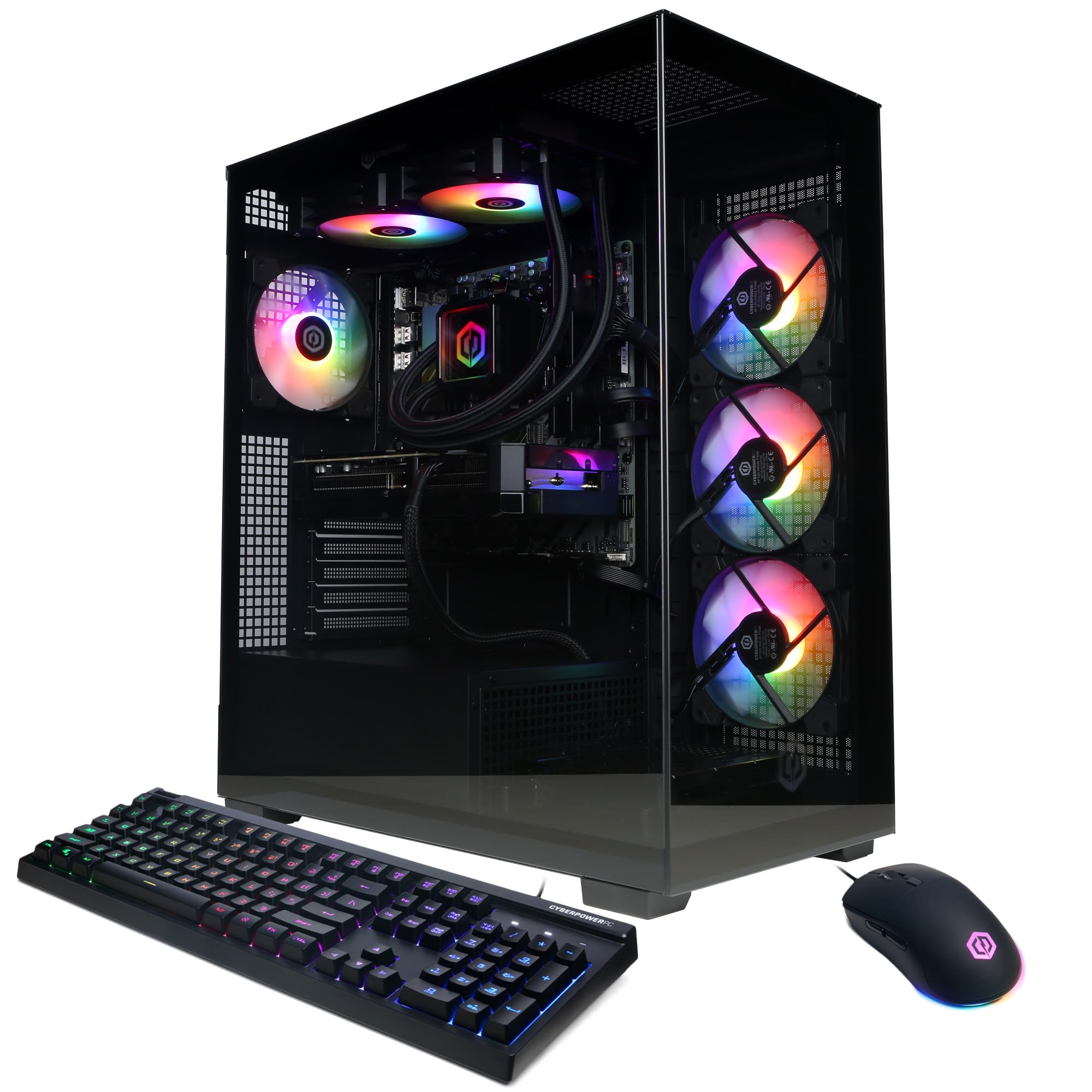
A 12-core Ryzen 9 machine with WiFi 6 that gamers call top-notch for the price.
This CyberPowerPC build runs on the AMD Ryzen 9 9900X with 12 cores at 4.4GHz, paired with an RTX 5070 carrying 12GB of GDDR7 memory. The AMD B850 chipset, 32GB of DDR5 RAM, and 1TB PCIe 4.0 NVMe SSD round out a serious gaming package. Liquid cooling on the CPU and a tempered glass side panel with custom RGB lighting complete the look, and a wired keyboard and mouse are included.
Performance is the dominant theme — one owner reports load times around 1 second for zone swaps and about 90 FPS in Assassin’s Creed Shadows at Ultra settings. Buyers call the craftsmanship excellent with strong attention to detail, and the system stays quiet during web and email use. It works great as an office PC too, with one buyer calling it compact, reliable, and low-maintenance for everyday tasks.
The recurring concern is noise — some find it incredibly quiet while others report it being really loud under load. A couple of owners hit video card issues that caused random restarts, and the one-year warranty is the standard cyberPowerPC offering. The 7 fans keep things cool, and the cable management inside the chassis is clean. Overall, buyers call it excellent performance for the cost.
Why it stands out
- Superb performance — the most-cited strength by a huge margin.
- Clean chassis with good cable management and customizable RGB.
- Great value for the component quality you get.
The trade-offs
- Noise is a genuine split — quiet for some, loud for others.
- A minority hit video card instability requiring warranty support.
Choose it for: an AMD-based gaming rig that crushes current titles at Ultra settings with fast load times.
Hesitate if: you are sensitive to fan noise or want a longer warranty than the included 1 year.
Understanding the Specs
Core Counts and Clock Speed
The core count (how many computing units are in the CPU) tells you how many tasks a chip can juggle at once. More cores shine for video editing, 3D rendering, and heavy multitasking. But clock speed (measured in GHz, how fast each core runs) often matters more for everyday responsiveness, so a 12-core chip at 4.4GHz can feel faster in daily apps than a 20-core chip running slower.
Dedicated vs. Integrated Graphics
A dedicated graphics card (a separate chip with its own video memory) is essential for gaming, video editing, and 3D work. Integrated graphics (built into the processor) share system memory and are fine for office work, browsing, and spreadsheets. The graphics memory size — like 8GB vs 16GB — determines how much visual detail a card can handle at high resolutions.
FAQ
Is a 12-core processor overkill for everyday office work?
What is the difference between DDR4 and DDR5 memory?
Do I need a dedicated graphics card for a 12-core PC?
Will a 12-core computer work with my existing monitor?
How much RAM do I really need in a 12-core PC?
Can I upgrade the components in these prebuilt PCs later?
Is a 12-core CPU good for gaming compared to higher core counts?
Why is the fan noise different across these PCs?
Final Thoughts: The Verdict
Across the board, the 12 core computer winner is the Lenovo Legion Tower 5i because it pairs a 16GB RTX 5070 Ti with a tool-less upgrade path and genuinely quiet operation — the full package that owners praise most for build quality. If you want the fastest value in gaming, grab the CyberPowerPC Gamer Xtreme with its 24-core i9 and 2TB SSD. And for a compact office workhorse that drives three 4K monitors, the HP Mini is the one to reach for. Shop by what the machine will do daily — gaming, creating, or working — and let that steer your core count, graphics, and RAM choices.
How We Picked
We do not accept paid placement. Every pick is matched to a real buyer and a real use-case; we do not hands-on test units.
Sources & Methodology
Specifications: manufacturer listings and product documentation. Review insights: verified customer reviews, as of August 2026. Pricing: not shown on this page (it changes often); check the current price via the retailer link.
As an Amazon Associate, Gadgets Feed earns from qualifying purchases. This does not affect which products we feature.