
Our readers keep the lights on and my morning glass full of iced black tea. As an Amazon Associate, I earn from qualifying purchases.
Specs are compiled from manufacturer listings and verified buyer reviews and can change over time — please confirm the key details on the product page before buying.
A 12-inch notebook is the just-right zone for anyone tired of hauling a 15-inch brick through airports, coffee shops, and lecture halls. These ultraportables trade a bit of screen space for the kind of weight that disappears in a backpack, making them ideal for students, frequent flyers, and anyone whose day involves more walking than sitting at a desk. This list is built around that compromise, so you get clear picks for every budget and use case, from rugged classroom warriors to premium executive machines.
I’m Min — the founder and writer behind Gadgets Feed. This guide is built by comparing the manufacturers’ published specifications and the patterns across verified customer reviews, so you get each pick’s real strengths and trade-offs instead of marketing spin.
You want a 12-inch notebook that fits your daily routine without slowing you down. This guide breaks down the top options, from the fast Surface Pro to the budget-friendly Samsung Chromebook Plus, so you can match the right machine to your needs.
Our Picks at a Glance


How To Choose The Best 12 Inch Notebook
Choosing a small laptop depends on one question: what will you ask it to do? A 12-inch machine trades size for portability, so knowing where that trade-off lands matters more than chasing the biggest spec sheet number.
Processor Power vs. Portability
Inside these compact frames, the processor is the single biggest driver of your experience. An entry-level Intel Celeron is perfectly fine for web browsing, email, and Google Docs, but it will feel sluggish when you switch between many heavy apps at once. A step up to an Intel Core m3 or a Snapdragon X Plus brings noticeably smoother multitasking and faster boot times, which matters if your notebook is your only computer rather than a secondary device.
Storage: eMMC vs. SSD
Don’t let the gigabytes fool you. A machine with a solid-state drive (SSD) will open programs and files dramatically faster than one with eMMC flash storage, even if they hold the same amount of data. If you plan to store your entire music library or a big photo collection locally, pay attention to what’s built in, because a 64GB drive fills up quickly.
Battery Life and Screen Quality
Look beyond the claimed hours and consider what you’ll actually do. A bright, touch-sensitive screen with a 16:10 or 16:9 aspect ratio makes a big difference for reading and watching videos. Battery claims of 10 to 16 hours are great, but your real-world mileage will drop with heavy video calls or brightness levels, so choose a machine with a little headroom if you’re away from outlets all day.
Quick Comparison
| Model | Best For | Processor | RAM | Storage | Amazon |
|---|---|---|---|---|---|
| Microsoft Surface Pro (2025)★ Best Overall | Premium power users | Snapdragon X Plus | 16GB | 512GB | Amazon |
| ASUS ZenBook 3Premium Pick | Road warriors | Intel Core i5-7200U | 8GB | 256GB | Amazon |
| Jumper 2-in-1Best Value | Versatile budget value | Intel Gold 6500Y | 12GB | 512GB | Amazon |
| Lenovo Flex 3 3i Chromebook | Android-friendly students | Intel N100 | 4GB | 192GB | Amazon |
| Samsung Chromebook Plus V2 (m3) | College note-takers | Intel Core m3-7Y30 | 4GB | 64GB | Amazon |
| Samsung Chromebook Plus V2 | Budget Chromebook users | Intel Celeron | 4GB | 64GB | Amazon |
| Apple MacBook (Renewed) | macOS loyalists on a budget | Intel Core M | — | 256GB | Amazon |
| Asus BR1102FGA | Rugged classroom use | Intel Celeron N100 | 4GB | 128GB | Amazon |
In-Depth Reviews
1. Microsoft Surface Pro 2-in-1 Laptop/Tablet (2025)
Our pick — over 4★ from 200+ verified ratings; the strongest balance of quality and price.
A featherweight hybrid that delivers genuine laptop-grade muscle in a tablet-size shell.
The Surface Pro is the crowd favorite here because it pairs a 12-inch touchscreen with the Snapdragon X Plus processor and 16GB of RAM, making it feel noticeably faster than the 4GB Chromebooks further down this list. It’s built for the buyer who wants one device that does it all — not for someone juggling a separate tablet for media and a heavy laptop for work.
Buyers report it “lasts 2 days on routine tasks,” matching its claimed 16-hour battery life. The 2-in-1 design lets you prop it up with the kickstand or attach the keyboard (sold separately) to switch between tablet and laptop modes. The 90Hz refresh rate (how often the screen updates per second) makes scrolling feel fluid, though the 16:9 aspect ratio is better for video than vertical document reading.
Creative professionals should note the trade-off: while it’s fast for everyday tasks, the processing power is not ideal for heavy photo-editing software like Lightroom. It’s a sealed unit with no removable storage, so you’ll rely on the 512GB drive and cloud storage.
Why It Takes the Crown
- Blazing performance with the Snapdragon X Plus and 16GB RAM versus the 4GB RAM in budget options
- All-day battery that can stretch to 2 days on light use
- Versatile 2-in-1 form with kickstand support
Honest Trade-Offs
- Keyboard is sold separately, adding to the cost
- Not suited for intensive creative work like raw photo editing
- No expandable storage
Reach for this if: you want a single, premium device that transitions from a productivity laptop to a media tablet without a hiccup.
Think twice if: you’re a creative professional needing heavy editing power or you want to avoid the extra cost of the keyboard.
2. ASUS ZenBook 3 UX390UA 12.5-Inch Ultraportable Laptop
An aerospace-grade aluminum shell that weighs just 2 lbs, wrapped around a full Windows laptop.
If the Surface Pro is the versatile all-rounder, the ZenBook 3 is the dedicated ultraportable. Its defining feature is its body: crafted from premium aerospace-grade aluminum and measuring less than half an inch thin, it tips the scales at only 2 lbs. That makes it lighter than the Surface Pro and almost a featherweight compared to rugged options like the 3-pound Asus BR1102FGA. It’s built for the road warrior who will barely notice it in a briefcase.
Under the hood, it runs a 7th-generation Intel Core i5-7200U processor clocked at 2.5 GHz with a turbo boost up to 3.1 GHz — a full step up in capability from the Celeron and Core m3 chips in the Chromebooks on this list. The 12.5-inch IPS-type full HD display with 178° viewing angles (meaning you can see the screen clearly from nearly any angle) is protected by Corning Gorilla Glass 4. A built-in fingerprint sensor gives you one-touch Windows Hello login, and the four Harman Kardon speakers deliver surprising audio for such a slim frame.
The honest caveat is connectivity: there’s a single USB-C port, so you’ll need a dongle for USB-A, HDMI, or an SD card. The keyboard, while comfortable, has a shallow travel that may feel different for those used to deeper keys.
The Ultimate Grab-and-Go: Owners prize its lightweight, attractive design and fast performance above almost everything else. Its 2-pound frame and fingerprint sensor make it a grab-and-go companion.
Minimalist Ports: The trade-off for that slimness is a lone USB-C port, meaning a simple dongle is an essential companion for plugging in peripherals.
The standout-spec mic-drop: A full Windows i5 experience in a 2-pound chassis is a rare combination of portability and genuine power.
One limitation to note: Anyone relying on legacy USB-A devices or HDMI output will need to budget for an adapter.
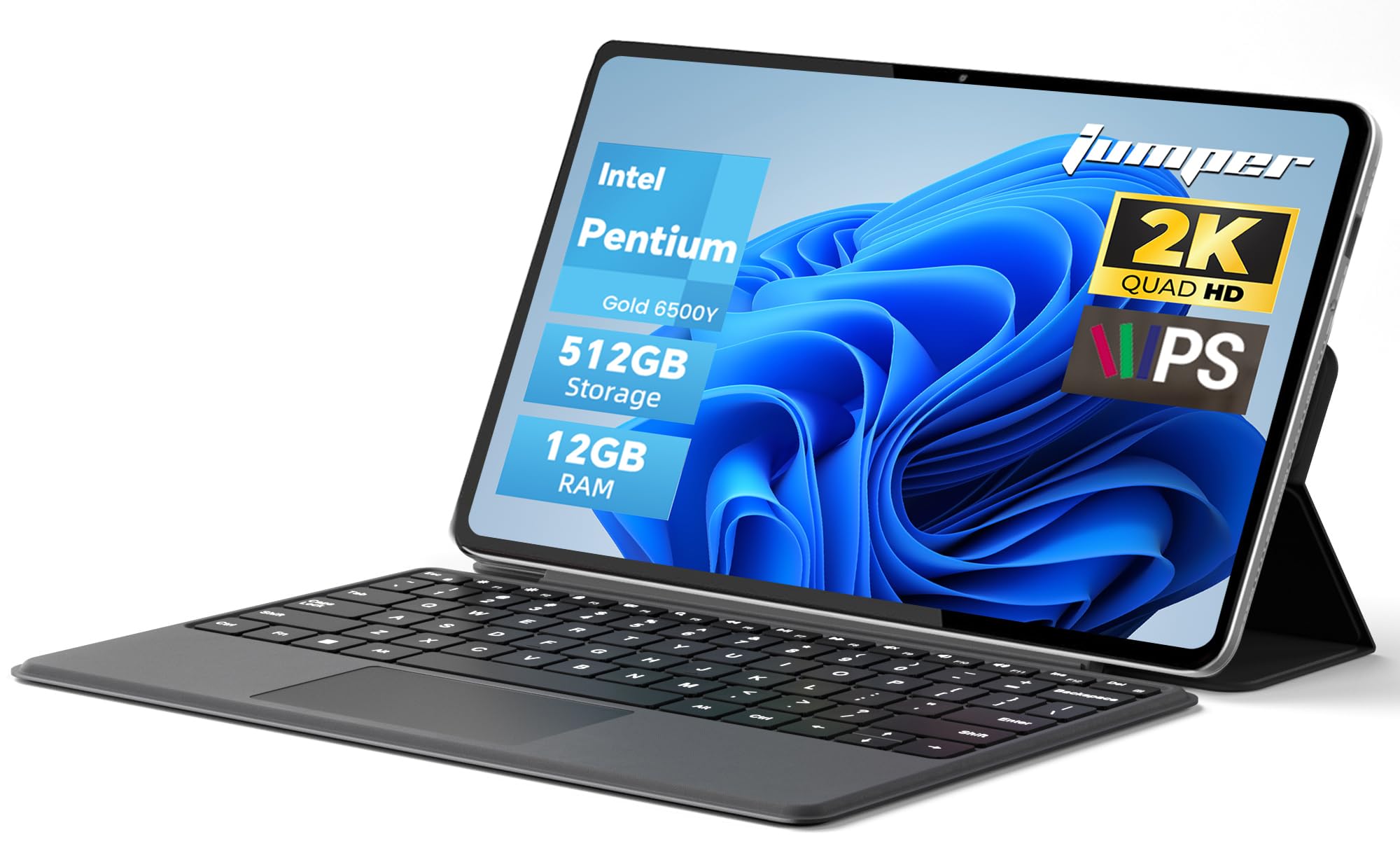
3. Jumper 2-in-1 Laptop Tablet (12″ 2K Touchscreen)
A budget-friendly 2-in-1 that packs surprising multitasking muscle with 12GB of RAM.
This Jumper 2-in-1 is the value king of the list, and its numbers are hard to argue with. For a price that sits in the entry-level tier, you get a 12-inch 2K (2000×1200) IPS touchscreen, a premium metal body, and specs that overshadow the more expensive Chromebooks. Its 12GB of RAM, versus the 4GB of RAM in the Chromebooks on this list, handles 20+ open Chrome tabs without lag.
It’s powered by an Intel Pentium Gold 6500Y processor, which is a solid step above a standard Celeron for daily office work and web browsing. The 512GB SSD storage is a generous amount for this class of machine, letting you keep a large local library without worry. The 4300mAh battery (the unit that stores energy) supports up to 8 hours of video playback, and the dual Type-C ports mean you can charge and output video simultaneously.
The most common mention in reviews is the build quality and appearance, which suggests it feels more expensive than it is. The detachable magnetic leather keyboard has a shallow travel that some typists may find less comfortable, and the 2-in-1 form is better suited for note-taking and media than heavy gaming.
Unbeatable Specs Per Dollar
- Massive 12GB RAM handles heavy multitasking
- Sharp 2K touchscreen with anti-glare coating
- Premium metal body weighing just 0.64kg
Where It Cuts Corners
- Shallow keyboard travel for typing
- Not designed for gaming or video editing
- Battery life is decent, not exceptional
Best for value hunters: anyone who wants a capable, good-looking Windows machine for school or office without paying flagship prices.
skip it if: you need a powerhouse for content creation or demand the long battery life of a premium ultrabook.
4. Lenovo Flex 3 3i 2-in-1 Chromebook (12.2″ FHD+)

A flexible Chromebook that folds into four modes and brings generous storage to the classroom.
Lenovo’s Flex 3 3i takes the Chromebook formula and adds the versatility of a 360-degree hinge that lets you switch between Laptop, Yoga (tent), Flip (stand), and Tablet modes. Students can scribble notes with the included IST Pen or share the screen during group projects. The 360° hinge adapts to any task, from tent mode for presentations to tablet mode for notes.
Storage is a definite highlight here. Unlike the 64GB drives in the Samsungs, this one comes with 192GB total space (a 64GB eMMC plus a 128GB SD card already installed). That’s a meaningful difference for students downloading textbooks, apps, and assignments without constantly managing space. It runs on the same Intel N100 processor with 4GB of RAM as the more budget-oriented Asus, but here it’s paired with faster DDR5 memory.
The 12.2-inch WUXGA (1920×1200) IPS touchscreen is bright and sharp, and the connectivity is impressively forward-looking. It supports Wi-Fi 6 (the latest wireless standard for faster, more stable connections) and Bluetooth 5.1, along with NFC for quick pairing. The biggest caveat for some owners is the Chrome OS itself — while it’s fast and secure, it can’t run every traditional Windows or Mac application, which can be a shock if you switch from a different platform.
Built for The Student Life: The flexible hinge and bundled stylus make it a natural fit for note-takers, while the 192GB storage and Wi-Fi 6 keep it future-proof for years of school work.
The OS Checkpoint: The recurring hesitancy isn’t about the hardware but the Chrome operating system — it’s brilliant for web-based work but won’t run many desktop-only apps you might use on a Windows PC.
Who it beats: It outperforms the Samsung Chromebooks on storage and wireless speed, making it the more modern choice for a student who lives in Google’s ecosystem.
Who it doesn’t: Anyone who depends on specific Windows or Mac software that isn’t available on the Chrome web store.
5. Samsung Chromebook Plus V2 (XE520QAB-K02US, Core m3)

The Chromebook with a true Core m3 processor for college-level performance and reliable longevity.
This is the more powerful sibling in Samsung’s Chromebook Plus line, and the key difference is under the keyboard. It’s powered by the Intel Core m3-7Y30 processor, which is a meaningful upgrade over the base Celeron chip. For college students or professionals, this translates to smoother multitasking — owners mention it handles multitasking and even lighter games like Asphalt 9 without lag, which is rare for a budget Chromebook.
It keeps the same lightweight 2-in-1 design, coming in at just under 3 pounds, and includes the built-in pen that never needs charging — a genuinely useful feature for chemistry or math students who want to annotate PDFs and take handwritten notes directly on the 12.2-inch touchscreen. The 13MP world-facing camera with autofocus is a standout for document scanning. Battery life is rated at 10 hours, and One owner’s test of 55% remaining after 3 days of intermittent use confirms the 10-hour rating.
The main storage limitation is the 64GB eMMC drive, though you can expand it with a microSD card. Reviews consistently highlight the overall value proposition, even with the trade-offs of a plastic build that’s sturdy but not as rigid as a premium metal chassis.
College-Ready Power
- Core m3 processor handles multitasking without the Celeron sluggishness
- Never-charge stylus is ready to write, sketch, and edit instantly
- 10-hour battery life that holds up in daily use
What Holds It Back
- Base storage is just 64GB, so a microSD card is almost essential
- Plastic casing scratches more easily than metal builds
Reach for this if: you’re a student or professional who wants a reliable, distraction-free laptop for note-taking, research, and media that won’t slow down.
Look elsewhere if: you need to run Windows-specific software or plan to store a massive local media library.
6. Samsung Chromebook Plus V2 2-in-1 (XE520QAB-K03US)

A well-loved, budget-friendly Chromebook with a great touchscreen and a surprisingly high owner satisfaction rate.
This is the entry-level version of Samsung’s Chromebook Plus, and it’s among the most popular machines in this category — a favorite for its simplicity and ease of use. The defining trait here is the screen: the 12.2-inch FHD+ touchscreen gets constant praise, with owners calling it bright and responsive. The touchscreen and included stylus make note-taking in chemistry class feel natural.
There’s no ambiguity about what this machine is for: it’s for web browsing, streaming, Google Docs, and Android apps from the Google Play Store. The Intel Celeron processor and 4GB of RAM won’t win any speed contests, but they’re adequate for the core Chromebook experience when you’re not asking for heavy multitasking. It’s lighter than the Asus, coming in at just under 3 pounds, and the dual camera setup offers a 13MP world-facing camera with autofocus.
The trade-offs are the ones you’d expect at this budget tier: the 64GB eMMC storage (the slowest type of flash storage) fills up fast and isn’t ideal for large files, and battery life is solid at 10 hours but not exceptional. It’s a great value pick if you prioritize a great screen and a user-friendly experience over raw power.
The People’s Choice: The standout feature is the touchscreen — it’s the thing owners rave about, and it makes this among the most pleasant budget Chromebooks to actually use for note-taking and browsing.
A Simple Machine: It’s not a powerhouse, and the limited storage is a constant reminder that this is a companion device, not a primary workstation.
Who it’s perfect for: students and casual users who want an affordable, easy-to-use laptop for web-based tasks and enjoy a great touchscreen for media and notes.
The honest limit: heavy multitaskers or those who need to install Windows software will find the 4GB RAM and Celeron processor too restricting.
7. Apple MacBook MK4M2LL/A 12-Inch (Renewed)

The classic 12-inch MacBook experience, reborn as a budget-friendly entry point into macOS.
This is the pick for macOS loyalists on a tight budget. This renewed MacBook brings the iconic 12-inch Retina Display into the affordable range, offering a high-resolution 2304×1440 screen that’s known for its sharpness and color accuracy. It’s a laptop that looks and feels premium, with owners often noting it arrives in near-new condition — the condition and appearance are the most-praised aspects. If you need a Mac for specific software or just prefer the clean macOS interface, this is the most accessible way in.
Under the hood, it runs a 1.1GHz dual-core Intel Core M processor with Turbo Boost up to 2.4GHz, and it’s paired with 256GB of PCIe-based flash storage. This provides fast boot times and smooth performance for typical study and office work. The overall design is famously thin and light, with a comfortable keyboard that reviewers find well-suited for prolonged typing.
The biggest caveat is the word “renewed” — the reliability is the most-discussed aspect, and it’s a mixed bag. A good number of customers note their unit works flawlessly and lasts, but some have experienced failures like a dead battery or faulty keys. There’s also only a single USB-C port, so you’ll live in a dongle world. It’s a choice that makes sense if you’re willing to accept the small risk of a refurbished unit for the sake of the macOS experience.
The macOS Gateway: Condition and appearance win people over here — this compact Retina display machine feels like a much more expensive laptop than its price suggests.
Renewed Risk: Reliability is the main discussion point; while many units are great, the refurbished nature means there’s a small chance of receiving one with underlying battery or hardware issues.
Reach for this if: you’re set on macOS, want a beautiful screen for a low price, and are comfortable with the refurbished market.
Think twice if: you need bulletproof reliability from the start or require more than a single USB-C port for your peripherals.
8. Asus BR1102FGA-YS14T 11.6″ Touchscreen 2-in-1
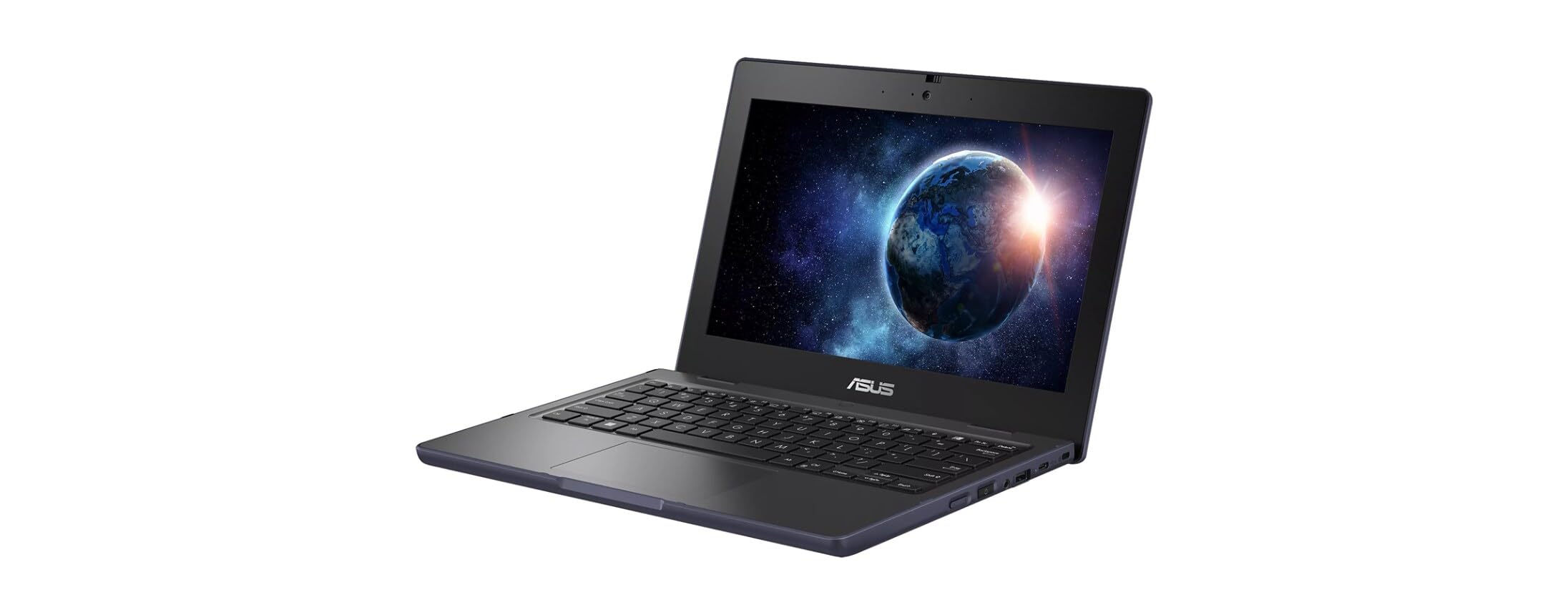
A rugged, spill-resistant workhorse built to survive the chaos of a full school year.
The Asus BR1102 is a different kind of 12-inch notebook — it’s engineered for durability first. With a rugged, spill-resistant build, it’s the obvious choice for younger students or anyone who wants confidence against accidental drops and liquid spills on a desk. It comes with Windows 11 Pro Education, a key advantage for schools that need to manage devices, and it’s certified to meet the demands of daily student use.
Performance-wise, it’s a solid but not spectacular performer. The Intel Celeron N100 quad-core processor with a 3.4 GHz max speed handles basic daily tasks smoothly, and the 128GB SSD is a welcome upgrade over the eMMC storage found in many budget devices. The 4GB of RAM is adequate for browsing and school work, but it’s the aspect that attracts the most mixed feedback — reviewers point out it can feel “a little slow when opening some documents,” especially after the system has accumulated background updates. The 11.6-inch anti-glare touchscreen makes it usable in brightly lit classrooms and outdoors.
The main trade-offs are the limited 4GB RAM (which can feel restrictive if you expect heavy multitasking) and the overall performance ceiling of the Celeron chip. It prioritizes durability and safety over raw speed.
Built Tough
- Rugged, spill-resistant design protects against everyday accidents
- Windows 11 Pro Education simplifies school IT management
- 128GB SSD offers snappier performance than budget eMMC drives
Performance Reality
- 4GB RAM is the limiting factor for multitasking
- Opening some documents can feel slow as the system ages
- Smaller 11.6-inch screen than other picks
Best for young students: this is the classroom-proof machine that can take a knock and keep running.
Not for power users: if you need to run multiple heavy programs or juggle dozens of browser tabs, the limited RAM will test your patience.
Understanding the Specs
Processor vs. RAM
For a small laptop, these two specs define your daily experience more than anything else. The processor (like a Celeron, Core m3, or Snapdragon) is the engine that does the thinking, and RAM is the short-term memory that lets you keep multiple apps open at once. A faster processor with only 4GB of RAM (like in budget Chromebooks) is fine for one task at a time, whereas pairing it with 12GB or 16GB of RAM lets you switch between many heavy apps without wait times.
Storage Types and Capacity
Two types of flash storage dominate this category. SSDs (solid-state drives) are faster and open files and boot the system quickly, while eMMC is a cheaper, slower alternative found in budget machines. When you see a 64GB or 128GB capacity, remember the operating system takes up a significant chunk, leaving you less space than you might expect. If you plan to install many programs and store local movies and photos, look for higher capacities or a microSD card slot for expansion.
FAQ
Is a 12-inch laptop big enough for daily work?
What is the difference between a 2-in-1 and a traditional laptop?
Is 4GB of RAM enough in a 12-inch notebook?
What is the difference between eMMC and SSD storage?
Is a Chromebook the same as a Windows 11 laptop?
Can I use a 12-inch notebook for photo or video editing?
How long should the battery last on a good 12-inch laptop?
What should I check when buying a renewed or refurbished laptop?
Will a 12-inch laptop fit in my backpack?
Final Thoughts: The Verdict
If you want one dependable pick, the 12 inch notebook winner is the Microsoft Surface Pro (2025) because it delivers genuine laptop-grade performance with the Snapdragon X Plus and 16GB of RAM, in a form that doubles as a tablet. If you want the ultimate in portability and don’t need a touchscreen, the ASUS ZenBook 3‘s 2-pound aluminum body is tough to beat. And for the best value in a versatile 2-in-1, the Jumper offers specs that punch far above its price tier.
How We Picked
We do not accept paid placement. Every pick is matched to a real buyer and a real use-case; we do not hands-on test units.
Sources & Methodology
Specifications: manufacturer listings and product documentation. Review insights: verified customer reviews, as of August 2026. Pricing: not shown on this page (it changes often); check the current price via the retailer link.
As an Amazon Associate, Gadgets Feed earns from qualifying purchases. This does not affect which products we feature.