
A 12 TB hard drive represents a serious storage commitment. It’s a jump from “I need space” to “I need reliable, long-term archival capacity.” The issue is that not all 12TB drives are built the same. Some prioritize raw density for cold storage, while others are engineered for 24/7 operation in a NAS or surveillance system. Choosing the wrong one can mean slow transfer speeds, excessive noise, or premature failure.
I’m Min — the co-founder and writer behind Gadgets Feed. I’ve spent hundreds of hours dissecting the specifications, customer feedback, and real-world endurance data for the current 12TB market to separate the drives that are worth your investment from those that will waste your time.
After analyzing the mechanical specs, cache sizes, and warranty terms of the top contenders, I’ve built a definitive guide to help you select the best 12 tb hard drive for your specific workload and budget.
How To Choose The Best 12 TB Hard Drive
Selecting a 12TB drive requires matching its internal architecture to your operating environment. A desktop backup drive has different needs than a RAID array running 24/7. You need to evaluate the rotational speed, cache memory, technology (air vs. helium), and warranty to avoid overpaying or under-building your storage solution.
Spindle Speed and Cache Impact
The rotational speed of the platters, measured in RPM, directly impacts how fast data can be read or written. For a 12TB drive, 7200RPM is the standard for performance-oriented models, delivering sequential transfer speeds of 200–250 MB/s. A 5400RPM drive is cheaper but will bottleneck file transfers, especially when dealing with large media files or backups. The cache size (usually 256MB or 512MB) acts as a buffer—larger caches help smooth out performance during burst writes, but spindle speed remains the dominant factor for sustained throughput.
Helium vs. Air: Density and Power
Helium-filled drives, pioneered by HGST and now used across enterprise lines, allow for thinner, more tightly packed platters inside the same 3.5-inch form factor. This reduces aerodynamic drag, which lowers power consumption (measured in idle watts) and operating temperatures. An air-filled 12TB drive typically runs a few degrees hotter and draws more power, which is a concern in a multi-bay NAS where heat accumulates. For a single desktop enclosure, the difference is negligible; for a 4-bay or 8-bay setup, helium drives are the smarter long-term play.
Interface and Connectivity
Internal SATA III (6 Gb/s) drives are the standard for desktop and NAS installation. For external drives, USB 3.0 (5 Gbps) is common, but USB-C (10 Gbps) offers twice the bandwidth, which is useful for shaving time off large backup jobs. Pay attention to whether the external enclosure supports UASP (USB Attached SCSI Protocol), which improves command queuing and reduces CPU overhead during transfers.
Quick Comparison
On smaller screens, swipe sideways to see the full table.
| Model | Category | Best For | Key Spec | Amazon |
|---|---|---|---|---|
| Seagate IronWolf 12TB | NAS | RAID arrays & multi-user NAS | 7200RPM / 256MB Cache | Amazon |
| SanDisk Professional G-Drive 12TB | Enterprise External | Mac creative workflows | USB-C 10Gbps / 7200RPM | Amazon |
| Toshiba MG07ACA12TE 12TB | Enterprise Internal | 24/7 server & surveillance | 7200RPM / 550TB/year rating | Amazon |
| WD 12TB My Book Desktop | External Backup | Plug-and-play desktop backup | USB 3.0 / Hardware Encryption | Amazon |
| Western Digital 12TB WD Blue | Desktop Internal | Everyday PC storage | 7200RPM / 512MB Cache | Amazon |
| HGST Ultrastar DC HC520 12TB | Enterprise Helium | High-density data centers | Helium / 7200RPM / ISE | Amazon |
| MDD 12TB NAS HDD | Renewed NAS | Budget NAS replacement | 7200RPM / 5-Year Warranty | Amazon |
| Avolusion PRO-5X 12TB | Renewed External | Budget high-capacity backups | 7200RPM Enterprise / USB 3.0 | Amazon |
| Western Digital 14TB Elements | External Backup | Simple plug-and-play storage | USB 3.0 / High Capacity | Amazon |
In‑Depth Reviews
1. Seagate IronWolf 12TB NAS HDD
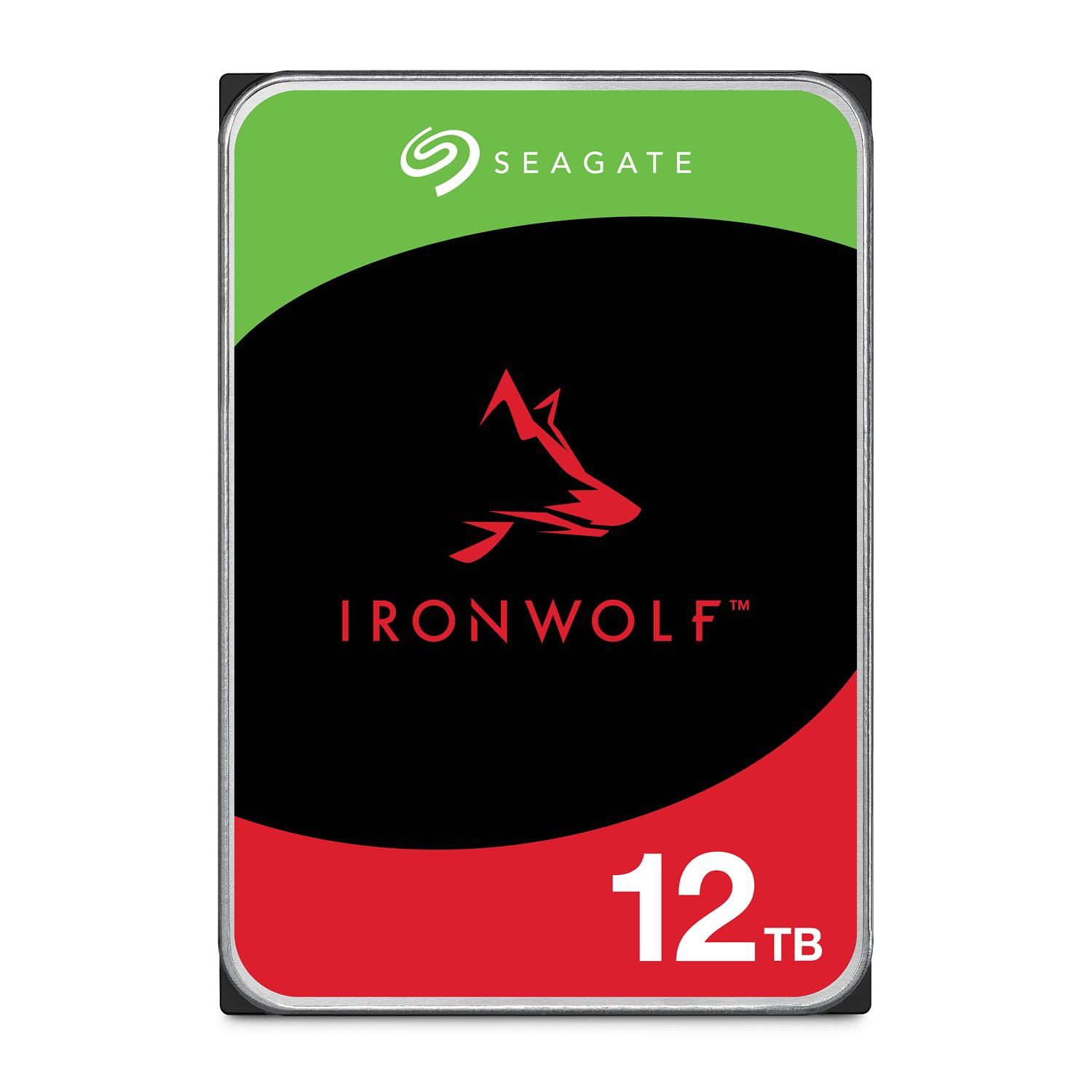
The Seagate IronWolf 12TB is purpose-built for multi-bay NAS environments, and it shows in every spec. Its 7200RPM spindle speed paired with a 256MB cache delivers consistent sequential transfer rates around 210 MB/s, which is ideal for RAID arrays where drive-to-drive consistency matters more than burst performance. The CMR (Conventional Magnetic Recording) technology ensures stable write speeds across the entire 12TB platter, avoiding the slowdown issues associated with SMR drives in write-heavy workloads.
IronWolf Health Management (IHM) provides real-time monitoring of the drive’s temperature, vibration, and overall health, which integrates directly with compatible NAS operating systems like Synology DSM and QNAP QTS. The MTBF rating of 1 million hours is backed by a 5-year limited warranty that also includes 3 years of Rescue Data Recovery Services—a crucial safety net for a drive that will likely run 24/7. Users in multi-user NAS setups report stable performance under concurrent read/write loads, with no significant drop in throughput.
At idle, the drive is quiet, but under load the head-seeking chatter is noticeably audible—this is the trade-off for enterprise-grade actuator mechanics. It runs within an acceptable temperature range (40–50°C in a ventilated enclosure), but stacking multiple drives in a 6-bay or 8-bay chassis without active cooling will push temps higher. For a single-drive external enclosure, the IronWolf is overkill; its true value emerges in a RAID configuration where its vibration tolerance and error recovery controls shine.
Why it’s great
- CMR recording ensures no write slowdowns in RAID
- 5-year warranty with Rescue Data Recovery Services included
- IronWolf Health Management for proactive monitoring
Good to know
- Seeking noise is audible under load
- Best value realized in a multi-bay NAS, not as a single desktop drive
2. SanDisk Professional G-Drive 12TB
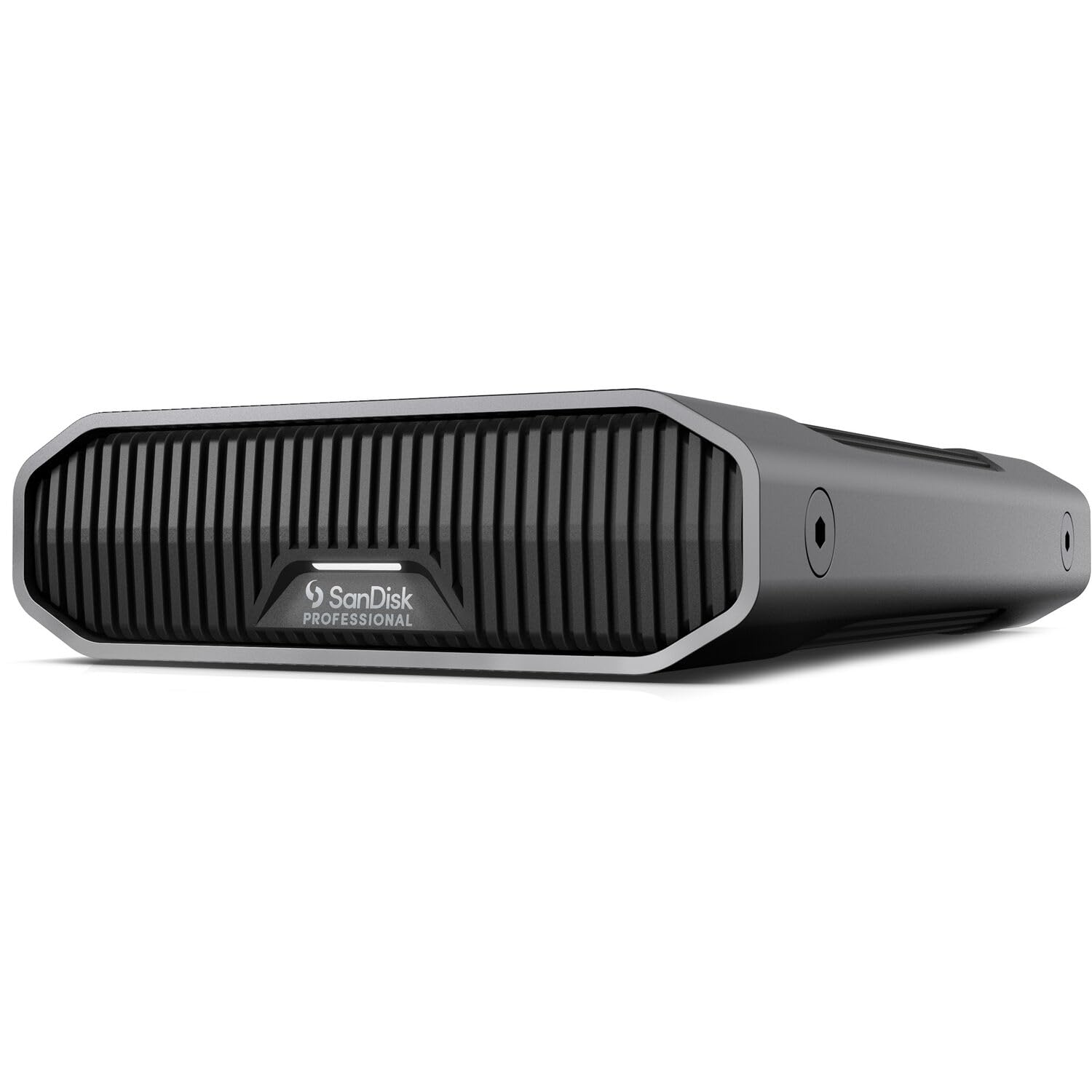
The SanDisk Professional G-Drive 12TB bridges the gap between consumer external drives and enterprise reliability. Inside its anodized aluminum enclosure sits a Western Digital Ultrastar 7200RPM enterprise-grade HDD, a unit designed for data center workloads with a helium-filled chassis that reduces power draw and vibration. The USB-C interface operates at 10Gbps, delivering read and write speeds up to 250 MB/s—fast enough to edit 4K video proxies directly from the drive without stuttering.
It comes pre-formatted for Mac (HFS+) and is Time Machine compatible out of the box, making it a natural fit for creative professionals who need scratch storage or backup volumes. The aluminum housing is stackable and features an adjustable LED brightness control with three modes, which is a thoughtful touch for a studio environment. Users running Windows will need to reformat to NTFS or exFAT, which is a straightforward process via Disk Management.
Despite its premium construction, the G-Drive has a notable Achilles’ heel: its reliability on Mac systems. Multiple users have reported volume corruption after weeks or months of use, requiring reformatting to restore functionality. The issue seems tied to the bridge controller’s interaction with macOS power management. This drive is best reserved for controlled backup cycles rather than as a 24/7 attached volume. When it works, it is excellent; when it fails, data recovery requires third-party tools.
Why it’s great
- Enterprise-grade Ultrastar HDD inside a durable aluminum enclosure
- USB-C 10Gbps with sequential speeds up to 250 MB/s
- Time Machine ready and adjustable LED brightness
Good to know
- Volume corruption issues reported on macOS
- Not ideal for always-on 24/7 operation on Mac systems
3. Toshiba MG07ACA12TE 12TB

The Toshiba MG07ACA12TE is an enterprise-grade drive that is engineered for continuous 24/7 operation in data center or surveillance environments. Its 7200RPM spindle is paired with a 256MB cache, and the drive is rated for a workload of 550TB per year—significantly higher than desktop-class drives. This means it can handle heavy write cycles without degrading, making it a strong candidate for video surveillance NVRs or as a high-activity scratch disk.
Toshiba’s Stable Platter Technology uses a dampened motor shaft to reduce vibration-induced tracking errors, which is critical when the drive is stacked in a multi-bay chassis alongside other spinning disks. The Persistent Write Cache technology provides a write-back buffer that improves random write performance, though it should be disabled if the drive is used in a RAID configuration without a backup power source to prevent cache corruption during an unexpected power loss.
The MG07 series uses conventional air-filled platters (not helium), which means it runs warmer and draws more power than comparable helium drives like the HGST HC520. In a single-drive desktop setup, this is a non-issue, but in a dense array, active cooling is mandatory. The 5-year warranty is standard for the enterprise class, and users report the drives arriving with 0 power-on hours from reputable sellers. The absence of a bundled screw kit or cables is typical for bare OEM drives, so budget for those separately.
Why it’s great
- Rated for 550TB/year workload, suitable for 24/7 use
- Stable Platter Technology reduces vibration in multi-bay chassis
- Persistent Write Cache improves random write throughput
Good to know
- Air-filled design runs hotter than helium alternatives
- Bare drive only—no cables, screws, or mounting hardware included
4. WD 12TB My Book Desktop

WD’s My Book 12TB is the quintessential desktop backup appliance. It offers plug-and-play simplicity for Windows users, with WD Backup and WD Discovery software included for automated file-level and full-system backups. The hardware-based 256-bit AES encryption ensures that if the drive is lost or stolen, the data remains inaccessible without the password—a critical feature for sensitive backups of business or tax records. The interface is USB 3.0 (5Gbps), which is sufficient for scheduled overnight backups but will bottleneck real-time video editing workflows.
The drive enclosure is plastic but feels solid, and the drive itself is whisper-quiet at idle, spinning down after a period of inactivity to conserve power. Users report that the first spin-up after sleep takes 5–10 seconds—a minor inconvenience for a backup drive. The My Book is also Time Machine compatible for Mac users, though it requires a quick reformat to HFS+ or APFS. The included WD Discovery software is required to unlock AES encryption on first use, so don’t lose the install files or password.
Reliability is strong, with the vast majority of users experiencing years of trouble-free operation. However, a small percentage report DOA units or early failure—this is typical for any mechanical drive at scale. The My Book’s internal drive is a WD White Label (usually a rebadged WD Red or Blue), making it removable for SATA direct connection if the enclosure fails, though this voids the warranty. For straightforward, set-and-forget backup, the My Book remains the gold standard for external 12TB storage.
Why it’s great
- Hardware 256-bit AES encryption with password protection
- Quiet operation with automatic spin-down to save power
- Backup software included for automated file and system backups
Good to know
- 5-10 second delay on first access after idle spin-down
- Plastic enclosure does not dissipate heat as effectively as metal
5. Western Digital 12TB WD Blue

The Western Digital 12TB WD Blue is the newest addition to the desktop storage lineup, and its 512MB cache is the largest in this roundup. The oversized cache helps smooth out write bursts and improves sequential transfer performance, especially when copying large video files or game libraries. At 7200RPM, it delivers solid throughput for a single-user desktop scenario, though it is not rated for RAID or 24/7 operation—its workload rating is standard desktop use, meaning a few hours of active access per day.
WD’s NoTouch Ramp Load technology parks the recording head off the platter during spin-up and spin-down, reducing wear on both the head and the media surface. This is a meaningful durability feature for a drive that might be in a PC that gets turned on and off daily. The drive is also bundled with a free download of Acronis True Image WD Edition, which adds cloning and backup utility without additional cost.
The 512MB cache is a genuine differentiator for this capacity point, but it doesn’t fundamentally change the drive’s character—it is still a desktop-class mechanism without the vibration sensors or extended error recovery controls of NAS or enterprise drives. For a single-drive desktop PC storing a media library, Steam games, or project files, the WD Blue is an excellent, cost-effective choice. Just don’t install it in a RAID array without verifying its TLER (Time-Limited Error Recovery) behavior, as it may drop out of the array during error recovery.
Why it’s great
- 512MB cache improves burst write performance significantly
- NoTouch Ramp Load reduces head/platter wear
- Free Acronis True Image WD Edition cloning software included
Good to know
- Not designed for 24/7 NAS or RAID environments
- TLER behavior may cause timeouts in RAID arrays
6. HGST Ultrastar DC HC520 12TB

The HGST Ultrastar DC HC520 (HUH721212ALE601) represents the gold standard for data center storage. Its claim to fame is the helium-filled design, which reduces aerodynamic drag on the platters, allowing for seven 1.7TB platters inside the standard 3.5-inch form factor. The benefits are measurable: lower power consumption (around 4–5W at idle compared to 6–8W for an air-filled drive), lower operating temperatures, and lower vibration that translates to better performance in dense arrays.
This drive is rated for 24/7 operation with a 550TB/year workload, and it features Instant Secure Erase (ISE) for secure data disposal. The 7200RPM spindle paired with a 256MB cache delivers consistent transfer speeds of 210–230 MB/s, and the dual-stage actuator improves read/write positioning accuracy. Users in RAID setups report excellent rebuild times and no data integrity issues over extended use, though some units arrive with significant power-on hours (30,000+), which is a risk of the renewed market.
The catch is that most HC520 units sold on Amazon are renewed or pulled from decommissioned data centers. While many arrive in perfect health with 0 bad sectors, the wide variance in usage history demands that you run a full SMART diagnostic and surface scan immediately after installation. The Helium seal is permanent and does not require maintenance, but if the seal leaks (rare, but possible), the drive will fail. For buyers who want maximum reliability per TB and are comfortable vetting a renewed drive, the HC520 offers exceptional value.
Why it’s great
- Helium design reduces power draw and operating temperature
- IMR (Iterative Magnetic Recording) increases areal density
- 550TB/year workload rating for continuous heavy use
Good to know
- Most units are renewed, with variable usage history (check SMART)
- Helium seal leak is a rare but catastrophic failure mode
7. MDD 12TB NAS HDD (Renewed)

MDD’s 12TB NAS HDD occupies a unique niche: it offers a 5-year warranty on a renewed drive, which is extraordinary for the refurb market. The drive inside is typically a Seagate Exos or Skyhawk enterprise mechanism (often the ST12000VX0017), clocked at 7200RPM with a 256MB cache. Users consistently report 0 power-on hours and 0 bad sectors on arrival, suggesting the seller rigorously tests and pre-clears the drives before shipping.
The SATA III interface delivers full 6Gbps bandwidth, and the drive is compatible with most major NAS operating systems, including Synology DSM and QNAP QTS. Performance is on par with new enterprise drives in the same class—sustained read speeds around 200–220 MB/s—and the noise profile is typical for a 7200RPM enterprise drive: quiet at idle, with audible seeking under load. The bare drive package means no cables or screws, so plan accordingly.
The standout consideration here is the warranty. A 5-year warranty on a renewed drive signals confidence from the seller, but it’s worth reading the fine print: the warranty is fulfilled by MDD, not the original manufacturer (Seagate). If the drive fails after year one, you are dealing with MDD’s RMA process rather than Seagate’s. That said, the per-TB cost is significantly lower than buying new, making this a compelling option for homelab users and budget-conscious NAS builds where redundancy is already in place.
Why it’s great
- 5-year warranty coverage for a renewed drive
- Enterprise-class Seagate mechanism with 0 hours on arrival
- Excellent value for NAS builds with parity protection
Good to know
- Bare drive only—no cables, screws, or manuals included
- Warranty is through MDD, not the original manufacturer
8. Avolusion PRO-5X 12TB External (Renewed)

The Avolusion PRO-5X combines a new premium USB 3.0 enclosure with a refurbished 7200RPM enterprise hard drive internally. The idea is to deliver the reliability of enterprise-grade hardware (typically a Seagate or Toshiba mechanism) in a ready-to-use external format without paying enterprise-level prices. The included 2-year warranty provides a safety net that is longer than many budget external drives offer new.
SMART data from users confirms the drives arrive with 0 power-on hours and 0 bad sectors, indicating that the refurbishing process includes a full factory-level diagnostic. The USB 3.0 interface caps transfer speeds at around 200 MB/s, which is well matched to the internal drive’s capabilities. For intermittent backups—the primary use case—the performance is more than adequate. The enclosure features a power switch, which allows users to physically disconnect power between backup sessions, preserving the drive’s lifespan.
The downsides are typical of refurbished products. Some users report DOA units or drives that fail initial diagnostics, though the seller’s return policy handles replacements efficiently. The enclosure is plastic and feels less premium than WD’s My Book or SanDisk’s G-Drive. There’s also a quirk reported where the drive continues to draw power (and the platters spin) even when the computer goes to sleep, requiring a powered USB hub or timer switch for complete power management. For budget-conscious backup, the PRO-5X delivers the highest capacity per dollar.
Why it’s great
- New 7200RPM enterprise mechanism in a ready-to-use external enclosure
- 2-year warranty provides more coverage than typical budget externals
- Excellent per-TB cost for high-capacity backups
Good to know
- Plastic enclosure can feel less durable than premium alternatives
- Some units may not spin down with the host PC, requiring a timer switch
9. Western Digital 14TB Elements Desktop

The Western Digital 14TB Elements Desktop is the most straightforward external drive on this list. It offers no-nonsense plug-and-play storage: plug it into a USB 3.0 port on a Windows PC, and it appears as a drive letter immediately. No software installation, no encryption setup, no configuration needed. The 14TB capacity provides a solid 2TB buffer over the 12TB target, allowing for future growth without needing an immediate upgrade.
The drive inside is typically a WD White Label (similar to the WD Blue or Red series), operating at 7200RPM. Users report transfer speeds around 180–200 MB/s, which is typical for a USB 3.0 bridge. The enclosure is compact and stands vertically on its base, taking minimal desk space. It runs relatively cool during operation, and the auto-sleep function kicks in after 15–20 minutes of inactivity, reducing noise and power draw to near zero.
The trade-off for this simplicity is a complete lack of features. There is no hardware encryption, no backup software (other than what is available separately), and no data recovery service. The Elements is a bare-bones storage vehicle—it does one thing (store data) and does it reliably. For a user who just wants to offload a media library or archive old projects, the Elements is ideal. For anyone needing backup automation or data security, the My Book or the G-Drive are better equipped.
Why it’s great
- 14TB capacity offers extra headroom over 12TB targets
- True plug-and-play with no software or configuration required
- Compact vertical stand design minimizes desk footprint
Good to know
- No hardware encryption or backup software included
- No data recovery service or extended warranty options
FAQ
What is the actual usable capacity of a 12TB hard drive?
Can I use a 12TB hard drive in a 4-bay NAS? What are the compatibility concerns?
Should I buy a renewed 12TB enterprise drive over a new consumer 12TB drive?
Final Thoughts: The Verdict
For most users, the best 12 tb hard drive winner is the Seagate IronWolf 12TB because it combines high-performance CMR recording, robust NAS features, and a comprehensive 5-year warranty with Rescue Data Recovery Services at a competitive price point. If you need a premium external drive for creative professional workflows, the SanDisk Professional G-Drive 12TB delivers an enterprise-class drive in a rugged enclosure. And for a simple, reliable desktop backup solution, the WD 12TB My Book Desktop offers plug-and-play convenience with hardware encryption that keeps your data safe.