
Our readers keep the lights on and my morning glass full of iced black tea. As an Amazon Associate, I earn from qualifying purchases.
Specs are compiled from manufacturer listings and verified buyer reviews and can change over time — please confirm the key details on the product page before buying.
If you’ve ever scrolled a webpage and felt the text leave a faint trail, or watched a game pan across the screen and seen it stutter, you’re looking at a 60Hz panel struggling to keep up. A 120 Hz monitor doubles the number of images your screen draws every second, which makes everyday mouse movement feel instantly more connected and gaming far easier on the eyes. This guide cuts through the spec-sheet noise to help you pick the right one for your desk, your console, and your budget.
I’m Min — the founder and writer behind Gadgets Feed. This guide is built by comparing the manufacturers’ published specifications and the patterns across verified customer reviews, so you get each pick’s real strengths and trade-offs instead of marketing spin.
You want a 120 hz monitor that fits your daily routine, whether that means a second screen for spreadsheets or a main display for gaming. The right pick depends on three things: resolution (how sharp the image is), panel type (how colors and viewing angles behave), and connectivity (which ports you can plug into).
Our Picks at a Glance
How To Choose The Best 120 Hz Monitor
Picking a high-refresh monitor used to be a gamer-only decision, but that changed. The smoothness a 120Hz panel brings to scrolling, dragging windows, and even reading text makes it a genuine upgrade for anyone who sits at a computer daily. Before you buy, you need to match three things: the resolution your graphics hardware can drive, the panel technology that suits your room’s lighting, and the ports your devices actually have.
Resolution vs. Refresh Rate: The Balancing Act
Running 120 frames per second at 4K resolution (3840 x 2160 pixels) needs far more graphics power than at 1080p (1920 x 1080 pixels). If you have a mid-range laptop or a base-model console, a 1080p 120Hz screen gives you smooth motion without overworking your hardware. On a powerful desktop PC, a 1440p (QHD, 2560 x 1440) or 4K panel at 120Hz delivers both sharpness and fluidity — but first check your graphics card can handle the load.
Panel Types: IPS vs. VA
The panel technology dictates how the picture looks from different angles and how colors pop. IPS (In-Plane Switching) panels are the crowd favorite for monitors because they offer wide viewing angles and accurate, consistent color from almost any position — meaning the picture doesn’t wash out if you’re not sitting dead center. VA (Vertical Alignment) panels typically offer deeper blacks and higher contrast but can have narrower viewing angles. For a dual-purpose work-and-play monitor, IPS is the safer, most versatile bet.
Connectivity and Adaptive Sync
Not all ports carry 120Hz equally. To actually hit 120Hz on modern monitors, you’ll want a DisplayPort or a recent HDMI (2.0 or higher) connection. Equally important is Adaptive Sync — technology like AMD FreeSync or NVIDIA G-Sync that matches the monitor’s refresh rate to your graphics card’s frame output in real time. This eliminates screen tearing (that horizontal split in the image) and stuttering without forcing you to lock your frame rate. It’s the single feature that makes high refresh feel flawless.
Quick Comparison
| Model | Best For | Refresh Rate | Resolution | Panel Type | Amazon |
|---|---|---|---|---|---|
| ViewSonic VA2756A-MHD★ Best Overall | All-around value | 120Hz | 1080p | IPS | Amazon |
| Sceptre C248B-FWT168Curved Pick | Curved immersion | 180Hz | 1080p | LED | Amazon |
| ASUS VA279HGEye Care Value | Eye comfort & value | 120Hz | 1080p | IPS | Amazon |
| Gawfolk 27″ QHD | Sharp 2K gaming | 120Hz | 1440p | IPS | Amazon |
| Acer SH272 G0bih | Adjustable ergonomics | 120Hz | 1080p | IPS | Amazon |
| ASUS VA279QG | Bright, vivid color | 120Hz | 1080p | IPS | Amazon |
| Sceptre E255B-FWD240 | Competitive esports | 240Hz | 1080p | LED | Amazon |
| Pixio PX246 Wave | Style & color accuracy | 120Hz | 1080p | IPS | Amazon |
| KTC 32″ 2K | Large-screen productivity | 120Hz | 1440p | IPS | Amazon |
| Dell S2725QS | 4K work & play | 120Hz | 4K UHD | IPS | Amazon |
| Dell S2725QC | USB-C single cable | 120Hz | 4K UHD | IPS | Amazon |
In‑Depth Reviews
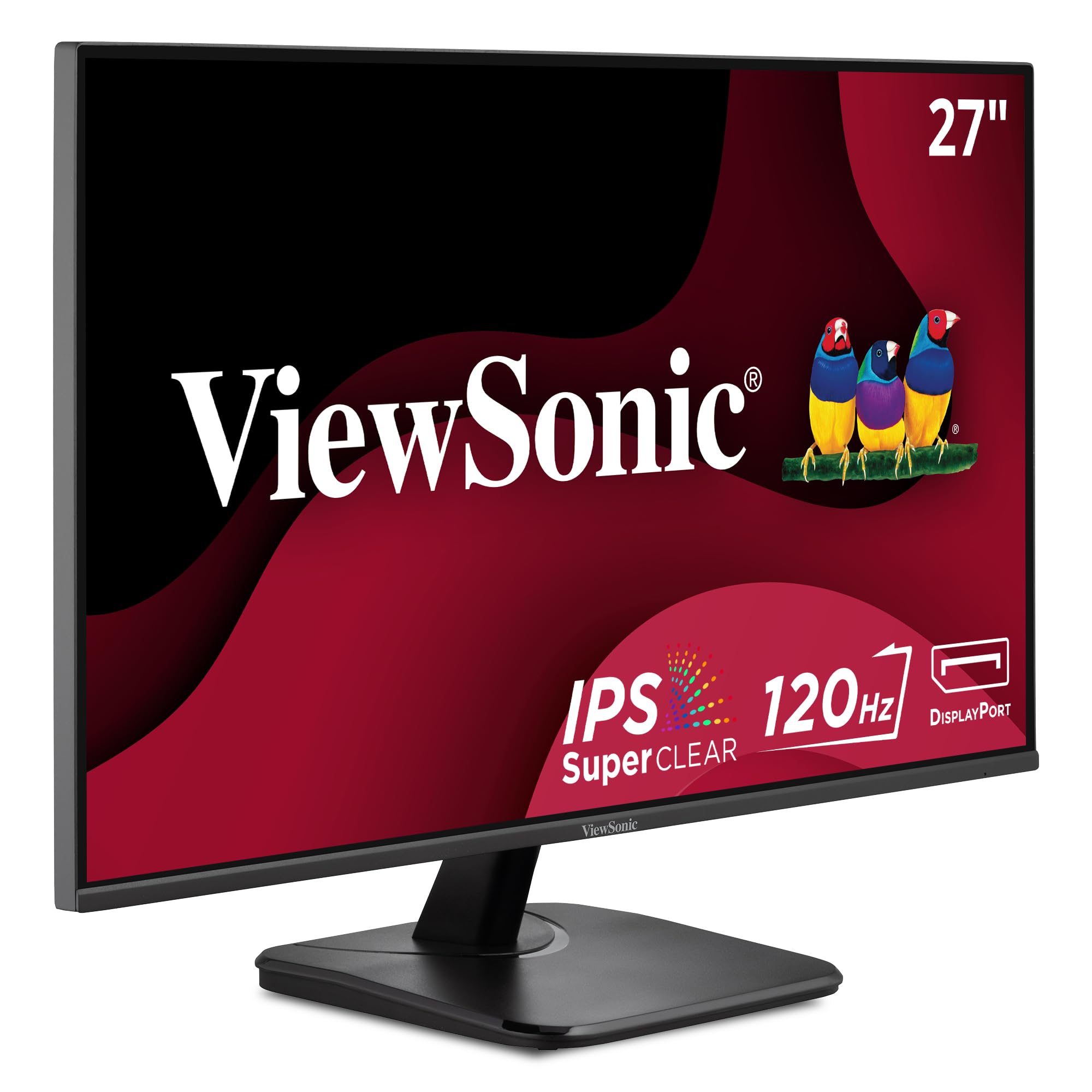
1. ViewSonic VA2756A-MHD
Our pick — over 4.5★ from 400+ verified ratings; the strongest balance of quality and price.
The desk hero that pairs a silky 120Hz with office-grade eye comfort
This 27-inch ViewSonic is the pick that does everything well without asking for a premium. The 1080p IPS panel delivers sharp text and accurate colors from wide angles, and the 120Hz refresh rate makes scrolling and multitasking feel noticeably more fluid than a standard 60Hz screen. The SuperClear IPS technology handles the color consistency, while the frameless design keeps the bezel out of your way during group viewing.
What makes it stand out is the daisy-chain trick: the DisplayPort-out port lets you link a second monitor with a single cable, keeping a multi-screen desk clutter-free. The ViewMode presets let you switch between Game, Movie, Web, Text, and Mono profiles with a few clicks, so you get the right gamma and contrast for whatever you’re doing. Eye-care features like Flicker-Free technology and a Blue Light Filter make long workdays far less tiring on your eyes.
Buyers call it the “best-value 24″ IPS 1080p 120Hz monitor” and regularly note it’s a bargain, with VGA, HDMI, and DisplayPort covering everything from modern laptops to older desktop PCs. The recurring trade-off is the basic stand and the 250-nit brightness, which is fine for a typical indoor office but not for a very bright room. If you want an easy, dependable upgrade that won’t strain your eyes or your budget, this is the one.
What Owners Rave About
- Sharp IPS image with accurate, consistent color
- Daisy-chaining via DisplayPort-out keeps desks tidy
- Flexible ports: VGA, HDMI, and DisplayPort
Where It Cuts Corners
- Basic stand with limited ergonomic adjustment
- 250-nit brightness is mid-range at best
The crowd favorite: This is the monitor to buy if you want a single, dependable 120Hz screen for work, study, and light gaming — it does it all with ease.
Think twice if: You need a fully height-adjustable stand or a super-bright screen for a sunlit room.
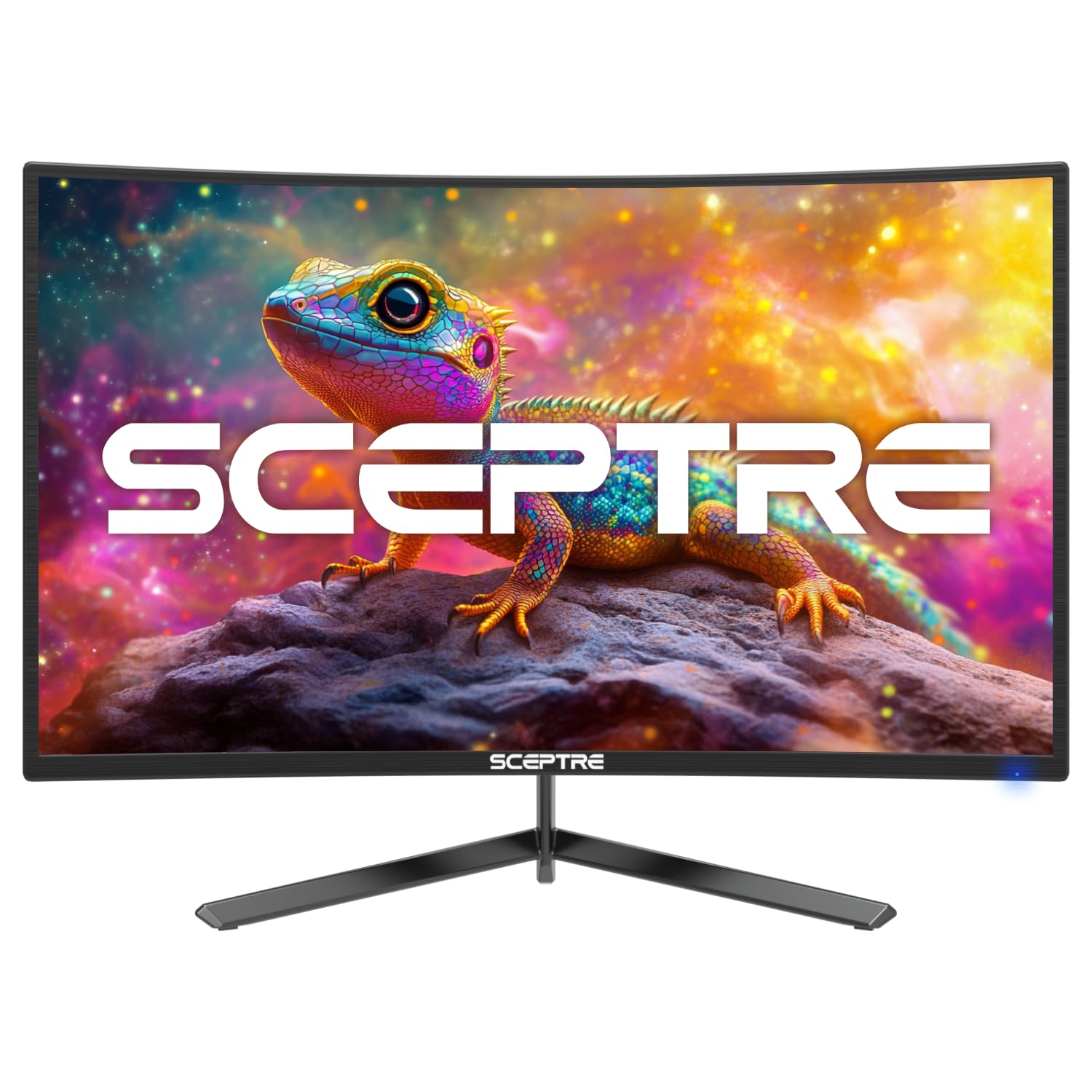
2. Sceptre C248B-FWT168
A curved 24-inch panel that punches far above its price class
This Sceptre brings a curved 24-inch screen to the budget tier, and it doesn’t stop there. It offers up to 180Hz refresh rate — a 60Hz jump over the 120Hz baseline — so fast-paced games look noticeably smoother. The wrap-around curve pulls your eyes into the action, and the 100% sRGB color gamut keeps colors vivid and true-to-life for both work and play. Two HDMI and two DisplayPort inputs make switching between a PC and a console easy.
Built-in speakers and an Audio Out jack mean you get sound without extra desktop clutter, and the Blue-Light Shift technology is designed to reduce eye strain during long sessions. Sceptre also includes custom gaming modes, with presets tuned for FPS and RTS genres, so you can dial in the right look for your game type. The VESA mount pattern gives you the option to wall-mount and reclaim desk space.
Buyers report being “VERY happy with how easy it was to setup” and praise the picture quality and overall build. The 16 mentions of picture quality are mixed, with some loving the vivid colors and others noting it’s not 4K — which is expected at this tier and resolution. Its biggest strength is value: buyers consistently call it a great buy for the money, with quality and easy setup leading the praise. The main caveat is the 7-pound weight and basic stand, so consider a VESA arm if you want more adjustability.
The 180Hz edge: This monitor gives you the smoothest motion on a budget, with a 180Hz refresh rate (how many times the screen updates per second) and a curved, rich screen.
Who it skips: If you need precise color for photo editing, this isn’t that — it’s built for gaming and general use, not creative work.
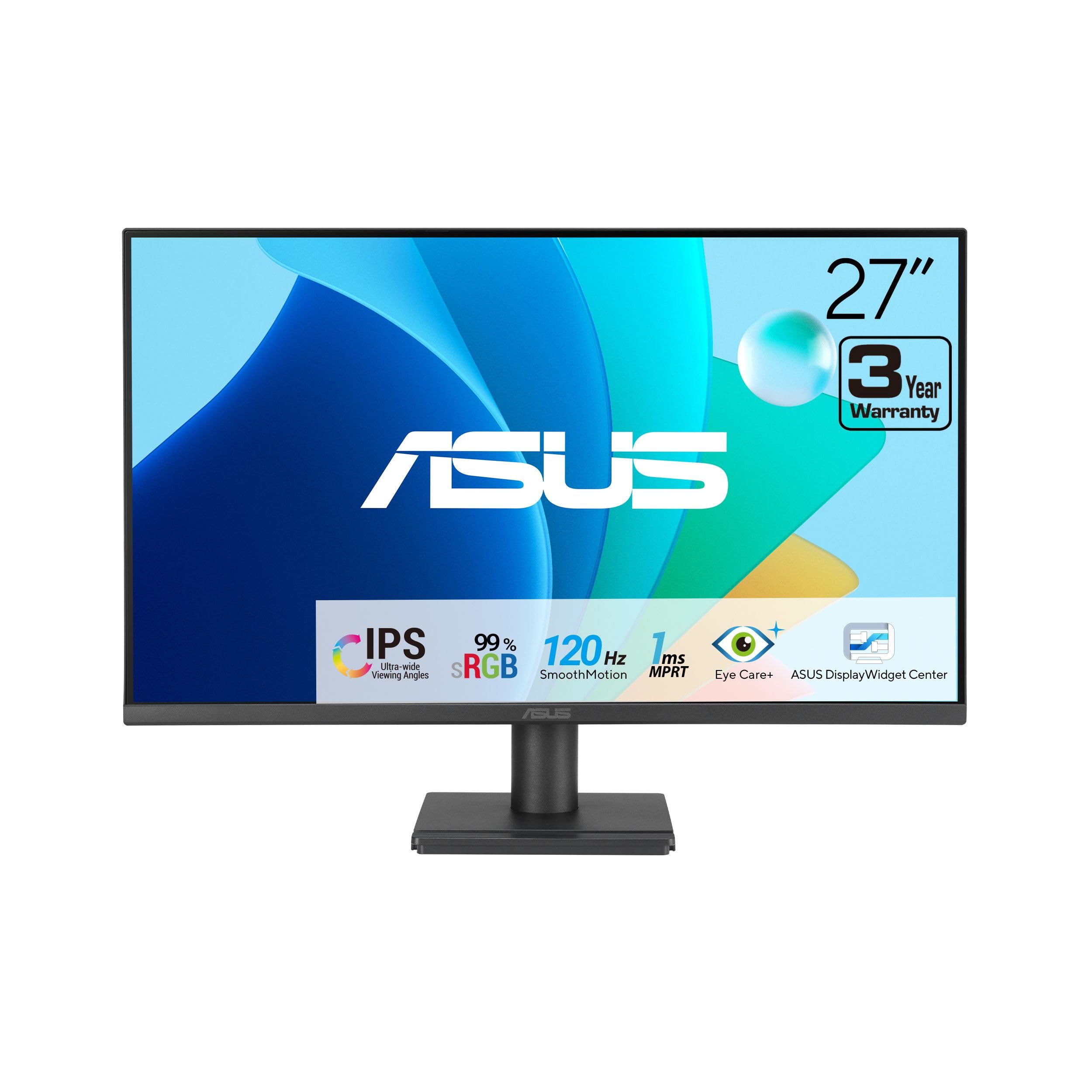
3. ASUS VA279HG
A 27-inch IPS panel that’s certified gentle on tired eyes
The ASUS VA279HG is built for people who want smooth performance but care more about comfort. The 27-inch 1080p IPS panel offers vivid colors and wide viewing angles, while the 120Hz refresh rate paired with a 1ms MPRT response time keeps scrolling and action blur-free. The 99% sRGB coverage and 2000:1 contrast ratio deliver a rich, punchy image for work and entertainment.
Its defining feature is the ASUS Eye Care technology — TV Rheinland-certified filters that make it flicker-free and reduce blue light, so long hours in front of it don’t leave your eyes feeling fried. It’s a genuinely thoughtful pick for a home office. The frameless edge-to-edge design boost desk space and pairs well with a VESA mount for a clean dual-monitor setup, and the HDMI and VGA ports keep it compatible with older hardware. The ASUS DisplayWidget Center even lets you adjust brightness and settings with your mouse instead of fiddling with buttons.
Buyers describe it as a “perfect budget monitor” and note it’s “godlike” for beginner PC gamers — easy to set up right from the start and a clear upgrade for everyday use. The 15-screen-quality mentions lead a positive consensus, with image quality and value following close behind. The catch is the 300-nit brightness is decent but not groundbreaking, and the stand doesn’t offer height adjustment — you’ll want to mount it for ergonomic setups. As one buyer put it: “the quality is very clear and keeps up with high performances.”
The comfort-first choice: This is the monitor for students and professionals who spend full days in front of a screen and want 120Hz smoothness without eye fatigue.
The trade-off: No height-adjustable stand and limited port selection compared to rivals — plan for a VESA arm if posture matters to you.
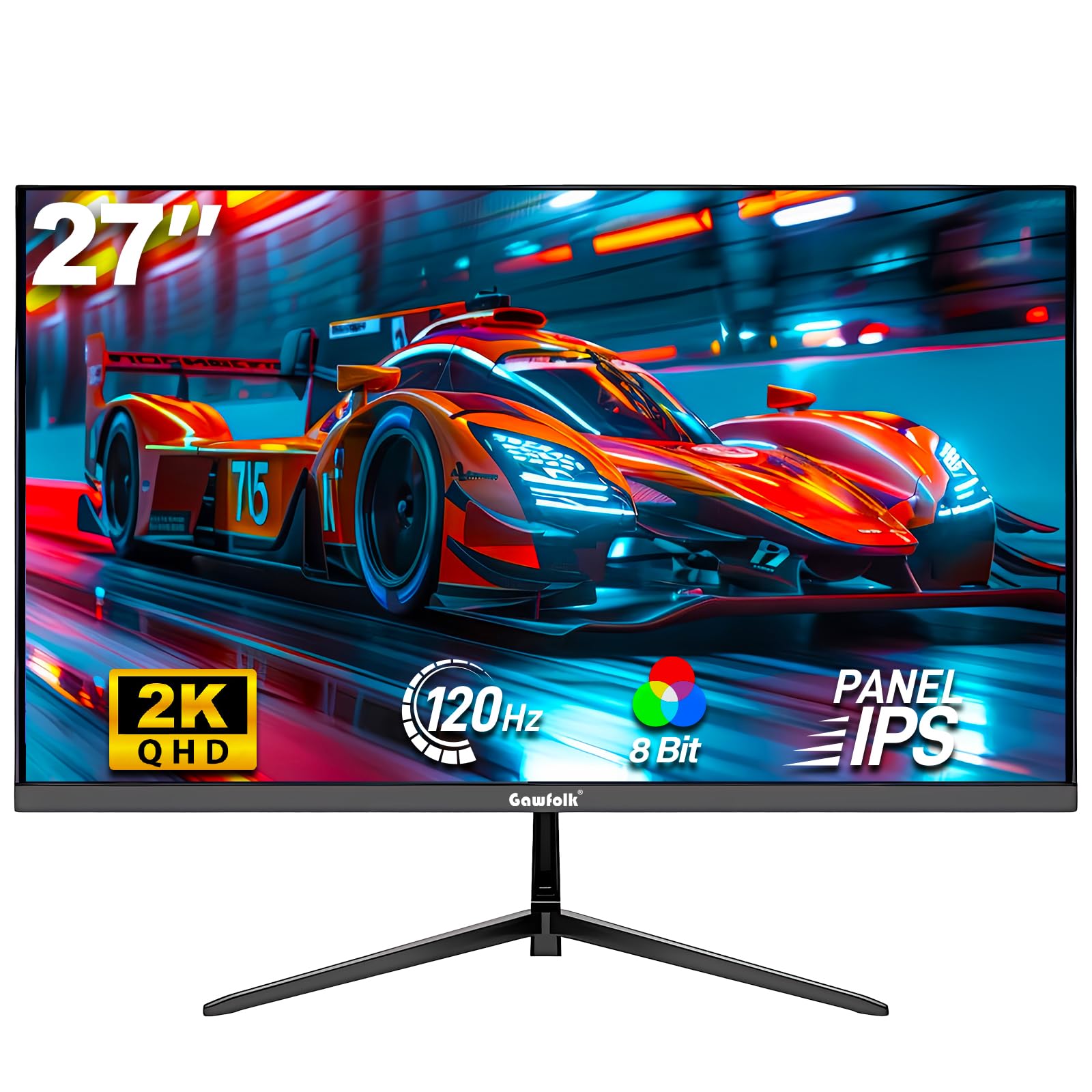
4. Gawfolk 27″ QHD
The 1440p sharpness upgrade that makes 1080p look last-gen
Upgrading from a 1080p screen, you’ll see noticeably sharper pixels on this Gawfolk, which delivers 2560 x 1440 resolution on a 27-inch IPS (in-plane switching) panel. The 120Hz refresh rate keeps motion fluid, and the 99% sRGB coverage (a color space standard) with a 2000:1 contrast ratio gives you vibrant, accurate color — a clear step above entry-level panels. The 178-degree viewing angle and bezel-less design make it rich whether you’re gaming or working.
Connectivity is a highlight: HDMI 2.1 and DisplayPort 1.4 inputs handle high-bandwidth signals from modern PCs, Xbox consoles, and laptops. The adjustable tilt and 75x75mm VESA mount pattern give you flexibility in positioning, and the 300-nit brightness is solid for most indoor lighting. FreeSync support helps eliminate screen tearing during fast-paced gaming.
The picture quality is the big draw — buyers with doubts about the brand were won over, with one noting “accurate colors/resolution” and “no regrets despite brand doubts.” Build quality is the most-praised aspect by a huge margin, and it’s considered perfect for gaming with brilliant, adjustable colors. That said, reliability got mixed feedback, with a small number experiencing screens cutting out. The 120 quality mentions versus 65 mixed reliability mentions tells the real story: most owners are thrilled, but it’s slightly riskier than the big brands. The best approach is to test it hard in the first month.
The 1440p Appeal
- Sharper QHD resolution with 99% sRGB color
- HDMI 2.1 and DisplayPort 1.4 for modern devices
- 178-degree viewing angle with slim bezels
Know Before You Buy
- Reliability is a mixed bag — some units have issues
- Flat panel, not curved, despite some expectations
Reach for it if: You want 1440p sharpness at a 120Hz price and are willing to test your unit early for confidence.
Look elsewhere if: You want the rock-solid reliability track record of a name-brand display.
5. Acer SH272 G0bih

The zero-frame 27-incher that lets you dial in the perfect height
The Acer SH272 G0bih focuses on the details that make a monitor comfortable to live with. Its adjustable stand lets you tilt, swivel, and change the height, so you can line the screen up with your natural eye level — a feature many budget 120Hz monitors skip entirely. The 27-inch 1080p IPS panel makes text crisp and colors accurate, and the zero-frame design boost the visible screen area edge-to-edge.
The 120Hz refresh and 1ms (VRB) response time render fast action smoothly without ghosting or smearing. Adaptive-Sync support (FreeSync compatible) matches the monitor’s refresh rate to your graphics card’s output, delivering a tear-free experience. The HDMI and VGA ports keep it compatible with both modern laptops and older desktop PCs, and the included stand is genuinely flexible.
Buyers consistently describe the image as “crisp, clear” and note the monitor is “very thin and seems well-engineered.” Owners using it for work tasks, streaming video, and light gaming say it “works exceptionally well” for the price point. The honest caveat is that reliability drew mixed feedback — some units reportedly stop working or die within a month, though these are a minority against the many positive experiences. The 14 positive image-quality mentions against a 17 mixed reliability count means you should verify yours early. If you want a monitor that adjusts to you rather than the other way around, this is a strong, affordable choice.
The ergonomics winner: This is the monitor for anyone whose neck and posture suffer from fixed-height budget screens — the adjustable stand is the differentiator.
The honest caveat: A minority of units have shown reliability issues, so buy from a seller with easy returns and test it thoroughly.
6. ASUS VA279QG
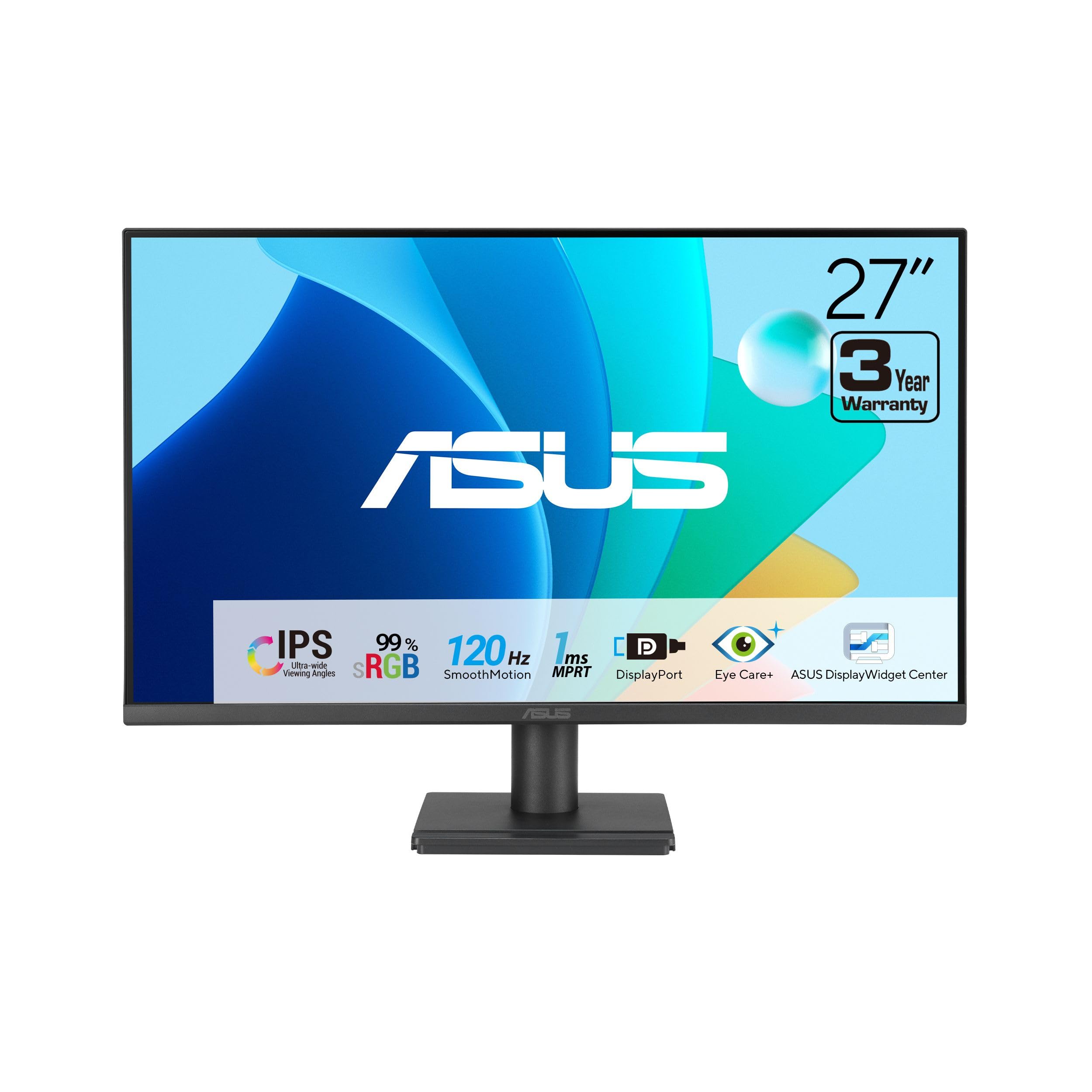
A 27-inch screen that pairs vivid 99% sRGB color with rock-solid build
The ASUS VA279QG is the sibling of the VA279HG with a key upgrade: connectivity and color. It keeps the 27-inch 1080p IPS panel and 120Hz refresh but adds a DisplayPort alongside HDMI and VGA, making it more flexible for modern graphics cards and laptops. The 99% sRGB coverage delivers vivid, lifelike color for daily productivity, while the 3000:1 contrast ratio provides deep, rich blacks.
The 1ms MPRT response time keeps action sharp, and Adaptive-Sync (G-Sync compatible) syncs the refresh rate with your graphics card for smooth gameplay and video. ASUS Eye Care technology includes certified Low Blue Light and Flicker-Free features, so it’s easy on the eyes during long sessions. A thoughtful bonus: the VESA mount and built-in phone slot help keep your desk tidy and your small items within reach.
Build quality is the defining strength here — it’s widely described as “nice, solid” and “well worth the money,” with image quality praised as similar to older premium Dell IPS screens. Owners note it works well for business software and casual use, and the 21 quality mentions lead the feedback as the most-praised aspect. The honest trade-off is the built-in speakers: they’re consistently described as tinny, so plan for headphones or external speakers. The recurring advice is to disable the energy-saving mode to avoid unexpected shutdowns, and value-for-money opinions are split — some find it a steal, others feel it’s priced a touch high.
What Makes It Solid
- Vivid 99% sRGB color coverage
- Flexible HDMI, DisplayPort, and VGA inputs
- VESA mount with a built-in phone slot
Where It Falls Short
- Tinny built-in speakers — use headphones
- Some owners find it slightly overpriced
The solid all-rounder: This is the monitor for buyers who want dependable build quality and rich color without chasing a bargain-bin price.
skip it if: You need good built-in audio or are strictly budget-hunting — the speakers disappoint and cheaper options exist.
7. Sceptre E255B-FWD240

Double the smoothness for competitive gamers who refuse to lag
This Sceptre isn’t about hitting 120Hz — it’s about blowing past it. With a 240Hz refresh rate and a 1ms Blur Reduction response time, this 24.5-inch monitor is built for competitive esports where every millisecond matters. It offers exactly double the frame rate of the 120Hz baseline, making motion look almost unnaturally smooth in fast-paced shooters and racing games. The 100% sRGB color gamut ensures accurate colors for creative and multimedia work.
Connectivity covers two HDMI ports and two DisplayPorts, giving you up to 240Hz across multiple devices, and AMD FreeSync Premium (a technology that syncs the monitor’s refresh rate with your graphics card) eliminates screen tearing and stuttering for a smooth experience. Built-in speakers and an Audio Out jack keep your desk clutter-free, and Blue-Light Shift technology reduces eye strain during marathon sessions. The stable, compact stand is easy to mount.
Owners praise the “solid size with great graphics as well as performance” and call it “great right from the start,” with the 48 monitor-quality mentions leading as the most-praised aspect. It even plays 1080p 120Hz on Xbox, making it a flexible console companion. The honest complaints: colors drew mixed feedback — some find them excellent, others find them lackluster — and the built-in speakers are “super bad,” so headphones are a must. One buyer summed up the value: “you get what you pay for.” If your priority is raw frame rate for competitive play, this delivers.
The frame-rate king: This is the monitor for competitive gamers who play fast-paced shooters and want the maximum smoothness their graphics card can feed.
The honest trade-off: Color accuracy and speakers take a back seat to speed — this is a pure performance monitor, not a creative workstation display.
8. Pixio PX246 Wave
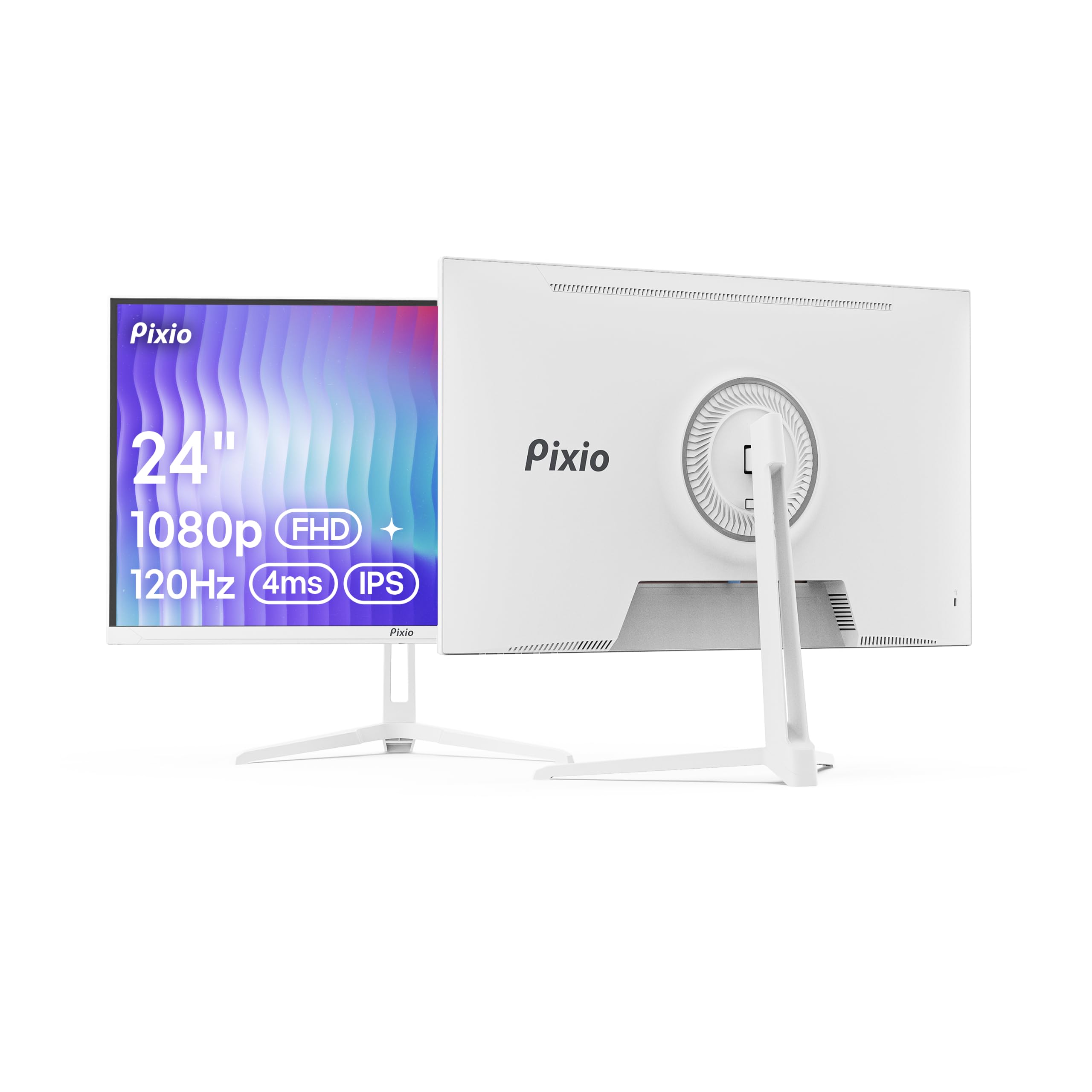
A white, stylish 24-incher that proves 120Hz can look this good
The Pixio PX246 Wave is proof that a high-refresh monitor doesn’t have to look like a black gaming brick. It comes in a clean white finish that stands out on any desk, and the 24-inch 1080p IPS panel delivers vivid colors, sharp details, and wide viewing angles. The 120Hz refresh rate and 4ms response time keep motion smooth and minimize ghosting in fast-paced games, while Adaptive Sync eliminates screen tearing.
At 300 nits, it’s bright enough for most indoor rooms, and the built-in speakers are a nice convenience even if they’re not audiophile-grade. The slim profile and modern design make it a welcome addition to both gaming setups and cleaner workspaces. The Flicker-Free and Blue Light Filter features add a layer of eye comfort for long sessions.
Buyers love this monitor’s appearance and color accuracy, with one noting “there are no real cons here” for students and casual gamers. The 174 quality mentions make it the single most-praised aspect of any monitor on this list, with value for money and color following close behind. The catch is that reliability is genuinely mixed — some units reportedly stop working after a few months, so this is a “keep the box for warranty” kind of purchase. The stand also lacks height adjustment, so consider a VESA arm. It’s a vibrant, stylish choice that delivers on the 120Hz promise, as long as you’re prepared for some QC roulette.
The Style and Color Case
- Unique white design that fits modern desks
- Vivid IPS color with excellent accuracy for the price
- Smooth 120Hz with Adaptive Sync support
What to Watch For
- Reliability is a mixed bag — keep your box for warranty
- Stand lacks height adjustment; plan for a VESA arm
The style-first smooth pick: This is the monitor for students or casual gamers who want a desk that looks good and a screen that feels fluid.
The cautious note: Make sure you buy with a solid return policy — a minority of units have failed after a few months.
9. KTC 32″ 2K

A massive 32-inch canvas that turns 1440p into a productivity playground
The KTC 32-inch is the answer for anyone who wants the biggest possible 1440p canvas while staying affordable. It ships with a 100Hz refresh rate that overclocks to 120Hz, and the IPS panel delivers vibrant visuals and sharp details even at wide viewing angles. The 109% sRGB color gamut and 350 cd/m² brightness deliver superior image quality for creative work and rich viewing.
The ΔE<2 color accuracy means colors are true to what you’re editing, which is rare at this price. Low blue light and flicker-free technology keep eye fatigue at bay during long reading or working sessions, and the -5° to 20° tilt adjustment plus VESA 100mm x 100mm wall-mount support give you flexible positioning. Connectivity covers 1x DisplayPort 1.4 and 2x HDMI 2.0, both capable of up to 120Hz, and it’s compatible with laptops, desktops, and game consoles.
Owners who use it for coding and productivity praise the crisp text and accurate colors, with one noting it’s “great for coding/gaming” and offers excellent value. The 886-owner base skews positive, with smooth motion and a clear picture being the recurring themes. The honest caveat: some buyers found the stand a bit wobbly and the built-in speakers weak, so a VESA mount and external audio are wise upgrades. It plays nicely with G-Sync for NVIDIA users too, though you may need to enable it manually. If you want maximum screen real estate without jumping to 4K, this is a strong, well-rounded option.
The Big-Canvas Advantage
- Massive 32-inch 1440p IPS screen
- Color-accurate with 109% sRGB coverage
- Flexible tilt and VESA wall-mount support
The Drawbacks
- Stand is a bit wobbly — a VESA arm helps
- Built-in speakers are weak
Reach for this if: You want a huge, color-accurate screen for multitasking, coding, or creative work and want 120Hz smoothness on top.
Look elsewhere if: You’re on a tight desk or need a rock-solid stand from the start — this one benefits from a mount.
10. Dell S2725QS

The 4K upgrade that makes your text razor-sharp and your work feel premium
The Dell S2725QS is the premium pick for anyone who wants the sharpest possible text and the smoothest motion in one package. The 27-inch 4K UHD (3840 x 2160) IPS panel delivers breathtaking detail, and the 120Hz refresh rate with AMD FreeSync Premium makes everything from scrolling to video playback feel fluid. The 99% sRGB coverage and 1500:1 contrast ratio deliver vivid, accurate colors with HDR-ready depth.
Dell’s ComfortView Plus cuts blue light emissions to 35% or less, keeping colors accurate for all-day comfort. The improved audio delivers more detailed sound with greater output power and a deeper frequency range than the previous generation — and buyers call the speakers “incredibly loud” and “excellent.” Connectivity covers DisplayPort and HDMI, and the stand offers height, pivot, swivel, and tilt adjustment, making it a proper ergonomic workstation display.
Owners describe it as a “fantastic productivity monitor for those who can’t go back to 60hz” and praise its “sharp text, great viewing angles” and “excellent contrast” at 1500:1. The 233 quality mentions make it the highest single positive aspect count on this list, with picture quality and value for money following close behind. It handles 120Hz with ease, works well with Mac mini, and owners say it performs great for photo and video editing. The honest trade-off: noticeable ghosting in fast-paced games means it’s built for productivity first, gaming second. The default brightness runs high and needs manual adjustment, and the matte coating shows slight grain in dark scenes. For a work-focused 4K upgrade, this is a top-tier choice.
The 4K Workhorse
- Crisp 4K resolution with excellent contrast
- Full ergonomic stand: height, pivot, swivel, tilt
- Excellent loud built-in speakers
The Honest Limits
- Visible ghosting in fast-paced games — not ideal for esports
- Default brightness runs high; needs manual tuning
The 4K productivity king: This is the monitor for professionals who want razor-sharp text, accurate color, and 120Hz smoothness for work — with speakers that actually sound good.
Think twice if: You’re a hardcore competitive gamer — the ghosting will bother you; this is a work-first screen.
11. Dell S2725QC

A single USB-C cable that powers your laptop and drives stunning 4K
The Dell S2725QC is the ultimate clean-desk solution: one USB-C cable carries video, data, and up to 65W of power delivery to your laptop. That means you plug in a single wire and your laptop charges while the 27-inch 4K UHD IPS panel springs to life at 120Hz. It’s the same 99% sRGB, 1500:1 contrast, and ComfortView Plus low-blue-light tech as its sibling, but with USB-C connectivity that simplifies everything.
The re-engineered sound delivers more detailed, spacious audio with greater output power and deeper frequency response than the previous generation, and buyers confirm the built-in speakers are “surprisingly good” and even make an external soundbar unnecessary. The stand is highly adjustable with height, pivot, swivel, and tilt, and the pop-out USB-A and USB-C ports offer handy convenience. The FreeSync Premium keeps motion tear-free for work and light gaming.
Owners call it “the most affordable 4K 120Hz monitor” and praise its crisp, vibrant, deep-black image with a Mac Mini, noting it works smoothly with both PC and Mac. The 171 display-quality mentions are the most-praised aspect, with picture quality and value for money following. The single USB-C cable is the standout feature — owners love that it declutters their desk and charges their laptop simultaneously. The honest caveat: reliability drew some negative feedback, with a small number reporting USB-C docking failures, though most buyers have a flawless experience. The stand is also not angled, which some found limiting. For a clean, modern laptop setup, this is the most elegant 120Hz 4K option here.
The Cable-Free Desk
- Single USB-C cable for video, data, and 65W charging
- Crisp 4K with 99% sRGB color accuracy
- Highly adjustable stand with pop-out USB ports
Know the Risks
- Reliability is mixed — some USB-C failures reported
- Stand lacks angled adjustment
Reach for this if: You use a USB-C laptop and want the cleanest possible single-cable setup that also charges your machine while delivering 4K 120Hz.
The cautious note: A minority of owners hit USB-C issues, so test the docking feature early and keep your warranty info handy.
Understanding the Specs
Refresh Rate (Hz)
This is the number of times your screen redraws the image every second. A 120Hz display refreshes twice as often as a standard 60Hz one, which is why scrolling looks fluid and fast-paced games feel responsive. Higher is smoother, but your graphics hardware must be able to output those frames to see the benefit.
Response Time (ms)
This measures how quickly a pixel can change from one color to another, usually listed as GTG (gray-to-gray) or MPRT (Motion Picture Response Time). Lower numbers mean less motion blur and ghosting during fast action. A 1ms monitor is ideal for competitive gaming, while 4-5ms is perfectly fine for work and casual play.
AdaptiveSync (FreeSync / G-Sync)
This feature matches your monitor’s refresh rate to your graphics card’s frame output in real time. Without it, you can get screen tearing — a horizontal split where the image looks cut in half. FreeSync works with AMD cards, G-Sync with NVIDIA, and many modern monitors support both or are “G-Sync Compatible.”
Panel Type (IPS vs VA vs LED)
IPS (In-Plane Switching) panels offer the best color accuracy and widest viewing angles, making them the go-to for work and general use. VA (Vertical Alignment) panels give deeper blacks but narrower angles. Many budget monitors list “LED” as the display type — that just means LED backlighting, not a panel technology — so check the panel type separately.
Resolution and Color Gamut
Resolution determines sharpness: 1080p (Full HD) is the budget standard, 1440p (QHD) is the sharpness balance for 27-inch screens, and 4K UHD is razor-sharp for productivity and creative work. Color gamut (measured as % sRGB) tells you how much of the standard color space the screen can show — 99-100% sRGB means accurate, vivid colors for everyday use and basic creative work.
FAQ
Do I need a special cable to run a 120Hz monitor at full speed?
Can my laptop or console actually output 120Hz?
Is 120Hz worth it if I don’t play games?
What’s the difference between 120Hz, 144Hz, and 240Hz?
Will a 120Hz monitor work with my Mac?
What does 1ms response time actually mean for me?
Should I buy a 1080p or 1440p 120Hz monitor?
Are built-in monitor speakers good enough?
What is VESA mount compatibility and do I need it?
How long will a 120Hz monitor last?
Final Thoughts: The Verdict
For most people, the 120 hz monitor winner is the ViewSonic VA2756A-MHD because it nails the essentials — a sharp 27-inch IPS panel, a smooth 120Hz refresh, and flexible connectivity with HDMI, DisplayPort, and VGA — at a price that makes it the obvious first pick. If you want sharper pixels for gaming and creative work, grab the Gawfolk 27″ QHD for its 1440p resolution and HDMI 2.1 inputs. And for the cleanest possible desk setup, the Dell S2725QC is the one to reach for — a single USB-C cable delivers 4K at 120Hz while charging your laptop at up to 65W, which is as close to easy as a monitor setup gets.
How We Picked
We do not accept paid placement. Every pick is matched to a real buyer and a real use-case; we do not hands-on test units.
Sources & Methodology
Specifications: manufacturer listings and product documentation. Review insights: verified customer reviews, as of September 2026. Pricing: not shown on this page (it changes often); check the current price via the retailer link.
As an Amazon Associate, Gadgets Feed earns from qualifying purchases. This does not affect which products we feature.