
Our readers keep the lights on and my morning glass full of iced black tea. As an Amazon Associate, I earn from qualifying purchases.
Specs are compiled from manufacturer listings and verified buyer reviews and can change over time — please confirm the key details on the product page before buying.
Choosing a 120 Hz OLED monitor means deciding between two separate revolutions at once. You get the perfect black levels and infinite contrast that only an OLED panel delivers — and you also get a refresh rate that keeps fast motion silky smooth. The real question isn’t whether to buy one. It is which exact variant (360 Hz for competitive edge, 240 Hz for balance, 4K for pixel density) fits the games you actually play.
I’m Min — the founder and writer behind Gadgets Feed. This guide is built by comparing the manufacturers’ published specifications and the patterns across verified customer reviews, so you get each pick’s real strengths and trade-offs instead of marketing spin.
Whether you prioritize blistering speed for esports or the rich detail of a high-resolution desktop, understanding these trade-offs is what separates a great purchase from a regretful one. This is the definitive guide to the 120 hz oled monitor market right now.
Our Picks at a Glance

How To Choose The Best 120 Hz OLED Monitor
Three specs define your entire experience here: the native resolution, the refresh rate, and the panel generation. Decide on a resolution first — 1440p gives you high frame rates on today’s GPUs, while 4K demands more power but delivers sharper desktop clarity. The refresh rate is almost always higher than 120 Hz on OLED (240 Hz and 360 Hz are common), and that overhead means you never have to worry about motion blur. The panel coating (glossy vs matte) affects how colors pop in a lit room, so think about your lighting setup too.
Glossy vs Matte OLED Finish
A glossy OLED screen produces punchier, more saturated colors and deeper perceived blacks because there is no diffuser layer scattering light. This looks incredible in a dim room. A matte coating cuts reflections aggressively — essential if you have a window behind you or bright overhead lights — but it slightly softens the image in exchange. Pick your environment first, then pick the coating.
Burn-in Prevention Technology
All modern OLED monitors include some form of pixel refresh or logo detection that reduces the brightness of static elements over time. Look for a custom heatsink (like the one on the ASUS ROG Strix models) or a Pulsating Heat Pipe (like Samsung’s Dynamic Cooling System) — these dissipate heat more effectively and extend the panel’s lifespan. A multi-year warranty that explicitly covers burn-in (ASUS and Alienware offer them) is confidence worth prioritizing.
Connectivity and Bandwidth
To drive a 1440p OLED at 240 Hz or higher, you need a graphics card with DisplayPort 1.4 (with DSC) or HDMI 2.1. For 4K OLED at 120 Hz, HDMI 2.1 is mandatory for full bandwidth without chroma subsampling. Check that the monitor includes the right cable in the box — a mismatched cable is the most common source of “my monitor won’t hit the advertised refresh rate” frustration.
Quick Comparison
| Model | Best For | Resolution | Refresh Rate | Contrast Ratio | Amazon |
|---|---|---|---|---|---|
| ASUS ROG Strix XG27ACDNG★ Best Overall | Top-Tier Speed & Color | 2560 x 1440 | 360 Hz | 4000:1 | Amazon |
| Samsung Odyssey G8 G81SFPremium Pick | 4K QD-OLED Immersion | 3840 x 2160 | 240 Hz | 1,000,000:1 | Amazon |
| LG 27GX700A-BBrightest OLED | Brightest OLED Value | 2560 x 1440 | 280 Hz | 1,500,000:1 | Amazon |
| MSI MAG 272QP QD-OLED X24 | Feature-Rich 240Hz | 2560 x 1440 | 240 Hz | 1,500,000:1 | Amazon |
| Acer Predator X27U | Budget QD-OLED Entry | 2560 x 1440 | 240 Hz | 1,000,000:1 | Amazon |
| LG 27GS93QE | WOLED Perfection | 2560 x 1440 | 240 Hz | 1,500,000:1 | Amazon |
| ASUS ROG Strix XG27AQDMG | Glossy WOLED Clarity | 2560 x 1440 | 240 Hz | High | Amazon |
| Alienware AW2725DF | Competitive 360Hz | 2560 x 1440 | 360 Hz | 1,500,000:1 | Amazon |
| Samsung Odyssey G6 G60SD | Cooling Tech Champion | 2560 x 1440 | 360 Hz | 1,000,000:1 | Amazon |
| MSI PRO MAX 271UPXW12G | Productivity & 4K | 3840 x 2160 | 120 Hz | 1,500,000:1 | Amazon |
| Alienware AW3425DW | Ultrawide Gaming | 3440 x 1440 | 240 Hz | 1,500,000:1 | Amazon |
In‑Depth Reviews
1. ASUS ROG Strix 26.5” 1440P QD-OLED Gaming Monitor (XG27ACDNG)
Our pick — over 4.5★ from 350+ verified ratings; the strongest balance of quality and price.
A 360 Hz QD-OLED that leaves zero motion blur on the table.
The speed here is the immediate headline — a 360 Hz refresh rate paired with a 0.03 ms response time means motion is as close to instantaneous as you can buy today. What people rave about most is the monitor quality itself: the QD-OLED panel delivers a 4000:1 contrast ratio, 99% DCI-P3 color gamut, and true 10-bit depth that makes HDR content look dimensional. The custom heatsink and ASUS OLED Care+ functions directly tackle burn-in risk, and the 3-year warranty includes burn-in coverage — rare confidence from a manufacturer.
The 26.5-inch size and 1440p resolution hit a practical balance: it’s sharp enough for desktop use but not so dense that you need a top-end GPU to push 360 frames. Buyers report the 360Hz is “buttery smooth with responsive input,” and the consensus is that the picture quality, color accuracy, and build quality all exceed expectations. The main practical trade-off is limited height adjustment on the stand, and some find the pixel-cleaning pop-up interrupts gameplay. But as one owner sums it up: “one of the best 1440p QD-OLEDs.”
Seals the Deal
- 360 Hz + 0.03 ms response time for ghost-free competitive gaming
- 4000:1 contrast ratio and QD-OLED color depth
- 3-year warranty covers burn-in
- G-Sync Compatible and FreeSync Premium Pro
Worth Noting
- Limited height adjustment on the included stand
- Pixel-cleaning notification can break immersion during play
Who it fits: The competitive gamer or high-refresh enthusiast who wants the fastest-possible OLED with proven burn-in protection.
The other side: If you need full ergonomic adjustment or plan to do color-critical creative work, the limited stand range might annoy you.
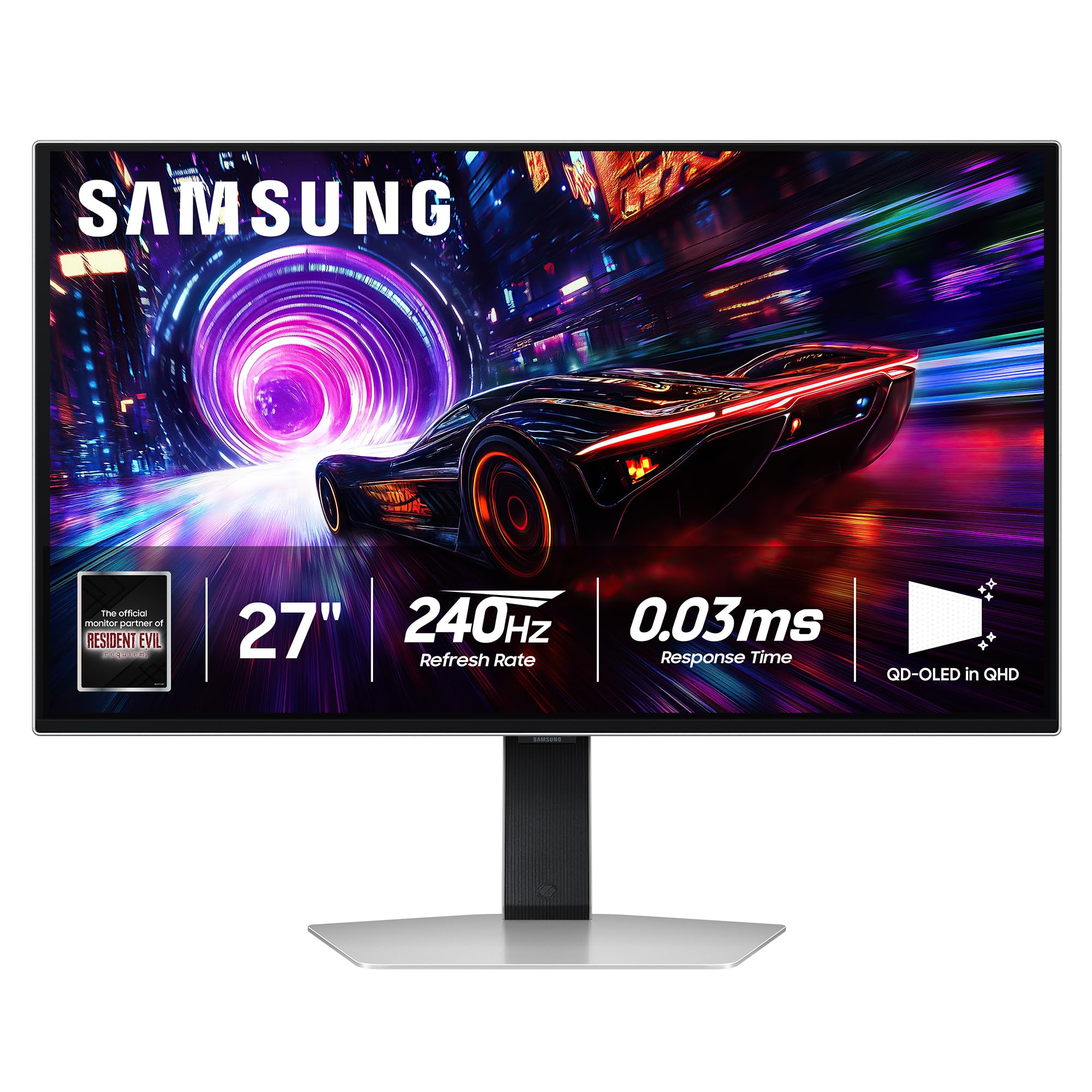
2. Samsung 27” Odyssey OLED G8 4K (G81SF)
A 4K QD-OLED that doesn’t sacrifice speed for sharpness.
Most 4K gaming monitors stop at 60 Hz. This Samsung pushes 4K resolution through a 240 Hz refresh rate with a 0.03 ms response time, giving you a pixel density of 166 PPI — every icon and game texture looks razor-sharp. The QD-OLED panel covers 99% of DCI-P3, and the VESA DisplayHDR True Black 400 certification means shadows stay pure black with no light bleed. The Glare Free technology reduces reflections by 54%, making this a viable choice for well-lit rooms where glossy screens usually struggle.
The display quality and picture quality dominate the praise — owners say the colors are richer and the blacks reach “jet black.” The Dynamic Cooling System (a Pulsating Heat Pipe) dissipates heat five times faster than older graphite sheets, which is the core burn-in defense here. The catch, mentioned by a few buyers, is that the warranty paperwork sometimes shows 1 year instead of the advertised 3, and one owner reported dead pixels after two months. The 4K resolution also demands a powerful GPU — expect to feed it with an RTX 4080-level card to hit 240 fps in modern titles.
The 4K pace-setter: Stunning image quality with anti-glare coating that handles bright rooms better than most OLEDs. Just verify your warranty terms at purchase.
Reach for this if: You want a single monitor that does 4K productivity and high-refresh gaming on one screen, without downsizing to 1440p.
Look elsewhere if: Your room is dim and you prefer glossy color punch — the matte coating here softens highlights slightly.
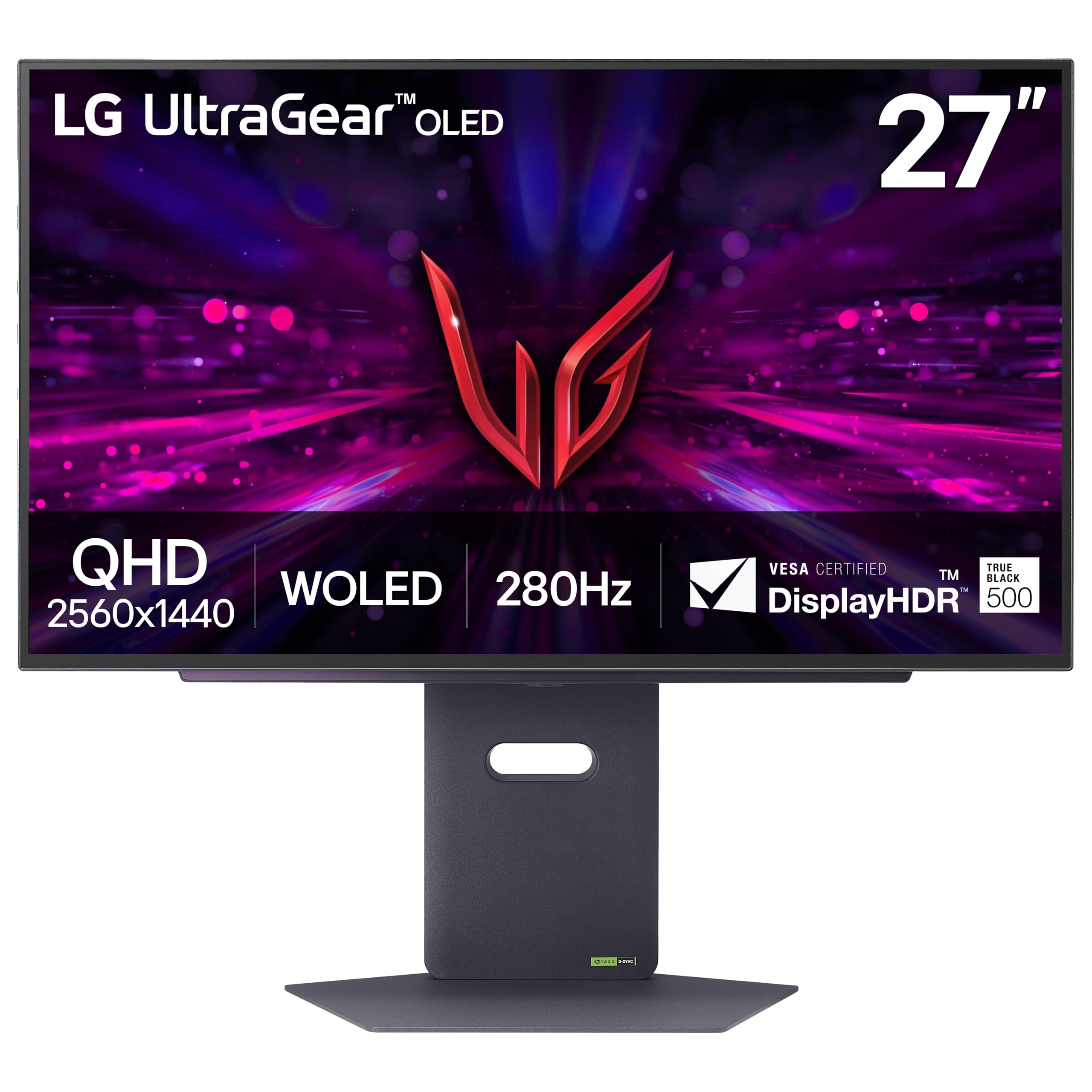
3. LG 27GX700A-B 27-inch Ultragear OLED Gaming Monitor
LG’s brightest-ever OLED monitor at a price that undercuts most rivals.
LG’s 4th Gen OLED (Primary RGB Tandem tech) pushes peak brightness to 1500 nits — substantially higher than typical OLED monitors, which means HDR highlights actually pop in brightly lit rooms. The 280 Hz refresh rate sits between the 240 Hz and 360 Hz crowd, and the 0.03 ms response time eliminates any perceptible ghosting. The 1,500,000:1 contrast ratio is standard OLED territory, but the VESA DisplayHDR True Black 500 certification (one tier higher than the common True Black 400) ensures deeper blacks with finer detail in shadows.
What buyers praise most here is picture quality and color quality — 21 and 19 mentions respectively — noting that the colors are “vibrant (needs tuning)” and the brightness is “excellent balanced for dark/bright scenes.” The stand is sturdy and highly adjustable, and the OLED care runs automatically on shutdown. A few owners note VRR flicker (common across OLEDs) and some horizontal banding on static white pages. The matte coating is near-glossy, which is a decent compromise.
What Wins
- 1500 nits peak brightness — class-leading for OLED
- 280 Hz + 0.03 ms response time
- DisplayHDR True Black 500 certification
- Sturdy, fully adjustable stand
Watch For
- VRR flickering present; some disable VRR and lock at 280Hz
- Occasional horizontal banding reported on static backgrounds
Who this suits: Gamers who play in mixed-lighting rooms and want HDR brightness that doesn’t get washed out.
skip it if: You are sensitive to VRR flicker and don’t want to disable adaptive sync as a workaround.
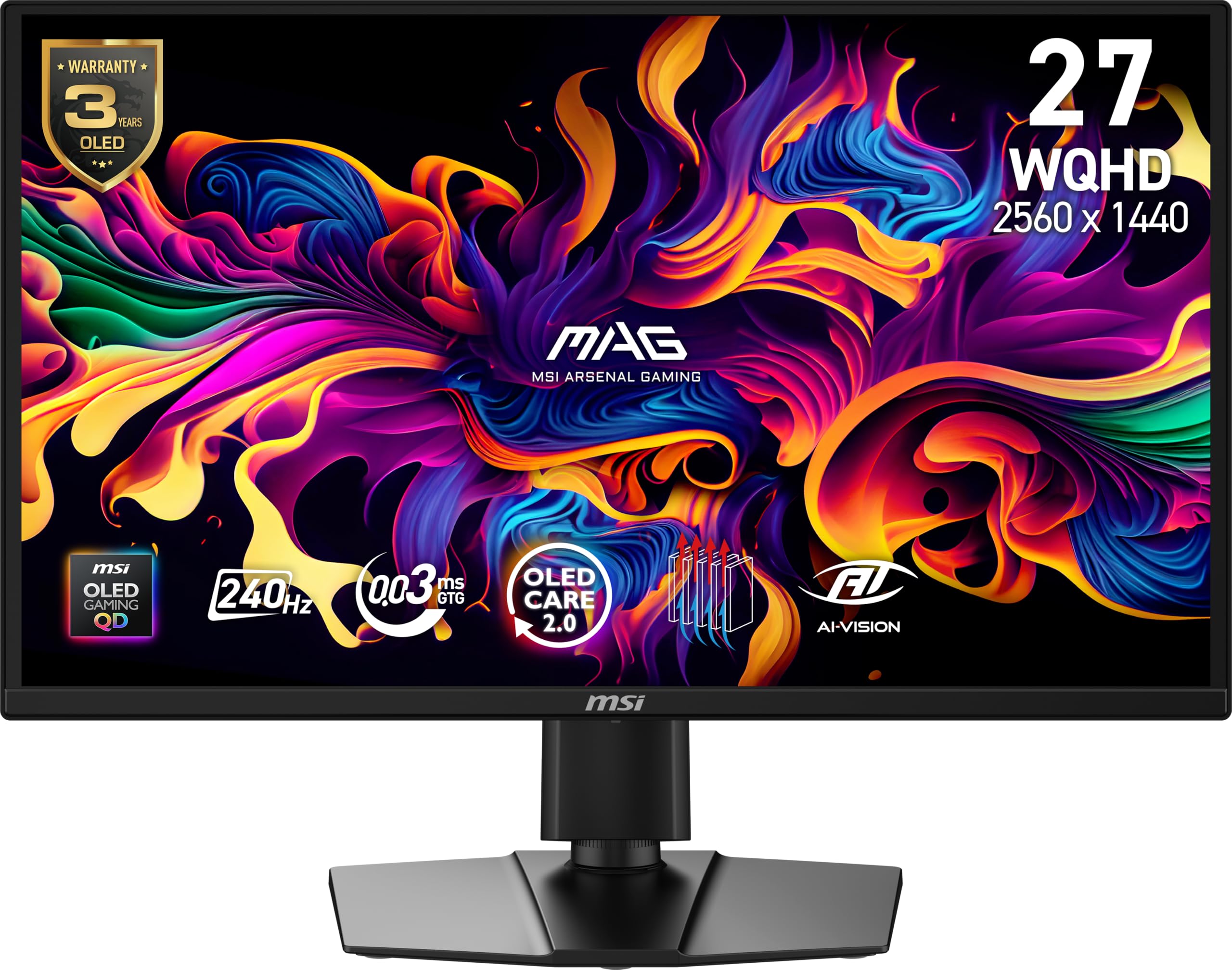
4. MSI MAG 272QP QD-OLED X24 27-Inch WQHD Gaming Monitor
A fanless QD-OLED that delivers premium features at a mid-range price.
The 26.5-inch QD-OLED panel combines 10-bit color depth (1.07 billion colors) with a 99% DCI-P3 gamut and Delta E ≤ 2 accuracy, making this a legitimate option for color-sensitive work. The 240 Hz refresh rate with 0.03 ms response time is fast enough for all but the most extreme competitive players, and the VESA ClearMR 13000 rating confirms minimal motion blur. MSI’s graphene heatsink is fanless, so there is zero fan noise, and the OLED Care 2.0 software handles burn-in prevention through AI-supported pixel refresh and screen saver routines.
Owner feedback focuses on monitor quality and picture quality — the QD-OLED delivers “outstanding picture quality, vibrant colors, deep blacks, sharp” and is considered excellent value for the feature set. The connectivity is generous: DisplayPort 1.4a, two HDMI 2.1 ports, and a USB-C port that handles data. A minority of units arrived with defects (dead pixels, shutdowns), and some find the brightness slightly dim compared to high-end WOLED options. The 3-year warranty covers burn-in, which adds confidence.
Silent performer: Excellent color accuracy, fanless cooling, and comprehensive burn-in coverage. Best for the gamer who also edits photos or video.
Pick this if: You want a feature-rich QD-OLED without paying a premium for the very highest brightness numbers.
Think twice if: You need maximum brightness for a very bright room — this panel’s peak is adequate but not class-leading.
5. ASUS ROG Strix 27” 1440P OLED Gaming Monitor (XG27AQDMG)

Third-generation WOLED with a glossy finish that makes colors look liquid.
Sitting on the same heatsink-and-airflow platform as the 360 Hz model, this version uses a 240 Hz glossy WOLED panel. The glossy surface eliminates the hazy diffusion that matte coatings introduce, giving you richer saturation and deeper perceived blacks in a controlled-light room. The third-generation WOLED technology provides brighter full-white windows and clearer text than earlier WOLED generations. An optional uniform brightness setting keeps luminance consistent across the screen — useful for desktop work where you don’t want dimming near the edges.
Buyers consistently mention display quality and color quality above all — 116 and 84 mentions respectively — noting the “incredible colors, contrast, and motion clarity.” The anti-flicker technology helps reduce flicker during refresh-rate fluctuations, and the built-in custom heatsink manages thermals to delay burn-in. Some owners mention the auto-dimming feature is annoying (it can be turned off), and VRR flicker is present but not considered a dealbreaker. The 3-year warranty with burn-in coverage is the same confidence-guarantee as the flagship model.
Strengths
- Glossy WOLED panel delivers unrivaled color saturation and contrast
- 240 Hz + 0.03 ms response time
- Custom heatsink + 3-year burn-in warranty
- Uniform brightness mode for productivity
Limitations
- Glossy finish shows reflections in bright rooms
- Requires quality HDMI 2.1 cable to hit full spec
Best for: The owner who plays in a dim or dark room and wants the most vibrant, pop-off-the-screen OLED image available.
Not ideal for: Bright, sunlit rooms where a matte or anti-glare coating is necessary to avoid reflections.
6. Alienware AW2725DF OLED Gaming Monitor

360 Hz QD-OLED with Alienware’s renowned build quality and 3-year burn-in warranty.
The AW2725DF matches the ASUS ROG Strix 360 Hz in refresh rate but uses a QD-OLED panel with a 1.5 million:1 contrast ratio and VESA DisplayHDR True Black 400 certification. The 0.03 ms response time eliminates ghosting entirely, and the 99.3% DCI-P3 color coverage with Delta E < 2 accuracy means this monitor is as suitable for color work as it is for competitive gaming. AMD FreeSync Premium Pro and VESA AdaptiveSync handle the variable refresh rate side, and the stand offers full height, tilt, swivel, and pivot adjustment.
The most-discussed aspect by owners is quality — 82 buyers single it out. The picture quality is described as “extremely clear” with “true blacks and vibrant colors,” and the 360 Hz refresh rate is called “mind-blowing” for motion clarity. Alienware includes a 3-year burn-in warranty, which is a strong statement of confidence. A minority of customers note reliability issues (monitors failing to power on within the first 30 days), and some find the peak brightness just adequate for HDR in bright rooms. The periodic pixel refresh is a minor but necessary maintenance step.
Top-tier speed: 360 Hz, full ergonomic stand, and a 3-year burn-in warranty. The main catch is the slightly conservative peak brightness for HDR.
Reach for this if: You are an esports player who values ergonomic adjustability and wants Dell’s customer support behind the warranty.
Look elsewhere if: You want the highest HDR brightness — the Samsung G6 or LG 27GX700A-B offer more luminance.
7. Samsung 27” Odyssey OLED G6 (G60SD)

A 360 Hz QD-OLED that uses a liquid coolant system to fight burn-in.
Samsung introduced a Pulsating Heat Pipe into this monitor — a world-first for monitors — that evaporates and condenses a coolant to diffuse heat five times better than older graphite sheets. Combined with a Thermal Modulation System that adjusts brightness based on surface temperature, the G6 aggressively manages the heat that causes organic pixel degradation. The QD-OLED panel delivers 360 Hz at QHD resolution, with a 0.03 ms response time and AMD FreeSync Premium Pro support. The anti-glare coating is effective, and the design tapers to just 3.9 mm at its thinnest point.
Monitor quality and picture quality lead the praise — 47 and 36 mentions respectively. The anti-glare coating reduces eye strain in bright rooms. The main reliability concern is the button durability — 11 owners mention it as a negative. There is also confusion about the HDMI ports: some reviewers point out they are HDMI 2.0 rather than 2.1, requiring Display Stream Compression (DSC) for 360 Hz, which causes a 1-2 second black screen when alt-tabbing.
Advantages
- 360 Hz QD-OLED with industry-first liquid cooling system
- Anti-glare coating handles bright rooms
- 3-year warranty covers burn-in
- Sleek 3.9mm thin profile
Downsides
- HDMI ports are 2.0 (not 2.1) — requires DSC at 360Hz
- Button durability flagged by some owners
Who this fits: The competitive player who prioritizes burn-in prevention and wants the thinnest possible monitor profile.
pass on it if: You need native HDMI 2.1 bandwidth without DSC-induced black screens on alt-tab.
8. Acer Predator Gaming Monitor X27U X1bmiiphx

The most affordable QD-OLED on this list, with no major corners cut.
The Acer Predator X27U uses a QD-OLED panel with a 240 Hz refresh rate, 0.03 ms response time, and a DCI-P3 99% color gamut with Delta E < 2 accuracy. The 1,000,000:1 contrast ratio and VESA DisplayHDR True Black 400 certification deliver the deep blacks and bright highlights expected from OLED. It includes two HDMI 2.1 ports and one DisplayPort 1.4, so console gamers can run 1440p at 120 Hz or 240 Hz depending on the title. Built-in speakers are included, though they are basic.
Early owners (the review count is modest at 33) highlight picture quality and value for money above all — 9 and 8 mentions respectively. The panel is described as “crisp and very smooth,” with colors that are “so crisp and vibrant” compared to older VA or IPS panels. The picture quality is excellent for both gaming and movie watching. The main downsides mentioned are the joystick LED that cannot be turned off and a warning message timing that is annoying. The stand is functional but not as premium as ASUS or Alienware options.
Entry-level QD-OLED done right: You get the core panel technology and HDMI 2.1 ports without extra frills. The picture quality gap between this and monitors costing much more is surprisingly small.
Pick this if: Your budget is tight and you want to get onto a QD-OLED panel with HDMI 2.1, sacrificing only stand quality and OSD polish.
Think twice if: You need a fully professional stand with smooth height/pivot adjustment — this one is decent but not excellent.
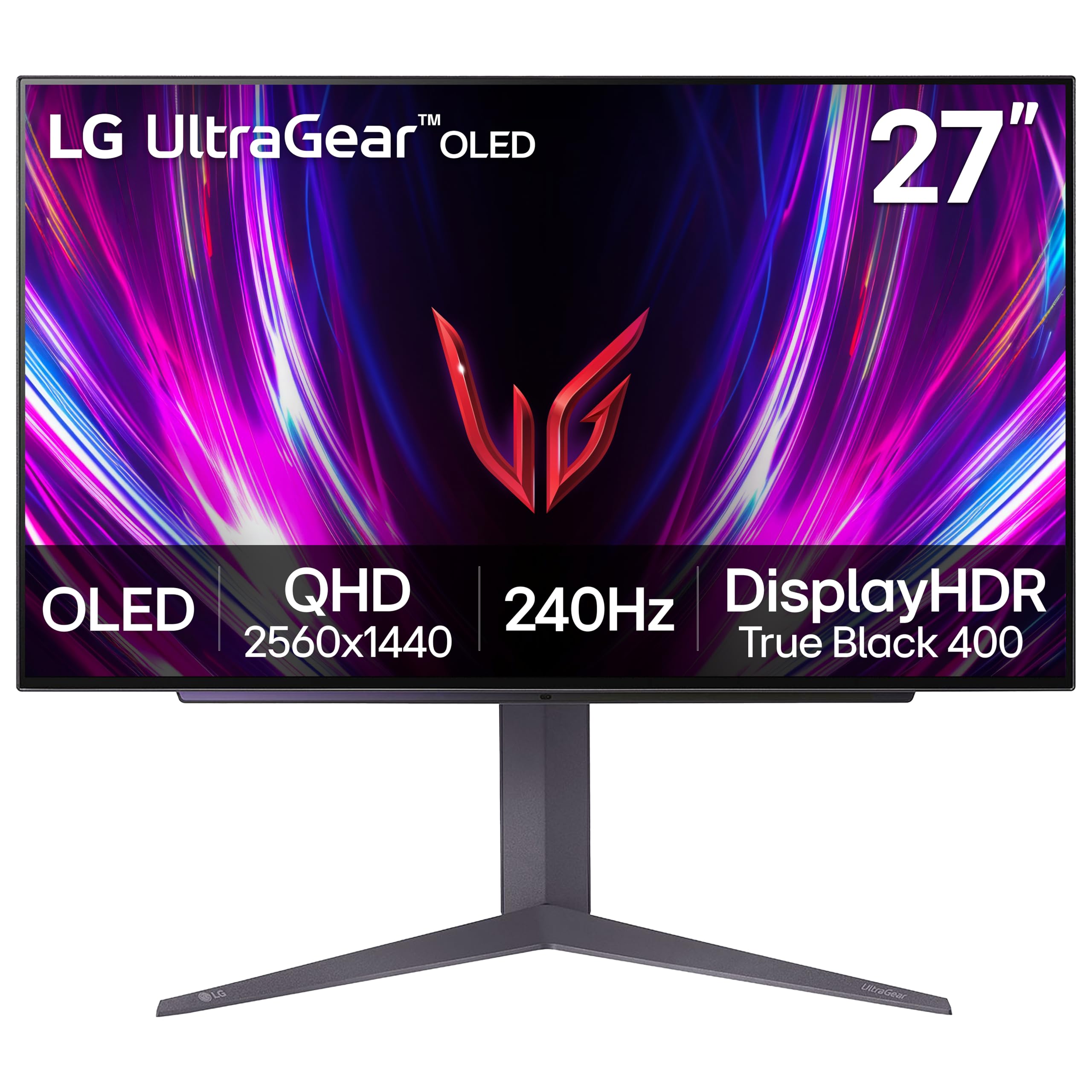
9. LG 27GS93QE 27-inch Ultragear OLED Gaming Monitor
A 240 Hz WOLED that some argue beats QD-OLED in real-world use.
The 27GS93QE uses LG’s WOLED panel technology, which uses white OLED sub-pixels with a color filter. The contrast ratio hits 1.5 million:1, and VESA DisplayHDR True Black 400 ensures deep blacks. The 240 Hz refresh rate with 0.03 ms response time is standard for this tier, but the anti-glare/low-reflection coating is better than many competitors — owners describe it as “near-glossy” without the fuzziness that plague other matte coatings. Color accuracy from the start is impressive, with 98.5% DCI-P3 coverage.
One seasoned owner who tested four different OLED panels concluded this WOLED panel “beats QD-OLED easily” because it delivers true blacks without the purple tint QD-OLEDs can show in bright light, and the matte finish is easy to clean without scratching. The display quality and image quality lead the positive feedback. The brightness is adequate for an OLED (400 nits typical), but some owners find it low compared to mini-LED or high-end QD-OLED options. The stand is fully adjustable with height, tilt, and pivot.
Standout Traits
- WOLED panel with true blacks and no QD-OLED purple tint
- Near-glossy matte finish — excellent clarity with minimal reflection
- 2-year UltraGear OLED warranty
- Fully adjustable stand
Trade-offs
- Typical peak brightness lower than QD-OLED rivals
- Some owners find color accuracy requires calibration out of box
Best for: The buyer who prioritizes accurate blacks and a clean matte-coating over maximum nits, and who prefers WOLED’s behavior in normal room light.
Not for: Anyone seeking the highest HDR brightness — the LG GX700A-B or Samsung G6 will look punchier.
10. MSI PRO MAX 271UPXW12G 27-inch 4K QD-OLED Hub Monitor
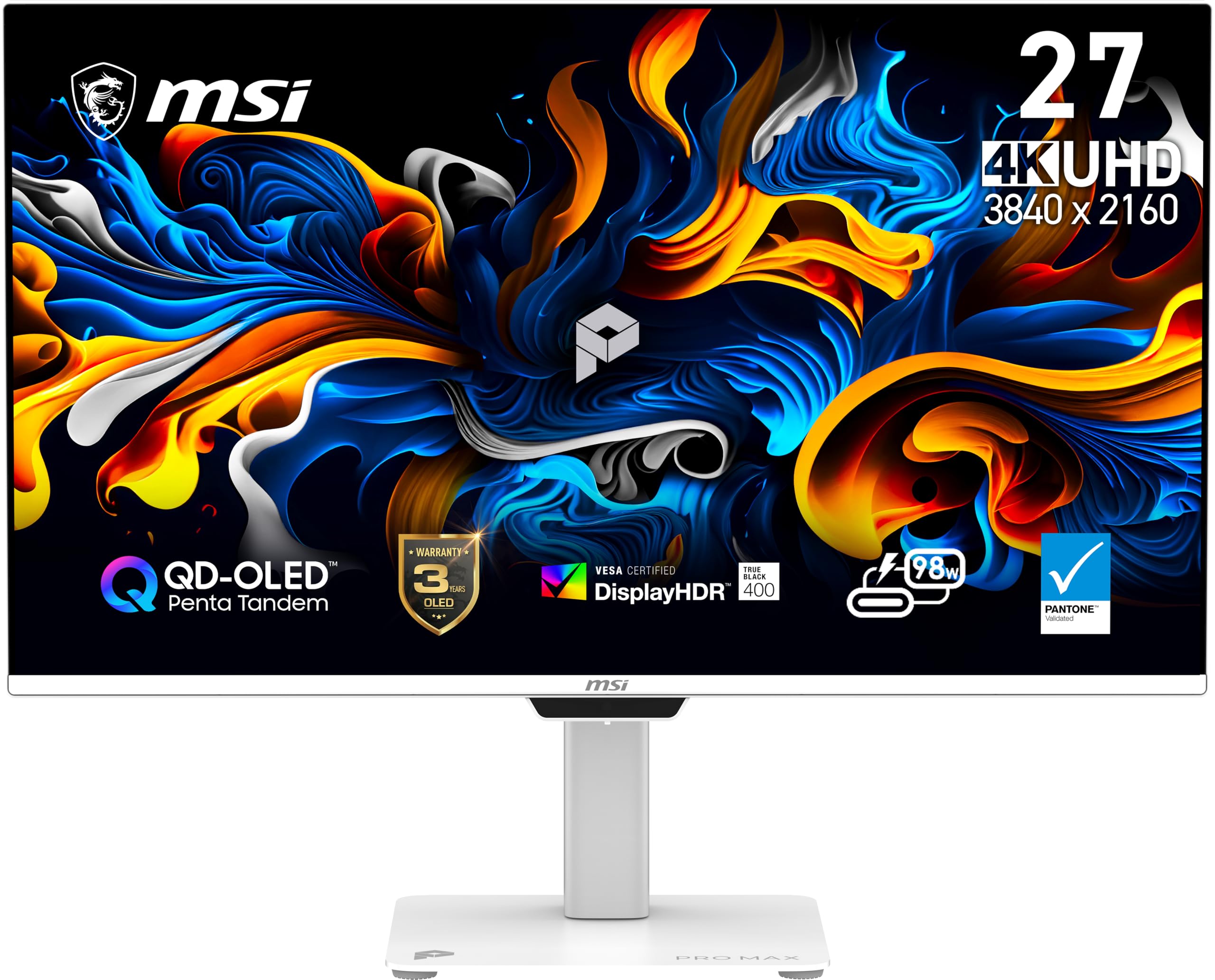
A 4K QD-OLED designed for the MacBook user who also wants smooth 120 Hz gaming.
The PRO MAX series is MSI’s productivity-first line, and this 4K QD-OLED monitor is unusual in its focus on creators rather than pure gamers. The 120 Hz refresh rate is enough for fluid desktop navigation and light gaming, while the 4K resolution (3840 x 2160) delivers 163 PPI — crisp for spreadsheets, code, and design work. It includes a dual USB-C hub with up to 98W power delivery, so you can charge a MacBook Pro with a single cable while sending video. The Delta E < 2 color accuracy and VESA DisplayHDR True Black 400 certification make it suitable for color-graded creative work.
Display quality and color dominate the praise — 216 and 179 mentions respectively — with owners describing the HDR as “breathtakingly beautiful” and noting that dark scenes maintain detail without losing contrast. The MSI Mac Optimization Software supports macOS color synchronization, which is rare for an OLED monitor. Some users report a handshake issue in dual-monitor Mac setups, which is resolved by disabling DSC and locking to DisplayPort input. The 240 Hz variant of this panel is more common, but this 120 Hz version exists specifically for users who value resolution over raw framerate.
The creator’s OLED: Excellent Mac integration, high pixel density, and 98W USB-C charging. The 120 Hz cap is plenty for work and casual play, but esports players will want a faster panel.
Reach for this if: You split your day between productivity (design, coding, office work) and gaming, and want 4K clarity with OLED contrast.
Look elsewhere if: You primarily play competitive shooters — the 240 Hz or 360 Hz options will feel more responsive.
11. Alienware 34 240Hz QD-OLED Curved Gaming Monitor (AW3425DW)

A 34-inch ultrawide QD-OLED that wraps your peripheral vision with a 1800R curve.
The 34-inch 21:9 aspect ratio creates a wider field of view than a standard 16:9 monitor, suited for rich open-world games, flight simulators, and racing titles. The QD-OLED panel delivers a 1,500,000:1 contrast ratio, 1000 nits peak HDR brightness, and VESA DisplayHDR True Black 400 certification. The 240 Hz refresh rate with 0.03 ms response time matches the speed of smaller 16:9 panels, so you do not sacrifice responsiveness for the wider format. DCI-P3 99.3% color coverage and Delta E < 2 accuracy keep colors accurate.
Owners call it a “visual upgrade on the level of a GPU upgrade” — the transition from a VA or IPS panel to QD-OLED on a 34-inch ultrawide is dramatic. Display quality and picture quality are the top aspects, with buyers noting “realistic lights/darks” and “rich curved ultrawide for gaming.” The 1800R curve is subtle enough for productivity but effective for gaming. The main trade-off is aggressive pixel dimming in HDR mid-tones, which some owners work around by using SDR with RTX Dynamic Vibrance. Text fringing is minimal after calibration. The stand includes height, swivel, and tilt adjustment.
Strengths
- 34-inch QD-OLED ultrawide provides class-leading immersion
- 240 Hz + 0.03 ms response time — no speed compromise for the larger size
- 99.3% DCI-P3 and HDR True Black 400
- Fully adjustable stand with cable management
Limitations
- HDR pixel dimming can crush mid-tones; some prefer SDR + Dynamic Vibrance
- Text clarity slightly less sharp than 16:9 alternatives
Best for: The single-monitor gamer who wants maximum immersion for story-driven and sim titles without sacrificing competitive refresh rates.
Not ideal for: Competitive esports players who prefer a smaller, faster 16:9 panel — the ultrawide adds visual weight.
Understanding the Specs
QD-OLED vs WOLED
QD-OLED (Quantum Dot OLED) uses a blue OLED layer that pumps light through quantum dot color converters, producing very high color volume and brightness. WOLED (White OLED) uses white OLED sub-pixels with a color filter — it can have slightly deeper blacks in bright rooms and avoids the purple tint that QD-OLED can exhibit in direct light. Neither is strictly better; choose QD-OLED for color pop and brightness, choose WOLED for consistent blacks in varied lighting.
Refresh Rate and Response Time
Refresh rate (240 Hz, 280 Hz, 360 Hz) determines how many frames the monitor can display per second. Response time (typically 0.03 ms on all OLEDs here) is how fast a pixel changes color — OLED response is so fast that even 120 Hz feels instant. Above 240 Hz, the improvements are real but diminishing; for most gamers, 240 Hz OLED already eliminates perceptible motion blur. The extra 120 Hz matters most in competitive shooters where micro-second tracking helps.
DisplayHDR and Brightness
VESA DisplayHDR True Black certifications (400 and 500) specifically measure how deep the black levels can go and how bright highlights can get. True Black 500 requires higher sustained brightness than 400. Peak brightness on OLED monitors ranges from 400 to 1500 nits depending on window size. A monitor hitting 1500 nits (like the LG 27GX700A-B) will look significantly punchier in a bright room than one at 400 nits, though both deliver the same black-level depth.
Burn-in Prevention Features
OLED pixels degrade over time with static content. Every modern OLED monitor includes a pixel refresh cycle (runs during standby) and logo/taskbar detection that dims static elements. Advanced cooling systems (custom heatsinks, heat pipes) reduce the core temperature that accelerates degradation. A warranty that explicitly covers burn-in (ASUS and Alienware offer 3-year burn-in coverage) is the best protection — it means the manufacturer is confident enough in their technology to back it financially.
FAQ
Can I use a 240 Hz OLED monitor for office work without burn-in risk?
Do I need HDMI 2.1 for a 360 Hz OLED monitor?
Is a glossy or matte OLEDbetter for a bright room?
How much GPU power do I need to run a 4K 120 Hz OLED monitor?
What is the difference between the ASUS XG27ACDNG and the XG27AQDMG?
Does the Alienware AW3425DW support G-Sync?
What does VESA DisplayHDR True Black 400 mean for an OLED monitor?
Should I get a 34-inch ultrawide or a 27-inch 16:9 OLED for gaming?
How long do OLED gaming monitors typically last before burn-in appears?
Can I use a console (PS5 or Xbox Series X) with a 360 Hz OLED monitor?
Final Thoughts: The Verdict
Across the board, the 120 hz oled monitor winner is the ASUS ROG Strix XG27ACDNG because it combines the highest available refresh rate (360 Hz), a QD-OLED panel with proven burn-in protection, and a 3-year warranty covering burn-in — at a price that is competitive with slower options. If you want the absolute best HDR brightness, grab the LG 27GX700A-B, which reaches 1500 nits with its 4th Gen OLED. And for a 4K desktop that handles productivity and gaming equally well, the MSI PRO MAX 271UPXW12G offers 4K clarity, 120 Hz fluidity, and a USB-C hub that charges a MacBook at 98W. Every pick here brings OLED’s perfect blacks and instant response — your choice depends entirely on whether you prioritize speed, brightness, or pixel density.
How We Picked
We do not accept paid placement. Every pick is matched to a real buyer and a real use-case; we do not hands-on test units.
Sources & Methodology
Specifications: manufacturer listings and product documentation. Review insights: verified customer reviews, as of July 2026. Pricing: not shown on this page (it changes often); check the current price via the retailer link.
As an Amazon Associate, Gadgets Feed earns from qualifying purchases. This does not affect which products we feature.