
The difference between a 60Hz portable monitor and a 120Hz portable monitor isn’t subtle—it’s the difference between dragging your mouse through mud and slicing through butter. For gamers, video editors, and multitaskers, that refresh rate directly translates to reduced eye strain, smoother cursor movement, and a genuine competitive edge in fast-paced titles. But not every 120 Hz panel delivers the same fluidity, color accuracy, or connectivity.
I’m Min — the co-founder and writer behind Gadgets Feed. I’ve spent countless hours cross-referencing panel types, resolution tiers, brightness specs, and real-world customer feedback to isolate which portable 120Hz screens actually deliver on their promise without cutting corners on build quality or portability.
After analyzing dozens of models across the – range, I’ve narrowed the field to the nine monitors that earn their place in any serious buyer’s shortlist for the best 120 hz portable monitor.
How To Choose The Best 120 Hz Portable Monitor
Selecting the right 120 Hz portable monitor means balancing refresh rate guarantees against resolution, panel technology, connectivity compatibility, and physical footprint. A 120Hz refresh rate is only half the equation—the other half is whether your device can actually drive that refresh rate at the monitor’s native resolution over a single USB-C cable.
Refresh Rate vs. Resolution Tradeoff
A 120 Hz panel at 1080p is relatively easy for most modern laptops and handhelds to drive, but a 120Hz 2K or 3K screen demands significantly more bandwidth. Many monitors achieve 120Hz only via USB-C (DisplayPort Alt Mode) and drop to 100Hz or 60Hz over HDMI. If you plan to use the monitor with a gaming console that only supports 120Hz over HDMI, verify the compatibility matrix before buying.
Panel Technology and Brightness
IPS panels dominate the portable monitor space for their wide viewing angles and decent color accuracy, but QLED panels offer better contrast and a wider color gamut (100% DCI-P3 or higher), while OLED delivers true blacks and infinite contrast at a premium price. Brightness matters—look for 400 nits minimum if you work in well-lit rooms, and 500 nits or more if you frequently use the monitor near windows or outdoors.
Connectivity and Power Delivery
Most 120 Hz portable monitors require a dedicated power adapter to sustain high brightness and high refresh simultaneously. A single USB-C cable can carry video and power, but many laptops’ USB-C ports max out at 15W—insufficient for a 120Hz panel at full brightness. Monitors with 30W or higher pass-through charging let you power both the monitor and your laptop from a single wall outlet.
Quick Comparison
On smaller screens, swipe sideways to see the full table.
| Model | Category | Best For | Key Spec | Amazon |
|---|---|---|---|---|
| SOTSU FlipAction Pro 16″ Gen 2 | Premium | Mac & PC Creatives | 2560×1600 / 120Hz / 100% DCI-P3 | Amazon |
| UPERFECT OLED 14″ | Premium | Color-Critical Work | 2880×1800 / 120Hz / 500,000:1 Contrast | Amazon |
| Magedok 16″ 4K OLED | Premium | Highest Resolution | 3840×2400 / 100% DCI-P3 / OLED | Amazon |
| UPERFECT 18″ QLED | Mid-Range | Xbox Series X Gaming | 2560×1600 / 144Hz / 100% DCI-P3 | Amazon |
| InnoView 18.5″ 2K | Mid-Range | High-Refresh Multi-Tasking | 2560×1600 / Up to 260Hz / 16:10 | Amazon |
| VisionOwl 18.5″ 2K QHD | Mid-Range | All-Day Brightness | 2560×1440 / 120Hz / 500 Nits | Amazon |
| cocopar 18.5″ 2K QHD | Mid-Range | Travel-Friendly Clarity | 2560×1440 / 120Hz / 500 Nits | Amazon |
| EVICIV 18.5″ Touch | Budget | Touch-Enabled Workflows | 1920×1080 / 120Hz / 10-Point Touch | Amazon |
| KTC MEGAPAD 25″ | Budget | Standalone Android Media | 1920×1080 / 60Hz / Android 14 | Amazon |
In‑Depth Reviews
1. SOTSU FlipAction Pro 16″ Gen 2
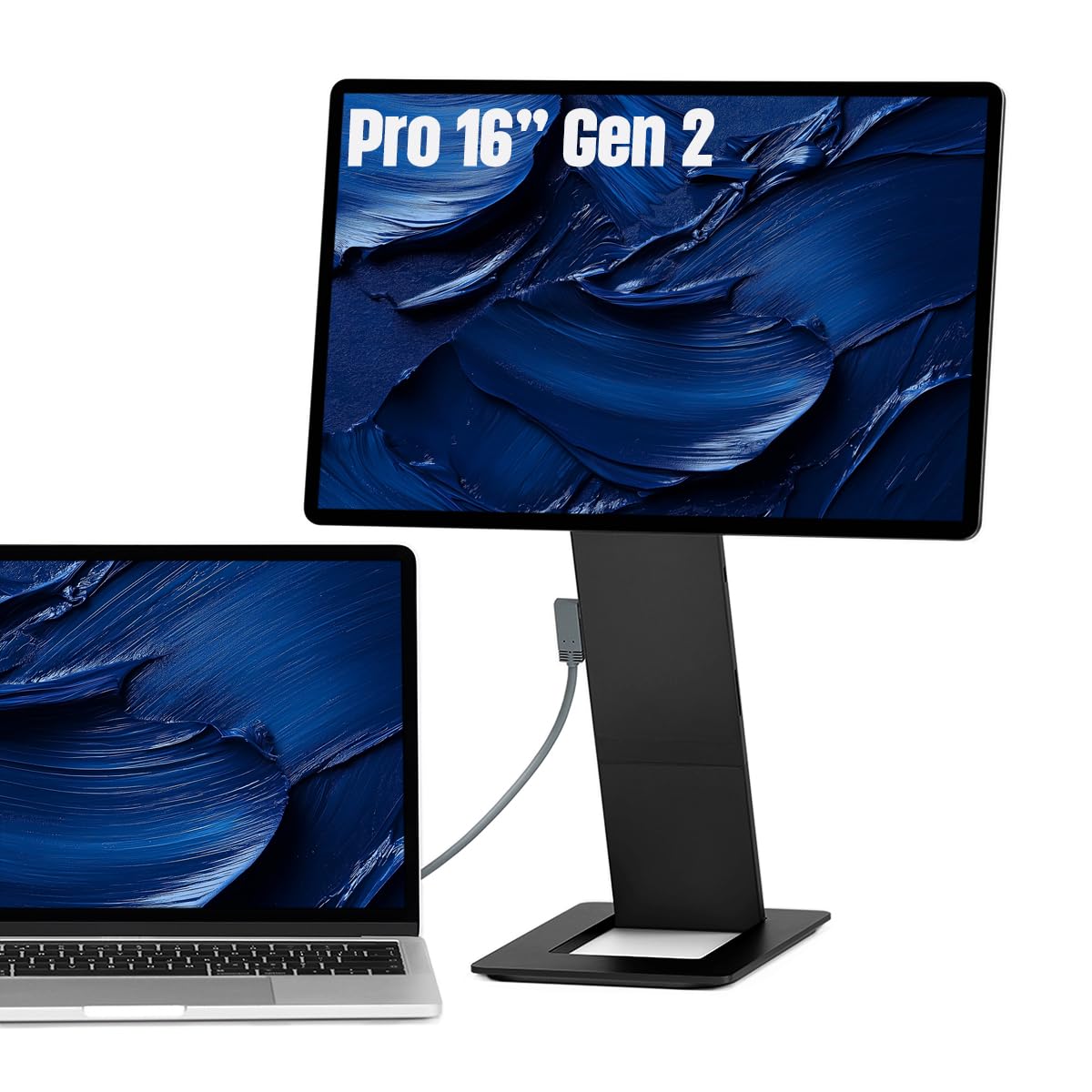
The SOTSU FlipAction Pro Gen 2 is the most thoughtfully engineered portable monitor I’ve evaluated. Its full-metal CNC chassis, height-adjustable pivot hinge, and magnetic kickstand that flattens to half an inch set a new benchmark for build quality. The 2560×1600 IPS panel delivers 120Hz fluidity with 100% DCI-P3 coverage, making it equally suitable for grading video and browsing spreadsheets.
Where the SOTSU truly differentiates itself is in its integrated SD card slot, pass-through charging, and daisy-chain MST support—features you won’t find on any other portable 120Hz display. The control wheel and on-screen menu feel intuitive, and the glossy screen produces excellent perceived contrast. Note that macOS users will benefit from third-party HiDPI scaling tools like BetterDisplay to get the most out of the native 1600p resolution.
This monitor is priced at a premium tier, but for professionals who value portability, adjustability, and color accuracy, it justifies every dollar. The included case is thin—pair it with a padded sleeve for daily travel—but the flip stand mechanism itself is rock-solid and repeatable.
Why it’s great
- CNC-machined aluminum chassis with height-adjustable pivot
- Packs flat to 0.5 inches with magnetic kickstand
- SD card slot integrated into stand, pass-through charging, MST daisy-chain support
Good to know
- No built-in speakers—plan for external audio
- Requires BetterDisplay app for ideal macOS HiDPI scaling
- Thin included protective case
2. UPERFECT OLED Portable Monitor 14″
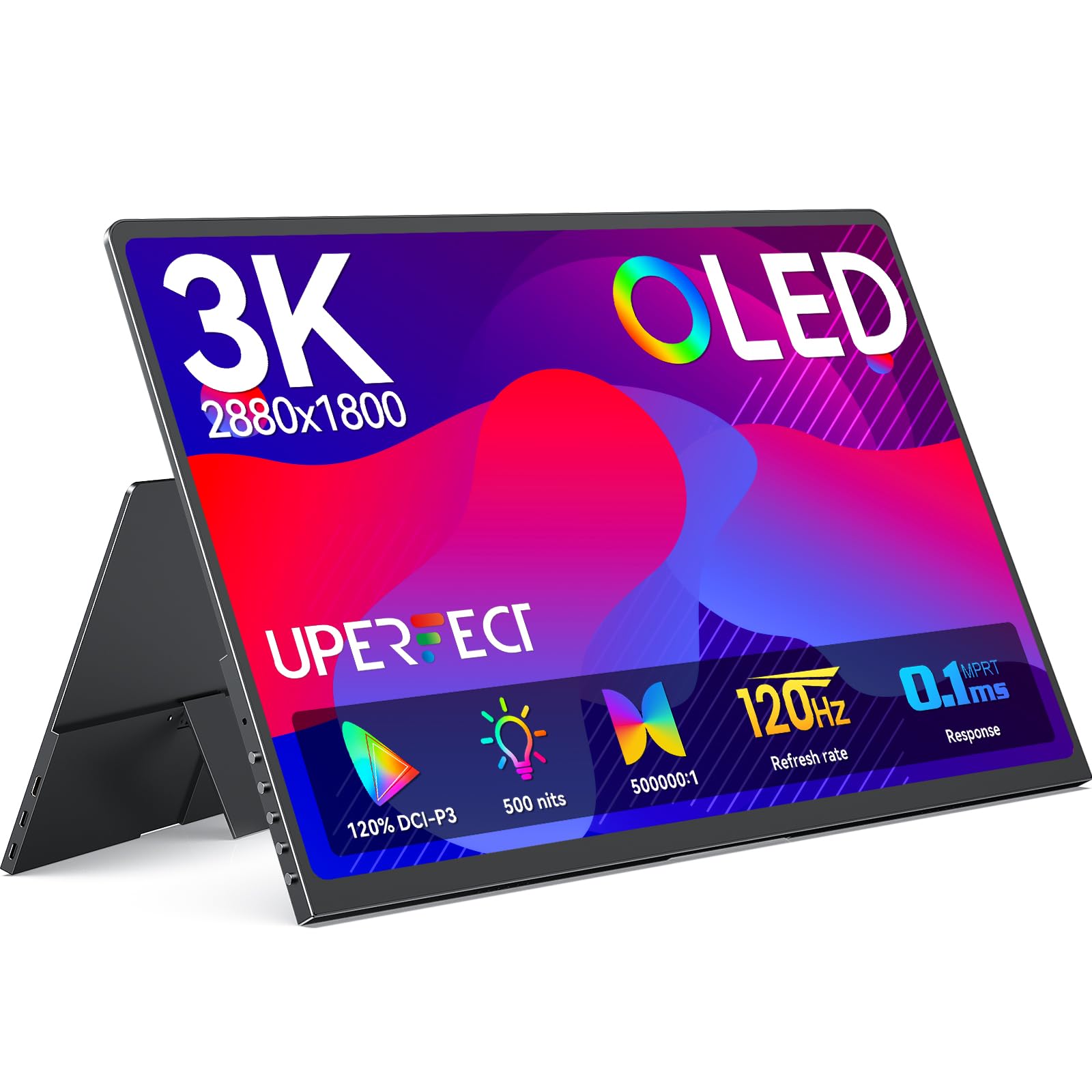
At just 1.29 pounds and 0.12 inches at its slimmest point, the UPERFECT OLED 14″ is the lightest 120Hz portable monitor I’ve seen that doesn’t compromise on image quality. The 2880×1800 3K OLED panel produces a 5,000,000:1 contrast ratio and 120% DCI-P3 coverage, rendering blacks that look turned-off and highlights that punch well above the 500-nit peak brightness rating.
The 0.1ms response time eliminates any perceptible ghosting, making this monitor an exceptional companion for fast-paced gaming on a handheld PC or laptop. Over USB-C, the panel runs full 120Hz at 3K resolution; over mini HDMI, it drops to 100Hz at the same resolution. The full-metal build and 90-degree adjustable stand give it a premium feel that matches the high price point.
It requires external power—your laptop’s USB-C port alone won’t sustain 120Hz at 500 nits. Some early units exhibited coil whine, but the brand’s customer service has been responsive with replacements. The built-in speakers are adequate for casual use but lack low end.
Why it’s great
- True OLED blacks with 500,000:1 contrast ratio
- Extremely light (1.29 lbs) and thin (0.12 in)
- 120Hz at full 3K resolution over USB-C
Good to know
- Requires dedicated power adapter for full brightness
- Coil whine reported in some units
- Speakers are mediocre
3. Magedok 16″ 4K OLED Portable Monitor

The Magedok 16″ delivers the highest pixel density in this roundup with a 3840×2400 4K OLED panel that packs 283 PPI. Text rendering is razor-sharp, and the 100% DCI-P3 coverage with Delta E < 1 color accuracy makes it a credible reference monitor for photography and video work on the go. The Samsung AMOLED E4 backplane ensures vibrant colors and true blacks without the halo effect common on IPS panels.
The 16:10 aspect ratio provides 10% more vertical screen real estate than 16:9, which is a tangible benefit for document editing and web browsing. The metal body and adjustable kickstand feel sturdy, and the 75x75mm VESA mount compatibility allows for desk arm mounting. Connectivity includes mini DP, USB-C, and standard HDMI, covering most modern devices.
At 400 nits, brightness is adequate for indoor use but falls short of the 500-nit competition in bright ambient light. Some users have reported green dots appearing after extended use, so verify the warranty terms before purchase. The glossy OLED screen is stunning but reflective under direct light.
Why it’s great
- 4K OLED with 283 PPI and Delta E < 1 accuracy
- 16:10 ratio gives 10% more vertical workspace
- VESA mountable with sturdy metal build
Good to know
- 400 nits less bright outdoors than 500-nit competitors
- Green dot defect reported in rare cases
- Glossy screen creates reflections in bright rooms
4. UPERFECT 18″ QLED Portable Monitor

The UPERFECT 18″ QLED strikes an impressive balance between price, performance, and panel quality. The 2560×1600 QLED panel covers 100% DCI-P3 and delivers 144Hz at 2K—exceeding the 120Hz target. QLED technology provides noticeably better contrast and color vibrancy than typical IPS portable monitors, with deep blacks and no backlight bleed.
This monitor is particularly strong for Xbox Series X users, as it supports 1440p 120Hz with FreeSync over HDMI, a rare combination in the portable monitor space. The 16:10 aspect ratio works well for coding and document reading, and the 400-nit brightness is sufficient for most indoor environments. The included 30W power adapter and smart cover case add to the out-of-box value.
Some users report achieving only 120Hz instead of the advertised 144Hz depending on cable and source device. The control button interface is less intuitive than a wheel, and the speakers are serviceable but thin. For the price, this is the best all-rounder for someone who wants high refresh and good color without stepping into OLED territory.
Why it’s great
- QLED panel with 100% DCI-P3 and 2000:1 contrast
- 1440p 120Hz with FreeSync on Xbox Series X
- Includes 30W charger, case, and cables
Good to know
- Some sources limited to 120Hz instead of 144Hz
- Control button finicky to navigate
- Barrel of the monitor can get warm after extended use
5. InnoView 18.5″ 2K Portable Gaming Monitor
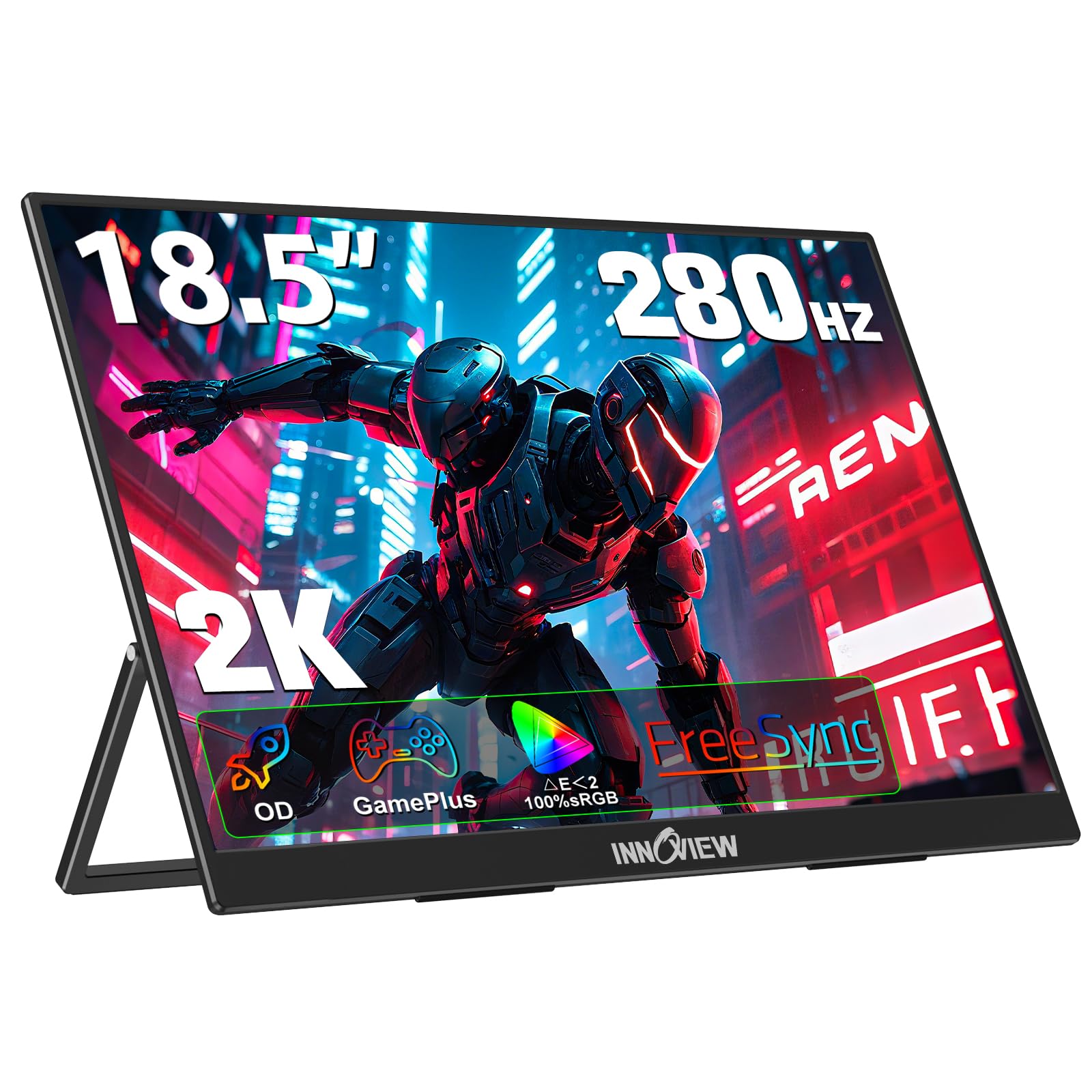
The InnoView 18.5″ 2K monitor pushes refresh rate boundaries with support up to 260Hz, making it the highest-frequency portable monitor in this selection. While most users will run it at 120Hz or 144Hz, the headroom for overdrive means motion clarity is exceptional even at lower refresh rates. The 2560×1600 resolution at 16:10 provides 33% more screen area than a typical 15.6-inch 16:9 monitor, which is a significant productivity upgrade.
The metal stand is thick and non-slip, and the GamePlus feature adds customizable crosshairs and FPS mode for competitive gaming. Over USB-C, the monitor delivers full brightness and 120Hz with a single cable; the overshoot is minimal, and FreeSync works reliably to eliminate tearing. The 2000:1 contrast ratio is higher than typical IPS, giving dark scenes more depth.
Compatibility can be finicky—some users report blank screens when connecting via HDMI to Steam Deck or ROG Ally X docks. Speakers are mediocre, and the HDR mode is not viable for serious color work. For raw refresh rate performance and screen real estate, this monitor is hard to beat in the mid-range tier.
Why it’s great
- Up to 260Hz with OD acceleration and FreeSync
- 16:10 2K display offers 33% more space than 15.6-inch
- Thick, non-slip metal stand with VESA mount
Good to know
- HDMI compatibility issues with some handheld gaming PCs
- HDR mode not color-accurate
- Speakers are mediocre
6. VisionOwl 18.5″ 2K QHD Portable Monitor
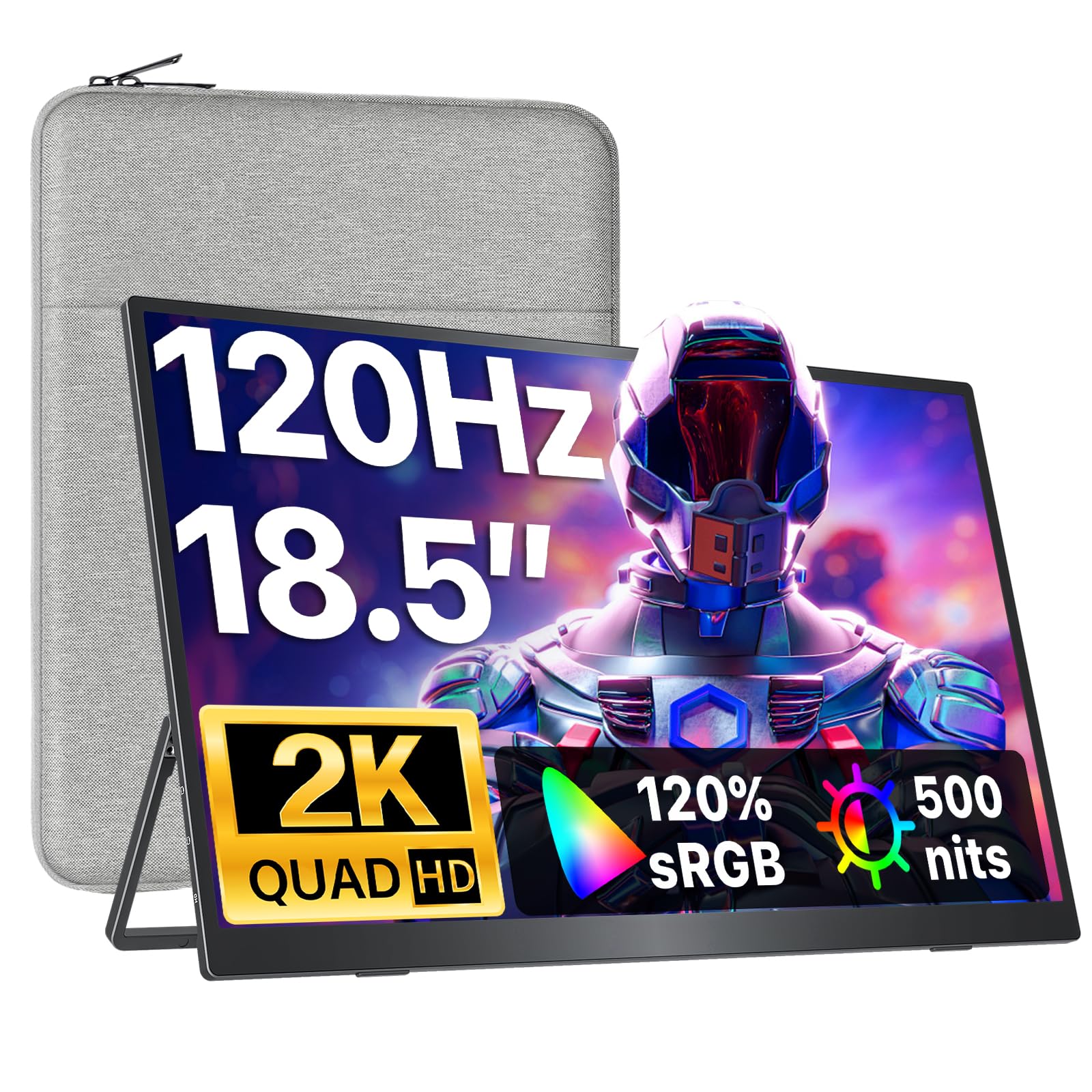
The VisionOwl 18.5″ stands out for its 500-nit peak brightness and premium anti-glare matte finish, a combination that makes it the most comfortable portable monitor for extended use in bright rooms or near windows. The 2560×1440 2K QHD resolution combined with a 120Hz refresh rate and 120% sRGB coverage delivers crisp visuals with minimal eye strain thanks to the flicker-free backlight.
The smart plug-and-play feature locks the display at a battery-friendly 300 nits over single USB-C, but connecting the included power adapter unlocks the full 500 nits for maximum visibility. The build quality is excellent—a durable metal backplate provides superior heat dissipation versus plastic competitors. The magnetic sleeve case doubles as a stand, and the VESA 75×75 compatibility adds desk mounting flexibility.
The internal speakers are passable for system sounds but lack bass for media consumption. The anti-glare coating slightly reduces perceived sharpness compared to glossy panels, but for productivity work under varied lighting, this is a welcome tradeoff. The package includes every cable and adapter you need out of the box.
Why it’s great
- 500 nits peak brightness with anti-glare matte finish
- Smart 300-nit single-cable mode saves laptop battery
- Metal backplate for efficient heat dissipation
Good to know
- Max brightness requires included power adapter
- Speakers lack low-end audio
- Anti-glare coating slightly softens text sharpness
7. cocopar 18.5″ 2K QHD Portable Monitor
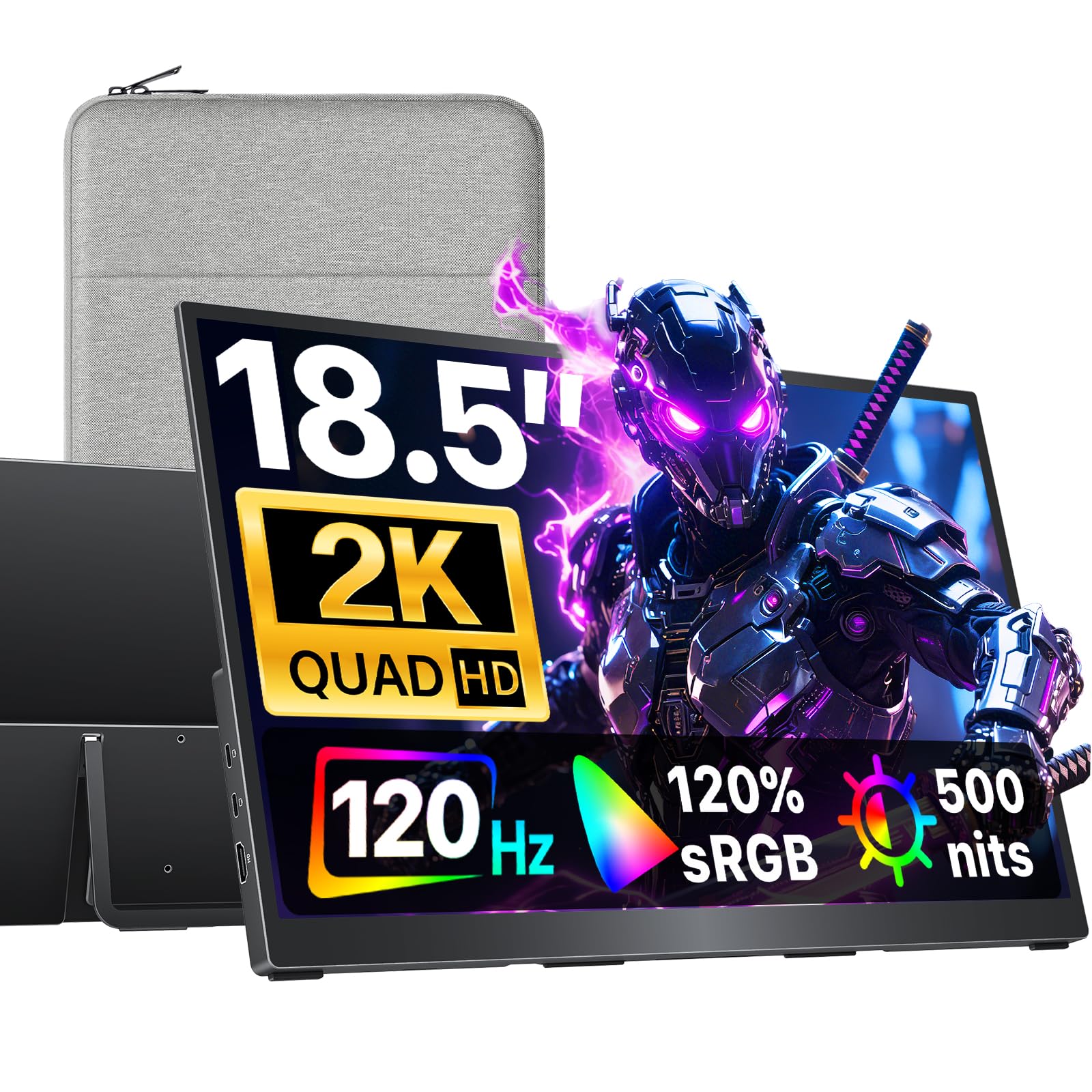
The cocopar 18.5″ is a slim, travel-focused 2K 120Hz monitor that shares many of the same core specs as the VisionOwl but in a slightly lighter chassis at 2.48 pounds. The 2560×1440 QHD resolution and 500-nit brightness deliver excellent clarity and visibility, while the 120Hz refresh ensures smooth scrolling and gaming performance. The 120% sRGB color gamut provides vibrant, accurate colors for photo editing and media consumption.
The built-in kickstand with 75x75mm VESA support gives you flexibility to use it on a desk or mount it to an arm, and the ultra-slim 0.25-inch profile slides easily into most laptop bags. Dual USB-C ports and a standard HDMI port cover compatibility with laptops, MacBooks, mini PCs, and gaming consoles. Single-cable USB-C plug-and-play works with Thunderbolt 3/4/5 or DP Alt Mode devices.
Users consistently praise the plug-and-play simplicity with MacBook Pro, and the included padded protective cover adds confidence for travel. The internal speakers are adequate but not impressive, and the built-in kickstand, while convenient, isn’t as stable as more elaborate hinge systems on higher-end models.
Why it’s great
- Ultra-slim 0.25-inch profile at 2.48 lbs
- 500 nits brightness for outdoor-adjacent use
- VESA mountable with built-in kickstand
Good to know
- Kickstand less stable than premium hinge designs
- Speakers are thin for media playback
- Requires DP Alt Mode for single-cable video+power
8. EVICIV 18.5″ Portable Monitor Touchscreen
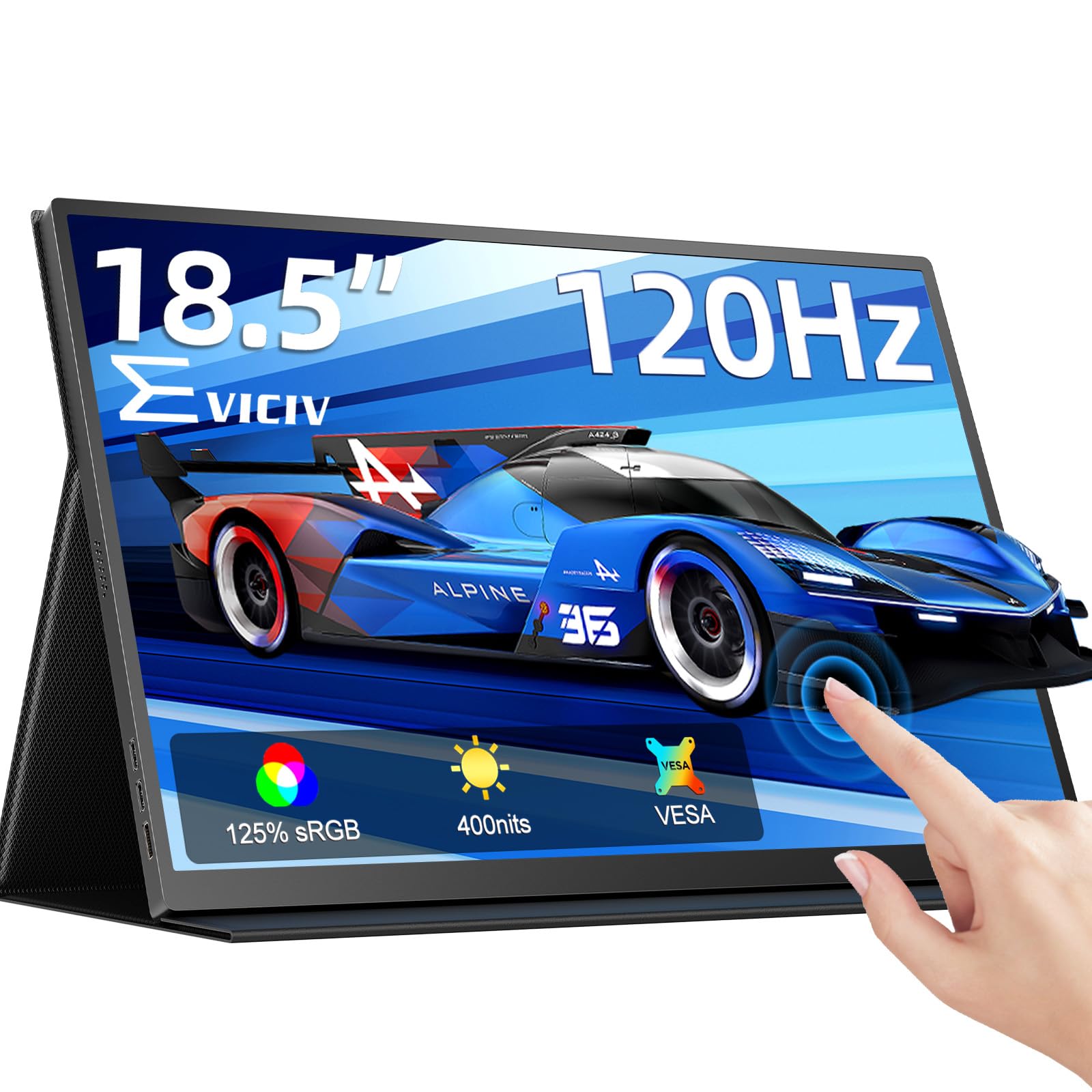
The EVICIV 18.5″ is the only 10-point touchscreen monitor in this lineup, and it delivers that functionality at a budget-friendly entry point without sacrificing the 120Hz refresh rate. The 1080p IPS panel reaches 400 nits brightness and 125% sRGB coverage, producing a vibrant image that works well for both productivity and casual gaming. The ultra-clear glossy glass screen provides a smooth touch experience with minimal fingerprint retention.
Where this monitor shines is flexibility: it includes standard 75x75mm VESA holes, a protective smart cover, and compatibility with Windows touch input (note: macOS and iPadOS support is limited—2-touch on the latter). Users report excellent results as a secondary monitor for Raspberry Pi projects, ROG Ally setups, and dual-screen desktop configurations. The built-in speakers and blue light filter add practical value for extended sessions.
The 1080p resolution is a downgrade from 2K models, and the glossy screen can be reflective under direct light. Some users note that touch functionality can be flaky when used as a secondary display—it may register inputs as if it were the primary monitor. The built-in kickstand is adequate but not as robust as premium options.
Why it’s great
- 10-point capacitive touchscreen at 120Hz
- 125% sRGB and 400 nits for a budget price
- VESA mount ready with smart protective cover
Good to know
- 1080p resolution is lower than 2K competitors
- Touch input can behave as primary monitor
- Glossy screen reflects ambient light
9. KTC 25″ MEGAPAD Portable TV Touchscreen
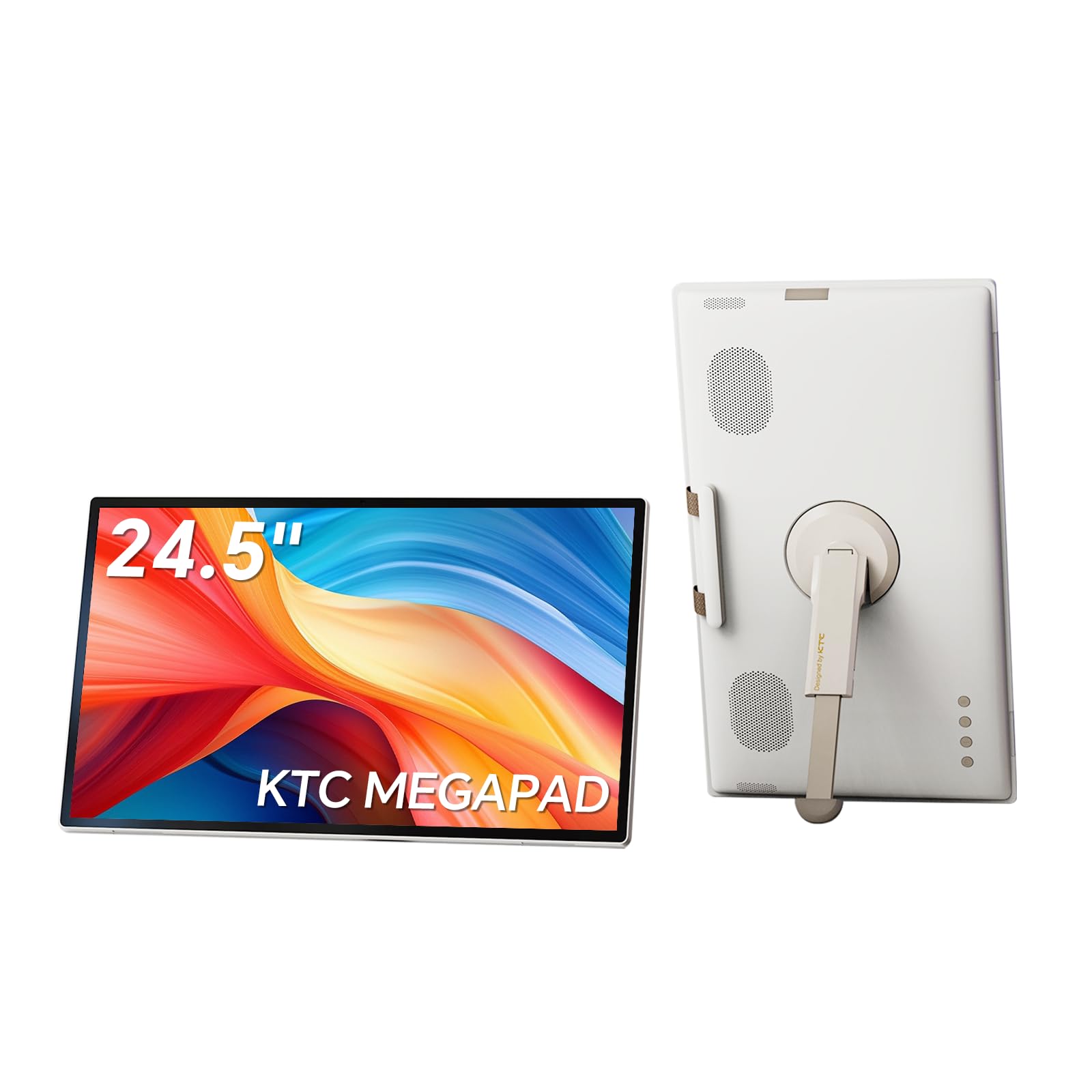
The KTC MEGAPAD is a fundamentally different device from the other monitors in this roundup: it’s a 25-inch Android 14 smart display with Google EDLA certification, a 5000mAh built-in battery, an 8MP camera, and remote control. Rather than function as a pure external monitor, it operates as a self-contained entertainment and productivity tablet with 1080p resolution at 60Hz.
This device is best suited for camping, travel, or as a bedside media viewer where a standalone Android experience is more valuable than high-refresh-rate gaming. The 10-point touchscreen runs Netflix, YouTube, and Hulu natively via Google Play, and the four built-in speakers (2x8W + 2x4W) produce surprisingly robust audio. The 6-8 hour battery life covers a full movie marathon or workday.
Note that it operates at 60Hz, not 120Hz, and the 400-nit IPS panel lacks the motion clarity of high-refresh alternatives. The remote control range is limited, and at 25 inches, this is the least portable screen in the selection. For anyone needing a true 120Hz portable monitor for gaming or productivity, this isn’t the right fit—but for standalone Android media consumption, it’s uniquely capable.
Why it’s great
- Standalone Android 14 with Google Play and Netflix
- Built-in 5000mAh battery for 6-8 hours of use
- Four speakers and 8MP camera for video calls
Good to know
- 60Hz refresh rate—not a 120Hz gaming monitor
- 25-inch size is large for portable carry
- Remote range is short
FAQ
Can I run a 120Hz portable monitor over a single USB-C cable?
Will a 120Hz portable monitor work with my PS5 or Xbox Series X at 120Hz?
Does 120Hz drain the battery of my laptop faster?
Final Thoughts: The Verdict
For most users, the best 120 hz portable monitor winner is the SOTSU FlipAction Pro Gen 2 because it combines a stunning 2.5K 120Hz panel, full-metal CNC build quality, and genuinely useful extras like an SD card slot and pass-through charging. If you want true OLED contrast and an ultra-light frame, grab the UPERFECT 14″ OLED. And for the best price-to-performance ratio with excellent color and 144Hz capability, nothing beats the UPERFECT 18″ QLED.