
For creative professionals, data scientists, and power users running memory-intensive applications, hitting the 128GB memory ceiling is no longer a luxury—it’s a necessity for sustained workflow stability. Whether you’re rendering complex 3D scenes, hosting multiple virtual machines, or processing massive datasets in memory, a 128 GB RAM upgrade transforms your system’s ability to handle concurrent heavy loads without page file thrashing.
I’m Min — the co-founder and writer behind Gadgets Feed. I have spent hundreds of hours analyzing memory specifications, reviewing kit compatibility across modern desktop and server platforms, and studying real-user benchmarks to separate marketing claims from tangible performance gains in the high-capacity DIMM market.
This guide evaluates nine kits spanning DDR4 ECC server memory, laptop SODIMMs, and the latest DDR5 desktop modules to help you find the best 128 gb ram for your specific build and budget.
How To Choose The Best 128 GB RAM
Choosing the right 128GB kit requires understanding your motherboard’s memory topology, CPU memory controller limits, and whether error correction matters for your workload. A kit that delivers peak stability in a Ryzen workstation may refuse to boot in a dual-socket server, so compatibility must come first.
DIMM Form Factor and Module Count
Desktop DIMMs (288-pin) are standard for ATX and mATX builds, while SO-DIMMs (260-pin) fit laptops and mini PCs. For a 128GB target, you can choose a 2x64GB kit (leaving two slots free for future expansion) or a 4x32GB kit (filling all slots). Modern DDR5 platforms favor 2x64GB because running four dual-rank DIMMs often forces the memory controller to downclock from the rated speed to maintain stability.
ECC vs. Non-ECC: When It Matters
Unbuffered ECC (UDIMM) memory detects and corrects single-bit memory errors—critical for data integrity during long renders, scientific computing, or 24/7 server operation. Consumer desktop CPUs from AMD (Ryzen Pro, some standard Ryzens) and Intel (Xeon W, some Core i9s) support ECC with appropriate motherboards, but typical gaming boards do not. Registered ECC (RDIMM) is reserved for workstation and server platforms like Dell Precision, HP Z-series, and AMD EPYC. Non-ECC memory is perfectly stable for gaming and general productivity, but if your data set cannot tolerate even a single flipped bit, ECC is non-negotiable.
Speed and Latency Trade-Offs
DDR4 kits at 2666–3200 MHz remain the most affordable route to 128GB, with CAS latency ranging from CL19 to CL22. DDR5 kits start at 4800 MHz and climb to 6000+ MT/s but carry a significant premium. Higher frequency reduces transfer latency for large sequential reads and writes, while tighter CAS latency (lower number) improves random access response. In memory-bound workloads like in-memory databases or large compile jobs, the throughput gain from DDR5-6000 over DDR4-3200 can approach 50%, but the cost per gigabyte nearly doubles.
Quick Comparison
On smaller screens, swipe sideways to see the full table.
| Model | Category | Best For | Key Spec | Amazon |
|---|---|---|---|---|
| G.SKILL Flare X5 128GB DDR5 | DDR5 | High-end desktop & gaming | 6000 MT/s, CL34 | Amazon |
| Kingston FURY Beast RGB 128GB DDR5 | DDR5 | RGB gaming builds | 5600 MT/s, CL36 | Amazon |
| Crucial 128GB DDR5 Laptop Kit | DDR5 SODIMM | Laptop upgrade | 5600 MHz, CL46 | Amazon |
| OWC 128GB DDR4 ECC UDIMM | DDR4 ECC | Workstation stability | 3200 MHz, CL22, ECC | Amazon |
| NEMIX RAM 128GB DDR4 ECC UDIMM | DDR4 ECC | Server/workstation value | 3200 MHz, CL22, ECC | Amazon |
| Timetec 128GB DDR4 SODIMM | DDR4 SODIMM | Laptop multitasking | 3200 MHz, CL22 | Amazon |
| A-Tech 128GB DDR4 UDIMM | DDR4 Desktop | Budget desktop upgrade | 2666 MHz, CL19 | Amazon |
| NVTEK 128GB DDR4 UDIMM | DDR4 Desktop | General purpose desktop | 2666 MHz, CL19 | Amazon |
| Samsung 128GB DDR4 RDIMM | DDR4 RDIMM Server | Dell PowerEdge / Precision | 2666 MHz, Registered | Amazon |
In‑Depth Reviews
1. G.SKILL Flare X5 Series 128GB (2x64GB) DDR5 6000 MT/s

The G.SKILL Flare X5 Series represents one of the highest-density DDR5 kits on the consumer market, delivering a full 128GB across just two 64GB modules running at 6000 MT/s with a tight CL34 primary latency. This 2x64GB configuration avoids the memory controller strain that often plagues four-module kits at high frequencies, making it a stable choice for AMD AM5 and Intel LGA1700/1851 platforms that support 64GB DIMMs. The kit supports both AMD EXPO and Intel XMP 3.0 profiles for one-click overclocking.
Benchmarks from real users running this kit on X870 and Z890 motherboards report reliable operation at the rated 6000 MT/s after applying the latest BIOS revision. The tighter CL34 timing, combined with a 1.35V operating voltage, delivers superior latency performance compared to typical DDR5-5600 CL46 kits, especially noticeable in memory-sensitive workloads like video encoding and large spreadsheet operations. The matte black heat spreader keeps temperatures in check during prolonged rendering sessions without interfering with large CPU air coolers.
Compatibility is the primary caveat—motherboards must ship with a BIOS dated 2025 or newer that explicitly supports 64GB DDR5 modules. Mixing this kit with another 2x64GB set is not recommended due to memory controller limitations. For users building a new high-end workstation or gaming rig that demands massive memory bandwidth and capacity, this kit is currently the performance ceiling for consumer DDR5.
Why it’s great
- Industry-leading 6000 MT/s at CL34 in a 2x64GB format
- Supports both AMD EXPO and Intel XMP 3.0 for easy overclocking
- Low 1.35V operating voltage keeps thermal output manageable
Good to know
- Requires latest motherboard BIOS for 64GB DIMM support
- Premium price tier—significantly more expensive than DDR4 alternatives
- Not recommended for use in 4-slot configurations
2. Kingston FURY Beast RGB 128GB (2x64GB) DDR5 5600 MT/s

The Kingston FURY Beast RGB combines a striking 128GB capacity with customizable LED lighting and solid DDR5-5600 performance. Using the same 2x64GB module layout, this kit runs at 5600 MT/s with a CL36 latency and supports both Intel XMP 3.0 and AMD EXPO, ensuring broad compatibility with modern desktop platforms. Kingston’s patented Infrared Sync Technology keeps the RGB lighting synchronized across modules without additional software overhead.
Real-world reports from users pairing this kit with the Ryzen 9800X3D highlight immediate boot stability and full speed recognition at 5600 MT/s. The dual-rank DIMMs are well-suited for memory-intensive multitasking, such as running multiple virtual machines or handling large Adobe Creative Suite projects. The heat spreader has been redesigned for DDR5 to improve heat dissipation, and the modules remain stable even during extended stress testing.
The primary trade-off is the moderate frequency—5600 MT/s is half the theoretical ceiling of DDR5, and the CL36 timing is not as tight as G.SKILL’s CL34 offering. However, for users who prioritize aesthetics and require a drop-in 128GB solution without BIOS headaches, this kit delivers reliable daily performance. The RGB integration works seamlessly with major motherboard ecosystems.
Why it’s great
- Stunning customizable RGB lighting with sync technology
- Compatiable with both XMP 3.0 and AMD EXPO out of the box
- 2x64GB design offers easy drop-in upgrade potential
Good to know
- 5600 MT/s is slower than competing 6000 MT/s kits
- CL36 latency is average for DDR5 at this frequency
- Premium price point similar to higher-clocked alternatives
3. Crucial 128GB (2x64GB) DDR5 5600 MHz Laptop Memory Kit
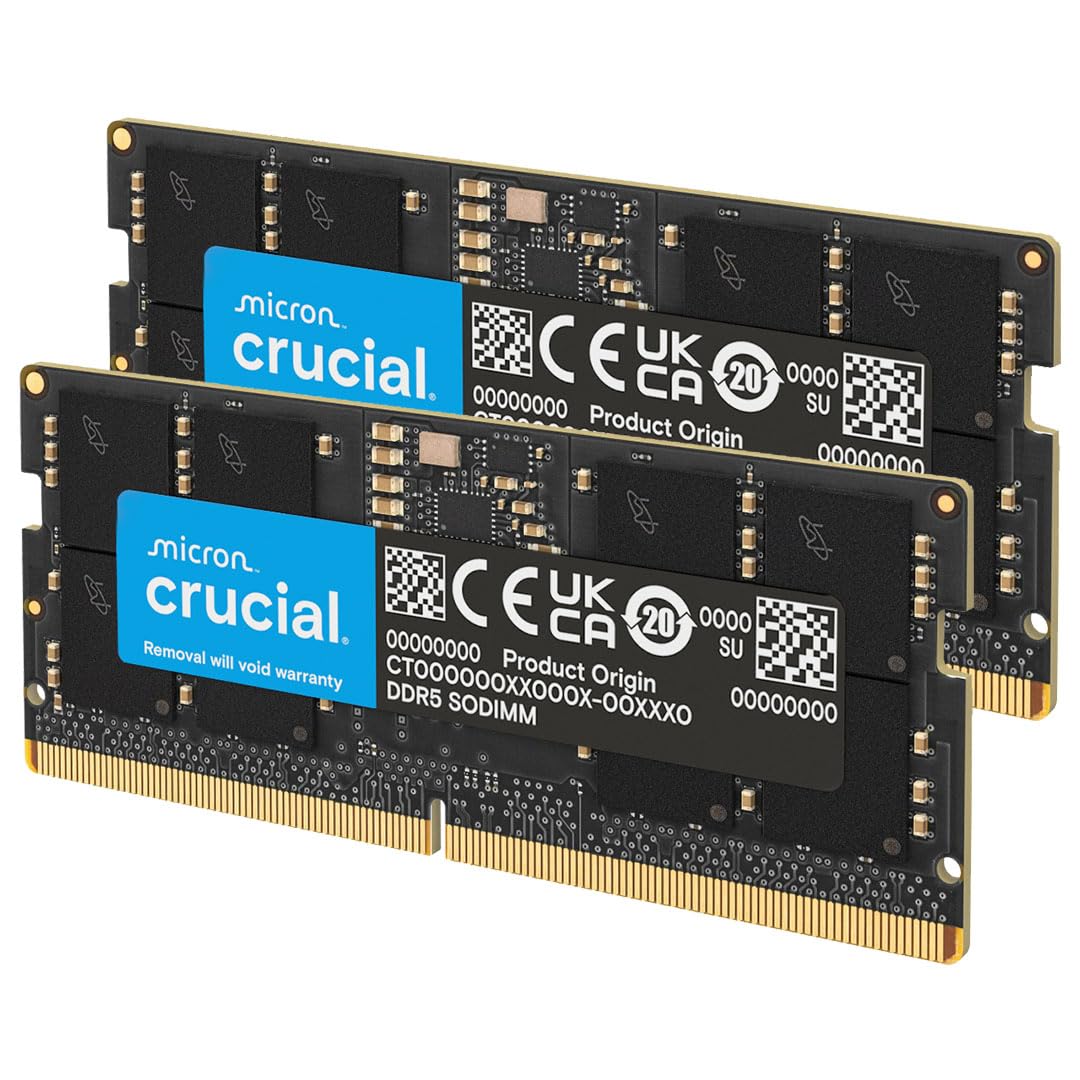
The Crucial 128GB DDR5 SODIMM kit is one of the few laptop memory upgrades that pushes portable workstations to the 128GB ceiling. Built around two 64GB modules running at 5600 MHz with JEDEC-standard CL46 timings, this kit is designed for the latest Intel Core Ultra and AMD Ryzen 8000 mobile processors. The 262-pin SODIMM form factor fits most modern gaming laptops, mobile workstations, and high-end mini PCs that support 64GB per slot.
Customer reviews consistently report immediate detection at full speed—the kit auto-negotiates to the highest supported frequency, downclocking to 5200 or 4800 MHz only if the system’s memory controller cannot handle 5600 MHz. Users upgrading from 16GB or 32GB configurations note dramatic improvements in multitasking fluidity when running large coding environments, multiple virtual machines, or 4K video editing alongside background processes. The modules run cool thanks to Micron’s efficient chip design, and the install process is as straightforward as any SODIMM swap.
The main limitation is the relatively high CAS latency of CL46, which means the kit trades some responsiveness for high density and capacity. It’s also significantly more expensive than a comparable DDR4 laptop kit, limiting its appeal to users who genuinely benefit from the bandwidth of DDR5. Nonetheless, for anyone pushing a portable workstation to its memory capacity limits, this kit is the most reliable option available.
Why it’s great
- Massive 128GB capacity in a laptop-compatible SODIMM format
- Auto-negotiates to 5600 MHz on compatible Intel/AMD platforms
- Manufactured by Micron—one of three global DRAM makers—ensuring reliability
Good to know
- CL46 latency is high compared to desktop DDR5 alternatives
- Most laptops will downclock to 5200 or 4800 MHz
- Premium pricing reflects the density and mobile form factor
4. OWC 128GB (4x32GB) DDR4 3200 MHz ECC UDIMM
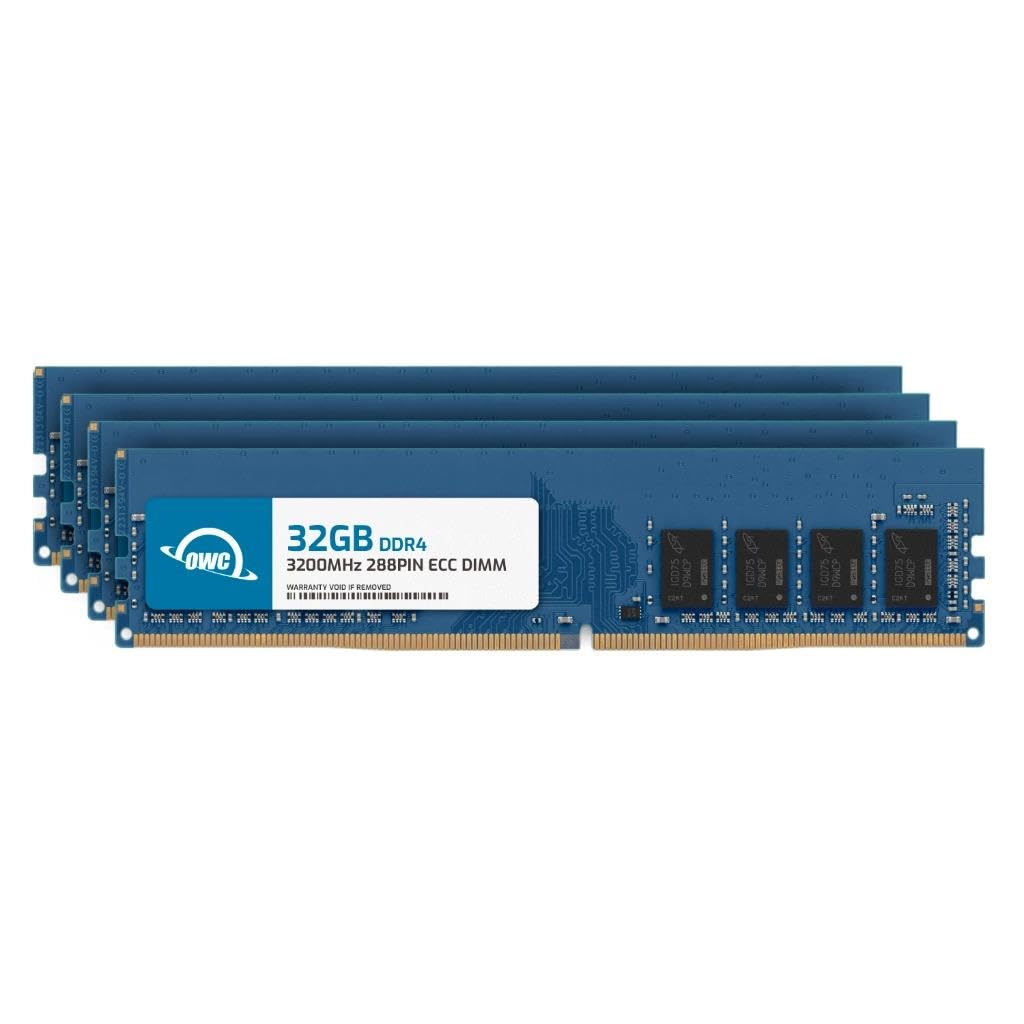
The OWC 128GB DDR4 ECC kit is engineered for professionals who require single-bit error correction on consumer-adjacent workstation platforms. This set of four 32GB UDIMMs operates at 3200 MHz with CL22 timings at 1.2V, and is fully compliant with JEDEC standards, making it a safe choice for systems that list Samsung, Micron, or Hynix ECC memory in their QVL. Compatibility spans Dell Precision, HP Z-series, ThinkStation, and AMD Ryzen Pro platforms.
Real-world validation from Ryzen 5950X users on Gigabyte X570 and ASUS Pro WS X570 boards confirms stable operation at 3200 MHz with ECC functionality enabled. One detailed user report passed a 48-hour Memtest session with ECC correcting induced errors, demonstrating the integrity advantage of this kit over non-ECC memory. The 4x32GB configuration fills all four DIMM slots, which can stress the memory controller on some boards, but OWC’s matching process ensures uniform performance across modules.
The most significant concern reported by a subset of users is a higher-than-expected failure rate—one user experienced multiple dead modules across four separate kits. While OWC offers a limited lifetime warranty and advanced replacement program, the QA inconsistency is worth noting for mission-critical deployments. Overall, when the kit works, it delivers exactly what workstation users need: capacity, speed, and bit-level error protection.
Why it’s great
- Buffered ECC detection and correction for data integrity
- Full 3200 MHz speed on compatible boards with XMP/EXPO disabled
- Lifetime warranty and advanced replacement program from OWC
Good to know
- Some batches reported dead modules requiring RMA
- 4x32GB configuration can stress the memory controller
- Packaging did not clearly indicate ECC type in all shipments
5. NEMIX RAM 128GB (4x32GB) DDR4 3200 MHz ECC UDIMM

NEMIX RAM offers a compelling value proposition for users who need 128GB of ECC memory without paying a premium for a recognized brand name. This 4x32GB UDIMM kit runs at 3200 MHz with CL22 timings and is advertised for blade servers, rack servers, and workstation platforms. Several users on ASUS AM4 motherboards with Ryzen 5800X and 5900X CPUs reported that the system auto-detected ECC functionality after enabling the appropriate BIOS setting under AMD CBS.
The main strength of this kit is its price point relative to other ECC options—it consistently comes in lower than competing kits of the same density and speed. The modules lack heat spreaders, which is standard for enterprise memory and helps with airflow in server chassis. Users running ASRock Rack motherboards reported particularly good compatibility, with 32GB sticks recognized instantly where other brands failed.
However, there are notable stability concerns. One user reported persistent ECC errors in syslog leading to kernel panics, while another found the memory was detected at only 2133 MHz and would not boot at the advertised 3200 MHz without crashing. The PCB color is green rather than the black shown in product images, which matters for windowed builds. For budget-conscious workstation builders who are willing to test and potentially downclock, this kit offers decent value, but reliability is inconsistent.
Why it’s great
- Competitive price per gigabyte for ECC DDR4 memory
- Works with ECC support on select AM4 consumer motherboards
- Recognized on ASRock Rack server motherboards
Good to know
- Some modules fail to reach rated 3200 MHz speed
- Reports of ECC errors and system instability on certain boards
- Green PCB differs from advertised appearance
6. Timetec 128GB (4x32GB) DDR4 3200 MHz SODIMM
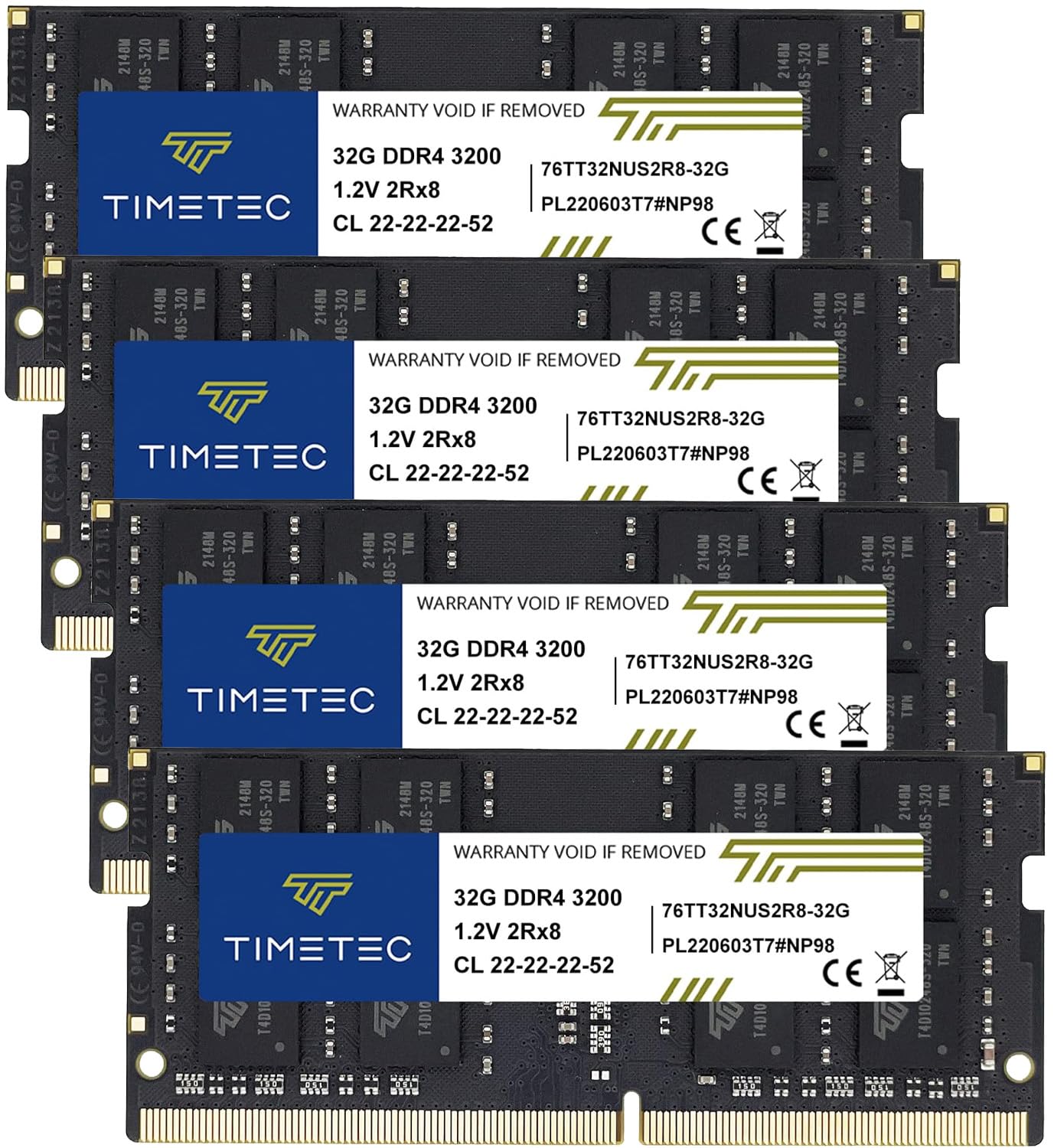
The Timetec 128GB DDR4 SODIMM kit is an excellent option for upgrading older high-end laptops, mini PCs, and all-in-one systems that still rely on DDR4-3200 memory. This kit consists of four 32GB modules running at 3200 MHz with CL22 timings, though the speed will downclock to 2933 or 2666 MHz if the platform’s memory controller does not support the full frequency. The 260-pin SODIMM form factor fits a wide range of Intel and AMD mobile systems.
User feedback consistently highlights the ease of installation and immediate post-boot recognition. Dell G15 laptop owners reported a five-minute swap that resulted in flawless operation at 3200 MHz with no BIOS tweaking required. The dual-rank 2Rx8 configuration ensures the memory controller is fully utilized, delivering better throughput than single-rank alternatives. For users running memory-hungry applications on a DDR4 laptop—such as large MATLAB simulations or Docker containers—this kit provides a dramatic capacity upgrade.
The primary drawback is the scarcity of laptops that actually support 64GB per SODIMM slot. Most mobile platforms max out at 32GB per slot, meaning you need a system with four physical SODIMM slots or one that explicitly supports 64GB modules in its documentation. Additionally, DDR4 is now a mature platform, so users building from scratch should consider DDR5 for better upgrade longevity. Timetec covers this kit with a lifetime warranty and US-based tech support.
Why it’s great
- Highest DDR4 laptop capacity at 3200 MHz in a matched quad kit
- Plug-and-play installation with immediate detection on compatible systems
- Lifetime warranty and free technical support included
Good to know
- Requires laptop with four SSDMM slots or 64GB-per-slot support
- Will downclock on platforms with older memory controllers
- DDR4 is less future-proof than DDR5 for new builds
7. A-Tech 128GB (4x32GB) DDR4 2666 MHz UDIMM

A-Tech’s 128GB DDR4 kit offers one of the most accessible entry points into 128GB capacity for desktop users who do not require ECC support or bleeding-edge speeds. This set of four 32GB UDIMMs runs at 2666 MHz with CL19 timings at the standard 1.2V JEDEC voltage. The modules are non-ECC unbuffered DIMMs compatible with standard desktop motherboards that accept DDR4, making them a straightforward upgrade for older Intel LGA1151 or AMD AM4 platforms.
Real-world feedback highlights the dramatic performance improvement for users previously running 8GB or 12GB configurations, particularly those whose systems were thrashing under Windows memory pressure. One Dell Inspiron 3880 user upgraded from 12GB to 16GB (using two of these modules) and reported a 40% performance improvement, noting the elimination of page file thrashing while running 45 browser tabs, LibreOffice, and media applications simultaneously. The modules are easy to install and remain thermally manageable.
The compromise is the fixed 2666 MHz speed, which is significantly slower than DDR4-3200 kits and noticeably behind DDR5 offerings. Also, while the CL19 latency is decent for 2666 MHz, the slower transfer rate means this kit is best suited for productivity and multitasking rather than memory-bandwidth-sensitive workloads like integrated graphics or heavy data analysis. The lifetime warranty adds peace of mind for a budget-oriented purchase.
Why it’s great
- Budget-friendly entry into 128GB desktop capacity
- CL19 latency is tight for DDR4-2666
- Easy plug-and-play installation with lifetime warranty
Good to know
- 2666 MHz is slower than typical 3200 MHz desktop memory
- Non-ECC design lacks error correction for mission-critical work
- 4x32GB configuration consumes all DIMM slots
8. NVTEK 128GB (4x32GB) DDR4 2666 MHz UDIMM
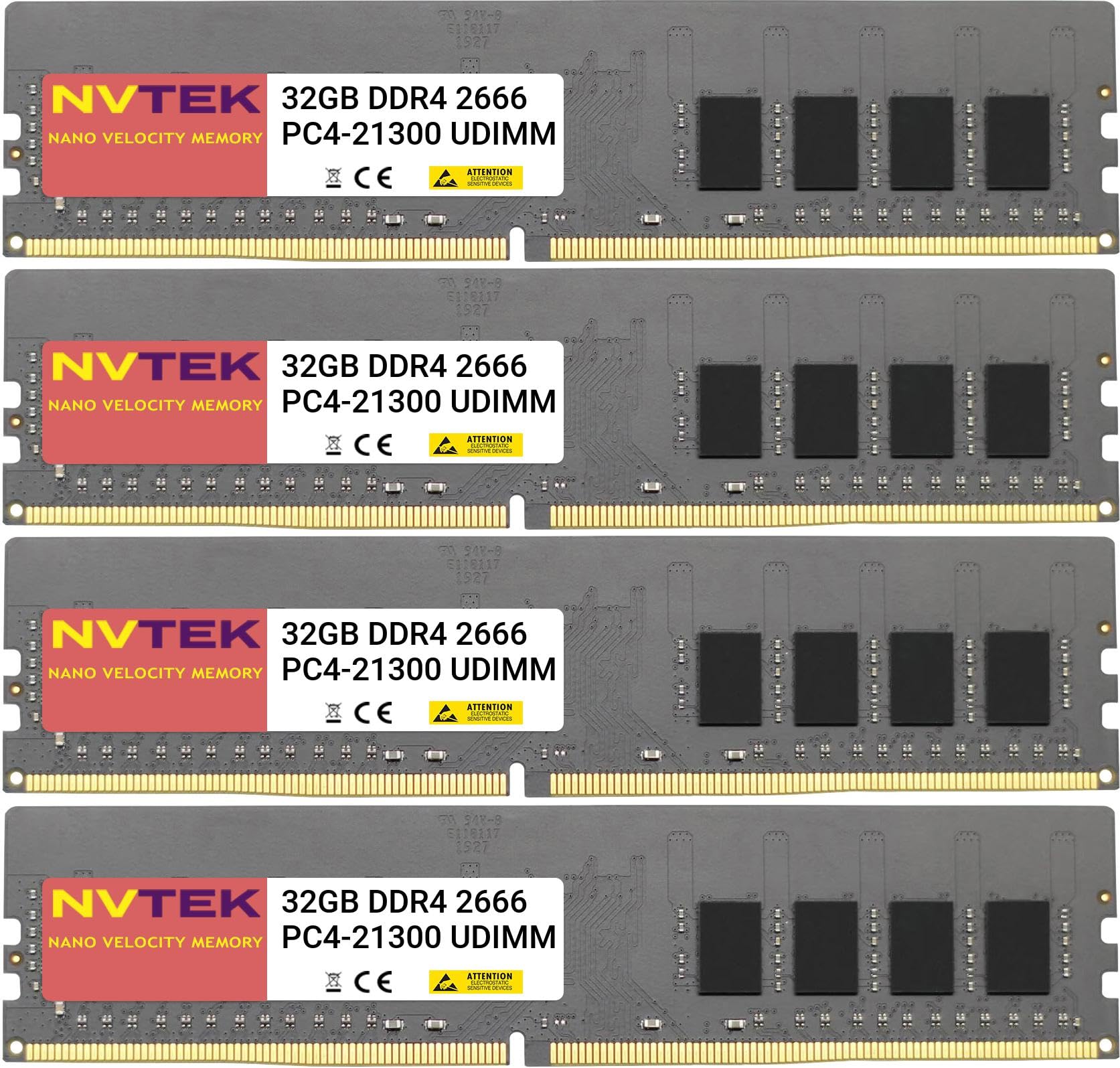
The NVTEK 128GB kit provides another solid DDR4-2666 option for desktop users who prioritize compatibility and cost over raw frequency. This 4x32GB UDIMM set runs at 2666 MHz with CL19 timings and is explicitly compatible with major brand desktop motherboards, including Dell, HP, Lenovo, and standard DIY builds. The modules use major brand DRAM chipsets and are individually tested before packaging, with NVTEK backing the purchase with a lifetime replacement warranty.
Reports from Dell Aurora R8 users confirm the kit was detected immediately in BIOS and ran stable at the rated speed alongside existing Crucial modules. A user moving from 16GB to this kit described a noticeable improvement in system responsiveness, with no hanging or crashing after Windows re-detected the new memory. The 1.2V operating voltage keeps heat generation low, and the DIMMs fit comfortably under standard CPU coolers.
The primary limitation is the same as any 2666 MHz kit—the memory bandwidth is 21.3 GB/s per channel, roughly 25% slower than DDR4-3200. This speed deficit matters for workloads that stream large datasets, but for general multitasking, office applications, and light content creation, the difference is often imperceptible. NVTEK positions this as a value upgrade, making it a strong choice for users with older platforms that lock memory speed to 2666 MHz regardless of the module.
Why it’s great
- Broad compatibility with OEM and custom desktop builds
- Lifetime replacement warranty with US-based tech support
- Immediate BIOS detection on most platforms
Good to know
- 2666 MHz speed caps memory bandwidth vs. higher-clocked kits
- CL19 latency is standard but not exceptional
- Non-ECC—no error correction for server workloads
9. Samsung 128GB (4x32GB) DDR4 2666 MHz RDIMM Server Memory Bundle

The Samsung 128GB RDIMM bundle is purpose-built for enterprise servers and workstations that require registered ECC memory. This kit includes four Samsung M393A4K40CB2-CTD 32GB modules running at 2666 MHz with a registered buffer that reduces electrical load on the memory controller, allowing for stable operation in multi-DIMM configurations. The 288-pin RDIMM form factor is required by platforms like Dell PowerEdge, Dell Precision (Xeon-based), and HP ProLiant servers.
First-hand reports from Dell Precision 5820 and R730xd owners confirm this memory works at full 2666 MHz with ECC protection enabled. The modules appear brand new and are genuine Samsung-manufactured in China. One Precision 5820 user running SolidWorks CAD and gaming in VMs reported that the full 128GB provided ample headroom for both workloads running concurrently. The matching set ensures all four modules are identical, which is essential for systems that require identical DIMMs in all populated slots.
The critical warning that surfaces repeatedly from reviews is that these are server modules—they will not work in standard desktop motherboards that require unbuffered DDR4. A user explicitly noted ordering this kit by mistake and discovering it is incompatible with consumer PCs. Additionally, Xeon-based systems are notoriously picky about memory configuration; the modules must all be the same size, ranked identically, and installed in the correct slot order. Verify your server or workstation’s memory QVL before purchasing this bundle.
Why it’s great
- Genuine Samsung modules with registered ECC for enterprise reliability
- Full 2666 MHz performance validated on Dell Precision and PowerEdge systems
- Matched set ensures identical DIMMs for strict server QVL requirements
Good to know
- RDIMM format is incompatible with standard desktop motherboards
- Xeon/EPIC platforms require careful slot configuration
- Registered memory adds latency vs. unbuffered DIMMs
FAQ
Can I mix 128GB DDR4 and DDR5 modules in the same motherboard?
Will 128GB of RAM slow down my system because of memory training?
Do I need to enable XMP or EXPO for a 128GB kit to run at its rated speed?
Final Thoughts: The Verdict
For most users, the 128 gb ram winner is the G.SKILL Flare X5 128GB DDR5 because it combines the highest available speed (6000 MT/s), tight CL34 latency, and a future-proof 2x64GB design that leaves upgrade slots open. If you want ECC error protection for a pro workstation, grab the OWC 128GB DDR4 ECC UDIMM. And for the best laptop upgrade path, nothing beats the Crucial 128GB DDR5 SODIMM kit.