
Our readers keep the lights on and my morning glass full of iced black tea. As an Amazon Associate, I earn from qualifying purchases.
Specs are compiled from manufacturer listings and verified buyer reviews and can change over time — please confirm the key details on the product page before buying.
Replacing a sluggish old hard drive with a 128GB SSD is the single cheapest way to make a five-year-old computer feel new again. You get faster booting, quicker app launches, and a machine that doesn’t leave you waiting every time you click. The catch is that not every SSD delivers the same reliability — some run for years without a hiccup, while others can fail within months — so picking the right one saves you both time and frustration.
I’m Min — the founder and writer behind Gadgets Feed. This guide is built by comparing the manufacturers’ published specifications and the patterns across verified customer reviews, so you get each pick’s real strengths and trade-offs instead of marketing spin.
Whether you’re upgrading an aging laptop or building a light desktop, here’s your straight-to-the-practical 128gb ssd drive shortlist — seven confirmed options ranked by real-world performance and owner satisfaction.
Our Picks at a Glance


How To Choose The Best 128GB SSD Drive
A 128GB SSD is a purpose-built part — big enough for an operating system and essential programs, but not for a media library. Choosing wisely means matching the right interface and endurance to what your computer supports.
Form Factor First: 2.5-inch or M.2
Most older laptops and desktops accept a 2.5-inch SATA drive that slides into a standard bay and connects with a SATA cable and power. Ultra-thin laptops and newer builds often use an M.2 stick that plugs directly into a slot on the motherboard. Check your device’s manual — putting a SATA M.2 drive into an NVMe-only slot won’t work, and vice versa.
Interface Speed: SATA III vs NVMe
SATA III tops out around 550 MB/s, which is still a massive leap from a mechanical hard drive. NVMe over PCIe Gen 3 can reach over 1000 MB/s, making it noticeably snappier for heavy workloads. Most 128GB drives are SATA-based because NVMe tends to start at higher capacities, but a few NVMe options exist in this segment for a slight premium.
Endurance and Longevity
Manufacturers quote endurance in Total Bytes Written (TBW). A 60TBW rating on a 128GB drive means you could fully rewrite the drive roughly 480 times before the cells degrade. Higher TBW numbers suggest a longer useful life, especially if the drive will handle constant writes as a system scratch disk.
Quick Comparison
| Model | Best For | Form Factor | Read Speed | Write Speed | Amazon |
|---|---|---|---|---|---|
| Lexar NS100★ Best Overall | Reliable long-term upgrade | 2.5-inch SATA | 520 MB/s | — | Amazon |
| fanxiang S101Budget Champion | Value-minded replacement | 2.5-inch SATA | 500 MB/s | — | Amazon |
| Vansuny SATA IIISolid Starter | Budget OS drive | 2.5-inch SATA | 450 MB/s | 330 MB/s | Amazon |
| RAOYI SATA III | PS3 / camera base storage | 2.5-inch SATA | 450 MB/s | 350 MB/s | Amazon |
| Silicon Power Ace A55 | Boot drive for servers / VMs | 2.5-inch SATA | 500 MB/s | — | Amazon |
| Timetec Pinnacle | M.2 SATA laptop upgrade | M.2 2280 SATA | 550 MB/s | 500 MB/s | Amazon |
| fanxiang S201 | Older motherboard M.2 slot | M.2 2280 SATA | 550 MB/s | 420 MB/s | Amazon |
| Ediloca EN680E | NVMe speed on a budget | M.2 2280 NVMe | 1130 MB/s | 400 MB/s | Amazon |
| Transcend MTS830 | Mission-critical reliability | M.2 2280 SATA | 560 MB/s | 520 MB/s | Amazon |
In‑Depth Reviews
1. Lexar NS100 128GB
Our pick — over 4.5★ from 9,000+ verified ratings; the strongest balance of quality and price.
Three years of heavy use and still running — the definition of set-and-forget reliability.
The Lexar NS100 hits sequential reads of 520 MB/s, which is right at the ceiling for a SATA III drive and more than enough to make an old laptop feel snappy. Owners consistently mention that boot times and application loads improve dramatically, and the drive runs cool even under continuous load — one buyer ran it in a NAS 24/7 holding photos and music without a single hiccup. The 60TBW endurance rating means you have over four hundred full rewrites before the NAND starts degrading, which is solid for a SATA drive in this class.
What really stands out is the long-term track record. Crowd favorite with nearly ten thousand owners, the consensus is that this drive just works — the performance and value for money are praised most often. It is slightly behind the fanxiang S101 on raw speed (520 MB/s vs 500 MB/s, a 4% advantage), but the Lexar edges ahead on endurance and overall feedback.
What owners love
- True “boot and forget” — performs like new after years of daily use
- Runs cool and quiet, no moving parts to fail
- Simple install with standard mounting points
What to know
- Some units have shown failure within six months, though far from the majority
- The plastic enclosure feels less premium than metal-cased alternatives
Reach for this if: you want the safest bet for a daily-driver laptop or desktop upgrade — the one with a proven track record.
Think twice if: you need a secondary scratch disk for constant rewrites; the 60TBW is average, not exceptional.
2. fanxiang S101 128GB
The price-to-performance ratio that makes you question why anyone pays more.
At 500 MB/s reads, the fanxiang S101 is trading blows with drives that cost notably more. The real story here is the 3D NAND TLC chips — TLC (triple-level cell) NAND offers a better write lifespan than cheaper QLC (quad-level cell), so this budget drive is built to last longer than its price tag suggests. Buyers report it works as a plug-and-play upgrade for camera hub storage and video recorders without any configuration fuss, and the value for money is the single most-praised aspect.
Reliability is a mixed bag though. The highest count of feedback centers on reliability, and while many drives run flawlessly — one owner bought it for a Mac backup and called it “very fast and very reliable” — a smaller group report failures within weeks or a couple of months, often tied to older or marginal hardware. The maker covers it with a 3-year quality assurance, which adds some safety net if you are pushing a legacy machine.
The strong points
- TLC chips beat QLC for write endurance — better longevity than many at this price
- Recognized immediately in most systems, no driver hunting needed
- Extremely popular — among the most-reviewed 128GB SATA SSDs on the market
The catch
- Failure rate is real; best suited as a secondary or non-critical drive
- Some owners found it finicky with USB adapters, working only with specific enclosures
Grab this for: a cheap OS drive for an old desktop or a surveillance recorder where a failure is inconvenient but not catastrophic.
Look elsewhere if: this drive holds your only copy of critical files — the reliability delta vs the Lexar NS100 makes the premium worth paying.
3. Vansuny 128GB SATA III
“Much faster than a spinny disk” — and at this price, that is all some machines need.
The Vansuny reads at 450 MB/s and writes at 330 MB/s, which is about 15% slower on reads than the Lexar NS100, but still a night-and-day improvement over any mechanical hard drive. The advanced 3D NAND flash and ABS casing help with heat dissipation, so the drive stays cool even in cramped laptop bays. It comes with a data recovery service as an additional feature, a nice safety net for a budget drive.
Where it fits best is exactly what owners describe: reviving an older computer that is barely usable on its original HDD. Quality and value for money are the top praises, and a buyer who ran one for a full year in a gaming PC reported zero issues. The reliability concerns exist — it is the most-discussed aspect — and some units have failed within two months. For a primary boot drive that needs to be bulletproof, the Lexar is still the better bet; for a spare or a Linux playground, this does the job.
Who it wins over: the “not for everyone” crowd — if your computer is already on its last legs and you are just squeezing another year out of it, this is the cheapest way to get there.
One real limitation: the reliability pattern is the highest-discussed aspect; buy knowing that some drives have died early, and back up accordingly.
Best if: you want a near-entry-level price for a noticeable speed bump, and you keep backups.
skip it if: this drive goes into a machine you rely on for work daily — the Lexar NS100 or Silicon Power A55 are safer choices for not much more.
4. RAOYI 128GB SATA III

A drive that found its calling inside a PS3 — and many other places.
The RAOYI delivers 450 MB/s reads and 350 MB/s writes using advanced 3D NAND technology in an ABS casing. It is backward compatible with SATA 2.0 and 1.0, which means it works in older systems that might reject newer drives. That compatibility is exactly what drew buyers to use it in a PS3 for faster load times and in a eufy camera home base — both scenarios where a standard SSD just plugs in and runs.
Performance and value for money are the standouts, and the consensus is that it speeds up any PC or laptop it goes into. The reliability conversation is quieter here than on the fanxiang or Vansuny — the mixed feedback is a smaller slice of overall feedback — so most buyers are having a trouble-free experience. If you need a drive for a specific non-PC device like a game console or security base station, this is a proven match.
The edge: works immediately in a PS3 without the compatibility headaches some drives cause. One owner bought it specifically “for the price” and said it “works phenomenal.”
The note: a single report of signs of failure exists, but the overall reliability picture is better than the budget tier alternatives.
Reach for this if: you are upgrading a game console, a security camera base station, or any device that is picky about drive compatibility.
Think twice if: you need the fastest SATA write speeds — the 350 MB/s write is adequate but not class-leading.
5. Silicon Power Ace A55 128GB

Ten units across two years, all still running — that is the track record of a workhorse.
The Silicon Power Ace A55 pushes up to 500 MB/s reads and uses SLC Cache technology — the drive writes data to a faster single-level-cell cache portion first, then moves it to the main NAND, boosting burst write performance and reducing wear. The 3D NAND and bad block management keep the drive healthy over time. It also comes with a free SP Toolbox software that lets you monitor drive health, temperature, total bytes written, and S.M.A.R.T. status, which is rare at this price point.
Reliability is the top praise, and the numbers back it up: a buyer who deployed ten units over two years reported zero failures, calling it a budget go-to. Performance and value for money follow closely. Durability is the negative flag — some owners have seen failures after less than 8 months — but the positive-to-negative ratio leans heavily toward dependable. For a hypervisor boot drive or a TrueNAS OS disk, this is a favorite for a reason.
What it does best
- SP Toolbox software — real-time health monitoring you do not get on most budget SSDs
- SLC Cache speeds up writes noticeably during everyday file transfers
- Proven in server / VM deployments; one buyer used ten and they all lasted
What to know
- Durability concerns are the main negative — some reported failures before 8 months
- Not a top-tier performer, but for the price, it consistently over-delivers
Reach for this if: you need a boot drive for a home server, VM host, or any always-on machine where monitoring is useful.
Think twice if: you want the absolute fastest random I/O — the Ace A55 is about reliability at a low price, not cutting-edge speed.
6. Timetec Pinnacle 128GB M.2 SATA

The M.2 SATA drive that hits the interface ceiling — 550 MB/s reads with no wasted potential.
This Timetec drive tops out the SATA III bus at 550 MB/s reads and 500 MB/s writes, matching the theoretical limit. It uses 3D NAND with SLC Cache for a performance boost and is built for M.2 2280 slots that accept SATA (AHCI) — not NVMe. The 1,500,000 hours mean time before failure (MTBF) is a strong reliability indicator for a drive in this segment.
Performance and value for money are what owners highlight most. It works as an easy plug-in upgrade for a Panasonic Toughbook CF-33, a Linux/Ubuntu PC, or any laptop with an M.2 SATA bay. Compatibility is backward with SATA II and SATA I, so even older machines can use it. The reliability feedback is mixed — some drives work perfectly while others cause issues — but the overall satisfaction leans positive given the small sample of feedback.
The edge: full SATA III bandwidth in a tiny M.2 stick, so your laptop’s boot time is as fast as the bus allows.
The honest trade-off: because it is SATA (AHCI), not NVMe, it will not work in a modern NVMe-only slot — check your motherboard specs before buying.
Best for: upgrading a laptop with an M.2 SATA slot to its maximum interface speed without paying the NVMe premium.
pass on it if: your machine only has an NVMe (PCIe) slot — this drive simply will not connect.
7. fanxiang S201 128GB M.2 SATA
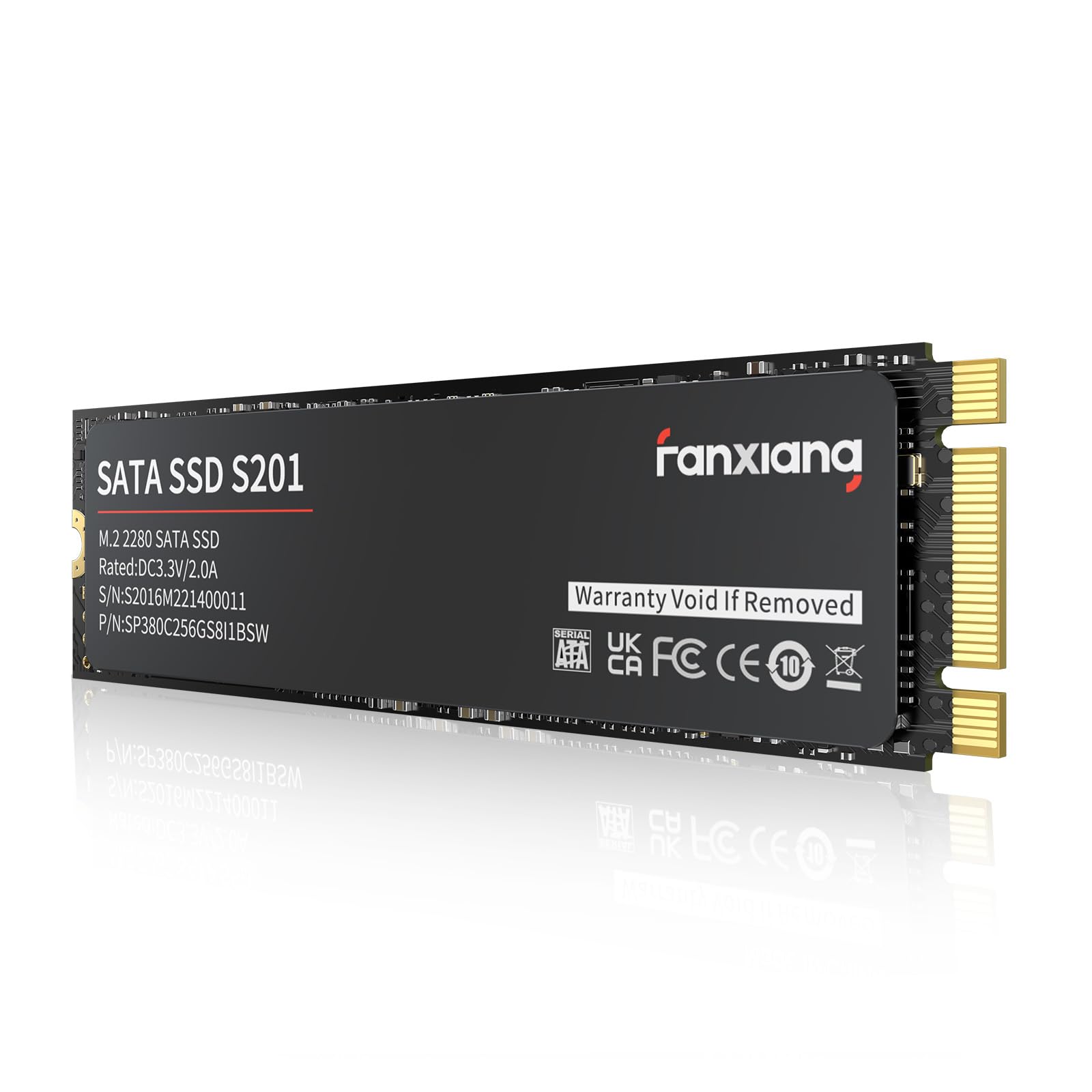
An M.2 SATA drive that revives a dead laptop in minutes — includes the screwdriver.
The fanxiang S201 pushes 550 MB/s reads and 420 MB/s writes using 3D NAND TLC chips with a 40TBW endurance rating. It uses intelligent SLC caching to improve everyday write performance, and it includes a screwdriver and screws in the package — a rare courtesy that makes installation smoother, especially for less experienced builders. A buyer whose HP laptop’s hard drive corrupted said it “worked perfectly” as a clean-slate replacement.
Compatibility is the headline — this is explicitly a SATA (AHCI) M.2 drive, not NVMe. The maker warns it will not work in NVMe-only slots, so double-check your motherboard’s manual. Speed is the top positive aspect, but reliability and compatibility draw the most comments and are flagged as mixed. For a cheap upgrade of an older motherboard that has a spare M.2 SATA slot, it performs well; just know the failure pattern is the most-discussed topic.
Who it fits: anyone with a laptop that has a dead HDD and an M.2 SATA slot — boot times drop to 8-10 seconds.
The critical detail: this drive runs warm; some owners noted it gets noticeably hot under load, which is fine in a ventilated desktop but worth monitoring in a tight laptop chassis.
Reach for this if: you are repairing an older laptop and the M.2 SATA slot is free — the included screwdriver saves a trip to the toolbox.
Think twice if: your machine has an NVMe-only slot, or if you need the highest compatibility guarantee across different laptops.
8. Ediloca EN680E 128GB NVMe
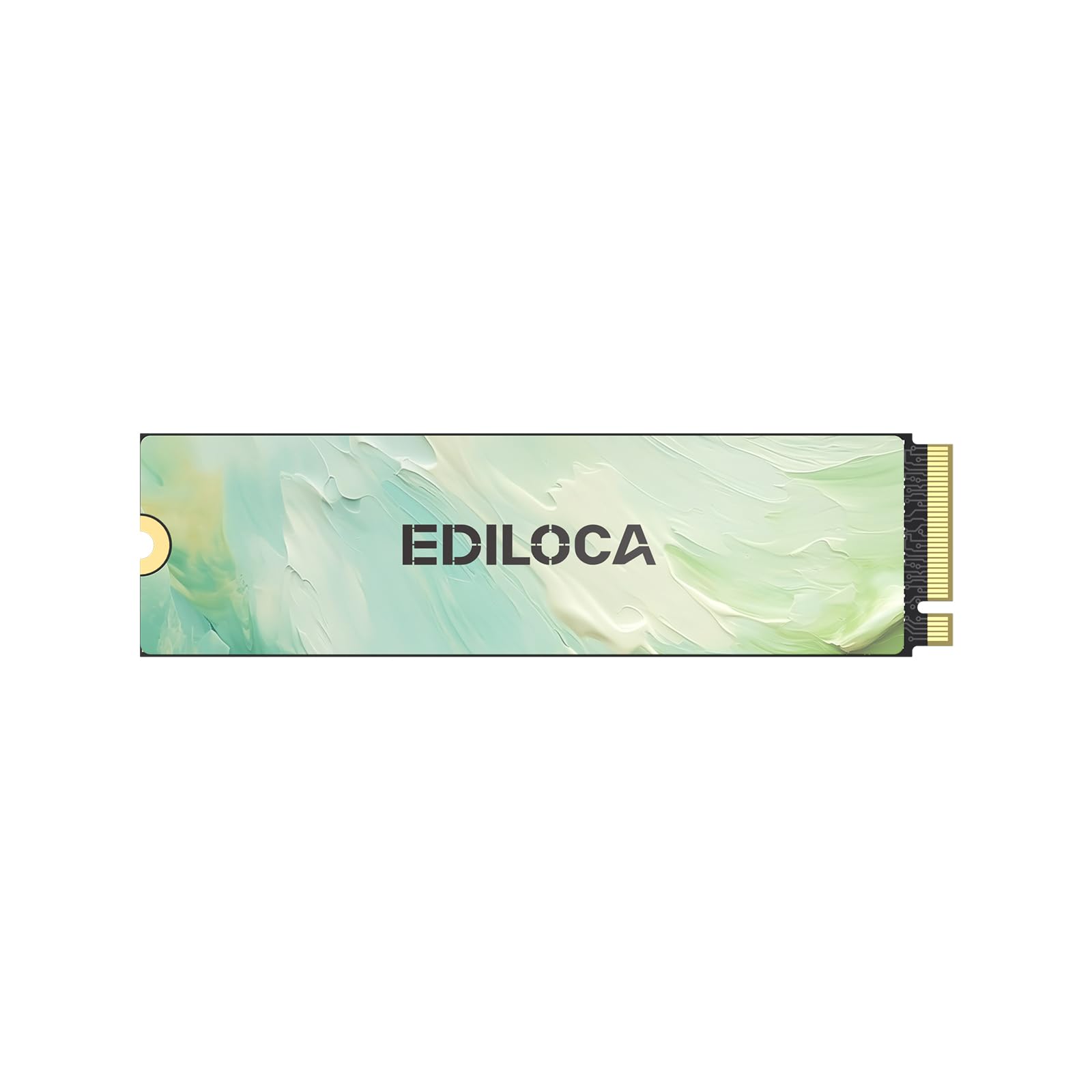
Over double the read speed of SATA — 1130 MB/s — for about the same money.
The Ediloca EN680E uses NVMe 1.4 and PCIe Gen 3×4 to hit 1130 MB/s reads and 400 MB/s writes, making it more than twice as fast as any SATA III drive on reads. It uses dynamic SLC caching and HMB (Host Memory Buffer) to boost performance without needing a physical DRAM chip on the drive. Nano-coated graphene helps keep temperatures in check — important for an NVMe drive that can heat up under sustained writes.
Performance, reliability, and speed are the top praised aspects, with owners calling it a “huge improvement” over a mechanical drive. The package includes a screwdriver and screws, and it has been tested to pass a badblocks scan without errors. It is not compatible with the PS5 because it is Gen 3 only, but for any PC or laptop with an NVMe slot, it offers NVMe-class speeds at a price that competes with SATA drives.
The speed advantage
- 1130 MB/s reads — over twice the bandwidth of any SATA III drive here
- Graphene-coated heat spreader for sustained performance
- Includes mounting screw and screwdriver in the box
The trade-off
- Write speed of 400 MB/s lags behind the read speed — fine for booting, less ideal for heavy writes
- Not compatible with PS5 or any PCIe Gen 4-only slot
Grab this for: breathing life into a PC with an NVMe slot — the read-speed jump over SATA is immediately noticeable in boot and load times.
Look elsewhere if: your workload involves constantly writing large files to the drive, or your machine only supports SATA M.2.
9. Transcend MTS830 128GB M.2 SATA

With a DDR3 DRAM cache on board, this drive keeps access times short even under heavy load.
The Transcend MTS830 reads at 560 MB/s and writes at 520 MB/s — essentially the maximum SATA III throughput. what separates it is the DDR3 DRAM cache, which stores a temporary copy of the most active data to shorten access times. The LDPC (Low-Density Parity Check) error correction keeps data integrity high, and the 3D TLC NAND flash offers better endurance than cheaper QLC alternatives. It runs hot in a fanless mini PC — one owner saw idle temps of 60°C and peaks of 84°C without a heatsink — but a small copper heatsink brought it down to 64-71°C.
Reliability and quality are the top praised aspects. It has been confirmed as a drop-in replacement for a Beelink mini PC’s defective drive, it worked as a fast boot drive for a Raspberry Pi 4 in an Argon One case, and two drives served flawlessly as a Synology NAS read/write cache in RAID1. The transfer speed draws mixed feedback — some find it merely adequate — but for mission-critical roles where data integrity matters, this is the most trustworthy SATA M.2 option here.
The standout feature: a physical DDR3 DRAM cache. Most budget M.2 SATA drives use HMB or host memory — Transcend puts the cache on the drive itself, which means consistent performance regardless of what the host system is doing.
The honest caveat: it runs hot. In a cramped fanless enclosure, you will want a heatsink. Owners mention 80°C+ peaks without one, which is within spec but uncomfortably close to the 73°C thermal limit mentioned in the data.
Best for: a NAS read/write cache, a mini PC boot drive, or any scenario where uptime and data integrity justify spending more for a DRAM-cached drive.
it’s not for you if: your M.2 slot has zero airflow and you do not want to add a heatsink — the heat output is real and worth planning for.
Understanding the Specs
Read vs Write Speed
Read speed is the number you feel most — it determines how fast your computer boots, how quickly programs open, and how snappy file loading feels. Write speed matters when you are copying files onto the drive or saving large project files. A fast read with a moderate write (like the Ediloca’s 1130/400 MB/s) is great for an OS drive, while a balanced combo (like the Transcend’s 560/520 MB/s) suits mixed-use scenarios better.
SLC Cache and DRAM Cache
SLC Cache is a trick where the drive writes data to a small, fast single-level-cell area first before moving it to the main NAND — it makes burst writes feel much faster. DRAM Cache is a physical memory chip on the drive that holds a map of where all data is stored, speeding up random reads. Drives with DRAM (like the Transcend MTS830) tend to be more consistent performers, especially under heavy multitasking.
FAQ
Will a 128GB SSD fit my laptop?
Is 128GB enough for Windows 11?
What is the difference between SATA and NVMe?
How long does a 128GB SSD typically last?
Can I clone my old hard drive to a 128GB SSD?
Will a SATA III SSD work in a SATA II port?
What is 3D NAND and why does it matter?
Do I need a DRAM cache on an SSD?
Can I use a 128GB SSD as an external drive?
What does 40TBW or 60TBW actually mean for me?
Final Thoughts: The Verdict
For the majority of shoppers, the 128gb ssd drive winner is the Lexar NS100 because it combines three years of proven reliability with SATA-max speeds and the strongest owner satisfaction across nearly ten thousand buyers. If you want NVMe-class read speeds without the NVMe price, grab the Ediloca EN680E — 1130 MB/s reads for about the same money as a SATA drive. And for a mission-critical role like a NAS cache or a mini PC boot drive, the Transcend MTS830 with its DDR3 DRAM cache is the one to reach for.
How We Picked
We do not accept paid placement. Every pick is matched to a real buyer and a real use-case; we do not hands-on test units.
Sources & Methodology
Specifications: manufacturer listings and product documentation. Review insights: verified customer reviews, as of July 2026. Pricing: not shown on this page (it changes often); check the current price via the retailer link.
As an Amazon Associate, Gadgets Feed earns from qualifying purchases. This does not affect which products we feature.