
Our readers keep the lights on and my morning glass full of iced black tea. As an Amazon Associate, I earn from qualifying purchases.
Specs are compiled from manufacturer listings and verified buyer reviews and can change over time — please confirm the key details on the product page before buying.
You want a 12GB graphics card to run modern games with high textures and smooth frame rates without overspending. The real question is which card’s architecture, cooling, and software features will keep you happy for years. Here is how to match a specific card to your monitor’s resolution and gaming habits.
I’m Min — the founder and writer behind Gadgets Feed. This guide is built by comparing the manufacturers’ published specifications and the patterns across verified customer reviews, so you get each pick’s real strengths and trade-offs instead of marketing spin.
We break down the best 12GB options across NVIDIA, AMD, and Intel to help you pick the right one for your setup and budget.
Our Picks at a Glance


How To Choose The Best 12GB Graphics Card
Most 12GB cards are built for one main job: high-refresh 1440p gaming with texture quality turned up. Before you pick, think about the resolution of your monitor, the power supply in your PC, and the physical space inside your case.
Match the Card to Your Monitor
If you play on a 1080p monitor, a budget-friendly 12GB card will feel easy and run cool. If you have a 1440p screen, you want a card with a faster memory interface and a beefier cooler to push those extra pixels. Some cards will handle 4K, but 12GB is really the comfort zone for high-refresh 1440p gaming.
Upscaling and Frame Generation
Modern cards use AI upscaling to boost frame rates. NVIDIA has DLSS, Intel has XeSS, and AMD has FSR. Each technology renders the game at a lower resolution and uses AI to sharpen it, giving you far more FPS without visibly hurting image quality.
Quick Comparison
| Model | Best For | Memory Type | Boost Clock | Cooling | Amazon |
|---|---|---|---|---|---|
| GIGABYTE RTX 4070 WF OC★ Best Overall | High-refresh 1440p & 4K | 12GB GDDR6X | N/A | 3X WINDFORCE | Amazon |
| ASRock Arc B580 ChallengerBest Value | Budget 1440p gaming | 12GB GDDR6 | 2740 MHz | Dual Fan, 0dB | Amazon |
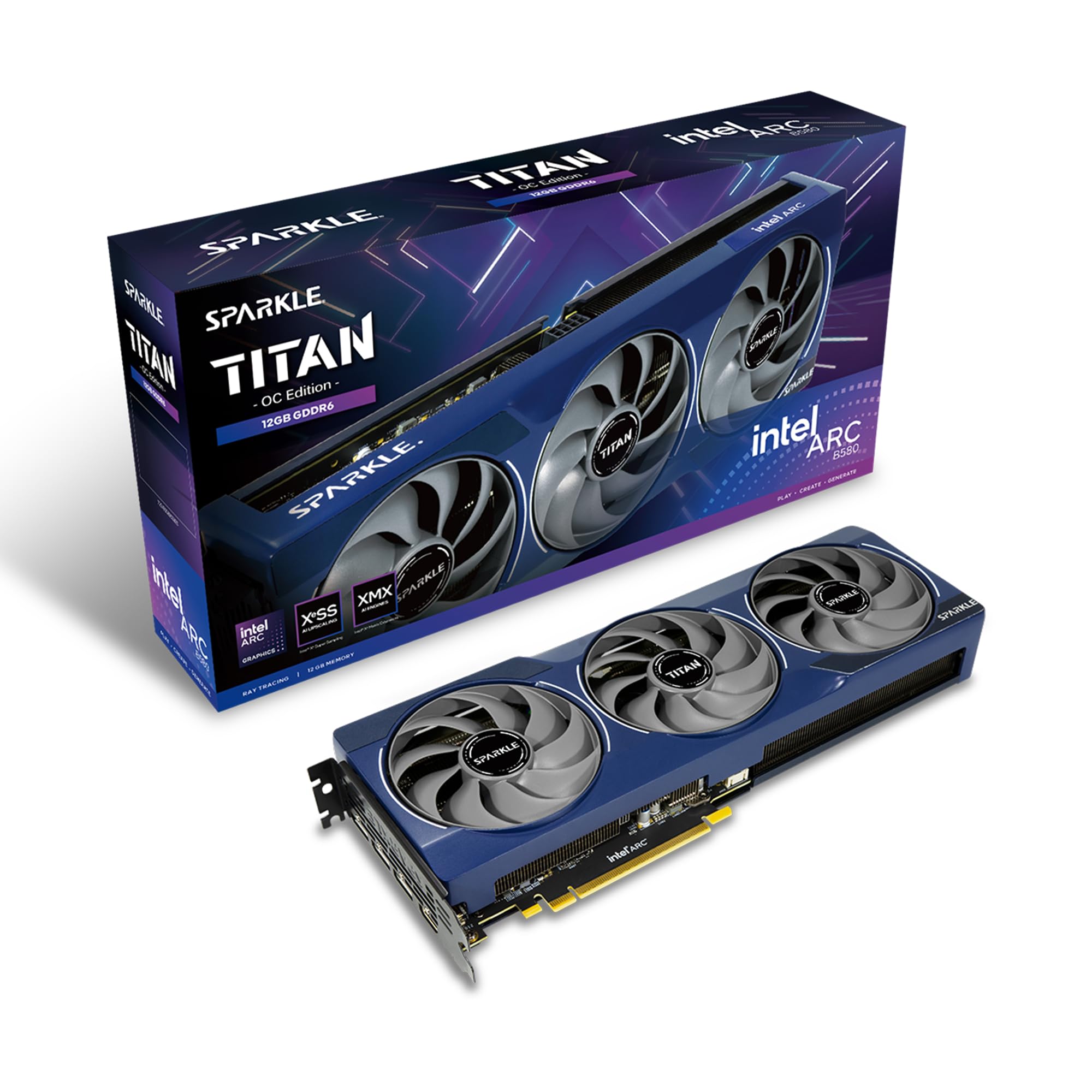
| Sparkle Arc B580 Titan OCCreator Pick | Video editing & 1080p | 12GB GDDR6 | 2760 MHz | Torn Cooling 2.0 | Amazon |
| MSI RTX 3060 Ventus 3X (Renewed) | Budget 1080p & AI work | 12GB GDDR6 | 1807 MHz | TORX Fan 3.0 | Amazon |
| ASRock RX 7700 XT Challenger | Raw raster 1440p value | 12GB GDDR6 | 2584 MHz | Dual Fan, 0dB | Amazon |
| MSI RTX 4070 Ventus 3X | Efficient 1440p gaming | 12GB GDDR6X | 2520 MHz | TORX Fan 4.0 | Amazon |
| PNY RTX 4070 Super Verto | Small form-factor builds | 12GB GDDR6X | 2505 MHz | Triple Fan, ARGB | Amazon |
| GIGABYTE RTX 5070 Gaming OC | High-refresh 1440p with DLSS 4 | 12GB GDDR7 | 2600 MHz | WINDFORCE | Amazon |
| NVIDIA RTX 5070 Founders | Compact premium builds | 12GB GDDR7 | 2.51 GHz | Dual-slot | Amazon |
| PNY RTX 5070 OC Triple Fan | Competitive FPS gaming | 12GB GDDR7 | 2587 MHz | Triple Fan | Amazon |
| ASUS TUF RTX 5070 OC | Ultra-durable 1440p builds | 12GB GDDR7 | 2640 MHz | Axial-tech Triple Fan | Amazon |
In‑Depth Reviews
1. GIGABYTE GeForce RTX 4070 WINDFORCE OC 12G
Our pick — over 4.5★ from 550+ verified ratings; the strongest balance of quality and price.
The 1440p king that sips power while other cards guzzle it.
This is the card to buy if you want high frame rates at 1440p without checking your power bill. It pairs 12GB of GDDR6X memory on a 192-bit bus with NVIDIA’s DLSS 3, which uses AI to generate extra frames. Buyers report hitting “Ultra settings 60+ FPS in most games” at 1440p.
The WINDFORCE cooling system uses three fans to keep things quiet and cool, with temperatures staying below 75°C under load. It’s also surprisingly efficient for its class, rarely drawing more than 175 watts in typical use. That efficiency means you likely won’t need a power supply upgrade, as it uses a single 8-pin connector.
The card’s performance is the thing everyone raves about, but its price-to-performance ratio comes in a close second. The 3X WINDFORCE fans and the 12GB GDDR6X keep rendering smooth even in demanding titles. While some modern games are poorly tune and will tax any card, the DLSS 3 and Reflex features give you a boost specifically in those tough ports.
Performance Highlights
- DLSS 3 and full ray tracing support for newer games
- Runs cool, often below 75°C during heavy use
- Quiet operation with efficient power draw
Potential Drawbacks
- Power cabling can be confusing for first-timers
- Some units arrive with opened packaging
Reach for this if: you want a do-it-all card that handles 1440p and even 4K gaming with headroom.
Look elsewhere if: your budget is tight and 1080p is your main resolution — a cheaper card will feel just as fast.
2. ASRock Intel Arc B580 Challenger 12GB OC
A budget 1440p card that punches far above its price tag.
If you’re building a mid-range PC and want to play at 1440p without spending a fortune, this ASRock card is a serious contender. It uses Intel’s Xe2-HPG architecture with 160 XMX engines for AI acceleration, plus a game-changing feature called Xe Super Sampling 2 (XeSS 2) that boosts frame rates. With a GPU clock of 2740 MHz, owners mention “Excellent 1440p performance” with zero crashes or stuttering.
The dual-fan cooling includes a 0dB Silent mode, which stops the fans completely at low temperatures so your PC is whisper-quiet during light tasks. It’s a 2-slot card at 249mm long, so it fits most mid-tower cases, and it requires just one 8-pin connector with a 650W power supply. The card handles modern games with consistent FPS and runs cool.
The 12GB of GDDR6 memory on a 192-bit bus is plenty for modern game textures, and it supports up to four displays with 8K resolution and AV1 encode. While a few customers note driver support isn’t perfect, the value proposition is undeniable. It’s a polished experience that beats paying over for high-end AAA gaming.
Card quality: Owners praise the build and the value for money above all else.
Compatibility note: It’s a budget-friendly option, but check your chassis clearance and driver needs first.
Pick this if: you game at 1440p on a budget and want a card that stays cool and quiet.
Think twice if: you rely on specific software that demands mature NVIDIA or AMD drivers.
3. Sparkle Intel Arc B580 Titan OC 12GB
A slim creator-focused card that runs cooler than most.
This OC Edition card stands out for its thermal performance. Reviewers point out the card “stays at 59 degrees average under load,” remarkably cool for sustained rendering. That makes it a great pick if your case has limited airflow or you run long rendering sessions for video editing. It’s also slim, smaller than most 3-fan cards, which makes installation easy in tighter builds.
Compared to the ASRock B580 above, this Sparkle card pushes the boost clock slightly higher at 2760 MHz, yet it stays cooler thanks to the Torn Cooling 2.0 system. It’s a 1080p Ultra-centered card that handles 1440p at medium to low settings smoothly. For video editors, the AV1 encoder is a standout feature for fast, high-quality exports.
The design includes a metal backplate and a blue breathing light for visual flair. While gaming performance is good, some shoppers say driver updates are frequent, which is typical for new Intel architectures. The value is exceptional for what you get.
Value read: This is “a better value” according to owners, even when prices inflate.
Driver reality: Expect frequent updates as the software matures.
Choose this for: video editing and 1080p Ultra gaming where cool, quiet operation matters.
Skip it for: heavy 4K gaming — this card is not built for that resolution.
4. MSI GeForce RTX 3060 Ventus 3X 12G OC (Renewed)
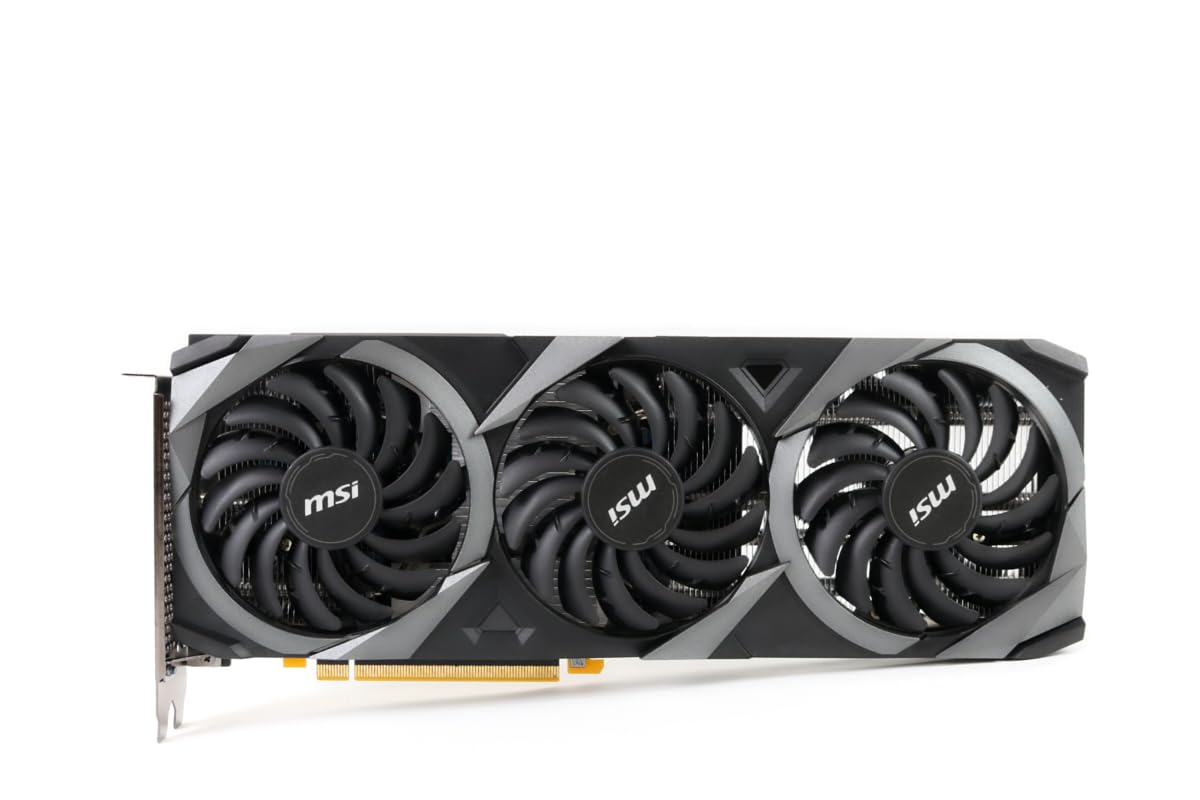
The renewed workhorse that keeps AI and game dev projects on budget.
If your priority is entry-level 1080p gaming plus some AI or game development work, this renewed RTX 3060 is a smart play. It packs 12GB of GDDR6 memory and uses the award-winning TORX Fan 3.0 design with three fans and a huge heatsink. Buyers report it “works well” for AI and game development, with most games hitting 120 FPS.
The card’s Zero Frozr feature keeps the fans completely still during light use, maintaining total silence until cooling is needed. It’s a massive upgrade for anyone coming from an older card like the 1060, with the triple-fan setup providing better cooling. For flight sim fans, it can handle 4K resolution in MSFS 2020 with other settings on high.
As a renewed product, it’s the most budget-friendly way into 12GB VRAM, and the custom PCB is engineered for performance and reliability. The Afterburner software gives you full control over overclocking, with thermal padding ensuring efficient heat transfer from components.
Who it fits: Gamers and creators who need 12GB VRAM on a strict budget.
Honest caveat: This card is not top-of-the-line, but for most 1080p users it delivers great performance.
Best for: budget builders upgrading from old 10-series cards who want triple-fan cooling.
Not for: someone expecting high-refresh 1440p performance.
5. ASRock Radeon RX 7700 XT Challenger 12GB OC

AMD’s answer to 1440p gaming with raw raster muscle over AI tricks.
If you prefer pure graphics horsepower over upscaling software, the RX 7700 XT is a compelling choice. It’s built on AMD’s RDNA 3 architecture with 54 Compute Units and RT+AI accelerators, delivering a boost clock up to 2584 MHz. The 12GB GDDR6 memory sits on a 192-bit bus with 48MB of AMD Infinity Cache, which reduces latency at high resolutions.
Owners mention it runs AAA games at 70+ FPS on max settings, calling it a “massive upgrade” from the RTX 3060. The dual-fan design with striped ring fans and Ultra-fit Heatpipe technology keeps temperatures in check during long sessions. The 0dB Silent mode stops fans at low temperatures for quiet operation during light workloads.
The card’s build quality is praised, featuring a stylish metal backplate that adds rigidity and aids heat dissipation. It outputs through 3x DisplayPort 2.1 and 1x HDMI 2.1, perfect for high-refresh monitors. While reliability feedback is mixed — some units stop working after two weeks — most users find it works perfectly from the start.
What Excels
- Exceptional value at roughly half the price of similar-spec cards
- Runs GTAV at max settings and handles Assetto Corsa VR perfectly
- Quiet fans with efficient thermal management
What to Watch
- White LED is not customizable to match your case
- Reliability is mixed — verify your power supply and chassis before buying
Pick this if: you want AMD’s raw performance without paying a premium for NVIDIA’s AI features.
Consider others if: you want DLSS 3’s superior upscaling for two demanding games.
6. MSI GeForce RTX 4070 Ventus 3X 12G OC

A light, efficient 4070 that matches a 3080 while drawing less power.
This MSI card is for the builder who wants flagship-level performance without the bulk and power draw. It uses the Ada Lovelace architecture with a 2520 MHz extreme clock and 12GB of GDDR6X memory on a 192-bit bus. Customers note it matches an RTX 3080’s performance while drawing 38% less power (155-165W typical).
The TORX Fan 4.0 design keeps temperatures around 55-65°C under load, which is significantly cooler than older cards that ran at 70-75°C. It’s also light, with no sag, and uses a single 8-pin connector so your 650W PSU is plenty. This card is great for 1440p and handles PC VR gaming with full resolution, including Half-Life Alyx.
With DLSS 3 and frame generation, you get big FPS boosts in supported games — buyers saw around a 100 FPS gain in Doom Eternal. The 200W TDP means it stays efficient even under stress, and its ITX-friendly size means it fits in small form-factor cases.
Efficiency story: “Silent, matches RTX 3080 with 38% less power” — this is the card for eco-conscious gamers.
Value caveat: Some find the price high; it’s a meaningful upgrade from a 3080 mainly for frame generation.
Reach for this if: you want 3080-level performance in a cooler, lighter, more power-efficient package.
Look elsewhere if: you want RGB lighting — this card has none.
7. PNY GeForce RTX 4070 Super XLR8 Gaming Verto

The Super that fits mini-ITX builds and punches toward 3080 Ti levels.
If you’re building a small form-factor PC, this PNY card is engineered to fit. It’s NVIDIA SFF-Ready and 2 slots thick, making it a perfect match for mini-ITX cases. Reviewers point out it “fit perfectly” in small builds, delivering 3080 Ti-level performance in some games.
The card runs on the Ada Lovelace architecture with a 1980 MHz core clock and 2505 MHz boost speed. With 12GB of GDDR6X memory on a 192-bit interface and 7168 CUDA cores, it pushes up to 504GB/sec of memory bandwidth. The Epic-X RGB adds customizable lighting, which is a nice touch missing from the MSI card above.
The XLR8 triple-fan cooling keeps temperatures no higher than 65°C even after long FPS gaming sessions. It overclocks very well, with one owner seeing it run up to 2800 MHz despite the advertised 2500 MHz. While it’s not a 4K gaming card, 1440p is where it shines — this is exactly what the base 4070 should have been.
Performance: Owners say it performs “better than advertised” and is great value.
balance: 1440p gaming is its true home — do not expect 4K frame rates.
Best for: small form-factor builders who want RTX 4070 Super performance with RGB flair.
Skip if: you don’t need SFF compatibility and want a cheaper, larger card.
8. GIGABYTE GeForce RTX 5070 Gaming OC 12G

Blackwell’s 1440p dream machine with next-gen GDDR7 speed.
This is the card to grab if you want the newest architecture and the fastest memory type available. Powered by the NVIDIA Blackwell architecture with DLSS 4, the RTX 5070 uses 12GB of GDDR7 memory on a 192-bit interface with PCIe 5.0 support. Shoppers say it handles “1440p gaming like a dream,” hitting 165+ FPS in Battlefield on ultra.
The GIGABYTE WINDFORCE cooling system keeps temperatures below 80°C under load, and the noise level is almost negligible. The boost clock runs at 2600 MHz, ensuring smooth, responsive gameplay in the latest titles. At 12.87 inches long and 2 kg, it’s a substantial card that needs good case clearance.
For value, owners consistently praise it as a “great value for money” purchase with excellent graphics quality. The upgrade from GDDR6X to GDDR7 memory offers higher bandwidth, which helps texture-heavy games and creative applications. It’s quiet, powerful at 1440p, and even works well in a standard computer tower for a younger gamer.
Performance praise: Buyers are thrilled with its quiet operation and quality build.
Memory advantage: GDDR7 provides the fastest memory bandwidth in this roundup.
Pick this if: you want the latest Blackwell architecture and GDDR7 speed for high-refresh 1440p.
Consider alternatives if: you’re on a tight budget — the RTX 40 series offers similar 1440p performance for less.
9. NVIDIA GeForce RTX 5070 12GB GDDR7
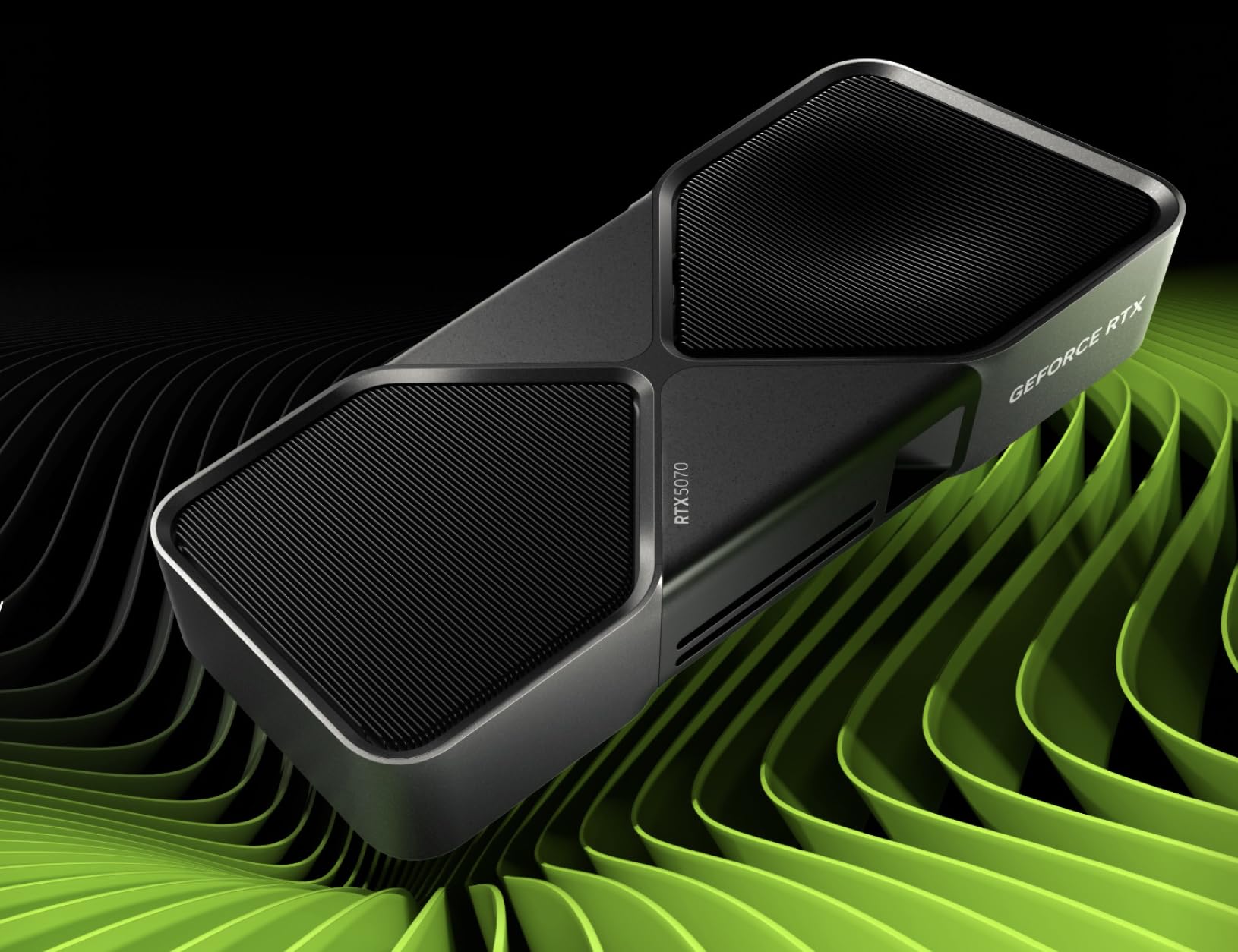
The reference card that proves 12GB is enough for high-very high settings.
For the purist who wants NVIDIA’s own take on the RTX 5070, this Founders Edition card delivers the full Blackwell experience. It features 12GB of GDDR7 memory with a 2.51 GHz memory clock speed and supports resolutions up to 3840×2160. The compact 2.36-inch by 4.41-inch footprint makes it one of the more space-efficient premium options.
The standout feature is DLSS 4 with multi-frame generation. Buyers report 140-220 FPS on high settings with DLSS 4 multi-frame generation (levels 2-6). This makes it an incredible card for competitive and AAA gaming alike.
It comes with Game Ready and NVIDIA Studio Drivers, plus access to NVIDIA App, Broadcast, and Studio tools for creators. The card is quiet and performs extremely well right from the start, and it handles undervolting well for those who want to reduce power draw further. The Graphite Grey design is understated and professional.
Frame generation: Multi-frame gen transforms high-settings gaming into 140-220 FPS experiences.
Longevity: One owner says after undervolting, “this will perdure for ages”.
Choose this for: a compact, feature-packed 1440p card with the best upscaling technology.
Think twice if: you want a longer warranty or custom cooling — the Founders design is standard.
10. PNY GeForce RTX 5070 OC Triple Fan
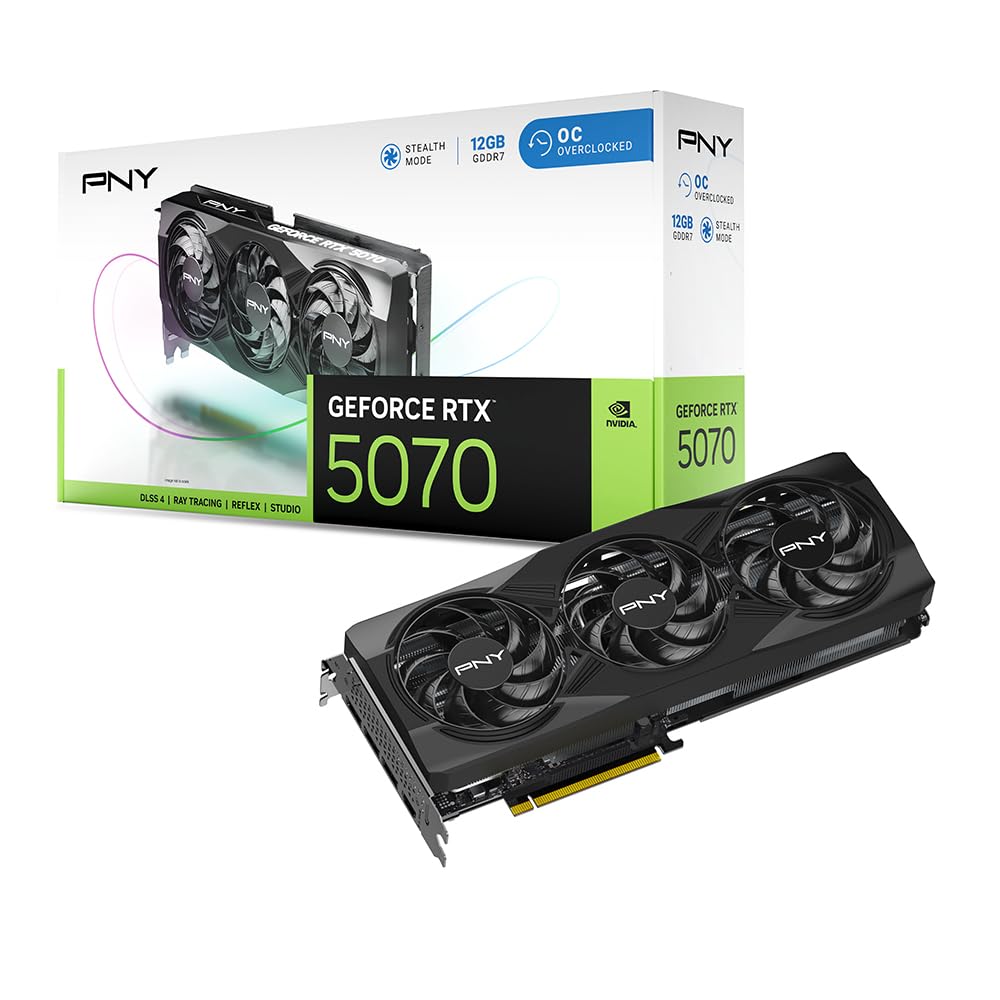
Built for esports precision with Reflex latency-killing tech.
Competitive gamers who live and die by reaction time will appreciate what this PNY card brings. It’s built on the NVIDIA Blackwell architecture with fifth-gen Tensor Cores and fourth-gen ray tracing cores, plus Reflex technologies that tune the graphics pipeline for ultimate responsiveness. This means faster target acquisition and quicker reaction times in competitive shooters.
This card boosts up to 2587 MHz (the maximum speed it reaches under load) and packs 12GB of GDDR7 memory (a fast type of video memory) on a 192-bit interface (the data path width) with a memory clock speed of 28. It is SFF-Ready (fits small form factor cases) and 2.4 slots thick, so it fits a wide range of cases. The triple-fan setup keeps it cool during long gaming sessions.
Owners upgrading from an RTX 3060 Ti call it a significant step up in performance. One buyer notes a minor driver issue causing screen flicker on AMD CPUs with specific NVIDIA drivers, but a simple rollback or power management setting fixes it. If you want AI-powered gaming with DLSS 4’s revolutionary neural rendering, this is a solid choice.
Reflex advantage: Built-in Reflex tech gives you the edge in fast-paced competitive games.
Driver note: An occasional driver tweak may be needed with AMD CPUs — easily fixed with a rollback.
Best for: competitive FPS players who want the lowest latency and highest frame rates.
Not for: those who can’t tolerate a rare driver quirk — check your CPU combination first.
11. ASUS TUF Gaming GeForce RTX 5070 12GB OC Edition

Military-grade toughness meets whisper-quiet 1440p dominance.
If you want a card that feels like it was built to survive a decade of heavy use, the ASUS TUF is the one. It uses military-grade components and a protective PCB coating that guards against short circuits from moisture, dust, or debris. The 3.125-slot design houses a massive fin array tune for airflow from three Axial-tech fans, keeping temperatures never above 60 degrees Celsius.
The OC Edition boosts up to 2640 MHz in OC mode, powered by the NVIDIA Blackwell architecture and DLSS 4. It uses a phase-change GPU thermal pad that outlasts traditional thermal paste under heavy loads, ensuring long-term thermal performance. The included ASUS GPU Guard and bracket secure the GPU and reduce the risk of cracks.
Performance is the most-praised aspect, with buyers reporting flawless gaming across Steam and Roblox, plus quick video editing and rendering. The card handles max settings with ray tracing at 2560×1440 easily. It’s a large card at 13 inches, so check your case, but ASUS includes an anti-sag stand to keep it stable.
Built to Last
- Military-grade components and protective PCB coating for durability
- Runs super cool, never above 60°C according to owners
- Quiet operation with effective thermal management
Size Matters
- Large 13-inch card requires careful case clearance checks
- Some users wish the 12GB VRAM could be larger for future games
Reach for this if: you want maximum durability and cooling for years of 1440p gaming.
Look elsewhere if: your case is small or you want a more compact card — this one is massive.
Understanding the Specs
Memory Type: GDDR6 vs. GDDR6X vs. GDDR7
The memory type determines how fast your card can access textures and data. GDDR6 is the standard and is plenty for 1440p gaming. GDDR6X is faster and appears on high-end RTX cards, helping with 4K textures. GDDR7 is the newest and fastest, found on the RTX 50 series, offering the highest bandwidth for future-proofing.
Boost Clock Speed
The boost clock is the maximum speed the GPU can reach under load, measured in megahertz (MHz). A higher boost clock generally means faster performance, but it’s not the only factor. A card with a lower clock but more CUDA cores or better memory can outperform a higher-clocked card. Look at the whole package, not just this one number.
FAQ
Is 12GB of VRAM enough for 1440p gaming?
Will a 12GB graphics card fit in my case?
Do I need a new power supply for a 12GB card?
Which is better for 1440p, the RTX 4070 or the RTX 5070?
How does Intel Arc B580 compare to budget NVIDIA cards?
What is DLSS and why does it matter?
Are renewed or refurbished 12GB cards worth buying?
Do I need ray tracing and is it worth it?
Final Thoughts: The Verdict
For most buyers, the 12gb graphics card winner is the GIGABYTE RTX 4070 because it delivers the best combination of performance, efficiency, and cooling for high-refresh 1440p gaming. If you want the next-gen Blackwell architecture with GDDR7 speed, grab the GIGABYTE RTX 5070. And for budget-conscious builders, the ASRock Arc B580 is the one to reach for — it punches far above its price in 1440p performance.
How We Picked
We do not accept paid placement. Every pick is matched to a real buyer and a real use-case; we do not hands-on test units.
Sources & Methodology
Specifications: manufacturer listings and product documentation. Review insights: verified customer reviews, as of September 2026. Pricing: not shown on this page (it changes often); check the current price via the retailer link.
As an Amazon Associate, Gadgets Feed earns from qualifying purchases. This does not affect which products we feature.