
Our readers keep the lights on and my morning glass full of iced black tea. As an Amazon Associate, I earn from qualifying purchases.
Specs are compiled from manufacturer listings and verified buyer reviews and can change over time — please confirm the key details on the product page before buying.
You want a laptop that is light enough to carry everywhere but big enough to actually work on. A 13 to 14-inch screen gives you that balance: it fits in most bags without the weight of a 15-inch model, and it shows enough content so you are not constantly scrolling on an 11-inch display. Below are the best options right now — from budget Chromebooks to premium ultrabooks — with the specs that matter for your daily tasks.
I’m Min — the founder and writer behind Gadgets Feed. This guide is built by comparing the manufacturers’ published specifications and the patterns across verified customer reviews, so you get each pick’s real strengths and trade-offs instead of marketing spin.
For college note-taking, business travel, or creative work, the right 13-14 inch laptop gives you a screen big enough for split windows, a weight under 3.5 pounds so your bag stays light, and battery life that gets you through a full day without hunting for an outlet.
Our Picks at a Glance


How To Choose The Best 13-14 Inch Laptop
The best laptop for you depends on three things: how you use it (basic browsing, heavy multitasking, or creative work), how often you carry it (daily commute or desk-bound), and how long you need the battery to last. Here is what to check first.
Processor and AI Capabilities
The CPU is the brain of the laptop. For basic tasks like web browsing and documents, an Intel N150 or Celeron works fine. For heavy multitasking, a 13th Gen Intel Core i7 or a new Intel Core Ultra 7 is far better. Newer chips also include a dedicated NPU (Neural Processing Unit) for AI features like Windows Recall or background blur in video calls. If you want the latest AI tools, look for “Copilot+ PC” or an Intel Core Ultra chip.
RAM and Storage
For a smooth experience, 8GB of RAM is the minimum, but 16GB is much better for running multiple browser tabs and office apps at the same time. For heavy tasks like video editing or coding, 32GB is ideal. Storage comes as an SSD (Solid State Drive). A 256GB SSD is the entry point; 512GB gives you comfortable room for files and apps; 1TB is for power users. Avoid eMMC storage if you can — it is slower than an SSD.
Display Quality and Resolution
Screen resolution makes a huge difference in readability. A 1366×768 HD display is usable but text looks less sharp. A 1920×1080 FHD (Full High Definition) display is the modern standard — text is crisp and images look clear. Premium options like 2.8K (2880×1800) OLED or 3K OLED deliver extremely sharp text and vivid colors, ideal for photo editing or watching movies. Also check if the screen is anti-glare for outdoor use or touchscreen for tablet-like interaction.
Battery Life
Battery life varies widely. A budget laptop might last 8 hours of light use, while a premium ultrabook like the Microsoft Surface Laptop or Apple MacBook Air can last 18-23 hours. Look for “all-day battery” claims of 10 hours or more, but remember real-world battery life is usually lower than the manufacturer’s estimate due to Wi-Fi, brightness, and background apps.
Quick Comparison
| Model | Best For | Processor | RAM / Storage | Display | Amazon |
|---|---|---|---|---|---|
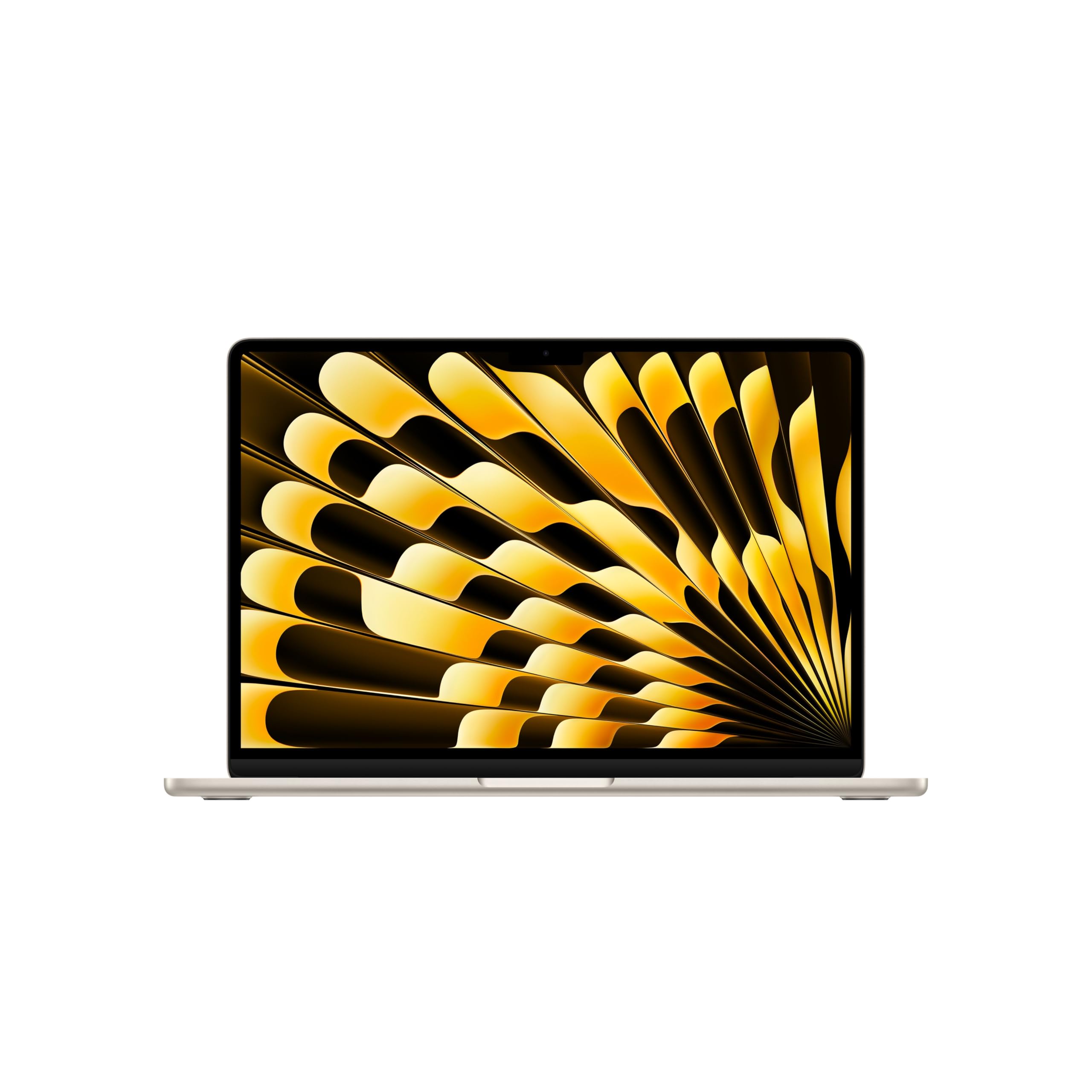
| Apple MacBook Neo 13-inch★ Best Overall | Everyday Value / Apple Ecosystem | A18 Pro | 8GB / 512GB SSD | 13″ Liquid Retina | Amazon |
| Apple MacBook Air 13-inch M5Also Great | Premium Performance / Apple Ecosystem | Apple M5 | 16GB / 512GB SSD | 13.6″ Liquid Retina | Amazon |
| ASUS Zenbook DuoDual-Screen Power | Dual-Screen Productivity | Intel Core Ultra 9 285H | 32GB / 1TB SSD | Dual 14″ OLED 3K 120Hz | Amazon |
| Lenovo ThinkPad X1 Carbon Gen 13 | Business / Ultra-Portable | Intel Core Ultra 7 258V | 32GB / 1TB SSD | 14″ 2.8K OLED 120Hz | Amazon |
| Microsoft Surface Laptop 13″ | Copilot+ AI / Touchscreen | Snapdragon X Plus | 16GB / 512GB SSD | 13″ PixelSense Touch | Amazon |
| Acer Swift Go 14 | Premium Value / Intel Evo | Intel Core i7-1355U | 16GB / 512GB SSD | 14″ 1920×1200 Touch | Amazon |
| HP 14-inch i7 | Mid-Range Power / Multitasking | 13th Gen i7-1355U | 16GB / 512GB SSD | 14″ FHD Anti-Glare | Amazon |
| Acer Aspire 14 AI | AI Copilot+ / Battery Life | Intel Core Ultra 5 226V | 16GB / 512GB SSD | 14″ WUXGA | Amazon |
| Lenovo V14 G4 | Budget with Lifetime Office | Intel i7-13620H | 8GB / 256GB SSD | 14″ FHD TN Anti-Glare | Amazon |
| HP 2025 Student Laptop | Entry-Level / Student Budget | Intel N150 | 16GB / 384GB | 14″ HD Anti-Glare | Amazon |
| ASUS Chromebook Flip CX1 | Budget Convertible / ChromeOS | Intel Celeron N4500 | 8GB / 128GB eMMC | 14″ FHD Touch 360° | Amazon |
In‑Depth Reviews
1. Apple 2026 MacBook Neo 13-inch with A18 Pro chip
Our pick — over 4.5★ from 900+ verified ratings; the strongest balance of quality and price.
Apple’s most affordable MacBook now with AI-ready performance and a brilliant display.
The MacBook Neo is the entry point into the Apple laptop world, but it is no slouch. It packs the A18 Pro chip built for AI and Apple Intelligence, so you get smooth performance for everyday tasks like browsing, email, and light photo editing. The 13-inch Liquid Retina display (2408×1506, 500 nits, 1 billion colors) delivers crisp text and vivid images, surpassing HD displays on budget Windows laptops. Battery life reaches up to 16 hours, and customers note it handles a full workday and GarageBand multitasking smoothly. One buyer raved about the beautiful indigo color and called it an “amazing value.”
It comes in four colors — Silver, Blush, Citrus, or Indigo — and the aluminum body feels premium for the price. The 1080p FaceTime HD camera and dual-mic array improve video call clarity, and Spatial Audio from the two side-firing speakers gives movies a sense of depth. The base model includes 8GB of unified memory and a 512GB SSD. If you are coming from an older Intel Mac, the A18 Pro rivals M1 performance, according to reviewers.
The main limitations are the fixed 8GB RAM (you cannot upgrade later) and the lack of Touch ID on the base model — only the step-up model includes the fingerprint sensor. Also, there are no backlit keys, which is a bummer for typing in dim rooms. For power users or anyone needing 16GB or more RAM, the MacBook Air M5 is the better choice.
What stands out
- A18 Pro chip with AI and Apple Intelligence
- 13″ Liquid Retina display with 1 billion colors
- Up to 16-hour battery life
- Lightweight aluminum design (2.71 lbs)
What to consider
- 8GB RAM cannot be upgraded
- No backlit keys on base model
- Limited ports (no USB-A, HDMI, or SD slot)
A solid daily driver: Ideal for college students, casual users, or anyone who wants the Apple ecosystem without the premium price tag of the MacBook Air.
Not for power users: If you edit 4K video, run virtual machines, or keep 30+ browser tabs open regularly, the 8GB RAM and fixed memory will eventually feel restrictive.
2. Apple 2026 MacBook Air 13-inch with M5 chip
The featherlight MacBook that pairs desktop-class speed with all-day battery life.
You get a fluid, responsive experience from the Apple M5 chip that handles multitasking and creative workflows without a hiccup. The 13.6-inch Liquid Retina display supports 1 billion colors for rich contrast and sharp detail in photos and videos. At just 2.71 pounds and 0.44 inches thin, it is easy to slip into any bag — and with up to 18 hours of battery life, you are not hunting for an outlet halfway through the day. Buyers report the M5 chip handles heavy tabs and multitasking with zero lag, and the Midnight finish is stunning.
Video calls stay sharp with a 12MP Center Stage camera (it automatically pans and zooms to keep you centered as you move). Four speakers with Spatial Audio and Dolby Atmos support create room-filling sound for movies and music. The base model starts with 512GB of fast SSD storage (solid-state drive, meaning quick app loading and file access). Unlike the MacBook Neo, this one includes Touch ID for fingerprint open up and supports Wi-Fi 7 and Bluetooth 6, so file transfers are very fast when you have a compatible router.
The trade-off is the price: this is clearly a premium investment. Also, the speakers are clear but a few reviewers find them underwhelming for such an expensive machine. If you are on a tight budget, the MacBook Neo delivers a similar experience with slightly less oomph for less money.
The speed king: Between the M5 chip, the 18-hour battery, and the gorgeous Liquid Retina display, this is the best-balanced 13-inch laptop for anyone who can afford it.
Reach for this if: you edit photos or videos, juggle many apps, and want a laptop that lasts a full day without charging.
Look elsewhere if: your budget tops out below the premium tier, or you need more than two ports for peripherals.
3. ASUS Zenbook Duo Laptop, Dual 14” OLED 3K
Two stunning 14-inch OLED screens that replace a multi-monitor desk setup.
This is not a typical laptop. The Zenbook Duo gives you dual 14-inch 3K OLED touch displays with a 120Hz refresh rate — effectively a portable dual-monitor rig. You can snap the detachable Bluetooth keyboard on for laptop mode or take it off to use both screens stacked vertically, perfect for coding on one screen and referencing docs on the other. The Intel Core Ultra 9 285H processor paired with Intel Arc Graphics and 32GB of LPDDR5x RAM handles heavy multitasking, video editing, and even light gaming. Owners mention it is a major upgrade from the first-gen Duo — much lighter, faster, and the 120Hz OLED screens are gorgeous.
Battery life comes in at about 12 hours in laptop mode, but with both screens on, reviewers report closer to 4 hours — so keep the charger handy if you are working dual-screen away from a desk. The machine is 3.64 pounds and 0.57 inches thin, so it is still portable despite the dual-display design. It also meets US MIL-STD 810H military-grade durability standards, which means it can handle a bumpy commute or a drop in a coffee shop.
The catch is the shallow speakers and the fact that the fans can get loud under load. If you do not need the dual-screen setup, a traditional ultrabook like the Lenovo ThinkPad X1 Carbon will offer a simpler, even lighter experience without the complexity of two displays.
Standout for productivity
- Dual 14″ 3K OLED 120Hz touchscreens
- Powerful Intel Core Ultra 9 with 32GB RAM
- Detachable keyboard and built-in kickstand
- Thunderbolt 4 and Wi-Fi 7
Worth knowing
- Battery drains fast with both screens active
- Fans can be loud under heavy load
- Shallow built-in speakers
Who it fits: coders, day traders, video editors, or anyone who relies on a second monitor and hates being tethered to a desk.
Who should pass: if you mainly type documents and browse the web, a single-screen laptop gives you longer battery life and a lower price for the same core performance.
4. Lenovo ThinkPad X1 Carbon Gen 13 Aura Edition
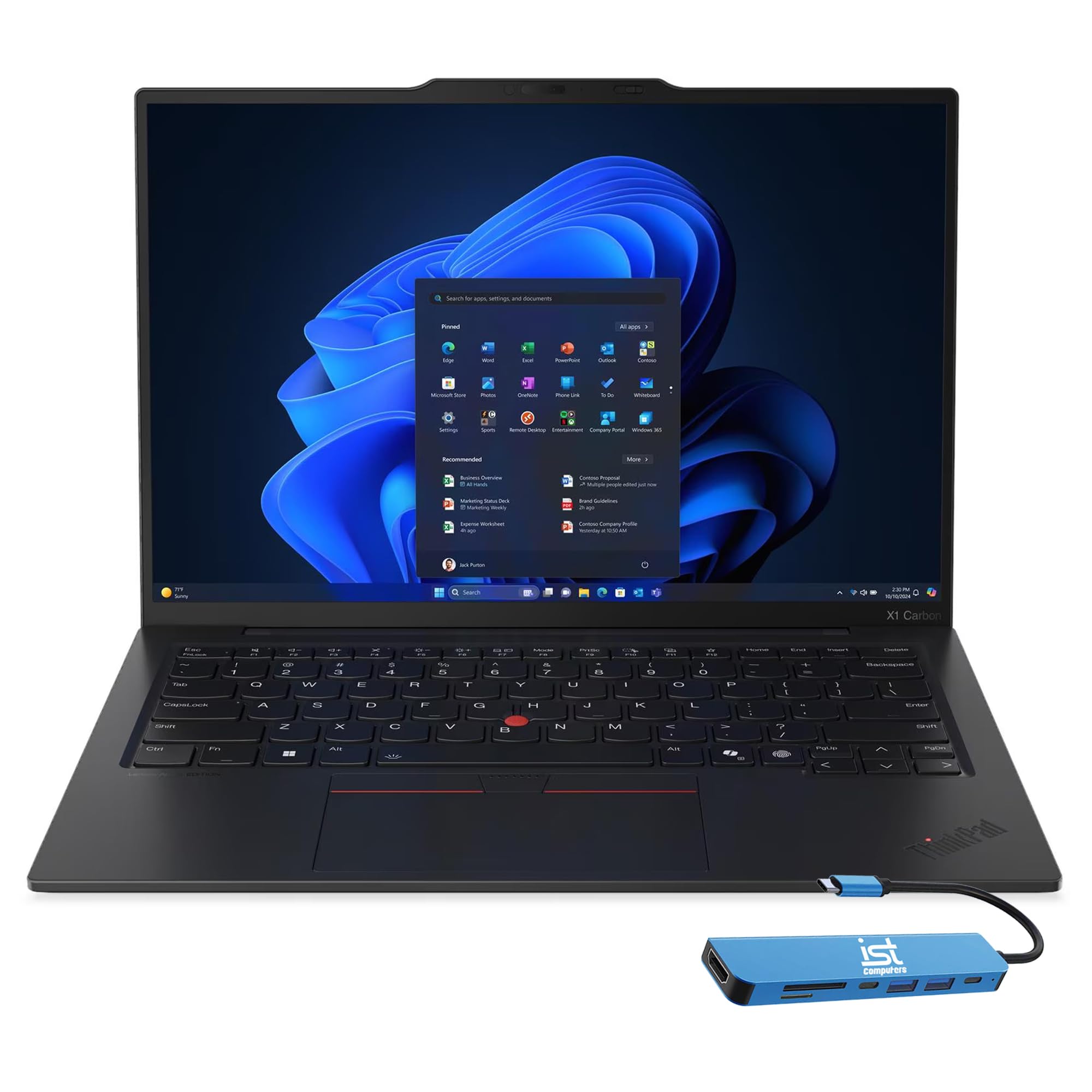
At just 2.17 pounds, this is the ultimate road warrior laptop.
The ThinkPad X1 Carbon Gen 13 is Lenovo’s flagship ultra-premium business laptop, and it feels like it. Weighing 2.17 lbs with up to 15 hours of battery life, it is staggeringly portable for a 14-inch machine. The 14-inch 2.8K OLED display (500 nits, 120Hz) delivers crisp, vibrant visuals for bright environments. Under the hood, the Intel Core Ultra 7 258V processor (up to 4.8GHz) with a dedicated 47 TOPS NPU handles AI tasks locally, so Windows Copilot features run smoothly. Reviewers praise its solid construction, lightning-fast boot, and comfortable keyboard for extended typing sessions.
You get 32GB of DDR5 RAM and a 1TB PCIe NVMe SSD, so multitasking and file access are instant. The port selection includes 2x Thunderbolt 4, 2x USB-A 3.2 Gen 1, HDMI 2.1, and a headphone jack. Lenovo bundles a 7-in-1 USB-C hub, adding an SD card reader and extra USB ports. The 1080p FHD IR webcam supports facial recognition for quick logins, and the backlit keyboard is comfortable for all-day typing. Unlike the HP 14-inch i7, which is thicker and heavier, this one slips into a briefcase without adding noticeable bulk.
The trade-off is the price — it sits at the premium end of the spectrum. If you are a student on a budget, the HP 2025 Student Laptop offers a fraction of the cost but a much lower-tier processor and display.
Built for the road: At 2.17 lbs with a 2.8K OLED screen and a 15-hour battery, this is the go-to business laptop for professionals who never stay in one place.
Reach for this if: you travel frequently for work, need top-tier build quality, and value a lightweight frame above all else.
Look elsewhere if: your budget is under the premium line, or you need heavy GPU power for gaming or 3D rendering.
5. Microsoft Surface Laptop (2025), 13″ Touchscreen

The Windows Copilot+ PC that rivals MacBook Air in both speed and battery life.
The 2025 Surface Laptop marks a turning point for Windows laptops. It runs on the Snapdragon X Plus processor, which delivers up to 45 trillion operations per second via its AI engine (a neural processing unit for on-device AI tasks) — making it a Copilot+ PC that handles tasks like summarizing text and background blur instantly without needing the cloud. The 13-inch PixelSense touchscreen display is bright and crisp, and you get up to 23 hours of battery life, which beats even the MacBook Air. Reviewers call it “the best Surface yet,” praising its 13-inch form factor, Snapdragon speed, and excellent screen. It is lightweight and compact — ideal for college students who carry it between classes.
You get 16GB of RAM (random-access memory, for smooth multitasking) and 512GB of SSD storage — a solid balance for running multiple apps at once. The design is razor-thin and comes in a Platinum color that looks professional. It includes Bluetooth 5.4, support for LE Audio (low-energy audio for better wireless headphone battery life), and a USB-C port for charging. Microsoft also preloads a 30-day trial of Microsoft 365 Family and Xbox Game Pass Ultimate.
Some reviewers point out occasional freezing, weak Wi-Fi driver, and external monitor detection issues — so it is not flawless. Also, the Surface Laptop lacks a magnetic connector like previous Surfaces, which is a minor inconvenience. Compared to the Acer Swift Go, the Surface Laptop offers better battery life and AI features but at a higher price.
A new Windows standard: With 23-hour battery life, a Snapdragon X Plus processor, and a sharp touchscreen, this is the best Windows alternative to the MacBook Air for AI-heavy workflows.
Reach for this if: you want a thin, light Windows laptop with exceptional battery life and built-in AI features for productivity.
Look elsewhere if: you need heavy-duty performance for gaming or 3D rendering — the integrated GPU is not built for that.
6. Acer Swift Go Intel Evo Thin & Light Premium Laptop

An Intel Evo-certified ultrabook that delivers premium specs at a mid-range price.
The Acer Swift Go 14 is an Intel Evo verified notebook, meaning it meets strict benchmarks for performance, battery life, and fast charging. It packs a 13th Gen Intel Core i7-1355U processor, 16GB of LPDDR5 RAM, and a 512GB PCIe Gen 4 SSD — a combination that handles heavy multitasking, spreadsheet work, and light creative projects without slowdowns. The 14-inch 1920×1200 IPS touchscreen delivers vivid color accuracy and crisp image quality., and the 2.76-pound aluminum body makes it easy to grab and go. Reviewers call it “absolutely a steal” at the price point, noting it supports 4 monitors and has an upgradable SSD.
The 1440p QHD webcam with Acer’s TNR (Temporal Noise Reduction) technology captures clear video even in low light, and Acer PurifiedView adds background blur, automatic framing, and gaze correction — ideal for remote meetings. The battery lasts over 9 hours under light use, and fast charging gets you back to work quickly. It also features a fingerprint reader for secure, instant logins via Windows Hello.
The main downside is that the 16GB RAM is soldered — you cannot upgrade it later. A few shoppers say the chassis has slightly sharp port edges, and the touchscreen feels redundant without a tablet mode. Compared to the HP 14-inch i7, the Swift Go is lighter (2.76 lbs vs ~3.3 lbs) and has a higher-resolution display (1920×1200 vs 1920×1080).
Why it shines
- Intel Evo certified for performance and battery life
- 14″ 1920×1200 IPS touchscreen
- 1440p QHD webcam with AI features
- Lightweight aluminum build (2.76 lbs)
Things to note
- RAM is soldered and not upgradable
- Touchscreen not usable as a tablet
- Some report slightly sharp edges on ports
Best balance of price and polish: Ideal for students, professionals, and anyone who wants a premium 14-inch experience without hitting the mark.
Not for upgraders: If you plan to add more RAM later, look for a laptop with socketed DDR5 RAM instead.
7. HP 14 inch Laptop, 13th Gen i7, 16GB RAM, 512GB SSD

A 14-inch workhorse with a 13th Gen i7 that puts desktop-like power in a compact frame.
The HP 14-inch laptop with the 13th Generation Intel Core i7-1355U processor delivers a noticeable speed boost over mid-range i5 laptops. You get 16GB of DDR4 RAM and a 512GB PCIe NVMe M.2 SSD — so boot times and file transfers are snappy. The 14-inch FHD anti-glare display uses DC dimming to reduce eye strain during long work sessions. Buyers report it handles 3 browsers with 30 tabs open, AI prompts, and multiple email accounts without breaking a sweat. It is also compact enough to throw in a bag for trips.
The Intel Iris Xe graphics give you decent performance for light gaming and video streaming on the 1080p screen. The laptop runs Windows 11 Home and is preloaded with the usual HP utilities. The design is silver, simple, and professional.
The most common complaint across reviews is the battery life — it lasts about 8 hours under light use, but with heavy multitasking, you will be reaching for the charger before the end of the workday. One reviewer noted the battery “does not last long.” Compared to the Acer Aspire 14 AI with its 22-hour battery, the HP falls short in endurance. If you need all-day battery, consider a model with a more efficient chip like the Snapdragon X Plus in the Surface Laptop.
Performance bargain: For the price, you get a fast 13th Gen i7, 16GB RAM, and a 512GB SSD — a combination that handles heavy multitasking with ease, even if the battery is only average.
Reach for this if: you need raw processing power for office work, data analysis, or running multiple programs simultaneously and you usually work near an outlet.
Look elsewhere if: you are frequently away from power for more than 6 hours — the battery will not last a full day.
8. Acer Aspire 14 AI Copilot+ PC
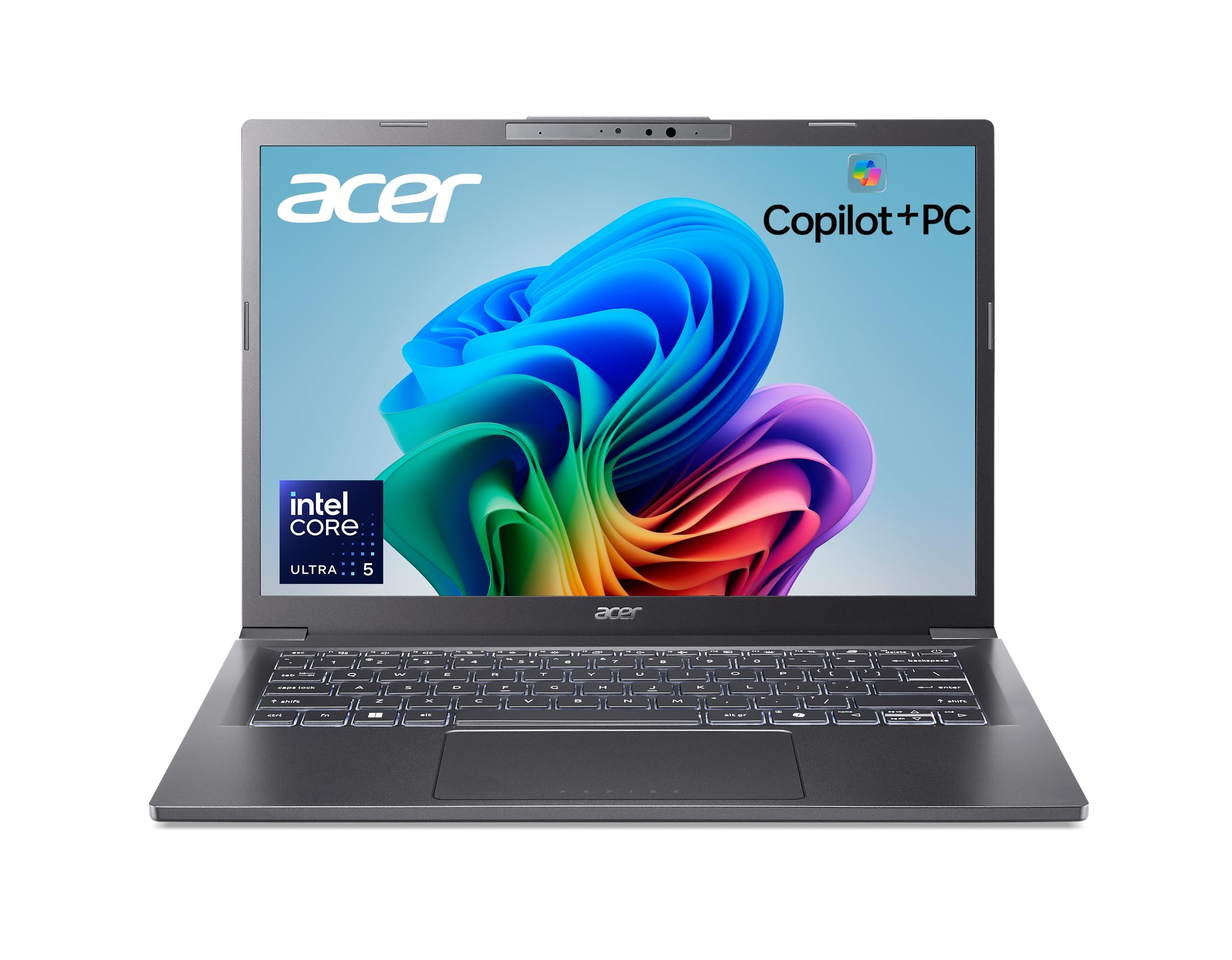
A 14-inch AI PC that sips power, giving you exceptional battery life for a Windows laptop.
The Acer Aspire 14 AI is a Copilot+ PC powered by the Intel Core Ultra 5 processor (Series 2), which combines a CPU, GPU, and NPU for on-device AI. The NPU (Neural Processing Unit) reaches up to 40 TOPS (trillion operations per second), enabling AI features like Windows Recall and Click to Do. The 14-inch WUXGA (1920×1200) display offers a taller aspect ratio for more vertical screen space than a standard 1080p panel. The standout spec is the battery life: up to 22 hours under video playback conditions, which rivals the MacBook Air. One reviewer says “the battery lasts a long time” and it is “pretty fast” for everyday tasks.
You get 16GB of LPDDR5X RAM and a 512GB SSD, so multitasking feels smooth. The aluminum chassis is sleek and lightweight, with a 180° lie-flat hinge for flexible positioning. It includes Wi-Fi 6E and Bluetooth 5.3, along with a decent port selection. The backlit keyboard is comfortable for typing.
The main caveat is that the AI features (Recall, Click to Do) are still rolling out in preview and might not be fully available at launch. Also, a few reviewers miss having a number pad and a touchscreen — neither is included here. Compared to the HP 14-inch i7, the Aspire 14 AI has a more efficient processor that delivers far longer battery life, but the i7 HP has a faster raw CPU for heavy calculations.
What makes it different
- Up to 22-hour battery life (video playback)
- Intel Core Ultra 5 with dedicated NPU (40 TOPS)
- 14″ WUXGA (1920×1200) display
- AI features like Recall and Click to Do
Trade-offs
- No touchscreen
- No number pad
- AI features still in preview/rolling out
Ideal for battery-conscious users: If you need a Windows laptop that lasts all day on a single charge and want to experiment with on-device AI features, this is your best mid-range pick.
Not for gamers or editors: The integrated Intel ARC 130V graphics handle light eSports titles but cannot manage AAA gaming or heavy 4K video editing.
9. Lenovo V14 G4 14″ FHD Laptop, Intel i7-13620H
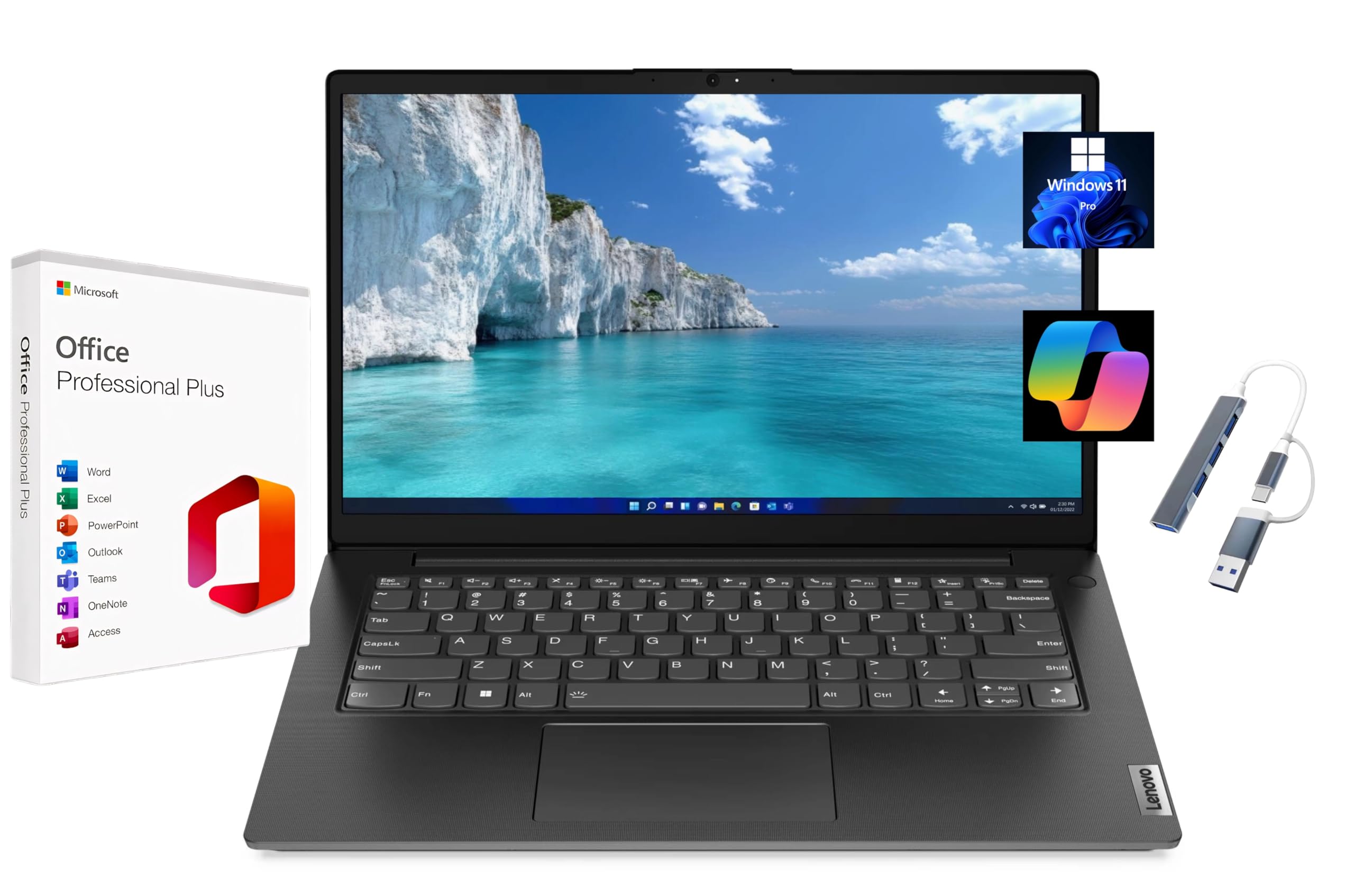
A budget 14-inch laptop that includes a free lifetime Microsoft Office license from the start.
The Lenovo V14 G4 is a no-frills business laptop that throws in a big bonus: a pre-installed Lifetime Microsoft Office Professional Plus license (including Word, Excel, Outlook, and PowerPoint). You do not need a subscription or activation code — it is ready to go from first boot. Under the hood, the Intel i7-13620H processor (up to 4.9GHz, 10-core) delivers powerful performance for a budget machine, capable of handling spreadsheets, documents, and light coding. The 14-inch 1920×1080 FHD anti-glare display is standard but serviceable. You get 8GB of DDR4 RAM and a 256GB PCIe NVMe SSD — enough for basic office work and light file storage.
The port selection is generous: USB-A 2.0, USB-A 3.2 Gen 1, USB-C 3.2 Gen 1, HDMI 1.4b, an Ethernet (RJ-45) port, and a headphone jack. This makes it easy to connect external monitors, wired networks, and peripherals without a dongle. It comes with Windows 11 Pro, which includes BitLocker encryption and Remote Desktop, plus a USB hub in the box.
The trade-off is the build quality: the TN display has narrow viewing angles and lower color accuracy (45% NTSC), so do not expect vibrant colors for media editing. The 8GB RAM is the minimum for smooth multitasking, and you might feel strained with many browser tabs open. Compared to the HP 2025 Student Laptop, the Lenovo has a much faster i7 processor but half the RAM (8GB vs 16GB). You have to decide what matters more: raw CPU speed or more memory for multitasking.
The Office-included workhorse: A great value if your primary need is Microsoft Office — the free lifetime license is a real saving, and the i7 processor handles heavy documents with ease.
Reach for this if: you are an office worker, student, or small business owner who uses Word, Excel, and Outlook daily and wants to avoid a subscription.
Look elsewhere if: you want a vibrant display for movies or photos — the TN panel and 45% NTSC color gamut are limiting.
10. HP 2025 Laptop for Student Business, 14″ Anti-Glare
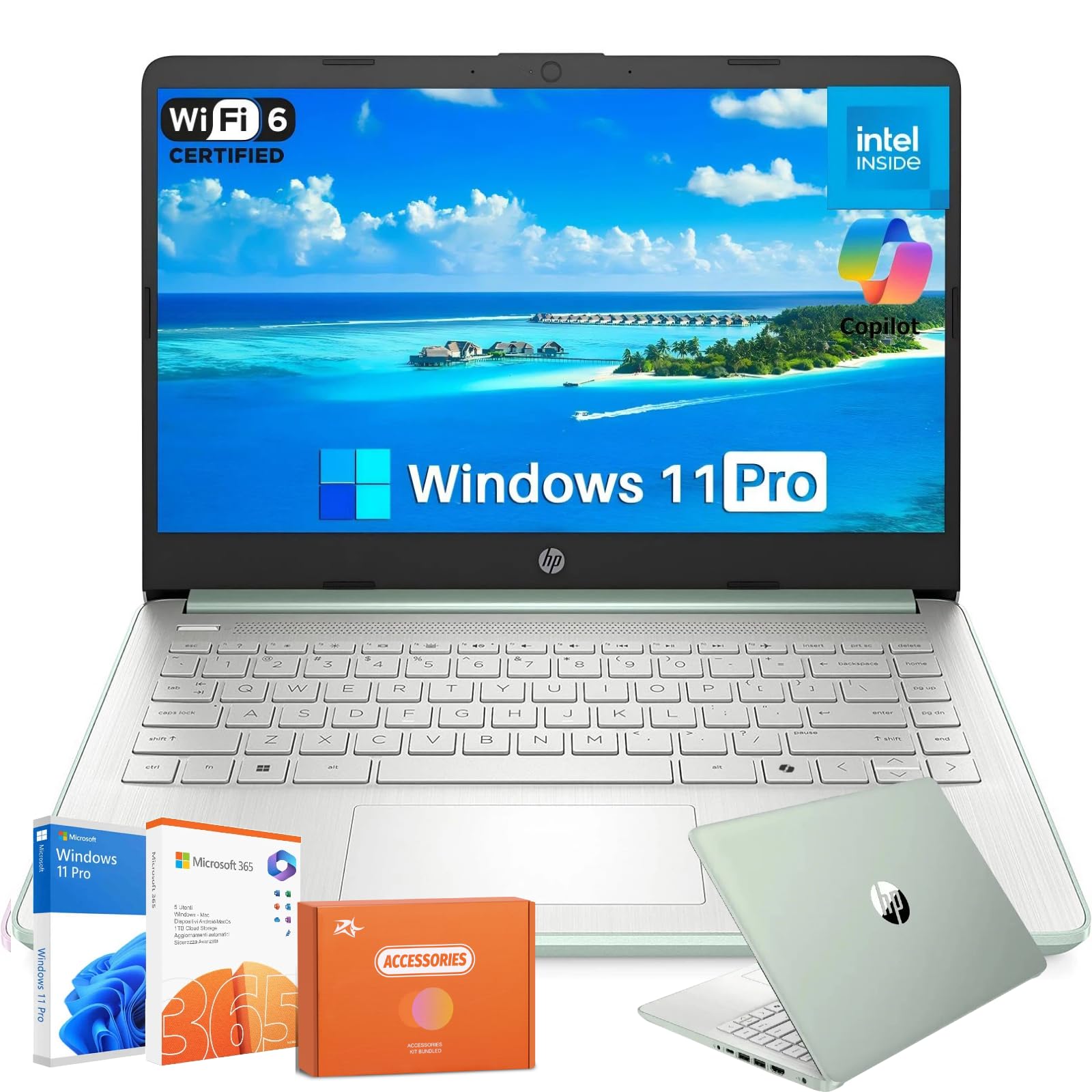
A budget-friendly 14-incher that packs 16GB of RAM and a surprisingly long 12-hour battery.
The HP 2025 Laptop for Student Business is designed as an entry-level machine for basic productivity, and it checks the right boxes for the price. The Intel N150 processor is modest — best for web browsing, Google Docs, and video streaming — but you get a generous 16GB of DDR4 RAM, which keeps multiple tabs running smoothly. The 128GB UFS storage is fast enough for boot times, and it is supplemented by a 256GB memory card for extra file space. The 14-inch HD (1366×768) anti-glare display is usable outdoors but less sharp than a 1080p panel. Battery life reaches up to 12 hours, which is strong for a budget laptop — for comparison, the HP 14-inch i7 lasts about 8 hours.
It comes with Windows 11 Pro, a 1-year subscription of Microsoft 365 (Word, Excel, PowerPoint), and Wi-Fi 6 for stable connections. The design is lightweight at 3.24 pounds and 0.71 inches thin, making it easy to carry. The HP Fast Charge feature refuels to 50% in about 45 minutes.
The biggest complaint from reviewers is that the initial ZOOM audio, microphone, and speaker had issues — described as “flat-line sound” and freezing — a common problem on HP forums. That said, the issue was later resolved for that user. Compared to the ASUS Chromebook Flip CX1, the HP has RAM (16GB vs 8GB) and longer battery (12 hours vs 11 hours), but the Chromebook’s touchscreen and 360° hinge offer more versatility for presentations and tablet use.
Why it wins on value
- 16GB RAM for smooth multitasking at a low price
- 12-hour battery with fast charge (50% in ~45 min)
- Includes 1-year Microsoft 365 subscription
- Anti-glare display for outdoor use
Things to check
- 1366×768 HD screen is not very sharp
- Audio/mic issues reported on some units
- Intel N150 is weak for heavy programs
Best for students on a tight budget: If you need a laptop for note-taking, research, and writing papers, this HP offers enough RAM and battery to get through a school day.
skip it if: you plan to game, edit video, or run demanding software — the N150 processor will struggle with anything beyond basic apps.
11. ASUS Chromebook Flip CX1 Convertible Laptop, 14″ FHD Touch

A lightweight, 360-degree convertible Chromebook that works as a laptop, tent, or tablet.
The ASUS Chromebook Flip CX1 is a budget-friendly 2-in-1 that runs ChromeOS (Google’s lightweight operating system) — meaning it boots fast, is secure against viruses, and works smoothly with Google apps like Docs, Sheets, and Gmail. The 14-inch FHD (1920×1080) NanoEdge touchscreen flips 360° for laptop, tent, stand, and tablet modes. It is powered by the Intel Celeron N4500 processor running at up to 2.8 GHz, paired with 8GB of RAM and 128GB of eMMC storage (embedded MultiMediaCard, a type of flash storage). Battery life is rated up to 11 hours, and reviewers report 7-8 hours on average with up to 14 hours for light work. One buyer mentioned it is “extraordinary value” for a convertible touchscreen laptop, ideal for word processing, Zoom, and note-taking.
The Chromebook weighs just 3.59 pounds and is built to US Military Grade standard MIL-STD 810H (a durability test for drops, vibration, and temperature extremes), so it can handle bumps in your bag. It includes Wi-Fi 6 and Bluetooth 5.2 for fast wireless connections. Owners mention the setup takes only about 5 minutes with an Android or iPhone, and the Chromebook can run phone apps smoothly. One owner reported it is “fast, lightweight, easy to use” and praised the battery that lasts most of the day.
The main limitation is the Celeron N4500 processor — it is fine for light tasks but will struggle with heavy multi-tab browsing, gaming, or video editing. Customers note you can install Steam but gaming is limited. Also, the 128GB eMMC storage is slower than an SSD and fills up quickly if you download many apps or files. Compared to the HP 2025 Student Laptop, the Chromebook has a touchscreen and convertible design, but the HP offers a better processor for raw multitasking and a full Windows OS with Microsoft Office. If you live in Google’s ecosystem and need a flexible, secure, and low-cost device for school or light home use, this is a solid pick.
The budget flex: A 360° touchscreen Chromebook that is fast, secure, and great for Google-centric users — at a price that is tough to top.
Reach for this if: you need a durable, lightweight convertible for browsing, email, video calls, and note-taking, and you are comfortable in the ChromeOS environment.
Look elsewhere if: you need to run Windows-only software, do heavy multitasking, or require fast local storage — the eMMC and Celeron chip have clear limits.
Understanding the Specs
Processor (CPU) and Performance
The processor determines how fast your laptop can handle tasks and run apps. For basic browsing and document editing, an Intel N150 or Celeron is enough. For heavy multitasking, a 13th Gen Intel Core i7 or Intel Core Ultra 5/7 delivers much more speed. Newer chips also include a dedicated NPU (a small AI processor) for on-device AI features like Windows Recall and background blur in video calls. Look for “Copilot+ PC” or “Intel Core Ultra” if you want the latest AI tools. The Apple M5 and A18 Pro chips are designed specifically for Apple’s ecosystem and offer excellent performance-per-watt.
Memory (RAM) and Storage
RAM is your laptop’s short-term memory for running apps and browser tabs. 8GB is the minimum for comfortable use, but 16GB is much better for smooth multitasking. For heavy creative work, 32GB is ideal. Storage comes as an SSD (Solid State Drive), which is much faster than an old hard drive. A 256GB SSD is the basic entry point; 512GB gives you comfortable room for documents, apps, and media; 1TB is for power users with large file collections. Avoid eMMC storage if possible — it is slower than an SSD and can make your laptop feel sluggish.
Display Resolution and Technology
Screen resolution affects how sharp text and images look. A 1366×768 HD display is usable but text looks grainy. A 1920×1080 FHD (Full High Definition) display is the modern standard — text is crisp and images are clear. Premium options like 2.8K (2880×1800) or 3K OLED deliver extremely sharp detail and vibrant colors, ideal for photo editing or watching HDR movies. An anti-glare finish reduces reflections for outdoor use, while a touchscreen adds convenience for scrolling and navigating. OLED displays offer deeper blacks and richer contrast than standard LED screens.
Battery Life
Battery life tells you how long the laptop lasts on a single charge. It varies widely: budget laptops might get 8-10 hours of light use, while premium ultrabooks like the Microsoft Surface Laptop (23 hours) or Apple MacBook Air (18 hours) last much longer. Real-world battery life is usually lower than the manufacturer’s estimate due to Wi-Fi, screen brightness, and background apps. If you need to work away from an outlet all day, look for models with 12+ hours of rated battery life. Fast charging is a bonus — some HP models refuel to 50% in about 45 minutes.
FAQ
Is 8GB of RAM enough for a 13-14 inch laptop in 2025?
What is the difference between a Chromebook and a Windows laptop in this size?
How important is screen resolution on a 14-inch laptop?
What does “Intel Evo” mean on a laptop?
Can I upgrade the RAM or storage later on a 13-14 inch laptop?
Is a 14-inch laptop too big for travel?
What is a Copilot+ PC and do I need it?
Which is better for battery life: Windows or MacBook?
How many hours of battery should I expect from a budget 14-inch laptop?
Should I buy a convertible 2-in-1 laptop or a standard clamshell?
Final Thoughts: The Verdict
For most people, the best 13-14 inch laptop is the Apple MacBook Air 13-inch with M5 chip because it delivers the perfect blend of performance, display quality, battery life, and portability. If you need a dual-screen powerhouse for productivity and creative work, the ASUS Zenbook Duo is class-leading. And for business professionals who want the lightest possible 14-inch laptop with top-tier build quality, the Lenovo ThinkPad X1 Carbon Gen 13 is the ultimate road warrior machine.
How We Picked
We do not accept paid placement. Every pick is matched to a real buyer and a real use-case; we do not hands-on test units.
Sources & Methodology
Specifications: manufacturer listings and product documentation. Review insights: verified customer reviews, as of July 2026. Pricing: not shown on this page (it changes often); check the current price via the retailer link.
As an Amazon Associate, Gadgets Feed earns from qualifying purchases. This does not affect which products we feature.