
Our readers keep the lights on and my morning glass full of iced black tea. As an Amazon Associate, I earn from qualifying purchases.
Specs are compiled from manufacturer listings and verified buyer reviews and can change over time — please confirm the key details on the product page before buying.
A 13-inch laptop is the one you actually carry. It slides into a tote or a backpack sleeve, opens on a tray table, and still runs a real desktop operating system instead of a phone-style one. The catch is that “13 inch” is a rough target, not an exact size — the picks below run from 13.0″ to 13.8″, because those are the sizes manufacturers actually build and sell. If you want the shortest answer: the M5 MacBook Air is the fastest, longest-lasting machine here, the renewed business laptops stretch your money furthest, and the budget convertibles are for light work only.
I’m Min — the founder and writer behind Gadgets Feed. This guide is built by comparing the manufacturers’ published specifications and the patterns across verified customer reviews, so you get each pick’s real strengths and trade-offs instead of marketing spin.
Every machine below is judged on the things that decide whether a 13-inch laptop feels like a tool or a compromise: how long it runs unplugged, how much memory it carries, how sharp the panel is, and whether it stays cool and quiet while you work. That is the lens behind this list of the best 13 Inch Laptop picks.
Our Picks at a Glance

How To Choose The Best 13 Inch Laptop
Small laptops look identical in photos and behave completely differently on your lap. Four things separate a machine you keep for years from one you resell in six months: the processor family, the amount of memory, the storage type, and the battery rating. Get those four right and the rest is preference.
Processor: the chip decides how long the laptop stays useful
The chip is the part that ages fastest. A 13-inch laptop with a current-generation processor will feel quick for years; one with an older chip feels slow sooner. Apple’s M-series chips in the MacBook Air run without a fan, so the machine stays silent no matter how many browser tabs you open. Intel Core chips like the i5-1135G7 or i7-1185G7 boost to a higher clock speed when you need it and drop back down to save battery. The Snapdragon X Elite in the newer Surface Laptop is an ARM chip, which is fast and efficient but can struggle with older Windows programs built for Intel.
Memory and storage: the numbers you feel every day
Memory (RAM) is your workspace — the more you have, the more apps and tabs stay open at once without the laptop grinding. 8GB is the floor for browsing and documents, 16GB is comfortable for real multitasking, and 24GB leaves headroom for video editing and local AI tools. Storage matters differently: an SSD (solid-state drive, which has no moving parts and starts up in seconds) is essential, and 256GB fills up fast once you add photos and downloads. Look for 512GB if you plan to keep the laptop for years.
Screen and battery: what you notice in daily use
On a 13-inch panel, resolution is what keeps text crisp. A Full HD screen at 1920 x 1080 pixels is sharp enough for documents and video. Higher resolutions, like the 2560 x 1664 on the MacBook Air or 2256 x 1504 on the Surface Laptop 5, make small text noticeably cleaner. Battery ratings tell you how far you can go without the charger — business-class laptops with a manufacturer-stated 18 or 20 hours let you leave the adapter at home, while a 4-hour rating means the charger comes with you.
Quick Comparison
| Model | Best For | Screen | Memory / Storage | Stated Battery | Amazon |
|---|---|---|---|---|---|
| Apple 2026 MacBook Air 13-inch (M5)★ Best Overall | Longest battery and fastest everyday performance | 13.6-inch Liquid Retina | 24GB / 1TB SSD | 18 hours | Amazon |
| Dell Latitude 5300Best Value | Cheapest way into a 16GB business laptop | 13.3-inch FHD | 16GB / 256GB SSD | — | Amazon |
| HP EliteBook 830 G6Most Storage Value | Storage per dollar in a renewed shell | 13.3-inch FHD | 16GB / 512GB SSD | 7 hours | Amazon |
| Acer Chromebook R 13 | Students and light cloud work | 13.3-inch Full HD touch | 4GB / 32GB | 12 hours | Amazon |
| MARGOLAI 2-in-1 Laptop | A tablet that runs Windows | 13-inch 2K touch (2160×1440) | 12GB / 512GB NVMe SSD | 4 hours | Amazon |
| HP EliteBook 830 G8 | Backlit-keyboard business travel | 13.3-inch FHD touch | 16GB / 512GB SSD | — | Amazon |
| Dell Latitude 7310 | Touchscreen multitasking on the move | 13-inch FHD touch | 16GB / 512GB NVMe SSD | — | Amazon |
| Microsoft Surface Laptop 5 | Sharpest small touchscreen under the premium tier | 13.5-inch 2256 x 1504 touch | 16GB / 512GB SSD | 8 hours | Amazon |
| HP Envy x360 2-in-1 | Flipping into tablet mode for notes | 13.3-inch FHD touch | 8GB / 256GB SSD | — | Amazon |
| Apple 2024 MacBook Air (M3) | Apple polish for less than the M5 | 13.6-inch Liquid Retina | 16GB / 512GB SSD | 18 hours | Amazon |
| Microsoft Surface Laptop (2024) | All-day battery with Copilot+ AI features | 13.8-inch touch | 16GB / 512GB SSD | 20 hours | Amazon |
In‑Depth Reviews
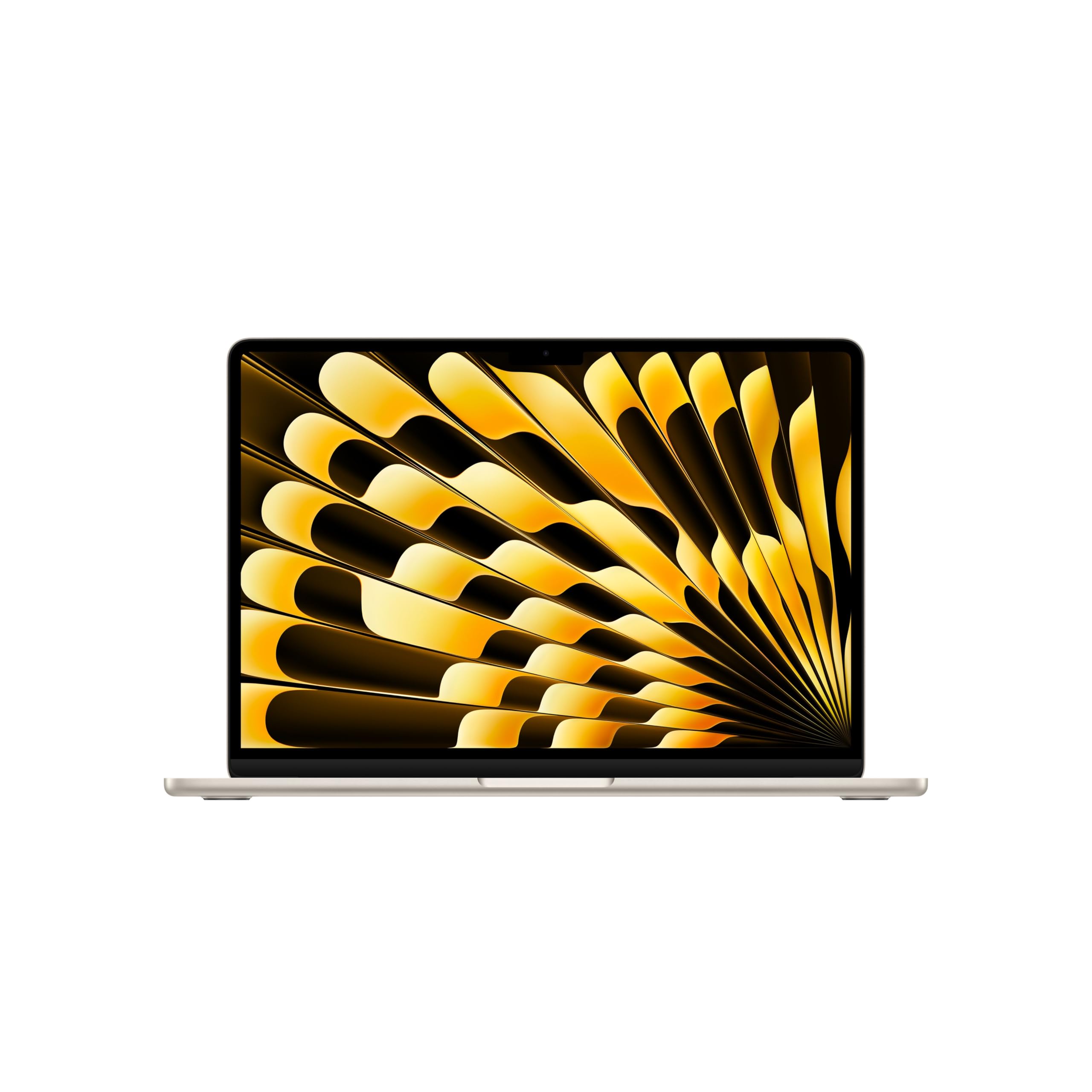
1. Apple 2026 MacBook Air 13-inch Laptop with M5 chip
Our pick — over 4.5★ from 250+ verified ratings; the strongest balance of quality and price.
The featherless fan, the 18-hour day, and the 24GB of memory that never taps out.
If you want one 13-inch laptop that removes every compromise at once, this is the machine. It runs on Apple’s M5 chip and carries 24GB of unified memory — a single pool of fast memory shared by the processor and graphics, rather than separate chips. The solid-state drive holds 1TB.
Battery is the headline. Apple rates it at up to 18 hours, and HP’s EliteBook 830 G6 in this same list states 7 hours. That is the real-world difference between leaving the charger at home and planning your day around an outlet. The 13.6-inch Liquid Retina display supports 1 billion colors, so photos and video keep their contrast instead of washing out. For meetings, the 12MP Center Stage camera automatically keeps you in frame, and Touch ID signs you in with a fingerprint instead of a password.
Owners upgrading from older Macs call it lightning fast on heavy programs with ample storage, and say the Starlight finish looks silver in daylight and warmer at night. What wins people over most is raw performance — it is the single most-praised thing about this machine, not the screen and not the price. The catch is honest and simple: it is the most expensive laptop here, and the 13.6-inch screen is a little bigger than the 13 inches you typed in, so it fits a slightly roomier bag than a strict 13.3-inch model.
What Earns It Top Spot
- 18-hour battery — the longest stated figure in this entire list
- 24GB unified memory, twice what the M3 Air carries, for the same class of work
- 1TB SSD, plus two Thunderbolt 4 ports, MagSafe charging, Wi-Fi 7 and Bluetooth 6
- Fanless design, so it never kicks up a whine under load
Where It Asks More Of You
- Premium-tier money — the renewed business picks further down cost far less
- 13.6-inch panel, not a strict 13.0-inch, so measure your sleeve first
- Weighs 2.71 pounds, not the lightest here, though close
Buy this one if: you want the fastest, longest-lasting 13-inch-class laptop in the group and you keep a machine for years.
Think twice if: the budget is fixed and a renewed EliteBook or Latitude would still cover your daily work.
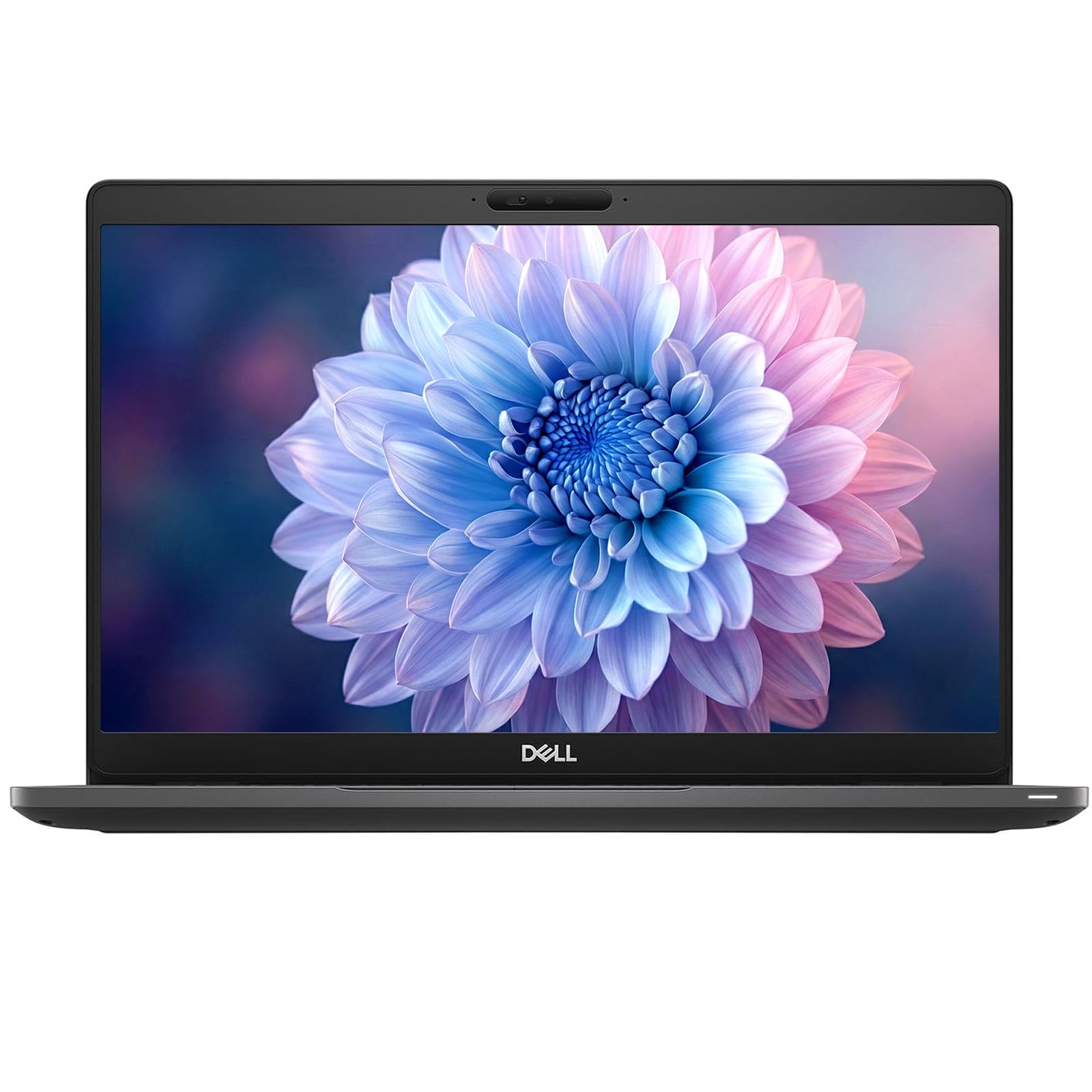
2. Dell Latitude 5300 13.3″ FHD Laptop
Sixteen gigabytes of memory for the price most people pay for eight.
Here is the move that makes this Dell the value pick: it pairs 16GB of RAM with a 256GB solid-state drive for entry-level money. It runs an 8th-generation Intel Core i5-8365U at 1.6GHz, boosting to 3.9GHz, behind a 1920 x 1080 Full HD screen. It ships with Windows 11 Pro and is Certified Refurbished, meaning it was tested, cleaned, inspected, and repackaged, with a minimum 90-day warranty.
Ports are the quiet advantage. You get two USB 3.2 Type-A ports, one USB 3.2 Type-C, plus DisplayPort, HDMI, Ethernet, and a microSD slot — so an external monitor, a wired network cable, and a memory card all plug in without adapters. Windows 11 Pro also brings business features like BitLocker device encryption.
The recurring honest gripe on these renewed Latitudes is battery endurance, which buyers describe as the weak spot rather than the headline. Everything else holds up well: owners describe units arriving early and looking brand new, handling more than expected for the money, and one owner flatly says it “basically shocked me on how much it could handle.” A single unit arrived playing up through the startup cycle and went back, which is the risk you accept with any renewed machine.
The memory math: 16GB is double the 8GB you usually find at this tier, so browser tabs and spreadsheets stop fighting each other.
The honest caveat: the processor is an 8th-generation chip, so it will feel its age sooner than the newer Intel Core i7 machines higher up this list.
Reach for this if: you want a real Windows laptop with 16GB of memory and a full port set without premium-tier spending.
Look elsewhere if: you need a manufacturer-stated all-day battery figure or the newest chip generation.
3. HP EliteBook 830 G6 Business Laptop, 13.3 inch FHD
A Core i7 and half a terabyte of storage in a renewed business shell.
Take the Dell Latitude 5300 above and double its storage: this EliteBook carries 512GB, where that Dell carries 256GB, for roughly the same entry-level-to-mid-range money. It pairs an 8th-generation Intel Core i7-8665U with 16GB of DDR4 RAM and a 13.3-inch Full HD panel. HP states 7 hours of battery life, and Bluetooth 5 handles your wireless peripherals. It arrives as a renewed unit with an A grade and both the laptop and AC adapter in the box.
Speed is the part owners agree on. Applications and even games load quickly on the i7, and one buyer picked theirs specifically for BMW E90 tuning and saving ECU files, reporting it ran without fuss. Others describe setup going smoothly with disk space and memory already ample from the start — the kind of thing that matters when you are replacing an old workhorse on a deadline.
Reliability is where this one needs a fair, sized caveat. It is the most-discussed topic on this machine’s review pages and opinions genuinely split, with a satisfied long-term owner alongside reports of a unit failing soon after arrival. With hundreds of units sold, that is a small share, but it is worth knowing that a renewed unit is only as good as its specific seller. It also carries the lowest star score of any laptop here, so if a spotless record matters more than storage, the EliteBook 830 G8 below is the better bet.
Storage per dollar: 512GB is twice the 256GB in the Latitude 5300, which is real money saved on external drives later.
Read the seller: renewed condition varies unit to unit, so check the return window before you commit.
Best fit: buyers who need half a terabyte of local storage and a Core i7 without paying premium prices.
Not the one: if you want the safest reliability record in this list — a couple of units here failed early, and the odds favor spending a little more.
4. Acer Chromebook R 13 Convertible, 13.3-inch Full HD Touch

Twelve hours unplugged, a 1920 x 1080 touchscreen, and a hinge that folds flat.
Chromebooks trade full desktop software for speed and simplicity, and this one makes that trade beautifully. It runs Chrome OS, the lightweight operating system built by Google, which boots in seconds and updates itself. The screen is a 13.3-inch Full HD touch panel at 1920 x 1080, the processor is a MediaTek MT8173C quad-core, and HP-style endurance is the point: the stated battery life is 12 hours. Storage is a small 32GB of eMMC flash, which is why the bundled 100GB of Google Drive space matters — your files live in the cloud, and Chromebooks are built to lean on it.
Value is what buyers rave about most — it is by far the most-praised aspect of this machine, ahead of battery and speed — and students are the ones who benefit. Reviewers describe replacing a heavier Windows laptop for note-taking, running a dozen or more browser tabs without stutter, getting through a full day of classes on one charge, and using the touchscreen for handwriting math and chemistry notes. The convertible hinge means it folds into a tablet for reading, and you can run Android apps from the Play Store.
Two things to accept going in. It is heavy in tablet form — reviewers compare the 13-inch panel to carrying a small laptop when folded — and deep multitasking can stutter on ad-heavy pages. It is also genuinely dependent on a Wi-Fi connection, and full Windows programs like desktop Photoshop will not run here. That is the category’s nature, not a defect.
The Student Argument
- 12-hour stated battery means one charge covers a full day of classes
- Full HD touch screen at 1920 x 1080 for handwriting and reading
- Converts to a tablet and runs Android apps from the Play Store
- USB-C charging plus HDMI, USB, and microSD ports, all standard
Accept These Realities
- 32GB of local storage is tight without cloud backup
- Android-app performance is mixed, and a few units broke early
- Heavy and unwieldy in tablet mode
Suits you if: you are a student or light user whose day is browsers, docs, notes, and streaming.
Skip this one if: you need Windows programs, offline storage, or a machine for video editing.
5. MARGOLAI 2-in-1 Laptop, 12GB RAM 512GB NVMe SSD, 13″ Touchscreen

A 2K screen and NVMe speed wrapped around a keyboard that struggles to hold it up.
This is the smallest-screen pick in the group and the sharpest per pixel: a 13-inch 2K IPS touchscreen at 2160×1440 in a 3:2 shape, an aspect ratio meaning the screen is taller relative to its width, which shows roughly 18% more vertical content than a standard 16:9 panel per the manufacturer. That extra height matters for spreadsheets, long documents, and web pages — fewer scrolls, more visible rows.
Under the hood sits an Intel N100 quad-core processor boosting to 3.4GHz, 12GB of LPDDR5 memory at 4800MT/s, and a 512GB PCIe 4.0 NVMe solid-state drive rated at 2000MB/s read and write. Ports include a full-featured USB-C that handles charging, data, and display, a second USB-C 2.0, two USB 3.2 Gen1 ports at 5Gbps, and a 3.5mm audio jack. Buyers compare its real-world performance to a Surface tablet, and the hardware quality is the thing owners praise most — ahead of even performance.
Now the trade-off, and it is the one thing buyers keep raising: the tablet section is heavy enough that the keyboard stand tips and topples on small desks, and this is the most-mentioned concern on the listing. It also states 4 hours of battery life, which is far short of the 12- and 18-hour machines here — plan on carrying the adapter, or keep this near a plug. One buyer ran it for 14 months and reported good keyboard durability, while another hit a dead keyboard connection and weak support.
Screen bet: 2160×1440 across 13 inches gives you visibly finer text than a 1920 x 1080 panel at the same size.
Stability warning: the tablet outweighs its kickstand keyboard, so it needs a full desk rather than a tray table or a lap.
Pick this if: you want Windows, a 2K touchscreen, and a large NVMe drive in a hybrid tablet-laptop body.
Steer past it if: you work on your lap, on planes, or anywhere the screen cannot sit flat.
6. HP EliteBook 830 G8 Touchscreen Laptop, 13.3″ Full HD

Three generations newer than the G6 above, and light enough to leave the desk.
Where the EliteBook 830 G6 runs an 8th-generation chip, this G8 steps up to an 11th-generation Intel Core i7-1185G7 with a 12MB cache, running from 3.0GHz and boosting to 4.80GHz. It carries the same 16GB of RAM and 512GB solid-state drive, and the screen is a 13.3-inch IPS Full HD touch panel at 1920 x 1080 with wide-angle viewing. The chassis weighs 2.7 pounds, which is why it suits travelers and remote workers. You also get a backlit keyboard, so you can type in a dim room or on a night flight without hunting for keys.
Ports are a serious strength here: USB Thunderbolt 4 Type-C for fast transfers and display output, USB 3.2 Gen 1 Type-A, HDMI 2.0, and a headphone-microphone combo jack, so legacy accessories and modern ones both plug in directly. Windows 11 Pro adds business-grade security, and Wi-Fi 6 keeps the connection quick on busy networks.
The honest wrinkle on renewed hardware shows up across the units: appearance varies more than any spec sheet can promise. Some arrive clean with no scratches and batteries that hold up well through a workday; some arrive with a damaged corner, and a 45W power supply rather than the 65W original. Buyers who received good units call it excellent value, and one buyer wanting to add another 16GB of RAM alongside the existing stick signals real headroom for heavier multitasking.
What you gain: an 11th-generation Core i7, 16GB of RAM, a 512GB SSD, and Thunderbolt 4 in a 2.7-pound shell.
What to check on arrival: the power adapter’s wattage and the body’s condition, and open the return request fast if something is off.
Right for you if: you travel for work and want a fast, light business laptop with Thunderbolt 4 and a backlit keyboard.
Consider the alternative if: you need a guaranteed like-new physical condition, not a graded one.
7. Dell Latitude 7310 Laptop, 13″ 1920×1080 FHD Touchscreen

A four-core i7 that sips power at 1.8GHz and jumps to 4.9GHz on demand.
This is the current-generation Dell Latitude to shortlist if you want a laptop with real workspace inside a 13-inch footprint. It runs a 10th-generation four-core Intel Core i7-10610U paired with 16GB of DDR4 memory clocked at 3200MHz and a 512GB PCIe NVMe M.2 solid-state drive. The screen is a 13-inch 1920×1080 touchscreen, and the processor runs at 1.8GHz under light use before boosting to 4.9GHz under heavy load — a chip designed to stay efficient when you do not need the power. Windows 11 Pro is included, with a built-in webcam, Wi-Fi, and Bluetooth.
Owner consensus here is one of the cleanest in this article: what buyers praise most is that the machine arrives exactly as advertised, with value for money running a close second. A satisfied owner calls it light and durable, notes it does not freeze, and credits the touchscreen and backlit keyboard for making it usable any time. Others report units arriving factory-reset with a verified Windows license and a battery holding up well, some arriving days ahead of schedule.
Then there is the honest catch. This model has the fewest ratings of the next-tier machines here, and one unit arrived with a screen that flickered occasionally.
The boost explanation: 1.8GHz under light use saves power; 4.9GHz under heavy use makes apps feel instant.
The fine print: 16GB at 3200MHz is fast memory for this class, but confirm the seller’s returns and check the screen on arrival.
Best for: buyers who want touch, a backlit keyboard, and fast DDR4 memory in a genuinely portable 13-inch body.
Reconsider if: you cannot tolerate a thin review base — the patterns here are positive but the sample is small.
8. Microsoft Surface Laptop 5, 13.5″ Touchscreen

The 2256 x 1504 panel turns a small screen into a preview monitor.
Pixel density is this machine’s angle. The 13.5-inch touch screen runs at 2256 x 1504, which is sharper than every 1920 x 1080 panel in this article — including the Acer Chromebook R 13 and the HP EliteBook G8 — so text, PDFs, and photos look crisper on the same physical width. Under the display sits a 12th-generation Intel Core i7-1265U boosting to 4.8GHz, paired with 16GB of RAM and a 512GB solid-state drive. It arrives renewed in Platinum with Windows 11 Pro ready to go, and Microsoft states 8 hours of battery life.
What owners praise most is the performance, followed by the appearance. A tech consultant who normally buys new describes being surprised by how the renewed Surface handled small business apps, battery life, and everyday handling, calling it comparable to far more expensive machines. A teacher who bought a second Surface calls it fast and reliable with excellent battery, and several buyers report their unit arriving looking essentially new.
The honest tension is durability and battery. Reliability and battery life are the most-discussed topics on this listing, and both land in mixed territory: most units work exactly as promised, while a couple of users report booting or battery problems and a battery that falls short of the 18-hour figure. That is a real reason to buy from a seller with a clear return policy. One buyer also notes a lock icon showing on the boot screen, which a clean Windows install would fix.
Where It Wins
- 2256 x 1504 resolution — the sharpest small display in this article
- 12th-generation Core i7-1265U for smooth everyday Windows work
- 16GB of RAM and a 512GB SSD for lasting headroom
- Stated 8 hours of runtime, with battery saver stretching it most of a working day
Where It Lacks
- Two buyers on record hit boot or battery problems on arrival
- Not the fastest machine on this list — the M5 Air beats it for heavy work
- Some units need a fresh Windows install to clear a startup screen lock
This is your pick if: a razor-sharp touchscreen and a solid Windows chip matter, and you would rather not pay the newer model’s full premium.
Look at the M5 Air instead if: you need the long-session battery figure and want zero risk of a renewed unit.
9. HP Envy x360 2-in-1, 13.3 inch FHD Touch-Screen Laptop

A 360-degree hinge, a fingerprint reader, and a smaller than expected keyboard.
If the hinge is the point for you, this is the one. It carries a 360-degree flip so the display swings all the way around into tablet mode, and it runs an 11th-generation Intel Core i5-1135G7 with four cores, eight threads, and Intel Turbo Boost up to 4.2GHz. Memory is 8GB of DDR4, storage is a 256GB solid-state drive, and the 13.3-inch IPS touch screen runs at 1920 x 1080 Full HD. A fingerprint reader signs you in without typing a password, and the keyboard is backlit for dim-room work. The processor and chassis pair with Intel Iris Xe graphics for everyday photo editing and browsing.
The everyday experience is mostly strong. One owner says it slides into a handbag easily, and notes the battery outlasts their 14-inch HP, running past four hours on a charge. The standout reviewer verdict is simply that the smaller keyboard takes getting used to — the trade-off of a genuinely compact body. It ships with Windows 10 Home and a bundled mouse pad.
The complication to weigh is durability and support. A small handful of buyers reported the touchscreen failing on arrival and one mentions OS trouble with the replacement unit too, though that owner credits the seller’s responsiveness for saving the experience. The warranty story also has a wrinkle: HP ties free HP assistant service to the warranty, and one buyer had to call HP and send their purchase record to reinstate coverage. Worth having your receipt ready.
The compact trade: 8GB RAM and a 256GB SSD are light by this list’s standard, so it fits browsing and light editing better than heavy multitasking.
Weigh the warranty: confirm the coverage window before purchase and keep your purchase record handy.
Pick this if: you want a true convertible for notes, drawing, and streaming, and a fingerprint reader for quick logins.
Find another if: you need 16GB of RAM, more storage, or a spotless durability record.
10. Apple 2024 MacBook Air with M3 Chip, 13-inch

Renewed M3 silicon, 18 hours of battery, and a chassis under half an inch thin.
The M3 Air is the sensible Apple buy when the newest model is more than you need. It runs Apple’s M3 chip with an 8-core CPU and 10-core GPU, paired with 16GB of memory and a 512GB solid-state drive. The 13.6-inch Liquid Retina display supports 1 billion colors at a 2560 x 1664 resolution, and the chassis is under half an inch thin — Apple’s stated battery figure is up to 18 hours. It arrives renewed in Midnight, and Apple Intelligence features are available to help with writing and everyday tasks.
The renewed reality here is what owners gush about. Buyers describe their units arriving like new with no scratches, dents, or scrapes, and one reports a battery cycle count of 20 with full capacity — essentially a laptop someone opened and returned. Performance is what earns the most goodwill, followed by value for money, with owners noting it runs faster, quieter, and cooler than the older Intel MacBook Air they replaced. Several expect it to last many years. One quirk worth flagging: the included charger may not be an original Apple unit.
How does it stack up against the M5 Air at the top of this article? The M5 gives you 24GB of unified memory to the M3’s 16GB, and double the stored bytes at 1TB. On the flip side, the M3 keeps the same 18-hour battery rating as the M5, at a lower tier of spend. If you need the budget to stretch, that is a meaningful trade in the M3’s favor.
Why the refurb shines: renewed units often ship with low cycle counts, so you get near-new hardware and still save versus retail.
Check the accessories: chargers may not be original Apple parts, so confirm they work before the return window closes.
Buy the M3 if: you want Apple silicon, 16GB of RAM, and 18-hour battery at a friendlier tier than the M5 Air.
Step up if: you run memory-hungry applications and want 24GB of unified memory.
11. Microsoft Surface Laptop (2024), 13.8″ Touchscreen Display

The 20-hour battery and 12-core Snapdragon chip that turn small-screen work into all-day work.
This is the one machine here whose processor is not Intel or Apple: it runs a 12-core Snapdragon X Elite, built on ARM architecture, which is the same chip family your phone uses and is designed for long battery life and fast on-device AI tasks. The stated battery figure is up to 20 hours, the longest in this article. It carries 16GB of RAM and a 512GB solid-state drive, and the display is a 13.8-inch touchscreen — the largest in this roundup — with HDR tech, meaning a wider range between the darkest and brightest parts of the picture. It also ships Wi-Fi 7 and includes a Copilot key.
Performance is the most-praised aspect, with the build quality drawing good notes too. Buyers describe a crisp, beautiful display, a fast processor, and battery that never left them stranded. One owner — a long-time Mac user — says the Windows version finally feels refined, with a keyboard, touchpad, and bezel that rival Apple’s, and describes the touchpad as beating Apple’s in daily use. The Microsoft Office suite comes included, which helps if the laptop is for study or work documents.
The honest catch with any ARM laptop: some older Windows programs built for Intel chips will not run, and a few owners mention compatibility stumbling blocks. The trackpad has its own quirk in some units, with one owner finding only the left side responsive from day one and no free repair offered. It is also heavy for a 13.8-inch machine, a trade-off buyers attribute to the metal build.
Why It Stands Out
- 20 hours of stated battery — the longest figure in this entire article
- 12-core Snapdragon X Elite chip with on-device AI acceleration
- 13.8-inch HDR touch screen, the biggest panel here, plus Wi-Fi 7
- Mac-like keyboard and touchpad that converts Mac users
Points To Chew Over
- ARM chip means a few older Intel-built Windows programs will not run
- Noticeably heavy for a 13-inch-class machine
- One owner reports a trackpad fault with no free repair offered
Go for this if: battery endurance and AI features matter most, and your apps are modern Windows software.
Hold off if: you rely on legacy Intel-only programs that cannot be replaced or updated.
Understanding the Specs
Screen size and resolution — what “13 inch” really means
The quoted size is measured diagonally, corner to corner, and manufacturers rarely build exactly 13.0 inches. The laptops here range from 13.0 to 13.8 inches, because those are the panels that actually exist. A 13.3-inch machine slips into a tightly sized sleeve; a 13.8-inch one needs a slightly roomier bag but shows more content without scrolling. Resolution is the sharper distinction. A 1920 x 1080 panel is fine for documents and video, while a 2256 x 1504 or 2560 x 1664 screen makes small text visibly cleaner — worth it if you stare at spreadsheets or PDFs all day.
Battery ratings and processor generations — the two numbers that age
Battery figures in this list span a wide range, from a 4-hour rating on the hybrid convertible up to 20 hours on the newer Surface Laptop. That gap is the difference between charging twice a day and charging every other day. Processor generation follows the same logic: an 8th-generation chip handles everyday work but will feel older sooner, an 11th- or 12th-generation Core i7 runs modern tasks comfortably, and Apple’s M-series and Snapdragon ARM chips prioritise efficiency. Two buyer benefits worth noting: Apple silicon runs fanless and silent, while the ARM Snapdragon chip in the Surface runs cooler and lasts longer but does not run every old Windows program.
FAQ
Is a 13-inch laptop too small for real work?
Do I need 16GB of RAM or is 8GB enough?
How long does the battery really last on these laptops?
What does “renewed” or “Certified Refurbished” mean for a laptop?
Can I run Adobe Photoshop on a Chromebook?
Why does a MacBook Air not have a fan?
Will an ARM chip like the Snapdragon X Elite run all my Windows programs?
Is a touchscreen worth it on a 13-inch laptop?
How much storage do I actually need on a 13-inch laptop?
Should I buy the newest MacBook Air or the renewed older one?
Final Thoughts: The Verdict
For most people shopping a 13 inch laptop, the Apple 2026 MacBook Air with the M5 chip is the pick that ages best — an 18-hour battery, 24GB of unified memory, and 1TB of storage leave nothing to wish for down the road, and it earns the strongest performance praise in this group. If you want a touchscreen and a sharper small panel, the Microsoft Surface Laptop 5 delivers a 2256 x 1504 display for less. And if you simply need 16GB of memory and a full port set at entry-level spend, the Dell Latitude 5300 is the value move. Decide what actually matters — battery, screen, or spend — and match it to one of these; that beats chasing a longer list.
How We Picked
We do not accept paid placement. Every pick is matched to a real buyer and a real use-case; we do not hands-on test units.
Sources & Methodology
Specifications: manufacturer listings and product documentation. Review insights: verified customer reviews, as of September 2026. Pricing: not shown on this page (it changes often); check the current price via the retailer link.
As an Amazon Associate, Gadgets Feed earns from qualifying purchases. This does not affect which products we feature.