
Our readers keep the lights on and my morning glass full of iced black tea. As an Amazon Associate, I earn from qualifying purchases.
Specs are compiled from manufacturer listings and verified buyer reviews and can change over time — please confirm the key details on the product page before buying.
A 13-inch tablet gives you a screen big enough for movies, drawing, and work, but it is still light enough to carry in a bag. The challenge is choosing the right one — some are built for creative pros, others for media on a budget. Pick wrong, and you end up with a slow processor or a dim screen that ruins the experience.
I’m Min — the founder and writer behind Gadgets Feed. This guide is built by comparing the manufacturers’ published specifications and the patterns across verified customer reviews, so you get each pick’s real strengths and trade-offs instead of marketing spin.
If you are an artist who needs a precise pen, a professional running full apps away from your desk, or someone who just wants a vivid screen for streaming, this guide breaks down the top 13 inch tablet choices so you can pick the one that fits your life.
Our Picks at a Glance

How To Choose The Best 13 Inch Tablet
Choosing the right 13-inch tablet means matching the specs to your daily tasks. A good fit makes the tablet feel natural to use. A bad one leaves you dealing with lag, short battery life, or a screen that is hard to see.
Processor Power and Operating System
The chip inside your tablet determines everything from app loading times to how many tasks it can juggle at once. Apple’s M-series chips (M4, M5) are benchmarks for creative work and multitasking. On the Windows side, the Snapdragon X Plus offers laptop-like performance, while Intel N100 is better suited for lighter tasks. Android tablets with octa-core processors and high RAM (8GB or more) handle streaming and casual gaming well. Match the operating system — Apple’s iPadOS for creative and professional apps, Windows for full desktop software, and Android for a flexible media experience.
Display Quality and Panel Type
A 13-inch screen is your main interface. Look for high resolution (2K or above) for sharp text and images. IPS panels offer good viewing angles and color accuracy, while OLED (often branded as Ultra Retina XDR in Apple products) gives you deep blacks and high contrast for movies and photo editing. A 120Hz refresh rate makes scrolling and drawing feel smoother. For artists, a paper-like matte finish can reduce glare and improve pen feel. Also consider brightness — a screen with 500 nits or more stays readable even near a window.
Battery Life and Charging Speed
A large screen needs a big battery. Look for at least a 10,000mAh capacity for Android tablets to get through a full day of mixed use. Apple’s iPad lineup is rated for “all-day battery life,” which usually translates to 10-14 hours. Fast charging support means less time tethered to a wall outlet — some 35W and 65W chargers can bring your tablet from empty to 50% in under an hour. If you travel often, battery performance is arguably more important than raw processing power.
Quick Comparison
| Model | Best For | Processor & OS | Display Specs | Battery | Amazon |
|---|---|---|---|---|---|
| Apple iPad Pro 13″ (M5)★ Best Overall | Pro Creative & Performance | Apple M5 / iPadOS | 13″ Ultra Retina XDR | All-day | Amazon |
| Apple iPad Air 13″ (M4)Premium Pick | Best Value & Daily Driver | Apple M4 / iPadOS | 13″ Liquid Retina | All-day | Amazon |
| Microsoft Surface Pro (2024)Top Performer | Windows Laptop Replacement | Snapdragon X Plus / Win 11 | 13″ 2880×1920 Touch | 14 hours | Amazon |
| Lenovo ThinkPad X1 Tablet | Business & Enterprise Use | Core i7-8650U / Win 10 Pro | 13″ 3000×2000 IPS | ~4-8 hours | Amazon |
| PicassoTab Z13 | Dedicated Drawing | Octa-Core / Android 15 | 13.3″ Paper-Like Matte | — | Amazon |
| TABWEE 13.4″ (Gemini AI) | All-in-One Kit | Octa-Core / Android 16 | 13.4″ 1920×1200 120Hz | 10,000mAh | Amazon |
| 2-in-1 Laptop 13″ (N100) | Budget Laptop Alternative | Intel N100 / Windows 11 | 13″ 2160×1440 IPS | 4 hours | Amazon |
| TABWEE 13.4″ with Keyboard | Budget Media & Work | Octa-Core / Android 15 | 13.4″ FHD 120Hz | 10,000mAh | Amazon |
In‑Depth Reviews
1. Apple iPad Pro 13-inch (M5)
Our pick — over 4.5★ from 650+ verified ratings; the strongest balance of quality and price.
The benchmark that every other 13-inch slate is measured against.
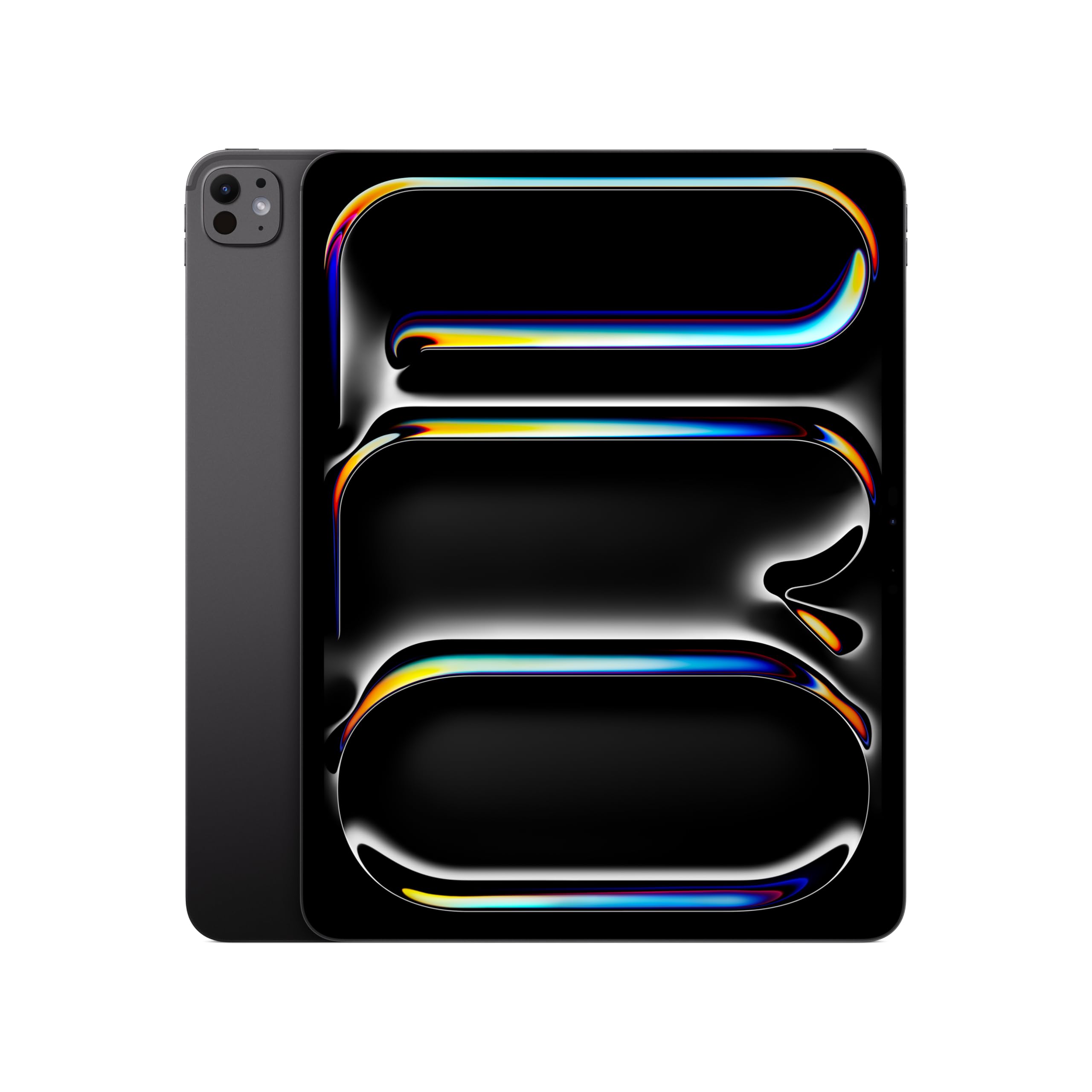
This is the most capable tablet you can buy right now, period. The M5 chip is a beast for pro workflows, handling complex AI tasks and demanding creative apps without a stutter. The 13-inch Ultra Retina XDR display is the world’s most advanced — extreme brightness, precise contrast, and a 120Hz ProMotion refresh rate that makes every swipe and stroke feel fluid. The crowd favorite, performance is praised relentlessly, with the display and battery life drawing heavy applause. Buyers report the screen is “stunning,” particularly noting the vast improvement from older models.
Battery life is genuinely all-day, with some users getting 2-3 days of mixed use. The 35W charger charges 50% to 80% in under an hour, which is a practical reality for heavy users. The four-speaker audio system is described as richer than a 15-inch MacBook Air. It is a very light device for its size — just 1.28 pounds — making it feasible to carry around all day, though one-hand use can cause fatigue due to the large footprint. The 12MP front-facing landscape camera includes Center Stage, perfect for video calls. There is also a LiDAR scanner and Face ID for secure authentication.
The honest trade-off is the price, and there is a mixed view on value. The device is undeniably expensive, and the premium for the 1TB model is hard to justify for most people. The screen size also gets mixed feelings — it is basically a laptop in tablet form, which is great for multitasking but less wieldy for handheld reading. The 512GB model reviewed here strikes a solid balance of power and storage for most professionals.
M5 pro power: The raw performance is the thing everyone raves about — it is incredibly fast and snappy. The display is stunning, with great contrast and colors. Battery life is exceptional for such a powerful device.
premium price point: It commands a premium price, and its large screen size makes two-hand use the standard, which hinders true one-handed touchscreen operation.
grab this for: Creative professionals, video editors, and power users who want the absolute fastest tablet experience and the best display on the market.
look elsewhere if: Your budget is tight or you primarily want a tablet for casual media consumption and web browsing — the iPad Air delivers nearly as much for less.
2. Apple iPad Air 13-inch (M4)
This tablet balances strong performance with a price that works for most buyers.
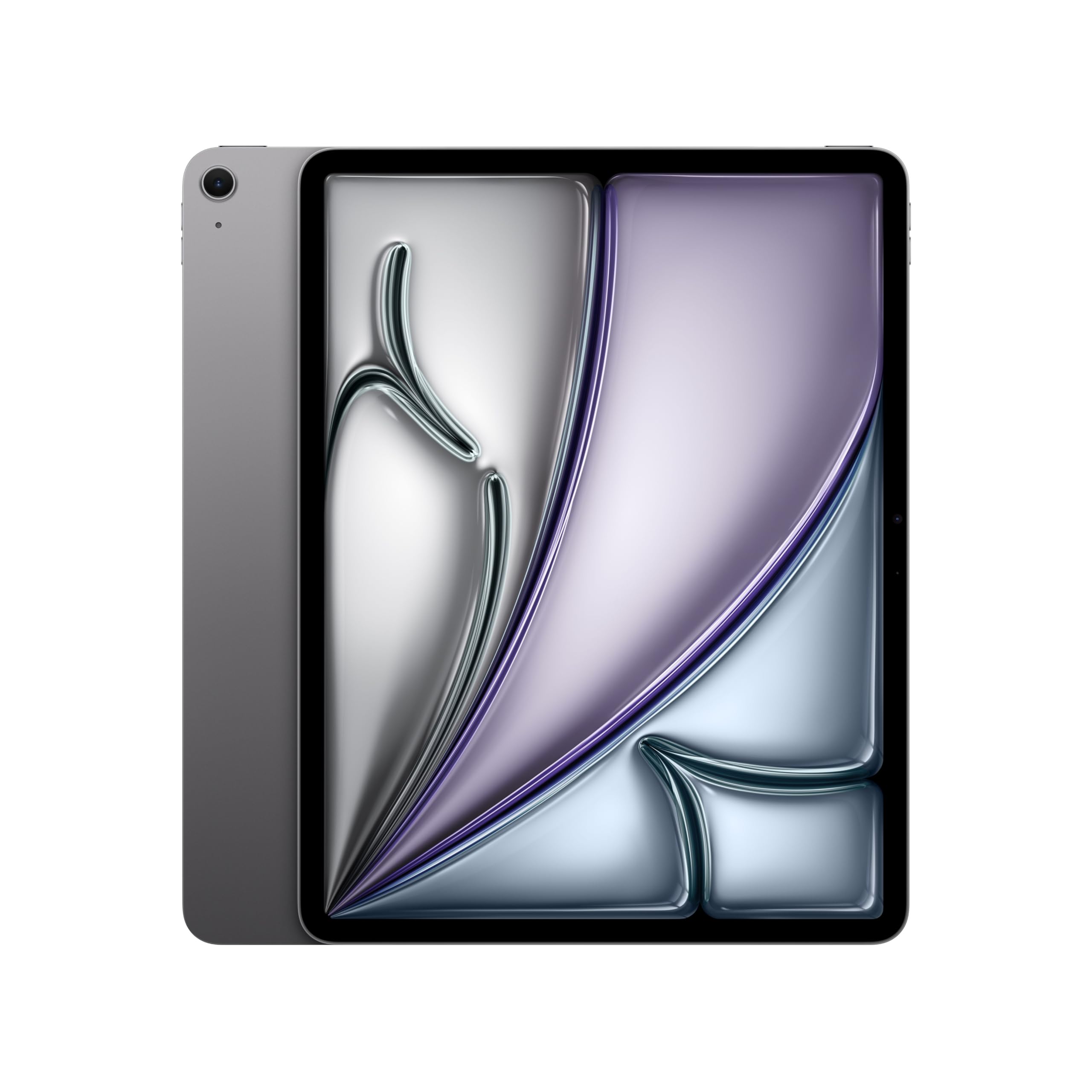
The iPad Air with the M4 chip is a fantastic alternative to the Pro. It packs the same brilliant 13-inch display (Liquid Retina with P3 wide color and True Tone), the same all-day battery, and a processor that still smashes through demanding tasks. The general consensus is that performance here is excellent — it handles video editing, multitasking, and drawing with the Apple Pencil Pro easily. As owners put it, the “extra inches make a big difference for zoom art classes,” and it “feels like a much larger laptop.” It gets top marks for its clear, crisp display and ease of use.
It is lighter than the Pro at 1.36 pounds, and includes Touch ID embedded in the top button for quick open up and Apple Pay. The connectivity is also future-proof with Wi-Fi 7. The device is incredibly sleek and lightweight, making it a joy to carry around. It is perfectly suited for users who want a serious work tablet without stepping all the way up to the Pro’s price tag. Many users note that the M4 chip enables glitch-free multitasking, and the interaction with the Apple Pencil Pro feels natural, like paper.
The difference from the Pro is the display technology — the Air lacks the extreme brightness and ProMotion 120Hz of the Ultra Retina XDR. This is hardly a problem for most, and the value proposition is very strong. The screen is still gorgeous, and for the vast majority of users, this will be the better buy. It is the “best in the business” for a moderately technical user, offering fantastic performance at a more approachable price.
balanced performance: The performance is consistently praised as excellent. The display is vibrant and large, making it a joy for both work and entertainment. The battery lasts many hours and charges fast.
limited storage: It lacks the Pro’s highest-tier display technology (no 120Hz ProMotion or extreme brightness), but this is a minor compromise for most real-world use.
reach for this if: You want top-tier Apple performance and a large screen for work and creativity, but don’t need the absolute cutting-edge display of the Pro.
think twice if: You are a professional video editor or digital artist who relies on 120Hz for precision — you may want the Pro’s smoother screen.
3. Microsoft Surface Pro (2024)
The most compelling Windows 2-in-1 that truly replaces a laptop.
If you need full Windows 11 with desktop apps like Photoshop, Visual Studio, or the full Office suite, this is your machine. The 13-inch touchscreen display is sharp at 2880×1920, and the Snapdragon X Plus processor (10-core) provides outstanding performance that Microsoft claims is faster than the MacBook Air M3. The hardware itself is praised extensively — it is fast, high quality, and sleek. The 14-hour battery life is a major step forward for a Windows tablet, and the 65W PSU provides fast charging via Surface Connect or USB-C.
This is the tablet for those who live in the Microsoft ecosystem. It’s lightweight with a sleek platinum finish, a sturdy kickstand, and a responsive touchscreen. The flexibility of the device — shifting from tablet to laptop to sketchbook — is fantastic. For existing Surface owners who had a machine last “10+ years,” this is a natural and highly satisfying upgrade. The setup is easy and quick, getting you up and running within 30 minutes.
The biggest recurring concern is app compatibility. Because the Surface Pro runs on an ARM-based Snapdragon processor, some legacy Windows programs may not run, which is a major consideration. While hardware and performance get top marks, the reliability and compatibility of the device get mixed reviews. Many programs run perfectly, but some specific business or legacy apps may not work, creating a potential headache. You will also need to buy the Surface Pro Flex Keyboard separately.
versatile laptop: The hardware is outstanding, super fast, and feels premium. The battery life is amazing for a Windows device, and the screen is gorgeous and responsive.
battery life: App compatibility is a real hurdle — the ARM processor means some software won’t run. You must verify your essential apps work before buying.
grab this for: Professionals who need full Windows desktop apps on a tablet with laptop-like battery life.
look elsewhere if: You rely on niche or legacy Windows software that hasn’t been updated for ARM architecture.
4. Lenovo ThinkPad X1 Tablet (3rd Gen)

A powerful, business-class Windows tablet with a legendary keyboard.
This device is a full Windows 10 Pro laptop built into a tablet body, running on an 8th Gen Intel Core i7-8650U processor with 8GB of RAM and a 256GB SSD. Owners say it feels fast and powerful, matching traditional laptops. The 13-inch IPS screen delivers a 3000×2000 resolution — sharper than the Surface Pro — so text and images look crisp. The included Pogo keyboard gets high praise, with some buyers calling it “mind blowing” and the “best tablet computer” they have owned. Business users who need a sturdy 2-in-1 for design and office work often choose this model.
A standout feature is the inclusion of Thunderbolt 3 ports, allowing you to connect an external GPU (eGPU) for high-end graphics. This gives it a unique edge over some competitors. It also ships with a Pen Pro, a fingerprint reader, and a pogo keyboard in the box, making it a true “ready to work” package. The laptop is fast, light, and the keyboard is comfortable and tactile with a decent travel distance.
The main downside is battery life, which some users found to be short — around 4 hours under drawing load. The screen is also reported to scratch easily, making a screen protector essential. While performance is positively reviewed, the touch responsiveness gets mixed feedback. The pen works, but some find it lacking Bluetooth and not great for fine detail. The device ships with Windows 10 Pro, a solid choice for enterprise security, but it comes with some bloatware.
business durability
- Powerful Intel Core i7 performance for demanding apps
- Stunning 3000×2000 resolution display
- Thunderbolt 3 port for eGPU support
- Includes keyboard, pen, and fingerprint reader
heavy build
- Battery life is short (~4 hours under load)
- Screen scratches easily; a protector is highly recommended
- Touch responsiveness is mixed, and the included pen lacks Bluetooth
best for: Enterprise workers and IT professionals who need full Windows software compatibility and legacy port support, and who value a great typing experience.
skip it if: All-day battery life is your highest priority, or if you are looking for a sleek, modern design with the latest processor.
5. TABWEE 13.4″ Android 16 Tablet
An all-in-one media powerhouse that doesn’t skimp on the essentials.
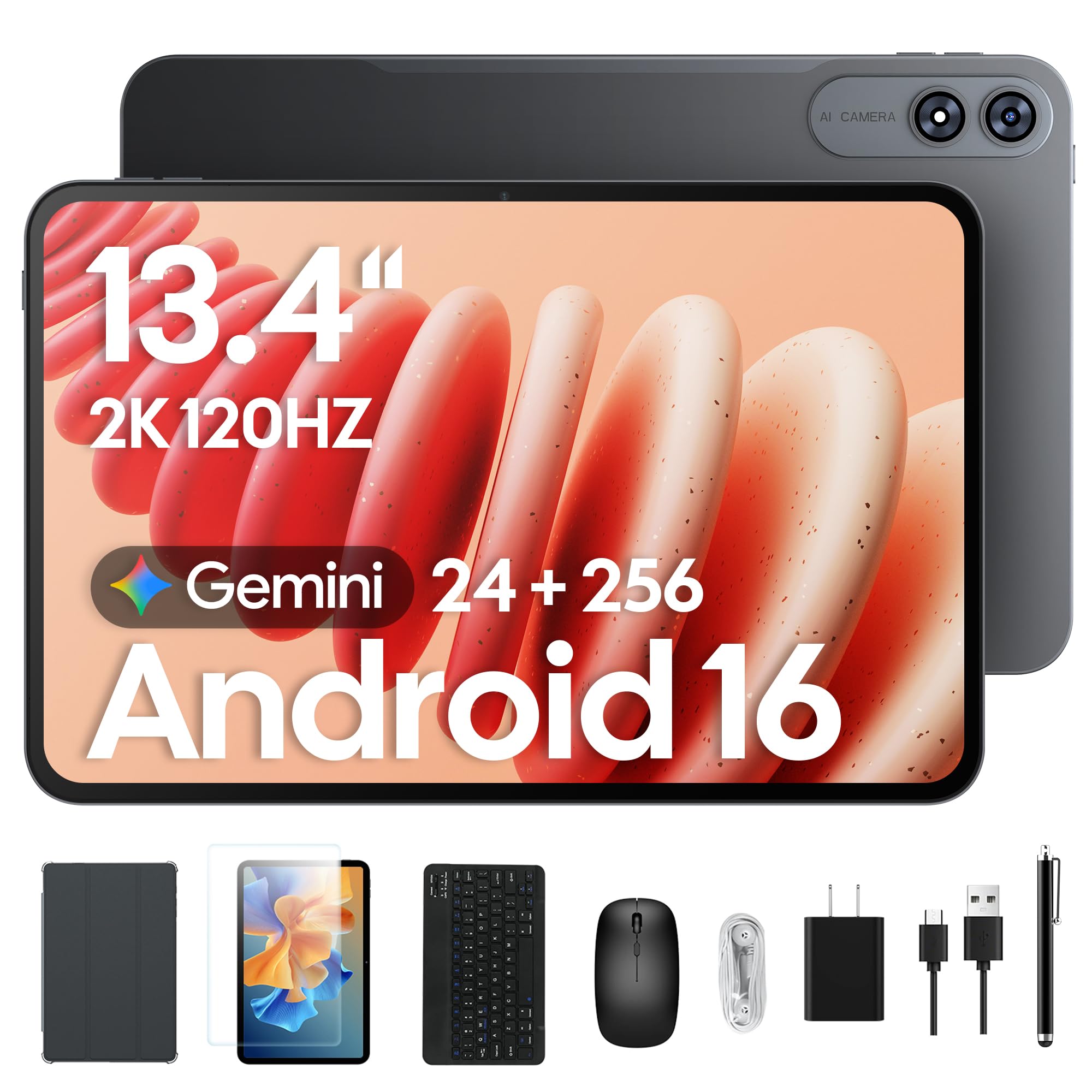
This tablet bundle is a fantastic value proposition, packing a 13.4-inch 2K IPS display with a 120Hz refresh rate, a 10,000mAh battery, and a full suite of accessories (keyboard, mouse, stylus, case, and screen protector). Performance is driven by a 2.2GHz octa-core processor with 24GB of RAM (8GB physical + 16GB virtual), making it a smooth operator for multitasking and streaming. The screen’s TUV eye-care certification is a real benefit for long study sessions. Users consistently praise the large, vibrant display and the long-lasting battery that charges quickly.
The tablet is built for a low-maintenance all-in-one experience — use it for work with the keyboard attached, or switch to a family movie night hub. The Gemini AI (an on-device assistant) can summarize documents and draft emails for you. The seller backs it with a 4-year total warranty, which signals confidence. Owners mention that streaming Netflix or live TV runs smoothly with “no lag or freezing pixels,” and many say it is a great value for the price.
Buyer feedback is mixed on quality. The screen size and value are praised, but some customers call the build quality “subpar.” The tablet is also large and heavy, so it is not comfortable for long one-handed use or quick tasks like stock trading. It handles basic tasks, media, and light productivity well, but it is not fast enough for professional creative work. Skip this if you need a lightweight device for fast-paced work; it suits buyers who want a big screen for everyday use at a lower price.
Android flexibility
- 13.4″ 2K 120Hz display is vibrant and crisp
- 10,000mAh battery provides excellent all-day life
- Incredible value with full accessory bundle (keyboard, mouse, stylus, case)
- 4-year total warranty offers confidence
app compatibility
- Build quality feels subpar to some, with a plastic construction
- Too large and heavy for comfortable handheld use
- Processor can lag during fast-paced or complex tasks
reach for this if: You want a massive, high-refresh-rate display for movies and schoolwork, and all the accessories you need in one box for a low price.
look elsewhere if: You are a creative professional needing a precise drawing experience, or a gamer needing top-tier processing power.
6. PicassoTab Z13 Standalone Drawing Tablet

A standalone drawing tablet that ditches the tether for true creative freedom.
This device is unique: it’s a full Android 15 tablet with a dedicated EMR (Electro-Magnetic Resonance) pen display. This means you get 8192 pressure levels of battery-free pen precision without needing to plug into a computer. The 13.3-inch paper-like matte screen is a joy for sketching, shading, and detailed illustration, providing a realistic drawing feel with zero lag. The Z13 is built for serious artists, and customers find it superior to a Samsung tablet costing twice as much, specifically praising the less reflective screen and better pen for writing.
The package includes pre-installed pro drawing apps and tutorials, making it a great tool for beginners and seasoned artists alike. It also comes with a case, pen, glove, and charger. The device is large, at 13.3 inches, providing a laptop-sized workspace. This is a clear choice for anyone who wants a dedicated art device that works anywhere, anytime, without the complexity of a PC setup. The customer service is also highly praised, with repair or replacement offers for defects even after months of use.
The trade-off is that it is a specialized device. It runs Android, so it’s great for drawing apps and media, but it is not meant for heavy gaming or as a primary productivity laptop — some find it hard to play games like Roblox. There is also no headphone jack. The pen tip can break on the first day, but customer service sends free replacements under the 90-day warranty. While the product is fantastic for drawing, some find the general screen sensitivity is poor when hands are sweaty.
artist focused
- Battery-free EMR pen with 8192 pressure levels needs no charging
- Paper-like matte screen provides a natural drawing feel
- Standalone Android tablet — no computer required
- Exceptional customer service with responsive support
limited apps
- Not designed for heavy gaming or as a primary work laptop
- No headphone jack and screen sensitivity can falter with sweaty hands
- Pen tip is fragile and may break quickly, though replacements are free
grab this for: Digital artists, illustrators, and students of art who want a full, portable drawing studio without the cost of a high-end iPad Pro.
pass on it if: You need a powerful general-purpose tablet for gaming or running business apps.
7. TABWEE 13.4″ Android 15 Tablet with Keyboard

A budget-friendly 13-inch tablet that doesn’t compromise on screen quality.
This is a strong entry-level 13-inch tablet that prioritizes screen real estate and value. The 13.4-inch FHD display is 34% larger than a standard 10-inch tablet, and the 120Hz refresh rate makes for smooth scrolling and enjoyable gaming. Performance is good for the price, driven by an octa-core processor and a generous 8GB of RAM (expandable to 24GB). The device is running Android 15 with Gemini AI, adding a modern, intelligent layer for voice commands and study notes. The screen size and performance are the most praised features.
The value package is impressive. It includes a keyboard, stylus, mouse, case, stand, and screen protector right from the start. This is a true “all-in-one productivity kit” perfect for students and those on a tight budget. The display is praised as clear, bright, and easy to read, making it a favorite for reading sheet music on stage or casual media consumption. It also comes with a 2-year warranty and 24-hour response support, which is a significant peace-of-mind offering at this price point.
The build quality is the main compromise. While the screen is great, the tablet is noted to be quite heavy, with one user returning it because it “weighs like a brick.” The functionality also gets mixed reviews. It is not a powerhouse, so don’t expect flagship-level performance for demanding games or complex video editing. However, for everyday tasks like web browsing, document editing, and streaming, it performs satisfactorily. It’s a straightforward trade-off: you get a huge, smooth screen and lots of accessories for a low price, but you sacrifice premium build materials and top-tier speed.
keyboard included: The screen size and clear, bright display are the biggest draws. The included accessories provide excellent value for money. Performance is satisfactory for everyday tasks.
mediocre display: The tablet is very heavy, making it awkward for handheld use. The build quality and overall performance are just adequate, not premium.
best for: Budget-conscious buyers, students, and users who need a large screen for note-taking, reading, and media without spending a lot.
look elsewhere if: You need a lightweight, premium-feeling device or plan to do intensive gaming or professional-grade creative work on it.
8. MARGOLAI 2-in-1 Laptop Computer 13″
A Windows 2-in-1 for those who need a full OS on a strict budget.
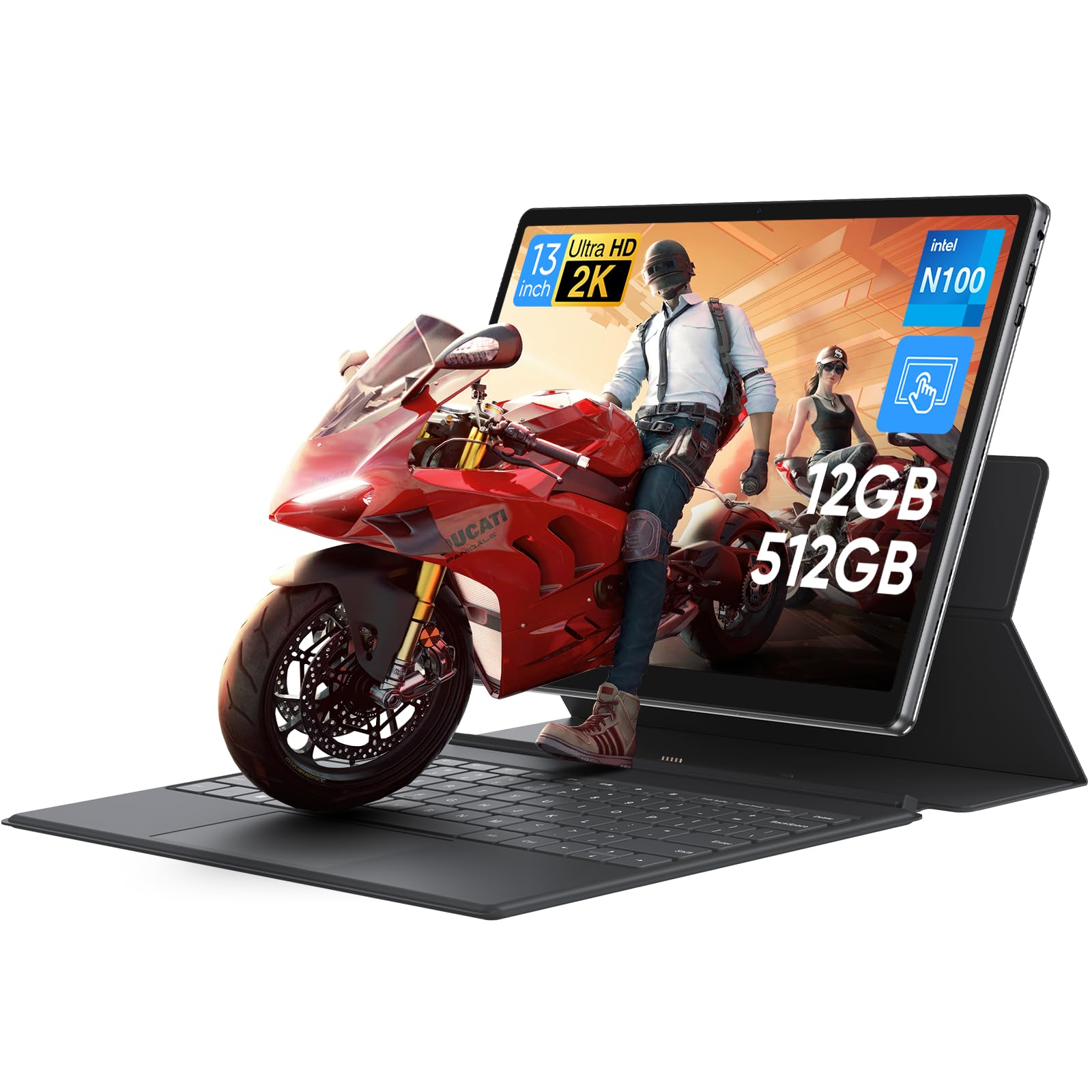
This is a unique offering: a full Windows 11 Pro machine with a tablet form factor for a very low price. It is powered by an Intel N100 quad-core processor, 12GB of LPDDR5 RAM, and a 512GB NVMe SSD. Despite the budget nature, the 13-inch 2K IPS touchscreen (2160×1440) is a standout, providing sharp visuals and a 3:2 aspect ratio that displays 18% more vertical content than standard 16:9 screens — great for documents and web browsing. The device is reinforced with metal, giving it a surprisingly sturdy feel for a budget unit.
For those who absolutely must have Windows for specific legacy apps or workflows, this is a very cost-effective entry point. The performance is decent for daily productivity, video streaming, and light creative work. It offers versatile connectivity with dual USB-C ports, USB 3.2 Gen1, and a 3.5mm audio jack. One owner noted it “outperforms a Surface Pro 2,” highlighting its surprising processing speed for the price. The build quality and hardware performance are the most positively mentioned aspects.
The biggest barrier is the battery life, which is rated at just 4 hours. That is about half of what competitors offer. The weight is also a mixed point — it is sturdy but heavy. The included keyboard does not hold the tablet up well, with the screen falling easily due to the weight imbalance. Some users report no customer service and a poor keyboard connection. This is a product for buyers who understand its limitations: it is a capable, cheap Windows tablet for desk-bound use, not a portable powerhouse for all-day roaming.
affordable 2-in-1: The hardware performance and build quality are praised for the price. The 2K display is crisp and the SSD is fast.
slower processor: Battery life is very short at 4 hours. The keyboard connection is poor and can’t support the tablet’s weight properly. Customer service is a concern if you have issues.
reach for this if: You need a low-cost, full Windows 11 Pro device for desk-based work and are okay with being tethered to a power outlet.
look elsewhere if: You need portability, long battery life, or a stable keyboard for laptop-typing in your lap.
Understanding the Specs
Display Technology & Resolution
The screen is your main window. Resolution is measured in pixels (the 2160×1440 or 3000×2000 numbers you see). A higher number means sharper text and more detailed images. Panel types like “IPS” give wide viewing angles and good color, while Apple’s “Ultra Retina XDR” is a top-tier OLED-like display with extreme brightness and deep blacks. A 120Hz refresh rate makes scrolling and pen input feel much smoother and more responsive than a standard 60Hz panel.
Processor & RAM
The processor (or chip) is the brain of the tablet. Apple’s M4 and M5 chips are incredibly fast for creative tasks like video editing and drawing. The Snapdragon X Plus is a powerful chip for Windows that rivals Apple’s silicon. The Intel N100 is an entry-level chip for basic web browsing and light office work. RAM, or memory, is how many apps you can have open at once. 8GB is fine for casual use, 12-16GB is good for multitasking, and 24GB effectively eliminates slowdowns.
FAQ
Can a 13-inch tablet completely replace my laptop?
Is a 120Hz display worth it on a tablet?
Which is better for a digital artist, iPad or Android?
How much storage do I need on a 13-inch tablet?
Do I need a keyboard for my tablet to be productive?
What is the difference between an EMR pen and an active stylus?
Will a 13-inch tablet fit in my backpack?
Why is the Apple iPad Pro more expensive than the iPad Air?
Can I use a Windows 2-in-1 tablet for gaming?
What is Gemini AI on an Android tablet?
Final Thoughts: The Verdict
For most buyers, the top 13 inch tablet is the Apple iPad Pro 13-inch (M5) — it offers the fastest performance and best screen for creative pros. If you want similar power for less money, choose the Apple iPad Air 13-inch (M4). And if you need full Windows desktop apps with long battery life, the Microsoft Surface Pro (2024) is your best bet.
How We Picked
We do not accept paid placement. Every pick is matched to a real buyer and a real use-case; we do not hands-on test units.
Sources & Methodology
Specifications: manufacturer listings and product documentation. Review insights: verified customer reviews, as of July 2026. Pricing: not shown on this page (it changes often); check the current price via the retailer link.
As an Amazon Associate, Gadgets Feed earns from qualifying purchases. This does not affect which products we feature.