
Our readers keep the lights on and my morning glass full of iced black tea. As an Amazon Associate, I earn from qualifying purchases.
Specs are compiled from manufacturer listings and verified buyer reviews and can change over time — please confirm the key details on the product page before buying.
Keeping an older LGA1366 system cool today is a specific challenge. You need a cooler that fits a socket Intel stopped making over a decade ago, handles the heat of a Core i7-920 or a Xeon X5650 under load, and doesn’t cost a fortune to resurrect an otherwise capable PC. This guide picks the coolers that actually work for that exact socket, separating the genuine LGA1366-compatible models from those that leave you hunting for missing brackets.
I’m Min — the founder and writer behind Gadgets Feed. This guide is built by comparing the manufacturers’ published specifications and the patterns across verified customer reviews, so you get each pick’s real strengths and trade-offs instead of marketing spin.
Whether you are replacing a failed stock cooler, upgrading an old workstation for modern tasks, or building a retro gaming rig, these options cover the full range of air and liquid cooling for your 1366 cpu cooler.
Our Picks at a Glance


How To Choose The Best 1366 CPU Cooler
Your older LGA1366 motherboard uses a specific mounting hole pattern that modern coolers often skip. Picking a cooler for this socket means looking past the flashy specs and checking one thing first: does the box include the LGA1366 bracket? Beyond that, your choice depends on the CPU’s power draw, your case size, and if you want liquid or air.
Socket Compatibility First
The LGA1366 socket was the premium Intel workstation and server platform around 2009. Many modern coolers default to LGA1700 or AM5 brackets. You need a cooler that explicitly lists LGA1366 in its compatibility chart. If the spec sheet says “Supports Intel LGA 115X/1366/1700” you are safe. If it only mentions “LGA 1200/1700/2011,” you will need to buy a separate mounting kit or skip it.
Cooling Performance vs. TDP
The thermal design power (TDP) of your CPU is the key number. A stock Intel Core i7-920 has a 130W TDP, while a six-core Xeon X5650 pulls around 95W. Overclocked versions of these chips can go much higher. A cooler should match or exceed your CPU’s TDP. A good dual-tower air cooler with six heat pipes handles 180W to 265W easily, which covers almost any LGA1366 chip at stock or mild overclocks. For extreme overclocks or silent operation, a 120mm AIO liquid cooler can be a viable alternative.
Fan Size, Noise, and Airflow
Most LGA1366 coolers use 120mm fans. This size balances airflow and noise. Look for a fan speed around 1600 rpm for quiet operation (under 30 dB) or up to 2000 rpm if you are pushing a heavy overclock and can tolerate more fan noise. Higher airflow measured in CFM (cubic feet per minute) moves more heat, but usually increases noise. A model with PWM (pulse width modulation) control lets your motherboard adjust the fan speed automatically, keeping things quiet at idle and ramping up only when needed.
Quick Comparison
| Model | Best For | Cooling Type | Max Fan Speed | Noise Level | Amazon |
|---|---|---|---|---|---|
| Dracaena.io 120mm AIO★ Best Overall | Best Overall | AIO Liquid | 2200 rpm | 28.8 db | Amazon |
| upHere Air Cooler 6 PipesBest Value | Value Performance | Air | 1600 rpm | 25.6 dB(A) | Amazon |
| upHere D6SEC Dual TowerBest ARGB | ARGB + Clearance | Air | 1600 rpm | ≤25 dB(A) | Amazon |
| ABSOLIX IX20 ARGB | High Airflow | Air | 2000 rpm | 32 dBA | Amazon |
| upHere 6-Pipe Air Cooler | Compact Fit | Air | 1600 rpm | 26 dB(A) | Amazon |
| Jungle Leopard KF620-DGT | Temp Display | Air | 1600 rpm | — | Amazon |
| Intel E29477-002 | OEM Replacement | Air | — | — | Amazon |
| ALSEYE M120D Plus | Premium Features | Air | 1600 rpm | 38 db | Amazon |
In‑Depth Reviews
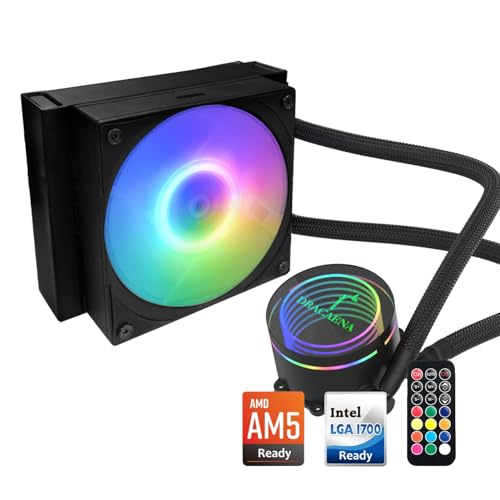
1. Dracaena.io 120mm AIO CPU Cooler
Our pick — 4.5★ from 500+ verified ratings; the strongest balance of quality and price.
An affordable liquid cooler that gives your old LGA1366 a second life.
This 120mm all-in-one liquid cooler handles up to 180W TDP, which covers everything from a stock Core i7-920 to a heavily overclocked Xeon X5650. The real story for LGA1366 owners is that the included brackets fit the socket perfectly. Buyers report it “successfully replaced failed cooler on old LGA 1366 CPU” — the exact scenario most readers are facing. The spring-loaded screws maintain proper tension on the older socket, so you do not need to worry about uneven mounting pressure that can cause crashes. The fan spins from 500 to 2200 rpm, delivering between 30 and 65 CFM of airflow, while keeping noise at or under 28.8 db, making it quiet enough for an office workstation or a living room media PC.
The pump uses a hydraulic bearing rated for 40,000 hours and runs at 2400 rpm. At 500 g for the full unit, it is significantly heavier than the Intel stock cooler, but the aluminum radiator with copper cold plate does the heavy lifting. The included ARGB controller and remote give you lighting control. Just be mindful that the instructions are minimal — some found the slide-on bracket tricky, and a few needed a case screw to keep it secure. Once installed, though, the cooling performance is the thing owners talk about most: the CPU stays well under control, even on an 8-core chip running at 4.7 GHz.
Compared to the upHere air coolers below, this AIO runs fans up to 2200 rpm versus the upHere’s 1600 rpm, which helps under sustained load but makes the noise level 28.8 db versus 25.6 db. For a build where space around the CPU socket is tight, the compact 120mm radiator fits where a tall dual-tower air cooler would not.
Why You’d Pick This
- Includes LGA1366 brackets that fit perfectly — owners mention “spring-loaded screws maintain tension.”
- Performance is the top praise, with cooling performance a close second; handles CPUs spiking past 100°C.
- ARGB controller and remote included for under.
What to Know
- Installation can be tricky: the bracket slides off, and some found the radiator too wide for small cases.
- Instructions are sparse, and the backplate uses adhesive strips instead of a solid mount.
Ideal for: You have a dead stock cooler on an LGA1366 board and want liquid cooling without replacing the whole platform.
Think twice if: Your case has less than 6.2 inches of clearance for a radiator, or you prefer a tool-free air cooler install.
2. upHere CPU Air Cooler with 6 Heat Pipes
Drops load temps by 25°C on a 165W CPU for less than.
This air cooler from upHere uses six 6mm heat pipes and a dual-tower design to handle a 165W TDP on the LGA2066 socket. For an LGA1366 chip like the 130W i7-920 or the 95W Xeon X5650, that headroom is enormous. The crowd favorite spec here is the noise: the fans max out at 1600 rpm and stay at or below 25.6 dB(A), which is whisper-quiet in a standard case. The value proposition is unreal — customers note an overclocked 130W i7-965 staying under 70°C at stock and around 80°C overclocked, which is hard to argue with at this price point.
The cooler explicitly covers LGA1366 alongside LGA 2011, 2066, 1700, and AMD AM5/AM4. The dual-fan setup pushes 68.2 CFM of air. The included thermal paste is thick from long storage, so some owners recommend using your own. The installation is mixed — some find it easy, others say the cooler is bulky enough that mounting it is easier with the motherboard outside the case. The fans use a single 4-pin connector, so cable management is clean, and the clips are tight enough that removing the fans later takes some force. On the upside, the top aspect mentioned is performance, followed by quality.
Compared to the Dracaena.io AIO above, this upHere cooler runs at 1600 rpm versus the AIO’s 2400 rpm, which makes it quieter at 25 db versus 28.8 db, but it lacks the liquid cooling flair. For pure quiet and price, this is the smarter buy for most LGA1366 systems.
Why It Works
- Dual-tower with six heat pipes keeps high-TDP CPUs cool; “dropped temps 25°C under load.”
- Fans are quiet at max 1600 rpm, and the cooler fits LGA1366 from the start.
- Performance and quality are the most praised aspects by owners.
The Installation Note
- Installation is the most-discussed aspect — described as mixed, best done with the motherboard removed.
- Included thermal paste is reportedly very thick; you might need to supply your own.
Reach for this if: You want maximum cooling per dollar and do not care about RGB lighting.
Pass if: You need a tool-free install in a pre-built Dell or HP case with non-standard mounting.
3. upHere D6SEC Dual Tower CPU Air Cooler
100% RAM slot compatibility without sacrificing cooling for your LGA1366 rig.
The D6SEC is a dual-tower air cooler with two 120mm ARGB PWM fans and six 6mm copper heat pipes. Its defining feature for builders is the 100% RAM compatibility — the cooler overhangs the motherboard but leaves the memory slots fully accessible, even with tall RGB RAM installed. That is a real headache solver for anyone who has ever had a massive air cooler block their DDR3 slots. The fans spin between 600 and 1600 rpm, pushing up to 68.2 CFM at a noise level of 25 dB(A) or less. At 125 mm wide and 154 mm tall, it fits most ATX and M-ATX cases without touching the side panel.
The ARGB lighting uses a 5V 3-pin header and syncs with motherboard software like Aura Sync or Mystic Light. The cooling performance is the top praised aspect, and buyers confirm a dramatic improvement: one went from 100°C and crashing to mid-50°C on an i7-11700, a roughly 45°C drop. For an LGA1366 socket, the 30mm contact surface between the heat pipes and the CPU provides serious headroom. The included thermal paste saves you a trip to the store, and the fan-removal-free installation speeds up the build. The top positive aspects are cooling performance and basic functionality.
Unlike the previous upHere cooler, this one adds ARGB without raising the price significantly. The airflow is identical at 68.2 CFM, but the D6SEC offers lower noise (≤25 dB[A] versus 25.6 dB[A]) and that crucial RAM clearance. The trade-off is a slightly smaller cooling area due to the compact width.
Standout feature: You can fill all four RAM slots on your LGA1366 board with RGB sticks while this dual-tower cooler keeps your CPU in the 50°C range under load.
Honest note: Installation is rated positive by most owners, but the cooler’s size means you will want to route cables before the fans go on.
Best for: A build where access to RAM slots matters — servers rendering video or music production rigs that need max memory.
Not for: Very small cases; the 154 mm height may be tight in budget M-ATX chassis.
4. ABSOLIX IX20 ARGB Air Cooling Fan Twin Tower CPU Cooler
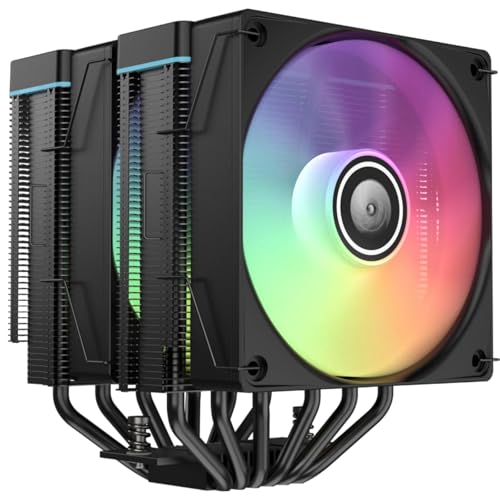
The air cooler that beats an old AIO on a 2009 Xeon LGA1366 system.
The IX20 is a twin-tower cooler with six copper heat pipes and dual 120mm PWM fans that spin from 800 to 2000 rpm, pushing a strong 78 CFM of airflow. That is the highest airflow in this roundup, besting the 68.2 CFM of the upHere models. It handles a TDP range of 120W to 265W, so even a heavily overclocked Xeon X5675 stays within its comfort zone. The noise level is 32 dBA at full speed, which is louder than the upHere’s 25 dB but still reasonable given the extra air movement. The ARGB lighting syncs with all major motherboard RGB software via a 5V 3-pin header.
For LGA1366 users, the key data point is a verified review: a buyer replaced a failed Corsair AIO on a 2009 Xeon system — that is about as definitive a fit test as exists. The cooler idles in the mid-40s with quiet hydraulic bearings and includes all mounting hardware and thermal paste. The installation uses a modular bracket design requiring no special tools and takes about 10 minutes. At 5.4″ x 5″ x 6.2″ and 2.4 pounds, it is the heaviest air cooler here, so make sure your motherboard backplate is secure. The top praised aspects are cooling performance and basic value. Some owners note the fans are slightly underpowered for ultra-high-end CPUs like the i7-14900K, but for any LGA1366 chip, this is overkill in the best way.
Putting it head-to-head with the upHere D6SEC: the IX20 moves 78 CFM versus 68.2 CFM, and its 2000 rpm top speed beats 1600 rpm. You pay for it with slightly higher noise and a bigger footprint, but for pure cooling potential on an LGA1366, this is the strongest air pick.
What Stands Out
- High 78 CFM airflow and 265W TDP headroom — overkill for LGA1366, excellent for future upgrades.
- Proven to replace a Corsair AIO on a 2009 Xeon LGA1366 system with cooler temps.
- White finish option available, clean ARGB implementation.
Be Aware
- At 2.4 pounds, it needs a solid motherboard backplate; not ideal for a flimsy pre-built board.
- Noise hits 32 dBA at max, so quiet fans need a custom fan curve.
Reach for this if: You want the highest available airflow and plan to overclock your LGA1366 CPU to its limit.
skip it if: Your case lacks room for a 6.2″ tall cooler or you need fan noise under 28 dB.
5. upHere 6-Pipe CPU Air Cooler (Black)

A no-fuss twin-tower that fits mini ITX and LGA1366 boards.
This upHere cooler is nearly identical to the previous upHere 6-pipe model but with one key change: it stands 6.22 inches tall, making it the shortest dual-tower in this comparison. That clearance is critical for smaller cases like the Jonsbo D32 Pro, where one owner squeezed it in with just 4mm to spare. It uses six 6mm heat pipes, a dual-tower design, and two 120mm fans running at up to 1650 rpm. The airflow is 68.2 CFM and noise stays low at 26 dB(A). The 4-pin power connector works with standard 12V motherboard headers.
LGA1366 compatibility is explicit, covering the socket alongside LGA 1851, 1700, 1155, 1156, and 2011. Reviewers point out an idle temperature of 40°C and gaming loads between 65°C and 70°C on a Ryzen 5800X, which gives you a good idea of the headroom for a 130W LGA1366 chip. The installation is non-disassembly — you do not need to remove the fans to mount it, and it leaves RAM slots clear. The backplate is plastic, not steel, which one reviewer noted as a concern for high-end builds. For a budget-tier LGA1366 build, though, the backplate holds up fine. The top positive aspects are performance and cooling.
Compared to the similar upHere air cooler at position 2, this model uses a slightly higher fan speed (1650 vs 1600 rpm) and a smaller physical profile. It is easier to fit in a compact case but gives up a little of the massive fin surface of the taller towers.
Smart buy: You want a reliable six-pipe cooler that fits in a small case and costs less than a tank of gas.
Trade-off: The plastic backplate will not inspire confidence if you are moving the PC around regularly.
Great for: A budget LGA1366 build in a mini ITX case where every millimeter of clearance matters.
Not for: A high-end workstation or server that runs 24/7 under full load — be cautious of the plastic backplate over years.
6. Jungle Leopard KF620-DGT CPU Air Cooler

Real-time temperature readout right on top of your LGA1366 CPU cooler.
The KF620-DGT is a twin-tower cooler with six heat pipes, two ARGB PWM fans, and a digital display top cover that shows your CPU temperature in real time. For an LGA1366 system where you are nursing an older chip and monitoring temps is part of daily operation, having that screen at a glance is genuinely useful. The cooler is rated for a TDP over 265W, so even the hottest Xeon X5690 is well within its range. The fans use a 4-pin connector and the ARGB syncs with motherboard software.
Compatibility covers LGA1366, as well as LGA 1700, 115X, 1200, 2011, and 1851, plus AMD AM4 and AM5. The build quality feels substantial at 2.8 pounds, with an all-aluminum construction. Owners say it cools an i7-9700 very well and is extremely quiet. The downsides, per reviews, are that the temperature display quality is mediocre, the instructions are nearly nonexistent, and one unit was not level after installation. The ARGB software (if needed outside motherboard sync) was criticized as poorly documented. For the price tier, you are paying for the digital screen more than raw cooling performance.
This cooler sets itself apart from the ABSOLIX IX20 by adding a temperature display but trading away some construction precision. The IX20 is probably the better pure cooler, but the KF620-DGT is the more interesting one for an enthusiast who wants telemetry on their retro build.
Cool factor: The temperature display gives you a reason to glance inside your case during a heavy encoding session.
Reality check: Instructions are essentially missing, and the display is not as crisp as the product photos suggest.
Ideal for: The tinkerer who wants a conversation piece and real-time CPU monitoring without software.
Pass if: You need a perfectly level square mount or cannot find a YouTube installation guide for the specific bracket.
7. Intel E29477-002 Socket 1366 CPU Cooler

The exact factory replacement for your Core i7-920, down to the last push pin.
This is the OEM Intel cooler for the LGA1366 socket. It is the same design that shipped with your X58 motherboard a decade ago. If you broke the plastic feet on your original when replacing thermal paste, or the fan simply wore out, this is a drop-in fix. The cooler uses a copper core inside an aluminum heatsink with a 4-inch fan that uses a 4-pin PWM connector. Intel rates it for Core i7 processors up to 3.06 GHz, which covers the i7-920 and i7-950 at stock speeds.
The fan runs on 12V DC at 0.30A with a 10-inch cable. Installation is the classic twist-lock with four push pins — easy if you have done it before, but the product ships with no instructions and no thermal paste. Shoppers say that it is a perfectly good non-overclocking replacement. One owner broke the plastic feet on his original and was relieved to find a stock cooler at a reasonable price. The most-discussed aspects are functionality and ease of installation, with quality and replacement value trailing close behind. The cooler suits anyone who wants the PC to run at the same noise and temperature levels Intel originally intended.
If you are running a standard LGA1366 chip without overclocking and just need a working cooler, this Intel unit is simple, reliable, and proven. It cannot match the thermal headroom, noise levels, or aesthetic of any third-party cooler here. It is the reference standard, not the upgrade.
Perfect for: Returning a vintage Dell Precision or HP Z400 workstation to factory spec for a restoration project.
Honest trade-off: No thermal paste included, zero overclocking headroom, and no ARGB flair.
Only buy this if: You need a 1:1 OEM replacement and do not want to upgrade your cooling.
Otherwise: Any of the aftermarket coolers above will cool better, quieter, and for a similar or lower price.
8. ALSEYE M120D Plus CPU Cooler with Temperature Display

LGA1366 cooling with an integrated temperature display and dual ARGB fans.
The ALSEYE M120D Plus uses six copper heat pipes with a copper base and two 120mm ARGB fans delivering 73.76 CFM of airflow. The dual-fan setup uses PWM control, and the cooler supports Intel LGA1700, 1200, 115X, 2011, 2066, and 1366, plus AMD AM4 and AM5. The integrated temperature display on top is the headline feature. It provides real-time CPU temperature monitoring without software. For a server or workstation running legacy Xeon chips, that onboard display can be a nice sanity check during long renders.
Cooling performance is the most praised aspect, with owners noting excellent results on hot i9 CPUs. One buyer replaced multiple liquid coolers and saw temps drop from “orange/red to low green” during intense gaming. The RGB lighting is bright and customizable, syncing with motherboard software. The temperature display, however, gets mixed feedback — it requires a separate software download and manual launch every boot. Some units stop working over time or show incorrect readings. Installation is also mixed: some find it easy, others struggle with the mounting hardware. The noise level is the highest on this list at 38 db, so this is not the quietest option for a quiet office.
Compared to the Jungle Leopard KF620-DGT, this ALSEYE offers higher airflow (73.76 CFM vs. unknown but likely lower), a more established brand with more reviews, and a copper base for better heat transfer. It is the priciest cooler here, but you get a complete package with strong cooling and a display.
What Shines
- Excellent cooling performance — the top aspect praised by 41 owners; keeps i9 chips cool under load.
- Appearance is the second-most praised, with beautiful RGB and a clean build.
Watch For
- Temperature display and functionality are mixed — some units show incorrect readings or stop working.
- Noise level of 38 db is noticeable; installation requires some care with the bracket.
Choose this for: An LGA1366 build where you want a feature-packed cooler with a display and strong cooling for a high-TDP overclock.
Skip if: You want the quietest possible build — 38 db is louder than the competition.
Understanding the Specs
Fan Speed (RPM)
Fan speed, measured in revolutions per minute (rpm), tells you how fast the fan spins. A higher speed moves more air but usually means more noise. For an LGA1366 system, a fan around 1600 rpm is a good balance — it keeps a 130W CPU cool without sounding like a hair dryer. Models that go up to 2000-2400 rpm offer headroom for heavy overclocks but push noise into the 30+ dBA range. Aim for PWM (pulse width modulation) so your motherboard can adjust the speed automatically, keeping things quiet at idle and ramping up only when your CPU gets hot.
Noise Level (dBA)
Noise is measured in decibels (dBA). Every 10 dBA represents a perceived doubling in loudness. A cooler at 25 dBA is nearly silent in a standard case, while 32-38 dBA is clearly audible. If your LGA1366 PC sits in a living room or bedroom, target 25-28 dBA. If it is in a basement server room or garage workshop, higher noise is less of a concern and you can prioritize airflow. Your case fans and hard drives also add noise, so the cooler does not exist in isolation.
FAQ
Will a modern LGA1700 cooler work on my old LGA1366 motherboard?
Do I need a cooler that handles 200W+ for a stock LGA1366 chip?
Which cooler type is better for LGA1366: AIO liquid or air?
Can I reuse the thermal paste that comes with the cooler?
How do I know if a dual-tower cooler will fit in my case?
Is an LGA1366 cooler upgrade worth it for gaming in 2025?
What is the difference between PWM and DC fan control?
The cooler brackets included do not mention LGA1366. Can I still make it work?
Final Thoughts: The Verdict
For the majority of shoppers, the 1366 cpu cooler winner is the Dracaena.io 120mm AIO because it pairs proven LGA1366 bracket compatibility with liquid cooling at a mid-range price that saves an older system from overheating. If you want the best value in air cooling, grab the upHere Air Cooler with 6 Heat Pipes — it is whisper-quiet at 25.6 db and drops temperatures by 25°C under load for less than. And for a full-featured premium build with a temperature display and high 73.76 CFM airflow, the ALSEYE M120D Plus is the one to reach for, just keep an eye on the 38 db noise at full fan speed.
How We Picked
We do not accept paid placement. Every pick is matched to a real buyer and a real use-case; we do not hands-on test units.
Sources & Methodology
Specifications: manufacturer listings and product documentation. Review insights: verified customer reviews, as of July 2026. Pricing: not shown on this page (it changes often); check the current price via the retailer link.
As an Amazon Associate, Gadgets Feed earns from qualifying purchases. This does not affect which products we feature.