
Choosing a 14.5-inch touchscreen display means navigating a market where resolution, color accuracy, and responsive touch input vary wildly between models.
I’m Min — the co-founder and writer behind Gadgets Feed. I’ve spent hundreds of hours analyzing the specifications, real-world reviews, and technical nuances of portable monitors in this exact size class to separate the genuinely useful from the merely advertised.
This guide breaks down the top contenders pixel by pixel, helping you find the best 14.5-inch touchscreen display for your specific needs, whether that is for gaming, professional creative work, or a unique PC build.
How To Choose The Best 14.5-Inch Touchscreen Display
A 14.5-inch touchscreen is a niche size—larger than a phone, smaller than a standard laptop screen—often used for specialized builds or as a unique secondary display. The key is matching the display’s strengths to your primary use case: resolution for detail, panel type for color, and connectivity for ease of setup.
Resolution and Pixel Density
At this size, a 1080p panel (around 152 PPI) is adequate for general use, but a 2K (2560×1600) or 4K resolution provides significantly sharper text and finer on-screen detail. For tasks like photo editing or reading small code, a higher PPI reduces eye strain and makes the touch interface feel more precise. Look for at least 200 PPI if detail work is your priority.
Panel Technology: OLED vs. IPS
IPS panels remain the standard for affordability and consistent color from wide viewing angles. OLED displays offer superior contrast with true blacks and richer colors, but they come at a higher price and are less common in this form factor. An OLED 14.5-inch display will excel for media consumption and HDR content, while a quality IPS panel at 100% sRGB is sufficient for most productivity and creative tasks.
Connectivity and Power Delivery
Single-cable USB-C connectivity is the gold standard for portable monitors, carrying both video signal and power. Check that the monitor supports USB-C with DisplayPort Alt Mode and power delivery. Some older devices may still require a separate power source, especially at higher resolutions. HDMI 2.0 or Mini HDMI offers broader compatibility with game consoles and older laptops, but often needs a separate USB cable for touch functionality.
Touch Responsiveness and Build Quality
Not all touch screens are equal. Capacitive 10-point touch with low latency (under 10ms) is ideal for smooth scrolling, gesture navigation, and precise taps. An all-metal chassis offers better heat dissipation and durability than plastic, especially for a display that may be moved frequently. Anti-glare coatings reduce reflections, which is critical for bright environments. Verify touch compatibility with your operating system—most work natively with Windows and Android, while macOS touch support is non-existent.
Quick Comparison
On smaller screens, swipe sideways to see the full table.
| Model | Category | Best For | Key Spec | Amazon |
|---|---|---|---|---|
| Intehill 13.4″ 4K Touchscreen | Premium | Creative Professionals | 3840×2400 IGZO, 500 cd/m² | Amazon |
| UPERFECT 14″ 3K OLED Touchscreen | Premium | Gaming & HDR Media | 2880×1800 OLED, 120Hz | Amazon |
| wisecoco 14″ 4K Stretched Bar | Premium | PC Monitoring & Music Timelines | 3840×1100, 32:9 Aspect Ratio | Amazon |
| SOTSU FlipAction Go 14″ | Mid-Range | Travel & Productivity | 1920×1080, 400 cd/m² | Amazon |
| VSDISPLAY 14.5″ 2K | Mid-Range | Custom PC Case Builds | 2560×720, Y70 Case Fit | Amazon |
| JUNEBOX 11″ 2.5K Portable | Budget-Friendly | Ultra-Portable Secondary Screen | 2560×1600, 1.2 lbs | Amazon |
| PeakDo 7″ Mini Touchscreen | Budget-Friendly | Compact Embedded Projects | 1920×1080, 0.335 lbs | Amazon |
In-Depth Reviews
1. Intehill 13.4″ 4K Portable Touchscreen Monitor
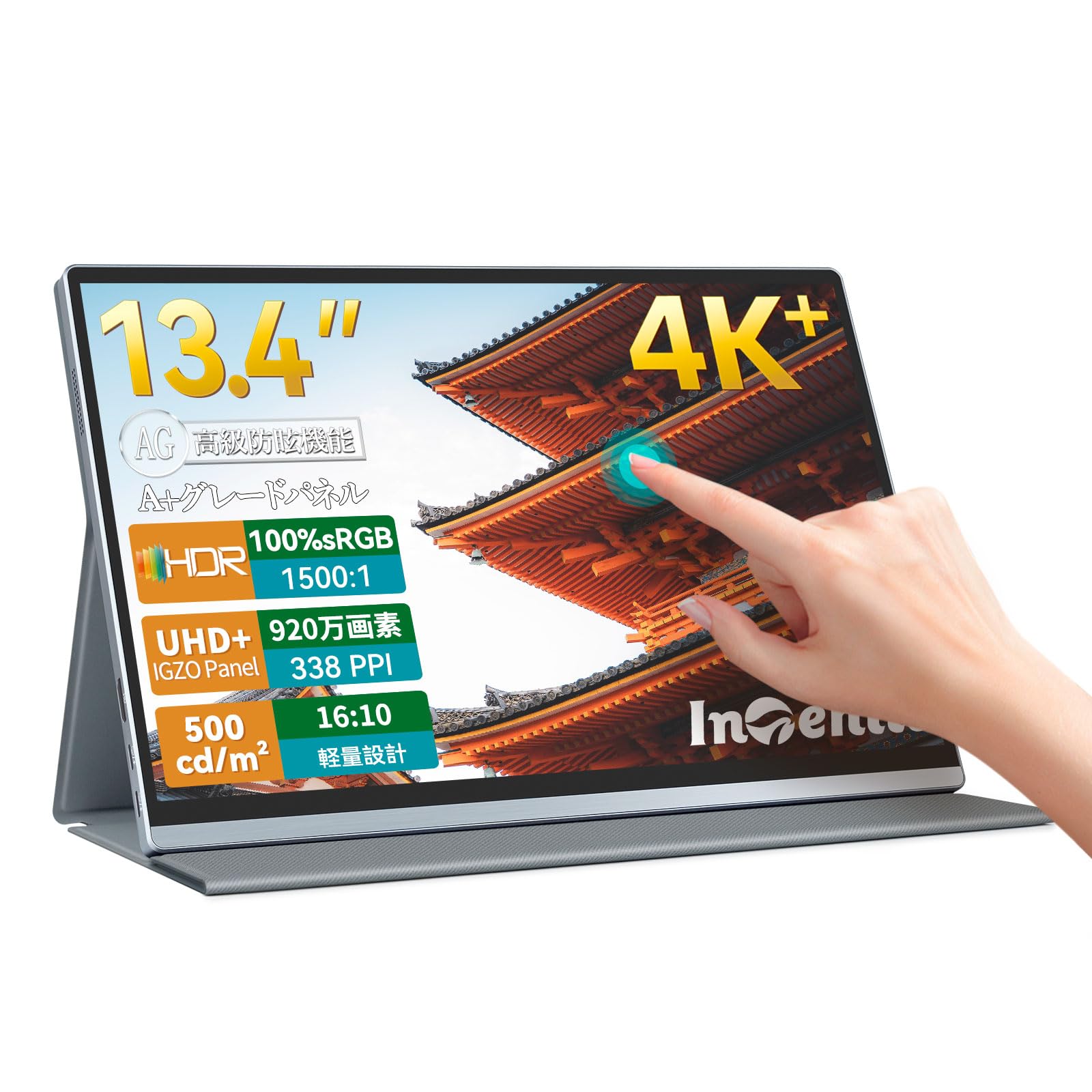
The Intehill 13.4-inch display uses a premium IGZO panel that achieves a pixel density far higher than standard 4K IPS screens, hitting 338 PPI. This density makes text and icons appear exceptionally crisp, which is a tangible advantage for photo editors checking fine details or developers reading dense code. The 3840×2400 resolution offers more vertical real estate than the common 3840×2160, giving you extra lines of a spreadsheet or timeline without scrolling.
Color accuracy is strong with 100% sRGB coverage and a 1500:1 contrast ratio, while the anti-glare full-laminated glass reduces reflections better than many glossy competitors. The 10-point multi-touch is responsive and precise, and the all-metal CNC body provides a premium, durable feel. At 500 cd/m², it remains usable near a window, though some users note it needs high brightness in very bright rooms.
Connectivity is versatile with dual USB-C ports supporting power and video over a single cable, plus a Mini HDMI for consoles or older laptops. The included 20W PD charger and protective folio cover are welcome extras. The 16:10 aspect ratio and e-Ink mode for reading make this a flexible tool for both creative work and extended document review, all backed by a 3-year warranty.
Why it’s great
- Exceptional 338 PPI clarity for sharp text and image detail.
- Single-cable USB-C connection for power and video with included PD charger.
- Robust aluminum build with anti-glare glass and a 3-year warranty.
Good to know
- Mini HDMI cable included only supports 4K30, purchase a proper HDMI 2.0 for 4K60.
- Reflective panel may still cause glare in direct light despite anti-glare coating.
- The built-in speakers are adequate but not loud enough for noisy environments.
2. UPERFECT 14″ 3K OLED Touchscreen Portable Monitor
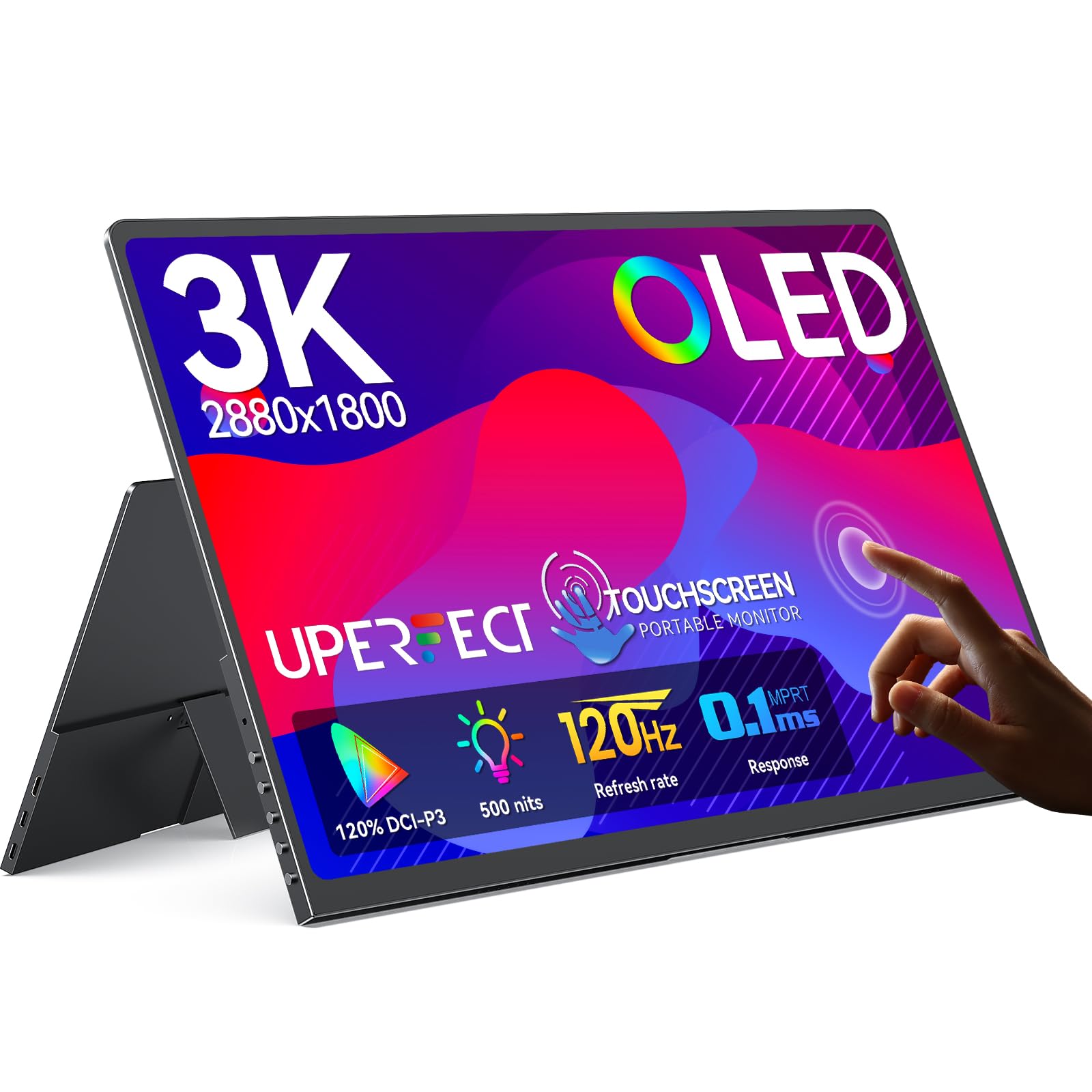
The UPERFECT 14-inch OLED monitor delivers a viewing experience that IPS panels cannot match in terms of contrast. With a 500000:1 contrast ratio, blacks are truly black, making HDR content and dark scenes in games or movies look dramatically more immersive. The 2880×1800 resolution at 16:10 provides a sharp 242 PPI, and the 120% DCI-P3 color gamut covers a wider spectrum than standard sRGB monitors, resulting in punchier, more vibrant colors.
The 120Hz refresh rate and 0.1ms response time are standout specs for a portable touchscreen, making motion look exceptionally smooth whether you are scrolling through a long document or playing a fast-paced game. The 10-point capacitive touch is described as pixel-accurate with zero offset, which makes tapping small UI elements feel precise. However, note that full 120Hz is only available via USB-C; HDMI caps at 100Hz.
Its ultra-slim 0.12-inch profile and 1.29 lbs weight make it extremely portable, sliding easily into a laptop bag. The full-metal body feels premium, and the multi-folding case doubles as a stand. Some users report HDR does not work over Thunderbolt and the interface lacks brightness presets, but for portable gaming or color-critical work on the go, this OLED display sets a new bar in its class.
Why it’s great
- True blacks and infinite contrast from OLED, ideal for HDR media.
- 120Hz refresh rate with 0.1ms response for buttery-smooth motion.
- Ultra-light and thin chassis at 1.29 lbs for maximum portability.
Good to know
- 120Hz requires USB-C connection; HDMI is limited to 100Hz.
- No built-in brightness profile save and HDR may not work over Thunderbolt.
- The included case stand feels slightly flimsy compared to the metal monitor body.
3. wisecoco 14″ 4K UHD Stretched Bar Touch Screen Display

The wisecoco stretched bar monitor breaks the standard 16:9 mold with a 32:9 ultra-wide aspect ratio at 3840×1100 resolution. This format is uniquely suited for specific use cases: a dedicated timeline viewer for music or video editing, a secondary AIDA64 system monitoring panel for a PC build, or even an automotive instrument cluster. The 280 PPI at this resolution means text is retina-sharp despite the unusual shape.
Touch responsiveness is solid with a 3-5ms response time, making swipes and gestures feel fluid. The IPS panel delivers a 500 cd/m² brightness and a 1500:1 contrast ratio, which is bright and punchy for indoor use. The all-metal bezel and VESA mount compatibility give it a professional, integrable feel. It includes both USB-C and Mini HDMI inputs, though it is not natively compatible with Thunderbolt or iOS devices.
The OSD offers good granularity with aspect ratio control, FreeSync, and HDR toggling, but the interface is a bit clunky to navigate. The built-in speakers are mediocre, best considered a fallback. A critical flaw for some: the monitor cannot go to sleep with the host computer via HDMI and will flash a white logo intermittently when idle, making it unsuitable for dark bedrooms. For a dedicated streaming or monitoring station, however, its shape and clarity are unmatched.
Why it’s great
- Unique 32:9 stretched aspect ratio fits specific music and system monitoring setups perfectly.
- Sharp 280 PPI with 3840×1100 resolution for crisp text along the long bar.
- Solid all-metal build with VESA mounting for permanent integration.
Good to know
- Cannot enter sleep mode with host via HDMI; flashes logo when idle.
- Not compatible with Thunderbolt or iOS devices.
- Built-in speakers are weak and the OSD interface is clunky.
4. SOTSU FlipAction Go 14″ Premium Portable Monitor

The SOTSU FlipAction Go is built around a simple, effective idea: a portable 1080p monitor that prioritizes build quality and versatility over sheer resolution. The aluminum aerospace-grade chassis weighs only 1.55 lbs, and the unique pivot hinge allows rotation from portrait to landscape to 180-degree flat positioning. This makes it an excellent companion for a content creator who needs a vertical second screen for social media or a coder reading long scripts.
The 1080p IPS panel covers 100% sRGB at 400 cd/m² brightness, which is more than sufficient for indoor productivity and casual movie watching. It supports single-cable USB-C connection for both video and power, keeping your desk clean. Pass-through charging lets you power the monitor and charge a connected device simultaneously, a rare convenience in this price bracket. The low 5W power draw means it can run off most laptop ports without draining battery too quickly.
While the image is clear and bright, some users report the panel can appear slightly fuzzy or less sharp compared to higher-resolution alternatives, especially for small text. The 1080p resolution at 14 inches is adequate but not retina-class. For a traveler needing a rugged, lightweight, and flexible second screen that matches a MacBook aesthetic, this is a well-engineered choice, especially given the included padded protective pouch.
Why it’s great
- Lightweight 1.55 lbs aerospace aluminum body with a versatile pivot hinge.
- Pass-through charging powers monitor and laptop simultaneously from one port.
- Low 5W power draw ensures long usability on battery power.
Good to know
- 1080p resolution may look soft compared to 2K or 4K panels at this size.
- Some users note the screen has a slight fuzziness that cannot be adjusted away.
- Mac users may need third-party scaling software for optimal text size.
5. VSDISPLAY 14.5 Inch 2K Touch Screen Monitor for Y70 PC Case
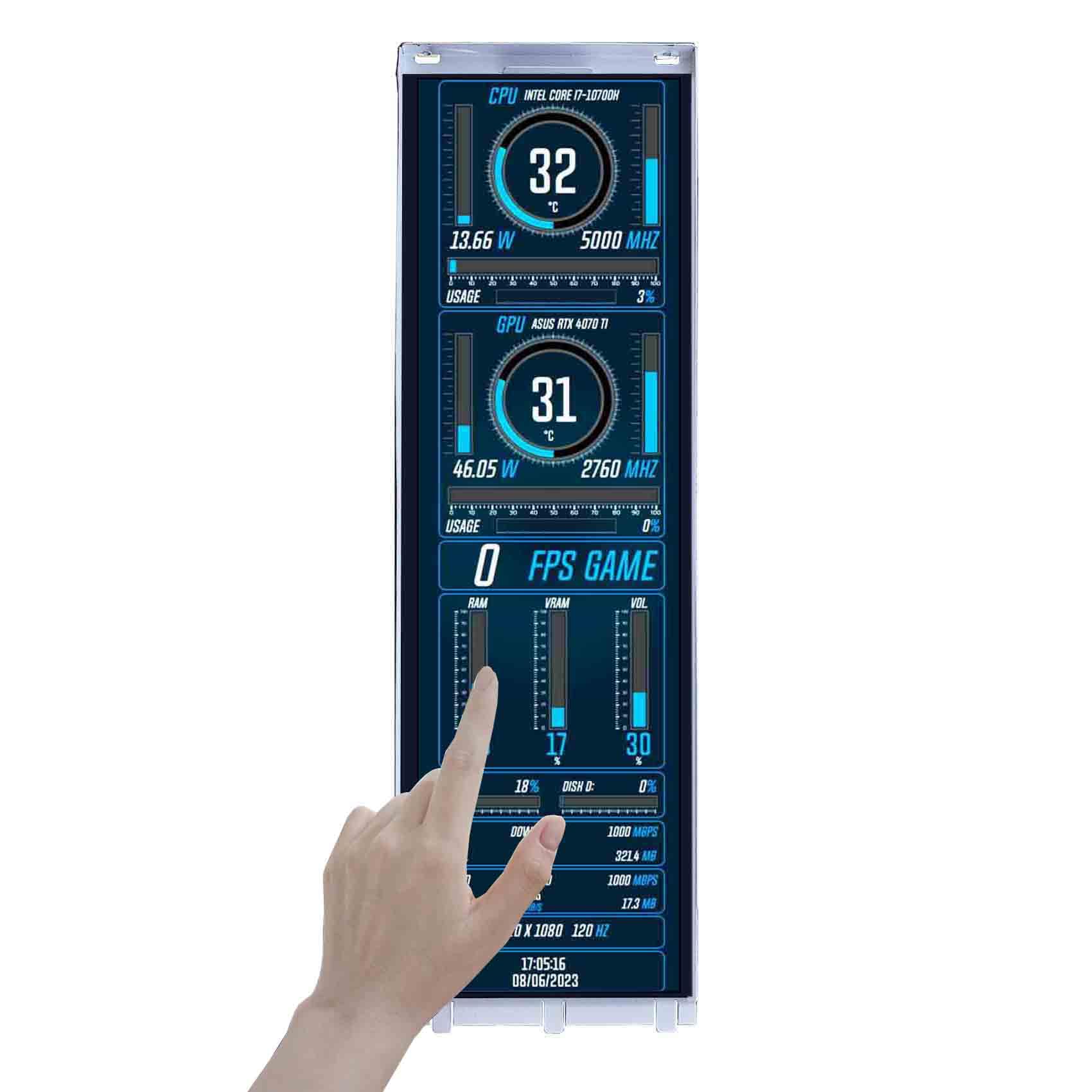
The VSDISPLAY 14.5-inch monitor is a purpose-built accessory for the Hyte Y70 PC case, designed to replace or complement the stock corner display. Its 2560×720 resolution fits the unique aspect ratio of the case’s glass corner, providing a 2K-wide canvas for system monitoring, custom graphics, or a secondary desktop. The 350 cd/m² brightness is adequate for inside a PC case, though it may look dimmer behind the tempered glass panel.
Touchscreen functionality works behind the glass, allowing for swipes and taps to control AIDA64 or other monitoring software. However, users should note that it requires a USB 2.0 port for touch input, and USB 3.0 ports may not function correctly with the touch layer. The monitor is plug-and-play via USB-C for video and power, instantly becoming a third display for your system.
Color quality is decent with a 1000:1 contrast ratio and 85-degree viewing angles, though colors wash out at extreme angles. Some users report that the brightness resets to 30% after standby, requiring manual re-adjustment each time. It also does not support the official Hyte Nexus software natively, meaning you will need to download and configure third-party monitoring tools like AIDA64 yourself. For dedicated Hyte Y70 builders who want a custom, larger touch display, it is the only direct-fit option on the market.
Why it’s great
- Direct fit for Hyte Y70 PC case corner, replacing the stock display with higher resolution.
- Touchscreen works through tempered glass for easy system monitoring control.
- Plug-and-play USB-C connection for video and power.
Good to know
- Brightness resets to 30% after standby; requires manual re-adjustment.
- Touch input requires USB 2.0; may not work correctly with USB 3.0 ports.
- Does not support Hyte Nexus software natively; needs third-party AIDA64 setup.
6. JUNEBOX 11″ 2.5K Portable Monitor Touchscreen
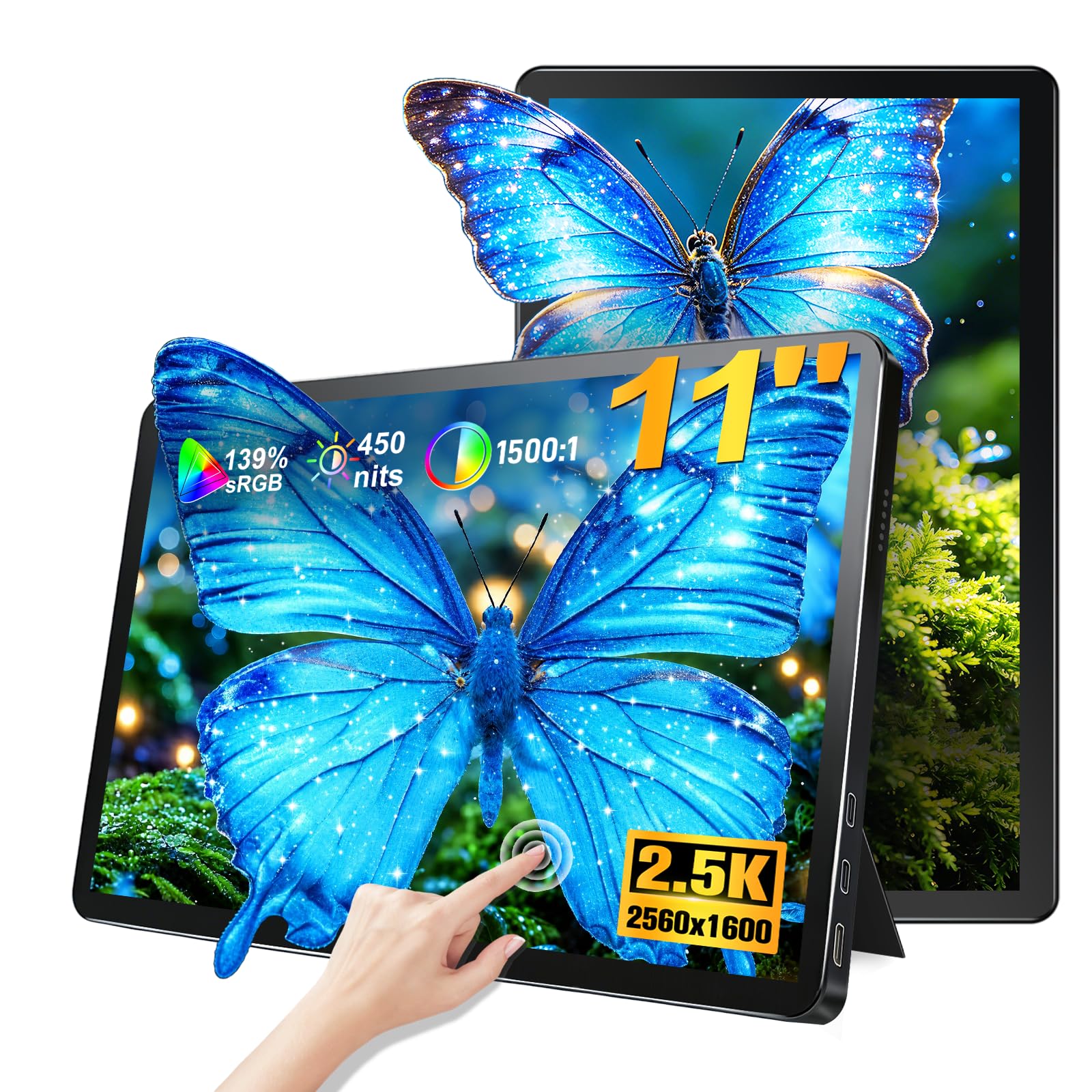
The JUNEBOX 11-inch monitor packs a 2560×1600 resolution into a 1.2 lb chassis, achieving a 275 PPI density that makes text appear near-retina sharp despite the smaller screen size. This 2.5K resolution is a significant step above 1080p for reading, photo preview, and UI design on the go. The 450 cd/m² peak brightness ensures the screen is readable even in a bright café, while the 139% sRGB color gamut delivers vibrant, punchy colors that pop.
The all-metal aluminum alloy body is slim at 0.3 inches and feels sturdy, with good heat dissipation during long sessions. The 10-point capacitive touch is responsive, handling swipes, zoom, and multi-finger gestures without lag. The built-in stereo speakers are a practical bonus for quick video calls or presentations without needing external audio. The monitor supports landscape-to-portrait switching with one click, ideal for TikTok streams or code reading.
Connectivity is handled by a single USB-C cable for both video and power, with reverse charging to juice up a phone. It also includes Mini HDMI 2.0 for compatibility with game consoles. Some early units have arrived with screen scratches, so inspect upon delivery. The stand is adjustable from 0 to 45 degrees, and VESA 75mm mounting offers flexible placement. For a highly portable secondary screen that does not sacrifice resolution, this is a strong entry-level pick.
Why it’s great
- High 275 PPI with 2.5K resolution for very sharp text and images.
- Ultra-light 1.2 lbs and slim 0.3-inch profile for easy travel.
- One-click portrait/landscape switch with responsive 10-point touch.
Good to know
- Some units have arrived with scratches; inspect screen upon arrival.
- Small 11-inch size may be too compact for extended desktop use.
- Only 60Hz refresh rate, not suitable for high-refresh-rate gaming.
7. PeakDo 7″ Mini Portable Touchscreen Monitor

The PeakDo 7-inch monitor is the smallest in this roundup, designed for specific embedded uses like a pinball machine FULLDMD display, a Raspberry Pi project screen, or a tiny secondary monitor for laptop travel. Despite its size, it delivers a native 1920×1080 resolution, resulting in a very high pixel density for crisp iOS-style icons and text. The 500 cd/m² IPS panel is bright and vibrant, with a 2000:1 contrast ratio that helps blacks look deeper than typical portable IPS screens.
At just 0.335 lbs and 0.37 inches thick, it is virtually weightless in a bag. The aluminum alloy shell feels premium, and the stereo speakers are decent for a monitor of this size. The 10-point capacitive touch works well with Windows, Android, and Linux, making it a flexible control panel for DIY projects. Touch requires connection to the USB-C 3.1 port for both touch and video in a single-cable setup.
Connectivity includes Mini HDMI and USB-C, compatible with Switch, PS5, Xbox, laptops, and cameras. Some units have reported black burn marks or dead pixels out of the box, indicating some quality control inconsistency. A minor firmware bug may prevent the monitor from waking from sleep when the source is off, which can be resolved by disabling USB/TB power on shutdown in BIOS. For hobbyists who need the smallest functional touch display with full HD resolution, this is a unique and capable option.
Why it’s great
- Extremely compact and feather-light at 0.335 lbs for embedded projects.
- Full HD 1080p resolution in a 7-inch form factor for high PPI clarity.
- Bright 500 cd/m² IPS panel with wide compatibility including consoles.
Good to know
- Some units have quality control issues like dead pixels or burn marks.
- Firmware sleep bug requires BIOS configuration on some PCs to fix.
- Too small for general productivity; best suited for niche embedded uses.
FAQ
Does a 14.5-inch touchscreen display work with macOS touch gestures?
Can a single USB-C cable provide video and power to a 4K 14.5-inch touchscreen?
Why does the VSDISPLAY touchscreen not work with USB 3.0 ports on my PC?
Final Thoughts: The Verdict
For most users, the best 14.5-inch touchscreen display winner is the Intehill 13.4″ 4K Touchscreen because it offers the highest pixel density and color accuracy for creative professionals at a competitive price. If you want true HDR and silky-smooth motion, grab the UPERFECT 14″ 3K OLED. And for a custom PC case build, nothing beats the VSDISPLAY 14.5-inch 2K for its perfect fit in a Hyte Y70.