
Our readers keep the lights on and my morning glass full of iced black tea. As an Amazon Associate, I earn from qualifying purchases.
Specs are compiled from manufacturer listings and verified buyer reviews and can change over time — please confirm the key details on the product page before buying.
A 14-inch 2-in-1 laptop gives you a keyboard for typing and a fold-flat touchscreen for sketching or watching movies all in one device. The catch is that each model makes different trade-offs inside that compact body. One pick might have so little RAM (Random Access Memory) that it slows down, and another might have a dim screen that feels worse than your phone’s display. This guide compares five popular options using their published specs and patterns from verified customer reviews, so you see the real strengths and trade-offs of each.
I’m Min — the founder and writer behind Gadgets Feed. This guide is built by comparing the manufacturers’ published specifications and the patterns across verified customer reviews, so you get each pick’s real strengths and trade-offs instead of marketing spin.
Whether you are buying for school, a portable office, or weekend streaming, the right 14 inch 2 in 1 laptop balances weight, battery life, and ports so you do not need a dongle for everyday connections.
Quick Picks
- Dell Inspiron 14″ WUXGA Touchscreen 2-in-1 Laptop (Intel Core 7 150U, 32GB DDR5, 2.28TB Storage) — Powerhouse Pick
- ASUS Vivobook Flip 14inch Touchscreen Laptop 2 in 1 – OLED WUXGA Display, Intel Core Ultra 7 256V, 16GB RAM, 1TB SSD — Best Display
- HP Envy x360 2-in-1 14″ FHD IPS Touchscreen Laptop (Intel Core i5-1335U, 8GB RAM, 512GB SSD) — Balanced Value
- Lenovo Flex 14 2-in-1 Convertible Laptop, 14 Inch FHD Touchscreen (AMD Ryzen 5 3500U, 8GB RAM, 256GB NVMe SSD, Pen Included) — Upgradable Pick
- FUNYET 2 in 1 Laptop Touchscreen, 14 Inch Tablet Laptop Computer (12th Gen N100, 16GB DDR5 RAM, 1TB SSD, Backlit Keyboard) — Budget Champion
How To Choose The Best 14 Inch 2 In 1 Laptop
A 2-in-1 laptop is a full computer whose screen folds flat into a tablet. You pay extra for the hinge and the touch layer. That makes every spec choice more important because you usually cannot upgrade parts later — the RAM (the memory that holds your open apps) is soldered (permanently attached to the motherboard) on many models.
RAM and storage — the two parts you cannot change later
Most 14-inch convertibles have the RAM chips soldered to the motherboard. If you buy an 8GB model today, you are stuck with 8GB for the life of the machine. Look for 16GB as a minimum, and choose 32GB if you run many browser tabs, virtual machines (software that simulates another computer), or photo or video editing software. Storage is sometimes upgradeable via a removable SSD (Solid State Drive, the fast chip that holds your files). But models with 256GB will fill up fast once you install a few apps and save local files, so aim for 512GB or more.
Screen quality — the part you look at every minute
The display is where budget models cut corners. A basic 1920 x 1080 IPS (In-Plane Switching) panel is fine for email and web work. An OLED (Organic Light Emitting Diode) panel, like the one on the premium ASUS, delivers true blacks and vivid color by turning off individual pixels. This comes at the cost of slightly higher battery drain when you view bright content like white documents or webpages.
Ports and connectivity — what you plug in daily
A 2-in-1 is designed to be versatile, but some makers cut ports to save weight. Look for at least one USB-C that supports power delivery (charges the laptop) and video out (connects to an external monitor). A headphone jack helps with private listening. A USB-A port lets you plug in a mouse or flash drive without an adapter. Wi-Fi 6 or Wi-Fi 6E (the modern standards for wireless internet) handle video calls and large file transfers better than the older Wi-Fi 5.
Quick Comparison
On smaller screens, swipe sideways to see the full table.
| Model | Best For | RAM / Storage | Screen Type | Battery Life | Amazon |
|---|---|---|---|---|---|
| Dell Inspiron 14 2-in-1 | Power users who multitask hard | 32GB / 2.28TB | WUXGA IPS Touch | Good (reviewers confirm) | $1,529.00Amazon |
| ASUS Vivobook Flip 14 | Creative work & media on OLED | 16GB / 1TB | OLED WUXGA Touch | 11.5 Hours | $1,049.99Amazon |
| HP Envy x360 14 | Balanced daily driver | 8GB / 512GB | FHD IPS Touch | 9.5 Hours | $719.99Amazon |
| Lenovo Flex 14 | Tinkerers who want to upgrade RAM | 8GB / 256GB | FHD IPS Touch | 3-6 hrs (reviewers noted) | $719.00Amazon |
| FUNYET 2-in-1 14 | Budget-friendly student use | 16GB / 1TB | 1920×1200 IPS Touch | 8 Hours | $599.99Amazon |
In‑Depth Reviews
1. Dell Inspiron 14″ WUXGA Touchscreen 2-in-1 Laptop (Intel Core 7 150U, 32GB DDR5, 2.28TB Storage)
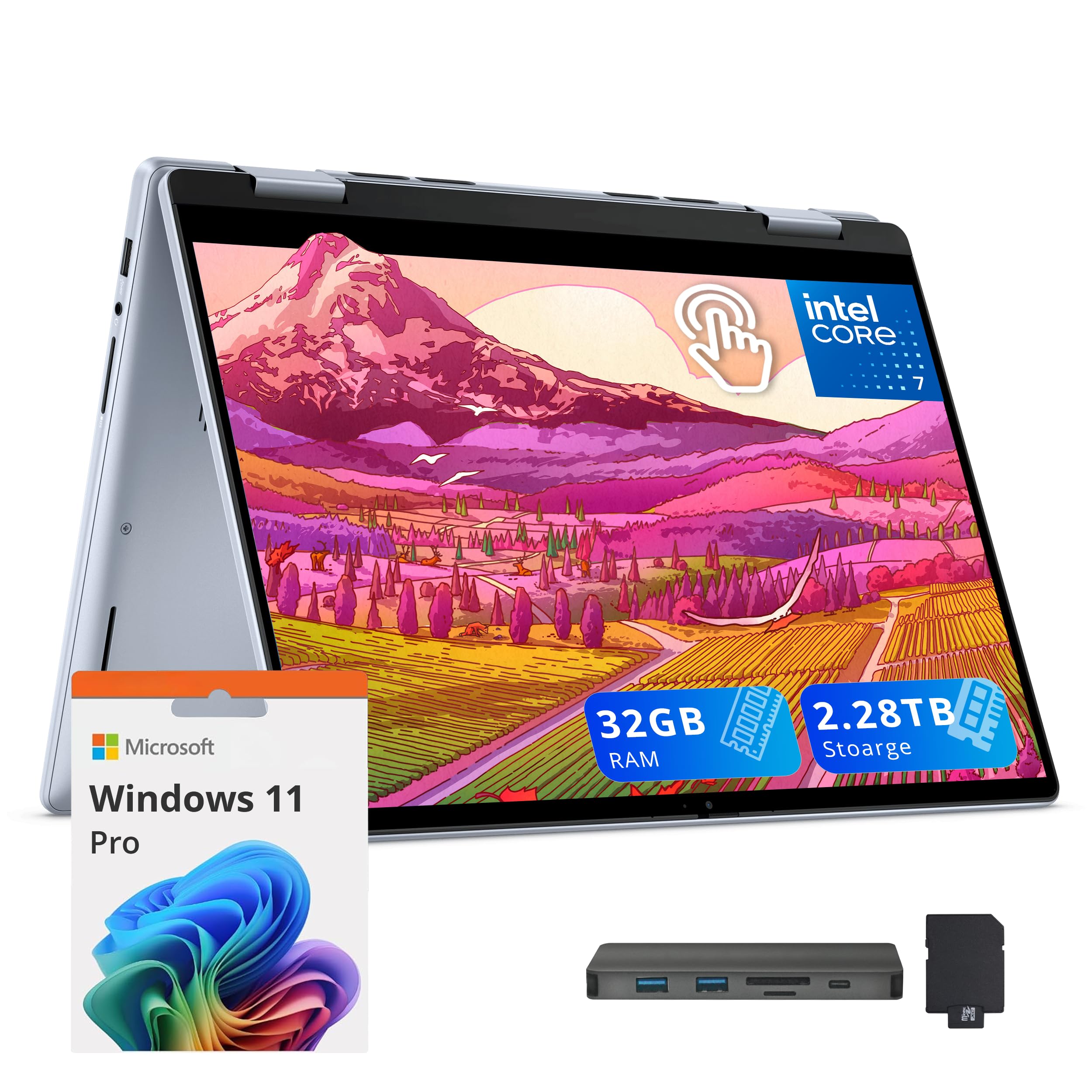
This convertible gives you 32GB of DDR5 RAM and 2.28TB of storage, so you never hit a memory wall.
This Dell is the choice for anyone who has been slowed down by a 2-in-1 that chokes after opening a dozen tabs. It packs 32GB of DDR5 RAM (the latest, faster computer memory), versus 8GB on the Lenovo Flex 14. That means you can run multiple virtual machines, edit large spreadsheets, or keep a video call running without your system stuttering. The 2.28TB of storage (a 2TB SSD plus a 288GB docking station set) gives you 2.28TB total, while several other models here offer 1TB or 512GB. That is enough to store years of photo libraries, video projects, and app installs without needing an external drive.
The 14-inch WUXGA touchscreen (1920 x 1200 resolution, which gives you a slightly taller screen) flips 360 degrees on a sturdy hinge. Buyers report the screen is crisp and the laptop feels light enough at 3.75 pounds to carry around the office. The bundle includes a 7-in-1 docking station with 256GB of extra storage, a 32GB MicroSD card (a tiny card for extra files), and a charging cable set. One buyer flagged potential issues with password setup and a “knock off” impression of the packaging, so check the seller carefully. At 0.74 inches thick and 3.75 pounds, it is not the slimmest convertible here.
Why this matters for heavy users
- 32GB DDR5 RAM lets you multitask heavily without slowdowns — something the 8GB Lenovo Flex 14 cannot do.
- 2.28TB total storage holds large files permanently, so you skip external drives.
- Wi-Fi 6E and Windows 11 Pro add modern internet speeds and business-level security features.
Honest watchpoints
- Some buyer reviews mention issues with the initial setup and components that feel lower quality — vet the seller before buying.
- At 0.74 inches thick and 3.75 pounds, it is thicker and heavier than the ASUS Vivobook Flip 14 (3.39 pounds).
Reach for this if: you need a convertible that can replace a desktop and handle heavy multitasking without compromise.
Look elsewhere if: you prefer a lighter, thinner device and rarely need more than 16GB of RAM.
2. ASUS Vivobook Flip 14inch Touchscreen Laptop 2 in 1 – OLED WUXGA Display, Intel Core Ultra 7 256V, 16GB RAM, 1TB SSD
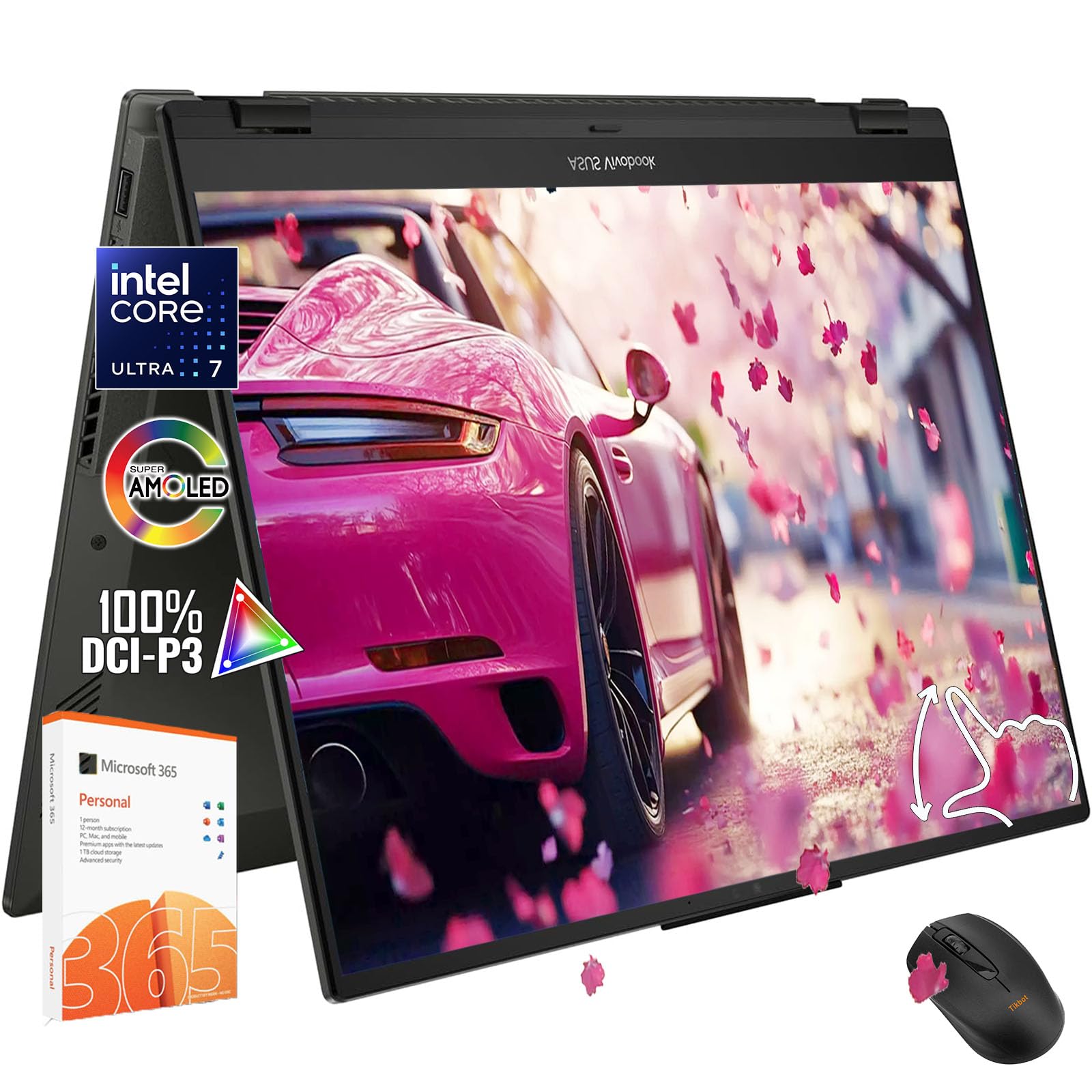
An OLED screen that delivers richer colors and deeper blacks than any IPS panel in this list, backed by 11.5 hours of claimed battery life.
This ASUS is the pick if display quality matters more to you than raw RAM count. The 14-inch OLED panel covers 100% of the DCI-P3 color gamut (a wide color range used in professional video and photo editing) and supports HDR 400 (High Dynamic Range, a standard for bright highlights and detailed shadows). So photo editing and streaming content look vibrant and true-to-life. Photos and videos show richer, more accurate colors compared to the IPS screens on the HP Envy x360 or the Lenovo Flex 14.
Under the hood, the Intel Core Ultra 7 256V processor handles design work and multitasking smoothly. You get 16GB of RAM and a 1TB SSD. The 2-in-1 hinge rotates 360 degrees, and the camera includes a privacy shutter (a physical cover that blocks the lens). Reviewers praise the speed and the compact 3.39-pound weight for easy transport. However, multiple owners mention that the RAM has only one slot and is non-upgradable — what you buy is what you keep. One reviewer noted disappointment that the webcam sits on the bottom of the screen and that the overall camera quality is poor.
Where it shines
- OLED display with 100% DCI-P3 and HDR 400 looks richer than any IPS panel in this list, so video and photo work look more true to life.
- 11.5-hour battery life is rated at 11.5 hours, while the FUNYET is rated at 8 hours, giving you a full workday away from an outlet.
- Wi-Fi 7 (the newest wireless standard) and Thunderbolt 4 USB4 (a fast connection standard that carries data, video, and power) give you future-proof ports and internet.
Before you buy
- RAM is soldered and non-upgradable — 16GB is the maximum, so this is not the choice if you want to expand memory later. That separates it from the Lenovo Flex 14, which you can upgrade to 20GB.
- The bottom-mounted webcam and low camera quality make video calls awkward. You might need an external webcam for meetings.
Best fit for: creative professionals and students who prioritize a top-notch screen and all-day battery over the ability to add RAM later.
Not for you if: you need 32GB of RAM or you rely on the built-in webcam for daily meetings.
3. HP Envy x360 2-in-1 14″ FHD IPS Touchscreen Laptop (Intel Core i5-1335U, 8GB RAM, 512GB SSD)

A polished everyday convertible with premium speakers and a 10-core processor, but it is capped at 8GB of RAM that you cannot upgrade.
The HP Envy x360 pairs a 10-core Intel i5-1335U processor (reaching up to 4.6 GHz, the clock speed for quick tasks) with a crisp 1920 x 1080 IPS touchscreen. It looks more expensive than its price tier thanks to an edge-to-edge design. The storage is 512GB PCIe SSD, versus 256GB on the Lenovo Flex 14. The battery runs up to 9.5 hours, which is competitive for a non-OLED display. You also get dual speakers tuned by Bang & Olufsen (a high-end audio brand) and a fingerprint reader for quick logins.
The big catch is the 8GB RAM. That is entry-level memory for today’s multitasking. If you keep 10 browser tabs open alongside Slack and a video call, you will feel the limit. Customers note it works well for basic schoolwork, email, and streaming. Several owners called it a “great buy” at its price. One buyer mentioned a minor sound issue with Google Meet that was likely a setting fix. The 8GB limit and the 512GB storage may feel tight in a year or two. So consider this a comfortable daily driver for moderate use, not a long-term investment for heavy workloads.
What makes it a good daily driver
- 10-core i5-1335U offers strong processing for everyday apps and light content creation without lag.
- 512GB storage gives you more room for files and apps than the Lenovo Flex 14’s 256GB before needing an external drive.
- Bang & Olufsen dual speakers deliver above-average laptop audio for calls, music, and movie soundtracks.
- HP Fast Charge and Wi-Fi 6E add modern charging speed and internet connectivity.
Limitations to consider
- 8GB RAM is the main bottleneck — you cannot upgrade it later, so demanding multitasking will slow down. The Dell Inspiron 14 has 32GB.
- The 512GB storage is decent but may fill up quickly if you install games or creative software.
- Buyers confirm it is primarily for school and office use, not for gaming.
Who it suits: students and casual users who need a reliable touchscreen convertible with great speakers at a mid-range price.
Who should skip it: power users or anyone who plans to keep the laptop for four or more years — the 8GB RAM limit will show its age, unlike the Dell Inspiron 14 with its 32GB.
4. Lenovo Flex 14 2-in-1 Convertible Laptop, 14 Inch FHD Touchscreen (AMD Ryzen 5 3500U, 8GB RAM, 256GB NVMe SSD, Pen Included)

The only convertible here you can open up and upgrade yourself — buy it cheap, then swap the RAM and SSD.
Unlike most modern 2-in-1s that solder (permanently attach) everything, the Lenovo Flex 14 lets you open the bottom panel. Reviewers consistently detail upgrading the RAM from 8GB to 20GB (the 4GB soldered chip stays, plus you add a 16GB SODIMM stick) and swapping the 256GB NVMe SSD for a 1TB drive. The included Active Pen (a stylus that lets you write on the screen) makes note-taking immediate. The AMD Ryzen 5 3500U with Radeon Vega 8 graphics handles light gaming like Civilization or Fortnite at reduced settings. One owner reported using it 80% of the time in tablet mode.
The trade-offs are real. The battery life varies heavily: reviewers report 3 hours under stress and 5 to 6 hours on cool or quiet settings — far below Lenovo’s claimed 8 hours. The Realtek Wi-Fi card (a brand of the wireless chip) is known for dropouts, and several users swapped it for an Intel 9260 (a more reliable chip). The USB-C port does not support power delivery (charging the laptop) or video output (connecting a monitor), which limits docking options. One customer observed that the stylus holder blocks a USB port, and the included power brick plugs directly into the wall without a cable, which can be awkward at tight desks. Even with its quirks, users call it excellent value at its price.
Why it stands out for upgraders
- User-replaceable RAM (up to 20GB total) is rare in this category — the ASUS Vivobook Flip, HP Envy x360, and Dell Inspiron 14 are all soldered and non-upgradable.
- Swappable SSD lets you double the 256GB storage cheaply with a standard part.
- Active Pen comes in the box, so you can write or draw immediately without a separate purchase.
- Fingerprint reader and TrueBlock privacy shutter give you security features at this price.
Honest downsides
- Real-world battery life hits only 3 to 6 hours — nowhere near the advertised 8 hours, so plan to carry the charger.
- Wi-Fi card (Realtek 8822E) is unreliable — buyers often swap it for an Intel 9260 for stable connections.
- USB-C port cannot charge the laptop or connect a monitor, which limits how you can set up a desk.
- Fans run loud under performance mode, and the wall-wart power brick is inconveniently designed for tight spaces.
Go for it if: you like opening your electronics and want a cheap base that you can turn into a 20GB machine with a larger SSD.
Avoid it if: you want all-day battery life or prefer a machine that works perfectly from the start without modifications.
5. FUNYET 2 in 1 Laptop Touchscreen, 14 Inch Tablet Laptop Computer (12th Gen N100, 16GB DDR5 RAM, 1TB SSD, Backlit Keyboard)

A fully detachable tablet-laptop hybrid that packs 16GB of DDR5 RAM and a 1TB SSD into a sub-2-pound frame at a budget price.
The FUNYET takes a different approach: the keyboard separates entirely, unlike 360-degree hinge convertibles. You get 16GB of DDR5 RAM (fast, modern memory) and a 1TB SSD, compared with 256GB on the Lenovo Flex 14 and 16GB of RAM on the mid-range ASUS. The 1920 x 1200 touchscreen covers 100% of the sRGB color space, giving decent color accuracy for a budget panel. It weighs just 2 pounds and measures 0.4 inches thick, making it the thinnest and lightest machine here. Wi-Fi 6 and Bluetooth 5.2 keep connections current.
Reviewers point out that the battery lasts 6 to 7 hours in real use — not the advertised 10 hours. The keyboard and screen need separate charging, which one reviewer found “wonky.” Another observed that the keyboard sometimes registers jumps in typing, and the laptop uses a special charging cable instead of standard USB-C. On the plus side, users call it excellent value for the RAM and storage combo. It runs lighter games like The Sims 4 without issue, according to buyers. FUNYET includes a 2-year repair warranty. The Intel N100 processor is entry-level (designed for basic tasks like browsing and streaming), so do not expect it to handle video editing or heavy coding.
What you get for your money
- 16GB DDR5 RAM (6400MHz, a high clock speed) gives you strong multitasking headroom at a budget price — the HP Envy x360 has only 8GB.
- 1TB SSD offers ample local storage, versus 256GB on the Lenovo Flex 14.
- Detachable design at 2 pounds and 0.4 inches is lighter and thinner than any hinge-based convertible here, so you can use it like a tablet for reading or note-taking.
- 2-year repair warranty from the manufacturer adds confidence for a lower-cost device.
Trade-offs to know
- Real-world battery life hits 6 to 7 hours, not the advertised 10. The keyboard must be charged separately from the screen.
- Special charging cable and occasional keyboard jumpiness are common buyer complaints.
- The Intel N100 processor is entry-level — fine for documents, web, and streaming, but slow for video editing or heavy multitasking.
Ideal for: students or casual users on a strict budget who need a detachable tablet for note-taking, streaming, and light productivity with plenty of storage.
Not for you if: you need consistent all-day battery life, a smooth keyboard experience, or a processor powerful enough for demanding creative apps.
Understanding the Specs
RAM — the multitasking headroom you cannot upgrade later
RAM (Random Access Memory) is the memory your laptop uses to keep all your open apps ready at once. Most 14-inch 2-in-1s solder the RAM chips to the motherboard, so the amount you buy is the amount you keep. 8GB is the bare minimum today. It will struggle if you have a dozen browser tabs, a messaging app, and a video call going simultaneously. 16GB is the safe baseline for most users. 32GB is for power users who run virtual machines or edit large files. The Dell Inspiron and the FUNYET both offer 16GB or more. The HP Envy x360 and Lenovo Flex 14 top out at 8GB.
Battery life — the number that rarely matches the sticker
Manufacturers test battery life in a lab with the screen dimmed and minimal background activity. Real-world battery life is usually 60 to 80% of that number. The ASUS Vivobook Flip claims 11.5 hours and likely delivers close to 9 to 10 hours of mixed use. The Lenovo Flex 14 claims 8 hours, but reviewers report only 3 to 6 hours in practice. Check the battery capacity in watt-hours (Wh) if available. A higher Wh number generally means longer runtime, regardless of the processor’s efficiency.
Display type — OLED vs IPS
IPS (In-Plane Switching) panels are the standard in most laptops. They offer decent color and wide viewing angles at a lower cost. OLED (Organic Light Emitting Diode) panels, found on the ASUS Vivobook Flip, produce true blacks by turning off individual pixels. That gives you richer contrast and more vibrant color — 100% DCI-P3 (a wide professional color gamut) versus roughly 72% NTSC (a standard color space) on budget IPS screens. The trade-off is that OLED screens can consume more battery when displaying bright content, and some users notice a slight flicker at low brightness settings.
Storage — SSD size and type matter for speed and space
All modern laptops use SSDs (Solid State Drives, fast chips that store your files) instead of slow hard drives. The two standards you will see are PCIe NVMe (faster, standard in mid-range and premium machines) and SATA (slower, used in budget models). Storage size affects how many apps, photos, and videos you can keep on the machine. 256GB fills up fast — Windows alone uses about 30GB, and a few games or video projects will eat the rest. 512GB is comfortable for most users. 1TB or more is ideal if you store everything locally. The Dell Inspiron leads at 2.28TB total.
FAQ
Can I upgrade the RAM on an 8GB model later?
Which has better battery life — OLED or IPS?
Can I charge my 14-inch 2-in-1 laptop via USB-C?
How much storage do I really need for school or work?
Is a detachable keyboard better than a 360-degree hinge?
Will a 14-inch 2-in-1 laptop run games?
What is the difference between WUXGA and FHD resolution?
Can I use an active pen with any 2-in-1 laptop?
How important is the processor generation for everyday use?
Does a 2-in-1 laptop get hot when used as a tablet?
Final Thoughts: The Verdict
For most buyers, the 14 inch 2 in 1 laptop winner is the ASUS Vivobook Flip 14 because its OLED display, 11.5-hour battery life, and 16GB of RAM give students, creators, and professionals a premium portable machine without the price jump to 32GB. If you need to run heavy software every day and plan to keep the laptop for years, choose the Dell Inspiron 14 for its 32GB of RAM and 2.28TB of storage. And if your budget is tight, the FUNYET offers the most storage and RAM for your dollar in the lightest package.
How We Picked
We do not accept paid placement, and we did not hands-on test every unit. Instead, we match each pick to a real buyer and use-case by comparing the manufacturers’ published specifications against the patterns in verified customer reviews — so you get each pick’s real strengths and trade-offs instead of marketing copy.
Sources & Methodology
Specifications: manufacturer listings and product documentation. Review insights: verified customer reviews, as of July 2026. Pricing: not shown on this page (it changes often); check the current price via the retailer link.
As an Amazon Associate, Gadgets Feed earns from qualifying purchases. This does not affect which products we feature.
Product prices and availability are accurate as of the date/time indicated and are subject to change. Any price and availability information displayed on Amazon at the time of purchase will apply to the purchase of this product. As an Amazon Associate I earn from qualifying purchases.
CERTAIN CONTENT THAT APPEARS ON THIS SITE COMES FROM AMAZON. THIS CONTENT IS PROVIDED "AS IS" AND IS SUBJECT TO CHANGE OR REMOVAL AT ANY TIME.
Amazon and the Amazon logo are trademarks of Amazon.com, Inc. or its affiliates.