
Our readers keep the lights on and my morning glass full of iced black tea. As an Amazon Associate, I earn from qualifying purchases.
Specs are compiled from manufacturer listings and verified buyer reviews and can change over time — please confirm the key details on the product page before buying.
A 14-inch screen is the quiet upgrade most Chromebook buyers never think to ask for. Not every pick here is an exact 14.0-inch panel — a couple land on the nearest sold size in the same family — and this guide says so openly so you always know what you are actually buying.
I’m Min — the founder and writer behind Gadgets Feed. This guide is built by comparing the manufacturers’ published specifications and the patterns across verified customer reviews, so you get each pick’s real strengths and trade-offs instead of marketing spin.
You want a 14-inch Chromebook that still feels fast and sturdy months after you buy it. The three picks below focus on the specs that matter: screen quality, memory, and build.
Our Picks at a Glance


How To Choose The Best 14 Inch Chromebook
Buying a Chromebook is simpler than buying a Windows laptop — but only if you know which numbers actually decide how it feels two years from now. Here is what matters.
RAM and Storage Decide Its Shelf Life
RAM (short-term memory) is what keeps multiple browser tabs from tripping over each other. 4 GB is fine for email, docs and video; 8 GB is the comfort zone if you keep ten tabs open and stream music at the same time.
Storage (where files live) matters less than you think on a Chromebook, because most of what you do lives in the cloud. But 64 GB fills up fast once you download apps from Google Play.
Screen Resolution and Brightness
A 1366 x 768 panel (just over a million pixels) is perfectly usable for reading and video. A 1920 x 1080 or 1920 x 1200 panel (Full HD or better) is sharper for long documents and photos — and usually worth the step up if you stare at small text all day.
Battery Ratings Are Best-Case Numbers
When a maker advertises 12 or 13.5 hours, that is measured with the brightness turned down. Real-world use with a bright screen often lands lower, so treat the rating as a ceiling, not a promise.
Ports, Wi-Fi and Your Day
Two USB-C ports let you charge and plug in a monitor or flash drive at the same time. Wi-Fi 6 and 6E (newer wireless standards) keep video calls steadier on crowded home networks.
Quick Comparison
| Model | Best For | Screen | RAM | Storage | Amazon |
|---|---|---|---|---|---|
| HP Chromebook 14a-nf0099nr★ Best Overall | Everyday all-rounder | 14″ HD anti-glare | 8 GB LPDDR5 | 128 GB UFS | Amazon |
| HP 2023 Chromebook (N4120)Budget Friendly | Cheapest big-screen option | 14″ 1366 x 768 | 4 GB DDR4 | 64 GB eMMC | Amazon |
| Lenovo IdeaPad Slim 3 ChromebookBest for Travel | Light travel companion | 14″ HD | 4 GB | 64 GB | Amazon |
| Acer Chromebook 314 | Sharpest budget display | 14″ FHD IPS | 4 GB LPDDR5 | 64 GB eMMC | Amazon |
| ASUS Chromebook CX1 | Homework and family use | 14″ FHD NanoEdge | 4 GB | 64 GB eMMC | Amazon |
| ASUS Chromebook CM14 | Tough build for students | 14″ HD anti-glare | 4 GB | 64 GB eMMC | Amazon |
| Samsung Galaxy Chromebook Go | All-day school and work | 14″ HD | 4 GB | 64 GB | Amazon |
| Lenovo Chromebook 14″ Touchscreen WUXGA | Touch work on a budget | 14″ WUXGA IPS touch | 4 GB LPDDR5X | 64 GB UFS | Amazon |
| Acer Chromebook Plus 514 | Power and storage, no cloud worries | 14″ WUXGA IPS touch | 8 GB LPDDR5X | 512 GB SSD | Amazon |
In‑Depth Reviews
1. HP Chromebook 14 inch Laptop, HD Display, Intel Processor N100, 8 GB RAM, 128 GB UFS
Our pick — over 4★ from 500+ verified ratings; the strongest balance of quality and price.
The one machine on this list that doubles both the memory and the storage of its closest rival.
Double the memory and double the storage of the cheaper HP in this roundup — the 8 GB LPDDR5 RAM and 128 GB UFS storage are the numbers to lock in on. That headroom keeps twelve Chrome tabs plus streaming music from stalling the machine. Buyers who push it through Minecraft, music and browsing at the same time describe it as staying smooth rather than stuttering.
The N100 processor handles general work without complaint, and what wins people over is the sheer breadth of it: basic productivity, streaming, kids’ homework and light gaming, all at once.
Two things to plan around. There’s no touchscreen and no backlit keyboard, so if you work with the lights off and want glowing keys, look at a different pick. And the port count is modest — one USB-A, one USB-C and a headphone jack — so if you dock a monitor alongside a flash drive, budget a USB-C hub. Neither flaw gets in the way of the machine actually doing its job.
For a first Chromebook or a straight replacement for a dying laptop, this is the safest bet on the list — it does the boring tasks reliably and gets out of your way.
What Earns It The Top Spot
- 8 GB LPDDR5 RAM doubles the cheaper HP’s 4 GB for real multitasking
- 128 GB UFS storage doubles the budget pick’s 64 GB and leaves room for offline files
- Anti-glare HD display stays readable in daylight
- Verified buyers report 8+ hours of browsing and document work per charge
Where It Backs Off
- No touchscreen and no backlit keyboard
- Modest port count — plan on a USB-C hub if you dock peripherals
- Screen is fine for browsing and video, less sharp for precise photo work
Buy it if: you want the most future-proof 14-inch Chromebook here without paying premium-tier money.
Look elsewhere if: you need a touchscreen or a lit keyboard for dimly lit work.
2. HP 2023 Chromebook Laptop, 14 Inch Display, Intel Celeron N4120, 4GB RAM, 64GB eMMC
The kitchen-table Chromebook: no frills, no touchscreen, and a screen big enough to actually read.
If your Chromebook lives on the kitchen counter for bills, email and YouTube, this is the cheap-and-simple answer. The Intel Celeron N4120 steps up to 2.6 GHz on demand, and for the basic work of a home device — streaming, documents, web browsing — that’s enough. The 14-inch panel runs the standard 1366 x 768 resolution, which keeps text legible for reading and shopping without asking for a premium-tier budget.
Where it splits the room is the long-haul experience. Some buyers have kept theirs running for years without complaint; a smaller group reports that trouble shows up after a few days.
For a child’s first laptop, a spare machine, or a cloud-only email terminal, the price-to-capability math is hard to argue with. Push it toward heavy multitasking and the 4 GB RAM and 64 GB eMMC storage will feel the squeeze first.
Who it’s built for: students, grandparents and anyone whose laptop time is 90 percent browser.
skip it if: you plan to run dozens of tabs or want a lit keyboard under low light.
Sharp numbers for the tier: a 2.6 GHz Celeron and a 14-inch display at a price that rarely stretches a household budget.
Hold-up to test on arrival: inspect the panel immediately — one delivery arrived cracked and unreplaceable.
3. Lenovo IdeaPad Slim 3 Chromebook Laptop, 14″ HD Display, MediaTek Kompanio 520
At 2.87 lbs with 13.5 hours of rated battery, this is the one that lives in a tote bag.
Lenovo’s angle on the 14-inch formula is portability, and the chassis backs it: 2.87 lbs in an Abyss Blue shell with Waves MaxxAudio-tuned stereo speakers under the hood. The battery rating of 13.5 hours is the highest on this list, and combined with Wi-Fi 6 you get a machine that stays useful through a full school day or a long flight without hunting for an outlet. The MediaTek Kompanio 520 runs cool and quiet, so it never turns into a lap warmer.
The recurring gripe is the screen in a specific context — viewed straight on it looks clear for browsing and shows, but off-angle the panel washes out to a degree that shows up repeatedly in buyer notes. And this is a non-touch display; buyers have been burned when a listing implies otherwise, so pin the spec down before you check out.
For a leisure machine and a travel bag, the combination of low weight and long rated runtime is the strongest one-two punch here. It is not a video-editing or gaming machine and it never pretended to be.
Travel math: 2.87 lbs and a 13.5-hour rating means one charge can cover a full day of email, browsing and YouTube.
Easy call for: the commuter or retiree who wants the lightest, longest-running pick here.
The catch: the display is best straight on — off-axis it fades, and it is not a touchscreen.
4. Acer Chromebook 314 CB314-4H-C2UW, Intel Processor N100, 14″ Full HD IPS

Full HD IPS screen and the newest Wi-Fi standard, at a price the budget tier usually can’t reach.
Of the budget-friendly picks, this is the one built around the display. A 14-inch Full HD (1920 x 1080) IPS panel gives the text crisp edges and the viewing angles hold up from the side — noticeably sharper than the standard 1366 x 768 panels on the cheaper machines here. Toss in Wi-Fi 6E (the newest wireless band including the 6 GHz spectrum) and you get steadier video calls and less buffering when the household network is crowded.
The Intel N100 chip is rated up to 3.4 GHz, and the 4 GB LPDDR5 memory keeps web, social and light streaming moving. Buyers who have owned other Chromebooks describe it as holding its own against machines that cost more. Two USB-C ports, two USB-A ports and a microSD card reader give you real flexibility for a charger, a monitor and a flash drive at once.
What it will not do is feel luxurious. There’s no backlit keyboard and no touchscreen, and one buyer flagged the panel looking washed out — treat that as an outlier against the reaction to the sharper IPS panel itself. If you want the nicest picture for the least money on this list, this is the one.
Why the Screen Wins
- Full HD 1920 x 1080 IPS panel out-resolves the standard 1366 x 768 budget screens
- Wi-Fi 6E covers 2.4, 5 and 6 GHz bands with 2×2 MU-MIMO for steadier connections
- Two USB-C and two USB-A ports give real docking flexibility
- N100 rated up to 3.4 GHz handles everyday tasks without struggle
The Honest Trade-Offs
- No backlit keyboard and no touchscreen
- 4 GB RAM, not the 8 GB of the top pick
- One buyer found the picture washed out — check on arrival
Pick this one if: display quality matters more to you than a lit keyboard.
Pass if: typing in the dark is a daily habit.
5. ASUS Chromebook CX1, 14″ FHD, Intel Celeron N4500, 64GB Storage, 4GB RAM

Built to survive a household of kids, and the hinge lies flat when you want to show someone the screen.
ASUS built the CX1 for the messy side of life. The US Military grade MIL-STD 810H durability standard means the chassis has been tested against drops, pressure and temperature swings — the kind of abuse a backpack commute deals out. The 180-degree lay-flat hinge lets the lid fold all the way open, useful for sharing a screen or typing with the lid against the back of a couch. Add a 14-inch Full HD (1920 x 1080) NanoEdge display and the picture is sharp.
The Celeron N4500 processor is rated to 2.8 GHz and paired with 64 GB eMMC storage and 4 GB RAM, plus Wi-Fi 6 and Bluetooth 5.2 for connectivity. Buyers who bought a pair for their kids describe the machines as easily tailored to individual needs. The 1.4 mm key travel on the keyboard is comfortable for long typing sessions, and the 3.59 lb weight keeps the bag burden reasonable.
The trade-off is that the 12-hour battery rating is optimistic in practice — with brightness up, real-world use often lands well lower, and one owner reports it charging poorly over time.
Toughness first: MIL-STD 810H testing and a 180-degree hinge make this the kid-proof choice of the bunch.
Battery reality: the 12-hour figure drops in real use, so plan on charging at mid-day.
Reach for this if: it’s shared, dropped, and lived with by more than one person.
Think twice if: you need to hit a true 12 hours unplugged.
6. ASUS Chromebook CM14 Laptop, 14″ HD Anti-Glare, MediaTek Kompanio 520

A spill-resistant keyboard that shrugs off a knocked-over drink is the star of this show.
If you have ever knocked a drink toward your laptop, the CM14’s spill-resistant keyboard handles up to 13 oz of water without harm. That, plus MIL-STD 810H military-grade durability (a test for drops, vibration, and extreme temperatures), makes it a practical pick for students. The 14-inch HD (1366 x 768) NanoEdge anti-glare display cuts reflections, and the MediaTek Kompanio 520 with 8 cores runs cool and responsive.
Wi-Fi 6 and Bluetooth 5.3 (the newest Bluetooth standard) keep your accessories and network running smoothly. ASUS also adds a webcam shield and US Antimicrobial Guard — a coating treated to inhibit bacterial growth on the surface. The build feels rigid and sturdy; buyers who own multiple Chromebooks describe this as more sturdy and less creaky than comparable pickups.
The two recurring complaints are that it isn’t a touchscreen and that the price-to-spec value feels less generous than ASUS’s cheapest Chromebooks — you pay a bit more for the tougher shell. Keep that in mind if what you actually want is the biggest screen for the least money.
Built to Survive
- Spill-resistant keyboard handles up to 13 oz of water
- MIL-STD 810H military-grade construction
- Wi-Fi 6 and Bluetooth 5.3 for modern connectivity
- Webcam shield and US Antimicrobial Guard coating
Value Knocks
- No touchscreen — a common point of note from buyers
- Priced higher than comparable ASUS Chromebooks
- 1366 x 768 display, not Full HD
Choose it for: a student or commuter whose laptop is going to get bumped.
Look past it if: you want maximum spec per dollar and touchness isn’t on your list.
7. Samsung 14″ Galaxy Chromebook Go, Intel Celeron N4500, 4GB RAM, 64GB Storage

The school-day machine that boots in seconds and tops out at 12 rated hours of battery.
Samsung’s entry leans on durability and longevity, and it shows in the family stories. Parents report the 12-inch version of this model running daily for five years, and the 14-inch picks up exactly where that left off. The 14-inch display is the draw here — bigger than the compact models grandparents tend to own, and the bump in screen real estate makes reading and typing noticeably more comfortable.
The Intel Celeron N4500 is rated to 2.8 GHz, backed by 4 GB RAM and 64 GB storage, plus Wi-Fi 6 rated three times faster than the previous generation. Buyers who moved from a tablet note that the larger screen lets them do document work and streaming on the same device without squinting. Bluetooth 5.1 keeps wireless accessories paired, and the Chrome OS integration with your phone lets you mirror notifications and transfer files easily.
Where it slips is long-term reliability for a minority — a chunk of owners mention theirs stopped working well short of expectation. The other everyday note is the absence of a touchscreen, which is a real limitation if you use drawing or handwritten notes in class.
Screen the priority: this is the largest comfortable-screen option in the value tier, and a step up from the compact machines most students outgrow.
Long-haul uncertainty: a handful find that reliability dips after months — a risk to know about, not a reason to reject it.
Suits: a student or work-from-home user who wants a big screen and a full school day on one charge.
pass on it if: a touchscreen or a stylus-first workflow is a hard requirement.
8. Lenovo Chromebook 14″ Touchscreen WUXGA 400nits Laptop, 8-Core CPU
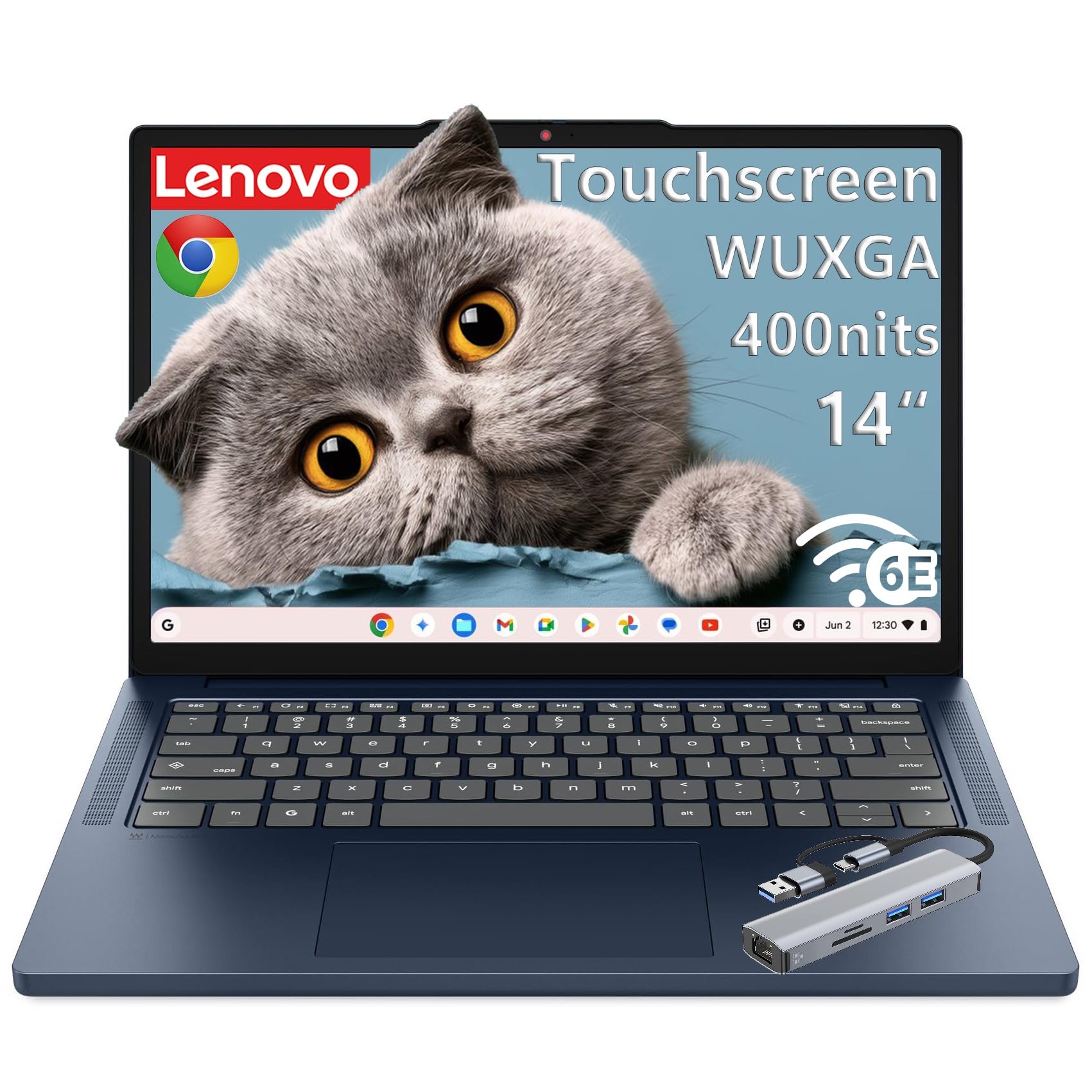
A 1920 x 1200 touchscreen at 400 nits is a rare thing at this tier — and the 8-core chip backs it up.
You get a sharper picture and touch control with the Lenovo Chromebook 14″ WUXGA. The 14-inch 1920 x 1200 IPS panel hits 400 nits of brightness — bright enough to stay readable near a window — and it’s an in-cell 10-point multi-touch display, so pinch-to-zoom on images and tapping through apps feels natural. The MediaTek Kompanio 540 is an 8-core chip (two fast cores up to 2.6 GHz and six efficient ones at 2.0 GHz) with an Arm Mali-G57 MC2 graphics engine, delivering smooth multitasking without a heat fan whirring away.
Drag in 4 GB LPDDR5X-4800 memory and 64 GB UFS 2.2 storage, and you have a laptop that stays poised through half a dozen tabs. Wi-Fi 6E and Bluetooth 5.3 handle your accessories and network, and there are two USB-A and two USB-C ports with 45-65W power delivery, plus an HDMI 1.4b output and a 65W USB-C charger in the box. The 2.99 lb weight and MIL-STD-810H rating mean it survives a commute with the lid in a bag.
The honest catch: this is a refurbished unit for the budget-conscious buyer, so reliability can vary — some arrive flawless, others do not. Buyers who accept that risk describe it as a fast, no-bloatware machine that looks brand new.
Touch and 1200 resolution: the 1920 x 1200 panel beats the standard 1920 x 1080 for reading vertical documents and web pages.
Right for you if: a touch display and the sharper 1200-line panel are worth a slightly higher price and you’re comfortable buying refurbished.
Watch for: unit-to-unit variation — verify condition and return window on arrival.
9. Acer Chromebook Plus 514 Laptop, 14″ Touchscreen, Intel i3-N355, 8GB/512GB
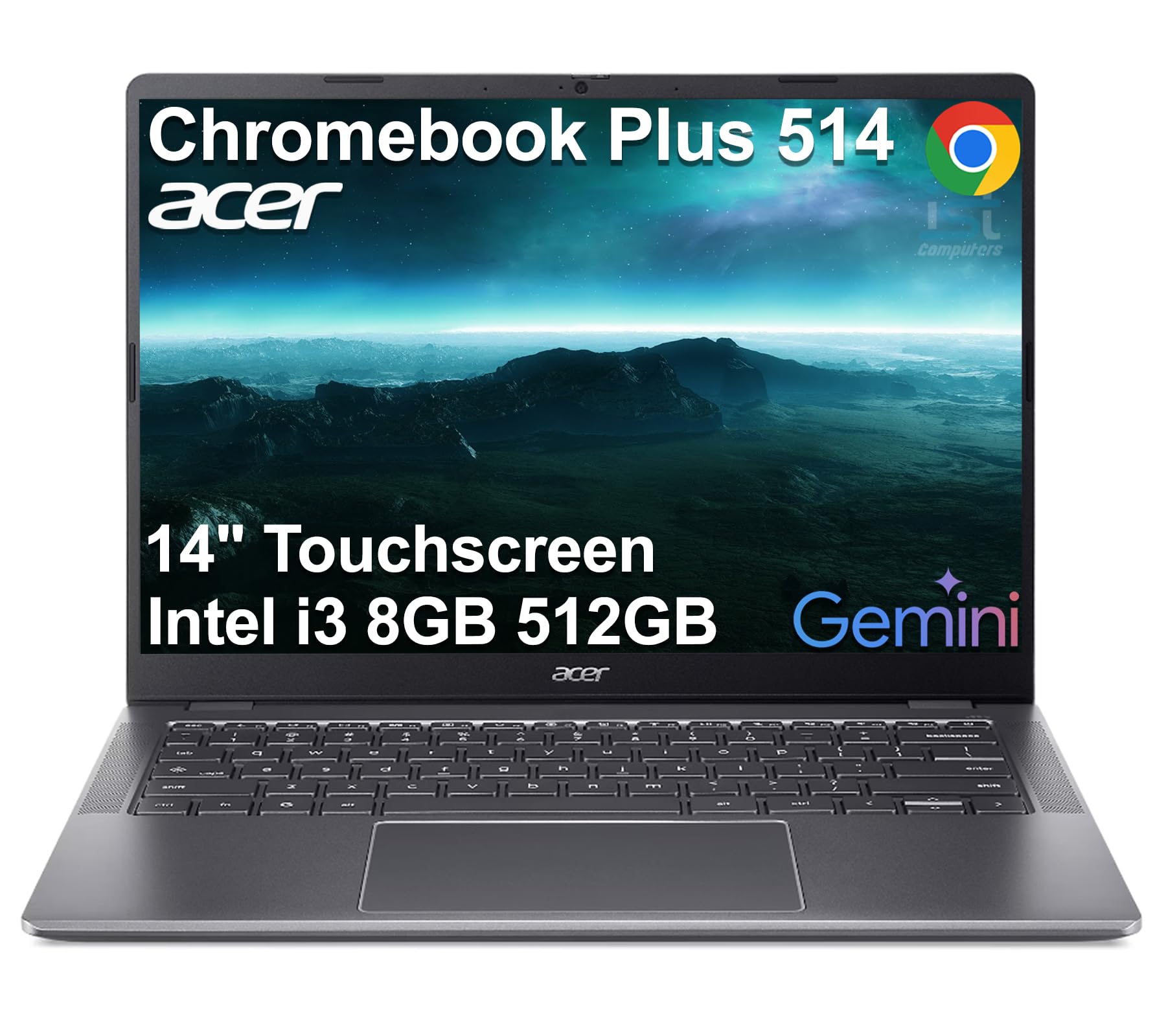
Storage, memory and a touchscreen all at the top of the ladder — with a 512 GB SSD that skips cloud dependence entirely.
If you ever get tired of shuffling files to the cloud, this is the pick. The 512 GB SSD gives you real local room for downloads, media and app files, and the 8 GB LPDDR5X memory keeps heavy multitasking smooth. The 8-core Intel Core i3-N355 is rated to 3.9 GHz and drives the 14-inch WUXGA (1920 x 1200) IPS touchscreen at 300 nits. The white backlit keyboard is included, and the 1080p webcam with a physical shutter covers privacy for meetings and classes.
The connectivity suite is the richest here — Wi-Fi 6E and Bluetooth 5.3, plus 2 USB-C 3.2 Gen 1, 2 USB-A 3.2 Gen 1, HDMI 1.4 and a headphone/mic combo jack. That HDMI port lets you drive up to three external screens without a docking station, which is unusually flexible for a Chromebook. It’s also MIL-STD 810H rated and weighs 3.09 lbs, with a one-year Acer warranty despite the resealed-box disclosure.
The trade-off that shows up most in buyer notes is audio: owners describe the speakers as tinny with weak bass, so if music is a priority, plan on headphones. There’s also a Chrome-OS learning curve for first-timers, particularly around profile management. Neither changes the fact that this is the performance flagship of the group.
Why It’s the Flagship
- 512 GB SSD provides local storage well beyond any other pick here
- 8 GB LPDDR5X memory at the top of the tier
- 8-core Intel Core i3-N355 rated up to 3.9 GHz
- WUXGA touchscreen with 300 nits and 1080p webcam with privacy shutter
- Backlit keyboard and rich port selection including HDMI
What to Know Going In
- Speakers run thin with weak bass in owner reports
- Chrome OS has a learning curve for Windows users
- Box is resealed for a system upgrade — not a new-in-seal unit
The strongest spec sheet: real local storage, real RAM and a touchscreen that the rest of the list can’t match.
The one bluff to note: the speakers are the weakest link — bring headphones.
Understanding the Specs
What RAM Actually Does On A Chromebook
RAM is your short-term workspace — every open tab, every app pulls from it. 4 GB covers email, browsing and streaming comfortably. 8 GB buys you headroom for a dozen tabs plus music and video, which is why the top and flagship picks here use it. If you’re the kind of person who never closes tabs, 8 GB is the number to target.
Storage, eMMC and SSD Explained
Storage is where your files live. eMMC (embedded flash) is common on Chromebooks and plenty for cloud-based use. UFS is a newer, faster flash format used by the top pick, and an SSD is a traditional solid-state drive with the fastest read and write speeds — like the 512 GB unit in the flagship pick here. On a Chromebook you rarely need big storage, unless you want offline media or downloaded Android apps.
Screen Resolution And What It Feels Like
A 1366 x 768 panel is about one million pixels — legible for reading and video. A 1920 x 1080 or 1920 x 1200 panel roughly doubles the pixel count and sharpens the text edges, which matters for long documents and photos. Brightness in nits determines how readable the screen stays near a window — 300 to 400 nits is comfortable indoors.
Battery Life And Real-World Expectations
Rated hours are measured under gentle conditions, so a 12 or 13.5-hour figure rarely holds up with brightness cranked. Customers note 5 to 8 hours of real work at high brightness. If you need a full unplugged day, pick a machine with the highest rating and keep the brightness moderate — you’ll usually land close to the figure.
Wi-Fi 6, 6E and Bluetooth Versions
Wi-Fi 6 is the current default and handles crowded home networks well. Wi-Fi 6E adds a third band (6 GHz) that’s less congested, so calls and streaming stay steadier where available. Bluetooth 5.0 to 5.3 all work fine for headphones and mice; newer versions simply track better. None of these are deal-breakers, but they matter for a household with ten devices competing for bandwidth.
Chrome OS And Standby Time
Chrome OS is Google’s lightweight operating system designed for quick boots and automatic updates. You don’t manage antivirus, and updates install in the background. One downside some Windows switchers meet: Android apps are hit-or-miss on streaming and heavyweight software, so if you need a full Adobe suite or a specific Windows program, a Chromebook is the wrong tool.
FAQ
Is a 14-inch Chromebook big enough for schoolwork and a lot of typing?
Do I need 8 GB of RAM instead of 4 GB on a Chromebook?
What is the difference between eMMC, UFS and SSD storage in a Chromebook?
Will a Chromebook run Microsoft Office and Zoom?
How much battery life should I expect in real use from a 14-inch Chromebook?
Does a Chromebook need antivirus software?
Can I add storage later to a Chromebook?
Is a touchscreen better than a non-touch Chromebook?
How long will a 14-inch Chromebook last before it needs replacing?
Final Thoughts: The Verdict
For most people, the best 14 inch chromebook here is the HP Chromebook 14a-nf0099nr — 8 GB of LPDDR5 memory and 128 GB of storage give it real staying power, and the anti-glare display keeps it readable wherever you sit. If a bright 1920 x 1200 touchscreen matters more to you, choose the Lenovo WUXGA. And if you want the PC-feel and real local storage of the Acer Chromebook Plus 514, that’s the one to reach for.
Buy the top pick if you want 8 GB RAM and 128 GB storage at a mid-tier price.
How We Picked
We do not accept paid placement. Every pick is matched to a real buyer and a real use-case; we do not hands-on test units.
Sources & Methodology
Specifications: manufacturer listings and product documentation. Review insights: verified customer reviews, as of September 2026. Pricing: not shown on this page (it changes often); check the current price via the retailer link.
As an Amazon Associate, Gadgets Feed earns from qualifying purchases. This does not affect which products we feature.