
A single laptop screen is a bottleneck for serious productivity. Whether you are a financial analyst tracking live dashboards, a developer debugging across multiple code branches, or a digital nomad trying to close reports at a coffee shop, the ability to expand your laptop’s visual real estate without hauling a full-sized monitor is a decisive advantage. The 14-inch form factor hits a sweet spot—it is large enough to display a full document or spreadsheet without squinting, yet compact enough to slip into a laptop bag alongside your machine.
I’m Min — the co-founder and writer behind Gadgets Feed. This guide is the result of many hours spent cross-referencing panel specifications, reading real user experiences for reliability signals, and analyzing the build quality and connectivity options across the most compelling models currently available.
After evaluating seven distinct contenders ranging from ultra-light travel companions to triple-screen productivity stations, I have assembled a definitive look at what makes a 14 inch laptop screen extender worth the investment.
How To Choose The Best 14 Inch Laptop Screen Extender
Before you click “Add to Cart,” you need to parse the four specs that define whether a portable screen is a productivity asset or a frustrating paperweight. The wrong choice here can mean terrible color, flickering screens, or a monitor that doesn’t even power on without a separate wall adapter.
Panel Type and Resolution
IPS panels are the standard for portable monitors because they offer wide 178-degree viewing angles and consistent color reproduction. Resolution is the next filter: 1080p (1920×1080) is the baseline for text clarity and spreadsheet readability. A 1440p (2560×1440) panel, when available, provides sharper detail for photo editing and design work, though it demands more from your laptop’s GPU and can affect battery life.
Connectivity: USB-C Alt Mode vs. HDMI
The most seamless portable monitors use a single USB-C cable that carries both video signal and power (USB-C Alt Mode). This is the definition of true plug-and-play. If your laptop lacks a full-featured USB-C port, you will need to use an HDMI-to-USB-C cable for video plus a separate USB-A to USB-C cable for power. Check your laptop’s port specifications before buying; buying a monitor that requires a dual-cable setup when you only have one free port is a common mistake.
Brightness, Color Gamut, and Eye Care
A brightness rating of 250 to 350 nits is the typical range for indoor use. Look for 300 nits or higher if you occasionally work near windows or in brighter rooms. Color gamut, expressed as sRGB percentage or NTSC percentage, determines how vibrant and accurate your content appears. 100% sRGB is the gold standard for color-critical work. Also prioritize built-in features like anti-glare coatings and low blue light filters to reduce eye fatigue during long sessions.
Build Quality and Portability
Weight matters. A monitor that weighs over 2 pounds begins to negate the portability advantage. The thinnest models measure around 0.3 inches, comparable to a smartphone. Also examine the mounting mechanism: the best screen extenders use a stable clamp system that hinges onto your laptop lid without scratching it, while some rely on a separate kickstand or smart cover that can be less stable on uneven surfaces.
Quick Comparison
On smaller screens, swipe sideways to see the full table.
| Model | Category | Best For | Key Spec | Amazon |
|---|---|---|---|---|
| Vixtan Triple Screen | Triple Screen | Maximum mobile workstation | 3.0 lbs / 1080p / 100% sRGB | Amazon |
| KEFEYA Triple Monitor | Triple Screen | QHD clarity for pros | 2160×1440 / 72% NTSC | Amazon |
| Blackview SCM5 | Dual Screen | Durable build + eye comfort | TÜV SÜD / 300 nits / 2.2 lbs | Amazon |
| AOKER Laptop Screen Extender | Dual Screen | Ultra-light travel companion | 1.3 lbs / 0.25″ thin | Amazon |
| Anyking A6 | Dual Screen | Color-accurate productivity | 100% sRGB / 300 nits | Amazon |
| APILDELLA 14 | Dual Screen | Budget-friendly value | 2000:1 contrast / 250 nits | Amazon |
| KYY Portable Monitor | Standalone | Lightest standalone panel | 1.1 lbs / 350 nits / VESA | Amazon |
In‑Depth Reviews
1. Vixtan 14″ Triple Laptop Screen Extender
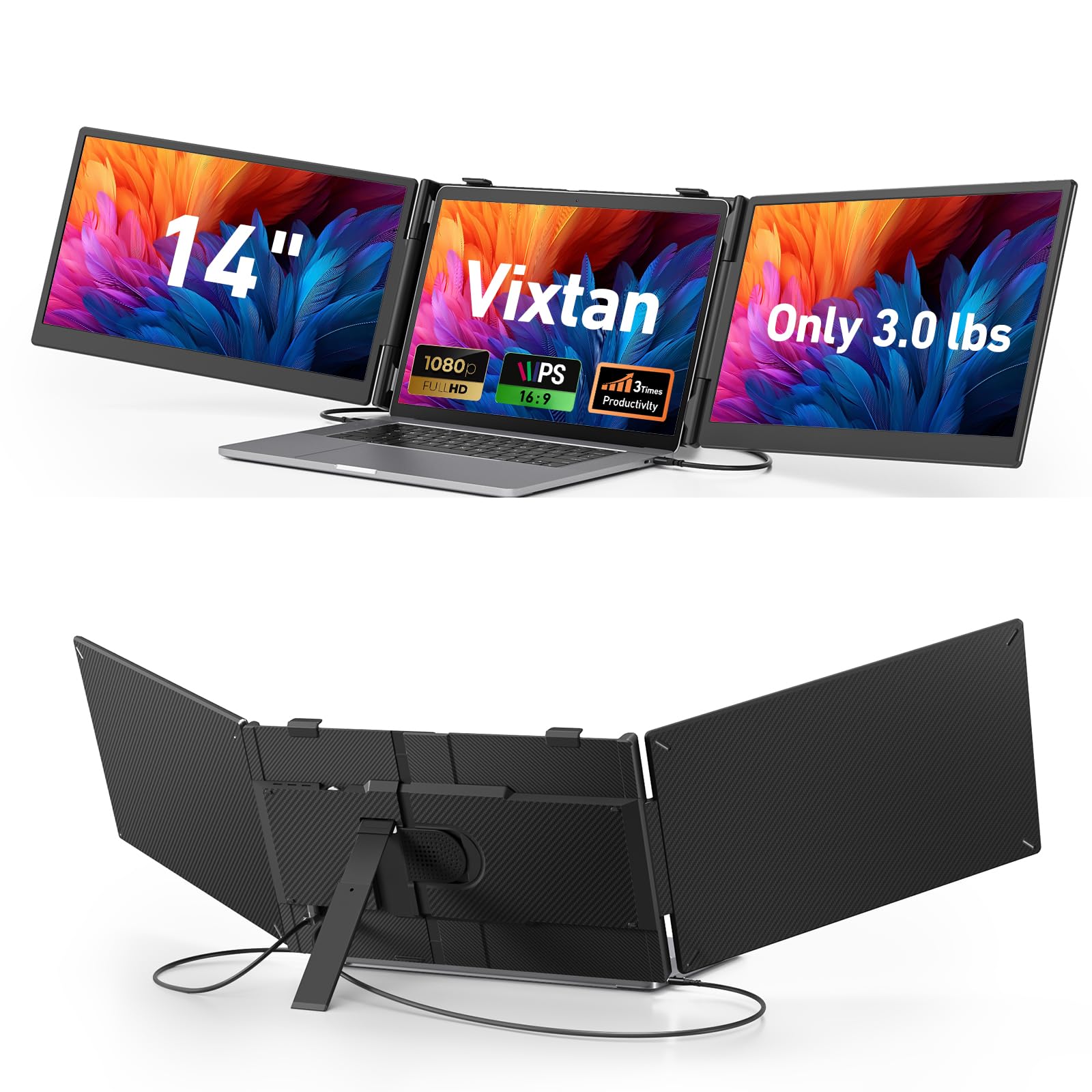
The Vixtan Triple Screen extender is the closest you can get to a full mobile workstation without buying a separate power bank. It weighs 3.0 pounds and measures just 0.3 inches thin, yet it manages to pack two 14-inch 1080p IPS panels that attach to the sides of your main laptop screen. The 100% sRGB coverage and 300-nit brightness ensure that your spreadsheets, code, and dashboards look crisp and accurate under most lighting conditions.
Setup is genuinely plug-and-play: two short USB-C cables connect both screens simultaneously, no drivers required. The reinforced stand offers multi-level height adjustment and a lockable 180-degree horizontal rotation, which is a godsend when you need to share your screen during a meeting. Users report zero wobble even on uneven cafe tables, a testament to the build quality of the clamp system.
The only notable constraint is that M1/M2/M3 MacBooks support single-screen only through the built-in ports; you will need a DisplayLink adapter for a full triple-screen setup. That aside, for a professional who needs three screens in a single backpack, this unit delivers a weight-to-productivity ratio that is hard to beat.
Why it’s great
- True triple-screen setup without external power
- 100% sRGB color accuracy for color-critical work
- Zero-wobble reinforced stand with multi-level adjustment
Good to know
- Requires DisplayLink adapter for M-series MacBooks for dual-screen output
- Not intended for professional photo editing or color grading
2. KEFEYA 14″ Triple Laptop Screen Extender

KEFEYA takes a different approach: instead of two side panels, this is a single 14-inch panel that extends your view to a total of three screens when you include your laptop’s native display. The standout feature is the 2160×1440 QHD resolution on a 16:10 aspect ratio panel. That extra vertical resolution is a tangible advantage when reading long documents, browsing the web, or writing code—you see more lines without scrolling.
The IPS panel offers 300 nits of brightness and a 72% NTSC color gamut, which translates to noticeably richer colors than the baseline 45% NTSC panels found on many cheaper models. The package is generous: it includes two USB-C to USB-C cables, two HDMI to USB-C cables, two USB-A to USB-C power cables, and a genuine leather carrying case. The expandable kickstand provides adjustable viewing angles, and the panel rotates 180 degrees for presentations.
A key limitation is that this unit requires your laptop to have two full-featured USB-C ports (or one USB-C plus one HDMI and one USB-A). Users with only a single USB-C port will need to buy an additional hub. Also, it is not compatible with M1/M2/M3 MacBooks directly without a specific video signal conversion hub. At 3.7 pounds, it is heavier than a dual-panel extender, but the QHD panel quality justifies the weight for those who prioritize resolution.
Why it’s great
- QHD 2160×1440 resolution for extra vertical workspace
- Includes all cables and premium carrying case
- 180-degree rotation for easy presentation sharing
Good to know
- Requires two video-capable ports on your laptop
- Heavier than dual-panel alternatives at 3.7 lbs
3. Blackview SCM5 Laptop Screen Extender
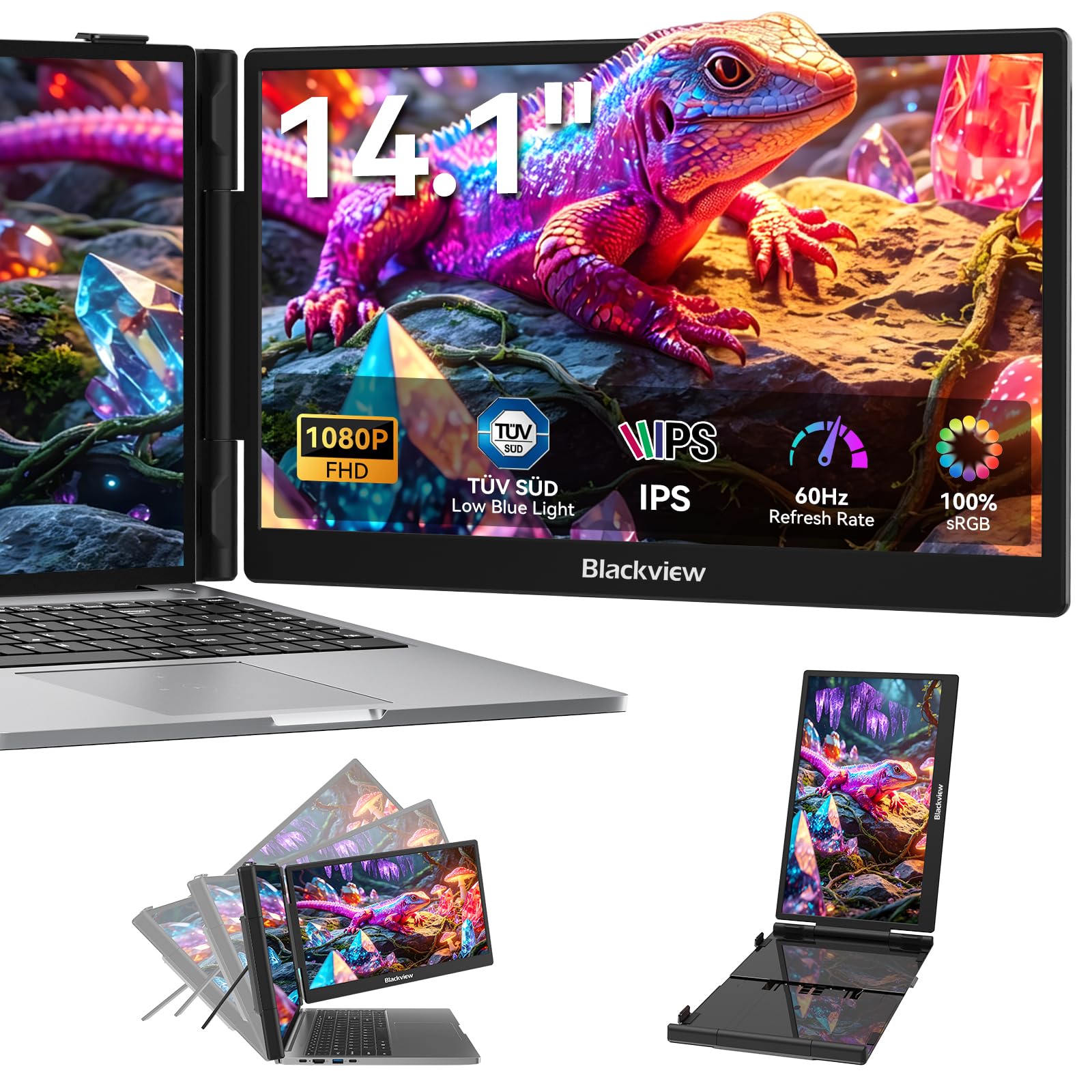
Blackview has engineered the SCM5 with a premium galvanized steel shell that resists scratches and fingerprints—a detail that matters when you are pulling it out of a bag multiple times a day. The 14-inch 1080p IPS panel is rated at 300 nits and covers 100% sRGB, but the defining feature here is the hardware-level TÜV SÜD certification for low blue light and flicker-free operation. This is not just a marketing badge; it means you can stare at this screen for a full workday without the eye fatigue that cheaper panels induce.
The clamp system uses soft silicone-lined pads that grip laptops from 13 to 17.3 inches without leaving marks. Setup is a single USB-C cable affair for compatible laptops, or you can use the included HDMI-to-USB-C adapter if your laptop needs it. The 90-degree adjustable stand provides rock-solid stability; there is no wobble even when typing on a train tray table.
The trade-off is weight: at 2.2 pounds, it is heavier than the AOKER option below. Also, the built-in speakers are functional but lack bass, so do not expect them to replace a Bluetooth speaker for media consumption. However, for a professional who values eye health and wants a screen extender that can take a beating, this is a top-tier choice.
Why it’s great
- TÜV SÜD certified for reduced eye strain
- Galvanized steel shell resists scratches and fingerprints
- Stable 6-point mounting with silicone-lined pads
Good to know
- Weighs 2.2 lbs, heavier than some travel-focused options
- Built-in speakers are underwhelming for media consumption
4. AOKER Laptop Screen Extender
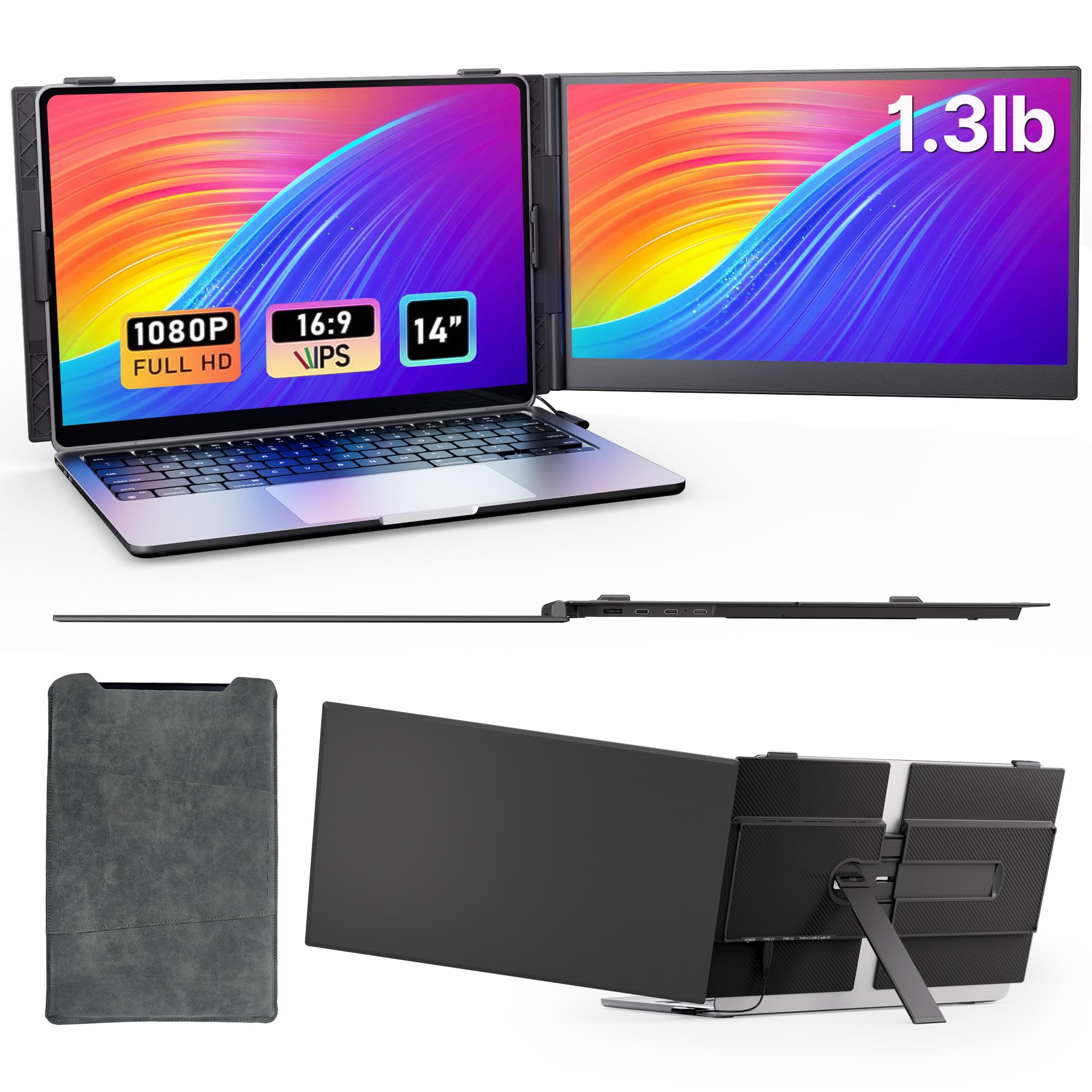
The AOKER screen extender prioritizes one thing above all else: portability. At 1.3 pounds and 0.25 inches thin, it is literally thinner than most smartphones and lighter than your tablet. The back panel is made of aerospace-grade aluminum, which provides surprising rigidity for such a featherlight device. It ships with a premium sleeve that protects the screen in your bag without adding noticeable bulk.
The 1080p IPS panel delivers 300 nits of brightness and a 1000:1 contrast ratio, which translates to a sharp, vibrant image for productivity tasks. The durable clamp fits laptops from 13 to 17 inches (up to 0.25 inches thick), and the reinforced foldable stand keeps the monitor steady on uneven surfaces like airport floors or crowded cafe tables. It includes all essential cables: USB-C to USB-C, USB-A to USB-C, and HDMI to USB-C.
A minor but real consideration is that the monitor attaches exclusively to the right side of your laptop. If you are left-side dominant, you will need to physically rotate your laptop setup to accommodate it. The color gamut is 63% sRGB, which is adequate for office work and web browsing but not suitable for photo editing. For the frequent traveler who needs a second screen without adding weight, this is the optimal choice.
Why it’s great
- Exceptionally lightweight at 1.3 lbs, ideal for frequent travel
- Aerospace aluminum shell for durability without weight
- Fits laptops up to 17.3 inches with a stable clamp
Good to know
- 63% sRGB gamut is not suitable for color-critical work
- Attaches to the right side only; may require setup adjustment for left-handed users
5. Anyking A6 Laptop Screen Extender
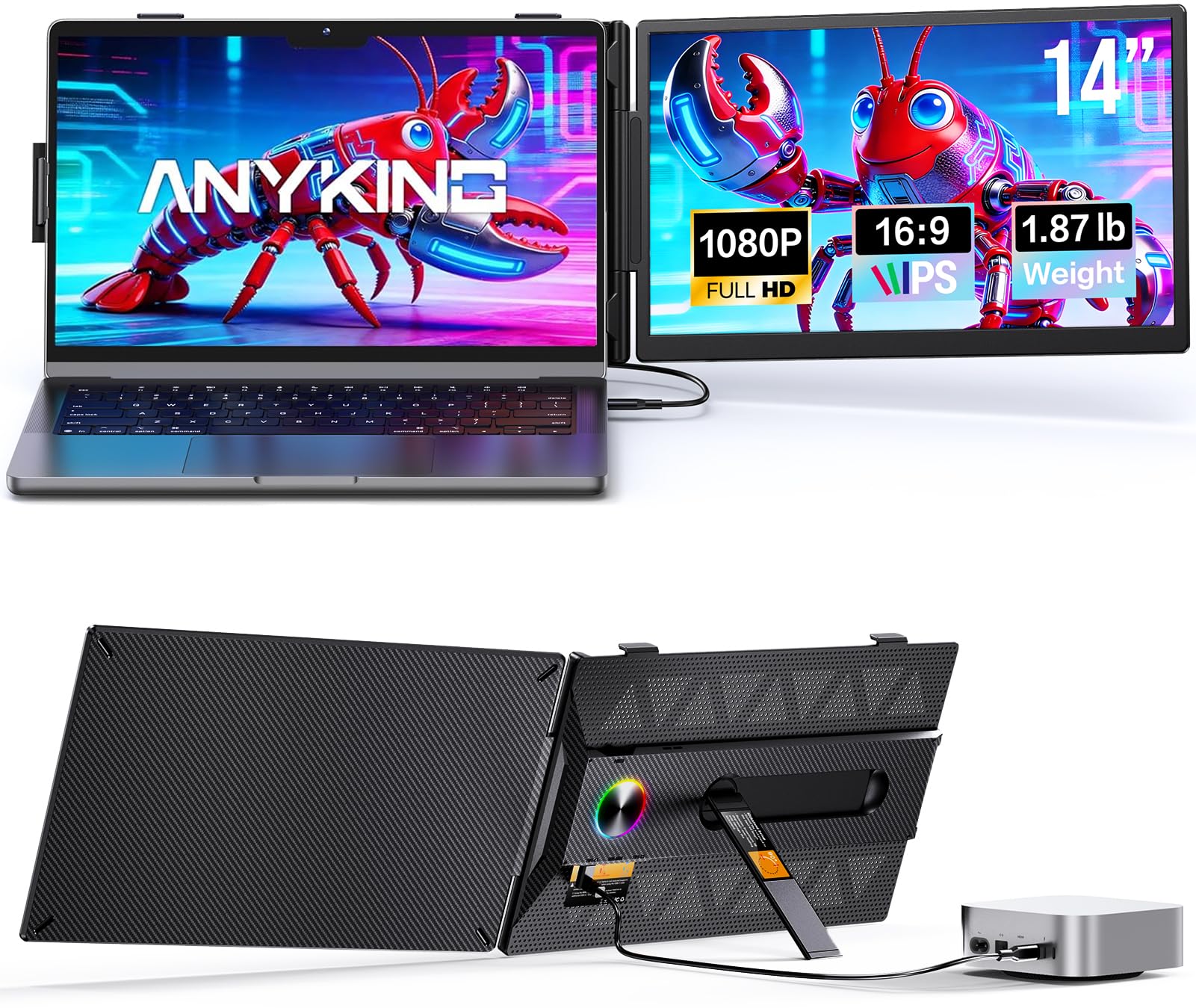
The Anyking A6 focuses on color accuracy, offering a 14-inch 1080p IPS panel with 100% sRGB coverage and 300 nits of brightness. This makes it a solid companion for software developers who need accurate syntax highlighting or data analysts working with color-coded dashboards. The anti-glare screen and low blue light technology reduce fatigue during long sessions.
The design includes a carbon-fiber-inspired finish and an integrated LED ambient ring light—a stylistic touch that signals to colleagues that you might be running an AI agent in the background. Setup is true plug-and-play over USB-C with a single cable. The rear hollowed structure allows continuous airflow, which helps the monitor maintain performance stability during intensive multi-hour coding sessions.
At 1.9 pounds, it is light enough for daily carry but not the lightest option here. The clamp system is stable on laptops from 13 to 17.3 inches. The color accuracy does not extend to professional DCI-P3 coverage, so video editors may want to look elsewhere. For the developer or analyst who needs a precise, color-accurate second screen, the A6 is a compelling mid-range pick.
Why it’s great
- 100% sRGB color accuracy for precise visual work
- Integrated LED ambient light ring for a professional aesthetic
- Hollowed rear design improves thermal stability
Good to know
- Color accuracy limited to sRGB, not DCI-P3
- Ambient ring light may be distracting for some users
6. APILDELLA 14″ Dual Laptop Screen Extender
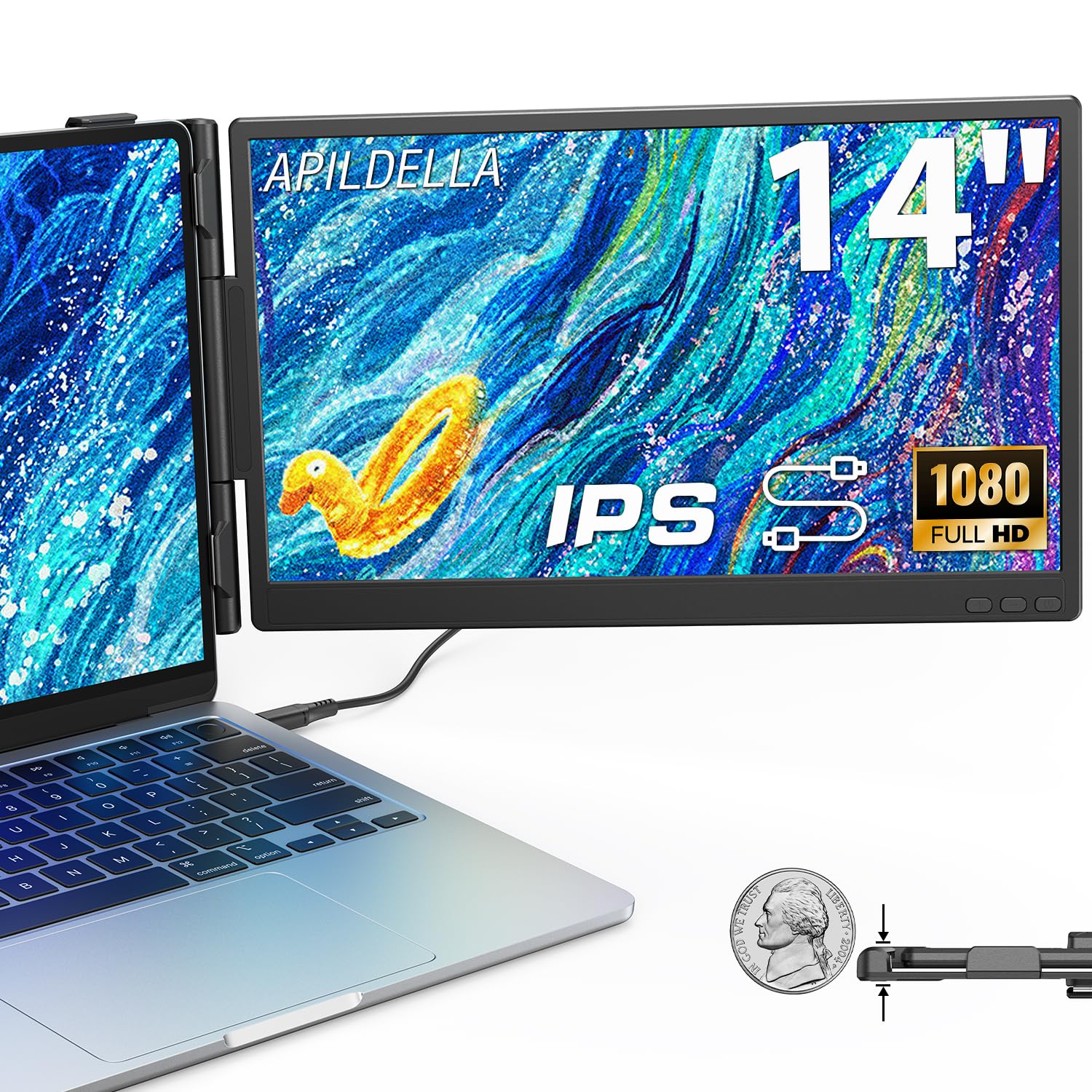
The APILDELLA 14-inch extender is an excellent entry point for anyone who wants to try a dual-screen laptop setup without a significant financial commitment. It features a 1080p IPS panel with a surprisingly high 2000:1 contrast ratio, which makes blacks look deeper than the typical 1000:1 panels in its price bracket. The 250-nit brightness is adequate for indoor use, though you will need to find some shade if you work near a sunlit window.
The sliding support arm features a zero-contact frame design that prevents scratches on your laptop lid. It is plug-and-play with USB-C and HDMI, and it includes all necessary cables. The monitor can fold 0 to 225 degrees, allowing you to find a comfortable viewing angle. Built-in speakers are included, but like most monitors in this tier, they are best left for system sounds rather than media.
The brightness limitation is worth noting: if you do not have a strong enough USB-C power source, the screen may appear dim. Connecting an external plug to the first USB-C port resolves this. For the budget-conscious user whose primary need is a functional, legible second screen for documents and the web, this is a capable performer.
Why it’s great
- Excellent 2000:1 contrast ratio for deeper blacks
- Zero-contact frame design prevents laptop scratches
- Very affordable entry into dual-screen productivity
Good to know
- 250-nit brightness may struggle in brightly lit rooms
- Requires external power for full brightness in some USB-C ports
7. KYY 14″ Portable Monitor

If you want a standalone 14-inch monitor rather than a laptop attachment, the KYY is the lightest option on this list at just 1.1 pounds. It is designed as a travel monitor that you can set up on a desk or mount on a VESA arm (75mm x 75mm). The 1080p IPS panel boasts an impressive 350 nits of brightness and a 1500:1 contrast ratio, making it one of the brightest and most contrast-rich panels among these options.
Connectivity is versatile: dual full-function USB-C ports and a Mini HDMI port allow you to connect to laptops, smartphones, and gaming consoles like the PS5, Xbox, and Switch. The smart cover doubles as an adjustable stand, and the metal casing with a matte finish looks professional. HDR technology is supported for an improved visual experience when streaming video or gaming.
The main drawback is the magnetic cover/stand, which some users report has weak magnets that can cause the top third to detach easily. The built-in speakers are also very quiet and essentially unusable for media. That said, as a secondary screen for monitoring chat, email, or live feeds, this is a featherweight champion that will not tire your backpack.
Why it’s great
- Extremely lightweight at 1.1 lbs for easy carry
- 350 nits brightness and 1500:1 contrast for vibrant visuals
- VESA mountable and works with gaming consoles
Good to know
- Magnetic cover/stand has weak hold at the top edge
- Built-in speakers are very quiet and not useful
FAQ
Can I use the KEFEYA triple monitor with a MacBook Pro M3?
How does the AOKER screen extender attach to my laptop?
What does TÜV SÜD certification mean for the Blackview screen extender?
Final Thoughts: The Verdict
For most users, the 14 inch laptop screen extender winner is the Vixtan Triple Screen Extender because it provides a true three-screen workstation at a reasonable weight with excellent color accuracy. If you prioritize portability above all else, grab the AOKER Screen Extender at just 1.3 pounds. And for eye-care-conscious professionals who spend all day on screens, nothing beats the TÜV SÜD-certified Blackview SCM5.