
Our readers keep the lights on and my morning glass full of iced black tea. As an Amazon Associate, I earn from qualifying purchases.
Specs are compiled from manufacturer listings and verified buyer reviews and can change over time — please confirm the key details on the product page before buying.
Working from a 14-inch laptop screen means living in a single cramped window, constantly tab-switching between your email, your spreadsheet, and your video call. A portable 14-inch monitor fixes that by giving you real estate to spread out, whether you are in a coffee shop, a hotel room, or your home office. This guide breaks down the best options for adding that second screen, focusing on clarity, weight, and how easily each one connects to the laptop you already own.
I’m Min — the founder and writer behind Gadgets Feed. This guide is built by comparing the manufacturers’ published specifications and the patterns across verified customer reviews, so you get each pick’s real strengths and trade-offs instead of marketing spin.
Here is the honest starting point: the 14 inch monitor category splits into clip-on laptop extenders and freestanding portable panels, so we matched each pick to your work style and travel habits.
Our Picks at a Glance

How To Choose The Best 14 Inch Monitor
Before you pick a portable screen, decide between the two main styles: a clip-on extender that attaches to your laptop’s lid, or a freestanding panel that stands on its own. Clip-on models turn your laptop into a dual-screen workstation anywhere, while freestanding panels are more flexible because you can position them independently and use them with phones or game consoles too.
Check how it connects and draws power
Most of these screens plug in through a USB-C port that carries both the picture and the power from your laptop. If your laptop’s USB-C port is older or not “full-featured,” you will need to use an HDMI cable for video and a separate USB-A cable for power, which means carrying extra cables. Look at the port situation on your own laptop before buying so you know which connection method you will actually use.
Match the screen quality to your work
For daily office tasks like email and spreadsheets, a 1080p screen with around 300 nits of brightness is plenty and keeps the price down. If you edit photos, review designs, or work with long documents, you will want a higher resolution like 2K, a wider color gamut, or a panel with a higher contrast ratio for deeper blacks. Be honest about your main use so you do not overpay for color accuracy you do not need.
Weigh the portability cost
A lighter, thinner panel is easier to carry, but it often means a smaller built-in stand or a flimsier hinge. Clip-on extenders add weight directly to your laptop lid, so a heavy one can make the whole setup feel unbalanced. Consider how much time you spend carrying it versus using it, and choose weight and sturdiness accordingly.
Quick Comparison
| Model | Best For | Resolution | Brightness | Weight | Amazon |
|---|---|---|---|---|---|
| Macsecor Screen Extender★ Best Overall | Clip-On Laptop Dual Screen | 1920×1080 | 300 cd | 1.9 lbs | Amazon |
| Lenovo ThinkVision M14t Gen2Premium Pick | Premium Build & Clarity | 2240×1400 | 270 cd/m² | — | Amazon |
| KYY Portable MonitorTravel Champ | Featherlight Travel Panel | 1920×1080 | 350 cd | 1.1 lbs | Amazon |
| KEEPTIME 2K Monitor | High-Res Design Work | 2160×1440 | 330 cd | 1.19 lbs | Amazon |
| UK BONITOYS Extender | Budget-Conscious Multitaskers | 1920×1080 | 300 cd | 2.34 lbs | Amazon |
| ROYY Screen Extender | Vivid Color on a Budget | 1920×1080 | 300 nits | — | Amazon |
| Blackview Screen Extender | Ultra-Light Certified Eye Care | 1920×1080 | 300 cd | 1.3 lbs | Amazon |
| UFYQL Portable Monitor | Tall Screen for Code & Docs | 1920×1200 | 400 cd | 1.43 lbs | Amazon |
| Qunub 4K OLED Monitor | Pro Color & Touch | 3840×2400 | 400 cd | 1.3 lbs | Amazon |
In‑Depth Reviews
1. Macsecor Laptop Screen Extender
Our pick — over 4★ from 500+ verified ratings; the strongest balance of quality and price.
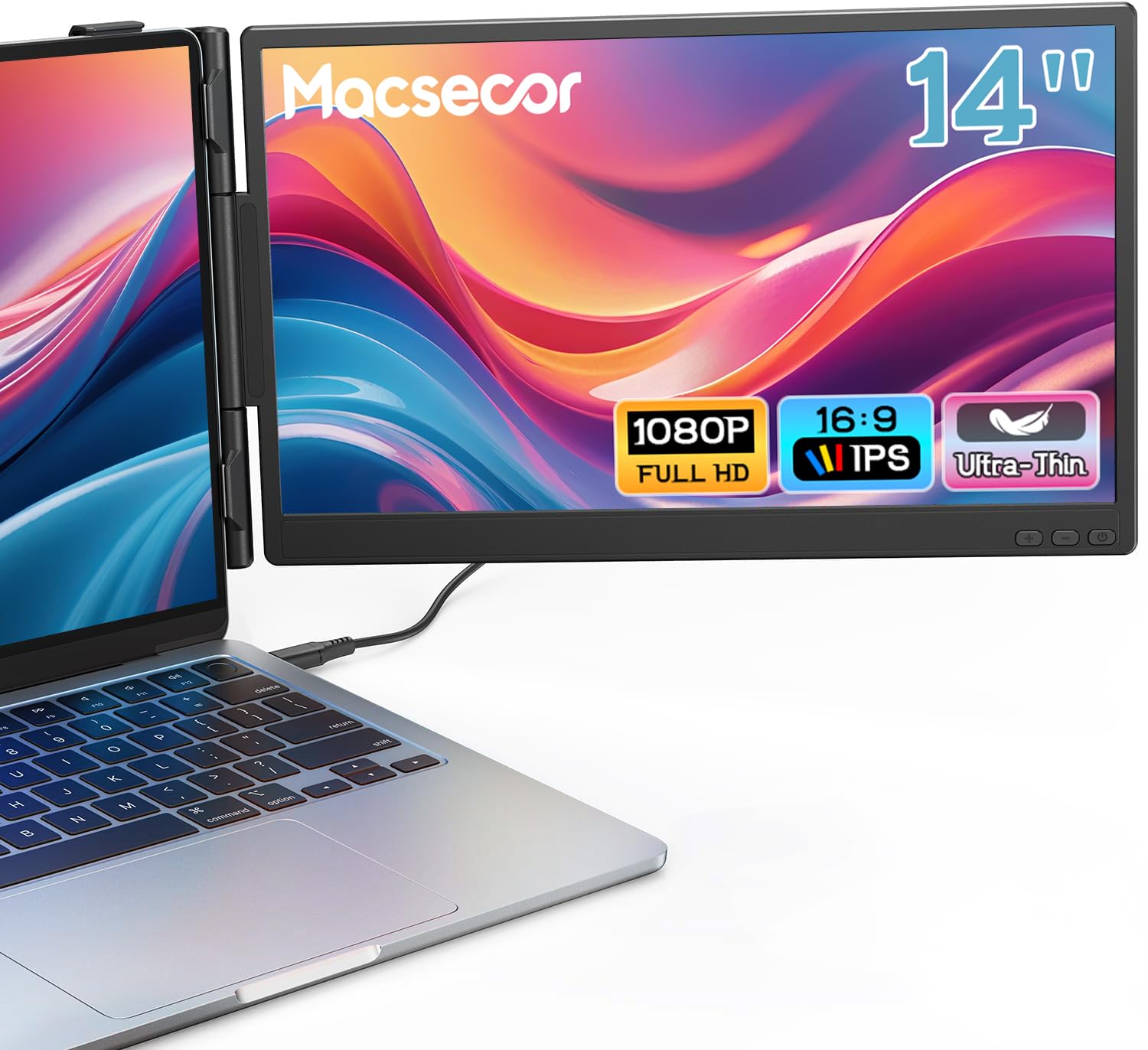
A dual-screen extender that clips to your lid, giving you a second panel without a separate stand.
This Macsecor attaches directly to laptops from 13 to 16 inches with a sliding support arm, turning your single screen into a dual-monitor setup in seconds. The 14.2-inch FHD IPS panel runs at 1920×1080 resolution and 300 cd brightness, which buyers report as “quite good quality” for sharp, crisp visuals. A 0°–225° rotational hinge lets you swing the screen to share your display with a colleague across the desk.
Setup is genuinely driver-free, so you plug in via USB-C or HDMI and start working immediately on Mac, Windows, or Android. The crowd favorite features here are the build quality and reliability, with owners saying it makes multitasking easier and stores away in a small travel bag. At 1.9 lbs it adds noticeable but acceptable weight to your laptop lid, and owners mention it works best when your machine fits comfortably within the stated size range. One honest note: on a 16-inch laptop it can “barely fit,” though owners add it stays “quite secure” once attached. The support rod can shorten too easily, but it is a workable quirk rather than a dealbreaker.
The built-in low-blue-light filter eases eye strain during long workdays., and the one-year replacement policy means you are covered if something goes wrong. This pick delivers true dual-screen productivity wherever your laptop travels..
What wins people over
- Genuine plug-and-play with no driver installation for Mac, Windows, and Android
- Sliding arm adapts across 13–16 inch laptops and adds secure stability
- 2-in-1 design that folds away for travel without a bulky separate stand
The honest fit notes
- Owners say the fit is tight on larger 16-inch laptops, so measure your lid first
- Support rod can shorten too easily if you push it hard
Reach for this if: you want the closest thing to a permanent dual-screen laptop that folds into a travel bag.
Think twice if: you use a 16-inch laptop and want a guaranteed easy fit, since the arm is snug at that size.
2. Lenovo ThinkVision M14t Gen2
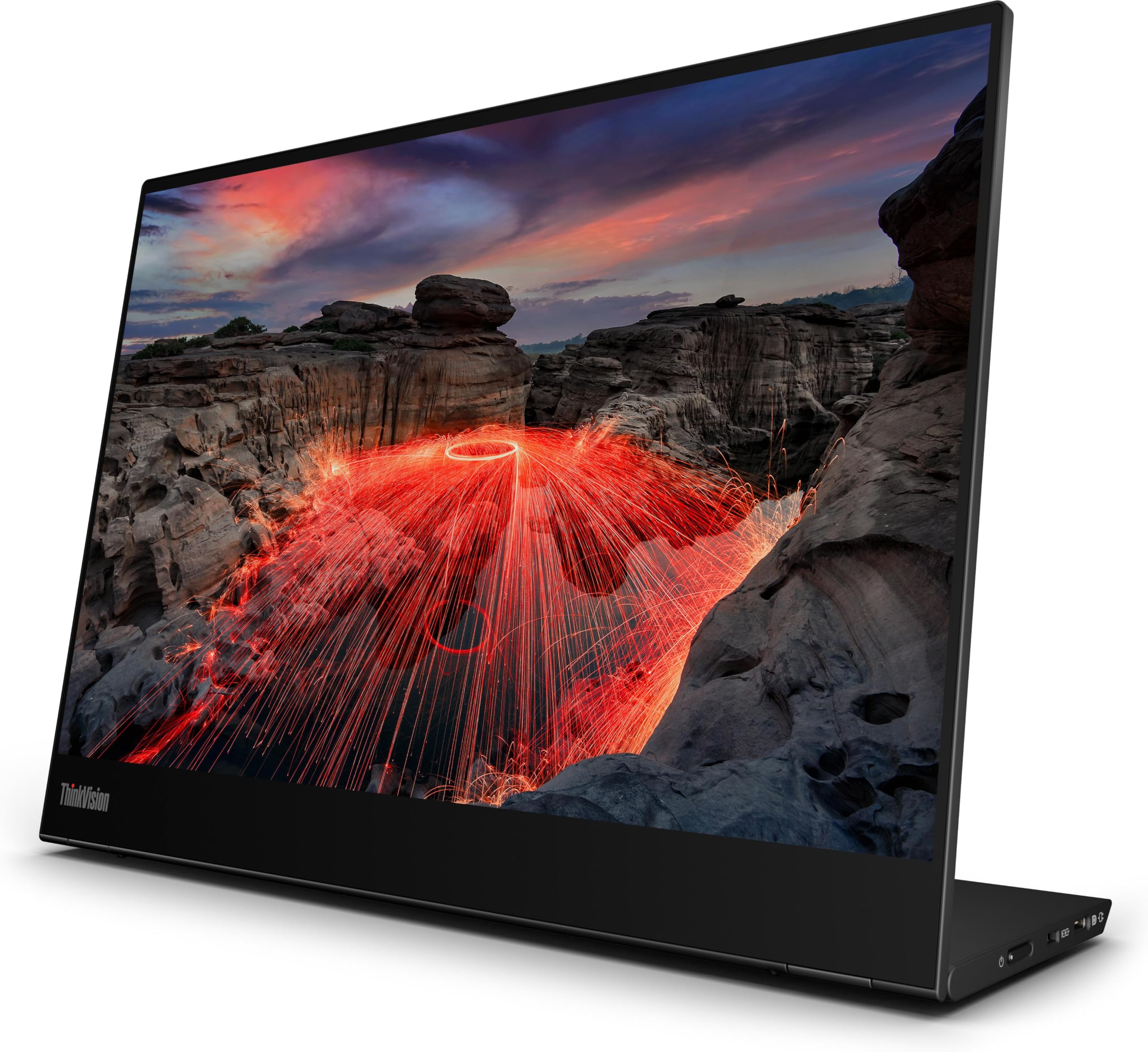
A business-class panel that turns any USB-C laptop into a sharper, taller workspace..
This Lenovo delivers a crisp 2240×1400 resolution on a 16:10 screen, which gives you visibly more vertical room for documents and code than a standard widescreen panel. The 1500:1 contrast ratio and 100% color gamut keep text and images looking rich and accurate, which is why frequent travelers call the visual quality better than their own laptop displays. It is a featherlight slab that slips into a bag and powers entirely from your laptop through a single cable.
Owners repeatedly describe it as an engineering marvel, praising the super-thin profile that does not sacrifice sharpness or color intensity. The trade-offs are a glare-prone glossy screen and a premium price above rival portable panels.. If your budget allows, the build quality and flawless plug-and-play performance with any USB-C device justify the stretch.
For backpack-toting workers who want a screen as premium as their laptop, this is the top recommendation..
Engineering marvel: the build and clarity draw near-universal praise from owners, who find it thin without losing any crispness.
Watch the glare: the glossy finish is the main real-world annoyance, so favor it for indoor use.
the balance for: you, if you travel for work and want a premium second screen that works right out of the bag—no fiddly setup required.
Look elsewhere if: your work happens in brightly lit rooms where a glossy, glare-prone panel would frustrate you daily.
3. KYY Portable Laptop Monitor
The featherweight panel that powers and connects through one USB-C cable, sliding into any bag.
At just 1.1 pounds and 0.3 inches thick, this KYY is the lightest freestanding panel here—light enough that customers note carrying it in a bag on a bike. It is a true travel monitor: brighter than many rivals at 350 cd (candela, a measure of brightness), with a 1500:1 contrast ratio, which is exactly 50% more contrast than the Macsecor extender above, and a 17% brightness edge over that same panel’s 300 cd. Text looks crisp, colors stay vivid, and the smart cover doubles as a stand.
Owners confirm it works flawlessly with MacBooks, PS5, and Dell XPS, calling it plug-and-play with all cables included. What wins people over is the screen quality for the money, with buyers noting it is “bright, good colors, no lag” after a full year of use. It is best paired with Windows machines, where it looks slightly sharper than when driving a MacBook Pro. The built-in speakers are mediocre, which is a fair trade for the weight savings.
The stand can hold a 75mm x 75mm VESA mount, so you can fix it to a wall or an arm if you ever want it off your desk. This is the smart choice for minimalists who want a genuine second screen without hauling extra pounds.
Featherlight freedom: the 1.1 lb weight and 0.3 inch profile make it the easiest panel to justify packing for any trip.
Skip the speakers: the built-in audio is weak, so plan to use headphones or external speakers.
Best for: travelers and students who want maximum screen per ounce in a bag.
Not for: anyone who relies on built-in monitor speakers, since the audio here is noticeably weak.
4. KEEPTIME Portable Monitor 2K

The 2K panel for detail-driven users who want sharp text for code, editing, and long documents.
This KEEPTIME steps up from the 1080p crowd with a 2160×1440 resolution on a 15:10 aspect ratio, giving you a taller and sharper canvas than standard widescreen monitors. The 100% sRGB color gamut and 330 cd brightness deliver accurate, true-to-life color, which owners praise for crisp colors and outstanding picture quality in photo and design work. At 1.19 lbs and 0.2 inches thick, it stays genuinely portable despite the higher-resolution panel.
Compatibility is wide, covering Steam Deck, Switch, PS5, laptops, and phones through its two full-featured USB-C ports and Mini HDMI input. Owners highlight its high pixel density as excellent for font and photo editing, with accurate factory colors straight from the start. The honest fit notes are the reliability questions: a smaller group reports units that stopped working over time, so treat the one-year warranty as essential rather than optional. The built-in speakers are weak, and gamers note some ghosting in dark scenes, so this is not a competitive gaming panel.
The leather case adds a premium touch for travel. For sharp text and accurate color on a budget, this is a strong value pick.
Sharper canvas: the 2160×1440 resolution and 100% sRGB gamut make it a standout for reading and editing detail.
Reliability watch: the display quality is praised, but a portion of reviewers point out longevity issues, so keep the warranty handy.
Ideal for: programmers and photo editors who notice the difference between 1080p and a sharper 2K panel.
Who should pass: competitive gamers sensitive to ghosting in dark scenes, since this panel is not built for fast motion.
5. UK BONITOYS Laptop Screen Extender

The crowd-approved extender that gives you dual screens without demanding a premium budget.
This UK BONITOYS extender clips onto laptops up to a 15.35-inch horizontal width, adding a 1080p FHD second screen with an IPS panel and 300 cd of brightness. The 72% NTSC color gamut keeps colors vibrant and details crisp, and owners consistently praise the display clarity and resolution. Setup is driver-free, so you plug in and start splitting your tasks immediately across Mac, Windows, or Chrome.
Reviewers are enthusiastic about how it handles real work: it has been called a “lifesaver” for mobile work and a daily tool that cuts down tab-switching. A specific bonus is the customer service, which buyers describe as top notch and quick to respond when questions come up. The panel folds to 0.9 inches thick and weighs 2.34 lbs, which is heavier than the featherweight panels above but still bag-friendly.
The main gripe from owners is cable length, wishing the cords were longer so they do not create tension when the screen extends to the far side of the laptop. For the price, this delivers dependable dual-screen productivity with a strong support team behind it.
Why owners stick with it
- Quality, ease of use, and portability get consistent praise from a large owner base
- Quick, responsive customer service that resolves issues fast
- Foldable 0.9-inch profile keeps it easy to pack
Where it stumbles
- Heavier than slim rivals at 2.34 lbs, so you feel it in the bag
- Cables run short, which can create tension when the screen sits on the far side
Grab it if: you want a reliable, well-supported dual-screen extender at a friendlier cost.
Pass it by if: every ounce matters for your daily carry, because lighter freestanding panels exist.
6. ROYY Laptop Screen Extender
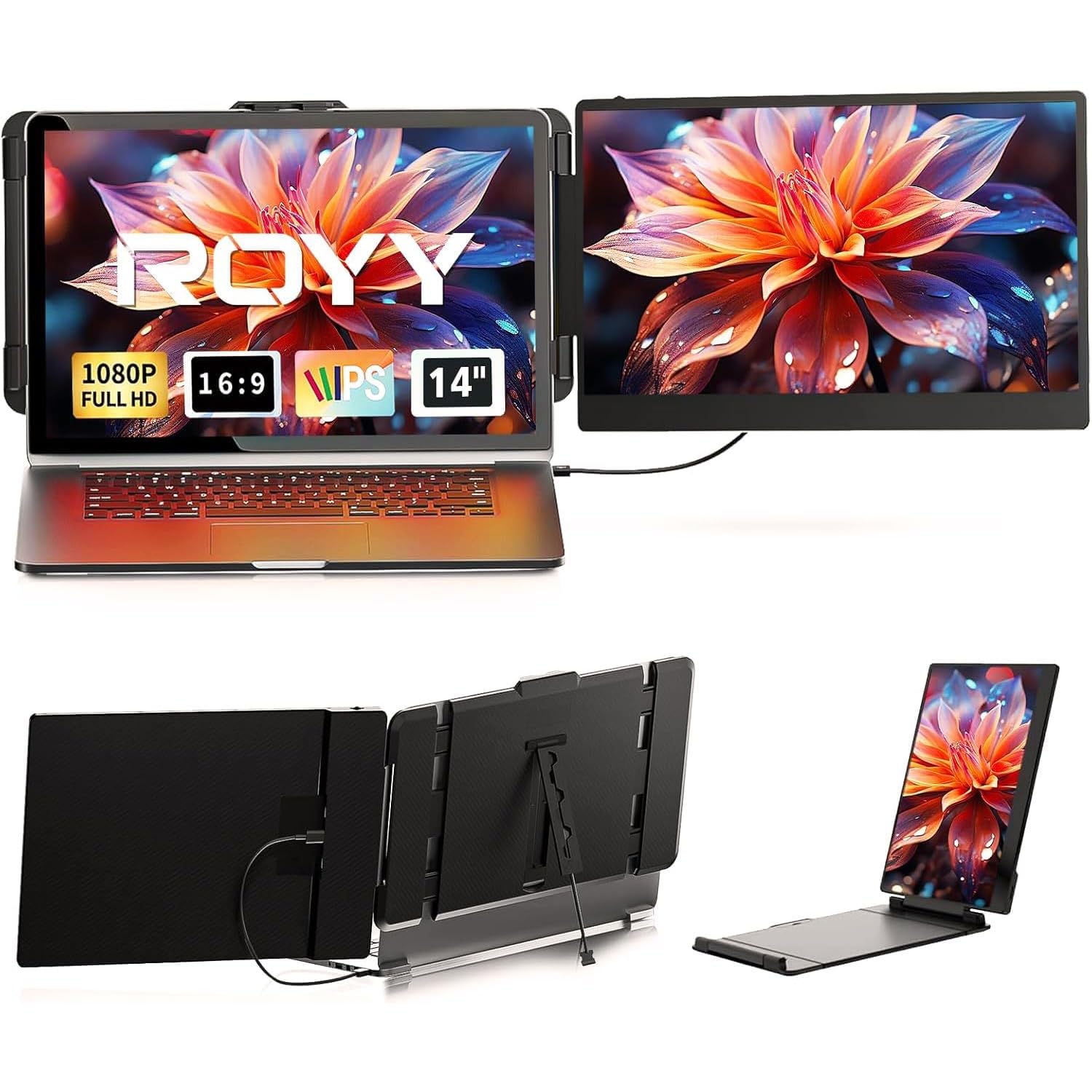
A colorful 1080p extender with a rotatable hinge built for presentations and sharing your screen.
This ROYY extender adds a 1920×1080 FHD IPS panel to your laptop, running at 300 nits with 1000:1 contrast and 72% NTSC color coverage for more vivid, vibrant images. The defining feature is the 180° rotatable design, which lets you swing the screen to face a client or teammate for easy content sharing. Owners describe it as very versatile and compact, a tool that saves the day for anyone used to multiple screens who needs to travel.
Setup is driver-free with a single USB-C cable, or HDMI plus a USB-A cable for power on older machines. The build quality gets steady praise, and people in IT roles appreciate how compact it is for the screen real estate it delivers. One practical note: owners say you will likely need two full-power USB-C ports on your laptop to drive both screens comfortably, so check your port setup ahead of time.
The 300 nits brightness handles indoor work well, though it is not the brightest panel for sunny window seats. If you regularly present to others or collaborate side-by-side, the 180° hinge makes this a standout choice.
Built to share: the 180° rotation and crisp resolution make it ideal for client meetings and collaboration.
Check your ports: full dual-screen use may demand two capable USB-C ports on your laptop.
Choose it for: presenters and collaborators who regularly angle their screen toward someone else.
skip it if: your laptop only has one USB-C port, since the second screen needs that extra power connection.
7. Blackview Laptop Screen Extender
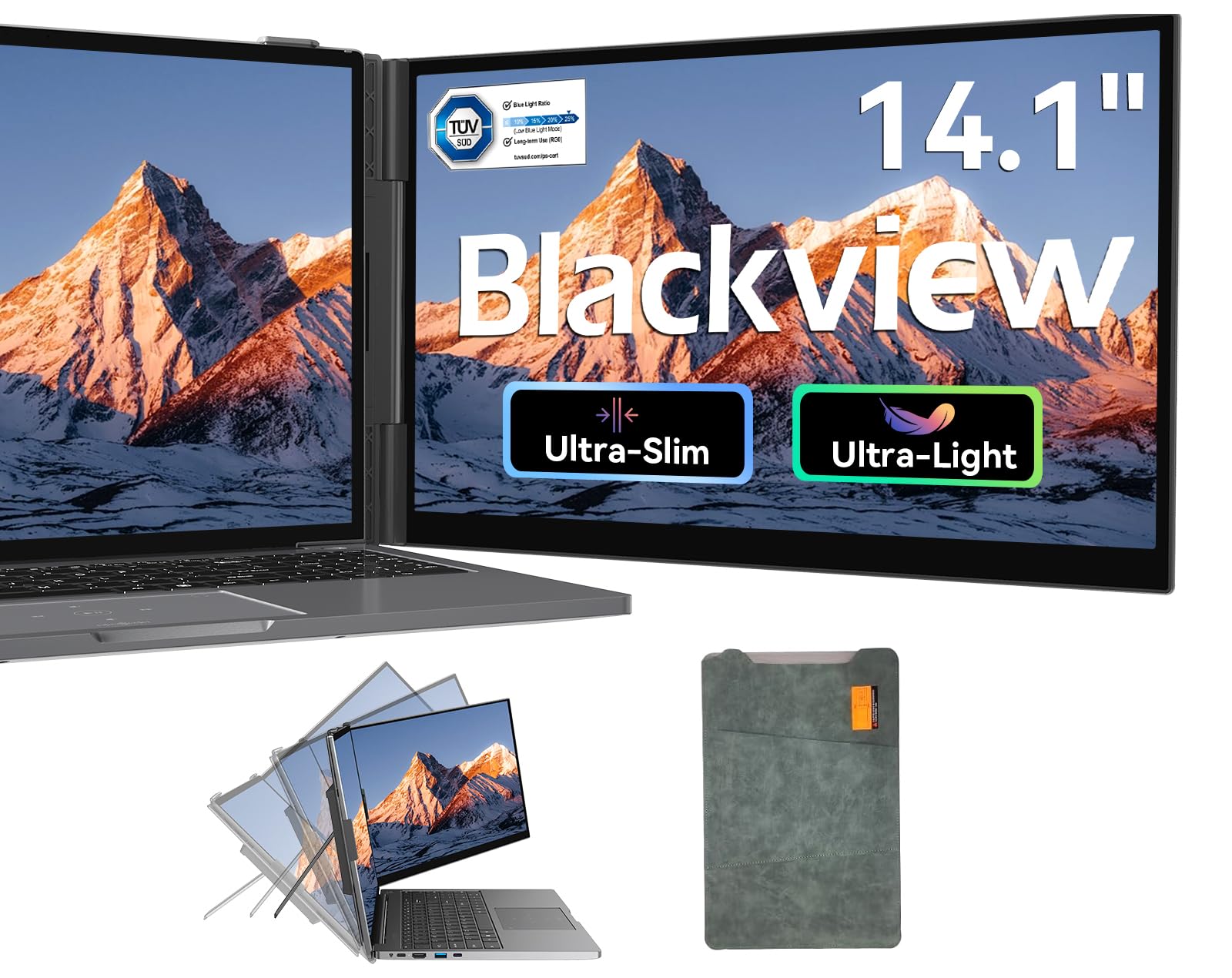
The ultra-light extender with certified low-blue-light filtering for marathon work sessions.
This Blackview SCM6 weighs just 1.3 lbs with a 0.17-inch ultra-thin screen, making it among the most travel-friendly clip-on extenders here. Its TÜV SÜD-certified hardware-level blue-light filter cuts eye fatigue during long spreadsheet and video-meeting days.. The 14.1-inch FHD (full high definition) IPS (in-plane switching, for wide viewing angles) panel runs at 1920×1080 with 300 nits brightness and 100% sRGB color gamut, delivering a clear, sharp picture.
Owners describe it as locking onto the laptop securely with no kickstand needed, which is a meaningful design win over wobbly alternatives. The whole kit, including all cables and a protective case, packs into your bag neatly. Compatibility is broad, working with Windows, Mac, ChromeOS, Android, Linux, and devices like the Switch through a full-function USB-C port.
One buyer experienced intermittent screen blanking initially, but the company proactively exchanged the unit and the replacement worked flawlessly. For the price, the combination of featherlight build and certified eye care makes this a compelling choice for road warriors.
Standout strengths
- Its TÜV SÜD-certified low-blue-light filter reduces eye fatigue during marathon work sessions.
- Secure clip-on fit means no separate kickstand to fuss with
- Includes a protective case and all necessary cables
Keep in mind
- Premium pricing sits above most rival extenders
- An occasional unit may need an exchange, though support handles it promptly
Worth it for: anyone who spends full days on a laptop and wants certified protection against eye strain.
Not the best fit if: you are on a strict budget, because lighter-and-cheaper freestanding panels exist for less.
8. UFYQL Portable Monitor
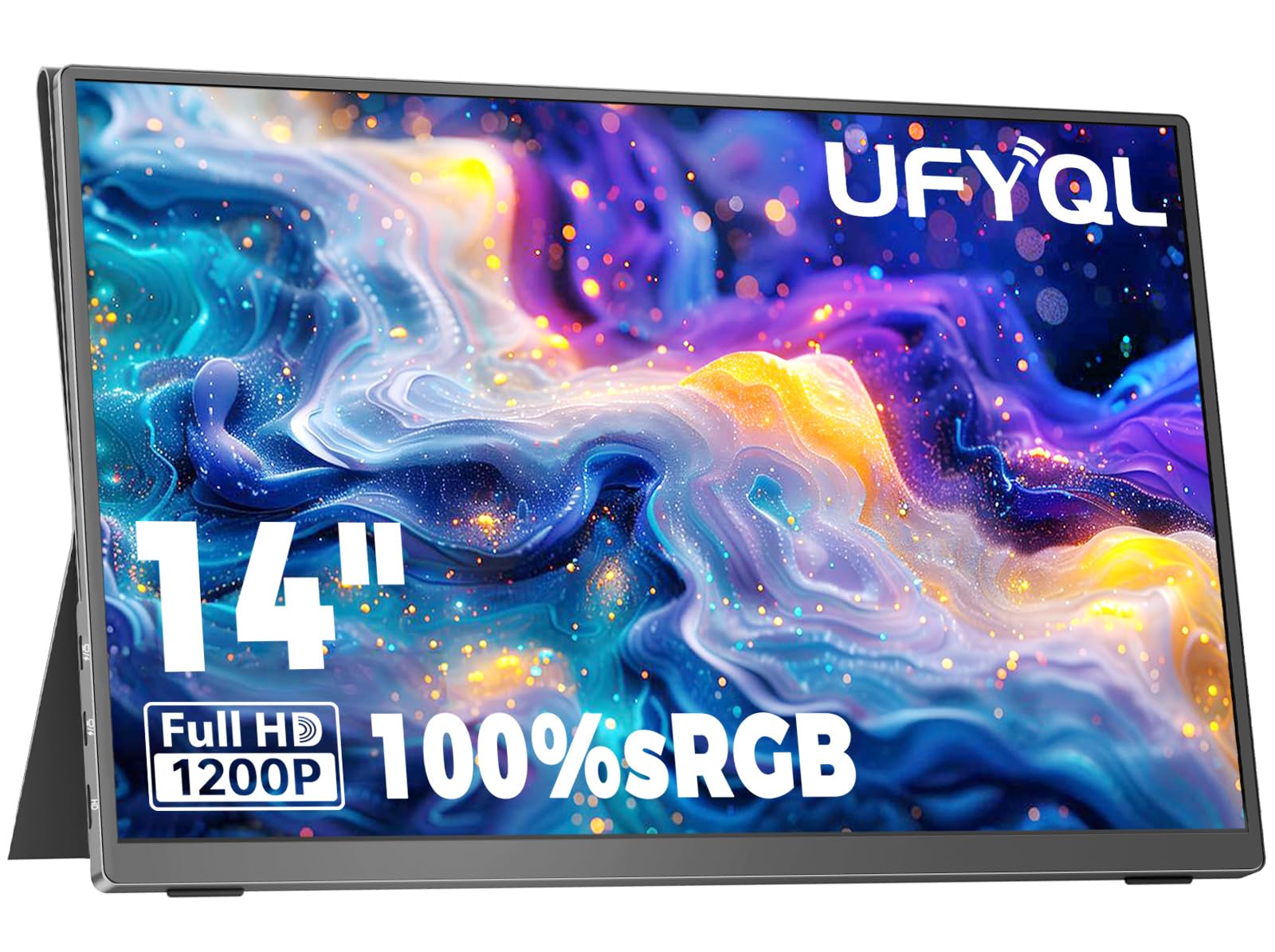
The machined aluminum panel with extra vertical space for code, contracts, and long reports.
The UFYQL stands out with its 16:10 WUXGA display at 1920×1200, which shows more vertical space than standard 1080p for extra lines of code and spreadsheet rows. It is the brightest panel in the main lineup at 400 cd, with a 1500:1 contrast ratio and 103% sRGB coverage for accurate, true-to-life color. The CNC aluminum body is 0.19 inches thin at its slimmest point and weighs 1.43 lbs, so it slips into a briefcase without notice.
Owners confirm it works as true plug-and-play on both PC and Mac, including Mac mini M1 and M4 models, with no drivers required. The single USB-C cable carries both power and video, which travelers love for the clean setup. The magnetic smart cover folds into a stable multi-angle stand, and dual stereo speakers handle video calls clearly, with a 3.5mm jack for richer audio.
The honest notes are that the display is not the absolute highest quality for color and refresh rate, though owners call it absolutely serviceable for the value. This is a premium-feeling panel for professionals who prioritize vertical workspace and build quality.
Taller by design: the 16:10 panel and 400 cd brightness give you more room and better daylight visibility than typical 1080p screens.
Not for purists: color and refresh rate are good, not class-leading, which matters only if you are doing pro-grade color work.
Built for: coders, analysts, and designers who want extra vertical lines on a premium aluminum panel.
pass on it if: you require the absolute best color accuracy for professional print work.
9. Qunub 14 Inch 4K OLED Monitor
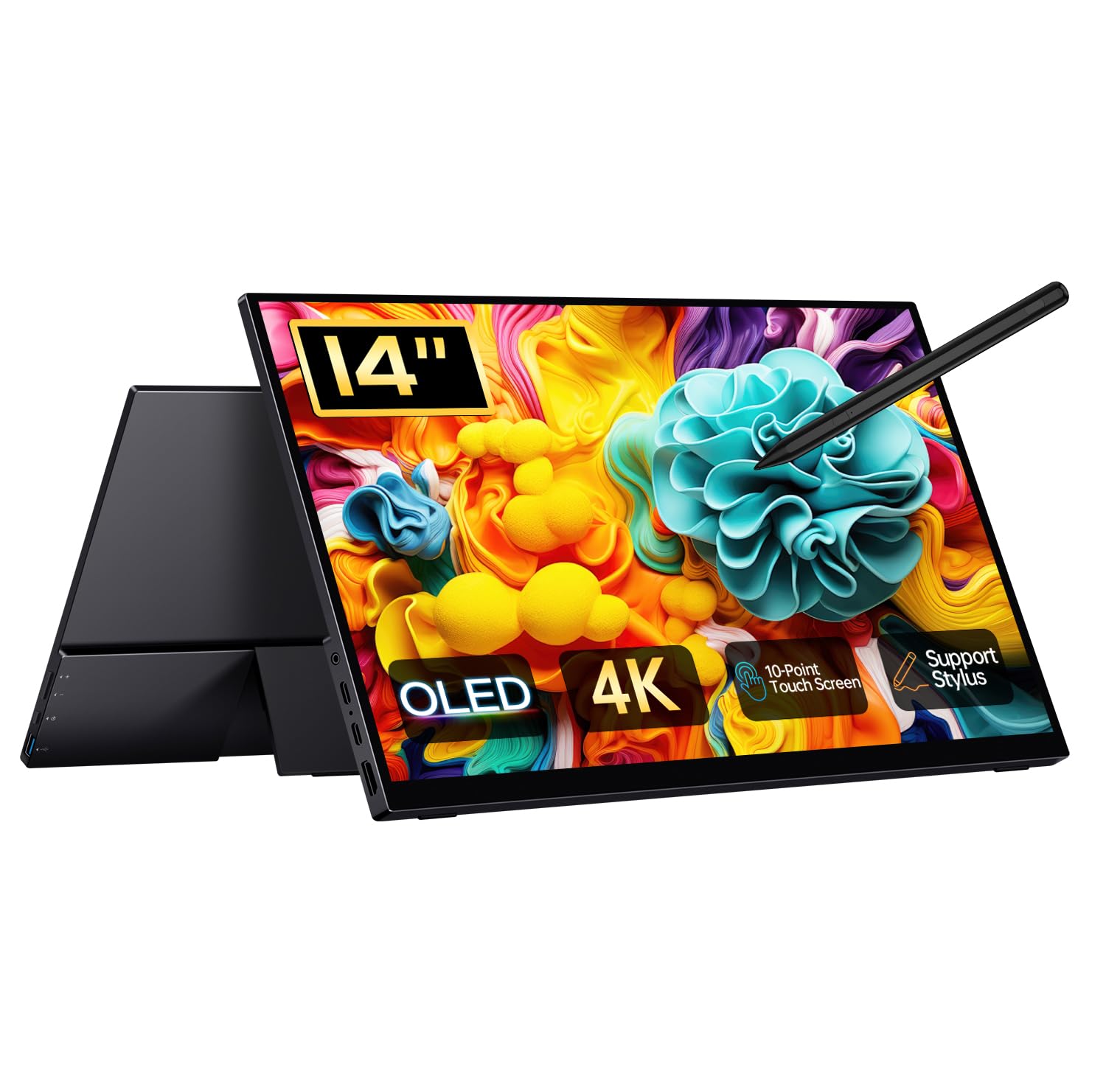
The touchscreen OLED with true blacks and stylus input for creative work on the move.
This Qunub is the only OLED panel in the lineup, and it shows: the 14-inch UHD display runs at a stunning 3840×2400 resolution with self-illuminating pixels for perfect blacks and vivid colors. The 100,000:1 contrast ratio and 100% DCI-P3 color gamut make it a genuine tool for photo editing, video production, and graphic design. It adds a 10-point touchscreen and an active stylus for drawing and note-taking, all in a 1.3 lbs aluminum body.
Owners call the OLED “beautiful,” describing it as the best tech purchase in years, and note the vibrant colors and thin profile make it ideal for travel with a laptop. The full kit includes a case, cables, pen, and kickstand, so there is nothing extra to buy. Setup for 10-bit HDR takes a little work, and the touchscreen performs best when paired with a Windows creative workstation rather than a Mac.
The honest caveats: shoppers say the bottom of the screen runs warm during drawing, and the included stylus is good but lacks a magnetic edge to attach to the screen. The provided pouch protects against dust and scratches but not drops or bending. For true organic light-emitting diode color and touch capability in a portable size, nothing else here comes close.
The creative edge
- True OLED blacks with a 100,000:1 contrast ratio for stunning visuals
- 10-point touch and active stylus for drawing on the go
- Complete kit including case, cables, kickstand, and pen
Before you commit
- Runs warm at the bottom during extended drawing sessions
- Best used with Windows for full touch and stylus functionality
- Pouch protects from scratches, not from drops or bends
Made for: creative professionals who need accurate OLED color and touch input wherever they work.
Not for: Mac users expecting smooth touch, since full stylus support really wants a Windows machine—so if you are on a Mac, look elsewhere for touch input.
Understanding the Specs
Brightness
Brightness is measured in nits or candela per square meter (cd/m² or cd for short), and it tells you how luminous the screen can get. A panel rated around 300 cd is fine for typical indoor office use, while something closer to 350–400 cd stays more readable near a bright window or in a sunlit cafe. If you work in varied lighting, lean toward the higher number.
Resolution and aspect ratio
Resolution is the number of pixels on the screen, and higher numbers mean sharper text and images. Standard 1080p (1920×1080) is the everyday baseline, while 2K (2160×1440) and 4K (3840×2400) panels look noticeably sharper for detail work. The aspect ratio (like 16:9 versus 16:10) changes the shape: a 16:10 screen is taller, showing more lines of a document or code without scrolling.
FAQ
Will a 14 inch monitor work with my laptop through one USB-C cable?
What is the difference between a laptop screen extender and a portable monitor?
How bright does a portable monitor need to be for indoor office work?
Is a 4K resolution worth it on a small 14 inch screen?
What does the contrast ratio number actually mean for what I see?
Are built-in speakers on these portable monitors any good?
How much weight will a laptop screen extender add to my setup?
Can I use these portable monitors with a phone or game console?
Final Thoughts: The Verdict
For most buyers, the best 14 inch monitor is the Macsecor Laptop Screen Extender because it delivers genuine dual-screen productivity in a clip-on design that travels in your bag. If you want a sharper, taller canvas for code and documents, the UFYQL Portable Monitor with its 16:10 panel is the one to grab. And for creative professionals who demand true OLED color and touch, the Qunub 4K OLED Monitor is the standout choice worth the premium.
How We Picked
We do not accept paid placement. Every pick is matched to a real buyer and a real use-case; we do not hands-on test units.
Sources & Methodology
Specifications: manufacturer listings and product documentation. Review insights: verified customer reviews, as of September 2026. Pricing: not shown on this page (it changes often); check the current price via the retailer link.
As an Amazon Associate, Gadgets Feed earns from qualifying purchases. This does not affect which products we feature.