
A 14-inch portable monitor bridges the gap between a cramped laptop screen and a bulky desktop setup — it fits in a bag sleeve, powers via a single USB-C cable, and delivers a genuine productivity or gaming expansion wherever you land. But the category has fractured into LCD, OLED, matte, touch, 60Hz, 120Hz, and 4K tiers, making the choice less about size and more about what you actually intend to do on that second panel.
I’m Min — the co-founder and writer behind Gadgets Feed. I’ve spent countless hours cross-referencing panel technologies, brightness specs in nits, color gamut volumes, and real-world cable compatibility across this specific form factor to separate marketing claims from genuinely useful hardware.
Whether you need true OLED blacks for photo editing or a 120Hz panel for fluid gaming, this guide to the best 14 inch portable monitor breaks down the specs and tradeoffs that actually matter.
How To Choose The Best 14 Inch Portable Monitor
The 14-inch portable monitor market is no longer a single-speed category. Panel technology, resolution, brightness, and connectivity each shift the experience dramatically. Understanding these factors before buying prevents buyer’s remorse — especially when the monitor you choose will likely be your daily driver for years.
Panel Technology: OLED vs IPS vs LCD
OLED panels emit light per pixel, producing true blacks and infinite contrast ratios — ideal for HDR content, photo editing, and gaming with deep shadows. IPS LCD panels rely on a backlight, so black levels are grayish by comparison, but they generally reach higher sustained brightness without burn-in risk. Matte IPS panels also reduce glare in bright environments, while glossy OLED screens offer richer color saturation indoors. The tradeoff is simple: OLED for visual fidelity, IPS for durability and outdoor visibility.
Resolution and Pixel Density
A 1080p resolution on a 14-inch panel yields roughly 157 pixels per inch — sharp enough for document work and basic video, but text edges will appear slightly soft. A 4K UHD 3840×2400 panel on the same size delivers over 300 PPI, making text razor-sharp and images nearly print-quality. The catch is that 4K demands more GPU power and may require scaling adjustments in Windows. For coding, design, or video review, higher PPI is the single biggest productivity upgrade you can make.
Refresh Rate and Response Time
Standard portable monitors max out at 60Hz, which is sufficient for office work and media consumption. Gaming-focused models now offer 120Hz or higher, paired with response times as low as 0.1ms on OLED panels. The difference between 60Hz and 120Hz is immediately visible when scrolling web pages, dragging windows, or playing fast-paced titles. If gaming is a priority, target 120Hz as the baseline — 60Hz panels feel sluggish once you’ve experienced the smoother motion.
Connectivity and Power Delivery
The most elegant setups use a single USB-C cable carrying both video signal (via DisplayPort Alt Mode) and power to the monitor. Some monitors require two cables: one for data and one for power. Always check whether your laptop’s USB-C port supports DP Alt Mode and power delivery — otherwise you’ll need an adapter or separate power brick. Mini HDMI ports remain common for compatibility with gaming consoles and older laptops, but USB-C is the cleaner path.
Quick Comparison
On smaller screens, swipe sideways to see the full table.
| Model | Category | Best For | Key Spec | Amazon |
|---|---|---|---|---|
| UPERFECT OLED 3K | OLED | Premium Gaming & Creative | 120Hz / 0.1ms response | Amazon |
| InnoView OLED 4K | OLED | Color-Critical Work | 100% DCI-P3 / ΔE<2 | Amazon |
| Newsoul 4K 1200Nit | IPS | Bright Environment Use | 1200 nits brightness | Amazon |
| UPERFECT 4K UHD | IPS | All-Around Productivity | 3840×2400 / 600 nits | Amazon |
| DEPGI 4K Gaming | IPS | Console Gaming | FreeSync / Dual HDMI | Amazon |
| ASUS ProArt PA148CTV | IPS Touch | Professional Touch Editing | ΔE < 2 / 10-point touch | Amazon |
| Vixtan Triple Extender | IPS Extender | Multi-Screen Laptop Users | Dual 14″ FHD side panels | Amazon |
| Macsecor Triple Extender | IPS Extender | Triple Screen Portability | Two 14″ FHD / 0.27″ thin | Amazon |
| ViewSonic VX1655-4K-OLED | OLED | Ultra-Premium 4K OLED | 15.6″ 4K OLED / 60Hz | Amazon |
In‑Depth Reviews
1. UPERFECT OLED Portable Monitor 14″ 3K 120Hz
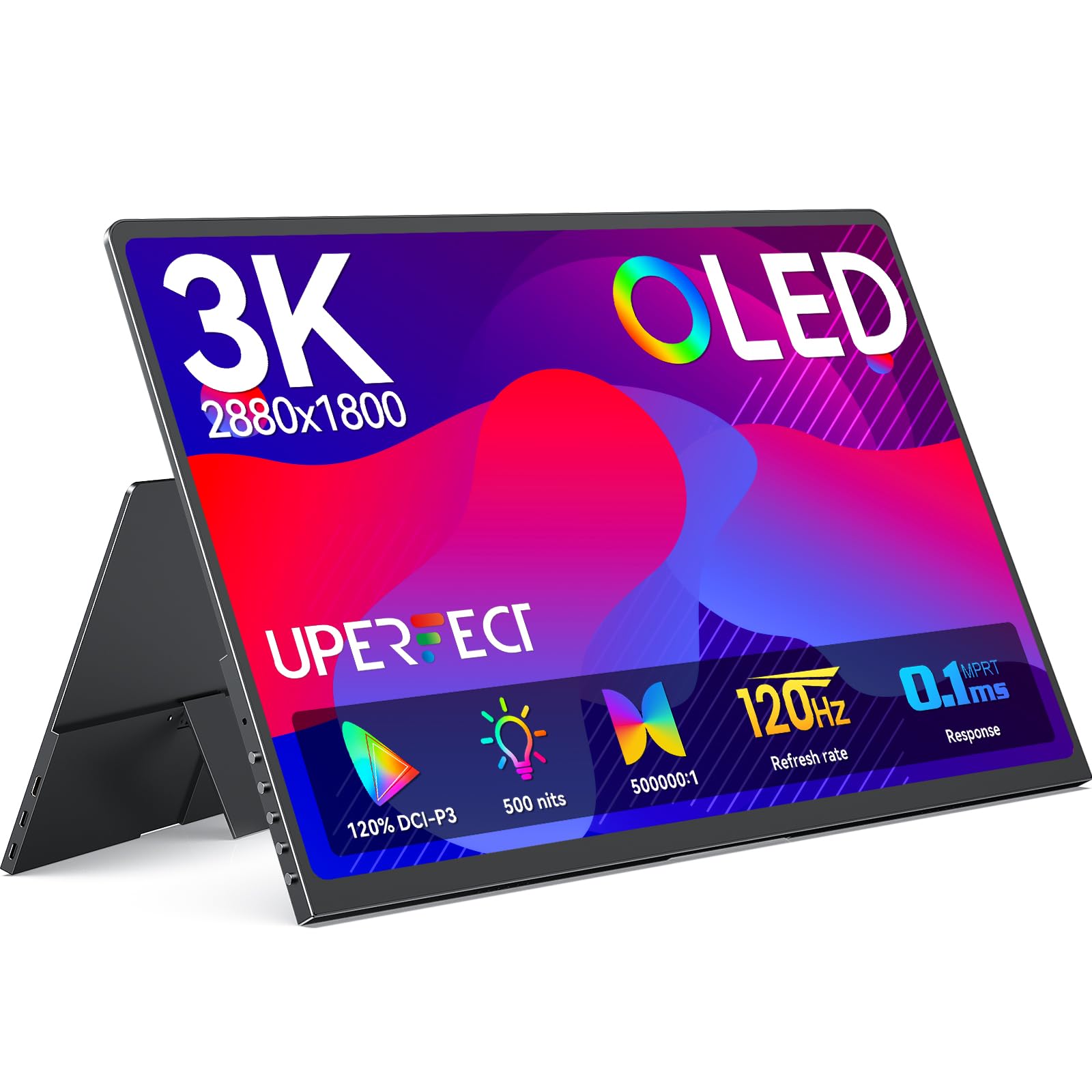
This UPERFECT OLED achieves the rare trifecta of true blacks, a 120Hz refresh rate, and sub-0.2ms response time in a 14-inch chassis that weighs just 1.29 lbs. The 2880×1800 resolution (roughly 242 PPI) sits between standard 1440p and 4K, offering crisp text without the GPU overhead that 4K demands. The 500 nits peak brightness is adequate for indoor use, and the self-emissive OLED pixels deliver a 5,000,000:1 contrast ratio that makes IPS monitors look washed out by comparison.
Gamers will appreciate the FreeSync support and silky 120Hz fluidity via USB-C — HDMI tops out at 100Hz at this resolution, so use the Type-C port for the full experience. The all-metal build with a 0.12-inch profile is genuinely impressive for a 120Hz panel with built-in speakers. The magnetic folio cover doubles as a stand, though it lacks the tilt range of a dedicated kickstand.
Creative professionals should note the 120% DCI-P3 color gamut and 8-bit+FRC panel that displays 1.07 billion colors. The factory calibration is solid out of the box, but the HDR mode on macOS may require a quick profile switch to “P3 D65 Gamma 2.6” for balanced dynamic range. The included USB-C power adapter is necessary for full brightness — running off laptop power alone may dim the panel.
Why it’s great
- 120Hz OLED with 0.1ms response eliminates motion blur
- Lightweight 1.29 lbs full-metal chassis with VESA mount holes
- Wide color gamut (120% DCI-P3) suits professional photo work
Good to know
- HDMI limited to 100Hz at 2880×1800 resolution
- Requires external power adapter for full 500-nit brightness
- Built-in speakers are passable but not room-filling
2. InnoView 14 Inch OLED Portable Monitor 4K

The InnoView OLED 4K targets creative professionals who need reference-grade color accuracy in a portable package. The 3840×2400 resolution (roughly 323 PPI) on a 14-inch 16:10 panel delivers exceptional text clarity — higher than Apple’s Retina threshold — making it a strong companion for MacBook users. The 100,000:1 contrast ratio from the OLED self-emissive pixels provides deep blacks that make photo edits and video grading more reliable on the go.
Color accuracy is factory-calibrated to Delta E < 2 with 100% DCI-P3 coverage, which means greens, reds, and skin tones appear natural without a manual calibration tool. The 1ms response time is a side benefit of OLED technology, eliminating ghosting during video playback or casual gaming. The 60Hz refresh rate is standard for creative work but won’t satisfy competitive gamers.
The 350-nit brightness is lower than some IPS alternatives, so this monitor is best used indoors or in shaded environments. The included 180-degree adjustable stand is functional but plastic-based — the monitor itself is just 0.15 inches thick and weighs 1.24 lbs, making it easy to slide into a laptop sleeve. A VESA mount pattern offers more stable positioning if you prefer a desk arm setup.
Why it’s great
- Factory-calibrated ΔE < 2 with 100% DCI-P3 for accurate color
- Ultra-thin 0.15-inch profile and lightweight 1.24 lbs
- Native 3840×2400 resolution provides over 300 PPI
Good to know
- 350-nit brightness is dim for outdoor or brightly lit rooms
- 60Hz refresh rate limits gaming potential
- No included protective case — only a plastic stand
3. Newsoul 4K Portable Monitor 1200 Nits

The Newsoul 4K monitor solves a niche but critical problem: usability in bright environments. With a peak brightness of 1200 nits (achievable over white backgrounds with external power), this IPS panel remains legible even next to a sunny window or under harsh office lighting. The 3840×2400 4K resolution on a 16-inch panel (note: 16″, not 14″) still fits the portable mold, but the extra screen real estate is a welcome bonus for spreadsheet-heavy workflows.
The matte IPS surface effectively diffuses reflections, reducing eye strain during long sessions. The 2000:1 contrast ratio is better than typical IPS panels (usually 1000:1), delivering deeper blacks and punchier highlights. The 145% sRGB color gamut is oversaturated by design — good for vibrant media consumption but less suitable for color-critical work that demands strict sRGB adherence.
Build quality is solid with an aluminum alloy shell that dissipates heat better than plastic. The magnetic PU cover protects the screen and folds into a stand. VESA mount compatibility adds permanent desk mounting flexibility. The FreeSync support works over both USB-C and HDMI, capping at 60Hz — fine for strategy games and media, but not for fast-paced competitive titles.
Why it’s great
- Exceptional 1200-nit peak brightness for bright spaces
- Matte IPS panel with 2000:1 contrast reduces glare
- Aluminum alloy build with VESA mount and magnetic cover
Good to know
- 1200 nits requires external power and white background — not sustained
- 60Hz refresh rate limits gaming appeal
- Color gamut is sRGB-biased, not DCI-P3 for creative work
4. UPERFECT 4K Portable Monitor 14.5″
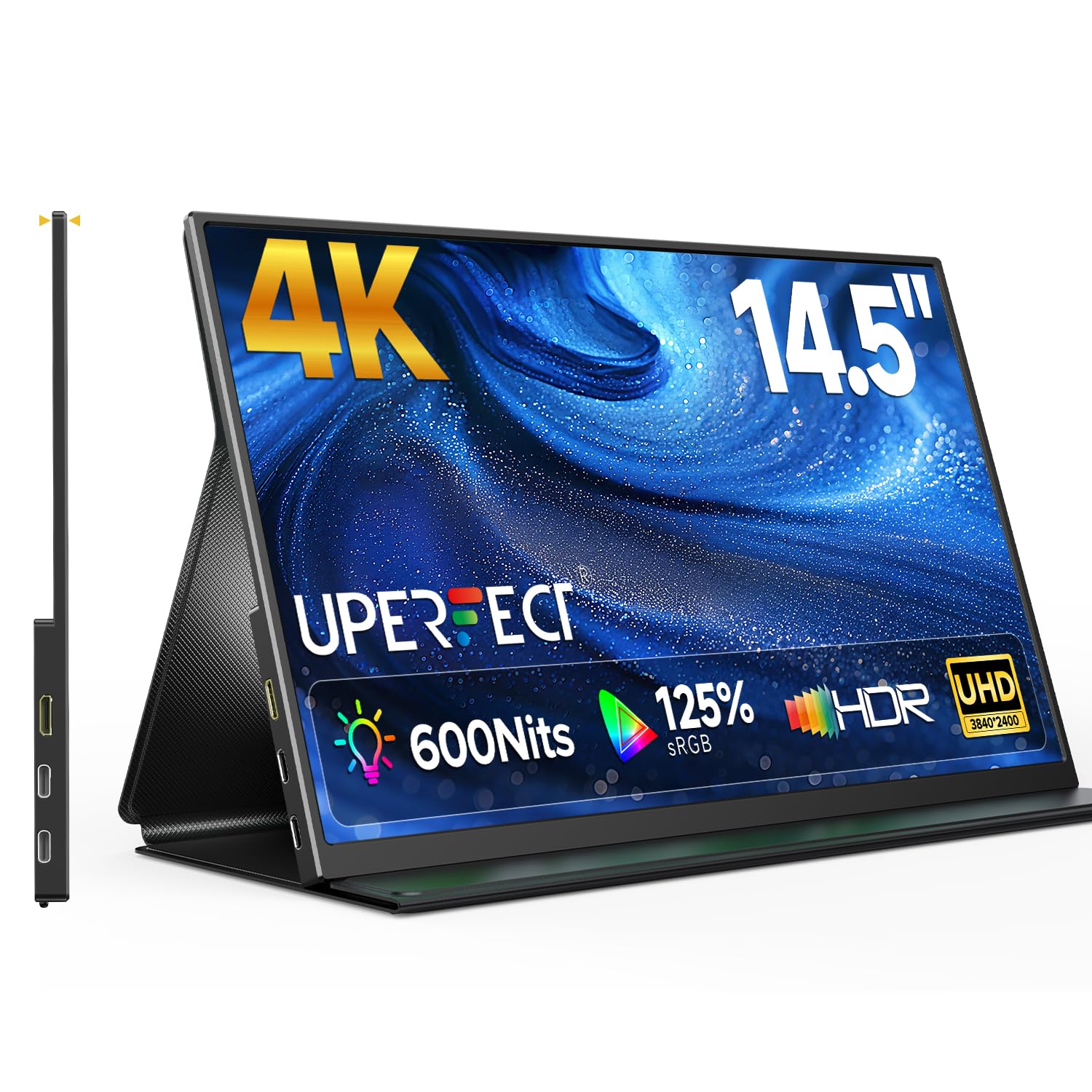
The UPERFECT 4K offers the highest pixel density in the 14-inch category at 3840×2400 on a 14.5-inch panel — roughly 311 PPI — making text and UI elements exceptionally crisp. The 16:10 aspect ratio provides extra vertical screen real estate compared to standard 16:9 panels, which is a tangible benefit for coding, document editing, and web browsing. The 600-nit brightness is genuinely impressive for an IPS LCD at this price point, remaining usable even in moderately lit rooms.
Color performance reaches 125% sRGB with 1.07 billion colors via 8-bit+FRC, delivering smooth gradients without visible banding. The matte finish avoids the glare issues common to glossy panels, and the 2000:1 contrast ratio gives this IPS panel unusually deep blacks. The aluminum frame is just 0.2 inches thick and weighs 1 lb — one of the lightest 4K portable options available.
Connectivity includes dual USB-C ports supporting Alt Mode and a Mini HDMI input for console compatibility. The FreeSync support helps reduce tearing in compatible games, though the 60Hz panel isn’t targeted at competitive play. The foldable leather smart cover is a well-designed stand that supports both landscape and portrait orientation.
Why it’s great
- 3840×2400 resolution on 14.5″ delivers over 300 PPI
- 600-nit brightness with matte IPS reduces glare
- Ultra-light 1 lb aluminum frame with smart cover stand
Good to know
- 60Hz refresh rate — not suited for fast-paced gaming
- Mini HDMI input requires adapter for full-size HDMI cables
- Built-in speakers are basic; use external audio for media
5. DEPGI 4K 14″ Portable Gaming Monitor

The DEPGI gaming monitor distinguishes itself with dual HDMI ports and a dedicated remote control — features rarely seen in the portable segment. The 14-inch 4K IPS panel (3840×2160) runs at 60Hz natively but supports 1080p at 120Hz on Xbox Series S, making it a flexible companion for console gaming. The FreeSync support reduces screen tearing, and the OD (overdrive) function further decreases ghosting in fast motion scenes.
The 3.0W dual stereo speakers are surprisingly loud for a portable monitor — 15-20% volume is sufficient for a small room. The white plastic housing with a durable shell has survived backpack travel without issues, according to verified users. The 2.64-lb weight is heavier than pure productivity monitors, but the integrated design makes it a true appliance rather than an accessory.
Compatibility extends beyond Xbox to Switch, PS5, PCs, and laptops via the two HDMI ports and headphone jacks. The 800:1 contrast ratio and 60Hz native refresh mean it won’t win awards for color depth or fluidity on PC, but as a dedicated console screen for travel or small apartments, it serves its purpose cleanly.
Why it’s great
- Dual HDMI ports support console and PC simultaneously
- Includes remote control for easy menu navigation
- Loud 3.0W dual speakers suitable for gaming audio
Good to know
- 800:1 contrast ratio is low compared to OLED alternatives
- 60Hz native refresh rate limits PC gaming smoothness
- White plastic build may show scuffs over time
6. ASUS ProArt Display PA148CTV

The ASUS ProArt PA148CTV is purpose-built for creative workflow, combining a 1080p IPS touchscreen with factory-calibrated color accuracy. The 100% sRGB and 100% Rec. 709 coverage with Delta E < 2 ensures photo and video editors see neutral, predictable colors — critical for projects that will be printed or broadcast. The Calman Verification adds an extra layer of confidence for studio environments.
The 10-point capacitive multitouch is responsive and works seamlessly with Windows ink and creative apps. The built-in ASUS Dial provides intuitive OSD control for brightness, volume, and color mode switching without fumbling for buttons. The metal kickstand is adjustable and the tripod socket allows mounting on standard camera tripods — a unique feature for location photographers.
Connectivity includes two USB-C ports (with DP Alt Mode) and a Micro HDMI input. The monitor ships with a full accessory bundle including a protective sleeve, calibration report, and a 3-month Adobe Creative Cloud subscription. The anti-glare panel and TÜV Rheinland-certified flicker-free technology make it comfortable for all-day editing sessions.
Why it’s great
- Factory-calibrated ΔE < 2 with 100% sRGB and Rec. 709
- 10-point capacitive touch for Windows creative apps
- Tripod socket for versatile mounting on location
Good to know
- 1080p resolution on 14″ yields only 157 PPI
- 60Hz panel — no gaming advantages
- Premium price point for a 1080p touch display
7. Vixtan 14″ Triple Laptop Screen Extender
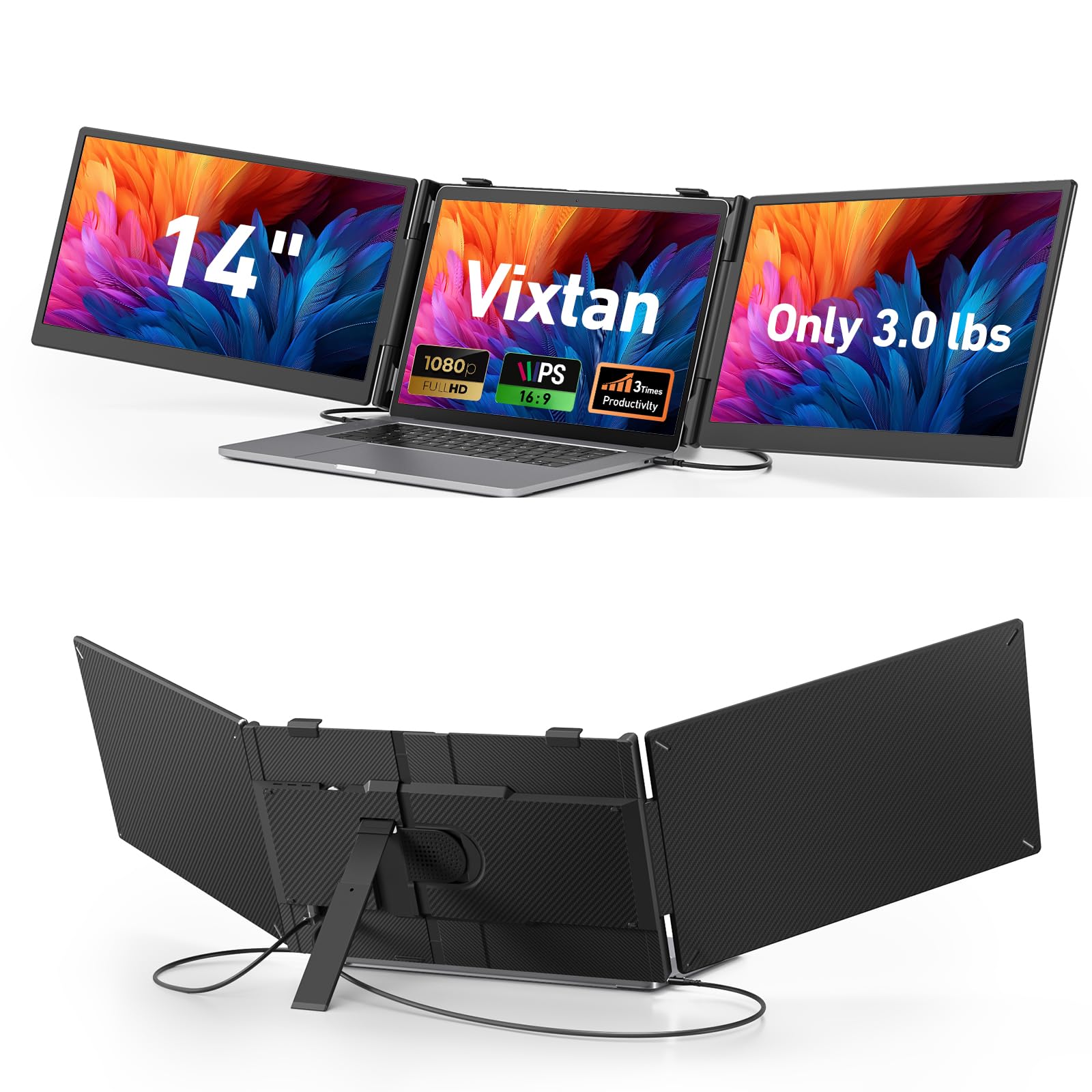
The Vixtan triple screen extender attaches directly to your laptop, adding two 14-inch FHD IPS panels on either side of the built-in display. The total weight of 3.0 lbs is well-distributed across the laptop hinge, and the reinforced plastic stand with multi-level height adjustment and 180-degree rotation secures laptops from 13 to 17.3 inches. The 1080p resolution is adequate for document work, coding, and dashboards — text is clear without being retina-sharp.
Each panel delivers 300 nits brightness with 100% sRGB coverage and a matte anti-glare coating, keeping reflections manageable in coffee shops or libraries. The 178-degree viewing angle ensures the side screens remain visible even when angled toward you. The plug-and-play setup requires two USB-C cables (or one USB-C and one HDMI) with no driver installation on Windows, Mac, or Chrome OS.
MacBook M1/M2/M3 users should note that these laptops natively support only single external display output. To run both side panels simultaneously on an M-series Mac, a DisplayLink adapter is required. The extender also includes built-in speakers, though they are best suited for system sounds rather than music or video.
Why it’s great
- Instantly creates a triple-screen mobile workstation
- Reinforced stand fits 13″ to 17.3″ laptops securely
- FHD IPS with 100% sRGB and anti-glare coating
Good to know
- Requires DisplayLink adapter for dual-screen on M-series Macs
- Side panels add width — not ideal for tight airline trays
- Built-in speakers are limited to basic audio output
8. Macsecor 14″ Triple Portable Monitor Extender
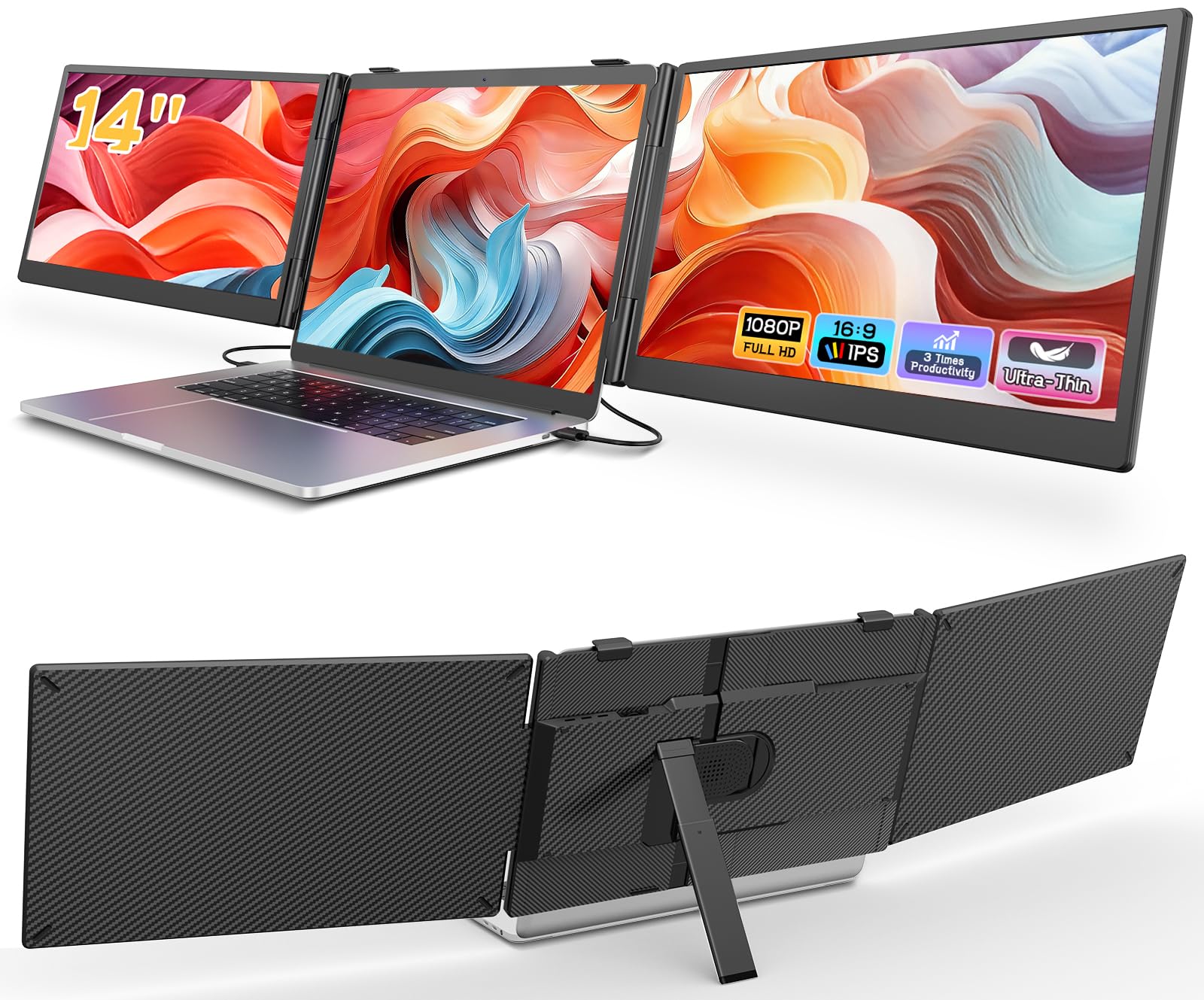
The Macsecor triple extender achieves an ultra-slim 0.27-inch profile for each side panel, making the folded unit barely thicker than a standard laptop. The two 14-inch FHD IPS screens attach via a clamp-on backplate that causes zero damage to the laptop lid. The HDR mode improves color depth compared to basic FHD panels, though the 300-nit brightness is average for the category.
The zero-damage clamp design uses a snug, stable fit that works smoothly even without additional stand support — a notable improvement over older extender designs that require a separate kickstand. The built-in aluminum stand inside the extender adjusts up to 90 degrees, and the 180-degree rotation allows switching between shared and private viewing angles. The total weight of around 3 lbs is manageable for daily commute backpack carry.
Compatibility covers 13-inch to 17.3-inch laptops via a full-featured USB-C port and HDMI input. The system operates on Windows, macOS, Chrome OS, Android, and Linux without drivers. Mac users with M1/M2/M3 chips should note the single external display limitation and may need an H5-T cable (ASIN: B0CVVJGR78) for proper dual-screen functionality.
Why it’s great
- Ultra-slim 0.27-inch panels fold into a compact travel unit
- Zero-damage clamp backplate protects laptop lid
- Built-in aluminum stand with 180-degree rotation
Good to know
- M-series MacBooks need an additional H5-T cable for dual output
- 300-nit brightness is adequate but not bright for outdoor use
- Some users report panel failure after extended daily use
9. ViewSonic VX1655-4K-OLED 15.6″

The ViewSonic VX1655-4K-OLED is the reference-grade portable monitor for users who demand uncompromised image quality. The 15.6-inch OLED panel delivers 4K UHD (3840×2160) resolution with an 80,000,000:1 contrast ratio — blacks are truly black, highlights are punchy, and HDR content looks cinematic. The 400-nit brightness is lower than some IPS competitors, but OLED’s per-pixel lighting makes the subjective experience feel brighter and more immersive.
The 60Hz refresh rate is standard, but the FreeSync support helps smooth out frame pacing in compatible games and video playback. USB-C connectivity supports 60W power delivery to charge a connected laptop while transmitting video and data over a single cable — a genuinely useful feature for minimalist travel setups. The monitor weighs 1.5 lbs and is 0.6 inches thick, with a built-in stand cover that also protects the OLED panel during transit.
Color performance covers 100% DCI-P3 with factory calibration, making this monitor suitable for professional video and photo work. The included accessories are minimal — a power adapter, USB-C cable, and micro HDMI cable — but the build quality is premium. The 3-year warranty from ViewSonic provides peace of mind for a significant investment. Note that the monitor has no built-in battery and must be powered externally or draw power from the host device.
Why it’s great
- 4K OLED with 80,000,000:1 contrast for true blacks
- 60W USB-C power delivery charges laptop while displaying video
- 100% DCI-P3 coverage with factory calibration
Good to know
- 60Hz refresh rate — not suitable for high-refresh gaming
- 15.6-inch size is larger than true 14-inch options
- Premium price bracket — best for professionals with specific needs
FAQ
Can a 14-inch portable monitor run off a single USB-C cable from my laptop?
What is the real-world advantage of OLED over IPS in a portable monitor?
Do all portable monitors work with the Nintendo Switch or Xbox Series S?
What is the difference between a screen extender and a standalone portable monitor?
Is 1080p enough on a 14-inch portable monitor for photo editing?
Final Thoughts: The Verdict
For most users, the best 14 inch portable monitor winner is the UPERFECT OLED 3K 120Hz because it combines true OLED contrast with a smooth 120Hz refresh rate in a 1.29-lb metal frame — an unmatched blend of visual quality and portability. If you need professional-grade color accuracy for photo or video work, grab the InnoView OLED 4K with its factory-calibrated Delta E < 2. And for bright-environment use where glare is a constant battle, nothing beats the Newsoul 4K 1200-nit IPS.