
Finding a 14-inch laptop with a responsive touchscreen that doesn’t compromise on processing power or battery life is surprisingly difficult. Many models in this size class either skimp on display quality, use underpowered chips, or offer touch as an afterthought. This guide cuts through the noise to help you find a machine that balances portability, usability, and raw performance.
I’m Min — the co-founder and writer behind Gadgets Feed. I’ve spent hundreds of hours analyzing specifications, benchmark data, and user feedback across the 14-inch touchscreen laptop market to identify the models that actually deliver on their promises.
Whether you need a convertible for note-taking or a premium ultrabook for creative work, this roundup covers the best options available. Here is my definitive guide to the best 14 inch touchscreen laptop for every budget and use case.
How To Choose The Best 14 Inch Touchscreen Laptop
Not all touchscreens are created equal, and a 14-inch size forces specific trade-offs. You need to prioritize display technology, processor efficiency, and build quality to avoid ending up with a heavy, short-lived device that frustrates more than it helps.
Display Quality and Touch Responsiveness
The touch panel itself adds a layer of glass that can reduce contrast and increase glare. Look for an OLED panel if color vibrancy and deep blacks are critical — the self-lit pixels avoid the backlight bleed common in IPS displays. Resolution matters too: a WUXGA (1920×1200) or higher 16:10 panel gives you extra vertical screen space for documents and web pages without making the laptop wider.
Processor and Thermal Management
A 14-inch chassis has limited airflow. Chips like the Intel Core Ultra 7 258V or Apple M4 are designed for high performance with lower heat output, allowing sustained turbo speeds without throttling. Avoid older H-series processors in this form factor — they generate too much heat for thin enclosures, leading to fan noise and reduced lifespan. Dedicated NPUs in newer chips also enable local AI features that improve video call quality and photo editing without draining the battery.
Convertible vs. Traditional Clamshell
A 360-degree hinge lets you use the laptop in tent, stand, and tablet modes, which is essential if you plan to annotate documents or watch media hands-free. The trade-off is added weight and a slightly thicker profile. If you rarely fold the screen back, a standard clamshell with a high-quality touchscreen is lighter and more rigid.
Quick Comparison
On smaller screens, swipe sideways to see the full table.
| Model | Category | Best For | Key Spec | Amazon |
|---|---|---|---|---|
| Dell 14 Plus DB14250 | Premium Ultrabook | AI Workloads & Content Creation | Intel Core Ultra 7-258V / 32GB / 2.5K Display | Amazon |
| GEEKOM GeekBook X14 Pro | Ultralight Performance | Travel & Media Professionals | Ultra 9 185H / 32GB / 2.8K OLED / 2.2 lbs | Amazon |
| ASUS Zenbook 14 OLED UX3405 | Premium Ultrabook | Creative Work & Video Editing | Intel Ultra 9 285H / 32GB / 18-Hr Battery | Amazon |
| Apple MacBook Pro 14 M4 | Pro Creator | Pro Apps & Software Development | M4 10-Core CPU / 24GB / Liquid Retina XDR | Amazon |
| Lenovo Yoga 7i 2-in-1 | Convertible Creator | Note-Taking & Media Consumption | Intel Ultra 5 226V / 16GB / OLED Touch / Pen | Amazon |
| Dell Inspiron 14 7440 | Convertible | Business & Remote Work | Intel Core 7 150U / 16GB / Fingerprint Reader | Amazon |
| HP OmniBook 5 Flip | Convertible | Students & Light Productivity | Intel Core 5 120U / 8GB / 2K Touch / Stylus | Amazon |
| Lenovo IdeaPad 5 Flex | Budget Convertible | Budget-Friendly Versatility | Intel Ultra 5 225U / 8GB / Wi-Fi 6 | Amazon |
| ASUS Vivobook 14 X1407QA | AI-Powered Value | Everyday Productivity & AI Apps | Snapdragon X / 16GB / 19-Hr Battery | Amazon |
| Acer Chromebook Enterprise Spin 514 | Chromebook Convertible | Cloud-Based Work & Education | AMD Ryzen 5 3500C / 8GB / Chrome OS | Amazon |
| HP 17-Inch Touchscreen Laptop | Large-Screen Power | Heavy Multitasking & Data Work | Intel Core i7 / 64GB RAM / 2TB SSD | Amazon |
In‑Depth Reviews
1. Dell 14 Plus DB14250

The Dell 14 Plus DB14250 is engineered for users who demand maximum processing headroom in a compact chassis. The Intel Core Ultra 7-258V processor, coupled with 32GB of LPDDR5X RAM, handles parallel workloads — from compiling code to running multiple virtual machines — without noticeable slowdown. The 2.5K (2560×1600) 16:10 display delivers sharp text and generous vertical space, making it ideal for spreadsheets and document-heavy workflows. Intel Arc graphics provide enough horsepower for light 3D modeling and casual gaming at 1080p.
Build quality is excellent: the aluminum chassis feels rigid, and the laptop passed military-grade durability tests. The 1TB PCIe Gen4 SSD offers fast read/write speeds for large file transfers. A 6-month Dell Migrate subscription helps new owners transfer data from their old machine. Battery life hovers around 8 hours under mixed use, which is decent given the high-resolution panel and powerful internals.
One notable omission is the lack of a fingerprint reader, which means you’ll rely on Windows Hello via the IR camera for secure login. The fan noise is minimal during light tasks but becomes audible under sustained load. If you need a future-proof 14-inch machine that can handle AI-assisted workflows and demanding professional software, this is the most balanced option available.
Why it’s great
- 2.5K resolution provides excellent pixel density for a 14-inch screen
- 32GB RAM is future-proof for multi-tab browsing and virtual machines
- Aluminum build with military-grade durability testing
Good to know
- No fingerprint reader included
- Fans can be heard during heavy workloads
- Webcam quality is average for video calls
2. GEEKOM GeekBook X14 Pro

The GEEKOM GeekBook X14 Pro offers an incredible value proposition by combining a premium 2.8K OLED display with a featherlight 2.2-pound magnesium alloy chassis. The Intel Core Ultra 9 185H (16 cores, 22 threads) provides desktop-class performance for creative tasks like photo editing and 4K video playback, while the 32GB of LPDDR5x RAM ensures smooth multitasking. The 120Hz refresh rate makes scrolling and animations feel incredibly fluid — a rarity at this tier.
Battery life is a standout feature: the 72Wh cell delivers up to 16 hours of real-world usage, and the 65W GaN charger brings it to 80% in about an hour. The included docking station adds USB-A and HDMI ports, addressing the limited native connectivity (only two USB4 ports and a 3.5mm jack). The fingerprint reader and physical camera shutter provide robust privacy controls.
However, the touchscreen on this model is not the primary input method — it lacks active pen support and the glossy OLED panel can show reflections in bright environments. The speakers are adequate for podcasts but lack bass for media consumption. If you prioritize a stunning display and extreme portability over active stylus functionality, this laptop is a steal.
Why it’s great
- 2.8K OLED with 120Hz is the best display in its price bracket
- Weighs just 2.2 lbs and is only 0.23 inches thick
- 16-hour battery life with fast GaN charging
Good to know
- No active stylus support for note-taking
- Glossy screen can be reflective outdoors
- Speakers lack depth for music
3. ASUS Zenbook 14 OLED UX3405
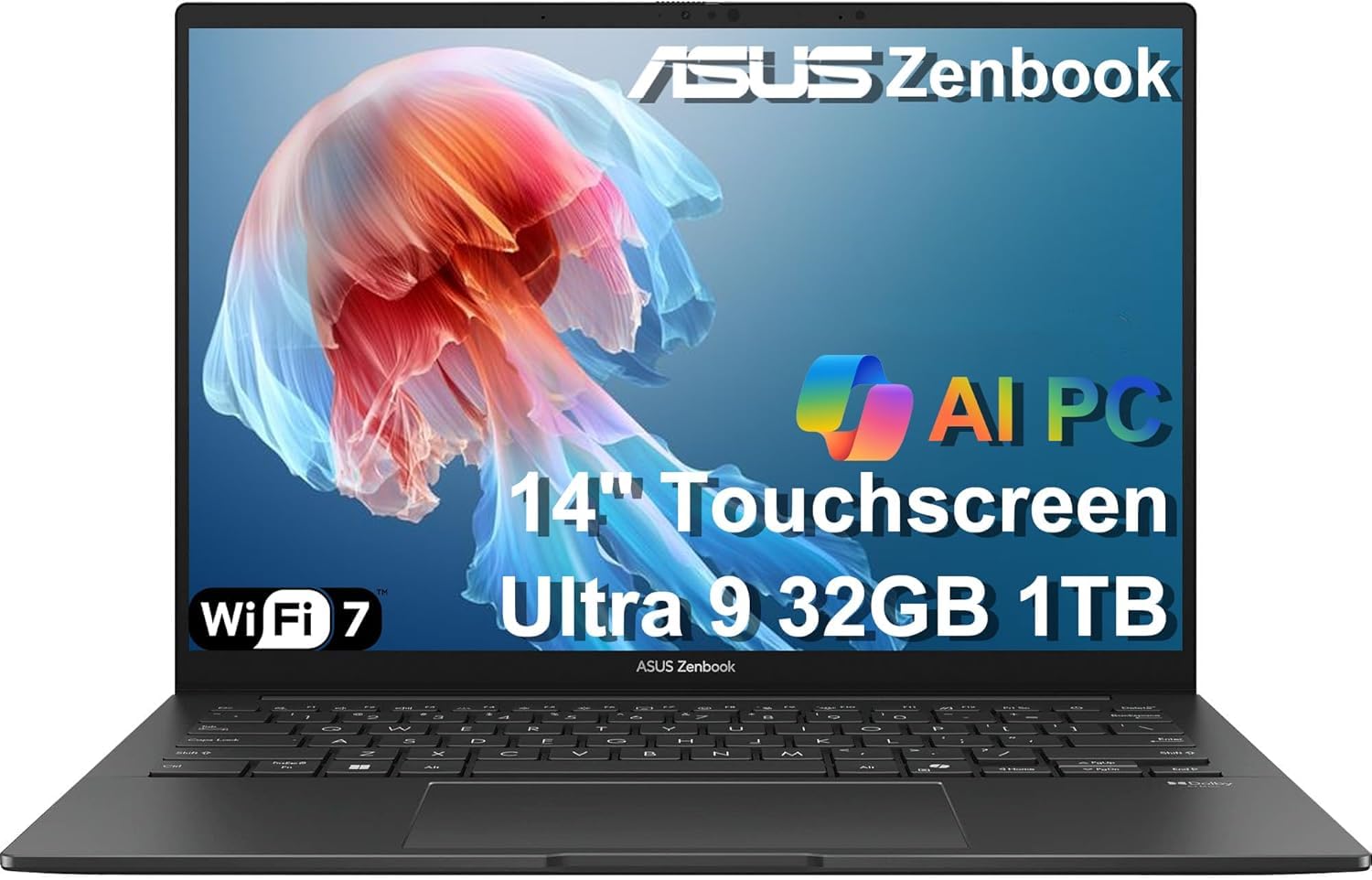
The ASUS Zenbook 14 OLED targets creative professionals who need color accuracy and long battery life. The Intel Core Ultra 9 285H (16 cores) powers through Adobe Creative Suite and video transcoding tasks, while the integrated NPU accelerates AI features like background blur and real-time captioning. The 14-inch WUXGA OLED panel covers 100% of the DCI-P3 color space and hits 500 nits peak brightness, making HDR content truly pop.
Port connectivity is generous for a 14-inch ultrabook: two Thunderbolt 4 ports, USB 3.2 Gen 1 Type-A, HDMI 2.1, and a 3.5mm audio jack. This allows connecting up to three 4K external monitors without a docking station. The 32GB of DDR5 RAM and 1TB PCIe Gen4 SSD provide plenty of headroom for large project files. The backlit keyboard has good key travel, though some users may miss a dedicated page navigation cluster.
The main compromise is the display resolution: 1920×1200 is sharp for most tasks but falls short of the 2.8K panels found on competitors. The FHD IR webcam with privacy shutter is decent but not best-in-class. Battery life is excellent, lasting a full workday and then some. If you need a reliable, portable workstation with vivid OLED visuals, this is a strong contender.
Why it’s great
- 100% DCI-P3 coverage for color-critical creative work
- Thunderbolt 4 + HDMI 2.1 supports triple 4K monitors
- 18-hour battery life is best-in-class
Good to know
- Display resolution is only 1920×1200, not 2.5K or higher
- Webcam quality is average
- Touchpad can be slightly finicky near edges
4. Apple MacBook Pro 14 M4

The Apple MacBook Pro 14 with the M4 chip redefines what a pro laptop can do in this size class. The 10-core CPU and 10-core GPU deliver exceptional single-core and multi-core performance for software development, music production, and video editing. The 14.2-inch Liquid Retina XDR display reaches up to 1600 nits peak brightness for HDR content, making it the best screen in its class for color-accurate work. The unified 24GB memory architecture allows apps like Final Cut Pro and Logic Pro to handle massive projects without swapping.
Apple Silicon’s efficiency means the MacBook Pro runs cool and quiet even under sustained load — fans rarely spin up during typical pro workflows. The build quality is exemplary, with a precision-milled aluminum chassis that feels incredibly solid.
The trade-offs are specific to Apple’s ecosystem: you can’t run Windows natively without a Parallels license, and the touchscreen is absent (MacOS does not support touch input). The webcam is excellent and the six-speaker sound system with force-canceling woofers is unmatched. For creative professionals who work within macOS, this is the ultimate 14-inch machine.
Why it’s great
- M4 chip offers industry-leading performance per watt
- Liquid Retina XDR display with up to 1600 nits peak HDR brightness
- Runs cool and silent under heavy workloads
Good to know
- macOS does not support touchscreen input
- Higher entry cost compared to Windows alternatives
- Limited native port selection without a dongle
5. Lenovo Yoga 7i 2-in-1
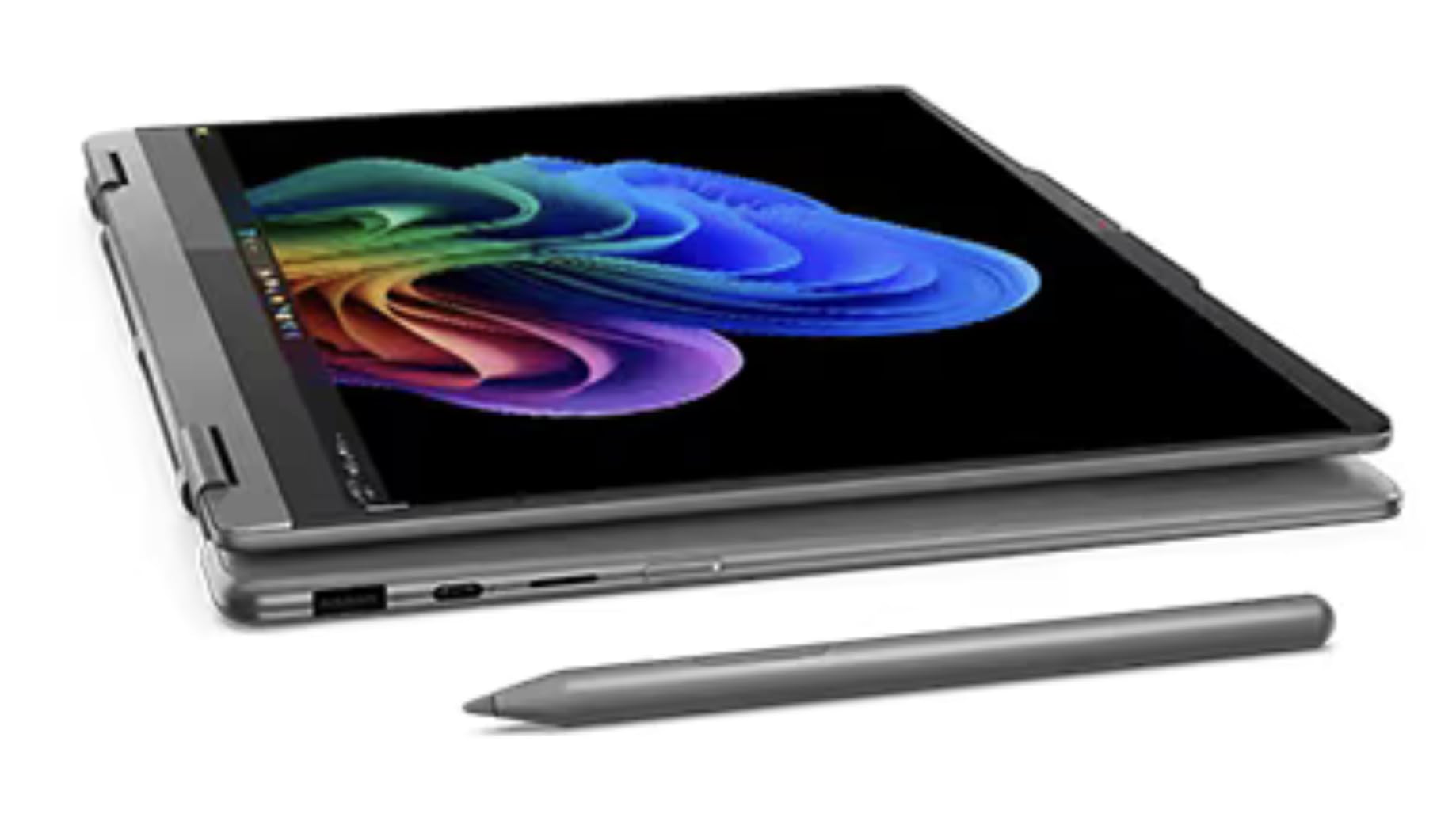
The Lenovo Yoga 7i 2-in-1 is the best convertible in this roundup, offering a premium OLED touchscreen with active pen support in a versatile 360-degree hinge design. The Intel Core Ultra 5 226V processor provides efficient performance for note-taking in tablet mode, document editing in tent mode, and media consumption in stand mode. The WUXGA OLED panel delivers HDR 500 True Black certification, meaning blacks are truly black and colors are vibrant. The included Yoga Pen supports 4,096 levels of pressure sensitivity, making it suitable for digital artists and students who take handwritten notes.
The chassis is impressively thin at 0.61 inches and weighs 3.04 lbs, making it portable enough for daily carry. The fingerprint reader and 5MP IR camera with privacy shutter provide secure login. Build quality is excellent, with the 360-degree hinge feeling sturdy after repeated use. Wi-Fi 7 and Bluetooth 5.4 ensure fast wireless connectivity for cloud sync and peripheral pairing.
Battery life is a concern: the 3-hour rating in the specs likely refers to heavy use, and real-world mixed usage may yield 6-8 hours. The speakers are thin and lack bass, which is disappointing for a media-focused convertible. The keyboard requires more force than average, which may cause fatigue during long typing sessions. For users who need a true 2-in-1 with a great OLED display and pen input, this is the top choice.
Why it’s great
- OLED display with HDR 500 True Black and 100% DCI-P3
- Includes active stylus with 4,096 pressure levels
- Versatile 360-degree hinge for four usage modes
Good to know
- Real-world battery life may be below average
- Speakers lack bass and clarity
- Keyboard has higher actuation force than ideal
6. Dell Inspiron 14 7440 2-in-1
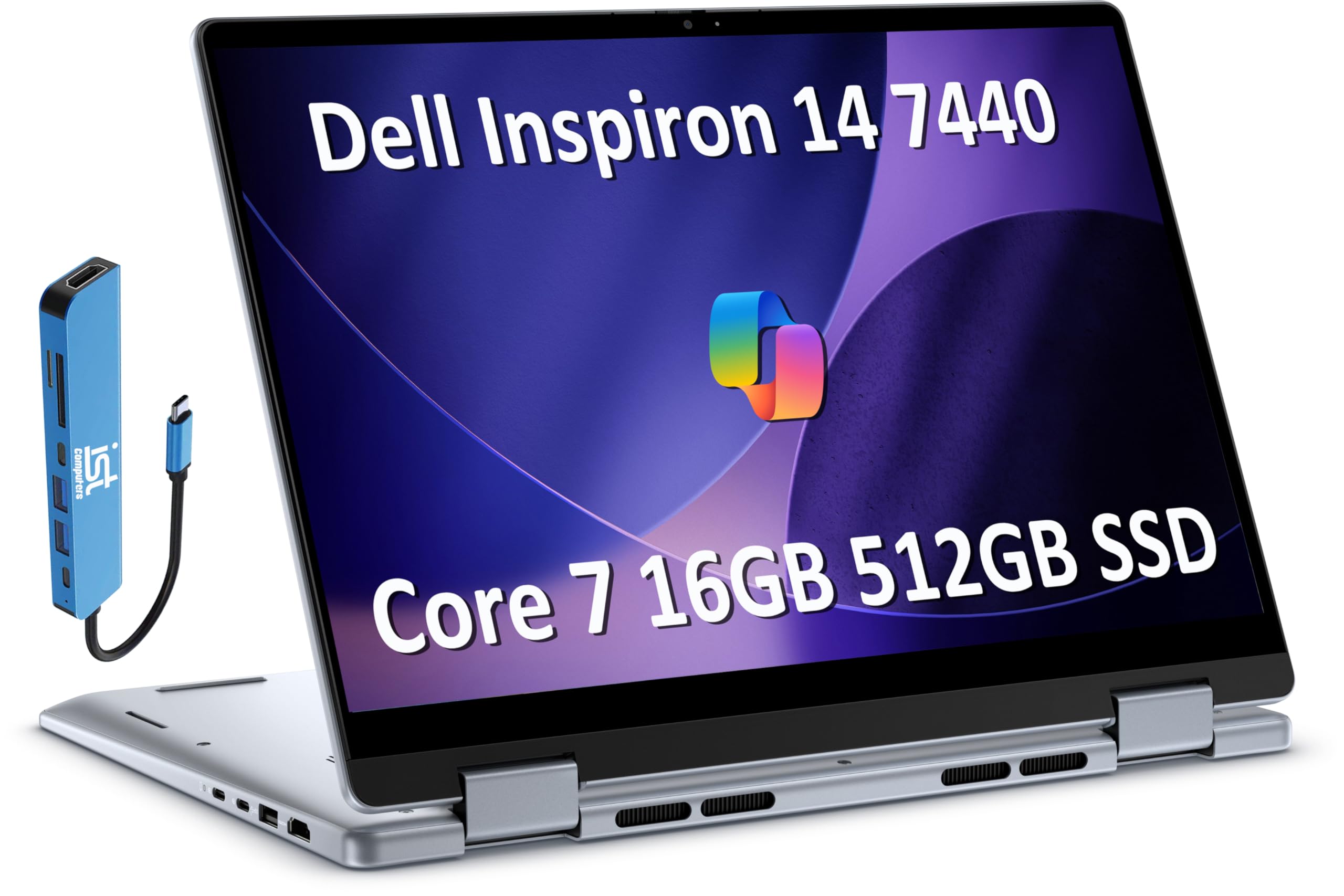
The Dell Inspiron 14 7440 2-in-1 is a business-focused convertible that balances performance and security features. Powered by an Intel Core 7 150U processor (10 cores, up to 5.4 GHz), it handles office suites, web conferencing, and light content creation without issue. The 16GB RAM ensures smooth multitasking across multiple apps. The 14-inch FHD+ touchscreen with ComfortView technology reduces blue light emission for extended work sessions. The included 7-in-1 USB-C hub adds HDMI, Ethernet, and SD card expansion.
The 360-degree hinge supports laptop, tent, stand, and tablet modes, making it flexible for presentations and casual use. The backlit keyboard is comfortable for typing, and the fingerprint reader integrated into the power button provides fast, secure login. Battery life is rated at up to 10.2 hours with Express Charge reaching 80% in one hour. The FHD webcam with temporal noise reduction delivers clear video calls.
Some users have reported receiving units with cosmetic damage or missing accessories, suggesting quality control issues with third-party sellers. The display resolution is standard 1920×1200 rather than a higher-resolution OLED panel. Active pen support is available but not included with the base configuration. For business users who need a secure, versatile convertible, this is a solid mid-range option.
Why it’s great
- Fingerprint reader and IR camera for secure login
- Express Charge reaches 80% in one hour
- 7-in-1 USB-C hub included for expanded connectivity
Good to know
- Quality control varies by seller
- Display is FHD+ rather than higher-resolution OLED
- Active pen not included in base package
7. HP OmniBook 5 Flip

The HP OmniBook 5 Flip offers a compelling entry point into the 2-in-1 touchscreen space with its 14-inch 2K WUXGA display and included capacitive stylus. The Intel Core 5 120U processor (2 P-cores, 8 E-cores) handles everyday tasks like browsing, email, and document editing with ease. The 8GB of DDR5 RAM is sufficient for light multitasking, though power users may find it limiting. The 512GB SSD provides fast boot times and adequate storage for files and apps.
The 360-degree hinge feels smooth and allows for tablet and tent modes, making it useful for sketching and note-taking with the included stylus. The HP 5MP IR camera with HDR switch delivers better-than-average video call quality. Wi-Fi 6E and Bluetooth 5.3 ensure fast connectivity. The aluminum alloy stylus is lightweight and requires no charging or Bluetooth pairing.
The main limitation is the RAM: 8GB cannot be upgraded, so future-proofing is limited. Some units have shipped without the advertised stylus, requiring a return. The display resolution is sharp but not OLED-level, so contrast is standard IPS quality. For students or casual users on a budget who need a dedicated stylus for annotation, this is a good value option.
Why it’s great
- Includes a capacitive stylus for note-taking and sketching
- 2K resolution provides sharp text and images
- Wi-Fi 6E and Bluetooth 5.3 for fast wireless connectivity
Good to know
- 8GB RAM is not upgradeable
- Some units missing the advertised stylus accessory
- Standard IPS display lacks OLED contrast
8. Lenovo IdeaPad 5 Flex

The Lenovo IdeaPad 5 Flex delivers the essentials of a 2-in-1 touchscreen laptop at a budget-conscious price. The Intel Core Ultra 5 225U processor (12 cores, up to 4.8 GHz) provides snappy performance for everyday tasks such as web browsing, word processing, and video streaming. The 8GB of LPDDR5x RAM is sufficient for light multitasking, and the 512GB PCIe Gen4 SSD ensures quick boot times and app launches. Windows 11 Pro comes pre-installed, which is a bonus for business users.
The 14-inch touchscreen is responsive and works well with Windows gestures and the convertible form factor. The battery life is decent for a budget device, though some users report it may not last beyond 2.5 hours under heavy load. The build quality is surprisingly good for the price point, with a sturdy hinge and lightweight design.
This model lacks a backlit keyboard and an SD card reader, which may be dealbreakers for some users. The display resolution is 1920×1200, which is adequate but not as sharp as higher-end panels. For budget-conscious buyers who need a touchscreen convertible for basic productivity, this is a reliable choice.
Why it’s great
- Intel Ultra 5 processor offers great performance for the price
- Windows 11 Pro included for business features
- Responsive touchscreen in a convertible form factor
Good to know
- No backlit keyboard or SD card reader
- Battery life can be short under heavy load
- Display resolution is standard FHD+
9. ASUS Vivobook 14 X1407QA

The ASUS Vivobook 14 X1407QA is the first mainstream laptop in this roundup to leverage the Qualcomm Snapdragon X platform, delivering class-leading battery life and always-on connectivity. The 8-core Snapdragon X SE processor with a 45 TOPS NPU accelerates AI tasks like live captions, background blur, and real-time translation. The 16GB of RAM and 512GB PCIe Gen4 SSD provide smooth performance for office productivity, web browsing, and streaming. The 14-inch WUXGA display (1920×1200) with 300 nits brightness is adequate for indoor use.
The standout feature is the advertised 19-hour battery life — in real-world testing, the Vivobook consistently lasts multiple full workdays on a single charge. The fanless design means it runs completely silent. The chassis is lightweight and reasonably durable, making it an excellent travel companion. Copilot+ integration brings on-device AI features that enhance productivity without cloud dependency.
Compatibility is the main concern: some x86-native applications may not run optimally on the ARM-based Snapdragon X chip, though most major productivity suites have native support. The display is not touch-enabled — this model relies on the precision touchpad and keyboard for input. For users who prioritize battery life and AI features over touchscreen input, this is a forward-looking option.
Why it’s great
- Snapdragon X with 45 TOPS NPU for on-device AI
- Exceptional 19-hour battery life for all-day use
- Silent fanless operation
Good to know
- This model does not have a touchscreen
- ARM-based chip may have x86 app compatibility issues
- Display brightness is only 300 nits
10. Acer Chromebook Enterprise Spin 514

The Acer Chromebook Enterprise Spin 514 is a business-oriented convertible Chromebook that prioritizes manageability and security. Powered by an AMD Ryzen 5 3500C processor and AMD Radeon Graphics, it provides smooth performance for web-based applications, Google Workspace, and Android apps. The 14-inch Full HD IPS touch display delivers good color accuracy and wide viewing angles. The Chrome Enterprise Upgrade license includes streamlined device management for IT departments.
The 360-degree hinge allows for tablet, tent, and stand modes, making it flexible for presentations and casual use. The backlit keyboard is comfortable for typing, and the battery life reaches up to 10 hours. Connectivity includes two USB-C 3.2 Gen 1 ports with DisplayPort and charging support, plus HDMI and USB-A. Chrome OS boots quickly and receives automatic updates, reducing IT overhead.
The main drawback is that Chrome OS cannot run Windows-specific applications, limiting its use for some professional software. The 8GB of RAM and 128GB SSD are adequate for cloud-based work but may feel cramped for users who need offline storage. Some units have been reported with defects out of the box. For organizations already invested in the Google ecosystem, this is a solid, cost-effective choice.
Why it’s great
- Chrome Enterprise Upgrade for easy IT management
- AMD Ryzen 5 provides snappy performance for web apps
- 10-hour battery life with USB-C fast charging
Good to know
- Chrome OS cannot run Windows apps
- 128GB SSD may be limiting for offline storage
- Quality control issues reported by some users
11. HP 17-Inch Touchscreen Laptop
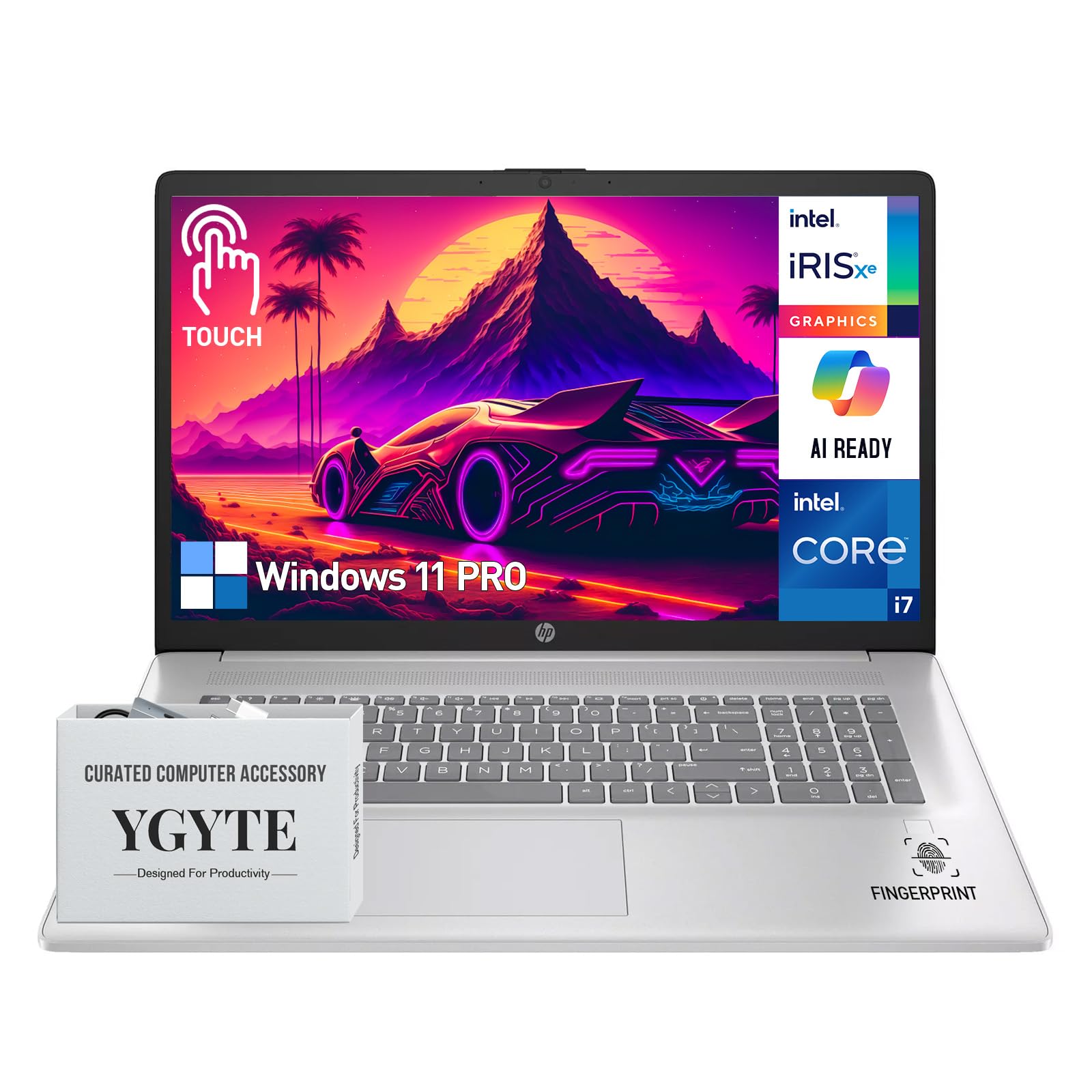
The HP 17-Inch Touchscreen Laptop is an outlier in this roundup due to its larger 17.3-inch screen, but it earns a spot for users who need maximum screen real estate with touch input. The Intel Core i7-1355U processor (10 cores, up to 5.0 GHz) handles demanding workloads like data analysis, software development, and video conferencing. The massive 64GB of DDR4 RAM allows for running dozens of browser tabs and heavy applications simultaneously without slowdown. The 2TB PCIe SSD provides enormous storage for large files, media libraries, and backups.
The 17.3-inch HD+ (1600×900) BrightView touchscreen is spacious but let down by its low resolution — text and images are not as sharp as on higher-resolution 14-inch panels. The backlit keyboard includes a numeric keypad, which is useful for data entry. The fingerprint reader and HP Wide Vision 720p HD camera with noise-reducing mics support secure, professional-quality video calls. Bang & Olufsen dual speakers deliver better audio than most business laptops.
The primary compromise is portability: at 17.3 inches, this is not a laptop you’ll want to carry daily. The display resolution is a major downgrade from even mid-range 14-inch laptops, making it less suitable for design work. Some users report hardware failures out of the box, and restocking fees can apply for returns. For users who prioritize RAM and storage over resolution and portability, this is a niche but powerful option.
Why it’s great
- 64GB RAM and 2TB SSD handle extreme multitasking
- Numeric keypad for data entry
- Bang & Olufsen speakers for improved audio
Good to know
- 17.3-inch screen is not portable
- Display resolution is only 1600×900
- Higher risk of return restocking fees
FAQ
Is a 2.8K OLED display worth the extra cost on a 14-inch laptop?
Can I use a stylus on any 14-inch touchscreen laptop?
How does a 360-degree hinge affect laptop durability?
What is the difference between Copilot+ and standard AI features on a 14-inch laptop?
Final Thoughts: The Verdict
For most users, the best 14 inch touchscreen laptop winner is the Dell 14 Plus DB14250 because it combines a sharp 2.5K display, powerful Intel Ultra 7 processor, and 32GB of RAM in a durable, travel-friendly chassis. If you want a stunning OLED display with the best price-to-performance ratio, grab the GEEKOM GeekBook X14 Pro. And for creative professionals who need color-accurate OLED with active pen support, nothing beats the Lenovo Yoga 7i 2-in-1.