
Our readers keep the lights on and my morning glass full of iced black tea. As an Amazon Associate, I earn from qualifying purchases.
Specs are compiled from manufacturer listings and verified buyer reviews and can change over time — please confirm the key details on the product page before buying.
If your 16-inch laptop drains while plugged in, the adapter is the problem, not the laptop. The 140W chargers worth buying share three things: a real PD 3.1 rating, at least one port that holds the full 140W on its own, and a size you’ll actually carry. Below are nine verified options, ranked by how they hold up in daily use. One note before the reviews: this list uses flexible matching for the 140W output class, so not every pick matches the exact number you searched — the nearest same-type wattage serves the same purpose, and each pick states what it actually delivers.
I’m Min — the founder and writer behind Gadgets Feed. This guide is built by comparing the manufacturers’ published specifications and the patterns across verified customer reviews, so you get each pick’s real strengths and trade-offs instead of marketing spin.
Some picks are single-port wall adapters and others are multi-port GaN stations, which changes how much of that 140W survives when you plug in a second device. That single detail decides most of this list, and it is the fastest way to tell 140w usb-c power adapter options apart before you buy one.
Our Picks at a Glance


How To Choose The Best 140W USB-C Power Adapter
Four numbers decide whether a 140W adapter does its job for you. Get those right and the rest of the listing matters little.
Single-Port Wattage Beats Total Wattage
A charger can advertise 140W total and still cap one port well below that. What matters is the single-port figure — how much power one USB-C port hands to one laptop. On the NOCO X140 that figure reads 140W/0W, 100W/30W or 65W/65W depending on how the split lands. Read the split table before you believe the headline.
PD 3.1 and a Matching Cable
PD 3.1 is the newer USB-C power standard that lets a single cable carry 140W. Both ends must agree: the charger, the cable, and the laptop. A 100W cable in a 140W charger gives you 100W, no error message. The CUKTECH 15 ships a 240W-rated cable, which removes that guesswork.
GaN Keeps the Brick Small
GaN (gallium nitride) is a semiconductor material that wastes less heat than silicon, so the same power fits a smaller case. That is why Baseus states its 140W GaN block is 35% smaller than Apple’s own adapter.
Port Count vs. Travel Size
Four ports charge a laptop, phone, tablet and earbuds from one outlet. The cost is size and a lower ceiling per device while everything is plugged in. If you travel with one laptop and one phone, two ports and a foldable plug will serve you better than a four-port slab.
Quick Comparison
| Model | Best For | Single-Port Max | Ports | Weight | Amazon |
|---|---|---|---|---|---|
| Apple 140W USB-C Power Adapter★ Best Overall | MacBook owners who want it simple | 140W | 1 USB-C | 8 oz | Amazon |
| EF ECOFLOW Rapid Pro 146WMost Versatile | Carrying one brick for four devices | 140W | 4 (3 USB-C + 1 USB-A) | — | Amazon |
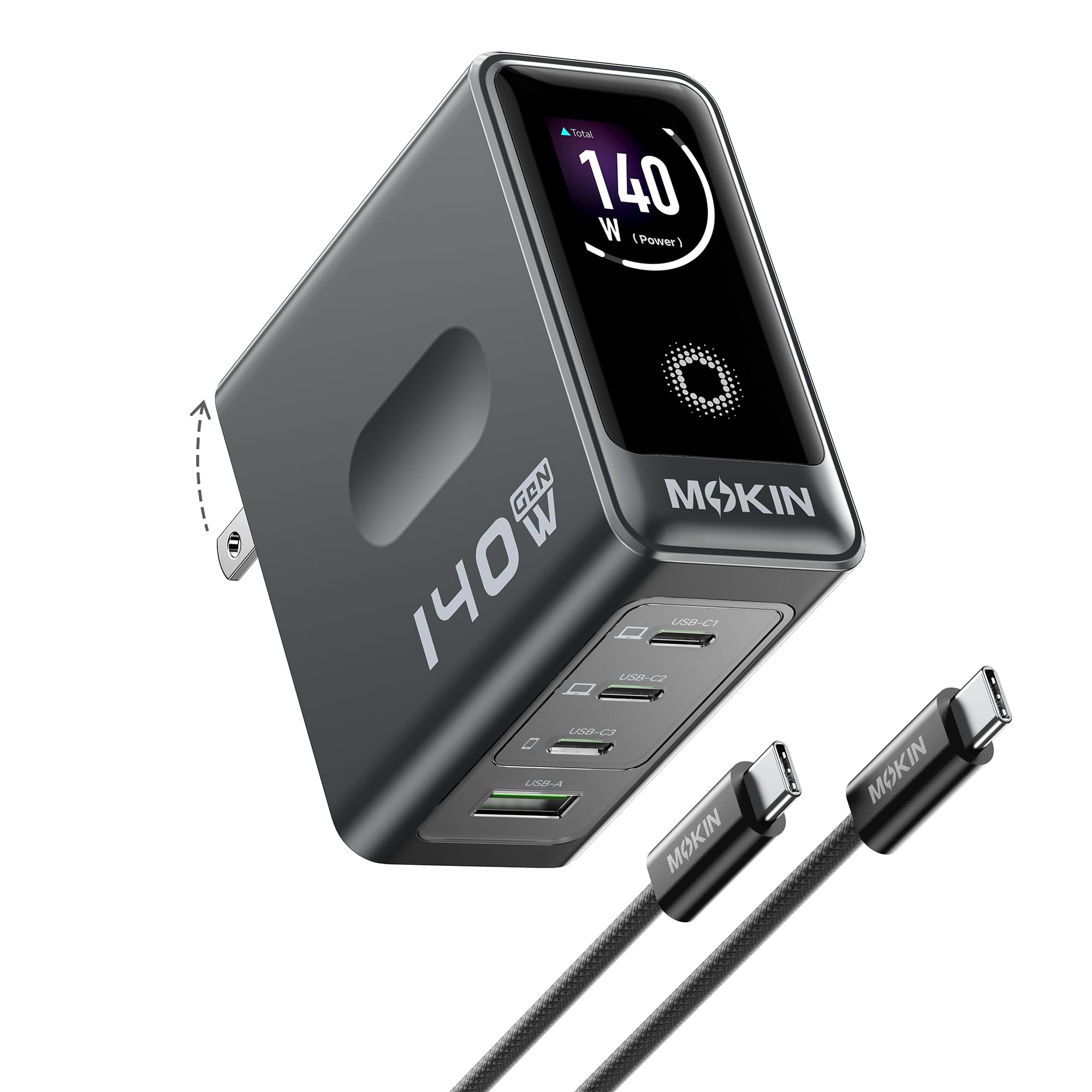
| MOKiN 140W USB C ChargerBest Display | Watching wattage on a built-in screen | 140W | 4 (3 USB-C + 1 USB-A) | 287 g | Amazon |
| MINIX 165W USB C Charger | International travel with pin adapters | 140W | 4 (3 USB-C + 1 USB-A) | — | Amazon |
| CUKTECH 15 140W USB C Charger | Packing the lightest full-power block | 140W | 4 (multiport) | 11.68 oz | Amazon |
| Baseus PD3.1 140W | Two laptops at once | 140W | 4 (3 USB-C + 1 USB-A) | — | Amazon |
| MFish 140W USB C Charger Block | Desk setups that need four ports | 140W | 4 (3 USB-C + 1 USB-A) | 10.89 oz | Amazon |
| SHARGE 140W 3-Port GaN | Smallest possible travel footprint | 140W | 3 USB-C | — | Amazon |
| NOCO XGrid X140 | Flexible two-device power splits | 140W | 2 USB-C | — | Amazon |
In‑Depth Reviews
1. Apple 140W USB-C Power Adapter
Our pick — 4.5+★ from 350+ verified ratings; the strongest balance of quality and price.
One port, 140W, zero decisions — the adapter Apple built for its own 16-inch laptop.
Apple’s spec sheet promises 0 to 50 percent charge in around 30 minutes when you pair this with a 16-inch MacBook Pro and a USB-C to MagSafe 3 cable. That is the whole pitch, and it suits anyone who resents fiddling. You plug in, the laptop charges at full rate, and nothing needs negotiating.
At 8 ounces it is a genuinely pocketable block, and the single USB-C port removes the mental arithmetic that multi-port chargers force on you. Buyers consistently say the thing just works straight from the start, and the fast-charging reports are the strongest theme across the reviews — the cord is not included, though, so budget for a MagSafe 3 cable if you do not already own one.
The honest catch sits with longevity and heat. Some units have failed within a year, and opinions on whether the price is justified split down the middle. If you baby your gear this is a quiet, dependable brick; if you expect a decade of service, the mixed durability record is worth knowing.
What earns its price
- Full 140W to a 16-inch MacBook Pro on one port, no sharing
- 0 to 50 percent in around 30 minutes with the right cable
- 8 ounces, one port, nothing to configure
What you should know
- Cable sold separately
- Only one device at a time
- Durability reports are genuinely mixed
Worth it for: MacBook Pro owners who charge one machine and want Apple’s own handshake every time.
Think twice if: you carry a phone, tablet and laptop and need all three topped up from one wall socket.
2. EF ECOFLOW Rapid Pro Charger 146W
Four ports in a pocket-sized block, and a cable already in the box.
EcoFlow rates this at 146W total with a 140W single-port ceiling that the company says holds without derating — meaning the laptop keeps pulling full speed on a long charge instead of throttling back partway. The four-way split reads 65W + 45W + 18W + 18W, enough for two laptops plus a phone and earbuds from one outlet.
What buyers notice first is raw performance rather than features. The charger draws the same kind of praise normally reserved for Anker blocks, and “works as expected” is the recurring theme rather than any workaround. The foldable plug is rated for 5,000+ plug cycles, and a 3.3 ft 100W USB-C to USB-C cable ships in the box.
Where it gives ground is port count versus physics. Four devices on a 146W budget means no single port sees the headline number while others are busy. Charge one laptop at a time and you get the full 140W; charge four and the 146W splits across them.
The safety angle: EcoFlow’s flame-retardant build claims to extinguish fire within 10 seconds with no reigniting, plus real-time temperature monitoring for overnight desk charging.
Reach for this if: your bag needs one charger for a laptop, a second laptop, a phone and a pair of earbuds, and you want the cable included.
Look elsewhere if: you only ever charge one machine and would rather have the smallest possible block.
3. MOKiN 140W USB C Charger
A charger that shows you the wattage instead of asking you to trust a sticker.
The built-in color screen is the whole reason to consider this one. It reads voltage, current and power output per port, plus charger temperature, so you can watch a laptop pull its full share in real time. Three USB-C ports and one USB-A cover a laptop, tablet, phone and headphones at once, and a 140W-rated USB-C to USB-C cable is in the box.
Owners describe this as a substantial, well-built brick — the 287 g weight backs that up — and reliability is what the reviews keep coming back to, with MacBook Pro owners reporting it handles their machine without fuss. GaN construction and built-in temperature monitoring keep an eye on conditions while you charge.
Two honest notes. The wattage readout draws mixed feelings: some find the per-port figure handy, others find it does not always match what they expect. Heat is similarly a split topic — it runs warm under heavy multi-device load, which is normal for a compact 140W brick but worth knowing if it will sit on a wooden desk.
Who the screen is for: anyone who has ever wondered whether a long cable or a cheap hub was capping their charge speed. This answers that question visually, port by port.
The trade: a 287 g wall-mount block is desk furniture, not something you toss in a jacket pocket.
Pick this one when: you want visible proof of what each port is delivering and charge four devices from one outlet.
Skip it when: you travel light and would trade the screen for a smaller, lighter block.
4. MINIX 165W USB C Charger

The highest total output here — 165W — with pins for three continents in the box.
This is the only pick that tops the 140W class outright: 165W total versus Apple’s 140W. The USB-C1 port carries the full 140W to a 16-inch MacBook Pro, filling it to 50 percent in about 30 minutes and to full in roughly 1.3 hours, per MINIX. Three USB-C ports and one USB-A round it out, with dynamic power sharing that reallocates as devices come and go.
The travel kit is what separates it. MINIX includes US, UK and EU pin converters plus a small bag, and owners treat it as an essential travel item — one even reports it functioning on cruise ships, where outlet types vary wildly. Foldable plug design gets called out for the same reason: it disappears into a bag rather than snagging on everything.
MINIX is upfront about a limit most listings bury: full 140W needs both a PD 3.1-compliant cable and a device that accepts 140W. Pair it with a 100W cable and you will never see the headline number. Durability also draws the most critical comments in the block, so treat the foldable plug gently.
Why travelers pick it
- 165W total, the highest ceiling on this list
- US, UK and EU pin converters included
- 50 percent in about 30 minutes, full in roughly 1.3 hours
- Four ports with dynamic power sharing
The fine print
- Needs a PD 3.1 cable to hit 140W
- Durability comments are the most critical in its reviews
- Heat comes up as a mixed point under load
The traveler’s pick: frequent flyers with a 16-inch laptop and a need for plug adapters already sorted.
The desk buyer’s pass: if the charger never leaves your house, those pin converters buy you nothing.
5. CUKTECH 15 140W USB C Charger

Full 140W, a 240W cable in the box, and the smallest body of the four-port set.
CUKTECH claims this block is 20 percent smaller than Apple’s 140W charger, and at 11.8 oz it is the lightest four-port unit here. It charges a MacBook Pro 16 M3 Pro to about 55 percent in 30 minutes, and it ships with a 4.9 ft, 240W-rated USB-C cable — headroom well past the 140W this charger delivers, so the cable is never the bottleneck.
The CUKTECH-ADC2.0 system monitors temperature and shifts power based on each device’s battery status, and the protocol list covers PD, PPS, QC, FCP and SCP — which matters if you split time between an iPhone, a Galaxy and a Steam Deck. Owners rate the build quality above everything else, and the compact footprint recurs as a pleasant surprise.
An honest reading of the ratios: 55 percent in 30 minutes is a shade behind the SHARGE below, which claims 50 percent in 25 minutes on the same class of laptop. Not a deal-breaker, but if raw speed is your measure, it is a real gap. The four-way split also means no port sees 140W while others are drawing.
Cable math worth knowing: a 240W cable on a 140W charger means you can reuse it later with a more powerful block, and it will not be the reason your laptop charges slowly today.
Best for: the buyer who wants four ports, a fast cable included, and the least weight in a laptop bag.
Not for: anyone chasing the absolute quickest 0-to-50 percent, where the SHARGE edges it.
6. Baseus PD3.1 140W USB C Charger
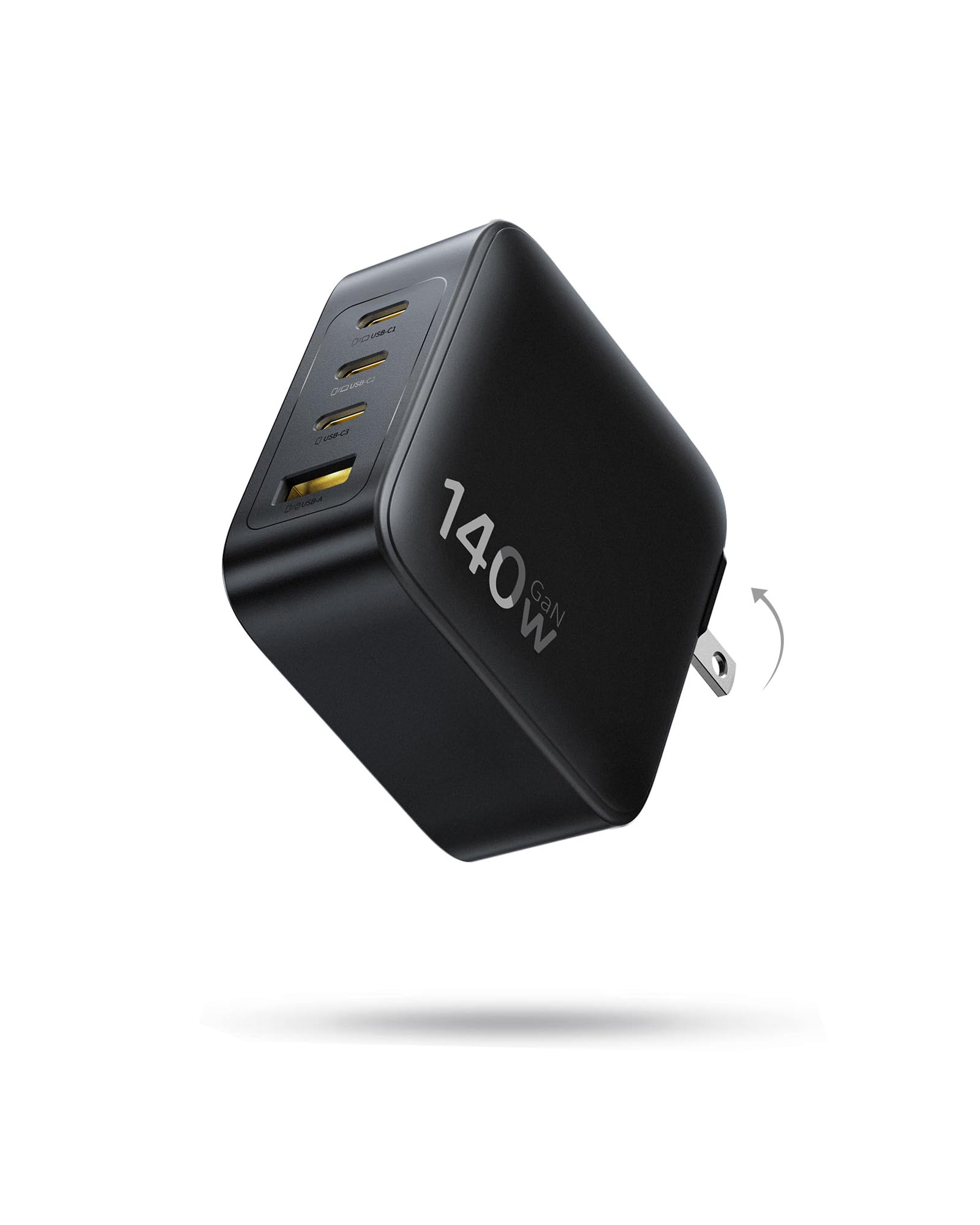
Two USB-C ports that each hit 140W alone — enough to fast-charge two MacBooks at 70W apiece.
That dual-port arrangement is rare at this wattage and it is the reason this charger earns its slot. Use either of the two USB-C ports on its own and it delivers up to 140W, taking a MacBook from 0 to 100 percent in 97 minutes. Run both and each drops to 70W, so two laptops recharge side by side. Add the third USB-C and the USB-A and you can feed four devices at once.
Baseus states the body is roughly 35 percent smaller than Apple’s 140W adapter, with foldable prongs that keep it from scratching what’s in your bag. GaN internals are quoted at up to a 90 percent conversion rate with temperature checks happening continuously. Reliability carries real weight in the reviews — the theme is that it charges everything you throw at it, and one owner uses it to power a 230W gaming laptop on balanced mode.
Heat is the split topic. Some run it hard without complaint, others find it warmer than they’d like during multi-device sessions — normal for a compact GaN block pushing this much power, but worth a ventilated spot on your desk.
The two-laptop case: if you and a partner both work from the same spot, this is one plug instead of two wall warts fighting for outlets.
Made for: households with two laptops, or anyone who wants a single wall brick covering laptop, phone, tablet and headphones.
Not needed if: a single-port adapter already covers your one device and you prefer the smallest possible footprint.
7. MFish 140W USB C Charger Block

A four-port workhorse that fits a desk drawer and adjusts power on its own.
MFish builds this around PD 3.1 and a smart distribution system that rebalances automatically as you plug things in, so a laptop, iPhone, iPad and Galaxy can share the block without you swapping cables. Three USB-C ports and one USB-A cover that spread, and the 10.89 oz body with a foldable plug slides into a travel case without drama.
Protection is a real part of the pitch here rather than a footnote: temperature control plus over-current, over-voltage and short-circuit safeguards, with an 18-month warranty behind it. What owners respond to most is the construction — the phrase “well-built” runs throughout — followed by relief at not needing a separate charger per device.
Where it cedes ground: the four-port split means shared wattage, so no single device sees the full 140W while others are drawing. If you want a laptop charging at maximum while your phone tops up, expect a compromise.
Why it lands on desks
- Automatic power rebalancing across four devices
- Over-current, over-voltage and short-circuit protection
- Foldable plug and 10.89 oz body
- 18-month warranty
Where it asks you to compromise
- Shared output means less per device when all ports are busy
- No display to show what each port is delivering
Settle here if: you want one block on the desk feeding your whole device family with automatic power juggling.
Keep looking if: you want to see live per-port wattage on a screen.
8. SHARGE 140W 3-Port GaN Laptop Charger
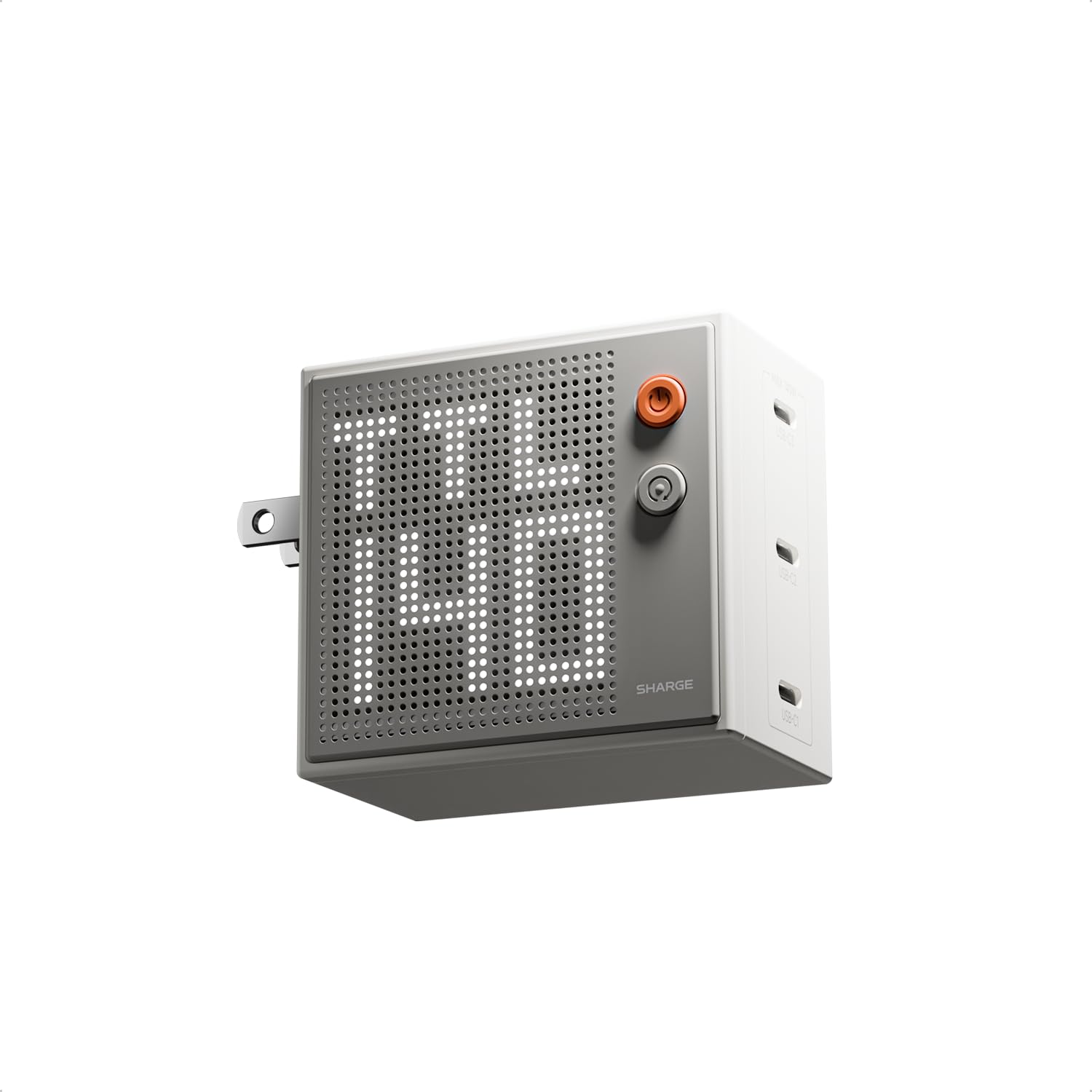
The fastest 0-to-50 percent here, and the smallest body to carry it in.
SHARGE quotes 0 to 50 percent on a 16-inch MacBook Pro in a mere 25 minutes via PD 3.1 — the quickest claim on this list, ahead of CUKTECH’s 55 percent in 30 minutes. All three USB-C ports deliver up to 140W when used singly, and the company says the body is 47 percent smaller than the original 140W MacBook Pro charger. That is the smallest ratio quoted by any pick here.
The dot-matrix screen is the other draw. It shows real-time wattage per port, and you can adjust both brightness and orientation — landscape on a desk, portrait in a bag. Owners like the appearance, the small footprint, and the fact it stays cool in use; one uses it to charge a tablet and two phones together.
Two things to weigh. No cable is included, which stings given the price tier. And overheating draws mixed comments — not a universal problem, but enough that airflow matters. If it lives on a soft surface, give it room.
The size argument: 47 percent smaller than Apple’s original adapter is a difference you feel in a jacket pocket, not just on a spec sheet.
The speed argument: 25 minutes to half charge is the number to beat if you sprint between meetings and outlets.
Go here when: travel size and recharge speed both rank above port count and included accessories.
Pass if: you need a USB-A port or expect a cable in the box.
9. NOCO XGrid X140 140W USB-C GaN Wall Charger
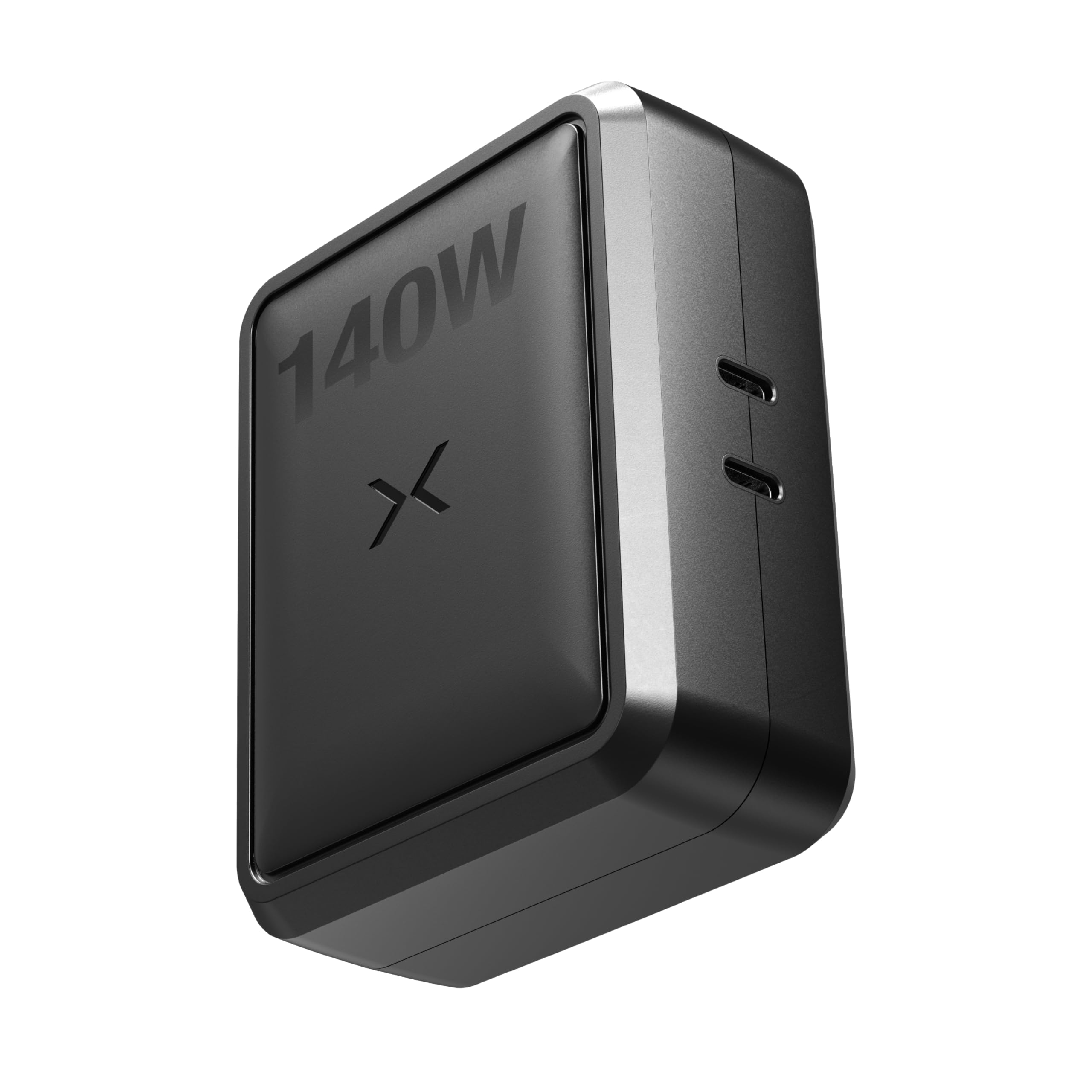
Two ports, five split options, and a UL rating behind the safety claims.
NOCO publishes the split table most brands hide, and it is the most useful spec on this pick: 140W/0W, 100W/30W, 65W/65W, 30W/100W, or 0W/140W across two ports. That means you can route power deliberately — full tilt to a laptop, or an even 65W each to two machines. The charger handles PD 3.1, QC 5.0, PPS, Apple 2.4A and Samsung AFC, so the protocol handshake is rarely the problem.
The safety credentials are spelled out rather than implied: UL-certified with real-time monitoring against overcharging, overheating and power surges. GaN internals keep the foldable body compact enough for a kitchen outlet as easily as a desk.
What it gives up is port count — two USB-C and no USB-A, so older accessories need an adapter. The reviews are thinner than the multi-port picks, which simply means less owner history to lean on. Charging speed and reliability are the themes that do appear, including a laptop going from 55 to 100 percent on a top-up.
The split-table advantage: knowing you can force 100W/30W or 65W/65W takes the guesswork out of charging a laptop and a tablet together.
Reach for this if: you want a deliberate two-device split with a UL certification behind it.
Look elsewhere if: your kit includes USB-A accessories or you need four ports on one block.
Understanding the Specs
Single-Port vs. Total Wattage
A charger’s total wattage is the ceiling shared across all ports; the single-port figure is what one laptop actually receives. A 146W block feeding four devices hands out 65W, 45W, 18W and 18W — none of which is 140W. Always look for the phrase “single-port” and check the split table before buying.
PD 3.1 and Cable Compliance
PD 3.1 is the power standard that lets USB-C carry 140W over one cable. It only works when the charger, the cable and the device all support it. A 100W cable in a 140W charger quietly caps you at 100W. Chargers that ship a higher-rated cable, like a 240W one, remove that failure point entirely.
GaN and Heat
GaN (gallium nitride) lets a charger switch power more efficiently than silicon, so less energy becomes heat and the case can shrink. That is how a 140W charger ends up 35 or 47 percent smaller than Apple’s original. Warmth under load is normal; blocked airflow is what turns it into a problem.
Foldable Prongs and Travel Kits
Folding prongs protect the inside of a bag and save space. Pin converters for other countries go further, letting one charger cover US, UK and EU outlets. If you travel internationally with a laptop, that accessory bundle matters more than a screen or an extra port.
FAQ
Will a 140W USB-C charger charge my 16-inch MacBook Pro faster than the Apple 96W one?
Do I need a special cable to get the full 140W?
Why does my laptop charge slower when I plug in my phone too?
Is a 140W GaN charger safe to leave plugged in overnight?
Can a 140W charger power two laptops at once?
Will these chargers charge a Steam Deck or ROG Ally?
How much smaller is a GaN 140W charger than the original Apple brick?
Do these work with UK and EU outlets when I travel?
Is a 165W charger better than a 140W one for my laptop?
Should I trust a charger with a built-in display?
Final Thoughts: The Verdict
For a straight answer, the 140w usb-c power adapter to beat is the Apple 140W USB-C Power Adapter — 4.5+ stars across 300+ owners and a handshake that MacBook Pro hardware never argues with. It does one job, it does it at full 140W, and it does it without a manual. Its single port is the trade you accept for that simplicity.
If you juggle several devices, the MINIX 165W adds 165W of total headroom plus US, UK and EU pins, while the Baseus PD3.1 140W is the one to grab when two laptops need fast charging side by side. For the smallest bag footprint, the SHARGE 140W leads on both size and its 25-minute half-charge claim.
Whichever you choose, buy the cable for it — a PD 3.1-rated 140W cable is what turns the wattage on the box into speed on your laptop.
How We Picked
We do not accept paid placement. Every pick is matched to a real buyer and a real use-case; we do not hands-on test units.
Sources & Methodology
Specifications: manufacturer listings and product documentation. Review insights: verified customer reviews, as of November 2026. Pricing: not shown on this page (it changes often); check the current price via the retailer link.
As an Amazon Associate, Gadgets Feed earns from qualifying purchases. This does not affect which products we feature.