
Our readers keep the lights on and my morning glass full of iced black tea. As an Amazon Associate, I earn from qualifying purchases.
Specs are compiled from manufacturer listings and verified buyer reviews and can change over time — please confirm the key details on the product page before buying.
If you play fast competitive shooters or rich single-player titles, the jump to a 1440p 240Hz monitor is the single biggest upgrade you can make to your gaming setup. You get nearly double the pixels of 1080p for crisp detail, plus a refresh rate that makes every motion look impossibly smooth — no tearing, no blur, just pure fluid gameplay. The hard part is picking which one, because specs like OLED vs IPS, response time, and color accuracy change the experience dramatically.
I’m Min — the founder and writer behind Gadgets Feed. This guide is built by comparing the manufacturers’ published specifications and the patterns across verified customer reviews, so you get each pick’s real strengths and trade-offs instead of marketing spin.
The seven monitors here range from fast IPS value to premium OLED, each chosen because they meet the core demands of a true 1440p 240hz monitor — 2560×1440 resolution and at least a 240Hz refresh rate — so you can match one to your exact budget and gaming style.
Quick Picks
- ASUS ROG Strix 27” 1440P OLED Gaming Monitor (XG27AQDMG) — Premium Pick
- LG 27GX704A-B 27-inch Ultragear QHD OLED Gaming Monitor — Brightest OLED
- AOC Agon PRO 27″ QD-OLED Gaming Monitor (AG276QZD2) — Value QD-OLED
- INNOCN 27″ QD-OLED 2K QHD 2560 x 1440P 280Hz Gaming Monitor (2780s) — Entry QD-OLED
- Z-Edge 27 inch 1440P OLED Gaming Monitor (X27) — Budget OLED
- Alienware AW2723DF Gaming Monitor – 27-inch (2560 x 1440) 240Hz — Best IPS
- Samsung 27″ Odyssey QHD G65B Curved Gaming Monitor (240Hz) — Curved Immersion
How To Choose The Best 1440p 240Hz Monitor
Picking a 1440p 240Hz monitor is simpler when you focus on the three specs that define how the monitor looks and feels during gameplay. Panel type, response time, and adaptive sync compatibility are the decision-makers.
Panel Type: OLED vs IPS vs VA
The panel determines contrast, color, and viewing angles. OLED panels deliver perfect blacks and infinite contrast because each pixel lights itself independently — no backlight bleed, no grayish darks. IPS panels offer wide viewing angles and solid colors but give you a 1000:1 contrast ratio, so blacks look more like dark gray. VA panels sit in between with better contrast than IPS but slower response times. For 240Hz gaming, OLED or fast IPS is your best bet.
Response Time and Refresh Rate
Response time (measured in milliseconds, or ms, for “gray-to-gray” pixel color switching) controls how fast a pixel changes color. A 1ms IPS panel is very fast, and a 0.03ms OLED is 0.03ms versus 1ms — so motion blur and ghosting are virtually eliminated. Refresh rate (240Hz means the screen redraws 240 times per second) works alongside response time. Together they determine how smooth and clear fast motion looks. A high refresh rate without a low response time still leaves smearing.
Adaptive Sync: G-Sync and FreeSync
Adaptive sync technology (either NVIDIA G-Sync or AMD FreeSync) makes the monitor’s refresh rate match your graphics card’s frame rate in real time. This prevents screen tearing (a horizontal split in the image) and stuttering (jerky motion). Most modern monitors support both standards, but check your GPU brand — NVIDIA works best with G-Sync Compatible, and AMD with FreeSync Premium or FreeSync Premium Pro.
Quick Comparison
On smaller screens, swipe sideways to see the full table.
| Model | Best For | Panel Type | Response Time | Contrast Ratio | Amazon |
|---|---|---|---|---|---|
| ASUS ROG Strix XG27AQDMG | Premium OLED + burn-in protection | WOLED (Glossy) | 0.03ms | High | $599.00Amazon |
| LG 27GX704A-B | Glossy OLED brightness | Glossy OLED | 0.03ms | 1,500,000:1 | from $549.66Amazon |
| AOC Agon PRO AG276QZD2 | QD-OLED value with G-Sync | QD-OLED | 0.03ms | 1,500,000:1 | $499.99Amazon |
| INNOCN 2780s | Entry-level QD-OLED | QD-OLED | 0.03ms | 1,500,000:1 | $399.99$549.99PrimeAmazon |
| Z-Edge X27 | Budget OLED introduction | OLED | 0.03ms | 1,500,000:1 | $379.99$429.99Amazon |
| Alienware AW2723DF | Best IPS for FPS gamers | Fast IPS (Nano Color) | 1ms | 1,000:1 | $372.00Amazon |
| Samsung Odyssey G65B | Curved rich gaming | VA (1000R Curve) | 1ms | 2,500:1 | $395.00$699.99Amazon |
In‑Depth Reviews
1. ASUS ROG Strix 27” 1440P OLED Gaming Monitor (XG27AQDMG)

A 0.03ms response time means motion is virtually unseen — the ASUS ROG Strix XG27AQDMG has a third-generation WOLED (White OLED) panel with a glossy finish that makes blacks truly infinite and colors vivid. It also comes with a three-year burn-in warranty, which is rare for an OLED.
The ASUS ROG Strix XG27AQDMG uses a third-generation WOLED (White OLED) panel with a glossy finish — that means colors pop with vibrancy and blacks look truly infinite, not washed out. It runs at 240Hz with a 0.03ms response time, so fast-motion scenes in games like Valorant or Call of Duty stay razor-sharp with zero ghosting. The 99% DCI-P3 color gamut (a measure of how many cinema-grade colors the screen can show) makes games and movies look rich and lifelike.
What sets this model apart is the custom heatsink and ASUS OLED Care features that reduce the risk of burn-in, plus a three-year warranty that covers burn-in. Buyers report the 240Hz feels like a “crazy difference” from 165Hz IPS — one reviewer noted the glossy OLED blacks and colors are incredible, and the motion clarity is class-leading. A few users mention an auto-dimming feature that can be turned off in settings, and that text looks slightly less sharp than a high-end IPS, but the trade-off is worth it for gaming.
It also includes ROG-exclusive Anti-flicker technology (reduces flicker during refresh-rate changes), a uniform brightness setting, and versatile ports including HDMI and DP. The stand is highly adjustable with height, tilt, and swivel, so you can dial in comfort for long sessions.
Standout clarity: The glossy OLED panel delivers perfect blacks and 0.03ms response — motion is almost unrealistically smooth.
The only catch: No built-in speakers, and the pixel cleaning cycle takes about six minutes. Auto-dimming may need disabling in the on-screen menu.
Reach for this if: you want the best-looking OLED on the market with a safety net — three years of burn-in coverage means you can game hard without worry.
Look elsewhere if: you need speakers in the monitor or you mostly do office work and prefer sharper text rendering from a premium IPS.
2. LG 27GX704A-B 27-inch Ultragear QHD OLED Gaming Monitor

HDR highlights hit 1300 nits peak brightness — 1300 nits versus 275 nits standard brightness — so explosions and sunlight in games look dazzlingly intense. The LG 27GX704A-B is a glossy 27-inch QHD OLED with a 1,500,000:1 contrast ratio and VESA DisplayHDR True Black 400 certification for deep blacks.
The LG 27GX704A-B is a glossy 27-inch QHD OLED that delivers a standard brightness of 275 nits (a measurement of how much light the screen gives off) and peaks at 1300 nits for HDR highlights. That is significantly brighter than most OLED monitors in this class and means explosions and sunlight in games look dazzlingly intense. The 1,500,000:1 contrast ratio and VESA DisplayHDR True Black 400 certification (a standard for OLED HDR performance) mean blacks remain pitch-black while bright details shine.
It runs at 240Hz with a 0.03ms response time, and it supports both NVIDIA G-Sync Compatible and AMD FreeSync Premium Pro, so tearing and stuttering are gone regardless of your GPU. Owners mention the colors are “near 100%” accurate and the blacks are “true black” — one reviewer called it a “major upgrade” from a 32-inch 1440p IPS, noting that reflections are not an issue even with lights behind the monitor. Some noted it feels thin and fragile, but not actually breakable.
The stand offers full adjustability (swivel, tilt, height, pivot) and the monitor has dual HDMI 2.1 ports plus DP 1.4, making it ideal for both PC and next-gen consoles at 1440p 120Hz+. The UL certifications for anti-glare, flicker-free, and low blue light help reduce eye fatigue during long sessions.
Brilliant HDR punch: The 1300 nit peak brightness with True Black 400 makes HDR games and movies look vibrant and dimensional.
The catch: Colors are slightly less punchy than QD-OLED panels — customers note they are more accurate but not as saturated.
Best for: gamers who play HDR titles and want a glossy OLED with high brightness for vivid highlights — and who use both PC and console.
skip it if: you prefer extremely saturated colors typical of QD-OLED; the LG’s color is accurate, not exaggerated.
3. AOC Agon PRO 27″ QD-OLED Gaming Monitor (AG276QZD2)

136.7% sRGB color coverage is paired with the AOC Agon PRO AG276QZD2’s QD-OLED (Quantum Dot OLED) panel, 1,500,000:1 contrast ratio, and 0.03ms response for richer reds, greens, and blues.
The AOC Agon PRO AG276QZD2 uses a QD-OLED (Quantum Dot OLED) panel that produces over 1.07 billion colors with a 1,500,000:1 contrast ratio. Color coverage is massive: 136.7% sRGB and 101% DCI-P3, meaning you see richer reds, greens, and blues than most monitors can display. With a 240Hz refresh rate and 0.03ms GTG response time, it matches the fastest OLEDs for motion clarity in competitive shooters like Doom Eternal or Valorant.
Reviewers point out the image is “bright, sharp, and vibrant” with deep blacks and accurate colors. One buyer mentioned “this monitor is stunning” for gaming with bright HDR. The stand is compact but some note it feels wobbly when making adjustments — many users mount it on an arm instead. A revision (V2) now supports native 280Hz, and firmware updates have fixed earlier washed-out HDR issues. Text fringing (a slight color edge on small fonts) is noticeable for office work, so this is primarily a gaming-first monitor.
It includes built-in speakers (mediocre at best, shoppers say), G-Sync compatibility, and a backlight with customizable colors. The AOC G Menu software lets you tweak settings from your desktop instead of the on-screen display.
Vibrant color flagship: 136.7% sRGB coverage makes games look saturated and vivid — it beats many monitors costing twice as much on color alone.
Know before you buy: The stand is wobbly, built-in speakers are weak, and text fringing makes it less ideal for spreadsheet-heavy work.
Buy this for: pure gaming immersion with QD-OLED color at a price that rivals mid-range IPS monitors.
Pass if: you need a stable stand from the start or you split your time evenly between gaming and text-heavy work.
4. INNOCN 27″ QD-OLED 2K QHD 2560 x 1440P 280Hz Gaming Monitor (2780s)

280Hz native refresh rate — 280Hz versus the AOC Agon PRO’s 240Hz — gives the INNOCN 2780s an extra motion-smoothness edge in competitive shooters. It is a QD-OLED panel with 0.03ms response and 1,500,000:1 contrast, all at a price that undercuts the AOC.
The INNOCN 2780s delivers a QD-OLED panel with a native 280Hz refresh rate, which is 280Hz versus the baseline 240Hz that most monitors in this category offer (compare: the Alienware AW2723DF runs at 240Hz). That extra headroom means even smoother motion in fast-paced shooters. The 0.03ms response time and 1,500,000:1 contrast ratio deliver perfect blacks and no motion blur at a fraction of the usual OLED price.
Buyers report it is “the best monitor I’ve ever had” — one reviewer wrote that the colors “basically explode out of the monitor” while playing Deltarune. Another described the image as “crisp” and a “huge difference” from a VA panel. It is a glossy QD-OLED, meaning reflections could be an issue in very bright rooms, but the image depth is outstanding. A few users note limited dark/light picture adjustment, but this is minor for the price.
It comes with HDMI 2.1 and DisplayPort inputs, built-in speakers, and a fully adjustable stand (height, tilt, pivot). INNOCN offers lifetime technical support and a free replacement warranty within 30 days.
Value king: Get QD-OLED perfect blacks, 0.03ms response, and a 280Hz refresh rate at a price where you normally only see fast IPS.
Trade-off: Glossy screen shows reflections in bright rooms, and the picture adjustment range for dark/light scenes is limited compared to premium OLEDs.
Ideal for: budget-conscious gamers who want OLED depth and a 280Hz speed advantage without paying premium-brand prices.
Not for: buyers in very bright rooms who prefer matte screens or those who want granular picture calibration.
5. Z-Edge 27 inch 1440P OLED Gaming Monitor (X27)
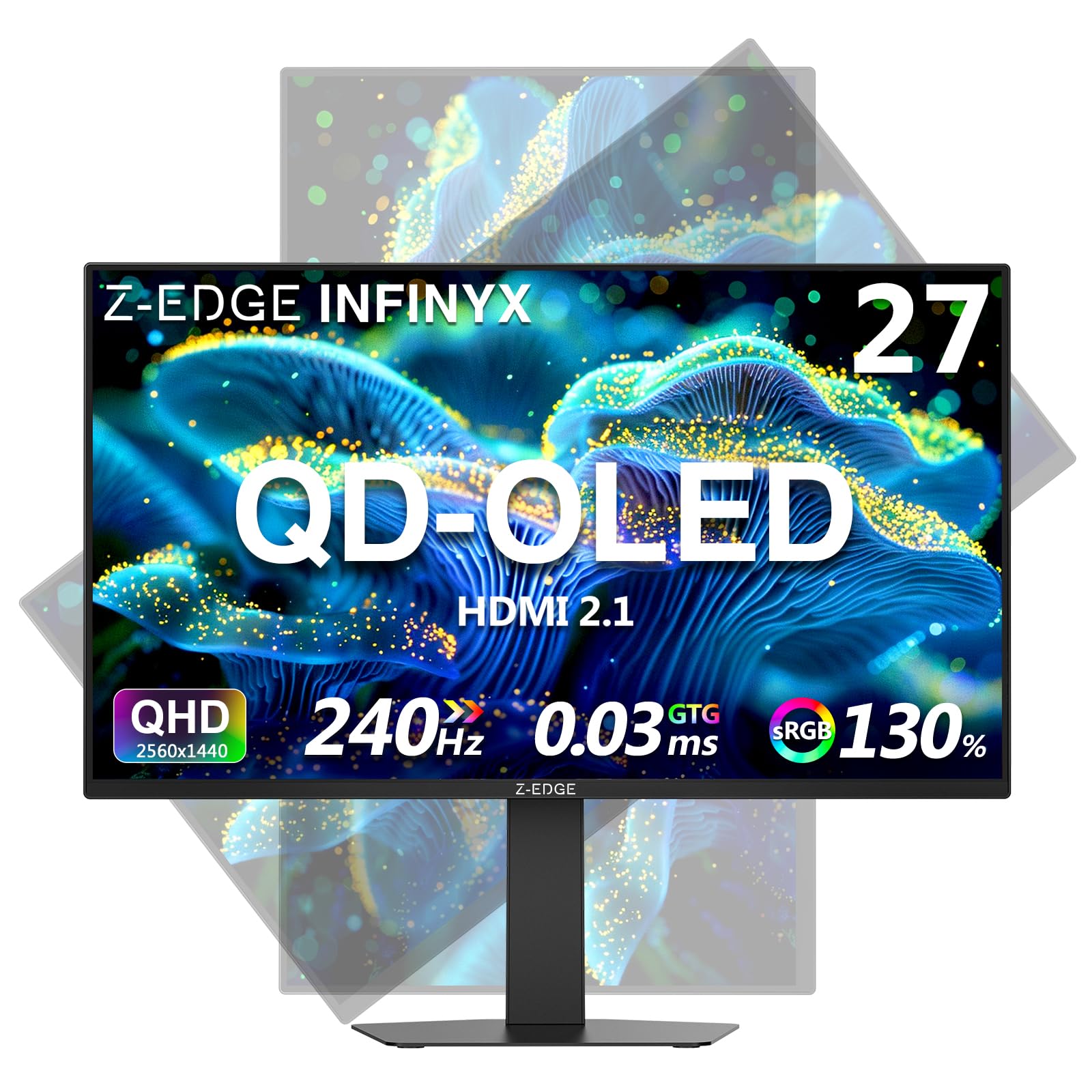
A 1,500,000:1 contrast ratio versus the Alienware AW2723DF’s 1,000:1 IPS makes the Z-Edge X27’s blacks genuinely deep. It runs at 240Hz with 0.03ms response and covers 120% sRGB color gamut, but peak brightness is only 200 cd/m² — best for dimmer rooms.
The Z-Edge X27 brings OLED technology to the budget-friendly tier with a 27-inch QHD panel that hits 240Hz and 0.03ms GTG response time. The real standout is the 1,500,000:1 contrast ratio, which creates genuine deep blacks and glowing highlights — compare that to the Alienware AW2723DF’s 1,000:1 IPS contrast, and the difference in dark scenes is massive. It also covers 120% sRGB color gamut, so games and media look rich and saturated.
Owners mention it works well as a secondary screen for work and gaming, with one reviewer calling the quality-to-price ratio “solid.” A few reviews mention the monitor’s OSD button on the back is inconvenient — they prefer front controls for easy access. The monitor supports Picture-in-Picture (PIP) and Picture-by-Picture (PBP), so you can run two sources simultaneously, plus gaming tools like Hawk-eye Vision and Shadow Balance that brighten dark areas.
The stand allows 120mm height adjustment, vertical rotation for portrait mode, and ±25° swivel. The 3-side bezel-less design makes it ideal for multi-monitor setups. Brightness is listed at 200 cd/m² which is lower than premium OLEDs, so it is better suited for dimmer rooms.
OLED contrast at entry price: A 1,500,000:1 ratio that buries IPS contrast — great for horror games and dark cinematic scenes.
Honest limits: 200 cd/m² peak brightness is lower than pricier OLEDs, so it is not ideal for bright rooms or HDR highlight intensity.
Perfect for: gamers moving from IPS to OLED on a tight budget who want true blacks and 240Hz speed.
Look elsewhere if: you want high HDR brightness or prefer front-facing control buttons — the rear OSD button is less convenient.
6. Alienware AW2723DF Gaming Monitor – 27-inch (2560 x 1440) 240Hz

A 1ms GTG response time and 95% DCI-P3 color coverage make the Alienware AW2723DF the best IPS option for competitive FPS gamers — it overclocks to 280Hz and comes with G-Sync, but its 1,000:1 contrast ratio cannot match OLED depth.
The Alienware AW2723DF uses a Fast IPS panel with IPS Nano Color technology that delivers 95% DCI-P3 color coverage and VESA DisplayHDR 600 certification. It runs at 240Hz natively and overclocks to 280Hz, with a 1ms GTG response time. While it cannot match the 0.03ms of OLED monitors, the 1ms is still incredibly fast — motion is smooth and clear in competitive games, with no noticeable ghosting. Customers note “excellent color accuracy” and “no ghosting after 2 months of daily use,” calling it durable with a heavy, premium build.
One owner reported it is the “best monitor before mini-LED/OLED,” meaning if you are not ready for OLED burn-in concerns, this IPS gives you brilliant colors and fast performance. The stand is fully adjustable with swivel, pivot, tilt, and height — the Legend 2.0 design in Lunar Light looks clean in any setup with AlienFX RGB lighting. Some users note noticeable backlight bleed (common on IPS panels), mediocre HDR performance, and the lack of HDMI 2.1 or built-in speakers.
It is NVIDIA G-Sync Compatible and VESA Adaptive Sync certified, so you get tear-free gameplay with both NVIDIA and AMD GPUs. The OSD includes preset modes for different game genres.
IPS at its peak: Fast 1ms response, 95% DCI-P3 color, and G-Sync reliability in a heavy, well-built chassis that reviewers call durable.
The downside: 1,000:1 contrast ratio means blacks are gray next to OLEDs, and some backlight bleed is standard for this panel type.
Ideal for: competitive FPS gamers who want a fast, reliable IPS with G-Sync and do not want to worry about OLED burn-in.
pass on it if: you deeply care about contrast and black levels for single-player games — an OLED at similar price will look richer in dark scenes.
7. Samsung 27″ Odyssey QHD G65B Curved Gaming Monitor (240Hz)

A 2,500:1 contrast ratio versus the Alienware’s 1,000:1 IPS gives the Samsung Odyssey G65B deeper-looking dark scenes. It uses a VA panel with a 1000R curvature (matching your field of view) for rich single-player games, and it runs at 240Hz with 1ms response and FreeSync Premium Pro.
The Samsung Odyssey G65B uses a VA panel with a 1000R curvature (the screen bends at a tight radius that matches the human field of view), making the edges of the screen feel closer to you for deep immersion. It runs at 240Hz with a 1ms GTG response time and includes AMD FreeSync Premium Pro for smooth, tear-free motion. The 2,500:1 contrast ratio beats IPS panels significantly (the Alienware has 1,000:1), so blacks are deeper and shadows look more natural without the gray haze of IPS.
Reviewers point out “incredibly smooth gameplay” with “vibrant colors and excellent contrast” and note the 1000R curve reduces eye strain during long sessions. The DisplayHDR 600 certification delivers bright highlights, and the built-in Gaming Hub lets you stream games without a PC or console — though some users find the smart features intrusive, with undismissable update pop-ups and random notifications. The interface is described by one reviewer as the “worst interface on the market,” requiring multiple steps to fix input changes.
Connectivity includes Bluetooth, Wi-Fi, DisplayPort, HDMI, Ethernet, and USB 3.0. The stand is sturdy and adjustable for tilt and height, but the smart TV functionality is more useful if you use the monitor in a dorm or as a secondary TV.
Wraparound immersion: The 1000R curve and 2,500:1 contrast ratio make single-player games feel enveloping, with deep blacks and rich shadows.
Honest drawbacks: Smart features can be annoying with pop-ups, and the interface for switching inputs is clunky — best for gamers who want low-maintenance hardware.
Best for: rich RPG and racing game fans who want a curved panel that pulls them into the scene, plus the convenience of smart TV apps.
Not for: players who hate OSD menus with multiple steps or who want a pure monitor without smart feature intrusions.
Understanding the Specs
Refresh Rate and Response Time
Refresh rate (240Hz means the screen refreshes 240 times per second) determines how smooth motion looks. Response time (measured in ms for gray-to-gray pixel switching) determines how quickly each pixel changes color, eliminating ghosting or blur behind fast-moving objects. For 240Hz gaming, look for 1ms on IPS/VA panels or 0.03ms on OLED — the lower the number, the clearer fast motion appears.
Panel Types: OLED vs IPS vs VA
OLED panels use self-lighting pixels for perfect blacks and infinite contrast — each pixel turns completely off for black. IPS panels use a backlight and liquid crystals for wide viewing angles, but blacks look grayish due to the 1,000:1 typical contrast. VA panels offer better contrast (2,500:1 to 3,000:1) than IPS but slower pixel response times. OLED is best for image quality, IPS for competitive speed, and VA for budget immersion.
Color Gamut: sRGB and DCI-P3
Color gamut measures the range of colors a monitor can show. sRGB is the standard web/content space; DCI-P3 is a wider cinema-standard space used in games and HDR movies. Higher percentages (like 95% DCI-P3 or 120% sRGB) mean more saturated, lifelike colors. Look for at least 95% DCI-P3 for vibrant HDR gaming.
HDR Certifications
HDR (High Dynamic Range) lets the monitor show brighter highlights and deeper shadows simultaneously. VESA DisplayHDR 600 means 600 nits peak brightness and decent HDR. DisplayHDR True Black 400 is an OLED-specific standard that guarantees full blacks with 400 nits peak — a better fit for OLED contrast. A monitor with HDR10 support often needs a high contrast ratio to do HDR justice.
FAQ
Will a 1440p 240Hz monitor work with my PS5 or Xbox Series X?
How much graphics card power do I need for 1440p 240Hz?
Is 240Hz noticeable compared to 144Hz?
Do OLED monitors suffer from burn-in?
What is the difference between G-Sync and FreeSync?
Should I get a curved or flat 1440p 240Hz monitor?
What cable do I need for 1440p 240Hz?
Are built-in monitor speakers good enough for gaming?
What is the ideal viewing distance for a 27-inch 1440p monitor?
Why does my 1440p 240Hz monitor look blurry at 240Hz?
Final Thoughts: The Verdict
For most buyers, the best 1440p 240hz monitor winner is the ASUS ROG Strix XG27AQDMG because it combines a stunning glossy WOLED panel with a 240Hz refresh rate, 0.03ms response time, and a three-year burn-in warranty for total confidence. If you want the highest peak brightness for HDR gaming, grab the LG 27GX704A-B — its 1300 nit peak makes explosions and sunlight look dazzlingly intense. And for the best pure value in QD-OLED, the INNOCN 2780s delivers 280Hz speed and perfect blacks at a price that undercuts everything else on this list.
How We Picked
We do not accept paid placement, and we did not hands-on test every unit. Instead, we match each pick to a real buyer and use-case by comparing the manufacturers’ published specifications against the patterns in verified customer reviews — so you get each pick’s real strengths and trade-offs instead of marketing copy.
Sources & Methodology
Specifications: manufacturer listings and product documentation. Review insights: verified customer reviews, as of July 2026. Pricing: not shown on this page (it changes often); check the current price via the retailer link.
As an Amazon Associate, Gadgets Feed earns from qualifying purchases. This does not affect which products we feature.
Product prices and availability are accurate as of the date/time indicated and are subject to change. Any price and availability information displayed on Amazon at the time of purchase will apply to the purchase of this product. As an Amazon Associate I earn from qualifying purchases.
CERTAIN CONTENT THAT APPEARS ON THIS SITE COMES FROM AMAZON. THIS CONTENT IS PROVIDED "AS IS" AND IS SUBJECT TO CHANGE OR REMOVAL AT ANY TIME.
Amazon and the Amazon logo are trademarks of Amazon.com, Inc. or its affiliates.