
Our readers keep the lights on and my morning glass full of iced black tea. As an Amazon Associate, I earn from qualifying purchases.
Specs are compiled from manufacturer listings and verified buyer reviews and can change over time — please confirm the key details on the product page before buying.
You want sharper, crisper visuals than 1080p but with motion so smooth fast-moving enemies don’t blur. That is exactly what a 1440p 360Hz monitor delivers. The resolution (2560 by 1440 pixels) means you see fine detail, and the 360Hz refresh rate (how many times per second the screen redraws the image) makes motion buttery smooth. Your graphics card needs to be powerful enough to push high frame rates at 1440p to see the benefit.
I’m Min — the founder and writer behind Gadgets Feed. This guide is built by comparing the manufacturers’ published specifications and the patterns across verified customer reviews, so you get each pick’s real strengths and trade-offs instead of marketing spin.
Competitive shooters or rich single-player games — whichever you play, this breakdown of the 1440p 360hz monitor market helps you find the model that fits your setup and budget.
Quick Picks
- ASUS ROG Strix 26.5” 1440P QD-OLED Gaming — Best Overall
- Samsung 27” Odyssey OLED G6 (G60SD) Series — Top Performer
- INNOCN 27″ OLED 2K QHD 500Hz Gaming Monitor — Best Value
- Alienware AW2725DF OLED Gaming Monitor — Premium Pick
- Philips Evnia 27M2N8500 QD OLED Gaming Monitor — Best Brightness
- MSI MPG 271QRX QD-OLED Gaming Monitor — Console Ready
How To Choose The Best 1440p 360Hz Monitor
Picking a monitor at this level goes beyond just the resolution and refresh rate numbers. The panel type, brightness, and connectivity all determine whether you get the experience you expect with your specific PC or console.
Panel Technology: OLED vs QD-OLED
Almost every 360Hz 1440p monitor uses some form of OLED. Standard OLED gives you perfect blacks and fast response. QD-OLED (Quantum Dot OLED) adds a layer that boosts color volume and brightness compared to regular OLED. Virtually every pick here uses QD-OLED, which means you get deeper blacks and more vibrant colors than traditional LCD monitors.
Brightness and HDR Performance
Brightness is measured in nits. A higher nit count means the screen can get brighter, which makes HDR content pop more. Many of these monitors have a VESA DisplayHDR True Black 400 certification, which guarantees solid HDR performance with deep black levels. However, some models have a standard brightness of 250 nits, while others reach 450 or even 1000 nits — a noticeable difference in a bright room.
Connectivity and Adaptive Sync
To actually run 360Hz at 1440p, you need HDMI 2.1 or DisplayPort 1.4 with DSC (Display Stream Compression, a method that squeezes more data through the cable). Most monitors support AMD FreeSync Premium Pro and are compatible with G-Sync, which syncs the monitor’s refresh rate to your graphics card to eliminate screen tearing (when the image looks split mid-frame).
Quick Comparison
| Model | Best For | Brightness | Refresh Rate | Panel Type | Amazon |
|---|---|---|---|---|---|
| ASUS ROG Strix XG27ACDNG | Premium Build & Warranty | High | 360Hz | QD-OLED | $724.98Amazon |
| Samsung Odyssey OLED G6 G60SD | Anti-Glare & Burn-in Prevention | 250 cd/m² | 360Hz | QD-OLED | $685.00$899.99Amazon |
| INNOCN GA27M1Q | Highest Refresh Rate Value | High | 500Hz | QD-OLED | $699.99$774.99PrimeAmazon |
| Alienware AW2725DF | Competitive & Casual Mix | 1000 nits (peak) | 360Hz | QD-OLED | $590.69$649.99Amazon |
| Philips Evnia 27M2N8500 | Color Accuracy & Brightness | 450 nits | 360Hz | QD-OLED | $499.99$549.99Amazon |
| MSI MPG 271QRX QD-OLED | Console & Multi-Device Setup | 250 nits | 360Hz | QD-OLED | from $709.99Amazon |
In‑Depth Reviews
1. ASUS ROG Strix 26.5” 1440P QD-OLED Gaming Monitor (XG27ACDNG)

ASUS wraps premium QD-OLED visuals in a complete package with burn-in coverage you can trust.
ASUS built a custom heatsink and an advanced airflow design right into the chassis to prevent burn-in (permanent image retention). That is a serious step to keep the QD-OLED panel healthy. You get the stunning 360Hz refresh rate and 0.03ms response time without the usual worry. The 26.5-inch screen delivers 99% DCI-P3 color gamut (a wide color space standard) and VESA DisplayHDR 400 True Black compliance, so blacks look deep and highlights look vivid. That keeps number plates readable at night and explosions punchy in games.
Buyers report the monitor is an “endgame” choice for both competitive gaming and single-player immersion, noting the 360Hz feels silky smooth and the anti-flicker technology reduces eye strain during refresh rate changes. One reviewer noted the setup was easy, the build quality is solid, and the 3-year warranty that covers burn-in gives confidence. Compared to the Philips Evnia below, the ASUS has a much higher peak brightness capability, which helps it look punchier in well-lit rooms. The DisplayWidget Center software also lets you tweak OLED care settings and monitor controls with a mouse — no fumbling with on-screen buttons.
The main trade-off is that height adjustment is somewhat limited, and the pixel cleaning pop-up that appears periodically can break immersion mid-game. Some older games also won’t display properly at the native resolution. But for a high-end, future-proof investment, this ASUS hits every major mark.
What Makes It Great
- Custom heatsink + advanced airflow reduce burn-in risk
- 3-year warranty with burn-in coverage delivered
- Excellent 99% DCI-P3 color accuracy and anti-flicker tech
Before You Buy
- Limited height adjustment on the stand
- Pixel cleaning pop-up can interrupt gameplay
- Some older games may not display correctly
Perfect for: The buyer who wants a complete, long-term QD-OLED setup with manufacturer-backed burn-in protection and premium build quality.
Not for you if: you need maximum brightness over 400 nits, as the ASUS is rated for HDR 400 True Black, not the 450+ nit range of some rivals.
2. Samsung 27” Odyssey OLED G6 (G60SD) Series

Samsung packs its anti-glare coating and active cooling into a 3.9mm-thin QD-OLED frame.
The Samsung G60SD is a standout for anyone who games in a bright room. Its Glare Free technology significantly cuts reflections, so the inky blacks and vibrant QD-OLED colors stay visible even with a window nearby. It also introduces a dynamic cooling system — using a pulsating heat pipe that Samsung says dissipates heat 5 times better than older graphite sheets — to actively combat burn-in. The 360Hz refresh rate and 0.03ms response time (GtG, the time it takes a pixel to change from one gray shade to another) are on par with the competition, and the 250 cd/m² standard brightness can hit brighter highlights when needed.
Reviewers call it a “360Hz OLED beast” and report that the anti-glare is excellent, with no magenta tint sometimes seen on other QD-OLEDs. One owner noted the improved competitive FPS gameplay was more noticeable than a PC upgrade. A key point of caution: some owners mention that the HDMI ports are only 2.0, not the advertised 2.1, meaning you need DisplayPort with DSC to hit 360Hz at full resolution, and alt-tabbing can cause a 1-2 second black screen. The build is very slim at just 3.9mm, and the built-in CoreLighting lets you set ambient colors to match your setup.
The cooling system and burn-in prevention algorithms (like logo and taskbar detection that automatically dims static content) make this a good long-term choice. It ships with a 3-year warranty, which adds to the confidence.
Bright-room specialist: The anti-glare technology means you get true OLED blacks without fighting reflections — a rare combination in this category.
HDMI caveat: The HDMI 2.0 limitation (not 2.1 as some expected) means you’ll likely need to use DisplayPort for the full 360Hz experience, and alt-tabbing may briefly black out the screen.
Ideal for: Gamers in bright rooms who want a slim, sleek monitor with active burn-in protection and a 3-year warranty.
Look elsewhere if: you rely on HDMI 2.1 for console gaming at full bandwidth, or if the alt-tab black screen issue would bother you.
3. INNOCN 27″ OLED 2K QHD 500Hz Gaming Monitor (GA27M1Q)

INNOCN shatters the price barrier for 500Hz QD-OLED at 1440p.
This is the most aggressive value play in the category. That means you get the same deep blacks, infinite contrast (1,500,000:1), and vibrant 99% DCI-P3 color coverage as the premium brands, but at a much lower cost. The 0.03ms response time (GtG) is standard for OLED, so motion is essentially instant with no ghosting. It also supports VRR (variable refresh rate) from 48Hz up to 500Hz, which works with G-Sync Compatible and AMD FreeSync systems.
Buyers are impressed by the value, with one calling it “insane value” and noting the response time is very noticeable compared to other panel types. Another reviewer said it requires 5-10 minutes of color and brightness tuning to look its best, and notes you’ll need a powerful PC (like a 9800X3D and 7900 XTX) to hit 400+ fps to really benefit from the 500Hz. The monitor includes 2x DisplayPort and 2x HDMI 2.1 ports, plus a pivot-adjustable stand and LED atmosphere lights for a bit of flash. One buyer mentioned the built-in speakers sound decent for a monitor.
The honest catch here is the brand reputation — INNOCN isn’t as established as ASUS or Samsung for high-refresh gaming monitors, so long-term support and firmware updates may be less sturdy. The peak brightness isn’t specified as high as some rivals, though the HDR500 certification ensures decent dynamic range.
Insane refresh-to-price ratio: At a price point often undercutting 360Hz monitors, this 500Hz QD-OLED is the clear winner for budget-conscious competitive gamers who want the smoothest possible motion.
The real-world limit: You need a top-tier GPU to actually push 400-500 fps in modern games, or this extra speed goes unused.
Go for it if: you want the highest refresh rate possible at 1440p for a price that undercuts the competition, and you have a powerful PC to drive it.
Pass on it if: brand support and a proven long-term track record matter more to you than raw specs.
4. Alienware AW2725DF OLED Gaming Monitor

Alienware blends 360Hz QD-OLED speed with a 3-year burn-in warranty for low-maintenance immersion.
The AW2725DF is a well-rounded 26.7-inch QD-OLED that hits all the high notes: 360Hz refresh rate, 0.03ms response time, and an infinite contrast ratio thanks to the OLED panel. It also boasts VESA DisplayHDR True Black 400 and a Dynamic Contrast Ratio of 1.5 million:1 at both SDR and HDR, meaning dark scenes stay dark without washing out. The color performance is excellent with DCI-P3 99.3% coverage and Delta E<2 accuracy, so colors look true-to-life straight from the start. It supports both AMD FreeSync Premium Pro and VESA AdaptiveSync for tear-free play.
Buyers consistently praise the image quality, calling it a “Jack of All Trades” that works well for both competitive esports and casual gaming. The 3-year burn-in warranty is a strong selling point, protecting your investment. One owner reported quirks like periodic pixel refresh, slight text clarity issues, a purple tint on the coating in bright light, and the screen being a fingerprint magnet. However, a concerning real buyer report states the unit “failed after 30 days (would not power on)” and that Dell’s customer service sent a damaged refurbished replacement, creating a frustrating return process. While many buyers have no issues, this durability risk is worth noting.
Compared to the INNOCN above, the Alienware has a peak brightness of 1000 nits in its HDR 1000 mode — significantly brighter than the standard 250-nits of some QD-OLEDs — making HDR content look considerably more effective. The stand offers full adjustability (height, tilt, swivel, pivot).
What Stands Out
- 1000-nit peak brightness for stunning HDR impact
- Full ergonomic adjustability (height, tilt, swivel, pivot)
- 3-year burn-in warranty included
What to Watch For
- Reports of dead units after 30 days and poor replacement service
- Purple tint on the anti-glare coating in bright light
- Periodic pixel refresh can be a minor annoyance
Best for: Gamers who value peak HDR brightness and want a fully adjustable stand with a burn-in warranty, and who are willing to accept some QC lottery risk.
Not ideal if: you want a flawless first-unit experience and low-maintenance customer support if something goes wrong.
5. Philips Evnia 27M2N8500 QD OLED Gaming Monitor
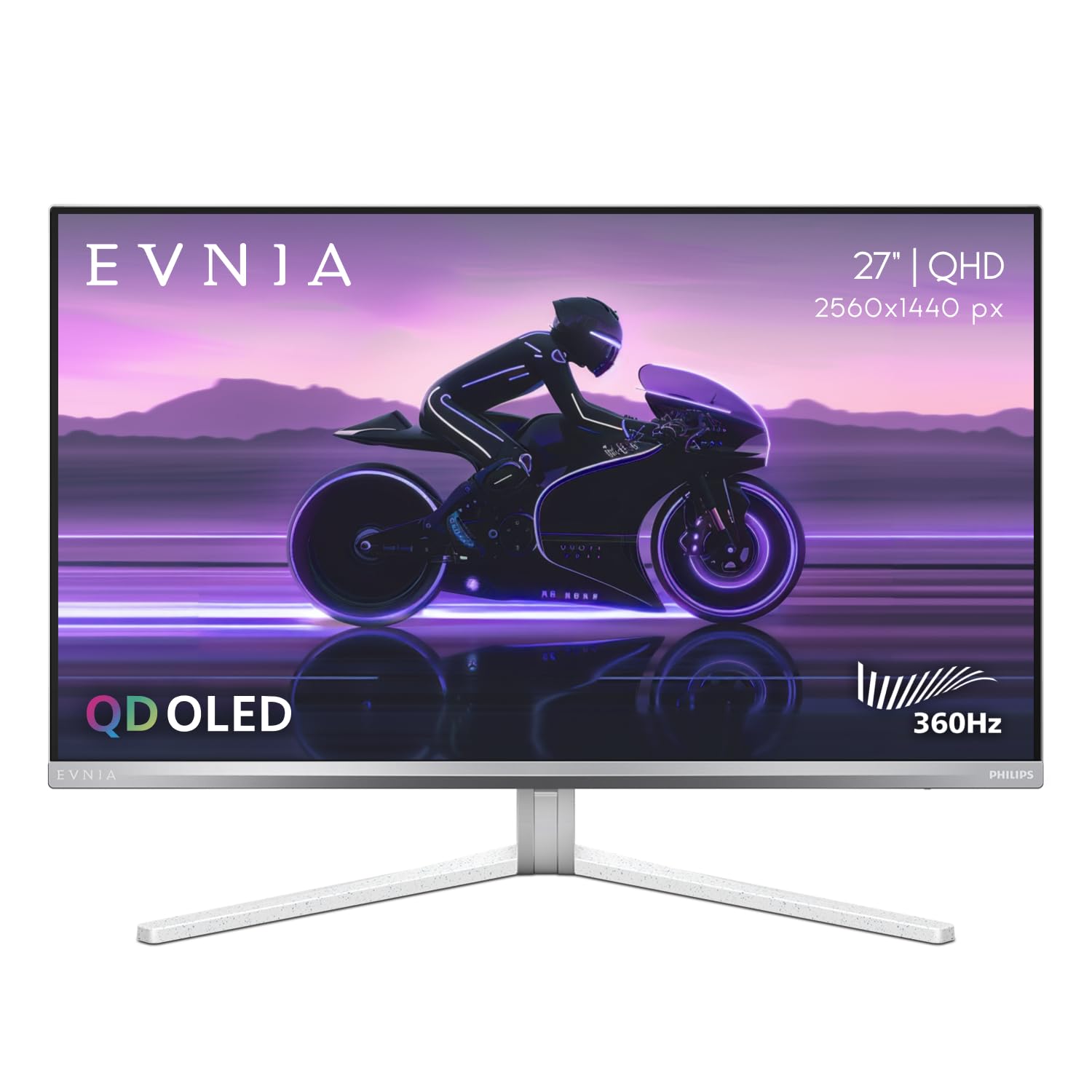
Philips brings class-leading brightness and color accuracy to the 360Hz QD-OLED table.
The Evnia 27M2N8500 is the bright pick of the bunch. Its QD-OLED panel pushes to 450 nits, which is a clear advantage over the 250-nit models in this category — a significant 80% brightness gap compared to the MSI MPG 271QRX. This higher brightness makes HDR content more effective and improves visibility in brighter rooms. The contrast ratio sits at 1,500,000:1, so black levels remain deep. It also features a unique Ambiglow backlight system that projects a halo of light matching the on-screen content, which some users find reduces eye strain during long sessions.
Reviewers praise the pre-calibrated color accuracy with DCI-P3 and sRGB modes, making it suitable for both gaming and light creative work. The 360Hz refresh rate and 0.03ms response deliver the expected buttery-smooth motion. However, some customers note unit arrived with scratches from abrasive foam and no screen protector, and that Philips customer support refused the 4-year advance replacement warranty when the damage wasn’t a “factory defect.” One customer observed a warm white balance and the silver/white design can clash in a multi-monitor setup. These are quality control and support risks to consider.
It’s also worth mentioning that the monitor supports PS5 max specs via HDMI 2.1, so console gamers can use it fully. The headphone hanger built into the stand is a nice touch. For the money, you get a high-brightness QD-OLED, but the customer experience seems to be a gamble.
The bright advantage: At 450 nits, this is notably brighter than standard 250-nit QD-OLEDs like the MSI, delivering better HDR pop and daylight visibility.
Packaging gamble: Several reviewers point out arriving units with scratches because of abrasive foam in the box, and warranty support for this issue has been poor.
Pick this if: brightness and color accuracy for a mixed gaming/creative workload are your top priority, and you’re willing to risk a return if the unit arrives damaged.
skip it if: you want a low-maintenance unboxing experience and reliable post-purchase support more than raw brightness.
6. MSI MPG 271QRX QD-OLED Gaming Monitor

MSI delivers a complete QD-OLED package with console-friendly HDMI 2.1 and a built-in KVM.
The MPG 271QRX is a 27-inch QD-OLED that hits 360Hz and 0.03ms response time, but what separates it is its connectivity. It offers HDMI 2.1 with a full 48 Gbps bandwidth, which is exactly what the PS5 and Xbox Series X need to run at max specs. It also includes a built-in KVM (Keyboard, Video, Mouse) switch, which lets you control multiple computers from a single keyboard and mouse — a huge convenience if you switch between a gaming PC and a work laptop. The panel is VESA DisplayHDR True Black 400 certified and features Delta E≤2 color accuracy, meaning the colors are calibrated to professional standards.
Buyers rave about the step-up from standard IPS or VA panels. One reviewer called the HDR “breathtakingly beautiful” and noted the upgrade from a 1440p IPS was massive in terms of color and vibrance. A useful real buyer insight: a “Mac-specific DSC issue: only one monitor worked” unless you disable DSC and set the display to 120 Hz. This is a fixable limitation but important for Mac users. Another review praises the MSI OLED Care 2.0 software, which reduces burn-in risk. The adjustable stand (tilt, height, swivel) offers good ergonomics, and the overall build feels premium.
At 250 nits standard brightness, it is on the dimmer side compared to the Philips Evnia (450 nits), so HDR highlights won’t be as punchy in a bright room. However, the deep 1,000,000:1 contrast ratio of the OLED still provides excellent black levels. For console gamers or multi-device users, the KVM and full HDMI 2.1 make this a uniquely practical high-refresh monitor.
Why It Shines
- Full 48 Gbps HDMI 2.1 for consoles
- Built-in KVM switch for multi-device workflows
- MSI OLED Care 2.0 for burn-in prevention
Points to Note
- Standard brightness of 250 nits is dimmer than some competitors
- Requires DSC disable for stable dual Mac monitor setup
Best for: Console gamers who want full HDMI 2.1 bandwidth, and multi-device users who will use the KVM to switch between systems.
Not the one if: you need high brightness for brightly lit rooms, or you use multiple monitors with a Mac and want a simple plug-and-play setup.
Understanding the Specs
Refresh Rate (360Hz vs 500Hz)
The refresh rate is the number of times the screen updates the image per second. A 360Hz monitor updates 360 times every second, which makes motion look smooth and clear during fast-paced games like competitive shooters. A 500Hz monitor, like the INNOCN, is even smoother, but you need a very powerful graphics card (like an RTX 5080 or RX 7900 XTX) to actually get game frame rates that high to take advantage of it. For most gamers, 360Hz is already a massive upgrade from 144Hz or 240Hz screens.
Brightness and HDR (nits)
Brightness is measured in nits. A higher nit rating means the screen can get brighter, which makes HDR content like explosions or sunlight look more intense. Many QD-OLED monitors in this guide have a standard brightness around 250 nits, but some like the Philips Evnia (450 nits) and Alienware (1000 nits peak) are much brighter. If you game in a bright room or want the best HDR impact, aim for a model with higher brightness specs. The VESA DisplayHDR True Black 400 certification ensures good HDR with deep black levels, even at lower peak brightness.
FAQ
Do I need a special graphics card to run a 1440p 360Hz monitor?
Is there a noticeable difference between 240Hz and 360Hz?
Are QD-OLED monitors prone to burn-in?
What is the difference between HDMI 2.0 and HDMI 2.1 for this monitor?
Will a 360Hz monitor work with the PS5 or Xbox Series X?
How important is the response time (0.03ms) on these monitors?
What is a QD-OLED panel and how is it different from regular OLED?
Can I wall mount these monitors?
Final Thoughts: The Verdict
Across the board, the best 1440p 360hz monitor is the ASUS ROG Strix XG27ACDNG because it combines top-tier QD-OLED visuals with a custom heatsink for burn-in resistance and a 3-year warranty that covers burn-in. If you want the brightest HDR possible, the Alienware AW2725DF offers a 1000-nit peak brightness that makes highlights look incredible. And for console gamers or multi-PC setups, the MSI MPG 271QRX with its full-bandwidth HDMI 2.1 and built-in KVM is the most practical choice.
How We Picked
We do not accept paid placement. Every pick is matched to a real buyer and a real use-case; we do not hands-on test units.
Sources & Methodology
Specifications: manufacturer listings and product documentation. Review insights: verified customer reviews, as of July 2026. Pricing: not shown on this page (it changes often); check the current price via the retailer link.
As an Amazon Associate, Gadgets Feed earns from qualifying purchases. This does not affect which products we feature.
Related Guides
Product prices and availability are accurate as of the date/time indicated and are subject to change. Any price and availability information displayed on Amazon at the time of purchase will apply to the purchase of this product. As an Amazon Associate I earn from qualifying purchases.
CERTAIN CONTENT THAT APPEARS ON THIS SITE COMES FROM AMAZON. THIS CONTENT IS PROVIDED "AS IS" AND IS SUBJECT TO CHANGE OR REMOVAL AT ANY TIME.
Amazon and the Amazon logo are trademarks of Amazon.com, Inc. or its affiliates.