
Our readers keep the lights on and my morning glass full of iced black tea. As an Amazon Associate, I earn from qualifying purchases.
Specs are compiled from manufacturer listings and verified buyer reviews and can change over time — please confirm the key details on the product page before buying.
A curved 1440p monitor wraps the screen edges toward you, so your eyes travel less and you stay locked into the action without the side glare a flat panel throws off. The challenge is picking one where the curve actually helps your game or work without ghosting, flicker, or colors that wash out the moment you turn on HDR.
I’m Min — the founder and writer of Gadgets Feed. This guide compares manufacturers’ published specs and patterns across verified customer reviews, so you get each pick’s real strengths and trade-offs rather than marketing claims.
You’ll find choices covering refresh rates (165Hz, 180Hz, 300Hz), response times (0.3ms to 1ms), and color accuracy that define your daily experience, whether you crave silky motion for competitive shooters or deep contrast for cinematic worlds. Here is the breakdown of the best 1440p curved monitor options.
Quick Picks
- ASUS TUF Gaming VG32WQ3B — Best Overall
- ZZA 32″ Curved Gaming Monitor — Pro Esports
- AOC CQ27G4ZH — Compact Performer
- Pixio PXC278 Wave White — Style Plus Speed
- acer Nitro XZ320QU S3bmiiphx — Value Champ
- ASUS TUF VG32VQ1B — 32 Inch All-Rounder
- KOORUI 32 Inch Curved Gaming Monitor — Budget Entry
- Deco Gear 39″ White Curved Gaming Monitor — Ultrawide Immersion
How To Choose The Best 1440p Curved Monitor
Picking a 1440p curved monitor depends on three things: the refresh rate that matches your typical frame rates, the curve radius that fits your desk distance, and the panel type that gives you the contrast you want. Here is what each one means for your setup.
Refresh Rate: 165Hz vs 180Hz vs 300Hz
Refresh rate is how many times the screen redraws per second, measured in Hertz (Hz). A 165Hz monitor refreshes 165 times each second, which smooths out fast motion in racing and shooter games. A 300Hz monitor doubles that smoothness — but you need a graphics card that can push 300 frames per second in your game to see the benefit. If you play single-player RPGs or work on spreadsheets, 165Hz to 180Hz is plenty; competitive esports players will want the 300Hz tier.
Curve Radius: 1500R vs 3000R
The “R” stands for the radius of the circle the curve would form if completed — a 1500R curve wraps tighter (like sitting near the center of a 1.5-meter circle) and feels more rich on a 27-inch or 32-inch screen at arm’s length. A 3000R curve is much gentler and works better for a very large display (like 39 inches) where you sit farther back. For most desks, 1500R is the balance because it matches your natural field of view.
Panel Type: VA vs IPS vs Fast VA
VA panels (Vertical Alignment) deliver deeper blacks and a higher contrast ratio (often 3000:1 or 4000:1), so dark scenes in games and movies look richer without washed-out gray patches. IPS panels have better viewing angles and slightly faster pixel response, but their contrast is usually lower. A “Fast VA” panel is designed to combine the black depth of VA with response times closer to IPS — you get the rich contrast without the ghosting that older VA panels sometimes showed.
Quick Comparison
| Model | Best For | Refresh Rate | Response Time | Contrast Ratio | Amazon |
|---|---|---|---|---|---|
| ZZA 32″ Curved | Pro Esports / High FPS | 300Hz | 1ms MPRT | 3000:1 | Amazon |
| AOC CQ27G4ZH | Competitive 27″ Gaming | 300Hz | 0.3ms MPRT | Amazon | |
| ASUS TUF VG32WQ3B | Smooth 180Hz / Console | 180Hz | 0.5ms GTG | 1000:1 | Amazon |
| Acer Nitro XZ320QU | Large Screen Value | 180Hz | 1ms VRB | 100,000,000:1 | Amazon |
| Pixio PXC278 Wave | Aesthetic / Colorful Setup | 180Hz | 1ms GTG | 5000:1 | Amazon |
| ASUS TUF VG32VQ1B | Reliable 165Hz All-Rounder | 165Hz | 1ms MPRT | 3000:1 | Amazon |
| KOORUI 32″ Curved | Budget 1440p Starter | 170Hz | 1ms | 3000:1 | Amazon |
| Deco Gear 39″ | Ultrawide Productivity / Media | 165Hz | 1ms MPRT | 3000:1 | Amazon |
In‑Depth Reviews
1. ASUS TUF Gaming VG32WQ3B

A 31.5-inch 1440p panel that hits 180Hz with a 0.5ms response time so fast motion stays crisp.
You get a 1500R curve that wraps around your field of view without feeling exaggerated, and ASUS Extreme Low Motion Blur (ELMB) technology — a feature that reduces ghosting by flashing the backlight between frames — keeps fast-moving objects sharp in shooters and racing games. Buyers report the 180Hz refresh rate and color accuracy beat an LG 1440p 165Hz monitor they previously owned, noting the stand has built-in cable management and an internal power supply that cuts down desk clutter.
The catch is the contrast ratio comes in at 1000:1, which is lower than many VA panels in this price range, so blacks in a dark room won’t look as deep as on a 3000:1 display. Shadow Boost technology helps brighten dark areas without washing out the highlights, which compensates somewhat.
Who it fits: Gamers who want a large 32-inch curved screen with a high refresh rate and a clean desk setup — the internal power supply and cable management built into the stand make a noticeable difference for cable-phobic owners.
The smooth operator: If 180Hz at 1440p on a 31.5-inch screen with ELMB anti-ghosting sounds like your next monitor, this is the one to beat.
The one caveat: The 1000:1 contrast ratio means this is less ideal for a pitch-black gaming room where deep blacks matter most — a VA panel with 3000:1 contrast suits that setup better.
2. ZZA 32″ Curved Gaming Monitor
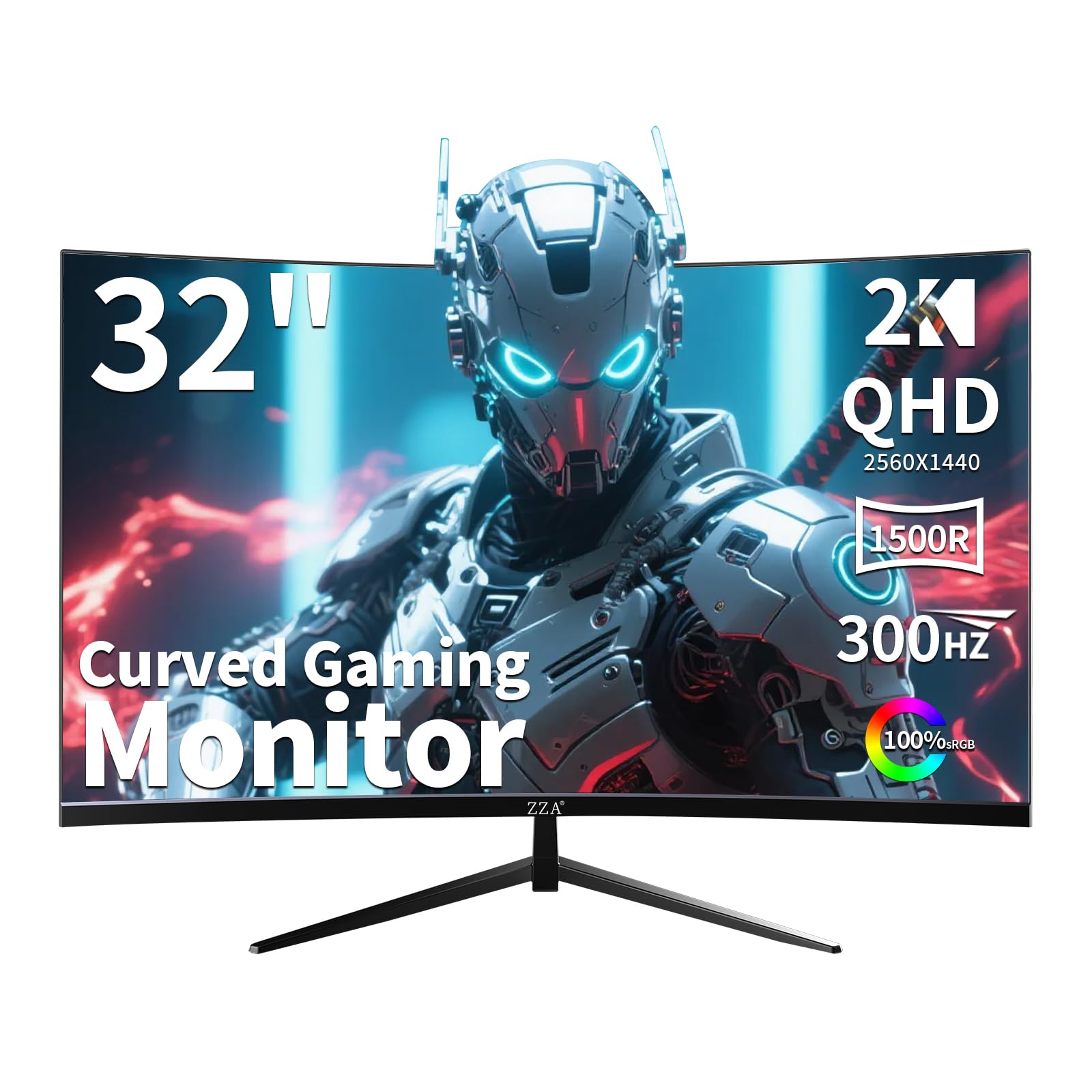
A 32-inch 1440p VA monitor that pushes 300Hz for competitive titles where every millisecond matters.
The 300Hz refresh rate here compares to 165Hz on the ASUS TUF VG32VQ1B, which means motion in fast-paced games like Valorant and Call of Duty looks smoother and your aim feels more connected to the screen. The VA panel delivers a 4000:1 contrast ratio so dark corners in horror games or night maps stay black rather than gray. Owners mention this monitor works with Xbox at 1440p 120Hz via HDMI and can also handle 4K 60Hz, making it flexible for both PC and console players.
FreeSync Premium and G-Sync compatibility (technologies that sync your graphics card’s frame rate with the monitor’s refresh rate to stop screen tearing) cover both AMD and NVIDIA graphics cards. The 1500R curve wraps tightly for immersion, and HDR10 support helps with brighter highlights in supported games. At 13.2 pounds and with dimensions of 7.45 inches deep by 27.98 inches wide, it sits on a desk without overhanging a standard 24-inch depth surface, and the -5° to 15° tilt adjustment lets you angle it down for a lower seating position.
The esports edge: At 300Hz with a 1ms MPRT response time (Moving Picture Response Time — a measure of how long a pixel stays visible before changing), this monitor is built for players who prioritize raw speed and smoothness over higher contrast ratios.
Pick this for: competitive PC gaming where you push 200+ frames per second and want a VA panel’s deep blacks to keep dark scenes rich.
skip it if: you need a USB port (customers note the listing shows one but the unit does not include it) or you play mostly slower single-player games where 165Hz is enough.
3. AOC CQ27G4ZH

A 27-inch 1440p Fast VA panel that hits 300Hz with a 0.3ms MPRT — one of the fastest response specs at this price.
The 0.3ms MPRT (Moving Picture Response Time) is quicker than the 1ms figures on most competitors, which translates to less perceived blur when you flick your aim across the screen in fast shooters. The height-adjustable stand gives you 130mm of vertical travel, so you can raise the screen to eye level without stacking books underneath — a feature that is rare on sub-premium monitors. Reviewers point out the 1500R curve and 300Hz via DisplayPort (144Hz over HDMI) work well once you switch to the DisplayPort cable, as one owner noted initial Hz problems resolved by switching from HDMI.
The HDR readiness and wide color gamut help visuals look vibrant in supported games. The three-year Zero-Bright-Dot warranty from AOC covers any bright sub-pixel defects, which is better than the standard one-year dead-pixel policies from many brands. Eye-care features like Flicker-Free and Low Blue Light modes reduce eye strain during long sessions, and the dual HDMI 2.0 plus DisplayPort 1.4 give you three inputs to toggle between PC, console, and streaming box.
Speed-first compact: For a 27-inch frame, this monitor packs a 300Hz refresh rate and a 0.3ms response time that rivals monitors costing significantly more, and the adjustable stand saves you the cost of a separate monitor arm.
Best for: competitive gamers on a tighter desk who want the highest refresh rate in a 27-inch package with a proper height-adjustable stand from the factory.
Watch out for: the HDMI port caps at 144Hz, so you must use DisplayPort to get the full 300Hz — and one reviewer noted their unit died after 30 minutes, though they returned it for a different brand.
4. Pixio PXC278 Wave White
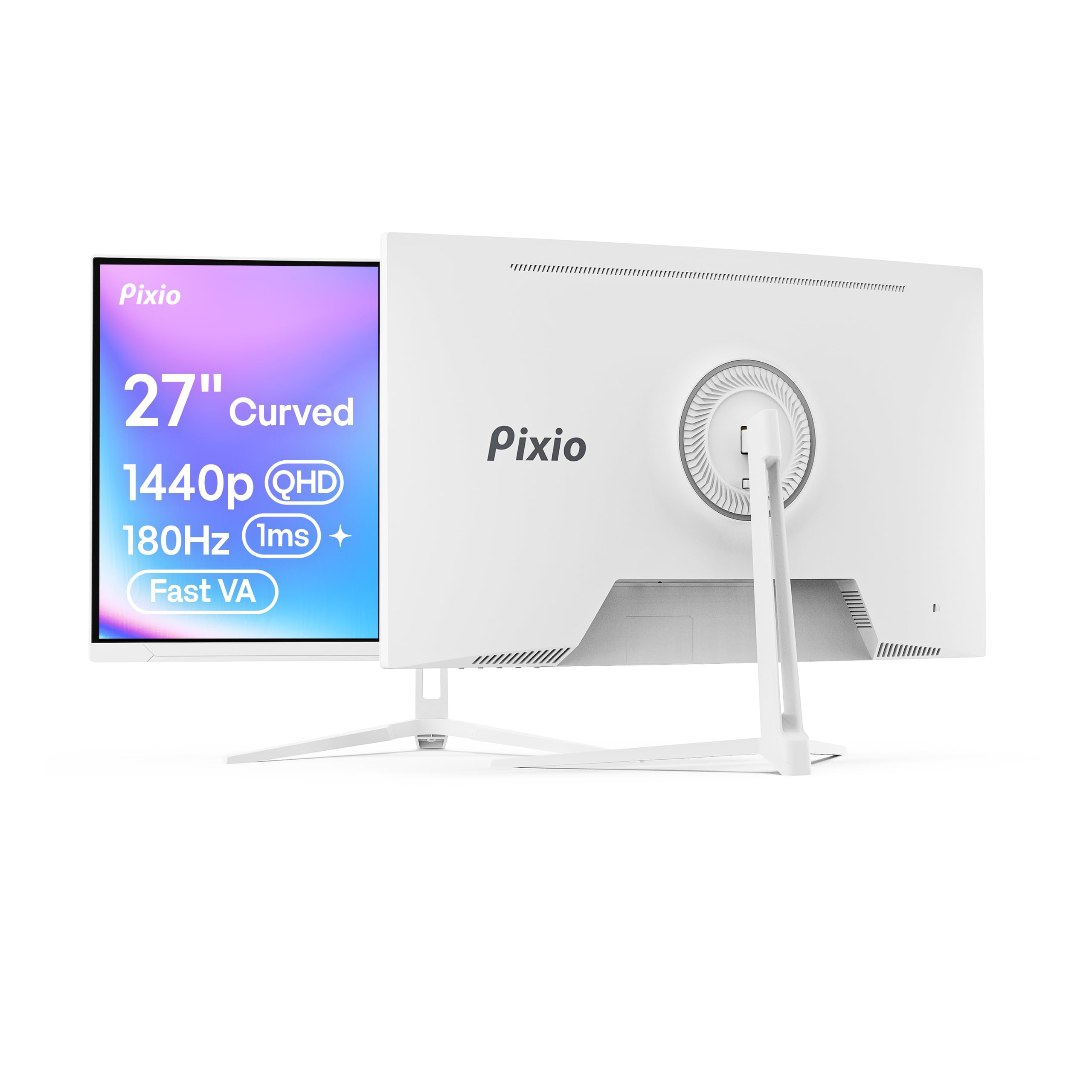
A 27-inch 1440p Fast VA monitor in white with a 1650R curve and built-in speakers that match a clean setup aesthetic.
The white chassis and optional blue color variant make this one of the few 1440p curved monitors that fits a bright, minimalist or pastel-themed desk without sticking out like a black slab. The 1650R curve is slightly gentler than the common 1500R, so it feels natural for both gaming and work without distorting straight lines in spreadsheets. Shoppers say the 180Hz refresh rate is “buttery smooth” and the colors “pop” — one buyer mentioned they pair two of these with monitor arms for a clean dual-screen setup and love the white cord option that blends into the theme.
The contrast ratio is 5000:1 (higher than the typical 3000:1 on many VA panels), which means black levels are deeper and HDR content looks more dimensional. The 1ms GTG (Gray-to-Gray) response time keeps ghosting low, though the built-in speakers are described as grainy by multiple buyers — they are usable for casual YouTube but you will want external speakers or headphones for gaming. The 350 Candela per square meter brightness gives you enough headroom for a well-lit room without washing out the image.
Form meets function: At 180Hz and 1ms GTG with a 5000:1 contrast ratio, this monitor does not sacrifice performance for its looks — it is a genuinely capable gaming panel dressed for a stylish setup.
Reach for this if: you are building a white or light-colored gaming setup and want a 1440p curved monitor that actually performs at 180Hz with deep blacks, not just a pretty face.
Hold back if: you need high-quality built-in audio — the speakers here are an emergency backup, not your main listening solution.
5. acer Nitro XZ320QU S3bmiiphx
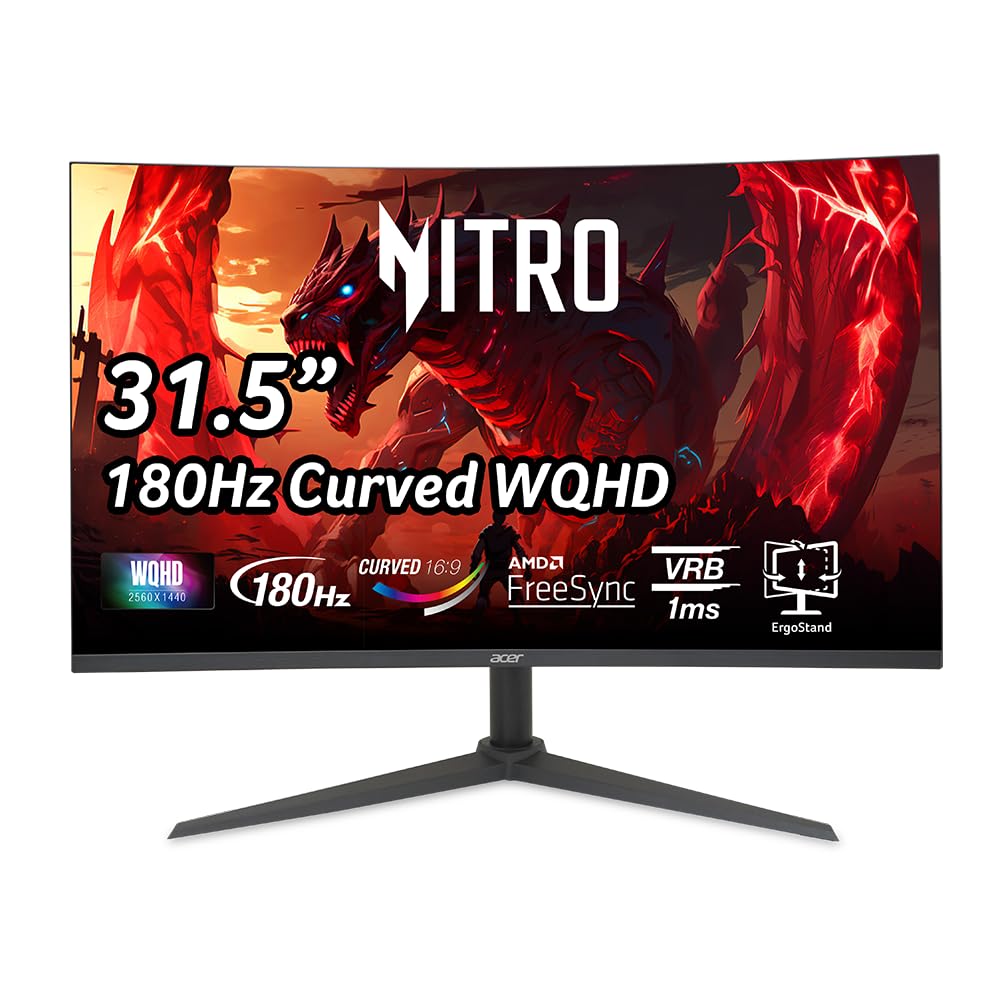
A 31.5-inch 1440p 1500R curved monitor that delivers 180Hz and FreeSync for under premium-tier money.
The 100,000,000:1 dynamic contrast ratio — a specification that measures the difference between the brightest white and darkest black when the monitor adjusts backlight dynamically — is dramatically higher than the 3000:1 static contrast of the KOORUI 32-inch model , but in real-world use static contrast matters more for per-frame black depth. The 1500R curve and 31.5-inch diagonal give you an rich field of view that feels larger than a 27-inch screen. Buyers report the color quality “aptly compliments the PS5’s gaming experience” and that the two HDMI 2.0 ports plus DisplayPort 1.4 let you connect a PC, a console, and a streaming device simultaneously.
The built-in two-speaker system (2 Watts per speaker) is present but owners mention it lacks bass, so plan for external speakers or a gaming headset. The stand offers height adjustment (3.94 inches of travel), swivel at plus or minus 15 degrees, and tilt from -5° to 20°, which is more ergonomic adjustment than many monitors in this bracket. One important catch customers note: the included DisplayPort 1.4 cable can cause flickering, screen tearing, lines, and color washout at 2K 180Hz with HDR enabled — multiple owners say the monitor works fine at 144Hz or with a DP 2.1 cable swapped in.
Price-to-size winner: You get a 31.5-inch 180Hz curved panel with a full ergonomic stand and VESA 100x100mm mount compatibility for significantly less than most 32-inch high-refresh monitors.
Best suited for: gamers who want a large 32-inch curved 1440p screen at 180Hz and are comfortable swapping the included DP cable for a DP 2.1 cable to eliminate reported flicker at max settings.
Not for: anyone who expects to run 180Hz HDR from the start without troubleshooting — budget for a better cable or plan to run at 144Hz for a flicker-free experience.
6. ASUS TUF VG32VQ1B
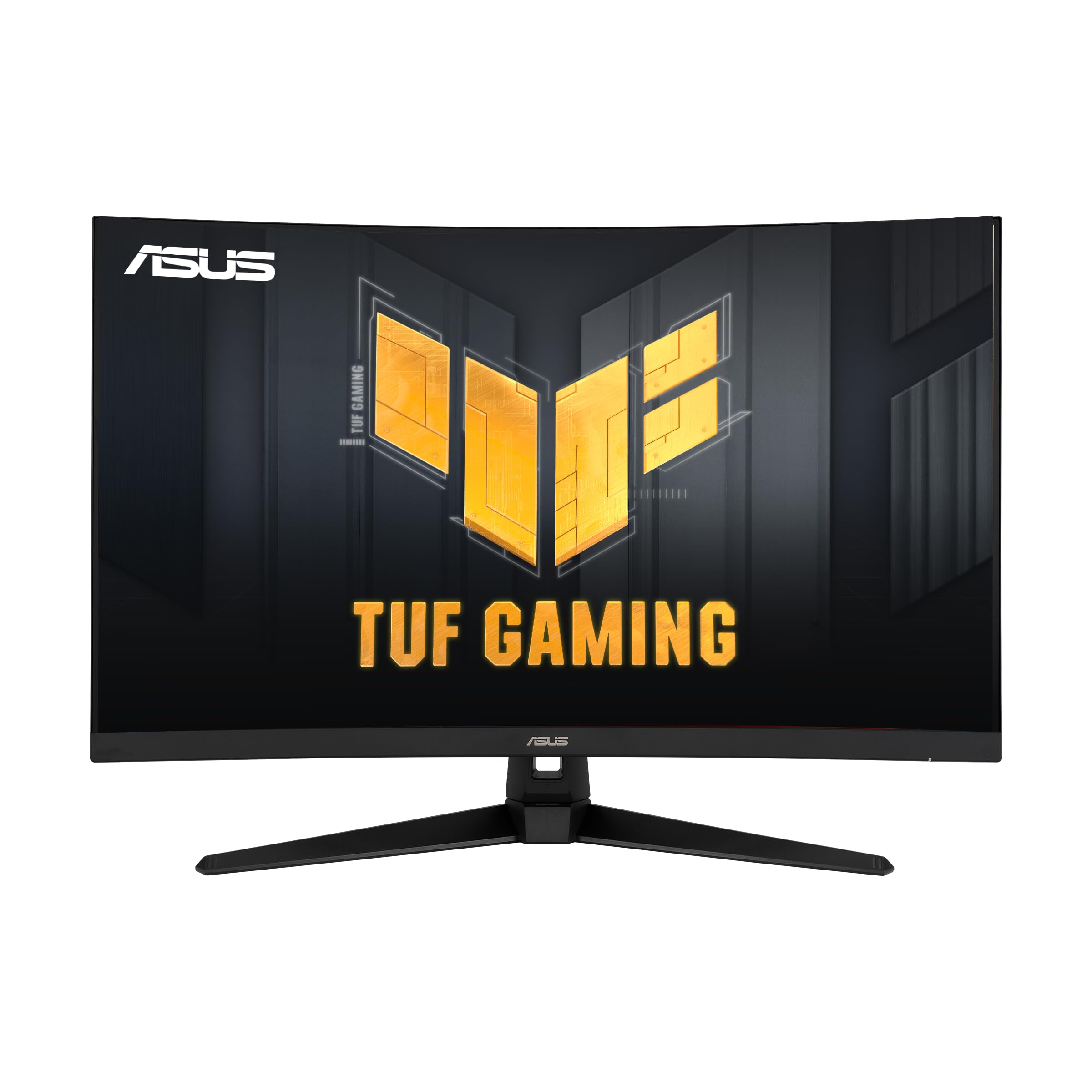
A proven 32-inch 1440p 165Hz curved monitor with FreeSync Premium and ELMB that has been a community favorite for years.
The 120.0 DCI-P3 color gamut gives this monitor compared to the KOORUI’s 99 DCI-P3, so reds and greens in games like Horizon Forbidden West look more saturated and lifelike. The 1500R curve is subtle enough that it does not distort productivity apps, yet it still wraps the edges into your peripheral vision during gaming. Reviewers point out the VG32VQ1B — a 32-inch 1440p 165Hz display with 1ms response time — delivers great clarity, colors, and brightness, and that the built-in speakers are decent for casual use, though HDR is supported but not top-tier.
FreeSync Premium (a version of AMD’s variable refresh rate technology that also includes Low Framerate Compensation to prevent stuttering below the minimum refresh range) keeps gameplay smooth from 48Hz up to 165Hz. The 3000:1 contrast ratio ensures deep blacks in a dark room. Shadow Boost technology lifts details in dark areas without blowing out the bright parts of the image, which helps in games like Escape from Tarkov where spotting enemies in shadows matters. The monitor supports 144Hz mode alongside the native 165Hz, so older consoles or lower-end PCs still get a buttery experience.
Tried and true: With years of positive reviews and a wide 120 DCI-P3 gamut, this monitor remains a reliable 32-inch 1440p curved pick that balances gaming performance with everyday usability.
Go with this one if: you want a well-reviewed 32-inch curved 1440p monitor with a proven track record, wide color gamut, and FreeSync Premium without paying a premium.
Trade-off to know: The on-screen display menu is not intuitive, and the HDR performance is decent but not true HDR — it is an HDR10-supported panel, not a high-nit HDR display.
7. KOORUI 32 Inch Curved Gaming Monitor
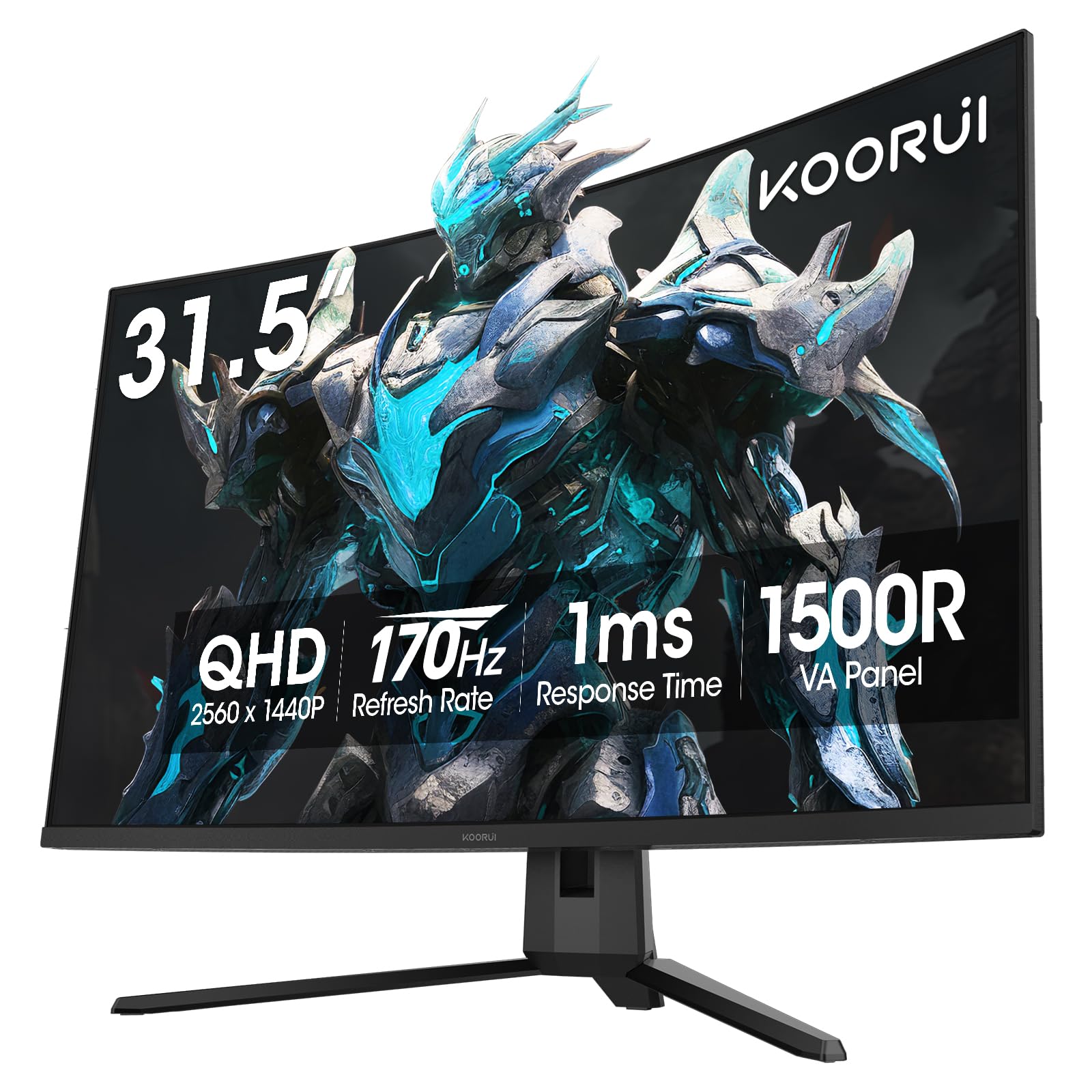
A 32-inch 1440p 1500R curved monitor that hits 170Hz and keeps the cost low for budget-minded builders.
You get a 3000:1 contrast ratio and 90% DCI-P3 color gamut coverage, which delivers deeper blacks and more vibrant colors than a typical office monitor at this price level. The 170Hz refresh rate is fast enough for most gamers, and Adaptive Sync technology (a catch-all term that covers both FreeSync and G-Sync Compatible modes) prevents screen tearing across a wide range of frame rates. Shoppers say having this monitor for three years with no issues, calling it “cheap, great quality” and “reliable,” though some note the 27-inch version in the reviews (a different size) does not include VESA mounting holes, while the 32-inch model is listed as VESA compatible with a 100x100mm pattern.
The stand offers tilt adjustment from -5° to 20° but no height or swivel adjustment, so you may need a monitor arm or riser to get the screen to eye level. Dual HDMI 2.0 ports and a DisplayPort 1.2 give you three input options, though DisplayPort 1.2 caps the bandwidth slightly below what you would get with DisplayPort 1.4 — still enough for 1440p at 170Hz. The 300 Candela per square meter brightness is adequate for a room with controlled lighting but may look dim next to brighter panels.
Budget-friendly smoothness: At 170Hz with a VA panel’s 3000:1 contrast and 90% DCI-P3 color, this monitor punches above its entry-level price for the core gaming experience.
Best for: first-time 1440p buyers who want a large 32-inch curved screen with a fast 170Hz refresh rate and do not need height adjustment or built-in speakers.
pass on it if: you need VESA mounting on a 27-inch version (some batches lack holes) or you want a DisplayPort 1.4 port for higher bandwidth — this monitor uses DP 1.2.
8. Deco Gear 39″ White Curved Gaming Monitor
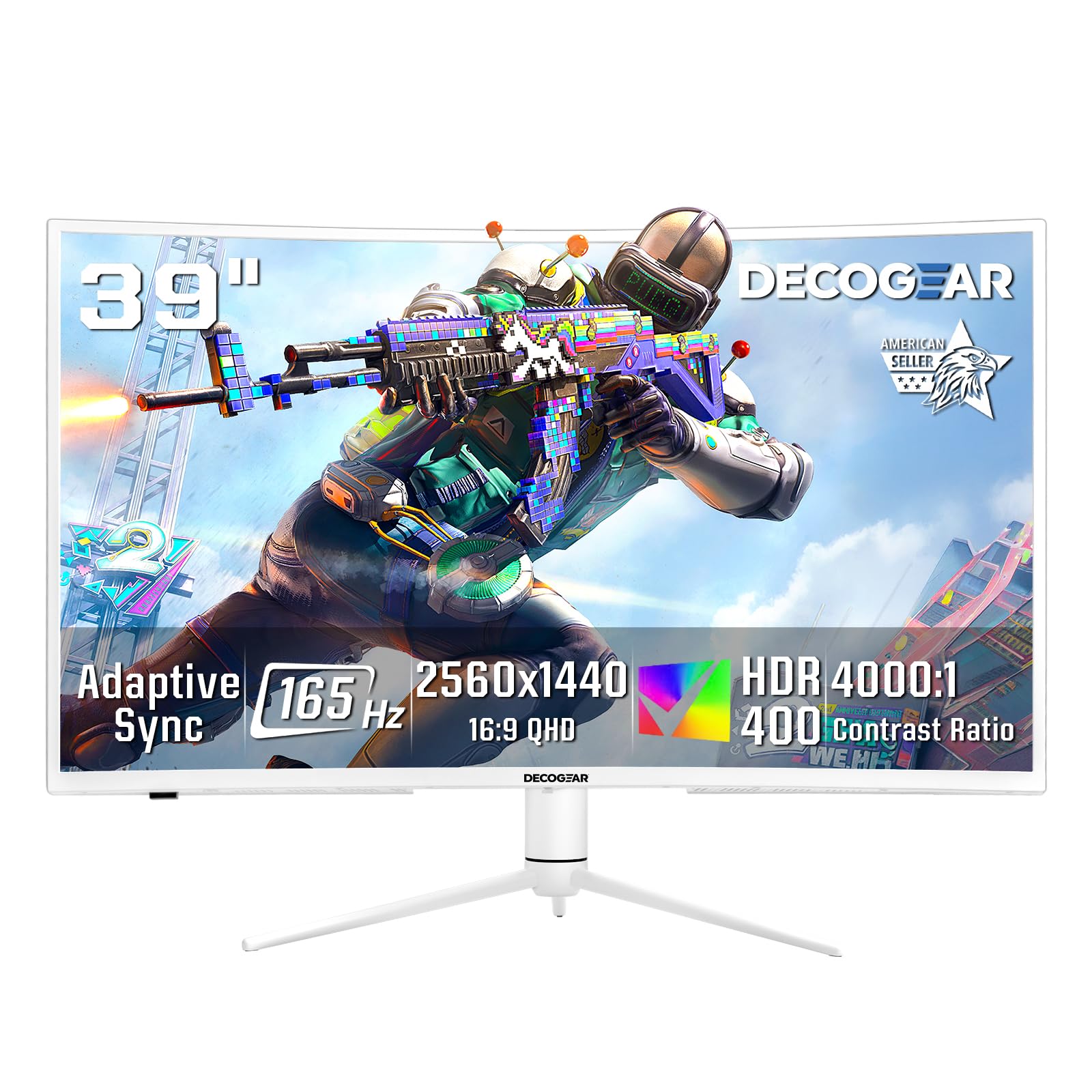
A 39-inch 1440p curved VA monitor with a 3000R curve and built-in USB-C that doubles as a productivity hub.
The 39-inch diagonal is significantly larger than a standard 32-inch monitor, and the 3000R curve is gentler than the 1500R panels above — it wraps the image without making straight lines look bent, which is important when you work with spreadsheets, design tools, or browser-heavy multitasking. The 65W USB-C port powers and displays a laptop through a single cable, so your desk stays clean without a separate charging brick. Buyers report the monitor works well for office work, noting the large size eases eye and neck strain, and that colors are crisp and accurate for photo review and spreadsheets.
The VA panel delivers a 3000:1 contrast ratio and 99% sRGB coverage (a color standard that matches most web content and photo editing), so games and movies look rich without the gray haze you get from lower-contrast panels. The 165Hz refresh rate and 1ms MPRT response time handle fast-paced gaming well, though the 1440p resolution stretched across 39 inches results in a lower pixel density — one owner reported text can look slightly pixelated and blurry at normal viewing distance. HDR400 support means the monitor can handle HDR signals, but the 350 Candela per square meter brightness is modest for true HDR impact.
Giant screen, single cable: The 65W USB-C with video, data, and charging through one wire is rare in curved gaming monitors, making this a strong pick for hybrid work-and-play setups.
Ideal for: users who want a massive 39-inch curved screen for productivity with occasional gaming, and who value a single USB-C cable to connect a laptop with power delivery.
Consider carefully: the pixel density at 1440p on a 39-inch screen is lower than smaller monitors, so text clarity for heavy document work is softer than a 27-inch 1440p display.
Understanding the Specs
Contrast Ratio (3000:1 vs 4000:1 vs 100,000,000:1)
Contrast ratio measures the difference between the brightest white and the darkest black a monitor can display in a single frame. A 3000:1 static ratio (common on VA panels) means blacks look truly black in a dark room, not washed-out gray. The 100,000,000:1 figure you see on some monitors is a “dynamic” contrast ratio — it measures the difference when the backlight adjusts between completely different scenes, not within the same frame. For real-world dark scene detail, ignore the dynamic number and look for the static contrast ratio: VA panels at 3000:1 or 4000:1 give you the deepest blacks.
Response Time (MPRT vs GTG)
Response time is how fast a pixel changes color, measured in milliseconds. MPRT (Moving Picture Response Time) includes the time the pixel holds its color after change, so a 1ms MPRT feels faster to the eye than a 1ms GTG (Gray-to-Gray, which only measures the transition time). A 0.3ms MPRT like on the AOC CQ27G4ZH is exceptionally fast — it reduces perceived motion blur in fast games. For most gamers, anything under 2ms MPRT or under 4ms GTG is fine, but competitive players benefit from the 1ms or sub-1ms figures.
FAQ
Will a 1440p curved monitor work with my PS5 or Xbox Series X?
What is the difference between 1500R and 3000R curve?
Do I need a specific graphics card for 1440p at 165Hz or 180Hz?
Can I use a 1440p curved monitor for office work and spreadsheets?
What does 1ms MPRT mean compared to 1ms GTG?
Is G-Sync or FreeSync better for a curved 1440p monitor?
Will a 32-inch curved monitor fit on a standard desk?
How long do 1440p curved monitors typically last?
Final Thoughts: The Verdict
Across the board, the best 1440p curved monitor winner is the ASUS TUF Gaming VG32WQ3B because it delivers 180Hz at 1440p with a clean built-in power supply, ELMB anti-ghosting, and a 31.5-inch 1500R curve that fits both gaming and productivity without a premium price. If you want the absolute highest refresh rate for competitive esports, grab the ZZA 32-inch at 300Hz. And for a massive 39-inch canvas with single-cable USB-C convenience, the standout is the Deco Gear 39-inch.
How We Picked
We do not accept paid placement. Every pick is matched to a real buyer and a real use-case; we do not hands-on test units.
Sources & Methodology
Specifications: manufacturer listings and product documentation. Review insights: verified customer reviews, as of July 2026. Pricing: not shown on this page (it changes often); check the current price via the retailer link.
As an Amazon Associate, Gadgets Feed earns from qualifying purchases. This does not affect which products we feature.