
Pushing a 1440p OLED panel to 360 frames per second isn’t just about a number on a spec sheet — it’s the threshold where motion clarity becomes indistinguishable from reality for the human eye. That combination of per-pixel lighting, infinite contrast, and a 360Hz refresh rate eliminates ghosting entirely, making every flick-shot, every drift, and every strafe feel immediate and predictable. The jump from a standard 144Hz or even 240Hz IPS panel to a 360Hz OLED is a leap so profound that returning to older technology feels like wading through mud.
I’m Min — the co-founder and writer behind Gadgets Feed. I’ve spent years dissecting display technologies, from backlight-bleeding IPS panels to the latest quantum-dot OLED arrays, analyzing how refresh rates and response times translate into real-world gaming and creative performance..
This guide breaks down the essential specs, burn-in prevention technologies, and connectivity you need to know, ensuring you make a confident choice when selecting the ideal 1440p oled 360hz monitor for your high-end rig.
How To Choose The Best 1440p OLED 360Hz Monitor
Buying a 1440p OLED 360Hz monitor requires understanding more than just the headline numbers. The panel type, burn-in mitigation, connectivity bandwidth, and HDR performance all play a critical role in your long-term satisfaction. Here are the key factors to lock in before you buy.
Panel Technology: QD-OLED vs. WOLED
The two main OLED panel technologies powering these monitors are Quantum Dot OLED (QD-OLED) and White OLED (WOLED). QD-OLED panels, like those from Samsung and found in many ASUS, Dell, and MSI models, use a blue OLED light source with quantum dots to produce purer reds and greens, resulting in a wider color volume and typically higher peak brightness in HDR. WOLED panels, from LG, use a white OLED light source with color filters, often providing better text clarity and deeper blacks in bright-room conditions thanks to anti-glare coatings. Your choice depends on whether you prioritize peak color vibrancy (QD-OLED) or raw black-level performance in varied lighting (WOLED).
Burn-in Prevention and Warranty
OLED panels are susceptible to permanent image retention (burn-in) if a static element, like a taskbar or HUD, is displayed for thousands of hours. Premium monitors feature robust OLED Care suites, including pixel shifting, automatic logo detection with dimming, and periodic pixel refresh cycles. The best models also include passive cooling systems—like custom heatsinks or pulsating heat pipes—to dissipate heat, a key accelerant of burn-in. Crucially, check the warranty. Many top-tier monitors now include explicit 3-year burn-in coverage, which is the gold standard for long-term peace of mind in a heavy-use setup.
Connectivity: Bandwidth for 360Hz at 1440p
Driving 1440p at 360Hz requires massive data throughput. You cannot achieve this over HDMI 2.0 or standard DisplayPort 1.4 without using Display Stream Compression (DSC). DSC is visually lossless but can cause a 1-2 second black screen when alt-tabbing out of a game. For uncompressed, seamless operation, look for monitors with DisplayPort 2.1 (UHBR20) which offers 80Gbps of bandwidth, handling 1440p at 360Hz natively. HDMI 2.1 is also a necessity for modern console compatibility, though it maxes out at 120Hz or 144Hz at 1440p. Having the latest ports ensures your monitor is not the bottleneck for future GPU generations.
Quick Comparison
On smaller screens, swipe sideways to see the full table.
| Model | Category | Best For | Key Spec | Amazon |
|---|---|---|---|---|
| ASUS ROG Swift PG27AQWP-W | Premium Tandem OLED | Esports & Ultimate Motion | 540Hz Dual-Mode, DP 2.1 | Amazon |
| INNOCN 27″ 500Hz | High-Frequency QD-OLED | Budget-Friendly High Hz | 500Hz Refresh Rate | Amazon |
| Alienware AW2725DF | QD-OLED | Balanced Gaming & Media | 99.3% DCI-P3 Coverage | Amazon |
| Samsung Odyssey OLED G6 (G60SD) | QD-OLED | Burn-in Prevention & Brightness | Dynamic Cooling System | Amazon |
| Philips Evnia 27M2N8500 | QD-OLED | Immersive Ambience & Color | Ambiglow Bias Lighting | Amazon |
| ASUS ROG Strix XG27ACDNG | QD-OLED | Software Control & OLED Care | Anti-flicker Technology | Amazon |
In‑Depth Reviews
1. ASUS ROG Strix 27” 1440P QD-OLED Gaming Monitor (XG27ACDNG)

This ASUS ROG Strix model uses a third-generation QD-OLED panel that delivers exceptional color volume, with 99% DCI-P3 coverage and a Delta E of less than 2 out of the box, making it suitable for both competitive gaming and color-critical creative work. The 360Hz refresh rate and 0.03ms gray-to-gray response time combine with excellent motion handling to eliminate persistence blur entirely, giving you the absolute cleanest image in fast-paced shooters like Valorant or Overwatch.
ASUS has equipped the XG27ACDNG with a highly efficient custom heatsink and advanced airflow design to passively manage heat, reducing the risk of burn-in significantly. The OLED Care+ suite includes pixel cleaning, screen savers, and anti-flicker technology that smooths out refresh rate fluctuations. The OSD is navigable via the intuitive joystick, and the DisplayWidget Center software allows you to adjust settings and launch pixel refresh from your desktop without touching the monitor buttons.
The monitor includes a sturdy, fully adjustable stand with tilt, swivel, pivot, and height adjustments, though the height range is somewhat limited compared to premium ergonomic arms. Two USB 3.2 Gen 1 Type-A ports function as a pass-through hub, and connectivity is handled by two HDMI 2.1 ports and a DisplayPort 1.4 with DSC. A 3-year warranty that explicitly covers burn-in provides the peace of mind that makes this a safe, long-term investment for any high-end gaming setup.
Why it’s great
- Excellent factory color accuracy with 99% DCI-P3
- Robust custom heatsink and OLED Care+ for burn-in prevention
- 3-year warranty with burn-in coverage
Good to know
- Height adjustment range is somewhat limited
- Requires DisplayPort 1.4 with DSC to hit 360Hz
2. Alienware AW2725DF OLED Gaming Monitor

The Alienware AW2725DF is a 26.7-inch QD-OLED monitor that delivers a 2560×1440 resolution with a 360Hz refresh rate and a 0.03ms response time. The quantum-dot layer enhances color purity, achieving 99.3% DCI-P3 coverage with a Delta E of less than 2, which translates to incredibly lifelike reds, greens, and blues. During fast-paced gameplay, motion clarity is nearly perfect, with no visible ghosting or overshoot, giving you a competitive advantage in tracking targets.
Dell backs this monitor with a comprehensive 3-year burn-in warranty, which covers the OLED panel against image retention — a critical safety net for heavy users. The stand provides full ergonomic adjustments including height, tilt, swivel, and pivot, and the build quality feels rock-solid with a premium, matte-black finish. The I/O includes a DisplayPort 1.4 and two HDMI 2.1 ports, along with a USB 3.2 Gen 1 upstream port and four downstream ports for peripherals.
One common user note is that the QD-OLED coating can show a slight purple tint in very bright, direct sunlight, though this is rarely an issue in typical indoor gaming environments. The monitor requires a periodic pixel refresh, which takes about five minutes and can be scheduled to run when the monitor is in standby. The on-screen menu is controlled via a joystick behind the right bezel, offering quick access to game modes, dark stabilizer, and overdrive settings.
Why it’s great
- Outstanding 99.3% DCI-P3 color coverage with Delta E <2
- Full 3-year burn-in warranty gives confidence
- Excellent build quality with full ergonomic stand
Good to know
- QD-OLED coating has slight purple tint in bright light
- Requires periodic pixel refresh
3. ASUS ROG Swift PG27AQWP-W OLED Gaming Monitor

The ASUS ROG Swift PG27AQWP-W steps beyond standard 360Hz into what is arguably the pinnacle of motion clarity: a WOLED panel that can operate in a native QHD@540Hz mode and an HD@720Hz mode. This uses Tandem OLED technology, stacking two emissive layers to achieve 15% higher peak brightness and a 25% larger color volume than previous WOLED panels, all while maintaining a 1500000:1 contrast ratio. At 540Hz, image persistence is virtually eliminated, and in blind A/B tests against 360Hz, the reduction in motion blur is both visible and meaningful for top-tier competitive play.
The monitor features ASUS OLED Care Pro with a Neo Proximity Sensor that detects when you step away from the desk and automatically dims the screen to prevent burn-in from static content. It is built around a TrueBlack Glossy panel finish, which delivers razor-sharp text and reflections that are handled better than older glossy coatings. Connectivity is future-proofed with DisplayPort 2.1 UHBR20 providing a full 80Gbps of bandwidth, allowing you to run the monitor at its maximum refresh rate without needing DSC. A 3-year warranty with burn-in coverage further protects your investment.
The design is striking, with a white chassis and a 1/4-inch tripod socket built into the stand for mounting a webcam or streamer microphone. However, the stand is somewhat large and occupies significant desk space. The monitor lacks built-in speakers, which is a minor concession for a device so focused on uncompromised performance. The on-screen display is managed through a five-way joystick and the ASUS DisplayWidget Center software, which offers deep customization of AI-powered features like Dynamic Crosshair and Shadow Boost.
Why it’s great
- Tandem OLED delivers higher brightness and better longevity
- DisplayPort 2.1 UHBR20 for uncompressed 540Hz operation
- Neo Proximity Sensor for automatic burn-in prevention
Good to know
- Large stand footprint takes up significant desk space
- No built-in speakers
4. INNOCN 27″ OLED 2K QHD 500Hz Gaming Monitor (GA27M1Q)

The INNOCN GA27M1Q is an ambitious entry into the high-refresh-rate OLED space, offering a 1440p QD-OLED panel that pushes the refresh rate to 500Hz — surpassing even the standard 360Hz target. This monitor uses a 10-bit QD-OLED panel with a 1500000:1 contrast ratio and 99% DCI-P3 coverage, which means it delivers the deep blacks and vibrant colors expected of premium OLED technology. For competitive gamers, the 500Hz refresh rate provides the maximum possible motion clarity currently available in a 1440p package, though driving that frame rate requires a high-end CPU and GPU.
Build quality is solid, with a three-sided ultra-narrow bezel design and a fully adjustable stand that includes tilt, swivel, pivot, and height adjustments. The back panel features customizable RGB lighting that adds to the gaming ambiance. Connectivity is generous for the price tier, including two DisplayPort inputs and two HDMI 2.1 ports, alongside a USB hub and a 3.5mm audio jack. The monitor supports both G-Sync Compatibility and VRR over a wide range from 48Hz to 500Hz, ensuring tear-free gameplay.
The most significant consideration with the INNOCN is the brand’s reputation and warranty infrastructure compared to established giants like ASUS, Dell, or Samsung. The monitor includes basic pixel refresh features but lacks the sophisticated OLED Care software and advanced heatsink designs found in more expensive options. A few user reports mention needing to adjust color and brightness settings out of the box to achieve an ideal picture. At its price, this offers an incredible raw specification per dollar, but the total package of support and longevity features is a step behind the premium competition.
Why it’s great
- Able to achieve a 500Hz refresh rate on a QD-OLED panel
- Includes DisplayPort and dual HDMI 2.1 inputs
- Fully adjustable ergonomic stand included
Good to know
- Lacks advanced OLED Care software and custom heatsink
- Brand warranty and support infrastructure are less established
5. Samsung 27” Odyssey OLED G6 (G60SD)

The Samsung Odyssey OLED G6 (G60SD) is a 27-inch QD-OLED monitor that delivers a 2560×1440 resolution, a 360Hz refresh rate, and a 0.03ms response time. What distinguishes this monitor is its comprehensive approach to burn-in prevention, featuring a Dynamic Cooling System that uses a pulsating heat pipe to dissipate heat five times more effectively than traditional graphite sheets. This, combined with a Thermal Modulation System and automatic logo and taskbar dimming, makes it one of the most robust options for users who leave static elements on screen for extended periods.
The panel features Samsung’s Glare Free technology, which significantly reduces reflections from ambient light sources, making the deep blacks and vibrant colors of the QD-OLED more visible even in a room with windows or overhead lights. The design is ultra-slim at just 3.9mm at its thinnest point, and the silver-finished stand includes Core Lighting plus ambient lighting on the back. The adjustable stand provides tilt, swivel, and height adjustments, allowing for a comfortable viewing angle. A 3-year warranty is included for added peace of mind.
A notable disappointment is that the monitor only includes HDMI 2.0 ports, not HDMI 2.1 as advertised on some packaging. This means that achieving 360Hz at 1440p requires using DisplayPort 1.4 with DSC, which can cause a brief black screen when tabbing in and out of fullscreen games. The menu system uses Samsung’s gaming hub interface, which can be a bit cluttered compared to more minimalist OSDs. Despite these quirks, the combination of excellent HDR, superior anti-burn-in hardware, and a bright, vibrant QD-OLED picture makes it a compelling choice.
Why it’s great
- Dynamic Cooling System with pulsating heat pipe for better longevity
- Glare Free coating improves black level visibility in bright rooms
- Ultra-slim 3.9mm profile with attractive design
Good to know
- Only HDMI 2.0 ports; requires DP 1.4 with DSC for 360Hz
- Menu system can be cluttered with gaming hub features
6. Philips Evnia 27M2N8500 QD OLED Gaming Monitor
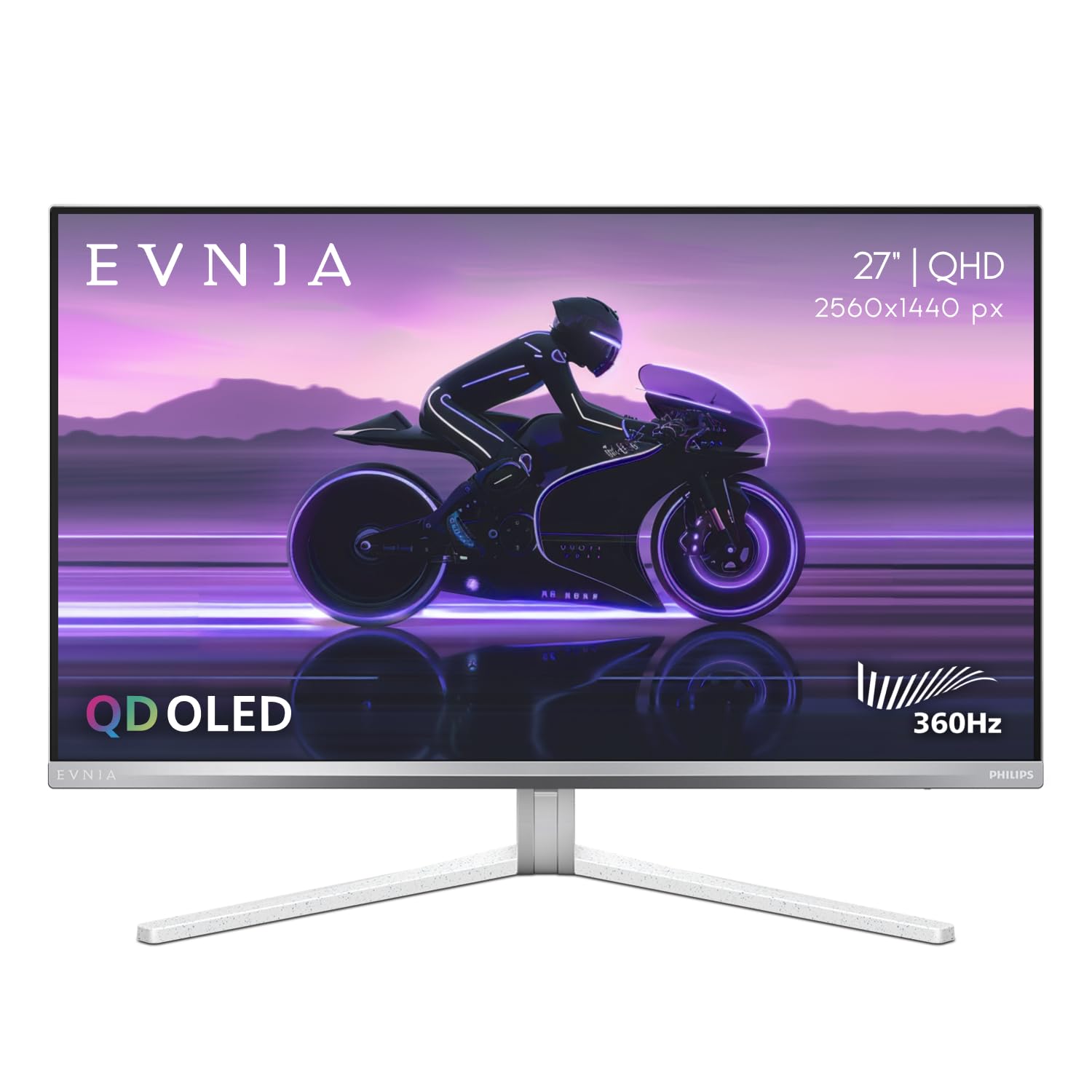
The Philips Evnia 27M2N8500 is a 27-inch QD-OLED monitor that pairs a 2560×1440 resolution with a 360Hz refresh rate and a 0.03ms response time, delivering the same core OLED performance as its competitors. What makes it stand out is the inclusion of Ambiglow technology, which projects a halo of bias lighting onto the wall behind the monitor that matches the on-screen content, significantly enhancing the sense of immersion during gaming and movie watching. This feature, often found on higher-end Philips televisions, is rare in the monitor space.
The monitor is factory-calibrated with Delta E accuracy of less than 2, and offers dedicated modes for DCI-P3, Adobe RGB, and sRGB color spaces, making it a solid choice for photographers and video editors who need color accuracy alongside high-speed gaming. The stand is constructed with a metal base and a plastic cover, providing smooth tilt, swivel, and height adjustments, and it even includes a built-in headphone hanger. Philips offers a 4-Year Advance Replacement warranty, which is one of the most generous in the industry and speaks to their confidence in the panel’s longevity.
User feedback notes that the out-of-box white balance is slightly warm, which can be corrected through the OSD, but users who prefer a cooler, bluer image should be prepared to adjust it. The Ambiglow’s refresh rate is relatively low, so fast-moving content on the screen can result in a slight delay in the backlight matching, though this is a minor nuance. The monitor also features a headphone hanger built into the stand’s arm, a thoughtful touch for desk tidying. Connectivity includes DisplayPort 1.4 and HDMI 2.1 ports.
Why it’s great
- Unique Ambiglow bias lighting enhances immersion
- Factory-calibrated with dedicated DCI-P3 and Adobe RGB modes
- Excellent 4-Year Advance Replacement warranty
Good to know
- Out-of-box white balance is slightly warm
- Ambiglow has a noticeable delay with fast content
7. MSI MPG 322URX QD-OLED 32-inch

The MSI MPG 322URX represents the intersection of high-resolution and high-refresh-rate, sporting a 32-inch 4K UHD QD-OLED panel with a 240Hz refresh rate and 0.03ms response time. While this is not the 360Hz target of this guide, it demonstrates how the same third-generation QD-OLED panel used in 1440p 360Hz monitors scales to 4K, offering a stunning pixel density that makes text and HUD elements incredibly crisp. The monitor is built for uncompromised lossless connectivity, featuring DisplayPort 2.1a (UHBR20) which provides 80Gbps of bandwidth to drive 4K at 240Hz without Display Stream Compression.
MSI has included their OLED Care 2.0 suite, which uses an AI-powered pixel refresh system and a graphene heatsink for passive cooling, both designed to prevent burn-in. The color performance is exceptional, with Delta E ≤2 accuracy and 99% DCI-P3 coverage out of the box. The 32-inch screen size is a sweet spot for immersion at a typical desk viewing distance, providing a commanding field of view without requiring significant head movement. VESA DisplayHDR True Black 400 certification ensures deep blacks and bright highlights.
Some users have reported that the screen coating is relatively soft and can scratch easily during cleaning if care is not taken. The built-in speakers are functional but lack the volume and clarity expected at this price point. The stand is fully adjustable with height, tilt, and swivel controls. Overall, the MPG 322URX is a top-tier option if you prioritize 4K resolution over raw refresh-rate numbers, offering a more detailed image that is beneficial for both gaming and professional creative work.
Why it’s great
- DisplayPort 2.1a UHBR20 provides uncompressed 4K at 240Hz
- Stunning 4K resolution with OLED contrast and color
- Graphene heatsink and OLED Care 2.0 for burn-in prevention
Good to know
- Screen coating is soft and can scratch easily
- Built-in speakers are mediocre
8. LG 27GX790A-B 27-inch Ultragear OLED Gaming Monitor

The LG 27GX790A-B pushes past the standard 360Hz into a 480Hz refresh rate territory while maintaining the classic 27-inch 1440p WOLED panel format that LG’s Ultragear line is known for. This monitor utilizes LG’s proprietary WOLED technology, which uses a white OLED emitter with a color filter array. The result is excellent contrast with 1500000:1 ratio and up to 98.5% DCI-P3 coverage, but with better text clarity than many QD-OLED alternatives due to the unique sub-pixel layout. The 480Hz refresh rate provides a subtle but noticeable improvement in motion clarity over the 360Hz baseline.
The monitor is future-ready with a DisplayPort 2.1 port, allowing a full-bandwidth 480Hz connection without Display Stream Compression, and two HDMI 2.1 ports for console compatibility. The stand offers full tilt, swivel, pivot, and height adjustments, and the back features a hexagonal RGB lighting element that adds a gamer aesthetic. The monitor includes LG’s suite of gaming features like Dynamic Action Sync for reducing input lag, and a Black Stabilizer for brightening dark areas without overexposing the rest of the image. DTS Headphone:X support provides virtual 3D spatial audio through the 4-pole headphone jack.
Some users have reported that initial units exhibit visible vertical banding, which typically fades after a few days of normal use as the panel settles. The matte anti-glare coating, while excellent for reducing reflections, can give static desktop backgrounds a slightly grainy appearance that some users find distracting. The firmware on some early units has also been reported to have a slow wake-from-sleep behavior, which LG may address in a future update. The 2-year warranty is shorter than the 3-year coverage offered by some competitors, which is worth considering for long-term ownership.
Why it’s great
- 480Hz refresh rate for the smoothest possible motion
- DisplayPort 2.1 for uncompressed bandwidth
- Excellent text clarity due to WOLED sub-pixel layout
Good to know
- Initial vertical banding that fades after break-in period
- 2-year warranty is shorter than some competitors’ 3-year coverage
9. MSI MAG 272UP QD-OLED X24 27-Inch 4K UHD Gaming Monitor

The MSI MAG 272UP X24 is a 26.5-inch 4K QD-OLED gaming monitor that offers a 240Hz refresh rate and a 0.03ms response time, packing the same quantum dot panel technology found in flagship models into a more accessible package. The combination of 4K resolution and QD-OLED provides a high pixel density (approximately 163 PPI) that makes text exceptionally sharp and images look incredibly detailed. With a 10-bit panel, 99% DCI-P3 coverage, and Delta E ≤2 accuracy, this monitor is a capable tool for photo and video editing alongside high-refresh-rate gaming.
MSI has built this monitor with a fanless graphene heatsink to manage heat dissipation, which contributes to a longer OLED lifespan without the noise of a cooling fan. OLED Care 2.0 includes AI-powered software for burn-in prevention, and the monitor features Smart Crosshair and other game assistance tools. Connectivity is robust with DisplayPort 1.4a, two HDMI 2.1 ports (supporting 4K at 240Hz), and a USB Type-C port with 15W Power Delivery. The 4-way adjustable stand provides tilt, swivel, pivot, and height adjustments, and the frame-less design is ideal for multi-monitor setups.
The USB-C port only provides 15W of power delivery, which is insufficient for charging modern gaming laptops; it’s primarily intended for data and video signal transmission. Some users have noted that HDR image settings are greyed out in the OSD when HDR is enabled in Windows, which is standard behavior for this specification level but can be confusing. The monitor’s firmware can be updated through the DisplayPort connection using a compatible PC, ensuring future feature updates. The 3-year burn-in warranty provides solid protection for this investment.
Why it’s great
- High 4K resolution with QD-OLED color and contrast
- Fanless graphene heatsink for silent, durable operation
- 3-year burn-in warranty included
Good to know
- USB-C port only delivers 15W, not enough for laptop charging
- HDR settings are greyed out in OSD when HDR is active
10. ASUS ROG Strix 32” 4K OLED Gaming Monitor (XG32UCWMG)

The ASUS ROG Strix XG32UCWMG is a 32-inch TrueBlack Glossy WOLED gaming monitor that features a versatile dual-mode operation, capable of running at 4K at 240Hz or switching to 1080p at 480Hz. This flexibility makes it an excellent choice for users who want a single monitor for immersive single-player games at high resolution and competitive shooters that benefit from the maximum refresh rate. The TrueBlack Glossy panel finish delivers exceptionally sharp text and images, free from the graininess that can occur with matte anti-glare coatings, though this means reflections will be more visible in bright rooms.
ASUS has equipped this monitor with its most advanced OLED Care Pro system, which includes a Neo Proximity Sensor that can detect when you leave your desk and automatically switch the screen to black to prevent burn-in. The monitor also includes a new AI Assistant suite with features like Dynamic Crosshair, Dynamic Shadow Boost, and AI Visual, which tunes the image for different game genres. Connectivity includes DisplayPort 1.4 (with DSC), two HDMI 2.1 ports, and a USB-C port with 15W Power Delivery. A 3-year warranty with burn-in coverage is included.
The stand uses a quick-release mechanism for easy assembly, but the overall footprint is large, requiring a desk that is at least 24 inches deep for comfortable viewing. The built-in speakers are basic and insufficient for any serious gaming or media consumption. The 32-inch size at 4K resolution provides a pixel density of about 140 PPI, which is sharp but not as crisp as a 27-inch 4K display. For most users, the dual-mode functionality and glossy panel make this a top-tier all-in-one solution, but it carries a premium price tag that reflects its versatility.
Why it’s great
- Dual-mode allows switching between 4K@240Hz and FHD@480Hz
- TrueBlack Glossy panel for sharp text and zero haze
- Neo Proximity Sensor for automatic burn-in protection
Good to know
- Large stand footprint requires significant desk space
- High premium price for the dual-mode feature set
11. LG 39GX90SA-W 39-inch Ultragear WQHD OLED Curved Gaming Monitor

The LG 39GX90SA-W takes a different approach to the high-refresh-rate OLED monitor, offering a 39-inch WQHD (3440×1440) WOLED ultrawide panel with a dramatic 800R curvature and a 240Hz refresh rate. The steep curve wraps around your peripheral vision, creating a deeply immersive experience for sim racing, flight sims, and immersive RPGs. The WOLED panel provides the deep blacks and vibrant colors expected from OLED technology, with a peak brightness of 1300 nits and DisplayHDR True Black 400 certification.
A distinctive feature of this monitor is the inclusion of LG’s webOS 24 smart platform, which gives you access to streaming services like Netflix, Prime Video, and Disney+, as well as cloud gaming services like Nvidia GeForce NOW, directly on the monitor without needing a connected PC. This effectively turns the monitor into a standalone entertainment hub. Connectivity is strong, with DisplayPort, two HDMI ports, and a USB-C port that supports video input and up to 65W Power Delivery for charging a connected laptop. The monitor also includes built-in speakers, a rarity in high-refresh-rate monitors, which are functional for casual use.
The 800R curve is very aggressive, and while it enhances immersion when you are centered in front of the screen, it can cause distortion for anyone viewing from an angle, making it unsuitable for shared-screen work. The smart TV interface can be sluggish compared to a dedicated streaming device, and the remote control is a necessary accessory rather than a nice-to-have. The 39-inch diagonal at WQHD resolution results in a lower pixel density than 27-inch 1440p monitors, meaning text is not as sharp. It also lacks a 360Hz refresh rate, capping at 240Hz.
Why it’s great
- Deep 800R curve creates an immersive ultrawide field of vision
- Built-in webOS platform with streaming and cloud gaming
- USB-C with 65W Power Delivery for laptop charging
Good to know
- Lower pixel density than 27-inch 1440p monitors
- Aggressive curve causes distortion at off-angles
12. ASUS ROG Strix 27” 4K QD-OLED Gaming Monitor (XG27UCDMG)

The ASUS ROG Strix XG27UCDMG is a 26.5-inch 4K QD-OLED gaming monitor that offers a 240Hz refresh rate and a 0.03ms response time, built around the latest 4th-generation QD-OLED panel technology. This generation is designed for longer lifespan and sharper imagery, with an enhanced sub-pixel structure that improves text clarity compared to previous QD-OLED generations. The 4K resolution at this screen size provides a high 163 PPI pixel density, delivering incredibly detailed images that rival professional photo editing monitors.
This monitor features the most advanced version of ASUS’s OLED care suite, termed OLED Care Pro, which includes a Neo Proximity Sensor that can detect when you step away from the monitor and automatically enter a black screen mode to prevent burn-in. The VESA DisplayHDR True Black 400 certification, combined with the 99% DCI-P3 gamut and true 10-bit color depth, makes HDR content look stunning. Connectivity is extensive, including a USB-C port with 90W Power Delivery, which is sufficient to charge many laptops, alongside DisplayPort 1.4 and dual HDMI 2.1 ports.
The monitor is not as bright as a high-end IPS panel in sustained full-screen white scenes, which is a limitation of OLED technology in general. The glossy coating on the QD-OLED panel produces rich, vibrant colors but can be more reflective than matte alternatives. The built-in software suite, DisplayWidget Center, allows for easy mouse-based control of all settings. With a 3-year warranty and burn-in coverage, this is a premium long-term investment for users who demand the highest image quality and the sharpest possible text in a high-refresh-rate package.
Why it’s great
- 4th-gen QD-OLED panel with improved text clarity and lifespan
- USB-C port with 90W Power Delivery for laptop charging
- Neo Proximity Sensor for advanced burn-in prevention
Good to know
- Lower peak brightness in sustained white scenes than IPS
- Glossy coating can be reflective in bright environments
13. Samsung 40” Odyssey G7 (G75F) WUHD Curved Gaming Monitor

It is important to note that the Samsung 40” Odyssey G7 (G75F) is not an OLED monitor and does not feature a 360Hz refresh rate. It uses a 40-inch VA panel with a WUHD (5120×2160) resolution, a 1000R curvature, and a maximum refresh rate of 180Hz with a 1ms response time. It is included in this guide as a point of comparison for users who are considering a high-refresh-rate gaming monitor but may prefer a massive, immersive ultrawide format over the pure performance of a 27-inch OLED.
The VA panel delivers a native 3000:1 contrast ratio, which is excellent for a non-OLED display, and the 180Hz refresh rate still provides very smooth gameplay. The 40-inch diagonal creates a truly cinematic presence on the desk. This monitor supports AMD FreeSync Premium Pro for tear-free gaming and the VESA DisplayHDR 600 rating delivers decent brightness for HDR content. The 5120×2160 resolution effectively combines the width of a 21:9 ultrawide with most of the height of a 16:9 4K display, offering a unique hybrid workspace and gaming canvas.
You must be realistic about what this monitor offers: it uses VA panel technology, so it cannot produce the per-pixel black levels, infinite contrast, or instant response times of an OLED panel. The 1ms response time is a marketing figure and real-world response times will be slower than the 0.03ms of OLEDs. This is a large-format alternative that prioritizes screen real estate and a high resolution over the absolute best motion clarity. It is a good option for users who want a massive display for general use and only moderate competitive gaming.
Why it’s great
- Massive 40-inch screen with immersive 1000R curve
- High 5120×2160 resolution for pixel-dense productivity
- FreeSync Premium Pro and VESA DisplayHDR 600
Good to know
- Not an OLED panel; cannot match OLED contrast or response times
- Refresh rate limited to 180Hz, not 360Hz
FAQ
Is 360Hz really noticeable compared to 240Hz on a 1440p OLED monitor?
Do I need DisplayPort 2.1 for a 1440p 360Hz OLED monitor?
Will a 1440p OLED 360Hz monitor work with a PS5 or Xbox Series X?
How does WOLED compare to QD-OLED for longevity and text clarity?
What is the minimum graphics card required for a 1440p 360Hz monitor?
Final Thoughts: The Verdict
For most users, the 1440p oled 360hz monitor winner is the ASUS ROG Strix XG27ACDNG because it delivers a perfect balance of exceptional color accuracy, robust burn-in prevention with its custom heatsink, and a comprehensive 3-year warranty at a competitive mid-range price point. If you want the absolute pinnacle of motion clarity and are willing to pay a premium for cutting-edge technology, grab the ASUS ROG Swift PG27AQWP-W for its 540Hz dual-mode capability and future-proof DP 2.1 connectivity. And for the best value that challenges the premium tier, nothing beats the INNOCN 27″ GA27M1Q, which delivers a staggering 500Hz on a QD-OLED panel at an entry-level high-refresh-rate price.