
Our readers keep the lights on and my morning glass full of iced black tea. As an Amazon Associate, I earn from qualifying purchases.
Specs are compiled from manufacturer listings and verified buyer reviews and can change over time — please confirm the key details on the product page before buying.
You want a 144Hz portable monitor that fits how you actually work and play — whether that’s hooking up a PS5 in a hotel room or adding a sharper second screen for spreadsheets on a train. The refresh rate matters most for gaming, but brightness, color accuracy, and connection type are just as important for daily tasks. Here are the top performers, matched to your real-life needs.
I’m Min — the founder and writer behind Gadgets Feed. This guide is built by comparing the manufacturers’ published specifications and the patterns across verified customer reviews, so you get each pick’s real strengths and trade-offs instead of marketing spin.
We’ve analyzed the latest portable displays to find the best 144hz portable monitor for travel, gaming, and productivity while staying affordable.
Our Picks at a Glance
How To Choose The Best 144Hz Portable Monitor
Before you click buy, focus on the three specs that define the experience: refresh rate, panel quality, and connectivity.
Refresh Rate vs. Resolution
A 144Hz refresh rate means the screen updates 144 times every second, making fast motion look dramatically smoother and less blurry. However, a high refresh rate only matters if your laptop or console can actually output that many frames per second. For gaming, prioritize 144Hz. For text-heavy work, a higher resolution like 2.5K QHD will make text look sharper and crisper.
Check Your Device’s Output
Most modern laptops and consoles support this, but check before you buy. To get a 144Hz signal, your source device needs a USB-C port that supports DisplayPort Alt Mode, or a Thunderbolt 3/4 port. You’ll also want to make sure the cable you use can handle the bandwidth — a single USB-C cable can carry power and video, but some devices may require a separate power adapter for full brightness.
Quick Comparison
| Model | Best For | Resolution | Brightness | Response Time | Amazon |
|---|---|---|---|---|---|
| cocopar 16″ 2.5K★ Best Overall | Travel & Color Work | 2560 x 1600 | 470 cd | — | Amazon |
| HotYeah 16″ 2.5KBest Value | Value & Vivid Colors | 2560 x 1600 | 400 cd | — | Amazon |
| ARZOPA 16.1″ 180HzTop Performer | High-FPS Gaming | 2560 x 1440 | 400 cd | — | Amazon |
| ViewSonic VX1654 | Console Play | 1920 x 1080 | 250 cd | — | Amazon |
| NexiGo 17.3″ FHD | Console & PC Combo | 1920 x 1080 | 350 cd | 4ms | Amazon |
| InnoView 16″ 240Hz | Competitive Esports | 2560 x 1600 | 300 cd | — | Amazon |
| VisionOwl 16″ 2.5K | MacBook Matching | 2560 x 1600 | 470 cd | — | Amazon |
| EVICIV 24″ QLED | Large Workspace | 1920 x 1080 | 450 cd | 0.1ms | Amazon |
| UPERFECT 24″ QLED | Premium Dual-Screen | 1920 x 1080 | 450 cd | 0.1ms | Amazon |
| ViewSonic VX1754 | Backpack Travel | 1920 x 1080 | 250 cd | — | Amazon |
| ASUS ZenScreen MB16AHG | FreeSync Premium | 1920 x 1080 | 250 cd | — | Amazon |
In‑Depth Reviews
1. cocopar 16″ 2.5K QHD Portable Monitor
Our pick — over 4.5★ from 6,000+ verified ratings; the strongest balance of quality and price.
The featherweight that climbs without wheezing — 1.5 lb of pure desk-expanding travel magic.
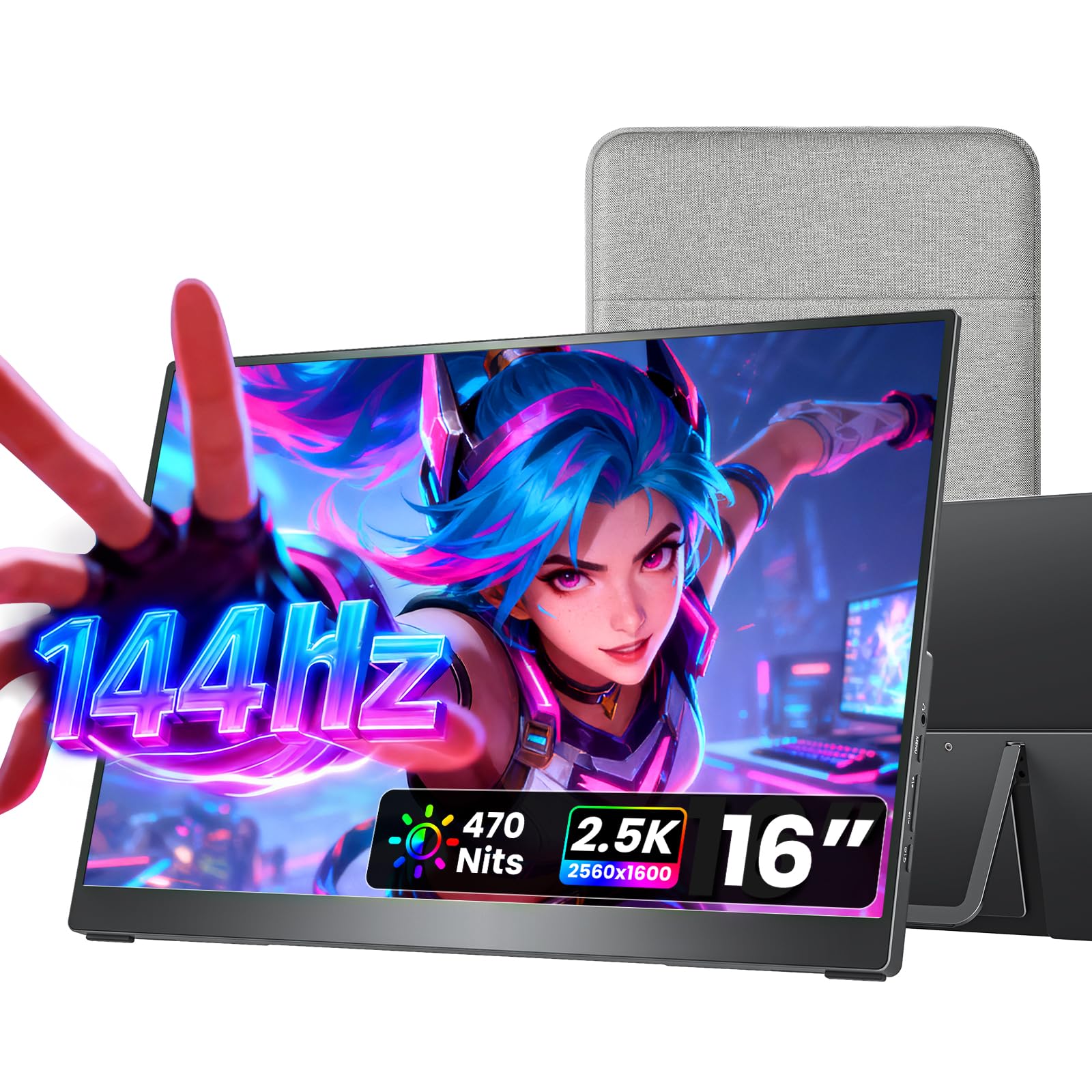
The cocopar is the crowd-pleaser here, and it’s easy to see why. It’s a 16-inch panel with a 2560 x 1600 resolution, giving you sharp, crisp text and plenty of room for side-by-side windows. The 470 nits brightness means you can actually see what’s on screen even in a bright, sunny coffee shop — a real step up from dimmer budget panels. It also covers 110% sRGB for vibrant colors, which makes it great for photo editing or just making Netflix look fantastic.
What really sets this one apart is the complete package. It weighs just 1.5 lb, making it a no-brainer to slip into a backpack, and it comes with a protective fabric sleeve that has a handy pouch for the cable. Buyers report that the included “soft case keeps the screen well protected” during travel, and they love that it’s genuinely plug-and-play with MacBooks. The full metal chassis and adjustable kickstand give it a premium feel you don’t often get at this tier.
The all-metal chassis and adjustable kickstand add a premium feel, while dual VESA mount holes give you flexible mounting options on a monitor arm. It is the highest-rated and most-reviewed pick on this list, with 4.8 stars across a massive 6,000+ owner base — proof of its consistent quality.
What makes it a winner
- Stunning 470 nits brightness for use in well-lit rooms
- Featherlight 1.5 lb design with a protective travel sleeve
- Sharp 2.5K resolution with 110% sRGB color coverage
- Premium metal chassis and adjustable kickstand
Consider this first
- Requires a laptop with USB-C DP Alt Mode or Thunderbolt for single-cable setup
- Built-in speakers are serviceable but not audiophile-grade
Best for travelers: If you want a bright, sharp, premium-feeling second screen you’ll forget you’re carrying, this is the one.
Check your ports: Your laptop must support USB-C DisplayPort Alt Mode or Thunderbolt for the single-cable plug-and-play experience.
2. HotYeah 16″ 2.5K QHD Portable Monitor
Punches way above its weight with richer 125% sRGB colors than most rivals.
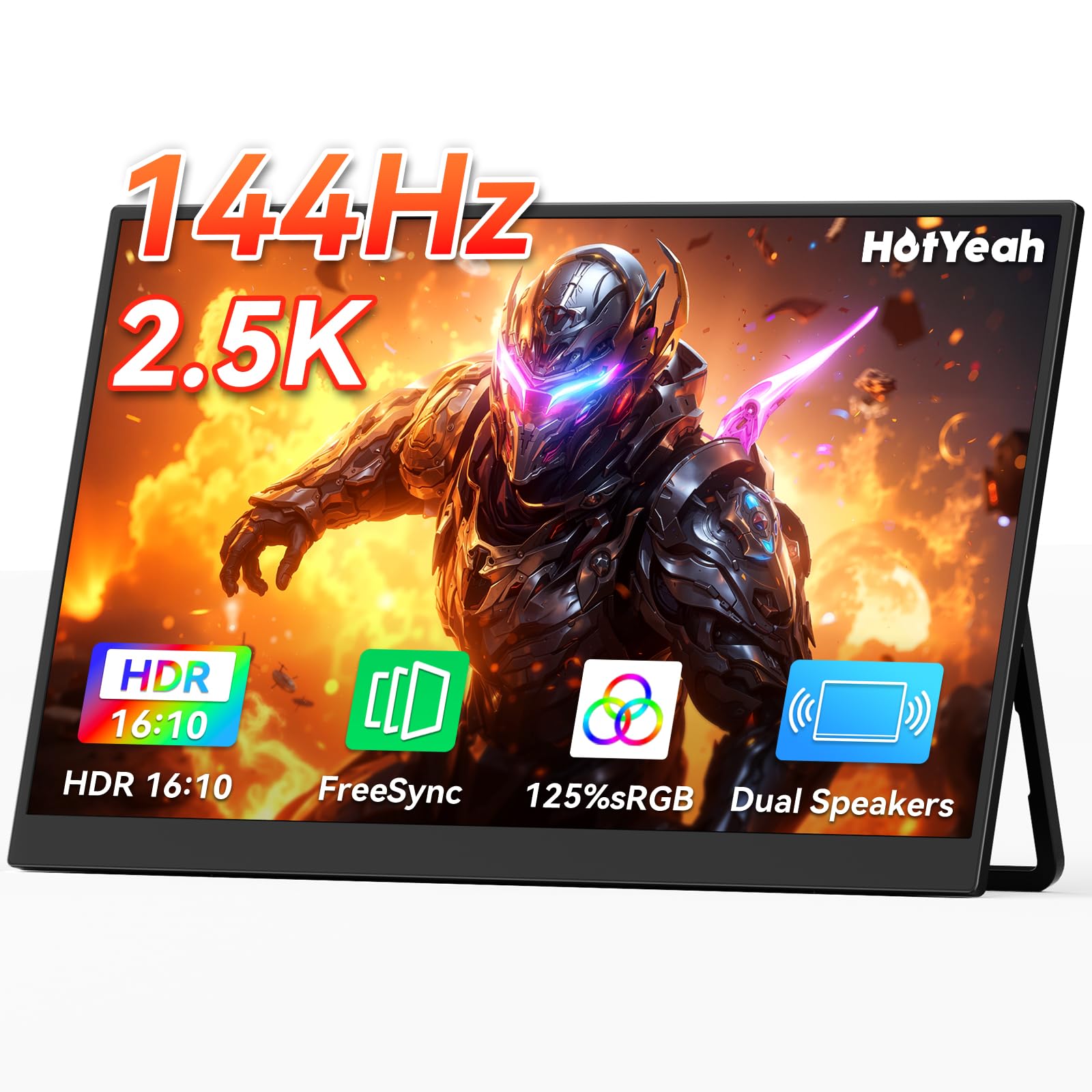
If you want vivid, punchy colors without spending top dollar, the HotYeah is a standout. Its panel hits a 125% sRGB color gamut, which is noticeably more vibrant than the 110% coverage on the cocopar above — colors pop more for gaming and streaming. That’s paired with a sharp 2560 x 1600 QHD resolution for crisp detail, all packed into a 1.57 lb frame. Owners mention the battery lasts 4-5 hours at 5/10 brightness when running on its own, which is handy for short untethered sessions.
The 180° adjustable metal kickstand is a highlight, letting you find the perfect viewing angle, and the U-shaped base lets you hang it from a shelf if you’re tight on desk space. It’s also ready to go from the start with two USB-C cables, a Mini-HDMI cable, and a power adapter.
At 400 nits, it’s not quite as bright as the top pick, but for most indoor use it’s more than sufficient. It’s a fantastic choice for the price, delivering a premium 2.5K experience that beats the 1080p panels at a similar cost.
What owners love
- Rich, saturated colors with 125% sRGB coverage
- Flexible 180° adjustable metal kickstand
- Full kit included: cables, adapter, and more
Keep in mind
- Battery life is a nice bonus but mixed in real-world use
- Slightly lower brightness than the top pick at 400 nits
Reach for this if… you prioritize color richness and want a near-premium 2.5K experience at a budget-friendly price.
Look elsewhere if… you regularly work in very bright rooms where max brightness is non-negotiable.
3. ARZOPA 16.1″ 180Hz Portable Gaming Monitor
For gamers who want an edge, this 180Hz panel beats 144Hz to the punch.
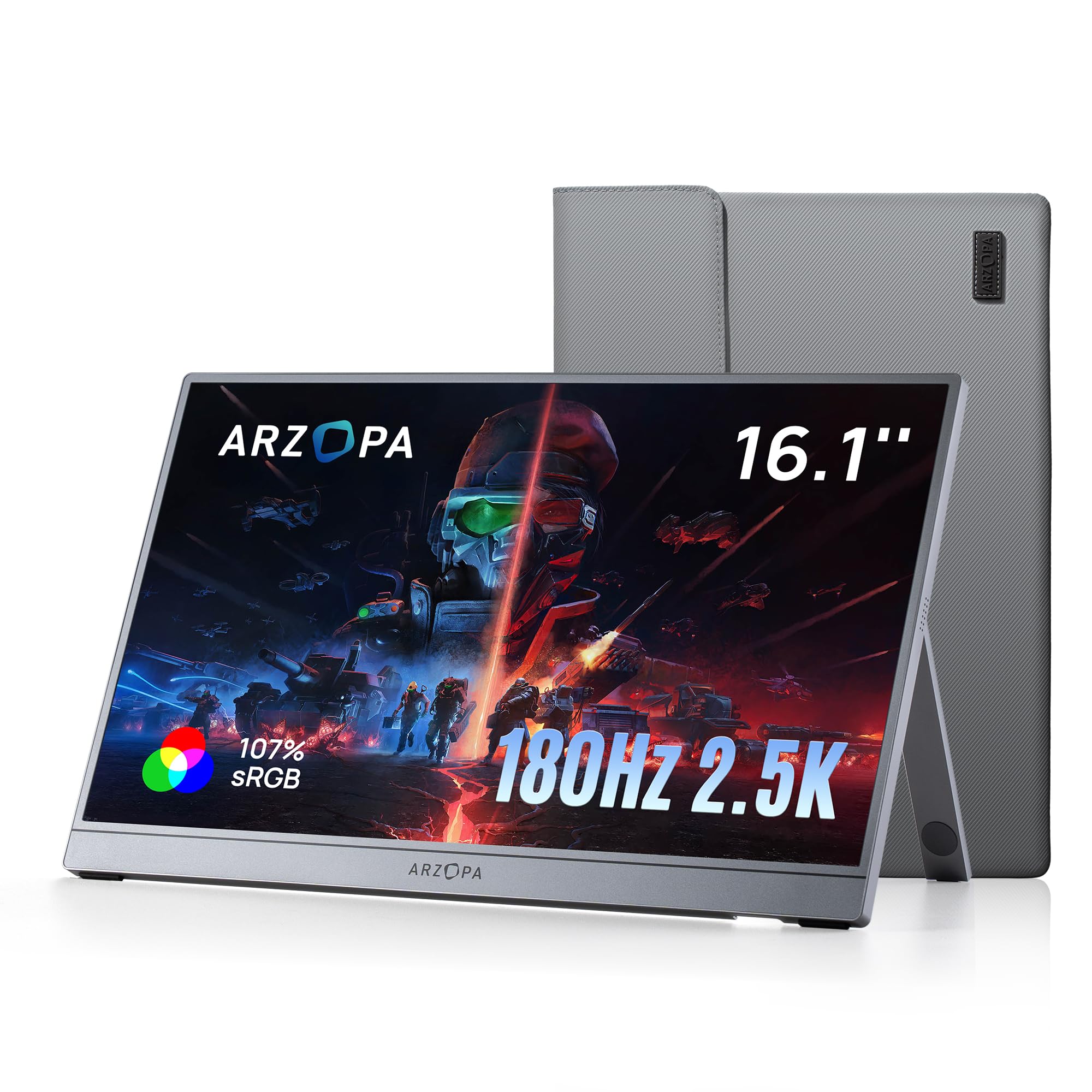
The ARZOPA Z3FC is built for speed. It goes beyond the 144Hz standard, offering an 180Hz refresh rate on a 16.1-inch 2560 x 1440 QHD panel. That higher refresh rate translates to lower input latency and noticeably smoother motion in fast-paced shooters, giving you a competitive edge. The 400 nits brightness keeps the image visible in most settings, and the 1000:1 contrast ratio helps deliver deep blacks.
This is a “plug-and-play” monster too. With two full-featured USB-C ports and a Mini-HDMI port, it connects easily to laptops, Mac, Xbox, PS5, and the Steam Deck without needing drivers. Buyers praise its thin, well-built design and sharp text, noting it’s a great value for the money.
It’s note the stability of the kickstand gets mixed feedback — some find it super sturdy, others less so. Also, like many portable panels, it can appear dark on low-power devices like the Switch 2 even at max brightness, so it’s best used with a full-power laptop or console.
The speed advantage
- Fast 180Hz refresh rate for ultra-smooth motion
- Sharp 2.5K QHD resolution for crisp text and detail
- Great value for a high-refresh panel
The trade-offs
- Kickstand stability has mixed reviews
- Can look dim on low-power handhelds like the Switch
Pick this for esports: the 180Hz panel gives you a measurable smoothness advantage over standard 144Hz screens.
Not for handhelds: if a dim image on the Switch bothers you, consider a brighter panel.
4. ViewSonic VX1654 16″ Portable Gaming Monitor

A trusted brand name that brings 60W laptop charging and a 3-year warranty to the table.
The ViewSonic VX1654 is a smart pick from a well-known monitor brand. It’s a 15.6-inch FHD (1920×1080) IPS panel with a 144Hz refresh rate, but its a neat extra is the 60W USB-C charging. That means a single USB-C cable can carry video and audio to the screen while simultaneously charging your laptop, keeping your desk and bag free of cable clutter. This is a huge convenience for anyone with a USB-C laptop that can charge over the same port.
Weighing 1.5 lbs and just 0.7 inches thick, it slips easily into a backpack. It comes with a durable screen cover that doubles as a stand, allowing both portrait and landscape orientations. The 3-year warranty with US-based support is a solid safety net that’s rare in this category.
Buyers love how light it is and how well it works as a second screen for spreadsheets and emails. The most common caveat is the 250 nits brightness — it’s fine inside, but it becomes hard to see in bright, uncontrolled environments.
Why it stands out
- 60W USB-C charging powers your laptop while it displays
- Industry-leading 3-year warranty
- Light 1.5 lbs with a protective cover stand
The catch
- 250 nits brightness is only good for indoor use
- Color gamut is lower than QHD rivals
Choose this for simplicity: one cable to charge your laptop and extend your screen is a standout for minimalists.
skip it if: you need a screen for outdoor or bright hotel rooms where max brightness is a priority.
5. NexiGo 17.3″ 144Hz Portable Gaming Monitor

The 17.3-inch panel with G-SYNC compatibility for tear-free play on Nvidia laptops.
For console gamers on a budget, the NexiGo NG17FG gives you a larger 17.3-inch screen than most, so you get a more rich view in games and more room for documents. It has a crisp 1080p IPS display (a panel type known for wide viewing angles) with a 144Hz refresh rate, and it’s G-SYNC compatible — that works with Nvidia graphics cards to stop screen tearing for smoother motion. Note: G-SYNC only works over the USB-C connection, not other ports.
With a 4ms response time, fast-moving scenes stay sharp with minimal ghosting. The 100% sRGB color gamut and 1000:1 contrast ratio ensure rich, accurate colors. Customers note it works well with the Switch over USB-C and offers excellent brightness and colors when powered by a proper adapter.
The trade-off is power. When powered only by a single USB-C cable from your laptop, brightness is limited to around 50% and the speakers may not work. To get the full 350 cd/m² brightness and full sound, you’ll need to plug in the power adapter, which adds a little bulk to the travel setup.
Big screen perks
- Larger 17.3-inch FHD display for better immersion
- G-SYNC compatible for tear-free Nvidia gaming
- Fast 4ms response time
Power needs
- Full brightness and speakers require the power adapter
- Settings don’t save when unplugged
Grab this for Nvidia gaming: the G-SYNC support over USB-C makes it the pick for tear-free visuals on GeForce laptops.
Consider the cable: plan to carry the power adapter if you want the screen at its brightest.
6. InnoView 16″ 240Hz Portable Gaming Monitor
The 240Hz refresh rate is the headline here, but the 2K resolution is the unsung hero.
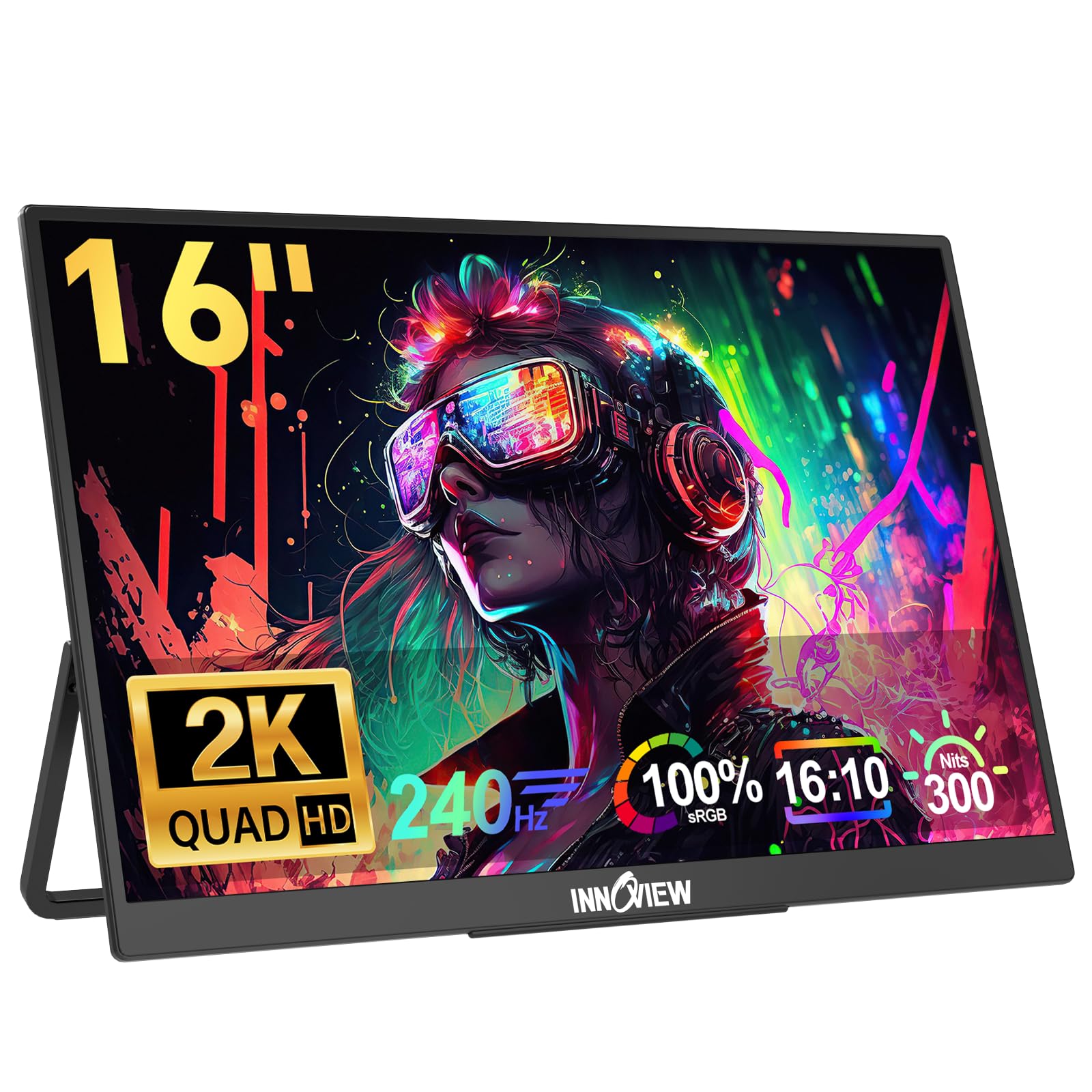
If you’re a competitive gamer, the InnoView is the speed demon of this list. Its 240Hz refresh rate is significantly higher than the 144Hz standard, meaning the screen refreshes 240 times per second. This dramatically reduces screen tearing and latency, providing the smoothest, most responsive experience possible for fast-paced shooters. It also supports lower refresh rates like 144Hz, 165Hz, and 180Hz, so it’s flexible with whatever your device can output.
Beyond the speed, the 2K resolution (2560 x 1600) delivers a significantly sharper image than Full HD. The 100% sRGB IPS panel ensures vibrant and accurate colors, which is great for both gaming and photo editing. Buyers rave about its picture quality and brightness, with some calling it visible even in full sunlight.
There are a couple of things to watch out for. First, your source device must natively support 240Hz and have an HDMI 2.1 (or newer) port to hit the max refresh rate. Second, this monitor is picky about USB-C cables — some owners found it only works reliably with specific premium cables.
The speed advantage
- Fastest 240Hz refresh rate for a competitive edge
- Sharp 2.5K QHD resolution for stunning detail
- Versatile compatibility with lower refresh rates
Setup demands
- Needs HDMI 2.1 to reach the full 240Hz
- Picky about which USB-C cables work properly
Built for the hardcore: if you’re a competitive esports player who needs every millisecond of advantage, the 240Hz panel is worth it.
Not a beginner buy: the cable sensitivity and high bandwidth requirements make it better for tech-savvy users.
7. VisionOwl 16″ 2.5K QHD 144Hz Portable Monitor
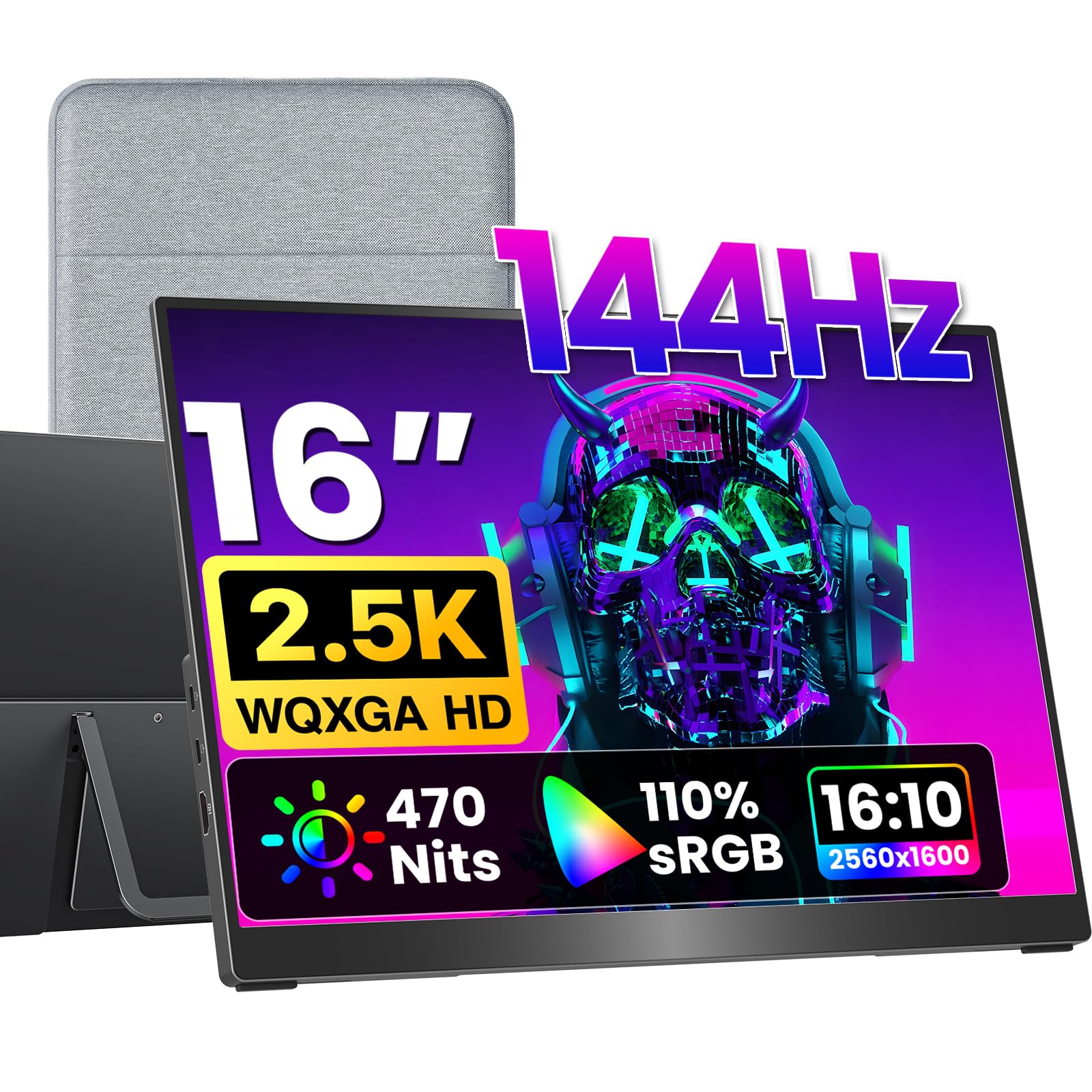
A rare 16:10 aspect ratio that mirrors a MacBook’s screen without ugly black bars.
MacBook users, the VisionOwl is your match because of its 16:10 aspect ratio (the screen’s width-to-height proportion). Most portable monitors use a 16:9 ratio, which leaves black bars at the top and bottom when mirroring a MacBook’s display. The VisionOwl’s 16:10 screen matches the MacBook’s native ratio, so you get a smooth, full-screen mirroring experience. It also packs a 2560 x 1600 QHD resolution (four times the pixels of 720p) and a 144Hz refresh rate for fluid visuals.
Its premium IPS panel uses 8-bit + 2FRC technology to display up to 1.07 billion colors, producing smoother gradients and more realistic color than standard panels. With 110% sRGB coverage and 470 nits peak brightness, it’s ideal for photo editing and design work, remaining vivid even in bright rooms. This is the second most-reviewed pick with a massive 3,000+ owner base and a 4.8-star rating, reflecting its high quality.
Reviewers point out it’s an excellent travel companion for remote work, fitting easily in a computer bag, and they praise the “super clear picture quality” and plug-and-play connectivity with the MacBook Pro. The full-size Standard HDMI port (not the fragile Mini-HDMI) is a thoughtful touch for console gaming.
Why Mac users love it
- Perfect 16:10 aspect ratio for black-bar-free MacBook mirroring
- Bright 470 nits with rich 1.07 billion color display
- Durable metal build with full-size HDMI port
Minor trade-offs
- Built-in speakers are mediocre
- Sleeve case lacks hard drop protection
The MacBook companion: the 16:10 ratio makes this the premier second screen for Apple laptops.
Consider a case: you may want extra protection for the screen during rough travel.
8. EVICIV 24″ 144Hz QLED Portable Gaming Monitor
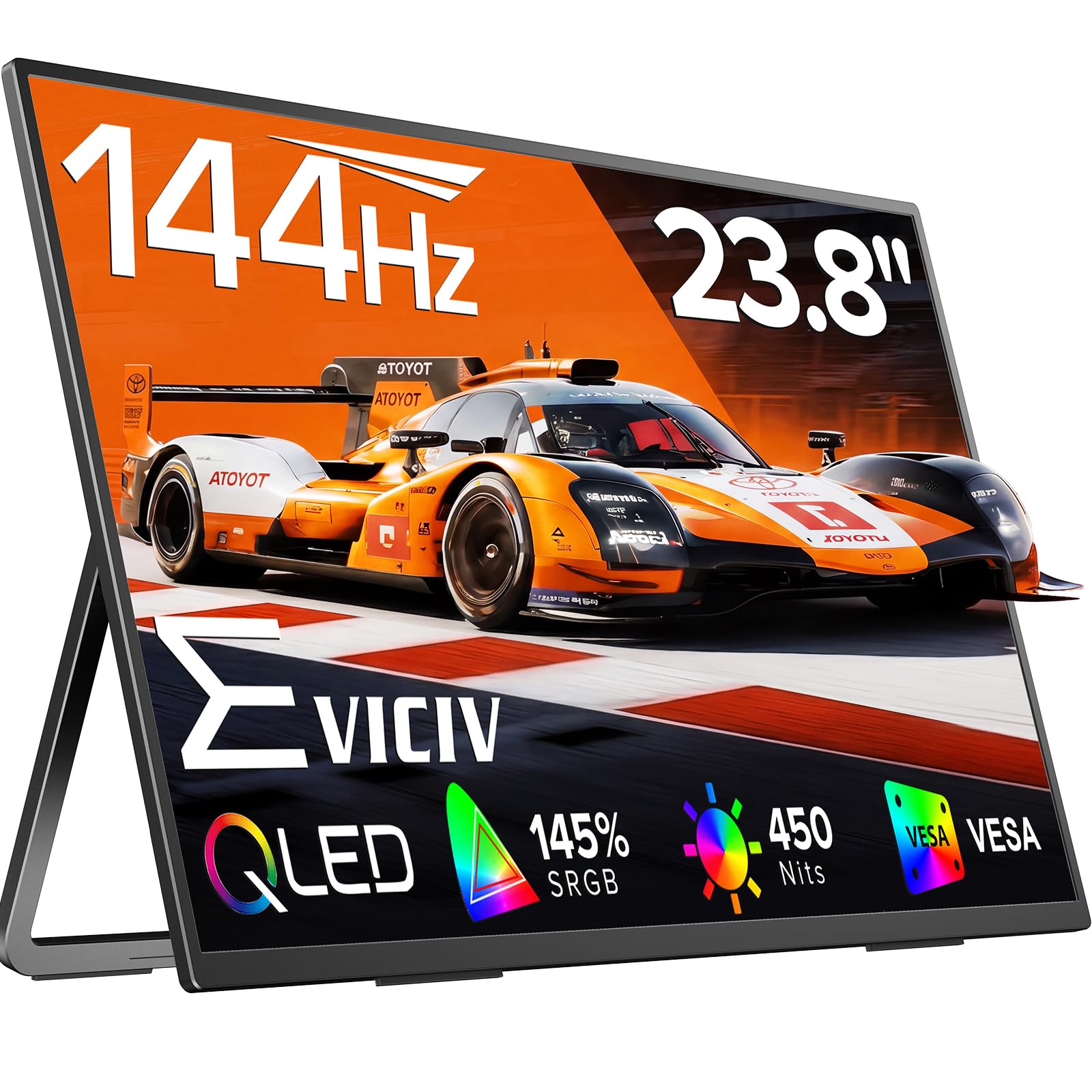
A massive 24-inch QLED canvas that turns a hotel desk into a panoramic workstation.
If screen real estate is your priority, the EVICIV delivers a huge 24-inch display that transforms cramped spaces into a full-size workstation. It features a 144Hz refresh rate and a blazing 0.1ms response time, making it feel incredibly responsive for gaming. The QLED panel is the star here, open up 145% sRGB color coverage for richer reds, deeper greens, and more vibrant blues than a standard IPS screen.
With a 2000:1 contrast ratio and 450 nits peak brightness, colors stay precise and the image remains stunning, even in bright locations. The ultra-thin bezels boost the screen space, making it feel borderless. It also offers wireless connectivity, which buyers highlight as a practical feature for remote working.
Owners note the built-in battery is a nice touch, letting you use the screen untethered briefly, though some found it doesn’t last as long as they’d like under heavy use. The VESA 100x100mm mounting holes and 360° adjustable bracket give you total freedom to position the screen in landscape or portrait.
The big-screen appeal
- Huge 24-inch display with ultra-thin bezels
- Vibrant QLED panel with 145% sRGB color coverage
- Ultra-fast 0.1ms response time
Before you commit
- Built-in battery life is mixed
- Portability is relative — it’s a larger, heavier panel
Pick this for main-desk use: the 24-inch QLED screen (a panel that boosts color brightness) is bright, vivid, and rich enough to serve as your daily driver.
Think twice if: you need a screen that disappears into a backpack for constant travel.
9. UPERFECT 24″ 144Hz QLED Portable Gaming Monitor

A premium 24-inch QLED powerhouse that rivals a desktop monitor’s color and clarity.
The UPERFECT is the premium big-screen option, sharing the 24-inch QLED design with 145% sRGB coverage and 450 nits brightness. It’s built for users who want a serious, large-format second screen without sacrificing color accuracy. The 144Hz refresh rate and 0.1ms response time make it a joy for gaming and for watching high-frame-rate content.
It connects easily via standard HDMI and Type-C ports for plug-and-play setup. Buyers appreciate that it feels well-built and sturdy on a desk, and it fits well in backpacks considering its size. The adjustable brightness and matte finish effectively minimize glare and reflections.
Weighing 5.37 pounds, it’s not a featherlight travel panel, but that weight is the trade-off for a 24-inch screen. It’s highly praised for improving productivity, with owners calling it “the perfect companion” for dual-screen workstation setups. Like its sibling, its battery life is nice to have but not the main selling point.
What makes it premium
- Large 24-inch QLED screen with 145% sRGB
- Bright 450 nits display that minimizes glare
- Fast 144Hz refresh with 0.1ms response
Size matters
- Heavier than standard 16-inch portable monitors at 5.37 lb
- Not a true “carry-everywhere” option
Choose this for a permanent desk setup: the large QLED screen with excellent contrast makes it a stellar main second monitor.
Skip it for air travel: if you need a screen for a cramped plane tray, a compact 16-inch model will serve you better.
10. ViewSonic VX1754 17″ 1080p Portable Gaming Monitor
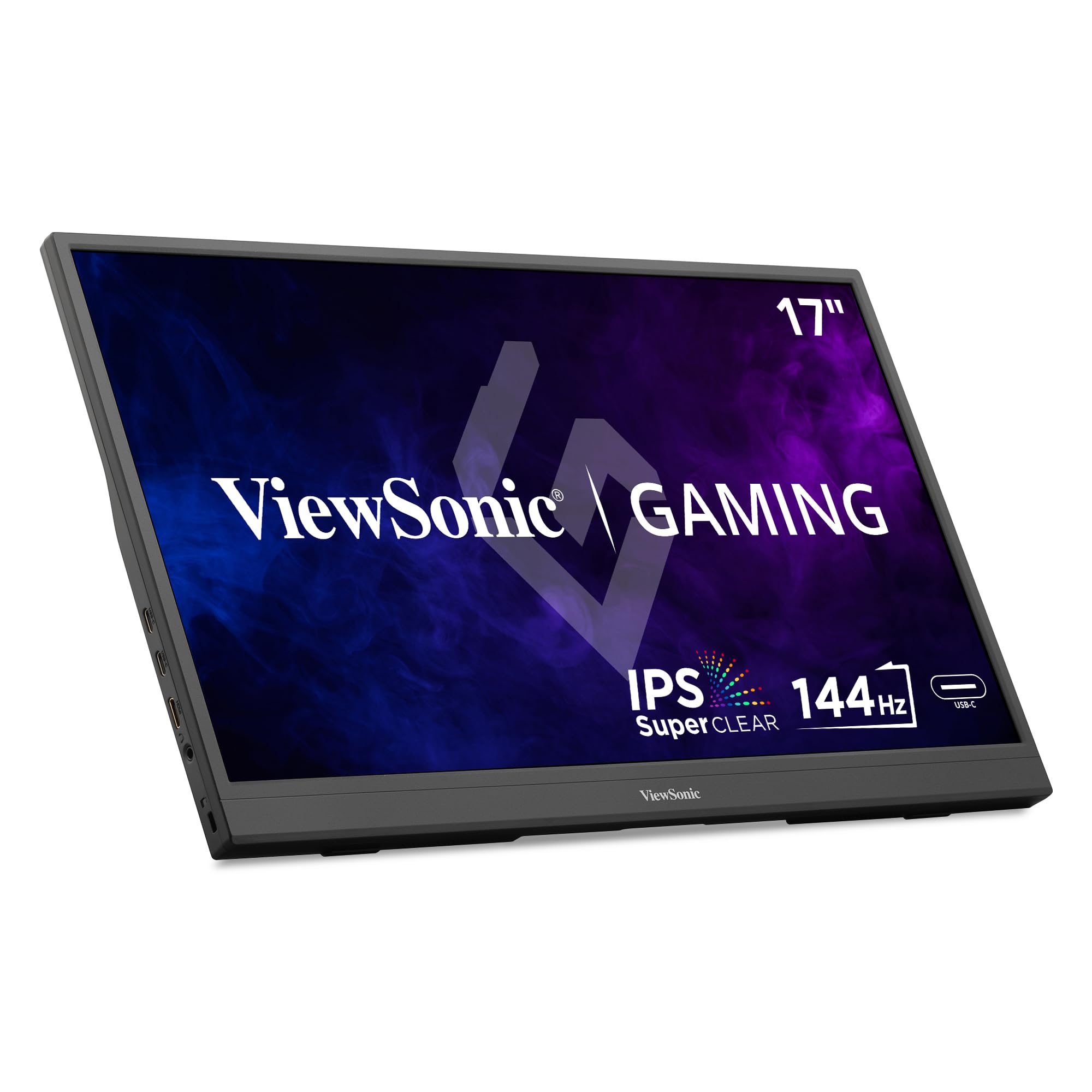
A bigger 17.3-inch sibling to the VX1654, still keeping the handy 60W laptop charging.
The ViewSonic VX1754 takes everything great about the VX1654 and scales it up. You get a larger 17.3-inch Full HD (1920×1080) IPS display with a 144Hz refresh rate, all in a package that weighs just 2 lbs and measures 0.7 inches thick. Like its smaller sibling, it features 60W USB-C charging, so one cable can deliver video and power to your laptop. The built-in stand and protective sleeve make it a complete travel solution.
It’s a great choice for console gaming on the go. Buyers mention it works perfectly mounted on a headrest for a Nintendo Switch in the car. The anti-glare screen and AMD FreeSync support help deliver a smooth, tear-free gaming experience.
The main downside is the 250 nits brightness, which is the typical weak spot for this tier of monitor. It’s clear and crisp indoors, but it struggles in very bright or outdoor environments. This one also has limited reviews, so it’s a slightly less-proven pick than the top sellers, though the brand reputation for reliability backs it up.
The perks
- Large 17.3-inch screen for rich viewing
- 60W USB-C charging to power your laptop
- Comes with sleeve and built-in stand
Keep this in mind
- Only 250 nits brightness — best for indoor use
- Not a highly-reviewed product yet
Great for the family car: the larger screen and headrest compatibility make it a winner for backseat gaming.
Not for bright rooms: step up to a 400+ nit panel if you’ll use it near windows.
11. ASUS ZenScreen 15.6″ 1080P Portable Monitor (MB16AHG)

ASUS’s premium take on portability, with FreeSync Premium for a tear-free picture.
If you trust Asus’s build quality, the ASUS ZenScreen MB16AHG is the brand-name pick. It’s a 15.6-inch FHD (1920 x 1080) IPS monitor with a 144Hz refresh rate, built for smooth motion. It’s one of the few portable monitors with FreeSync Premium technology, which enables variable refresh rate (VRR) — the screen adjusts its refresh to match your game’s frame rate, so you see fewer tears and stutters — a step above standard FreeSync for smoother frame syncing.
The fold-out Ergo kickstand supports multiple viewing positions in both landscape and portrait orientations, and it’s also tripod-mountable, making it great for mounting on a camera tripod for on-location shoots. It comes with a protective sleeve and offers two USB-C (DP Alt mode) ports and a mini HDMI port for versatile connectivity. Shoppers say it works perfectly with Switch OLED docking and praise its build quality.
The brightness is a modest 250 nits (a unit of screen luminance), which is standard for ASUS ZenScreens and fine for indoor use. Video and power both need to flow through the USB-C connection, and some buyers report that a single USB-C cable isn’t always enough to power and send video simultaneously from a MacBook — you may need a second cable. Also, it has no built-in speakers, so plan for headphones or external audio.
The ASUS appeal
- Premium FreeSync Premium for tear-free gaming
- Versatile Ergo kickstand and tripod mount
- Trusted ASUS build quality and eye-care features
Know before you go
- 250 nits brightness is only for indoor environments
- No built-in speakers
Reach for this if: you want a premium, feature-rich monitor from a top-tier brand with excellent build quality.
Look elsewhere if: you want a one-cable setup on a MacBook or need built-in speakers for movie watching.
Understanding the Specs
Refresh Rate (Hz)
This is the number of times the screen updates per second. A 144Hz monitor updates 144 times a second, making motion look much smoother than a standard 60Hz screen. This is critical for gaming, reducing motion blur and input lag. A higher number, like 180Hz or 240Hz, is even smoother, but your laptop or console must be powerful enough to output those high frame rates.
Brightness (nits)
Measured in nits (also known as cd/m²), this tells you how bright the screen can get. A 250-nit panel is fine for a dim hotel room, while a 400-470 nit panel is bright enough to use near a window or in a well-lit office. More nits mean the screen is easier to see in bright environments, but it also uses more power.
Color Gamut (sRGB)
This is a percentage that measures the range of colors a screen can show, compared to a standard color space. A higher percentage, like 110% or 125% sRGB, means the screen shows more vivid, saturated colors. This is important for creative work like photo editing, and it makes games and movies look richer.
Connectivity (USB-C & HDMI)
USB-C is the modern standard for portable monitors. A “full-function” USB-C port can carry video, audio, and power through a single cable, simplifying your setup. However, your laptop must support DisplayPort Alt Mode over USB-C. HDMI ports (either standard or Mini-HDMI) offer broader compatibility with game consoles. VESA mounting holes let you attach the screen to a monitor arm or stand.
FAQ
Will a 144Hz portable monitor work with my MacBook?
What refresh rate can I get with a PS5 or Xbox?
How bright should a portable monitor be?
Can I use a 144Hz portable monitor for photo editing?
Do I need a separate power cable for a portable monitor?
What does a G-Sync or FreeSync portable monitor do?
Is a 17.3-inch portable monitor too big to travel with?
How do I mount a portable monitor on a desk?
Why is the image on my laptop’s screen mirrored instead of extended?
Final Thoughts: The Verdict
For most buyers, the 144hz portable monitor winner is the cocopar 16″ 2.5K because it balances a premium 2.5K resolution with 470 nits brightness and a featherlight 1.5 lb frame, making it the best all-round package for both work and play. If you want a larger canvas with richer colors for a desk setup, grab the UPERFECT 24″ QLED for its 145% sRGB coverage (a color gamut standard). And for console gamers on a budget, the NexiGo 17.3″ is the one to reach for with its G-Sync compatibility and bigger screen.
How We Picked
We do not accept paid placement. Every pick is matched to a real buyer and a real use-case; we do not hands-on test units.
Sources & Methodology
Specifications: manufacturer listings and product documentation. Review insights: verified customer reviews, as of August 2026. Pricing: not shown on this page (it changes often); check the current price via the retailer link.
As an Amazon Associate, Gadgets Feed earns from qualifying purchases. This does not affect which products we feature.