
Our readers keep the lights on and my morning glass full of iced black tea. As an Amazon Associate, I earn from qualifying purchases.
Specs are compiled from manufacturer listings and verified buyer reviews and can change over time — please confirm the key details on the product page before buying.
Filling a 14TB hard drive with your photos, projects, and backups takes months or years. The last thing you want is that drive dying on you and taking everything down with it. This guide cuts through the noise on capacity, cache, and reliability so you pick the 14TB drive built for your actual setup — whether that is a NAS server, a desktop backup station, or a media library.
I’m Min — the founder and writer behind Gadgets Feed. This guide is built by comparing the manufacturers’ published specifications and the patterns across verified customer reviews, so you get each pick’s real strengths and trade-offs instead of marketing spin.
Trusting 14TB of your life to a single drive is a big deal. That is why we dug through the specs and owner experiences to find the 14tb hard drive that actually earns its place in your machine, with the cache size, spin speed, and interface that match your workload.
Our Picks at a Glance


How To Choose The Best 14TB Hard Drive
Shopping for a 14TB drive is different from grabbing a random external hard drive. At this capacity, you are committing serious data — and the internal technology makes the difference between a drive that runs quietly for years and one that drops out of your RAID array. Here are the specs to watch.
Cache Memory: The Buffer That Keeps Writes Flowing
Cache memory is a small, fast buffer on the drive that holds data before it gets written to the platters. A larger cache (measured in MB) helps smooth out large file transfers so the drive does not stutter. Entry-level drives might have 256MB, while enterprise models pack 512MB — that is a serious difference when you are moving several terabytes in one session.
RPM: Speed Versus Noise
Rotational speed, measured in RPM, directly affects how fast you can read and write data. A 7200 RPM drive is noticeably quicker than a 5400 RPM one, but it also runs a little warmer and can be audible during heavy use. For a NAS that sits in a living room, the quieter 5400 RPM option often wins. For a workstation where every second counts, 7200 RPM is worth the hum.
CMR vs SMR: Recording Tech for RAID Users
CMR (Conventional Magnetic Recording) writes tracks that do not overlap, so rewriting data is fast and predictable. SMR (Shingled Magnetic Recording) stacks tracks like roof tiles to pack more capacity, but it slows down drastically during rewrites. If you are putting this drive in a RAID array — especially one that rebuilds — you want CMR every time. That is why NAS-specific drives like the WD Red Plus and Seagate IronWolf use CMR.
Interface and Compatibility
SATA 6Gb/s is the standard for internal 3.5-inch drives, and USB 3.0 handles most external enclosures at 5 Gbps. Before buying, check whether your PC, NAS, or dock supports the interface. An internal enterprise drive like the HGST Ultrastar needs a SATA port and a power cable, while a Western Digital My Book just needs a wall outlet and a USB cable. Your setup decides the form factor.
Quick Comparison
| Model | Best For | Cache Memory | RPM | Interface | Amazon |
|---|---|---|---|---|---|
| WD Elements Desktop 14TB★ Best Overall | Plug-and-play external backup | 14 MB | — | USB 3.0 (5 Gbps) | Amazon |
| Avolusion PRO-T8 14TBBest Value | Budget-conscious desktop expansion | 256 MB | 7200 RPM | USB 3.0 (5 Gbps) | Amazon |
| HGST WD Ultrastar DC HC530 14TBEnterprise Beast | Enterprise / data center internal | 512 MB | 7200 RPM | SATA 6 Gb/s | Amazon |
| UnionSine Desktop 14TB | Quiet office / media backup | — | 5400 RPM | USB 3.0 (5 Gbps) | Amazon |
| Toshiba MG07ACA14TE 14TB | 24/7 internal server workloads | 256 MB | 7200 RPM | SATA 6 Gb/s | Amazon |
| Seagate IronWolf 14TB | 2-8 bay NAS systems | 256 MB | — | SATA 6 Gb/s | Amazon |
| Seagate IronWolf Pro 14TB | High-end NAS up to 24 bays | 256 MB | 7200 RPM | SATA 6 Gb/s | Amazon |
| WD My Book 14TB | Secure external backup with encryption | 1 MB | — | USB 3.1 | Amazon |
| WD Red Plus 14TB | Small/medium NAS up to 8 bays | 512 MB | 5400 RPM | SATA 6 Gb/s | Amazon |
In‑Depth Reviews
1. Western Digital 14TB Elements Desktop External Hard Drive
Our pick — over 4.5★ from 137,500+ verified ratings; the strongest balance of quality and price.
The desktop backup drive that 100,000+ owners trust for reliable plug-and-play storage.
This is the no-surprises champion for anyone who just wants a 14TB external drive to work the moment you plug it in. The Western Digital Elements connects over USB 3.0 at up to 5 Gigabits Per Second, so your first massive backup runs at a solid pace without needing any software installation. The enclosure is a straightforward aluminum shell — nothing fancy, but it keeps the 3.5-inch mechanical hard disk cool during long transfer sessions. Owners repeatedly call it quiet during normal use, and one buyer summed it up: “14TB drive used for backups and long-term storage.” With a crowd this large behind it — and a positive read on build quality from the review pages — this is the safe bet for the vast majority of home and small-office users.
The trade-off is that reliability gets mixed signals in the data. While the majority of owners have zero problems, a portion report the drive stopped being recognized after some months. This is the reality of any high-capacity mechanical drive. The WD Elements also ships formatted as NTFS, so Mac users will need to reformat it before using it with Time Machine. None of that stops it from being the most widely chosen 14TB drive on the market — it just means you should keep a backup of your backup.
What wins people over
- True plug-and-play — no driver or software install needed for Windows
- Quiet enough to sit on a desk next to you during nightly backups
- WD build quality is the top positive aspect praised by the most owners
The honest caveats
- Reliability is the most-discussed topic and it is mixed — some units fail within months
- NTFS format from the start means extra steps for Mac users
Grab it if: you want a straightforward, high-capacity external drive that the majority of owners are happy with for backups and long-term media storage.
Look elsewhere if: you need a drive for a RAID NAS or an internal server build — this is an external enclosure, not a bare internal drive.
2. Avolusion PRO-T8 Series 14TB USB 3.0 External Hard Drive
An external drive with a serious 256MB cache that punches above its price point.
Where the Avolusion PRO-T8 stands out is the combination of a 7200 RPM internal spindle and a 256MB cache — a pairing usually found in more expensive enterprise externals. That translates to real-world speed when moving huge media libraries. One buyer running local AI models confirmed it has been running smoothly since July of 2024 with no issues. The drive uses a like-new refurbished enterprise HDD inside a new enclosure, and Avolusion backs it with a two-year warranty, which helps offset the usual anxiety around refurbished components. Storage capacity and value for money are the top positive aspects praised by owners, and the drive works with any Windows OS desktop or laptop that has a USB 3.0 port. For a Plex server hosting 4K streams, buyers report no lag.
Reliability shows a mixed picture in the data — some units arrive dead or develop issues. The plastic/PVC enclosure does not feel as premium as an aluminum shell, and the drive requires a power adapter (no bus-powered portability here). This is an excellent price-to-capacity play if you are okay with the refurbished enterprise-drive concept and keep a separate critical backup.
The big draws
- 7200 RPM with a 256MB cache for faster transfers than typical external drives
- Two-year warranty provides extra confidence for a refurbished-unit product
- Handles 4K streaming from a Plex server without lag, per owner reports
Know before you buy
- Plastic enclosure feels less sturdy than aluminum alternatives
- Reliability gets mixed feedback — a portion of units have early issues
Reach for this if: your priority is maximizing dollars-per-terabyte for a media server or secondary storage where speed matters.
Think twice if: you want a brand-new internal component with zero prior power-on hours.
3. HGST WD Ultrastar DC HC530 14TB SATA 6Gb/s Internal HDD
A data-center grade internal drive with a 512MB cache and a 2.5-million-hour MTBF rating.
This is the most technically capable drive in the lineup. The HGST Ultrastar DC HC530 uses HelioSeal technology — helium-filled platters that reduce drag and power consumption — and packs a massive 512MB cache for sustained write operations. That is a 36.6x gap compared to the 14MB cache in the WD Elements, and it shows when you are hammering the drive with constant reads and writes. The drive supports SATA 6Gb/s transfers and is designed for a 2.5 million hour mean-time-between-failure, which is the kind of reliability number enterprise data centers rely on. Owners confirm the 14TB capacity and fast 6Gb/s SATA transfers deliver reliable operation. Value for money and storage capacity are the most praised positive aspects among buyers.
The catch is this is a renewed (refurbished) product, so the unit you get may have thousands of power-on hours already. Reliability is the most-discussed topic and it is mixed — some owners mention zero issues while others receive a failed unit. It also runs hot and can be noisy during heavy use. This drive demands a proper SATA power cable and a compatible desktop or server bay. For someone building a home server or a DIY NAS on a budget who understands renewed enterprise gear, this is a powerful option.
What makes it special
- 512MB cache is enormous for a mechanical drive, smoothing huge file transfers
- HelioSeal technology lowers idle power by up to 58% vs air-filled 8TB drives
- 2.5 million hour MTBF rating is built for 24/7 enterprise operation
The reality check
- Renewed drives carry risk — some units have high prior usage or arrive faulty
- Noisy and runs hot during extended use; needs good airflow in your case
Pick this for: a home server or workstation where you need data-center specs on a budget and can handle the heat and noise.
Skip it for: a quiet office or living-room PC — the fan noise and heat are noticeable.
4. UnionSine Desktop External Hard Drive 14TB
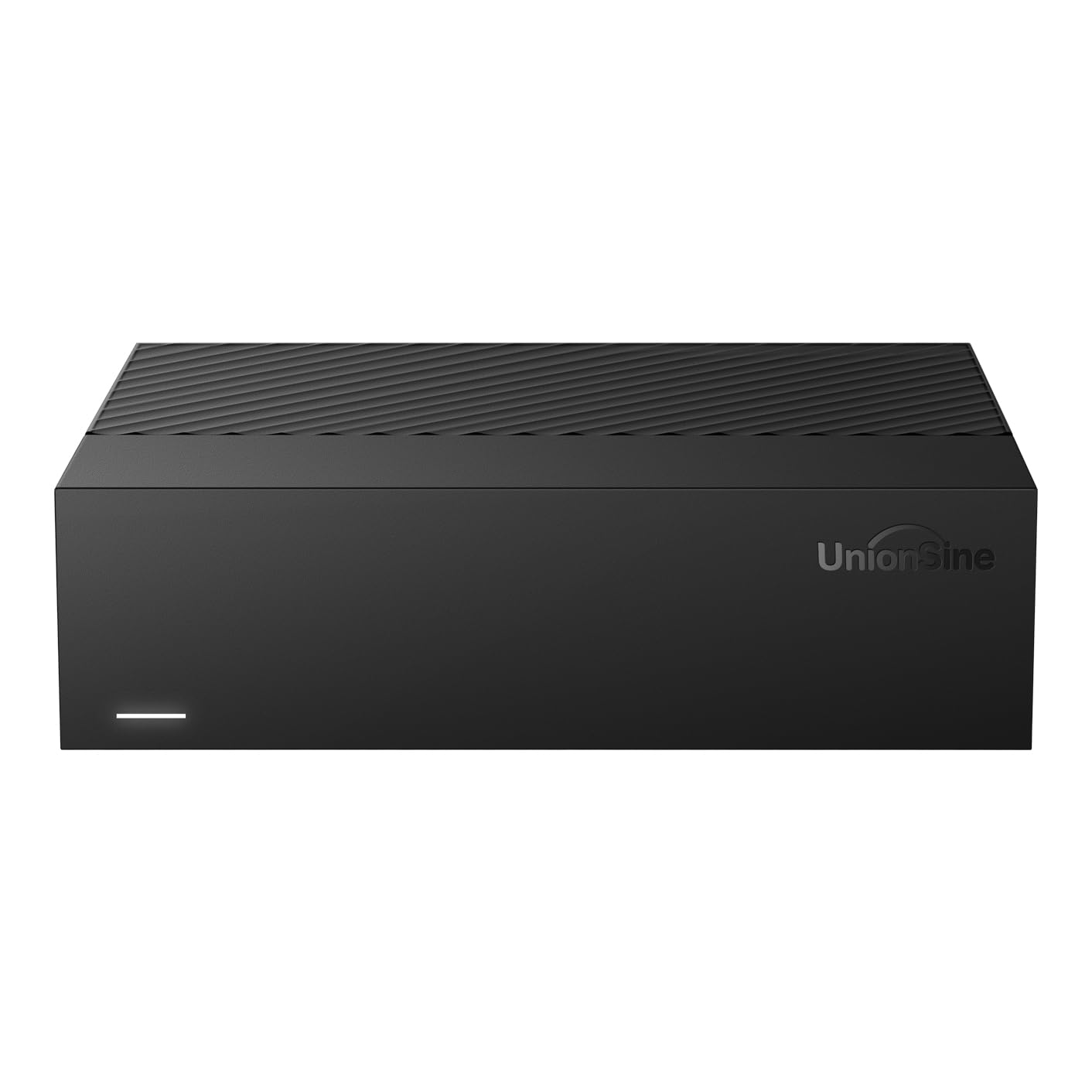
A quiet, low-vibration external drive that slides into an office desk without a sound.
The UnionSine is built around a 5400 RPM drive, which keeps noise and vibration to a minimum — perfect for a shared workspace or a media console next to the TV. It uses a USB 3.0 MicroB connection with a theoretical read/write speed of 130-270 MB/s, and the anti-vibration silicone inside the enclosure helps keep that hum down. Compatibility is wide: Windows, Mac, Linux, Android, TV, DVD, and Xbox are all supported thanks to the ASM chip inside. Owners consistently highlight how easy it is to set up — plug it in, connect the 12V/3A power adapter first, and you are ready to go. Performance and ease of use are the most-mentioned positive aspects.
A smaller number of units arrive dead on arrival, and the actual formatted capacity is about 12.7TB due to the difference between advertised and usable space (the listing clearly states this). The data transfer rate of 130 Megabytes Per Second is slower than a 7200 RPM drive, so if you are moving terabytes regularly, you will feel the wait. The UnionSine is a cost-effective external that prioritizes silence over speed.
Where it excels
- Near-silent operation thanks to 5400 RPM spindle and anti-vibration silicone
- Works with a huge range of devices — PC, Mac, TV, Xbox, and more
- Plug-and-play setup is genuinely easy with no driver installation needed
What to expect
- Slower transfer speeds than 7200 RPM alternatives — expect about 130 MB/s
- An occasional defective unit slips through, so test immediately on arrival
Best suited for: a quiet office, a bedroom media server, or a backup drive that sits next to your home theater gear.
Not ideal if: you regularly shuttle 500GB+ files and need the fastest possible write speed.
5. Toshiba MG07ACA14TE 14TB Enterprise Internal HDD

An enterprise internal drive rated for 24/7 operation with 550TB per year workload.
The Toshiba MG Series is built to be left on. With a 7200 RPM spindle, a 256MB cache, and a rated workload of 550TB per year, this is a drive designed for servers and always-on NAS enclosures. It uses Toshiba’s Stable Platter Technology to keep the read/write heads steady during vibration, and the Persistent Write Cache technology helps protect data in case of power loss. Customers note easy installation and good compatibility with systems like Synology DiskStation. Compatibility and speed are the most praised positive aspects.
Noise is a real talking point here. Owners describe the drive as noisy — one reviewer noted it has “the capacity that I want and the speed that I want” but it is loud. Reliability also gets mixed feedback, with some reports of failure after a few months. The drive uses an aluminum enclosure and comes in a standard 3.5-inch form factor. The 7200 RPM speed is great for data transfer but the acoustics are a trade-off worth knowing if this drive lives in a quiet room.
Strengths
- Rated for 24/7 operation in enterprise and NAS environments
- Persistent Write Cache and Stable Platter Technology improve data integrity
- Compatibility praised by owners — works well with Synology and Mac Pro docks
Weaknesses
- Noise level is the most-discussed negative — this drive is audibly loud during seeks
- Reliability is mixed, with a minority of units failing within months
Choose this for: a server rack, a basement NAS, or a workstation where ambient noise is not a concern.
Avoid if: the drive sits in a living room or bedroom — the seek noise will be a constant companion.
6. Seagate IronWolf 14TB NAS Internal Hard Drive

The NAS drive built and tuned for multi-user RAID environments up to 8 bays.
Seagate’s IronWolf is purpose-built for network attached storage enclosures, not desktop PCs. It uses CMR (Conventional Magnetic Recording) technology, which avoids the slowdown issues of SMR drives when RAID arrays need to rebuild. With a 256MB cache and a 1M hour MTBF, it is designed for the constant read/write load of a multi-user home or small-office NAS. Owners running pairs of these in Synology DS223J units report no bad sectors and quiet operation. Performance is the most-mentioned positive aspect among buyers. The drive also comes with three years of Rescue Data Recovery Services, which is a genuine safety net if the drive ever fails — Seagate attempts to recover your data for you.
Reliability gets mixed feedback, which is the most-discussed topic here. Some owners receive a drive that fails shortly after installation, and the packaging has been criticized for not protecting the drive well enough during shipping. The noise level is noticeable during active access — one owner described it as a “good, but noisy, NAS drive.” It operates around 210 Megabits Per Second data transfer rate, which is adequate for multiple 4K streams but not the fastest option on this list.
Why it fits a NAS
- CMR recording prevents RAID rebuild slowdowns common with SMR drives
- Three-year Rescue Data Recovery Services provide real data-protection backup
- IronWolf Health Management lets you monitor drive condition from within the NAS
Watch for
- Reliability is inconsistent — some units arrive DOA or fail early
- Noticeable seek noise when the NAS is under heavy access
Ideal for: a dedicated NAS build (2-8 bays) where CMR compatibility and the data recovery service matter more than raw speed.
Not right for: a standalone desktop external drive — this is a bare internal HDD for a NAS enclosure.
7. Seagate IronWolf Pro 14TB NAS Internal Hard Drive

The IronWolf Pro turns up the speed and workload ceiling for serious NAS rigs up to 24 bays.
Take everything good about the standard IronWolf and push it further. The Pro version spins at 7200 RPM (versus the standard model’s lower speed) and delivers sustained transfer rates up to 250MB/s. It is built for NAS enclosures with up to 24 bays and carries a 1.2M hour MTBF — a 20% increase over the non-Pro model — plus the same three-year Rescue Data Recovery Services. The 256MB cache and CMR recording remain, but the Pro handles heavier multi-user workloads without breaking stride. Owners running 14TB drives for years in 24/7 operation report they are reliable and fast. Value for money and speed are the most praised positive aspects among a large base of owners.
Noise gets mixed reactions — some owners find it very quiet while others hear loud clicking sounds. Reliability is the most-discussed topic and it is mixed, but that is typical at this scale of ownership. The Pro is noticeably more expensive than the standard IronWolf, so you pay for the extra speed and higher workload rating. If your NAS has only 2-4 bays and sees light use, the standard IronWolf probably covers you. If you are filling an 8-bay or 24-bay chassis with constant access, the Pro earns its premium.
The Pro advantages
- 250MB/s sustained transfer rate is noticeably faster than standard NAS drives
- 1.2M hour MTBF and 24-bay support make it suitable for serious server builds
- Rescue Data Recovery Services provide an extra layer of data protection
Know the trade-off
- Higher cost than the standard IronWolf — only worth it if you use the extra speed
- Noise is a mixed topic; some units produce loud clicks during operation
Go with this if: you run a high-traffic NAS with many users or need the fastest NAS-specific transfer speeds available.
Consider the standard IronWolf if: your NAS is a 2-bay home unit used for family photo backups and occasional media streaming.
8. WD 14TB My Book Desktop External Hard Drive

An external drive that adds hardware encryption and backup software to the WD reliability formula.
The WD My Book takes the same 14TB internal drive from the Elements and wraps it in a higher-feature package. The big addition is 256-bit AES hardware encryption, which keeps your data inaccessible if the drive is stolen or lost — you set a password through the WD Security software. The enclosure orientation is vertical, which saves desk space, and the drive includes WD Backup and WD Drive Utilities software for scheduled backups and drive diagnostics. Quality and storage capacity are the most praised positive aspects among a very large owner base, and the drive is consistently called easy to use and set up. One buyer mentioned their older 4TB My Book lasted over 10 years as a Mac Time Machine drive.
Reliability is the most-discussed topic and it is mixed, which mirrors the reality of any high-capacity mechanical drive. The noise level also gets mixed reactions — some owners find it quiet, others hear a constant hum. The included software requires a download and a user account registration, which some buyers find unnecessary. The My Book is essentially a premium external for people who want encryption and backup scheduling built-in rather than handling it themselves.
What you get extra
- 256-bit AES hardware encryption protects your data if the drive is stolen
- Included WD Backup and WD Security software offer all-in-one backup management
- Vertical stand design saves desk space compared to flat-laying enclosures
What to know
- Reliability is the most-discussed topic and it is mixed — some drives fail
- Software setup requires account registration, which not everyone wants
Reach for this if: encryption and automated backup software matter to you and you prefer a complete out-of-box solution.
Save your money if: you already have a backup strategy and do not need hardware encryption — the WD Elements does the same job for less.
9. Western Digital 14TB WD Red Plus NAS Internal Hard Drive

A seriously popular NAS drive that stays quiet and cool while packing a 512MB cache.
The WD Red Plus is the most-reviewed NAS-specific 14TB drive on this list, and for good reason. It uses CMR technology (the listing explicitly states it is being renamed from “WD Red” to “WD Red Plus” to distinguish it from the SMR version), so it handles RAID rebuilds and heavy multi-user access without the write cliff of shingled drives. The 512MB cache is double what most NAS drives offer, and the 5400 RPM spindle keeps both noise and heat low. Owners praise its performance, quiet operation, and speed — those are the top three positive aspects. One owner reported it running cool at 29°C idle with zero issues after 11 months. It supports up to 8 bays and a 180 TB/year workload rate, which covers small to medium business NAS systems running 24×7.
Reliability is the most-discussed topic and it is mixed, with some reports of failure after about a year. The 5400 RPM means it is not as fast for single-user transfers as a 7200 RPM drive like the Toshiba MG07, but in a NAS environment that is rarely the bottleneck. The Red Plus is a premium-priced drive, and it shows in the extensive positive owner consensus. For a Synology or QNAP NAS up to 8 bays, this is the drive most owners seem to reach for.
Why it stands out
- 512MB cache is among the largest on any NAS-specific drive — smooths out multi-user access
- Quiet operation is the second most-praised aspect; runs cool at idle
- CMR recording ensures reliable RAID rebuilds without SMR slowdowns
The fine print
- Reliability is the most-discussed topic and it is mixed — some drives fail within a year
- 5400 RPM means slower sequential transfer than 7200 RPM enterprise drives
Best pick for: a small to medium business NAS (up to 8 bays) where quiet, cool operation and CMR reliability are the top priorities.
Look at the Seagate IronWolf Pro if: your NAS needs 7200 RPM speeds for frequent large-file access.
Understanding the Specs
Cache Memory (MB)
Cache memory acts as a temporary holding area for data traveling between your computer and the spinning platters. A larger cache, like 512MB, lets the drive accept large bursts of data quickly without forcing the slower platters to catch up right away. This matters most when you are moving many small files or writing huge video projects. Drives with smaller caches (14MB or 256MB) may stutter during sustained writes because the buffer fills up and the computer waits for the platters to finish writing before sending more data.
RPM — Spin Speed
Revolutions per minute (RPM) measures how fast the platters inside the drive spin. A 7200 RPM drive delivers faster sequential read and write speeds than a 5400 RPM drive — you will notice this when copying a 50GB video file. The trade-off is more noise, heat, and power consumption. For a 24/7 NAS, 5400 RPM is often preferred because it stays quieter and cooler. For a workstation where you frequently move large files, 7200 RPM is worth the extra hum.
CMR vs SMR
Conventional Magnetic Recording (CMR) writes data tracks side by side without overlap, so any section can be rewritten instantly. Shingled Magnetic Recording (SMR) overlaps tracks like roof tiles to squeeze more capacity into the same space, but rewriting data forces the drive to read and rewrite entire bands of tracks. For RAID arrays, CMR is essential — SMR drives can drop out of an array during a rebuild because the write speed collapses. NAS-specific drives like the WD Red Plus and Seagate IronWolf use CMR.
Interface — SATA vs USB
SATA 6Gb/s is the standard internal connection for desktop and NAS drives, offering up to 600MB/s theoretical bandwidth. USB 3.0 caps out at 5 Gbps (around 500 MB/s real-world), which is plenty for a mechanical hard drive that tops out around 250MB/s. The interface matters for your specific setup: if you are installing inside a PC or NAS, you need SATA. If you want a portable drive you can plug into any computer, USB is the way to go.
FAQ
Will a 14TB hard drive work with my Synology or QNAP NAS?
How much usable space do I get from a 14TB hard drive?
What is the difference between a 5400 RPM and 7200 RPM 14TB drive?
Can I use a 14TB enterprise drive in a regular desktop PC?
How long does a 14TB mechanical hard drive typically last?
What is a cache in a hard drive and does 512MB matter?
Can I shuck a 14TB external hard drive and use the internal drive in a NAS?
What does HelioSeal technology do in a 14TB hard drive?
Is a 14TB hard drive suitable for 4K video editing?
What is the difference between the Seagate IronWolf and IronWolf Pro 14TB?
Final Thoughts: The Verdict
For most people, the 14tb hard drive winner is the Western Digital Elements 14TB because it combines massive capacity, genuine plug-and-play simplicity, and the largest base of satisfied owners — over 100,000 ratings — at a price that beats most competitors. If you are building a NAS and need CMR reliability plus quiet operation, grab the WD Red Plus 14TB. And for a home server where budget meets speed, the Avolusion PRO-T8 14TB delivers 7200 RPM performance with a 256MB cache at a value that is hard to ignore. Whichever capacity you choose, remember: at 14TB, a second backup is not optional — it is the rule.
How We Picked
We do not accept paid placement. Every pick is matched to a real buyer and a real use-case; we do not hands-on test units.
Sources & Methodology
Specifications: manufacturer listings and product documentation. Review insights: verified customer reviews, as of July 2026. Pricing: not shown on this page (it changes often); check the current price via the retailer link.
As an Amazon Associate, Gadgets Feed earns from qualifying purchases. This does not affect which products we feature.